
.NET微服务从0到1:服务注册与发现(Consul)
Consul搭建
基于Docker搭建Consul
以下为单机环境构建脚本,用于本机测试,生产环境中应当进行集群搭建
version: '3'

services:

  consul:

    image: consul:1.7.1

    container_name: consul

    volumes:

      - /c/docker/consul/data:/consul/data

      - /c/docker/consul:/consul/config

    ports:

      - 8300:8300

      - 8301:8301

      - 8301:8301/udp

      - 8302:8302

      - 8302:8302/udp

      - 8400:8400

      - 8500:8500

      - 53:53/udp

    command: agent -server -bind=0.0.0.0 -client=0.0.0.0 -node=consul_Server1 -bootstrap-expect=1 -ui
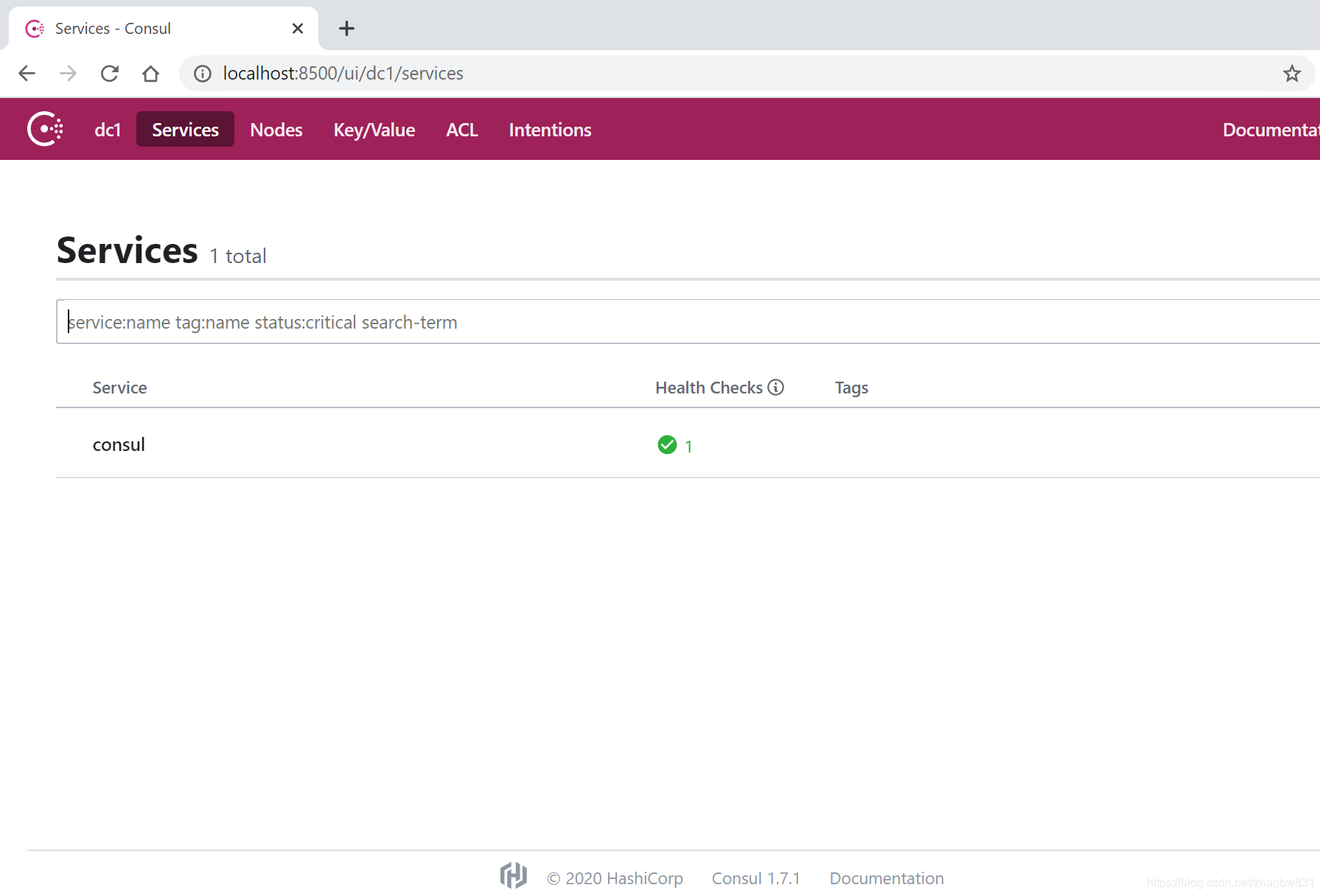
成功搭建后,访问8500端口,你可以看到如下界面
基于Windows搭建Consul
点击下载Consul
执行以下命令运行consul
consul agent -dev
ServiceA集成Consul做服务注册
配置前一篇文章中的ServiceA
Install-Package Consul -Version 0.7.2.6
- Consul配置模型
public class ServiceDisvoveryOptions

{

    public string ServiceName { get; set; }

    public ConsulOptions Consul { get; set; }

}

public class ConsulOptions

{

    public string HttpEndpoint { get; set; }

    public DnsEndpoint DnsEndpoint { get; set; }

}

public class DnsEndpoint

{

    public string Address { get; set; }

    public int Port { get; set; }

    public IPEndPoint ToIPEndPoint()

    {

        return new IPEndPoint(IPAddress.Parse(Address), Port);

    }

}
- 添加appsetting.json
  "ServiceDiscovery": {

    "ServiceName": "ServiceA",

    "Consul": {

      "HttpEndpoint": "http://127.0.0.1:8500",

      "DnsEndpoint": {

        "Address": "127.0.0.1",

        "Port": 8600

      }

    }

  }
- Consul服务注册实现
private void ConfigureConsul(IApplicationBuilder app, IOptions<ServiceDisvoveryOptions> serviceOptions, IConsulClient consul, IHostApplicationLifetime lifetime)

{

    var features = app.Properties["server.Features"] as FeatureCollection;

    var addresses = features.Get<IServerAddressesFeature>()

        .Addresses

        .Select(p => new Uri(p));

    foreach (var address in addresses)

    {

        var serviceId = $"{serviceOptions.Value.ServiceName}_{address.Host}:{address.Port}";

        var httpCheck = new AgentServiceCheck()

        {

            DeregisterCriticalServiceAfter = TimeSpan.FromMinutes(1),

            Interval = TimeSpan.FromSeconds(30),

            HTTP = new Uri(address, "health").OriginalString

        };

        var registration = new AgentServiceRegistration()

        {

            Checks = new[] { httpCheck },

            Address = address.Host,

            ID = serviceId,

            Name = serviceOptions.Value.ServiceName,

            Port = address.Port

        };

        consul.Agent.ServiceRegister(registration).GetAwaiter().GetResult();

        lifetime.ApplicationStopping.Register(() =>

        {

            consul.Agent.ServiceDeregister(serviceId).GetAwaiter().GetResult();

        });

    }

}
- 配置服务到DI容器
public void ConfigureServices(IServiceCollection services)

{

    services.AddOptions();

    services.Configure<ServiceDisvoveryOptions>(Configuration.GetSection("ServiceDiscovery"));

    services.AddSingleton<IConsulClient>(p => new ConsulClient(cfg =>

    {

        var serviceConfiguration = p.GetRequiredService<IOptions<ServiceDisvoveryOptions>>().Value;

        if (!string.IsNullOrEmpty(serviceConfiguration.Consul.HttpEndpoint))

        {

            // if not configured, the client will use the default value "127.0.0.1:8500"

            cfg.Address = new Uri(serviceConfiguration.Consul.HttpEndpoint);

        }

    }));

    services.AddHealthChecks();

    services.AddControllers();

}
- 将Consul相关配置添加到管道
public void Configure(IApplicationBuilder app, IWebHostEnvironment env, IOptions<ServiceDisvoveryOptions> serviceDisvoveryOptions, IConsulClient consul, IHostApplicationLifetime lifetime)

{

    if (env.IsDevelopment())

    {

        app.UseDeveloperExceptionPage();

    }

    app.UseRouting();

    app.UseAuthorization();

    ConfigureConsul(app, serviceDisvoveryOptions, consul, lifetime);

    app.UseHealthChecks("/health");

    app.UseEndpoints(endpoints =>

    {

        endpoints.MapControllers();

    });

}
- 运行ServiceA
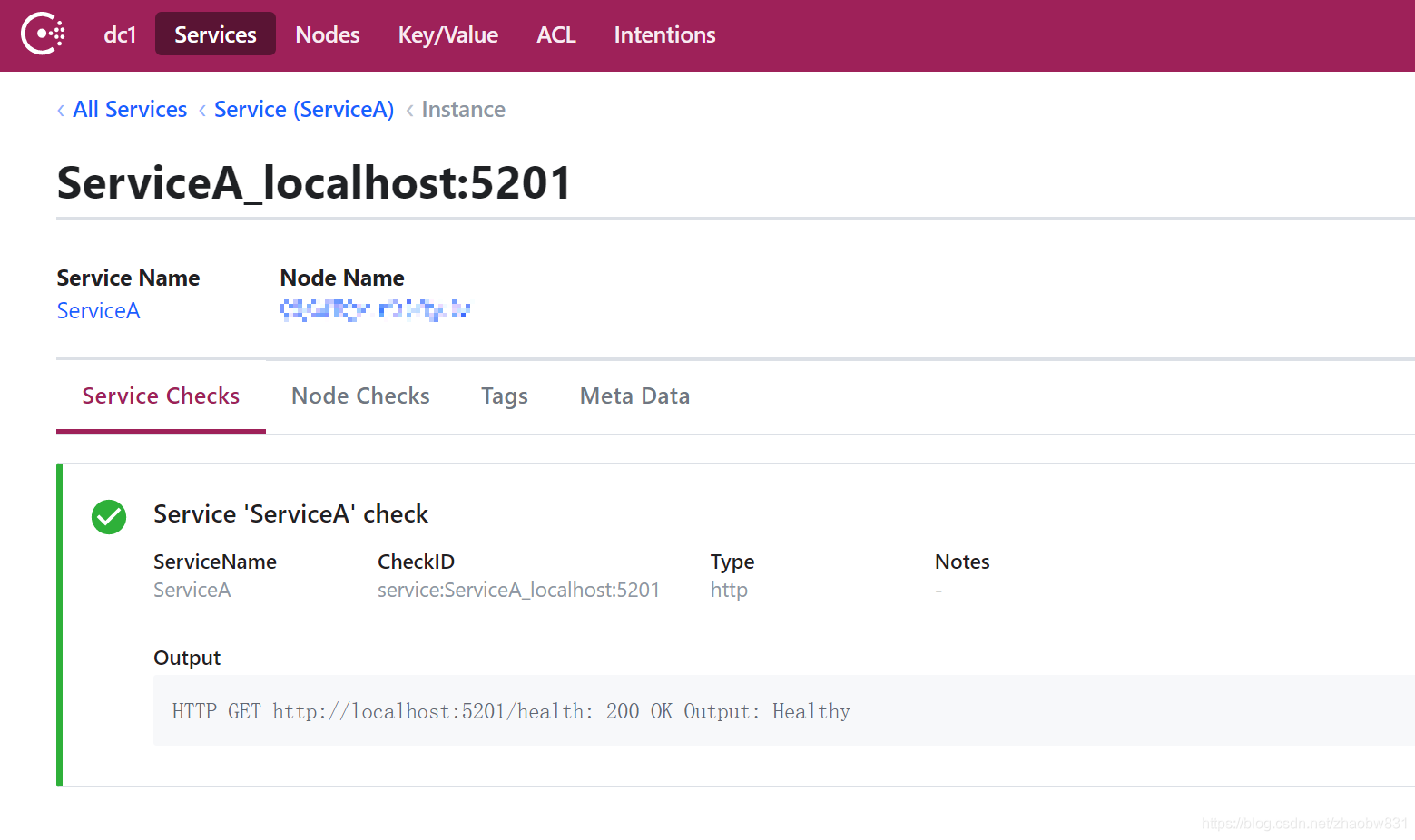
可以看到健康检查已通过,并且服务ServiceA已成功注册到Consul
Ocelot集成Consul做服务发现
安装nuget包依赖
Install-Package Ocelot.Provider.Consul -Version 14.0.11
在上一篇文章的基础上,我们先修改ocelot.json
删除了ServiceA路由中的DownstreamHostAndPorts写死的地址和端口,改为使用Consul服务发现
{

  "ReRoutes": [

    {

      "DownstreamPathTemplate": "/{url}",

      "DownstreamScheme": "http",

      "UpstreamPathTemplate": "/service-a/{url}",

      "UpstreamHttpMethod": [ "Get", "Post" ],

      "AuthenticationOptions": {

        "AuthenticationProviderKey": "SampleKey",

        "AllowedScopes": [ "gateway_api" ]

      },

      "ServiceName": "ServiceA",

      "LoadBalancerOptions": {

        "Type": "LeastConnection"

      }

    }

  ],

  "GlobalConfiguration": {

    "BaseUrl": "http://localhost",

    "ServiceDiscoveryProvider": {

      "Host": "localhost",

      "Port": 8500,

      "Type": "Consul"

    }

  }

}
向容器中添加Consul服务
public void ConfigureServices(IServiceCollection services)

{

    services.AddOcelot()

        .AddConsul();

}
启动各个服务,查看结果
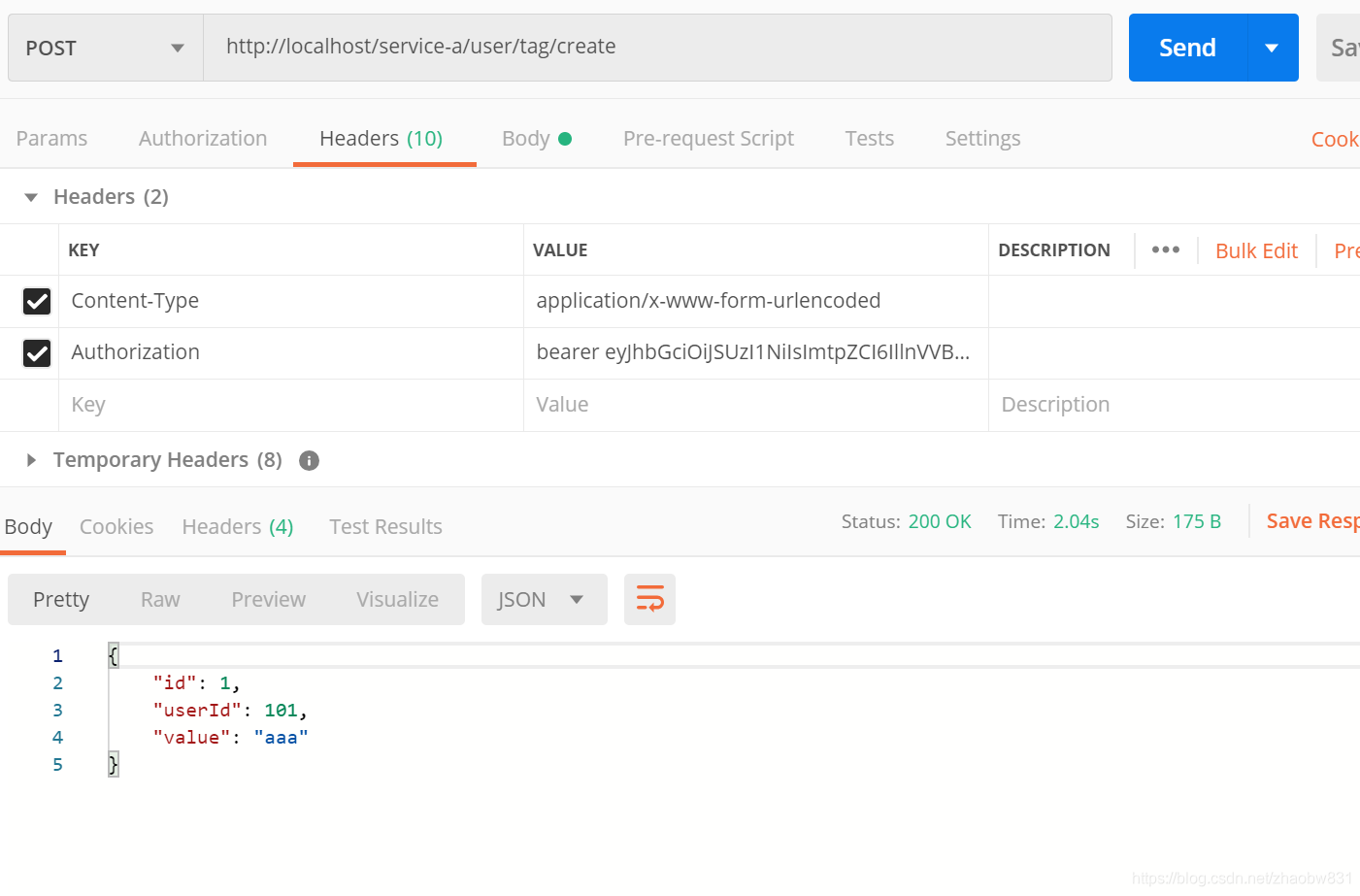
可以看到已成功执行
更多参考
Consul
Service Discovery And Health Checks In ASP.NET Core With Consul
.NET微服务从0到1:服务注册与发现(Consul)的更多相关文章
- 分布式服务注册和发现consul 简要介绍
Consul是HashiCorp公司推出的开源工具,用于实现分布式系统的服务发现与配置.与其他分布式服务注册与发现的方案,Consul的方案更"一站式",内置了服务注册与发现框 架 ...
- 微服务之服务注册与发现--Consul(转载)
http://blog.csdn.net/buxiaoxia/article/details/69788114 https://www.cnblogs.com/xiaohanlin/p/8016803 ...
- 玩转springcloud(三):服务的提供者与调用者(注册于发现)
一.简介 上文我们实践了cloud的注册中心的单服务于多节点的搭建,房子造好了得有人来住不是,这篇我们实践下服务提供者于调用者的案例,也就是服务端和客户端的调用. 本文会设计三个module:注册中心 ...
- 5.服务注册与发现Consul,简学API,手动注册和删除服务
package main import ( httptransport "github.com/go-kit/kit/transport/http" mymux "git ...
- C#使用Consul集群进行服务注册与发现
前言 我个人觉得,中间件的部署与使用是非常难记忆的:也就是说,如果两次使用中间件的时间间隔比较长,那基本上等于要重新学习使用. 所以,我觉得学习中间件的文章,越详细越好:因为,这对作者而言也是一份珍贵 ...
- 温故知新,.Net Core遇见Consul(HashiCorp),实践分布式服务注册与发现
什么是Consul 参考 https://www.consul.io https://www.hashicorp.com 使用Consul做服务发现的若干姿势 ASP.NET Core 发布之后通过命 ...
- 基于.NET CORE微服务框架 -谈谈surging的服务容错降级
一.前言 对于不久开源的surging受到不少.net同学的青睐,也受到.net core学习小组的关注,邀请加入.NET China Foundation以方便国内.net core开源项目的推广, ...
- .NET Core微服务之基于Steeltoe使用Eureka实现服务注册与发现
Tip: 此篇已加入.NET Core微服务基础系列文章索引 => Steeltoe目录快速导航: 1. 基于Steeltoe使用Spring Cloud Eureka 2. 基于Steelt ...
- 微服务(Microservices)和服务网格(Service Mesh)架构概念整理
注:文章内容为摘录性文字,自己阅读的一些笔记,方便日后查看. 微服务(Microservices) 在过去的 2016 年和 2017 年,微服务技术迅猛普及,和容器技术一起成为这两年中最吸引眼球的技 ...
随机推荐
- 使用mui框架开发App,当input获取焦点时,键盘弹出,底部导航栏上升。
转自 https://blog.csdn.net/elementFei/article/details/72917393 感谢 问题: 使用mui框架开发App,当input获取焦点时,键盘弹出,底部 ...
- LeetCode No.103,104,105
No.103 ZigzagLevelOrder 二叉树的锯齿形层次遍历 题目 给定一个二叉树,返回其节点值的锯齿形层次遍历.(即先从左往右,再从右往左进行下一层遍历,以此类推,层与层之间交替进行). ...
- iOS燃烧动画、3D视图框架、天气动画、立体相册、微信朋友圈小视频等源码
iOS精选源码 iOS天气动画,包括太阳,云,雨,雷暴,雪动画. 较为美观的多级展开列表 3D立体相册,可以旋转的立方体 一个仪表盘Demo YGDashboardView 一个基于UIScrollV ...
- Java使用JNDI技术获取DataSource对象
package common; import java.sql.Connection; import java.sql.SQLException; import javax.naming.Contex ...
- [LC] 71. Simplify Path
Given an absolute path for a file (Unix-style), simplify it. Or in other words, convert it to the ca ...
- java枚举与常量类的区别
1)枚举型可以直接与数据库打交道,我通常使用varchar类型存储,对应的是枚举的常量名.(数据库中好像也有枚举类型,不过也没用过) 2) switch语句支持枚举型,当switch使用int.Str ...
- 使用zxing生成和解析二维码
二维码: 是用某种特定的几何图形按一定规律在平面(二维方向上)分布的黑白相间的图形记录数据符号信息的: 在代码编制上巧妙的利用构成计算机内部逻辑基础的0和1比特流的概念,使用若干个与二进制相对应的几何 ...
- crack|erosion|strip|
V-ERG (使)破裂;(使)裂开;(使)断裂 If something hard cracks, or if you crack it, it becomes slightly damaged, w ...
- 关于angular2跳路由防止页面刷新的做法(Angular2路由重载)
simpleReuseStrategy.ts // 创建重用策略 import { ActivatedRouteSnapshot, DetachedRouteHandle, RouteReuseStr ...
- 挑战中英实时语音翻译——Skype Translator 中文预览版登陆中国
Translator 中文预览版登陆中国" title="挑战中英实时语音翻译--Skype Translator 中文预览版登陆中国"> 今天,我们正式宣布在中国 ...