
NPM 配置文件修改
NPM 配置文件修改
几乎每一门语言都有配套的包管理器,比如 Ruby 有 RubyGems,Go 有 go modules,npm 作为 node 的包管理器,你有想过全局安装的 node 包都放在硬盘里面的哪个地方?它有没有配置文件?node 包的缓存位置在哪里?
node 的包管理工具是 npm,npm 的 配置文件是 .npmrc 文件,您可以通过 npm -h 来查看 npm 所支持的相关命令:
npm -h

// 输出结果(在我个人的Mac系统上)

Usage: npm <command>

where <command> is one of:

    access, adduser, audit, bin, bugs, c, cache, ci, cit,

    clean-install, clean-install-test, completion, config,

    create, ddp, dedupe, deprecate, dist-tag, docs, doctor,

    edit, explore, get, help, help-search, hook, i, init,

    install, install-ci-test, install-test, it, link, list, ln,

    login, logout, ls, org, outdated, owner, pack, ping, prefix,

    profile, prune, publish, rb, rebuild, repo, restart, root,

    run, run-script, s, se, search, set, shrinkwrap, star,

    stars, start, stop, t, team, test, token, tst, un,

    uninstall, unpublish, unstar, up, update, v, version, view,

    whoami

npm <command> -h  quick help on <command>

npm -l            display full usage info

npm help <term>   search for help on <term>

npm help npm      involved overview

Specify configs in the ini-formatted file:

    /Users/arraybuffer/.npmrc # 配置文件路径在这里

or on the command line via: npm <command> --key value

Config info can be viewed via: npm help config

npm@6.11.3 /usr/local/lib/node_modules/npm # npm 可执行文件所在地址
上图显示当前我的 npm 版本为 6.11.3 ,配置文件所在位置为 /Users/arraybuffer/.npmrc
快捷修改 .npmrc 配置文件
.npmrc 文件就是 npm 的配置文件所在位置,寻找这个文件的目的,多数是为了修改 .npmrc 文件内容。但npm 提供了方便快捷的修改方式,尽管不知道这个文件的位置,其实也是可以修改的:
npm config edit
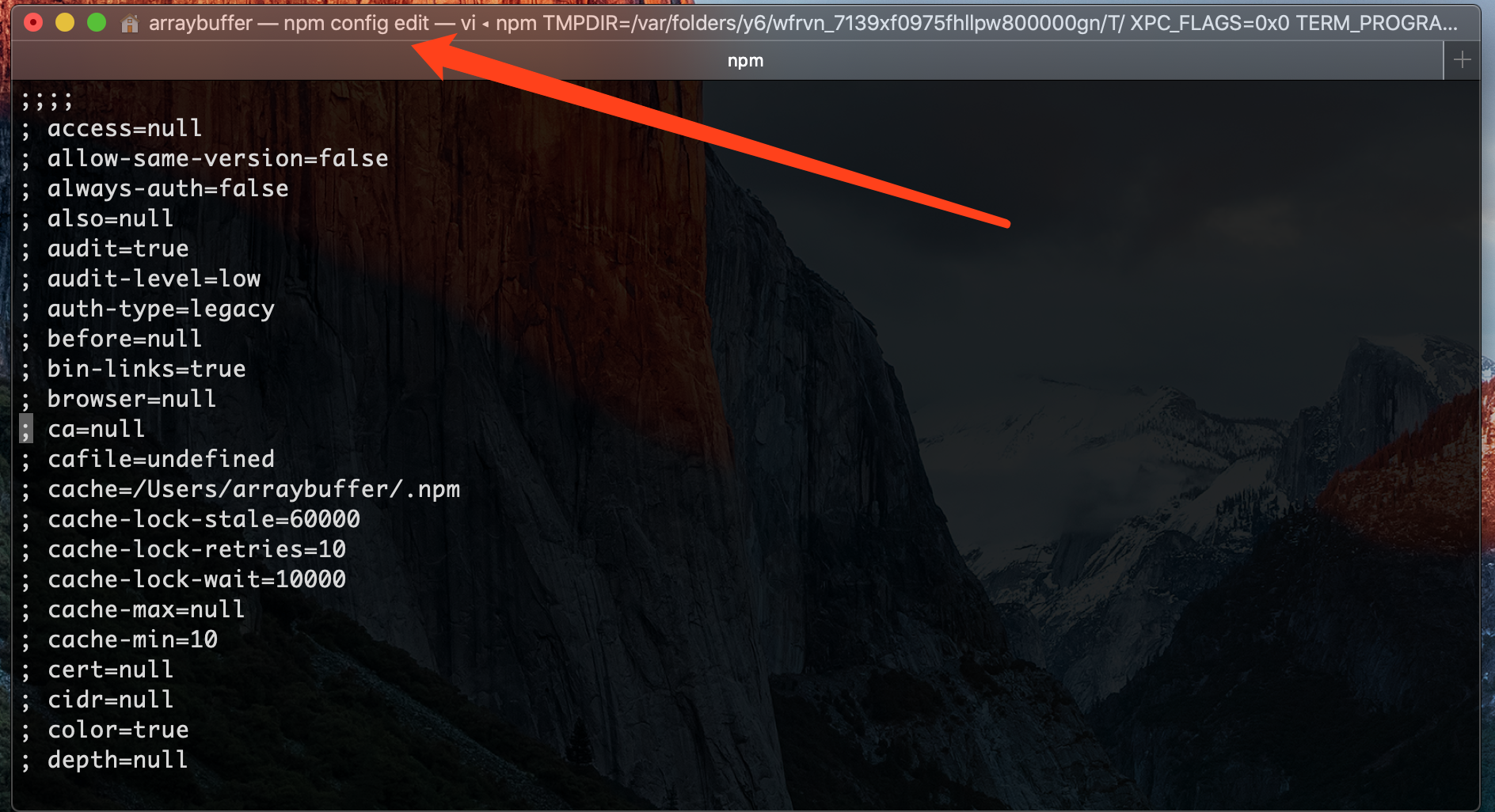
在弹出的界面上,修改 .npmrc 文件后,保存即可。
npm config list 简要信息获取
终端输入:
npm confi list
输出结果:
; cli configs

metrics-registry = "https://registry.npmjs.org/" // npm 包源

scope = ""

user-agent = "npm/6.11.3 node/v10.15.0 darwin x64"

; builtin config undefined

prefix = "/usr/local" // 全局配置的前缀

; node bin location = /usr/local/bin/node

; cwd = /usr/local/lib/node_modules

; HOME = /Users/arraybuffer

; "npm config ls -l" to show all defaults.
.npmrc 文件内容详情
可以通过 npm config ls -l 列出所有配置信息,这些信息以 key/value 的形式存储和展示。
- npm config get [keyName] 该命令可以获取值
- npm config set [keyName] [keyValue] 改命令可以设置值
;;;;

; npm userconfig file

; this is a simple ini-formatted file

; lines that start with semi-colons are comments.

; read `npm help config` for help on the various options

;;;;

//registry.npmjs.org/:_authToken=3b537d47-813f-42f8-9ee0-8f8d8c87d541

;;;;

; all options with default values

;;;;

; access=null

; allow-same-version=false

; always-auth=false

; also=null

; audit=true

; audit-level=low

; auth-type=legacy

; before=null

; bin-links=true

; browser=null

; ca=null

; cafile=undefined

; cache=/Users/arraybuffer/.npm

; cache-lock-stale=60000

; cache-lock-retries=10

; cache-lock-wait=10000

; cache-max=null

; cache-min=10

; cert=null

; cidr=null

; color=true

; depth=null

; description=true

; dev=false

; dry-run=false

; editor=vi

; engine-strict=false

; force=false

; fetch-retries=2

; fetch-retry-factor=10

; fetch-retry-mintimeout=10000

; fetch-retry-maxtimeout=60000

; git=git

; git-tag-version=true

; commit-hooks=true

; global=false

; globalconfig=/usr/local/etc/npmrc

; global-style=false

; group=20

; ham-it-up=false

; heading=npm

; if-present=false

; ignore-prepublish=false

; ignore-scripts=false

; init-module=/Users/arraybuffer/.npm-init.js

; init-author-name=

; init-author-email=

; init-author-url=

; init-version=1.0.0

; init-license=ISC

; json=false

; key=null

; legacy-bundling=false

; link=false

; local-address=undefined

; loglevel=notice

; logs-max=10

; long=false

; maxsockets=50

; message=%s

; metrics-registry=null

; node-options=null

; node-version=10.15.0

; offline=false

; onload-script=null

; only=null

; optional=true

; otp=null

; package-lock=true

; package-lock-only=false

; parseable=false

; prefer-offline=false

; prefer-online=false

; prefix=/usr/local

; preid=

; production=false

; progress=true

; proxy=null

; https-proxy=null

; noproxy=null

; user-agent=npm/{npm-version} node/{node-version} {platform} {arch}

; read-only=false

; rebuild-bundle=true

; registry=https://registry.npmjs.org/

; rollback=true

; save=true

; save-bundle=false

; save-dev=false

; save-exact=false

; save-optional=false

; save-prefix=^

; save-prod=false

; scope=

; script-shell=null

; scripts-prepend-node-path=warn-only

; searchopts=

; searchexclude=null

; searchlimit=20

; searchstaleness=900

; send-metrics=false

; shell=/bin/zsh

; shrinkwrap=true

; sign-git-commit=false

; sign-git-tag=false

; sso-poll-frequency=500

; sso-type=oauth

; strict-ssl=true

; tag=latest

; tag-version-prefix=v

; timing=false

; tmp=/var/folders/y6/wfrvn_7139xf0975fhllpw800000gn/T

; unicode=true

; unsafe-perm=true

; update-notifier=true

; usage=false

; user=0

; userconfig=/Users/arraybuffer/.npmrc

; umask=18

; version=false

; versions=false

; viewer=man

; _exit=true

; globalignorefile=/usr/local/etc/npmignore
关键信息:
cache=/Users/arraybuffer/.npm 				// npm 包缓存位置

prefix=/usr/local							  			// npm 全局安装路径的前缀

registry=https://registry.npmjs.org/  // npm 源配置地址
修改 npm 全局安装和缓存文件的位置
默认情况下:
- win系统下的路径基础部分是:%APPDATA%/npm/
- mac系统下路径基础部分是:/usr/local/
默认的全局安装包位置:
- win系统下路径是:%APPDATA%/npm/node_modules/
- mac系统下路径是:/usr/local/lib/node_modules/
关于 npm 的全局文件位置及缓存文件位置,这两个路径实际上是可以修改的,并且需要注意的是:prefix 修改后,原来安装在默认目录下的npm包也还是生效的,并不需要再次安装:
npm config set prefix "<new_path>"

npm config set cache "<new_path>"
在我的Mac上,查看全局安装的包:
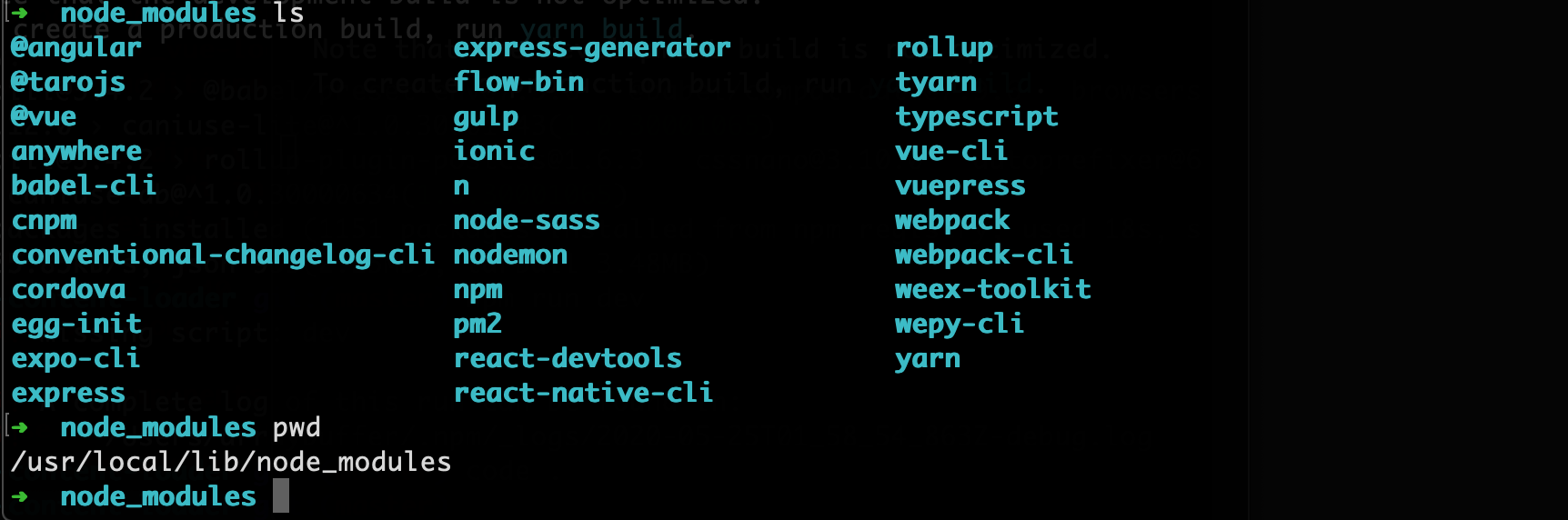
接着我修改全局安装路径(修改prefix):
npm config set prefix "/usr/local/src"

npm install -g less

可以查看上面的修改已经生效,另外当我们修改 prefix 后,安装全局的 node module,系统会自动生成目录:

所以全局 node_modules 的目录实际是:$prefix + 'lib/node_modules/'
NPM 配置文件修改的更多相关文章
- npm start 修改启动端口的不同方式
antd的启动配置文件基于package.json文件,配合roadhog使用时,启动配置是: "scripts": { "start": "road ...
- %appdata%目录下配置文件修改
%appdata%目录下配置文件修改 1.假设%appdata%\leez Program目录下有Cache子目录和配置文件Config.ini内容为: [Version] Version=1.0.0 ...
- IDEA运行编译后配置文件无法找到,或配置文件修改后无效的问题
1.触发事件 今天正好在学习log4j,为了测试其配置文件log4j.properties中的各种配置,进行了频繁修改和程序启动以确认效果,因为是使用的IDEA建立的Web项目,接着问题就来了,配置文 ...
- open-falcon Agent配置文件修改hostname后,还是有其他名称的endpoint
问题 open-falcon Agent在配置文件修改hostname后,log日志中还是发现其他名称的endpoint. 原因 Graph, Gateway组件会引用goperfcounter(gi ...
- 在mysql配置文件修改sql_mode或sql-mode 怎么办?
很多在安装程序配置数据库这一步中会出现: 请在mysql配置文件修改sql_mode或sql-mode 这个问题处理很简单: mysql中修改my.cnf,找到sql_mode,修改值为: NO_AU ...
- mysql配置文件修改
mysql配置文件修改 mkdir –p /data/mysql chown -R mysql.mysql /data/mysql/ vim /etc/my.cnf [mysqld ...
- MySql绿色版安装步骤和方法,以及配置文件修改,Mysql服务器启动
MySql绿色版Windows安装步骤和方法,以及配置文件修改,Mysql服务器启动 支持“标准”Markdown / CommonMark和Github风格的语法,也可变身为代码编辑器: 支持实时预 ...
- MySQL(二)之服务管理与配置文件修改和连接MySQL
上一篇给大家介绍了怎么在linux和windows中安装mysql,本来是可以放在首页的,但是博客园说“安装配置类文件”不让放在首页.接下来给大家介绍一下在linux和windows下MySQL的一下 ...
- CentOS 7.4 ifconfig, ip/ss, nmcli, nmtui, 配置文件 修改ip信息用法
CentOS 7.4 ifconfig, ip/ss, nmcli, nmtui, 配置文件 修改ip信息用法 CentOS 7.4 中, 网卡命名方式发生改变, 可预测功能命名: 网卡简要名称组成格 ...
随机推荐
- 循序渐进VUE+Element 前端应用开发(6)--- 常规Element 界面组件的使用
在我们开发BS页面的时候,往往需要了解常规界面组件的使用,小到最普通的单文本输入框.多文本框.下拉列表,以及按钮.图片展示.弹出对话框.表单处理.条码二维码等等,本篇随笔基于普通表格业务的展示录入的场 ...
- DCL单例为什么要加Volatile
拿一个对象创建赋值来说 class T{ int elem = 1; } T t = new T(); 上段代码转换成汇编码为: 0 new #2 <T> 3 dup 4 invokesp ...
- HDL-数字电路建模的要点
https://mp.weixin.qq.com/s/tEDMWf1gk0e7u4hIWKM9bQ 一. 拓扑 数字电路的拓扑抽象出来之后比较简单,就是线(Wire)和开关(Swit ...
- Java实现 LeetCode 820 单词的压缩编码(暴力)
820. 单词的压缩编码 给定一个单词列表,我们将这个列表编码成一个索引字符串 S 与一个索引列表 A. 例如,如果这个列表是 ["time", "me", & ...
- Java实现 蓝桥杯VIP 算法训练 幂方分解
问题描述 任何一个正整数都可以用2的幂次方表示.例如: 137=27+23+20 同时约定方次用括号来表示,即ab 可表示为a(b). 由此可知,137可表示为: 2(7)+2(3)+2(0) 进一步 ...
- Java实现 蓝桥杯VIP 算法训练 字符串编辑
算法训练 字符串编辑 时间限制:1.0s 内存限制:512.0MB 问题描述 从键盘输入一个字符串(长度<=40个字符),并以字符 '.' 结束.编辑功能有: 1 D:删除一个字符,命令的方式为 ...
- java实现人民币金额大写
在与财务相关的应用中,经常会用到人民币金额的大写,比如发票的打印程序. 本题的任务是:从键盘输入一个十亿以内的正整数(int类型),把它转换为人民币金额大写(不考虑用户输入错误的情况). 比如,用户输 ...
- Java实现花朵数
一个N位的十进制正整数,如果它的每个位上的数字的N次方的和等于这个数本身,则称其为花朵数. 例如: 当N=3时,153就满足条件,因为 1^3 + 5^3 + 3^3 = 153,这样的数字也被称为水 ...
- Linux 递归acl权限和默认acl权限
递归acl权限 递归acl指给父目录设定acl时,所有的子文件和子目录都拥有相同的acl权限 setfacl -m u:boduo:rx -R /project/ 默认acl权限 默认acl权限的作用 ...
- 简谈Java语言的封装
简谈Java语言的封装 封装的定义 封装将复杂模块或系统的逻辑实现细节隐藏,让使用者只需要关心这个模块或系统怎么使用,而不用关心这个模块或系统是怎么实现的. 在面向对象的的编程中,我们一般通过接口来描 ...