
Google Maps API的使用
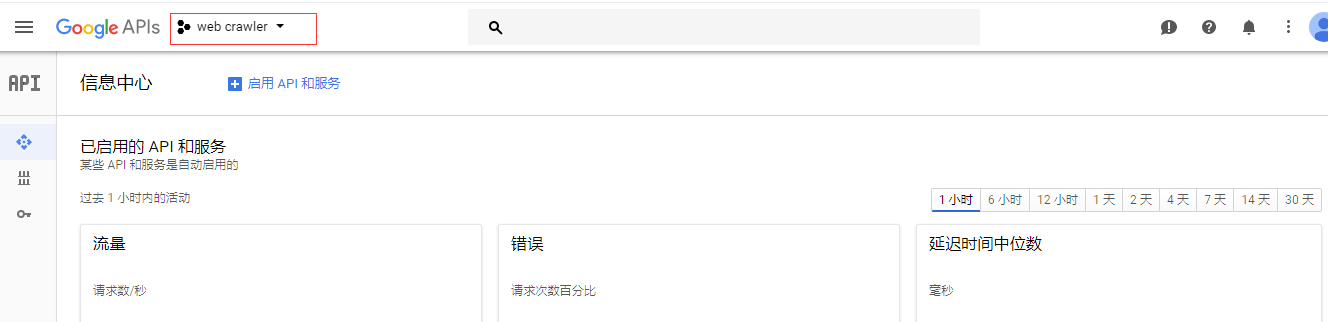

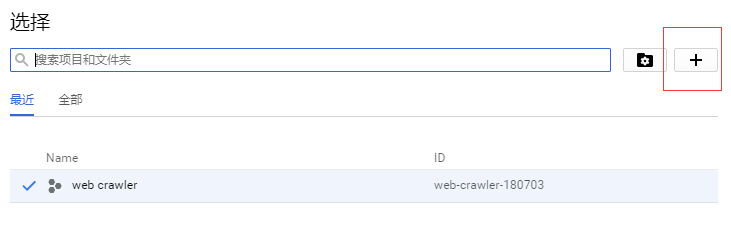
.png)
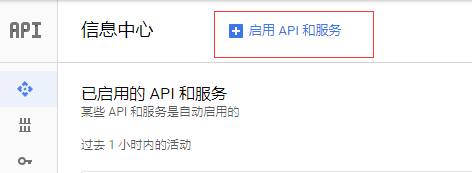
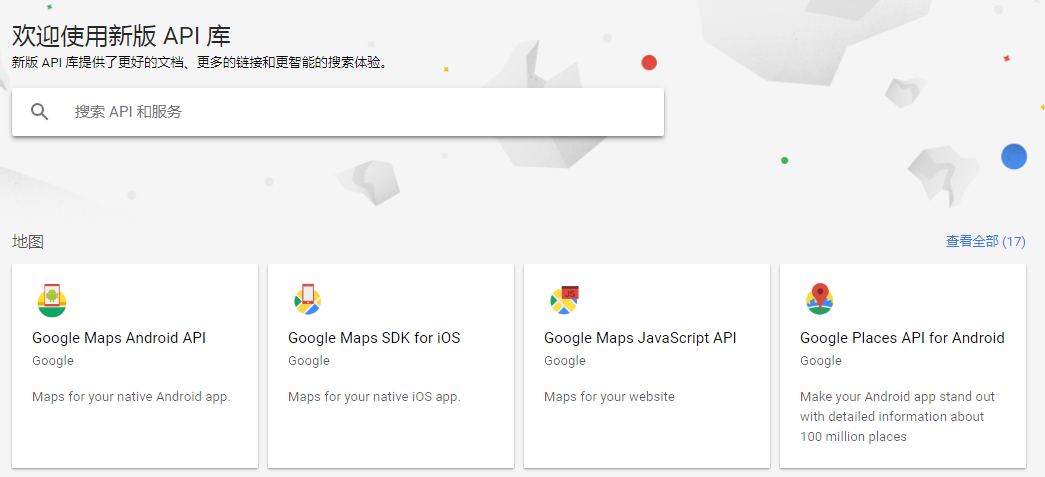
.png)
.png)
.png)
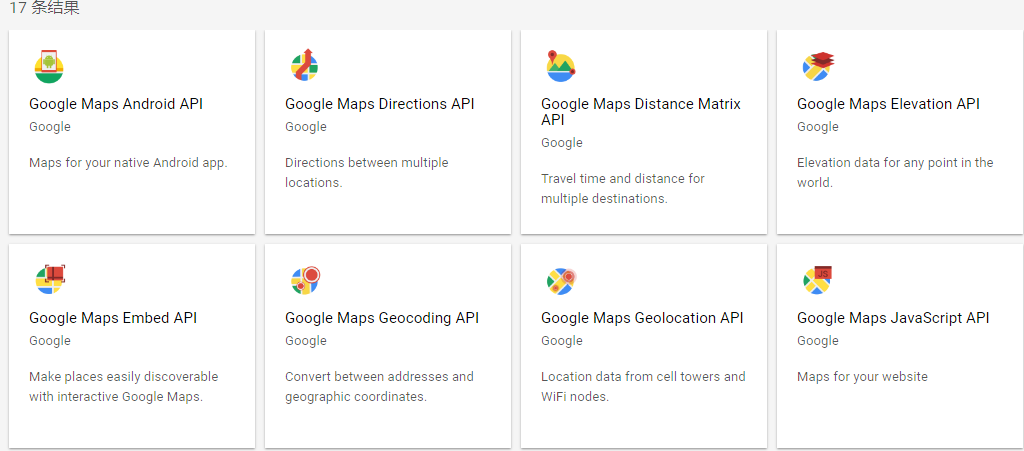
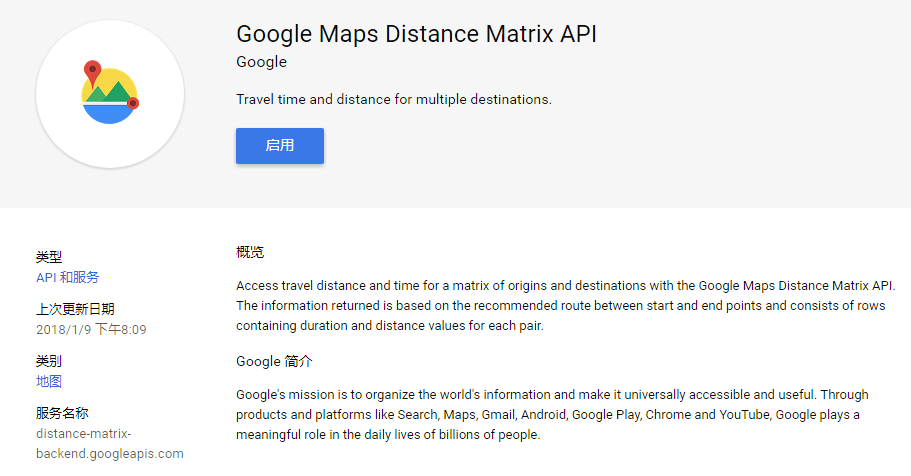
.png)
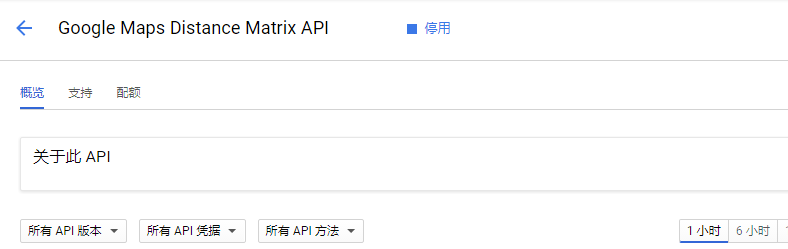
.png)
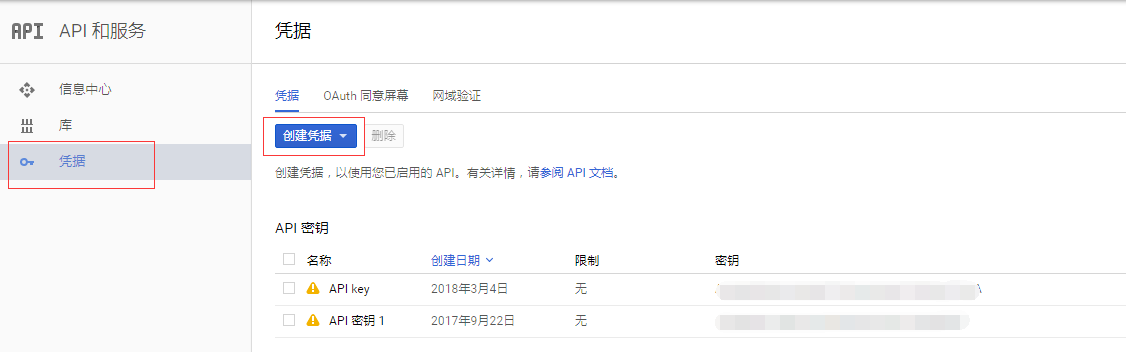
.png)
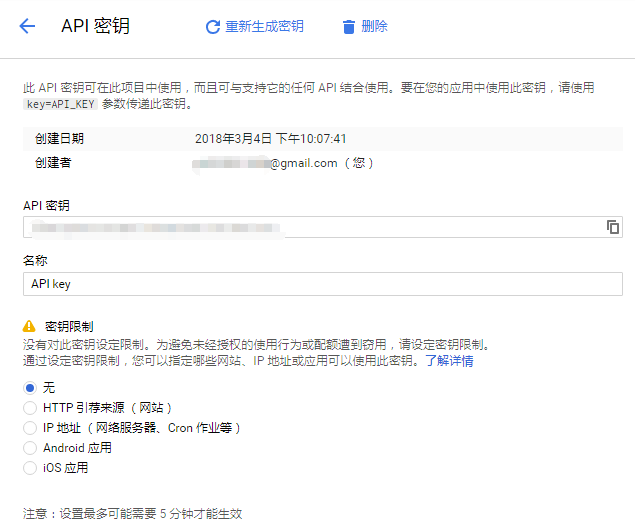
.png)
import googlemaps

from datetime import datetime

gmaps = googlemaps.Client(key='Add Your Key here')

# Geocoding an address

geocode_result = gmaps.geocode('1600 Amphitheatre Parkway, Mountain View, CA')

print(geocode_result[0]['geometry']['location'])

# Look up an address with reverse geocoding

reverse_geocode_result = gmaps.reverse_geocode((40.714224, -73.961452))

print(reverse_geocode_result[0]['address_components'][1]['long_name'])
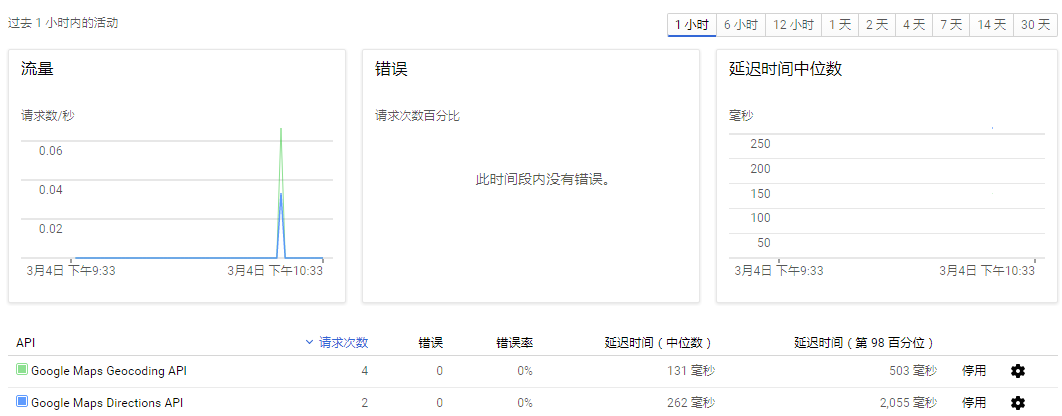
.png)
import googlemaps

from datetime import datetime

gmaps = googlemaps.Client(key='Add Your Key here')

# Request directions via public transit

now = datetime.now()

directions_result = gmaps.directions("Sydney Town Hall",

                                     "Parramatta, NSW",

                                     mode="transit",

                                     departure_time=now)

print(directions_result)
import googlemaps

from datetime import datetime

import os

import csv

import pandas as pd

import matplotlib.pyplot as plt

import math

# 将已知的多个txt文件中的内容放到一个CSV文件下

def txt2Csv(dataPath, csvname):

    fileList = os.listdir(dataPath)

    csvFile = open(dataPath + '\\' + csvname, 'w+')

    writer = csv.writer(csvFile)

    for fileName in fileList:

        with open(dataPath + '\\' + fileName) as fileObj:

            lines = fileObj.readlines()

            for line in lines:

                line = line.split(',')

                line[-1] = line[-1][0:-1]

                writer.writerow((line))

    csvFile.close()

# 根据经纬度获取两地之间的距离及花费的时间

def getDistanceDuration(key, path, csvName):

    gmaps = googlemaps.Client(key=key)

    df = pd.read_csv(path + '\\' + csvName)

    df.columns = ['id', 'time', 'longitude', 'latitude']

    durationList = []

    distanceList = []

    try:

        for i in range(1, 1000):

            now = datetime.now()

            # 调取google API的directions:

            directions_result = gmaps.directions((df.iloc[i, 3], df.iloc[i, 2]),

                                                 (df.iloc[i+1, 3], df.iloc[i+1, 2]),

                                                 mode="driving",

                                                 departure_time=now)

            # 按照返回的格式,找出distance及duration,追加到列表中并返回

            distanceList.append(directions_result[0]['legs'][0]['distance']['value'])

            durationList.append(directions_result[0]['legs'][0]['duration']['value'])

    except googlemaps.exceptions._RetriableRequest:

        pass

    return distanceList, durationList

path = 'D:\\Learnning\\python\\scrape\\taxiData\\T-drive Taxi Trajectories\\release\\taxi_log_2008_by_id'

txt2Csv(path, 'geodata.csv')

distanceList, durationList = getDistanceDuration('AIzaSyD8X6tJx6Ap5TVHlqwSso8iTwZfDWcFsOA', path, 'geodata.csv')

# 对返回数据的单位做转换, 并使用math.ceil对数据向上取整

distanceList = [math.ceil(dis/1000) for dis in distanceList]

durationList = [math.ceil(dis/60) for dis in durationList]

totalDistance = 0

totalDuration = 0

# 计算总路程,并画出每段路程的距离在总路程中的占比:

for distance in distanceList:

    totalDistance += distance

distancePropo = [distance/totalDistance for distance in distanceList]

plt.bar(distanceList, distancePropo)

plt.title("Distance interval")

plt.xlabel("Km")

plt.ylabel("Proportion")

plt.show()

# 计算总时间,并画出每段路程花费的时间在总时间中的占比:

for duration in durationList:

    totalDuration += duration

durationPropo = [duration/totalDuration for duration in durationList]

plt.bar(durationList, durationPropo)

plt.title("Time interval")

plt.xlabel("Min")

plt.ylabel("Proportion")

plt.show()
.png)
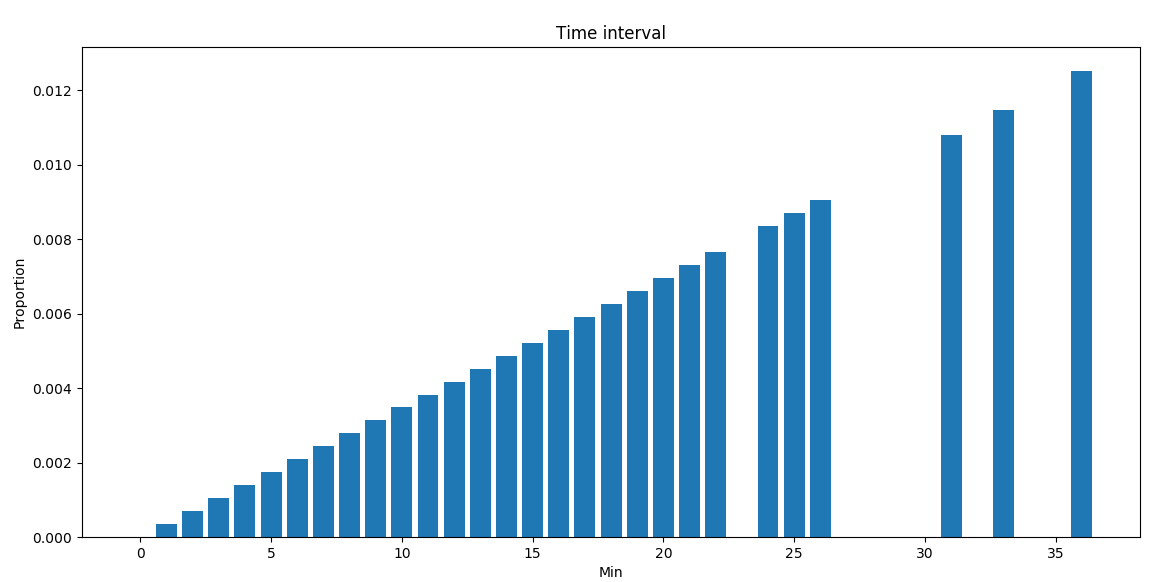
按行驶距离分布:
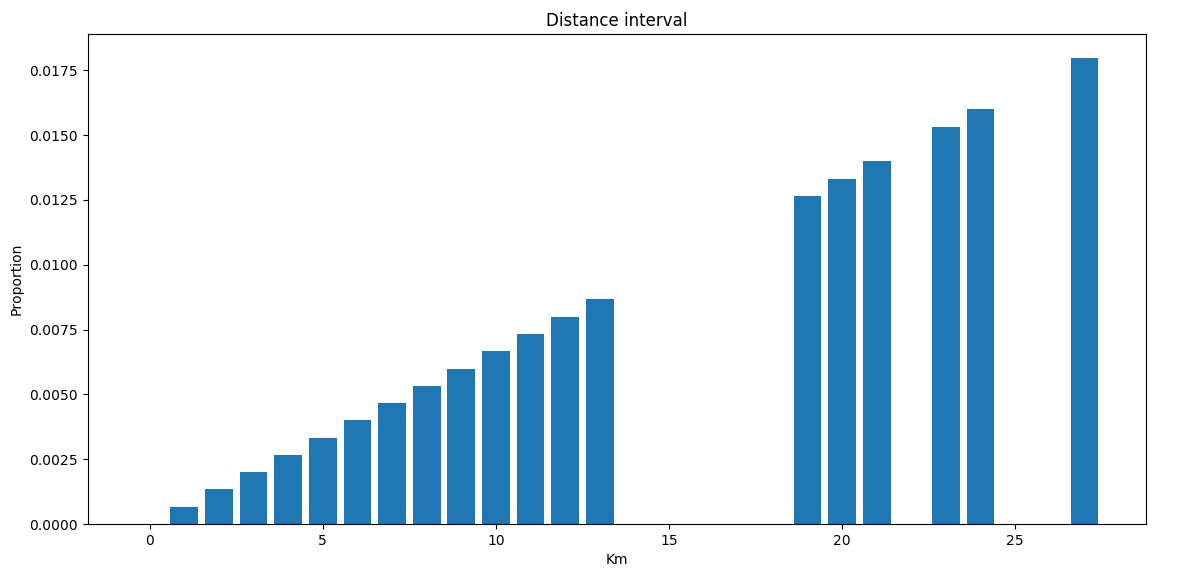
.png) 具体的使用文档可参考:
具体的使用文档可参考:Google Maps API的使用的更多相关文章
- Google Maps API V3 之绘图库 信息窗口
Google官方教程: Google 地图 API V3 使用入门 Google 地图 API V3 针对移动设备进行开发 Google 地图 API V3 之事件 Google 地图 API V3 ...
- Google Maps API V3 之 图层
Google官方教程: Google 地图 API V3 使用入门 Google 地图 API V3 针对移动设备进行开发 Google 地图 API V3 之事件 Google 地图 API V3 ...
- Google Maps API V3 之 路线服务
Google官方教程: Google 地图 API V3 使用入门 Google 地图 API V3 针对移动设备进行开发 Google 地图 API V3 之事件 Google 地图 API V3 ...
- google maps api申请的问题
现在已经改由统一的GOOGLE API控制台进行所有GOOGLE API的管理了. 方法是使用Google帐号登入 https://code.google.com/apis/console. 然后在所 ...
- Google maps API开发(一)(转)
一.加载Google maps API <script type="text/javascript" src="http://ditu.google.com/map ...
- Google maps API开发(二)(转)
这一篇主要实现怎么调用Google maps API中的地址解析核心类GClientGeocoder: 主要功能包括地址解析.反向解析.本地搜索.周边搜索等, 我这里主要有两个实例: 实例一.当你搜索 ...
- Google Maps API Web Services
原文:Google Maps API Web Services 摘自:https://developers.google.com/maps/documentation/webservices/ Goo ...
- Google maps API开发
原文:Google maps API开发 Google maps API开发(一) 最近做一个小东西用到google map,突击了一下,收获不小,把自己学习的一些小例子记录下来吧 一.加载Googl ...
- Google Maps API Key申请办法(最新)
之前的Google Maps Api的API Key很容易申请,只需要按照一个简单的表单提交部署的网站地址即可,自动生成API Key并给出引用的路径. 但是最近在处理另外一个项目的时候发现之前的这种 ...
- 如何插入谷歌地图并获取javascript api 秘钥--Google Maps API error: MissingKeyMapError
参考:https://blog.csdn.net/klsstt/article/details/51744866 Google Maps API error: MissingKeyMapError h ...
随机推荐
- JMS学习(一):初识JMS
1.为什么使用JMS(java消息中间件)java message service 为了解决一个系统对服务调用进行解耦(在一个系统需要调用多个服务的时候,需要通过中间件来进行消息进行交流) 2.AMQ ...
- CODE大全浅谈谷歌adsense与PIN码
我的博客:CODE大全:www.codedq.net:业余草:www.xttblog.com:爱分享:www.ndislwf.com或ifxvn.com. 近期由于校园招聘笔试和面试等诸多忙碌时间,博 ...
- JS Cookie丢失问题
JS Cookie丢失问题 前些天有人问我vue中使用proxy发送请求,为什么请求时cookie丢失,首先说一下我对cookie的理解: 1.cookie在正常情况下是会在每次请求时自动携带, 2. ...
- AGC010 - A: Addition
原题链接 题意简述 给出一个个数的数列,每次选出两个奇偶性相同的数合成一个数,问最终能否只剩下一个数. 分析 非常简单的一道题. 两个偶数可以合成一个偶数,两个奇数也能合成一个偶数.所以合并偶数时偶数 ...
- shell脚本——mysql
很期待,学习shell脚本,减少重复工作 自动安装配置mysql脚本: #/bin/bash LOG_FILE=/home/hadoop1/log/installmysql.log function ...
- 项目总结2——mybatis配置的理解
之前的项目基本上都是用mongodb,以至于mysql相关的知识异常薄弱,这次连续一个半月的加班,总算是实际用到了mysql,也使自己对mysql了解的更多,对mybatis了解的更多,这里就说一说经 ...
- PHP学习笔记-POST
$_POST 描述通过http POST方式提交的数据都会封装到$_POST数组中 有些数据的提交必须使用post 比如上传文件 Post get提交 的区别 安全性 数据传输大小 浏览器限制文本大小 ...
- php session 和cookie
先简单的说明下session和cookie的区别. 1.session存放在服务器的文件中,或者是内存中.而cookie存在客服端. 2.session比cookie安全 3.session存放在服务 ...
- freemarker报错之一
freemarker 1.错误描述 java.io.FileNotFoundException: Template user.ftl not found. at freemarker.template ...
- ORA-00936: missing expression
1.错误描述 Connected to Oracle Database 11g Enterprise Edition Release 11.2.0.1.0 Connected as scott@ORC ...