
gitLab 服务器搭建 (自己服务器上搭建gitLab)
环境 lunix(ubuntu)
1:添加文件
在 /etc/apt/sources.list.d/gitlab-ce.list 中添加一行
     deb https://mirrors.tuna.tsinghua.edu.cn/gitlab-ce/ubuntu trusty main

   (Ubuntu16中添加这个 deb https://mirrors.tuna.tsinghua.edu.cn/gitlab-ce/ubuntu xenial main )
2:开始安装
    sudo apt-get update

    sudo apt-get install -y curl openssh-server ca-certificates

    sudo apt-get install -y postfix

    (输入一个邮箱)

    sudo apt-get install gitlab-ce
3:修改配置
/etc/gitlab/gitlab.rb 中修改
external_url (如 : external_url 'http://git.home.com') 外部访问的链接
设置为false后安装过程不会自动清理缓存(比较耗时):
gitlab_rails['rake_cache_clear'] = false
可以修改其他项
gitlab_rails['rack_attack_git_basic_auth'] = {

    'enabled' => true,

    'ip_whitelist' => ["127.0.0.1","Gitlab部署的IP地址"],

    'maxretry' => 300, //最大错误数

    'findtime' => 60, //60秒后重新计数

    'bantime' => 60 //达到错误数后,屏蔽IP 60秒

}
4:备份配置
参考文档:https://www.cnblogs.com/kevingrace/p/7821529.html
修改配置文件 sudo vim /etc/gitlab/gitlab.rb
修改配置:
 gitlab_rails['manage_backup_path'] = true

  gitlab_rails['backup_path'] = "/data/gitlab/backups" //gitlab备份目录

  gitlab_rails['backup_archive_permissions'] = 0644 //生成的备份文件权限

  gitlab_rails['backup_keep_time'] = 7776000 //备份保留天数为3个月(即90天,这里是7776000秒)

  保存修改。
创建备份连路径:
     mkdir -p /data/gitlab/backups

     chown -R git.git /data/gitlab/backups

     chmod -R 777 /data/gitlab/backups
重新启动,让配置生效
sudo gitlab-ctl reconfigure
访问域名:
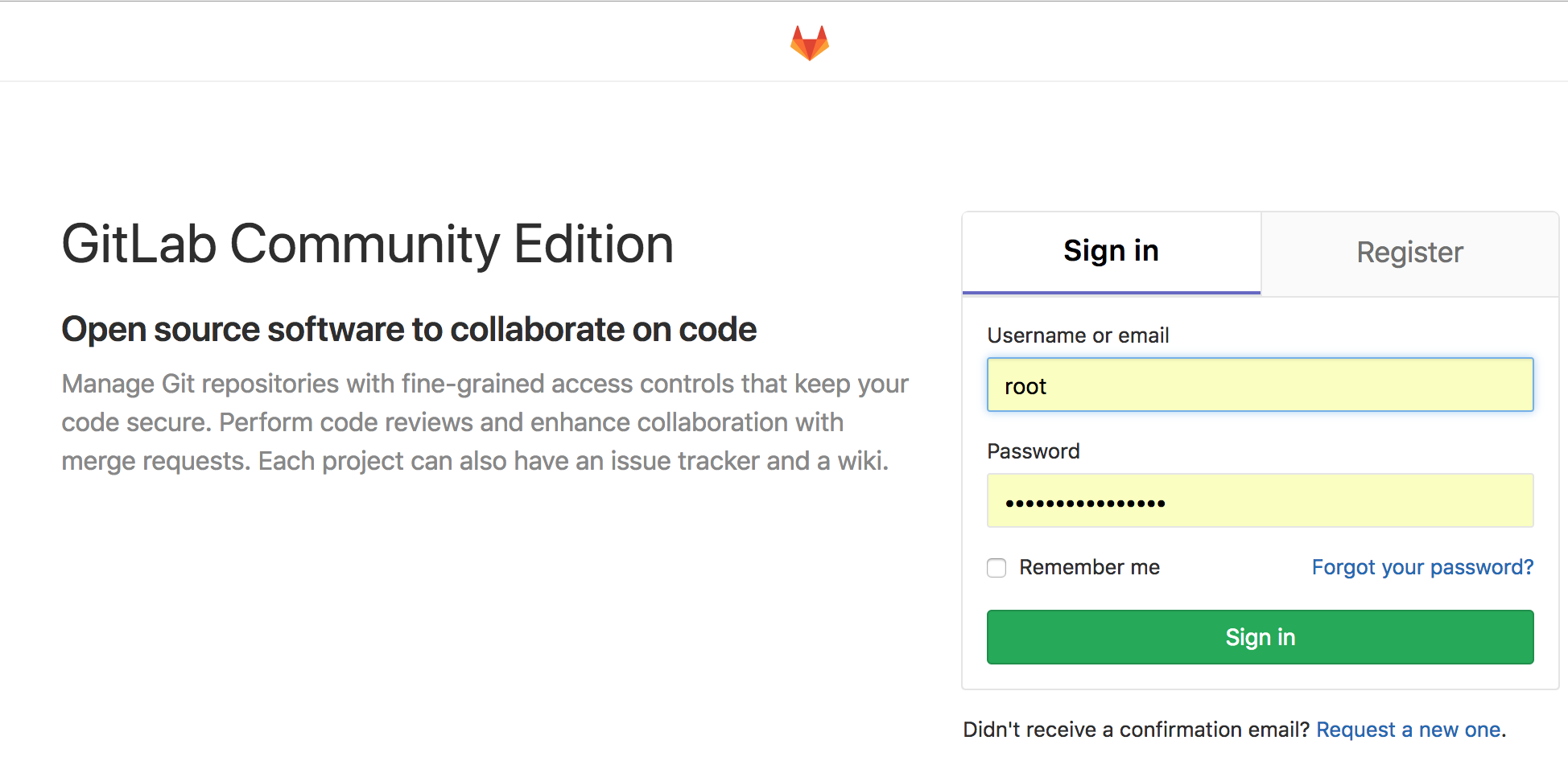
备份与还原
1:备份 gitlab-rake gitlab:backup:create
2:还原
停止服务:
gitlab-ctl stop unicorn gitlab-ctl stop sidekiq
进入备份的文件夹,还原需要的备份
gitlab-rake gitlab:backup:restore BACKUP=1510472027_2017_11_12_9.4.5 -- 备份文件名的时间戳前缀
3;重新启动
gitlab-ctl start
4:检查恢复情况
gitlab-rake gitlab:check SANITIZE=true
5:定时备份
sudo crontab -e 0 2 * * * /opt/gitlab/bin/gitlab-rake gitlab:backup:create CRON=1
注:

# 启动Gitlab所有组件

sudo gitlab-ctl start

# 停止Gitlab所有组件

sudo gitlab-ctl stop

# 重启Gitlab所有组件

sudo gitlab-ctl restart
gitLab 服务器搭建 (自己服务器上搭建gitLab)的更多相关文章
- 在阿里云 CentOS 服务器(ECS)上搭建 nginx + mysql + php-fpm 环境
阿里云的云服务器(ECS)可以选择多种操作系统,打算用它运行 Drupal或者 WordPress ,你最好选择 Linux 系统,这篇文章的演示是基于阿里云的 CentOS 操作系统的服务器.我们在 ...
- (转)在阿里云 CentOS 服务器(ECS)上搭建 nginx + mysql + php-fpm 环境
阿里云的云服务器(ECS)可以选择多种操作系统,打算用它运行 Drupal或者 WordPress ,你最好选择 Linux 系统,这篇文章的演示是基于阿里云的 CentOS 操作系统的服务器.我们在 ...
- caffe搭建--opensuse13.2上搭建caffe开发环境
第一部分:参考一下内容.将sudo 替换成zypper即可. --------------------------------------------这部分参照以下官网内容-------------- ...
- Oracle_lhr_CentOS 7.3 ECS上搭建RAC 18c+单实例DG+EMCC+DG的FSFO快速故障转移配置
Oracle_lhr_CentOS 7.3 ECS上搭建RAC 18c+单实例DG+EMCC+DG的FSFO快速故障转移配置 [大型连续免费公开课]Oracle 18c rac+dg+13.3的em ...
- CentOS服务器上搭建Gitlab安装步骤、中文汉化详细步骤、日常管理以及异常故障排查
一, 服务器快速搭建gitlab方法 可以参考gitlab中文社区 的教程centos7安装gitlab:https://www.gitlab.cc/downloads/#centos7centos6 ...
- centos6.5上搭建gitlab服务器(亲测可用哦)
最近的版本控制中,git可谓是脱缰的野马,一发不可收拾.当然git的设计模式也是愈发的成熟,让人刮目相看,完美解决了svn上的不足之处.在目前分布式横行的天下,git可谓是占得了一席之地. 废话少说, ...
- 在centos服务器上配置gitlab钩子引发的一系列问题
为了给公司的服务器上搭建gitlab环境并且配置钩子(实现在本地git push之后服务器自动git pull),整了好久,最后终于把问题解决了,下面是记录安装gitlab之后引发的一系列问题: 首先 ...
- 在自己的服务器上部署 GitLab 社区版
GitLab 简介 因为我的个人网站 restran.net 已经启用,博客园的内容已经不再更新.这篇文章是在 Gitlab 7.4 的环境下配置的,相关内容可能已经过时. 后续做了一次迁移,将 Gi ...
- 在UP Board 上搭建M——L服务器
前言 原创文章,转载引用务必注明链接,水平有限,欢迎指正. 本文环境:ubilinux 3.0 on UP Board 初识免流 所谓免流,就是免除手机访问网络产生的流量费用.其原理在乌云网上有过报道 ...
随机推荐
- Table AUD$
How to Truncate, Delete, or Purge Rows from the Audit Trail Table AUD$ 转到底部 PURPOSE This document e ...
- CentOS 7: ping Name or service not known
解决方法 cd到/etc/sysconfig/network-scripts/ 修改ifcfg-*(*代表的内容可通过ifconfig查看)中的ONBOOT=yes reboot ifcfg-ens3 ...
- 记录一个调试REST风格的web服务的client
coogle浏览器的advanced rest client很好用,记录一下,脑子不好,容易忘,,可以在chrome 的网上应用店添加 Rest client是用来调试REST风格的Web服务,接收P ...
- (转)linux内核参数注释与优化
linux内核参数注释与优化 原文:http://blog.51cto.com/yangrong/1321594 http://oldboy.blog.51.cto.com/2561410/13364 ...
- 嵌入式CISC模型机设计
一. 课程设计的题目和内容 题目:设计一台嵌入式CISC模型计算机 采用定长CPU周期.联合控制方式,并运行能完成一定功能的机器语言源程序进行验证,机器语言源程序功能如下: 任意输入5个整数, ...
- web 单例 多例
单例多例需要搞明白两个问题:1. 什么是单例多例:2. 如何产生单例多例:3. 为什么要用单例多例4. 什么时候用单例,什么时候用多例:1. 什么是单例多例:所谓单例就是所有的请求都用一个对象来处理, ...
- SpringBoot | 第十六章:web应用开发
前言 前面讲了这么多直接,都没有涉及到前端web和后端交互的部分.因为作者所在公司是采用前后端分离方式进行web项目开发了.所以都是后端提供api接口,前端根据api文档或者服务自行调用的.后台也有读 ...
- spring boot 监控与管理(actuator)
Spring POMs 中提供了一个特殊的依赖模块,即spring-boot-starter-actuator,我们只需要在我们的POM中添加依赖即可 <!-- 监控 管理 --> < ...
- 从零开始的全栈工程师——js篇2.17(属性和节点获取)
DOM 一.节点树状图 Document>documentElement>body>tagname 二.常用的节点类型 元素节点(标签) 文本节点(文本节点) 属性节点(标签里的属性 ...
- kickstart2019 round_C B. Circuit Board
思路: 这题应该不止一种解法,其中的一种可以看作是leetcode85https://www.cnblogs.com/wangyiming/p/11059176.html的加强版: 首先对于每一行,分 ...