
jquery的on()方法总结
摘自菜鸟教程 废话不说 直接上demo
实例:
向<p>元素添加click事件处理程序:
 <html>

 <head>

 <script src="https://cdn.bootcss.com/jquery/1.10.2/jquery.min.js">

 </script>

 <script>

 $(document).ready(function(){

   $("p").on("click",function(){

     alert("段落被点击了。");

   });

 });

 </script>

 </head>

 <body>

 <p>点击这个段落。</p>

 </body>

 </html>
运行结果:

定义和用法:
1. on() 方法在被选元素及其子元素上添加一个或多个 事件处理程序
2.自jquery1.7版本之后 on()方法是bind() live() delegate() 方法新的替代品 推荐使用此方法!使用其他的方法可能会出现不兼容的问题
3.使用on()方法添加的事件程序适用于当前及未来的程序(这里的未来的程序是脚本创建的新元素,或者是以前的事件代理程序)
4. 如果要移除使用on()方法添加的事件处理程序 请使用与之对应的off()方法
5.如果你想事件执行一次就移除请使用one()方法
6.on()方法支持自定义事件
语法:
$(selector).on(event, childSelector,data,function);
参数说明:
event 必须 事件的名称(可以自定义) 支持绑定多个事件 多个事件用空格分开 也可以是map参数和数组
childSelector 可选 添加事件程序的子元素而且不是父选择器本身
data 可选 传递到事件对象 event的额外的参数
function 必选 规定事件发生时运行的函数
实例分析:
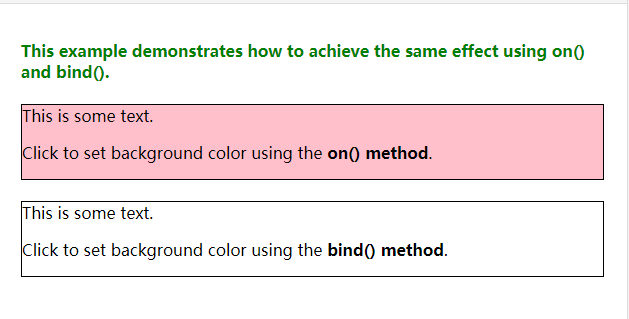
bind()改为on()
<!DOCTYPE html>

<html>

<head>

<script src="http://cdn.static.runoob.com/libs/jquery/1.10.2/jquery.min.js">

</script>

<script>

$(document).ready(function(){

  $("#div1").on("click",function(){

    $(this).css("background-color","pink");

  });

  $("#div2").bind("click",function(){

    $(this).css("background-color","pink");

  });

});

</script>

</head>

<body>

<h4 style="color:green;">This example demonstrates how to achieve the same effect using on() and bind().</h4>

<div id="div1" style="border:1px solid black;">This is some text.

<p>Click to set background color using the <b>on() method</b>.</p>

</div><br>

<div id="div2" style="border:1px solid black;">This is some text.

<p>Click to set background color using the <b>bind() method</b>.</p>

</div>

</body>

</html>
运行结果:
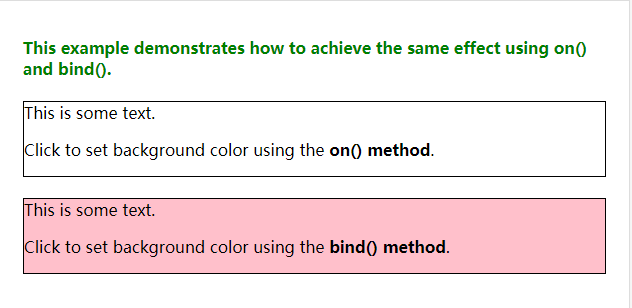
运行结果2:
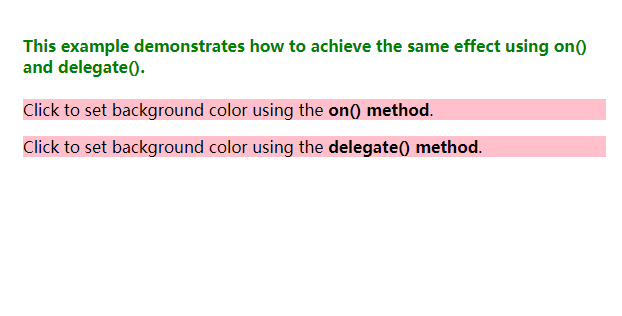
从delegate()改为on()
 <!DOCTYPE html>

 <html>

 <head>

 <script src="http://cdn.static.runoob.com/libs/jquery/1.10.2/jquery.min.js">

 </script>

 <script>

 $(document).ready(function(){

   $("#div1").on("click","p",function(){

     $(this).css("background-color","pink");

   });

   $("#div2").delegate("p","click",function(){

     $(this).css("background-color","pink");

   });

 });

 </script>

 </head>

 <body>

 <h4 style="color:green;">This example demonstrates how to achieve the same effect using on() and delegate().</h4>

 <div id="div1">

 <p>Click to set background color using the <b>on() method</b>.</p>

 </div>

 <div id="div2">

 <p>Click to set background color using the <b>delegate() method</b>.</p>

 </div>

 </body>

 </html>
运行结果:
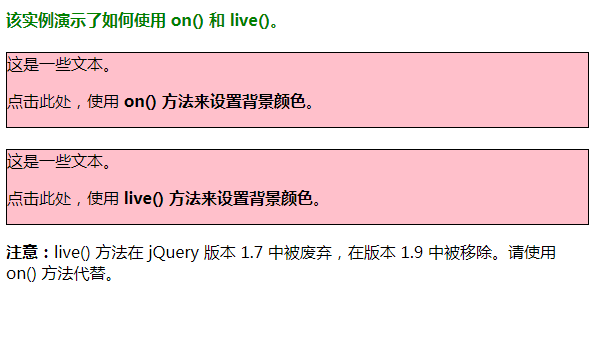
从live改为on
 <!DOCTYPE html>

 <html>

 <head>

 <meta charset="utf-8">

 <script src="https://apps.bdimg.com/libs/jquery/1.7.0/jquery.js">

 </script>

 <script>

 $(document).ready(function(){

   $("#div1").on("click",function(){

     $(this).css("background-color","pink");

   });

   $("#div2").live("click",function(){

     $(this).css("background-color","pink");

   });

 });

 </script>

 </head>

 <body>

 <h4 style="color:green;">该实例演示了如何使用 on() 和 live()。</h4>

 <div id="div1" style="border:1px solid black;">这是一些文本。

 <p>点击此处,使用 <b>on() 方法来设置背景颜色</b>。</p>

 </div><br>

 <div id="div2" style="border:1px solid black;">这是一些文本。

 <p>点击此处,使用 <b>live() 方法来设置背景颜色</b>。</p>

 </div>

 <p><b>注意:</b>live() 方法在 jQuery 版本 1.7 中被废弃,在版本 1.9 中被移除。请使用 on() 方法代替。</p>

 </body>

 </html>
运行结果:
添加多个事件处理程序
 <!DOCTYPE html>

 <html>

 <head>

 <script src="http://cdn.static.runoob.com/libs/jquery/1.10.2/jquery.min.js">

 </script>

 <script>

 $(document).ready(function(){

   $("p").on("mouseover mouseout",function(){

     $("p").toggleClass("intro");

   });

 });

 </script>

 <style type="text/css">

 .intro

 {

 font-size:150%;

 color:red;

 }

 </style>

 </head>

 <body>

 <p>Move the mouse pointer over this paragraph.</p>

 </body>

 </html>

注意:toggleClass()方法是切换css class样式的方法! 这个可以对比学习addClass 和removeClass
使用map参数添加多个事件程序
 <!DOCTYPE html>

 <html>

 <head>

 <script src="http://cdn.static.runoob.com/libs/jquery/1.10.2/jquery.min.js">

 </script>

 <script>

 $(document).ready(function(){

   $("p").on({

     mouseover:function(){$("body").css("background-color","lightgray");},

     mouseout:function(){$("body").css("background-color","lightblue");},

     click:function(){$("body").css("background-color","yellow");}

   });

 });

 </script>

 </head>

 <body>

 <p>Click or move the mouse pointer over this paragraph.</p>

 </body>

 </html>
运行结果



在元素上添加自定义事件:
 <!DOCTYPE html>

 <html>

 <head>

 <script src="http://cdn.static.runoob.com/libs/jquery/1.10.2/jquery.min.js">

 </script>

 <script>

 $(document).ready(function(){

   $("p").on("myOwnEvent", function(event, showName){

     $(this).text(showName + "! What a beautiful name!").show();

   });

   $("button").click(function(){

     $("p").trigger("myOwnEvent",["Anja"]);

   });

 });

 </script>

 </head>

 <body>

 <button>Trigger custom event</button>

 <p>Click the button to attach a customized event on this p element.</p>

 </body>

 </html>
运行结果:

Tip:上述代码的myOwnEvent是自定义的方法的名称
trigger是绑定自定义事件的意思
向函数中添加数据
 <!DOCTYPE html>

 <html>

 <head>

 <script src="http://cdn.static.runoob.com/libs/jquery/1.10.2/jquery.min.js">

 </script>

 <script>

 function handlerName(event)

 {

   alert(event.data.msg);

 }

 $(document).ready(function(){

   $("p").on("click", {msg: "You just clicked me!"}, handlerName)

 });

 </script>

 </head>

 <body>

 <p>Click me!</p>

 </body>

 </html>
显示结果:
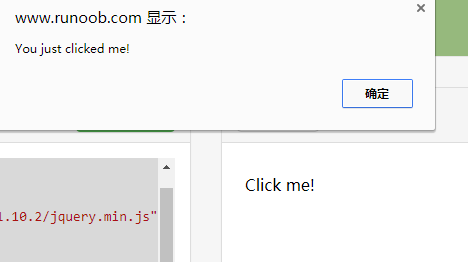
注意添加的数据是以event的data属性添加的
向未来的数据(脚本创建的元素)添加事件:
 <!DOCTYPE html>

 <html>

 <head>

 <script src="http://cdn.static.runoob.com/libs/jquery/1.10.2/jquery.min.js">

 </script>

 <script>

 $(document).ready(function(){

   $("div").on("click","p",function(){

     $(this).slideToggle();

   });

   $("button").click(function(){

     $("<p>This is a new paragraph.</p>").insertAfter("button");

   });

 });

 </script>

 </head>

 <body>

 <div style="background-color:yellow">

 <p>This is a paragraph.</p>

 <p>Click any p element to make it disappear. Including this one.</p>

 <button>Insert a new p element after this button</button>

 </div>

 </body>

 </html>
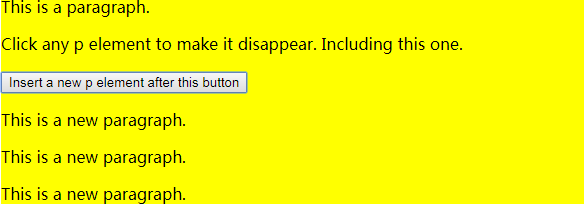
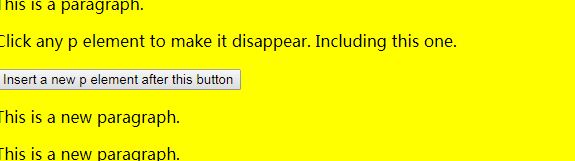
提示 slideToggle()是折叠代码 详情可以参考jquery文档
如何使用off()方法移除事件处理程序
 <!DOCTYPE html>

 <html>

 <head>

 <meta charset="utf-8">

 <title>菜鸟教程(runoob.com)</title>

 <script src="http://cdn.static.runoob.com/libs/jquery/1.10.2/jquery.min.js">

 </script>

 <script>

 $(document).ready(function(){

   $("p").on("click",function(){

     $(this).css("background-color","pink");

   });

   $("button").click(function(){

     $("p").off("click");

   });

 });

 </script>

 </head>

 <body>

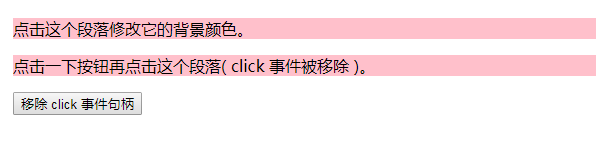
 <p>点击这个段落修改它的背景颜色。</p>

 <p>点击一下按钮再点击这个段落( click 事件被移除 )。</p>

 <button>移除 click 事件句柄</button>

 </body>

 </html>
运行的结果:
欢迎补充和留言
jquery的on()方法总结的更多相关文章
- jquery 通过submit()方法 提交表单示例
jquery 通过submit()方法 提交表单示例: 本示例:以用户注册作为例子.使用jquery中的submit()方法实现表单提交. 注:本示例仅提供了对表单的验证,本例只用选用了三个字段作为测 ...
- jquery.on()超级方法
$.on()方法是jquery1.7之后的一个超级方法,将事件绑定和事件委托整合到一个函数中去,支持绑定多个事件,并且可以绑定自定义事件.使用起来很方便. demo传送门 事件委托 首先说一下事件委托 ...
- 重写jquery的ajax方法
//首先备份下jquery的ajax方法 var _ajax=$.ajax; //重写jquery的ajax方法 $.ajax=function(opt){ //备份opt中error和success ...
- jQuery的extend方法
jq中的extend在面试中经常会被问道,今天我总结一个下有关于extend的用法三种进行对比,可能不全,希望大家指点, 用法一: $.extend({}) ,为jQuery类添加方法,可以理解为扩 ...
- jQuery中eq()方法用法实例
本文实例讲述了jQuery中eq()方法用法.分享给大家供大家参考.具体分析如下: 此方法能够获取匹配元素集上的相应位置索引的元素. 匹配元素集上元素的位置索引是从0开始的. 语法结构: 复制代码 代 ...
- HTML 5 的自定义 data-* 属性和jquery的data()方法的使用
人们总喜欢往HTML标签上添加自定义属性来存储和操作数据.但这样做的问题是,你不知道将来会不会有其它脚本把你的自定义属性给重置掉,此外,你这样做也会导致html语法上不符合Html规范,以及一些其它副 ...
- 深度理解Jquery 中 offset() 方法
参考原文:深度理解Jquery 中 offset() 方法
- [转]jQuery的each方法的几种常用的用法
下面提一下jQuery的each方法的几种常用的用法 复制代码 代码如下: var arr = [ "one", "two", "three&quo ...
- jquery中$.ajax方法提交表单
function postdata(){ //提交数据函数 $.ajax({ //调用jqu ...
- JS,JQuery的扩展方法
转 http://blog.csdn.net/tuwen/article/details/11464693 //JS的扩展方法: 1 定义类静态方法扩展 2 定义类对象方法扩展 ...
随机推荐
- Quadratic Residues POJ - 1808 二次剩余定理
\(\color{#0066ff}{题目链接 }\) link \(\color{#0066ff}{ 题解 }\) 结论题 \((\frac{a}{p})=a^{\frac{p-1}{2}}\mod ...
- loj#6229 这是一道简单的数学题
\(\color{#0066ff}{ 题目描述 }\) 这是一道非常简单的数学题. 最近 LzyRapxLzyRapx 正在看 mathematics for computer science 这本书 ...
- 如何实现 MySQL 的读写分离?MySQL 主从复制原理的是啥?如何解决 MySQL 主从同步的延时问题?
如何实现 MySQL 的读写分离? 其实很简单,就是基于主从复制架构,简单来说,就搞一个主库,挂多个从库,然后我们就单单只是写主库,然后主库会自动把数据给同步到从库上去. MySQL 主从复制原理的是 ...
- redhat7查看系统版本 修改主机名
在CentOS或RHEL中,有三种定义的主机名:静态的(static),瞬态的(transient),以及灵活的(pretty).“静态”主机名也称为内核主机名,是系统在启动时从 /etc/hostn ...
- How to grow up as a BA
简书 https://www.jianshu.com/p/8f62b5c7fe1b Thoughtworks https://mp.weixin.qq.com/s/n1hGAM2nUoLvkE5xuU ...
- 04->python字典
字典dict 1.数据类型分类(按可变和不可变) 不可变数据类型:数字.bool.str.tuple 可变数据类型:list.dict.set 2.dict的组成 key:va ...
- window 使用频率最高的快捷键
window 使用频率最高的快捷键 一个电脑使用者不完全一切操作都靠鼠标 适当的快捷键 不但可以提高效率 而且还可以适当的装一下自己是大神啦啦啦 个人最常用的快捷键: Ctrl + c : 复制 C ...
- 安装lombok
1. lombok的jar包路径 wangfei@DESKTOP-8AT8HRO MINGW64 /d/gradle-3.4.1/caches/modules-2/files-2.1/org.proj ...
- Navicat安装教程、建表教程
1.安装教程: 转自:https://www.jianshu.com/p/5f693b4c9468 2.使用教程(建表操作): https://jingyan.baidu.com/article/e6 ...
- 最长上升子序列问题(O(n^2)算法)
[题目描述] 给定N个数,求这N个数的最长上升子序列的长度. [样例输入] 7 2 5 3 4 1 7 6 [样例输出] 4 什么是最长上升子序列? 就是给你一个序列,请你在其中求出一段不断严格上升的 ...