
新手接触springboot
新手使用springboot或者说,刚接触java行业,有些不明白的就是项目的架构是怎么样的,我今天在这儿稍微整理了一下
有些新手可能在想,springboot是怎么解决最原始的增-删-改-查,
快速搭建是多么舒服的一件事,哈哈
今天,火浴带大家哎熟悉一下流程
1、首先创建一个springboot的工程
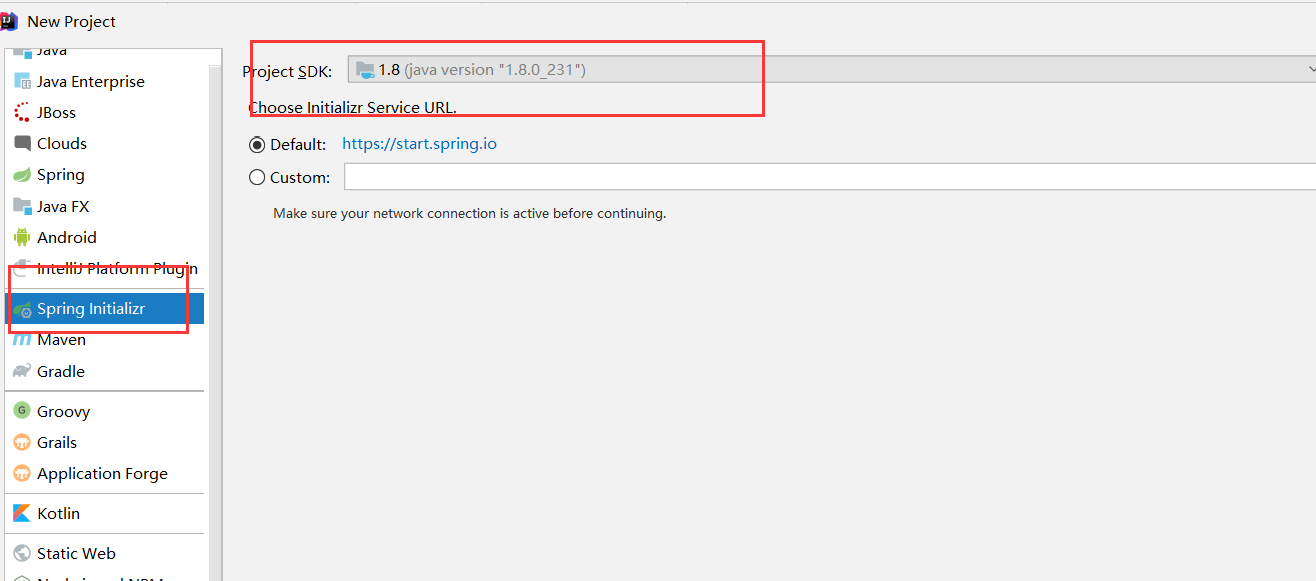
2、点击继续
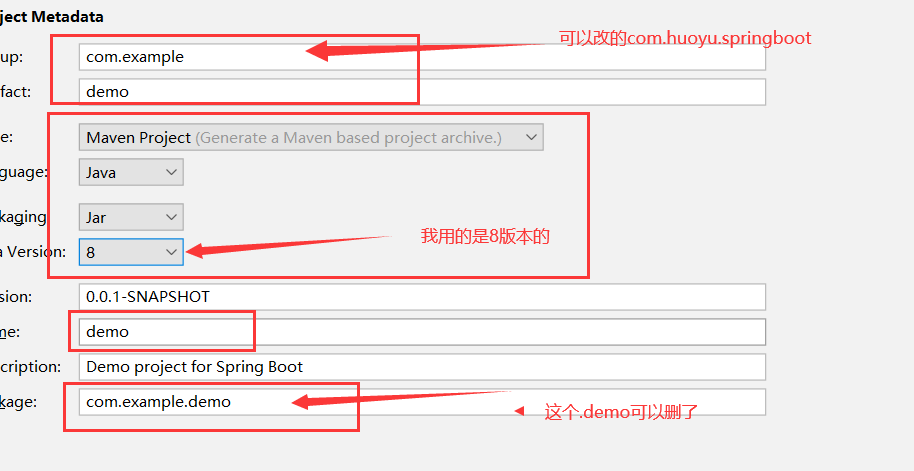
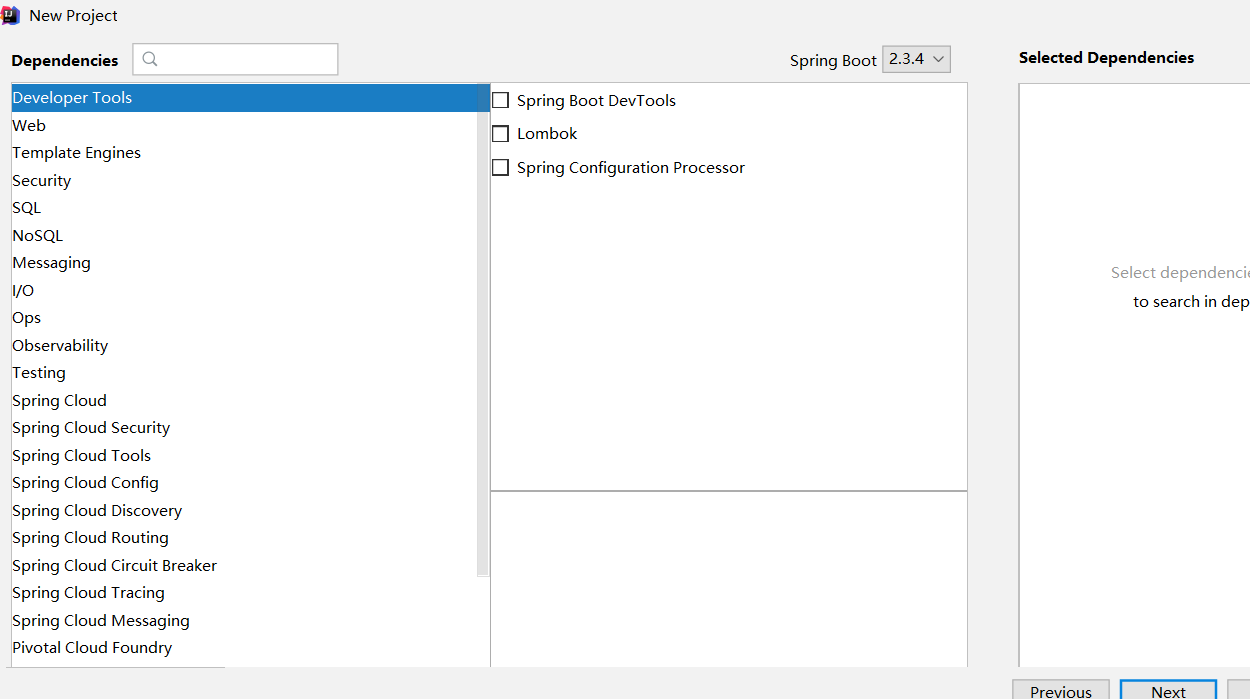
3、这里可以什么都不选,要是你会的话,可以选
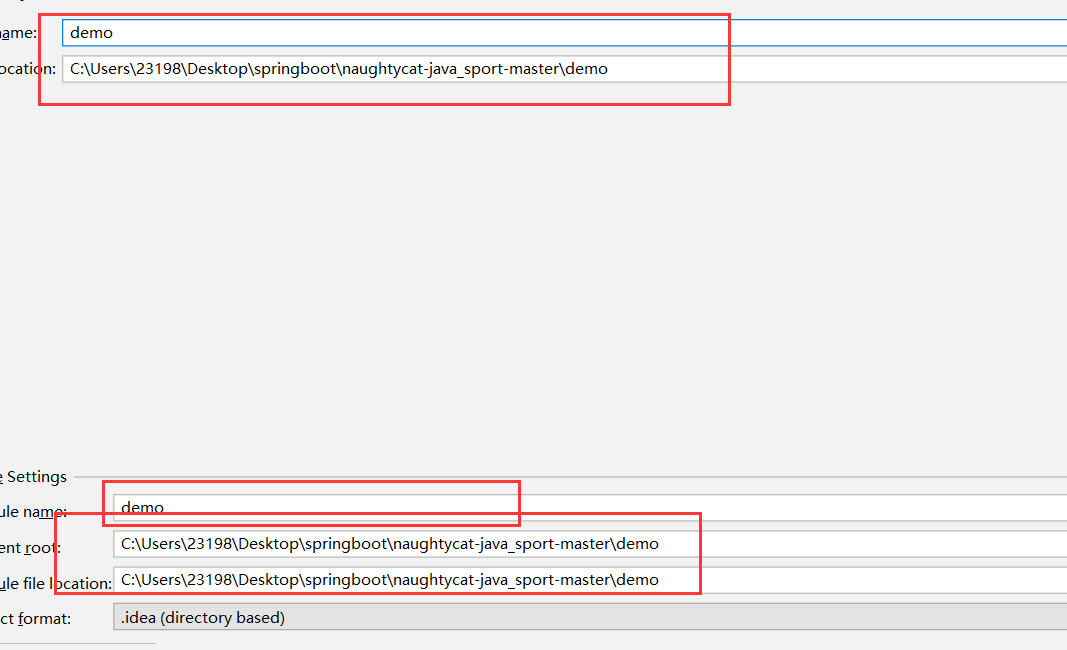
4、改好你的项目名称和路劲后点击完成
5、这是我的maven依赖
<dependency>

            <groupId>org.springframework.boot</groupId>

            <artifactId>spring-boot-starter-jdbc</artifactId>

        </dependency>

        <dependency>

            <groupId>org.mybatis.spring.boot</groupId>

            <artifactId>mybatis-spring-boot-starter</artifactId>

            <version>2.1.3</version>

        </dependency>

        <dependency>

            <groupId>org.springframework.boot</groupId>

            <artifactId>spring-boot-starter-web</artifactId>

        </dependency>

        <dependency>

            <groupId>mysql</groupId>

            <artifactId>mysql-connector-java</artifactId>

            <scope>runtime</scope>

        </dependency>

        <dependency>

            <groupId>org.projectlombok</groupId>

            <artifactId>lombok</artifactId>

            <optional>true</optional>

        </dependency>

        <dependency>

            <groupId>org.springframework.boot</groupId>

            <artifactId>spring-boot-starter-test</artifactId>

            <scope>test</scope>

            <exclusions>

                <exclusion>

                    <groupId>org.junit.vintage</groupId>

                    <artifactId>junit-vintage-engine</artifactId>

                </exclusion>

            </exclusions>

        </dependency>

        <dependency>

            <groupId>com.alibaba</groupId>

            <artifactId>fastjson</artifactId>

            <version>1.2.28</version>

        </dependency>

<build>

        <plugins>

            <plugin>

                <groupId>org.springframework.boot</groupId>

                <artifactId>spring-boot-maven-plugin</artifactId>

            </plugin>

        </plugins>

    </build>
6、这是yml的配置
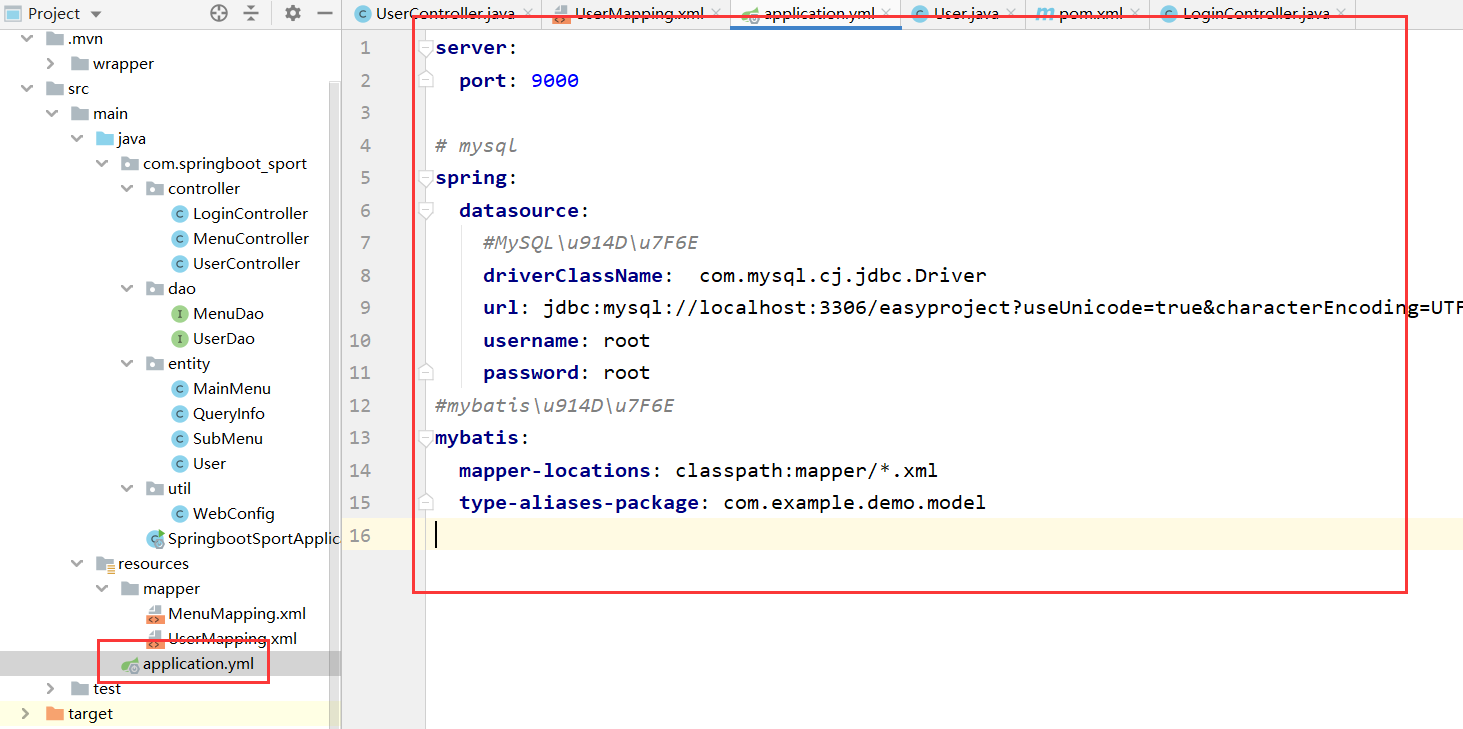
server:

  port: 9000

# mysql

spring:

  datasource:

    #MySQL\u914D\u7F6E

    driverClassName:  com.mysql.cj.jdbc.Driver

    url: jdbc:mysql://localhost:3306/easyproject?useUnicode=true&characterEncoding=UTF-8&useSSL=false&serverTimezone=UTC

    username: root

    password: root

#mybatis\u914D\u7F6E

mybatis:

  mapper-locations: classpath:mapper/*.xml

  type-aliases-package: com.example.demo.model
7、我们先介绍查询所有的方法,这是dao层,
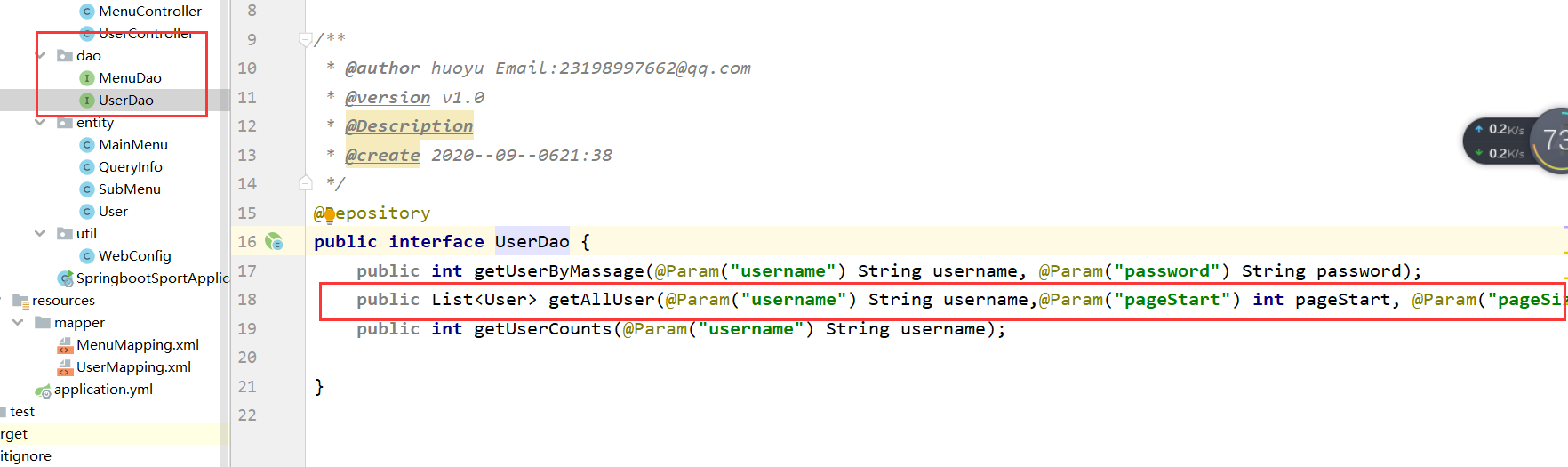
添加
public List<User> getAllUser(@Param("username") String username,@Param("pageStart") int pageStart, @Param("pageSize") int pageSize);
8、编写原生xml,里面是mysql的 查询语句

    <select id="getAllUser" resultType="com.springboot_sport.entity.User">

        SELECT * FROM easyUser

        <if test="username !=null ">

            WHERE username like #{username}

        </if>

        LIMIT #{pageStart},#{pageSize}

    </select>
9、定义entity类,里面的内容是你查询的数据库的字段
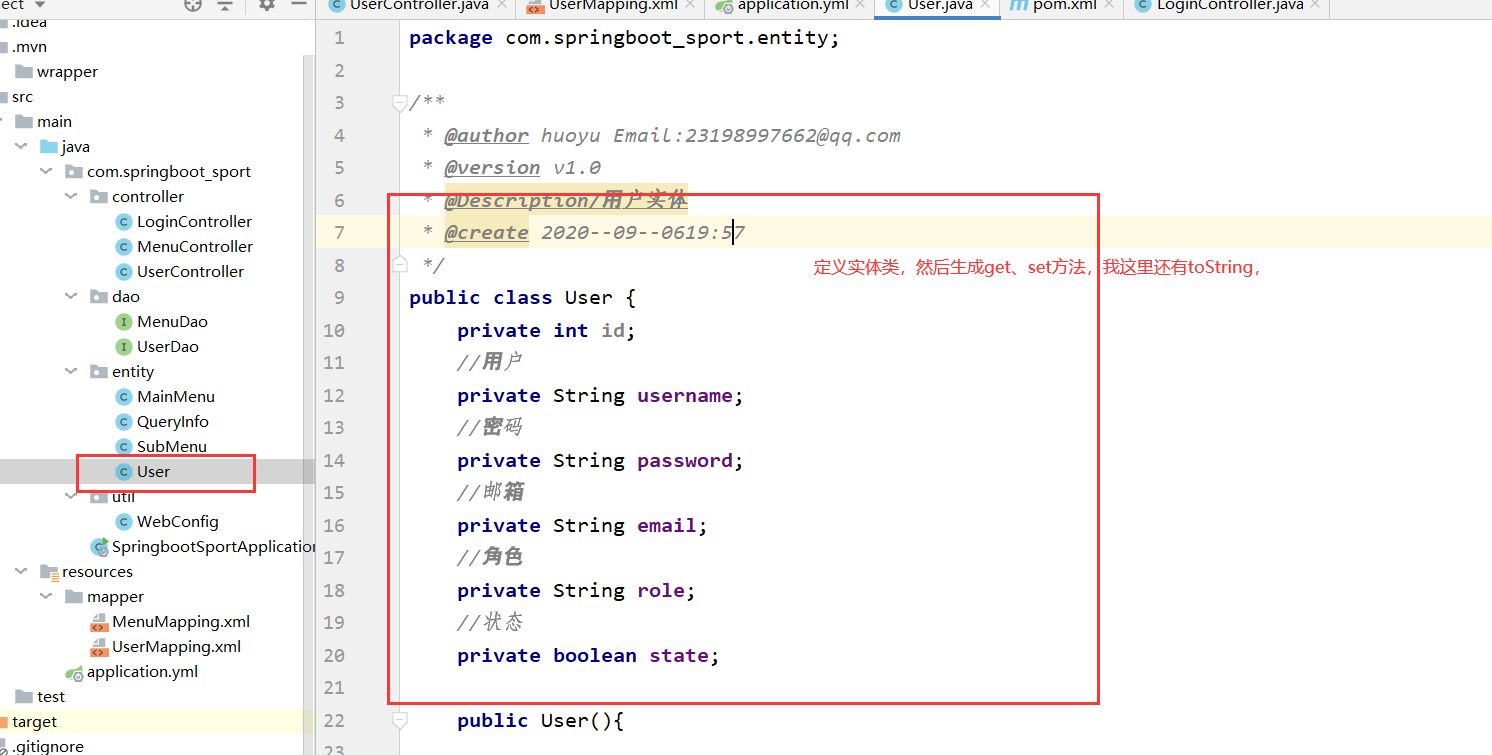
生成get、set方法,可能小伙伴不会,2020版的快捷键是shift+alt+s,,或者你鼠标右键Generate。。。这个也可以看到

10、定义Contronller接口,我用的前端框架是vue的
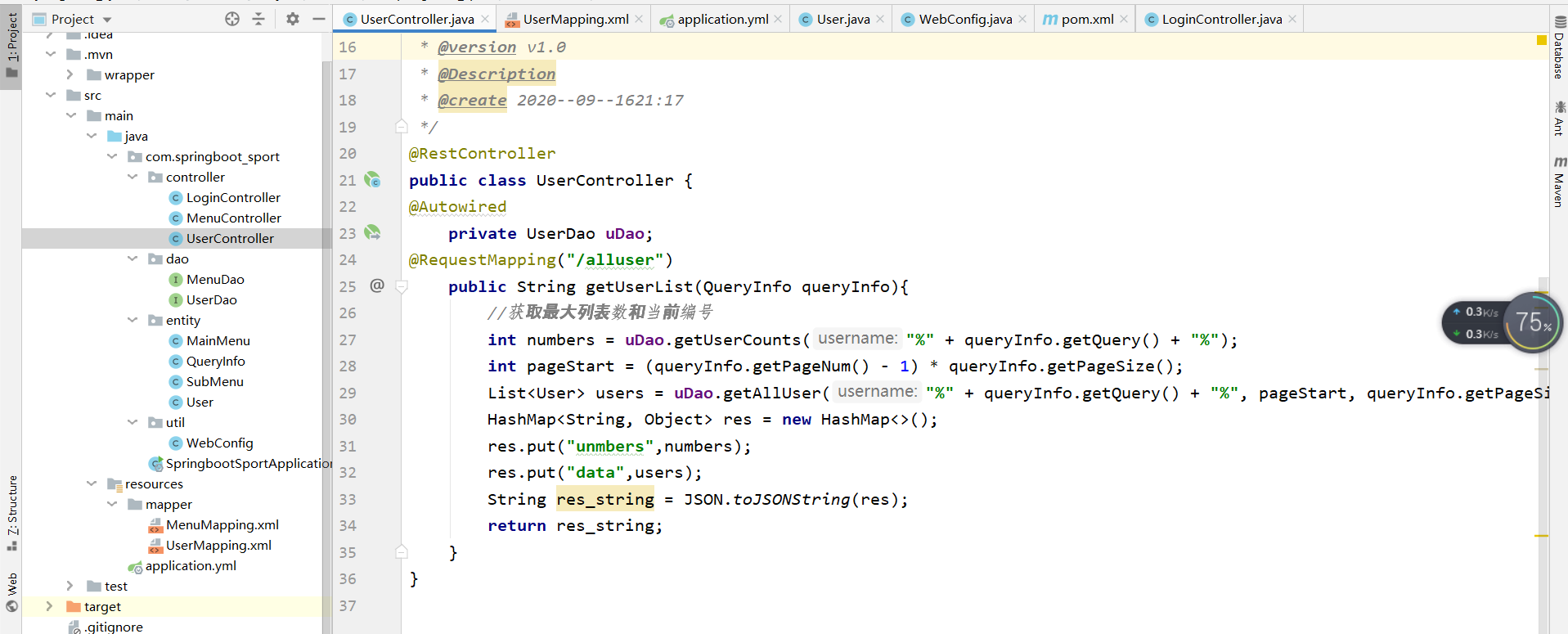
package com.springboot_sport.controller;
import com.alibaba.fastjson.JSON;
import com.springboot_sport.entity.QueryInfo;
import com.springboot_sport.dao.UserDao;
import com.springboot_sport.entity.User;
import org.springframework.beans.factory.annotation.Autowired;
import org.springframework.web.bind.annotation.RequestMapping;
import org.springframework.web.bind.annotation.RestController;
import java.util.HashMap;
import java.util.List;
/**
* @author huoyu Email:23198997662@qq.com
* @version v1.0
* @Description
* @create 2020--09--1621:17
*/
@RestController
public class UserController {
@Autowired
private UserDao uDao;
@RequestMapping("/alluser")
public String getUserList(QueryInfo queryInfo){
//获取最大列表数和当前编号
int numbers = uDao.getUserCounts("%" + queryInfo.getQuery() + "%");
int pageStart = (queryInfo.getPageNum() - 1) * queryInfo.getPageSize();
List<User> users = uDao.getAllUser("%" + queryInfo.getQuery() + "%", pageStart, queryInfo.getPageSize());
HashMap<String, Object> res = new HashMap<>();
res.put("unmbers",numbers);
res.put("data",users);
String res_string = JSON.toJSONString(res);
return res_string;
}
}
这样一个查询接口就相当于做完了,我在给大家说一个就是关于springboot+vue的跨域问题怎么解决的
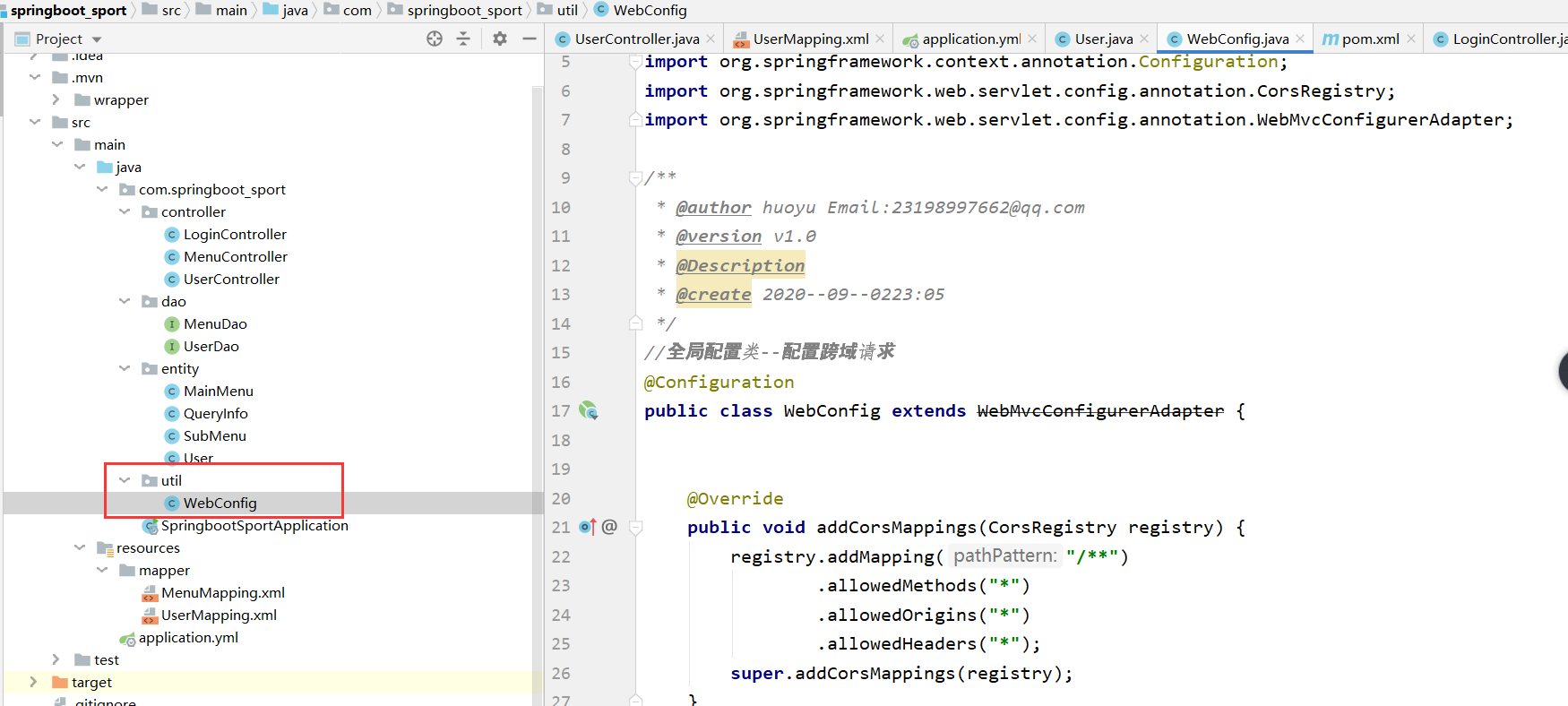
下面是代码
package com.springboot_sport.util;
import org.springframework.context.annotation.Configuration;
import org.springframework.web.servlet.config.annotation.CorsRegistry;
import org.springframework.web.servlet.config.annotation.WebMvcConfigurerAdapter;
/**
@author huoyu Email:23198997662@qq.com
@version v1.0
@Description
@create 2020--09--0223:05
*/
//全局配置类--配置跨域请求
@Configuration
public class WebConfig extends WebMvcConfigurerAdapter {@Override
public void addCorsMappings(CorsRegistry registry) {
registry.addMapping("/**")
.allowedMethods("")
.allowedOrigins("")
.allowedHeaders("*");
super.addCorsMappings(registry);
}
}
好了,完成新手接触springboot的更多相关文章
- 新手接触java
第二个程序,求同时被3,5,7整除
- springboot访问请求404问题
新手在刚接触springboot的时候,可能会出现访问请求404的情况,代码没问题,但就是404. 疑问:在十分确定代码没问题的时候,可以看下自己的包是不是出问题了? 原因:SpringBoot 注解 ...
- 基于springboot搭建的web系统架构
从接触springboot开始,便深深的被它的简洁性深深的折服了,精简的配置,方便的集成,使我再也不想用传统的ssm框架来搭建项目,一大堆的配置文件,维护起来很不方便,集成的时候也要费力不少.从第一次 ...
- SpringBoot+thymeleaf+security+vue搭建后台框架 基础篇(一)
刚刚接触SpringBoot,说说踩过的坑,主要的还是要记录下来,供以后反省反省! 今天主要讲讲 thymeleaf+security 的搭建,SpringBoot的项目搭建应该比较简单,这里就不多说 ...
- 关于springboot项目中自动注入,但是用的时候值为空的BUG
最近想做一些web项目来填充下业余时间,首先想到了使用springboot框架,毕竟方便 快捷 首先:去这里 http://start.spring.io/ 直接构建了一个springboot初始化的 ...
- SpringBoot整合Mybatis完整详细版
记得刚接触SpringBoot时,大吃一惊,世界上居然还有这么省事的框架,立马感叹:SpringBoot是世界上最好的框架.哈哈! 当初跟着教程练习搭建了一个框架,传送门:spring boot + ...
- SpringBoot各类扩展点详解
一.前言 上篇文章我们深入分析了SpringBoot的一站式启动流程.然后我们知道SpringBoot的主要功能都是依靠它内部很多的扩展点来完成的,那毋容置疑,这些扩展点是我们应该深入了解的,那么本次 ...
- SpringBoot初体验及原理解析
一.前言 上篇文章,我们聊到了SpringBoot得以实现的幕后推手,这次我们来用SpringBoot开始HelloWorld之旅.SpringBoot是Spring框架对“约定大于配置(Conv ...
- SpringBoot配置文件application.properties详解
喜欢的朋友可以关注下,粉丝也缺. 相信很多的码友在接触springboot时,不知道怎么去配置一些项目中需要的配置,比如数据源,tomcat调优,端口等等,下面我就给大家奉献出一些项目中常用的配置信息 ...
随机推荐
- 痞子衡嵌入式:解锁i.MXRTxxx上FlexSPI模块自带的地址重映射(Remap)功能
大家好,我是痞子衡,是正经搞技术的痞子.今天痞子衡给大家介绍的是i.MXRT三位数系列隐藏的FlexSPI Remap功能. 前段时间痞子衡写了一篇文章 <利用i.MXRT1060,1010上新 ...
- win PHP7安装oracle扩展
环境介绍:win10.phpstudy php7.2版本 一.设置php.ini php.ini中开启相关扩展:extension=php_oci8_12c.dll.extension=php_pdo ...
- RedHat 6.8 离线安装Docker (rpm包安装)
我的环境: [root@localhost ~]# uname -r 2.6.32-642.el6.x86_64 [root@localhost ~]# cat /etc/redhat-release ...
- SAP ABAP RFC接口通用日志工具:abap fm logger
很早之前就想写个能记录函数模块日志的通用工具,最早尝试时,没有想清楚插入代码的体积问题.在一些群友的提醒下,了解到可以用宏来处理这一问题.不过当时比较忙,就没有动笔.最近又想起这件事,花了2天完成了一 ...
- Lombok插件有望被Intellij IDEA收编以改善兼容性问题
1. 前言 最近两个版本的Intellij IDEA没有办法使用lombok插件了,这种问题已经出现了多次,导致胖哥依然使用2020.1的旧版本.其实很多人和我一样也回滚到了旧版本.我一直认为是lom ...
- node_第三方包下载文件package.jon详解
配置原因第三方包的体积过大,不方便团队成员之间共享项目源代码共享时剔除node_modules 快速创建 package.json(只能在英文的目录下成功运行) npm init -y npm i 一 ...
- mysql再回首
Mysql与Oracle的区别 1.实例区别 Mysql是一个轻量型数据库,开源免费.Oracle是收费的而且价格非常高. Mysql一个实例可以操作多个库,而Oracle一个实例只能对应一个库. M ...
- 使用JS制作小游戏贪吃蛇
先看效果图: 过程如下: 1.首先创建一张画布地图<div class="map"> </div>: 2.创建食物的自调用函数 (function (){ ...
- Android开发之AlertDialog警告提示框删除与取消 详解代码
package cc.jiusansec.www; import android.app.Activity; import android.app.AlertDialog; import androi ...
- Lct 动态链接树
通过树链剖分能了解轻重边 Acdreamer 的博客 http://blog.csdn.net/acdreamers/article/details/10591443 然后看杨哲大大的论文,能了解轻重 ...