
JavaScript Array methods performance compare
JavaScript Array methods performance compare
JavaScript数组方法的性能对比
env
$ node -v

# v12.18.0
push vs unshift
"use strict";

/**

 *

 * @author xgqfrms

 * @license MIT

 * @copyright xgqfrms

 * @created 2020-07-20

 * @modified

 *

 * @description push-vs-unshift

 * @difficulty Easy Medium Hard

 * @complexity O(n)

 * @augments

 * @example

 * @link

 * @solutions

 *

 */

const log = console.log;

function test (arr = [], type = `push`) {

  const begin = new Date().getTime();

  log(`begin`, begin);

  if(type === `push`) {

    // 在数组后面插入元素

    arr.push(arr.length + 1)

  } else {

    // 在数组前面插入元素

    arr.unshift(arr.length + 1)

  }

  const end = new Date().getTime();

  log(`end`, end);

  log(`\n${type}, end - begin`, end - begin);

}

function multiTest (arr = [], num = 1, type = `push`) {

  const begin = new Date().getTime();

  log(`begin`, begin);

  if(type === `push`) {

    // 在数组后面插入元素

    for (let i = 0; i < num; i++) {

      arr.push(arr.length + 1 + i)

    }

  } else {

    // 在数组前面插入元素

    for (let i = 0; i < num; i++) {

      arr.unshift(arr.length + 1 + i)

    }

  }

  const end = new Date().getTime();

  log(`end`, end);

  log(`\n${type}, end - begin`, end - begin);

}

const noForArrayAutoGenerator = (len = 100) => {

  // return [...``.padStart(len, ` `)].map((item, i) => i + 1).map((item, i) => i % 2 === 0 ? item : item + ``);

  return [...``.padStart(len, ` `)].map((item, i) => i % 2 === 0 ? i + 1 : i + 1 + ``);

}

// const arr = noForArrayAutoGenerator(10000 * 10);

const arr = noForArrayAutoGenerator(10000 * 1000);

const arr1 = [...arr];

const arr2 = [...arr];

// test(arr1, `push`);

// test(arr2, `unshift`);

const nums = 100;

multiTest(arr1, nums, `push`);

multiTest(arr2, nums, `unshift`);
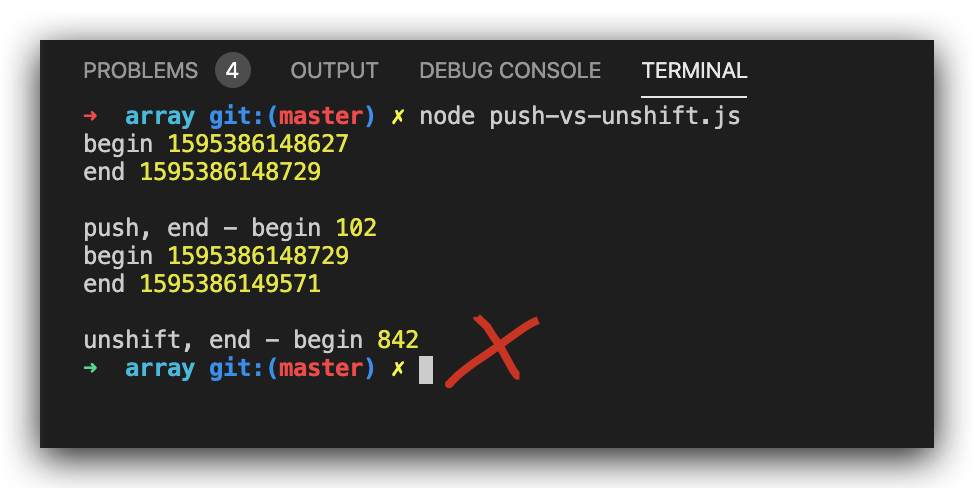
one item, test result
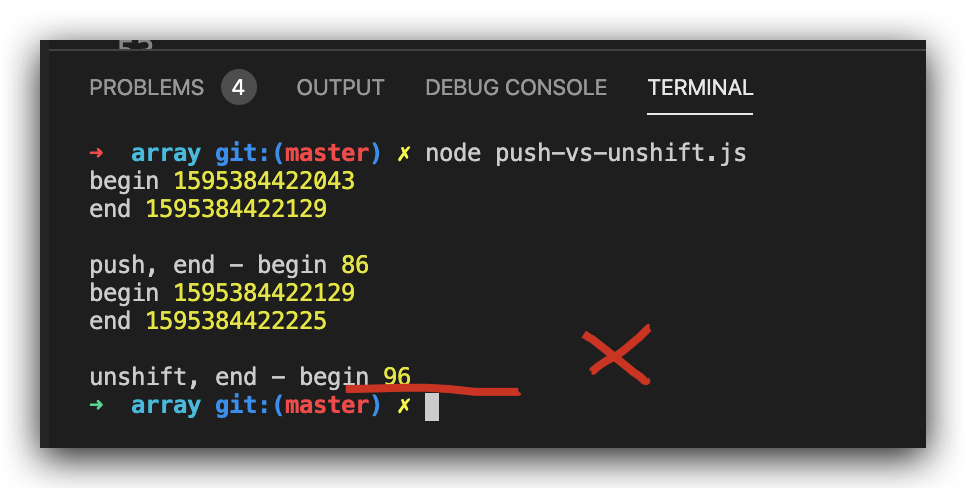
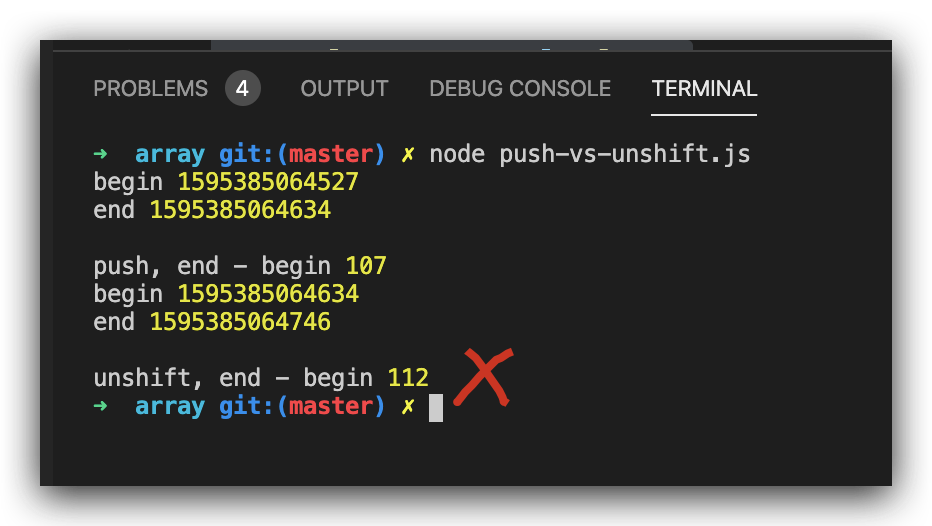
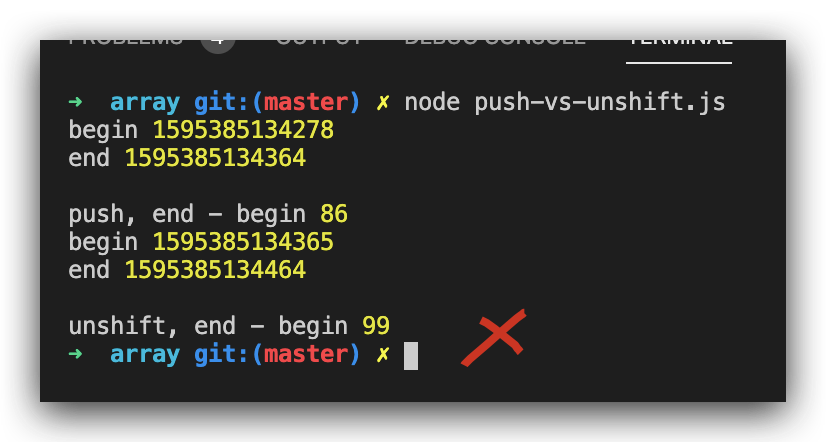
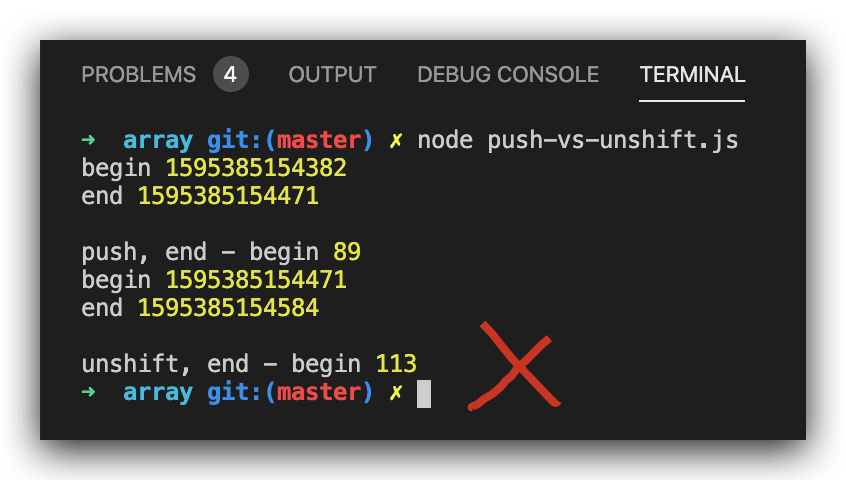
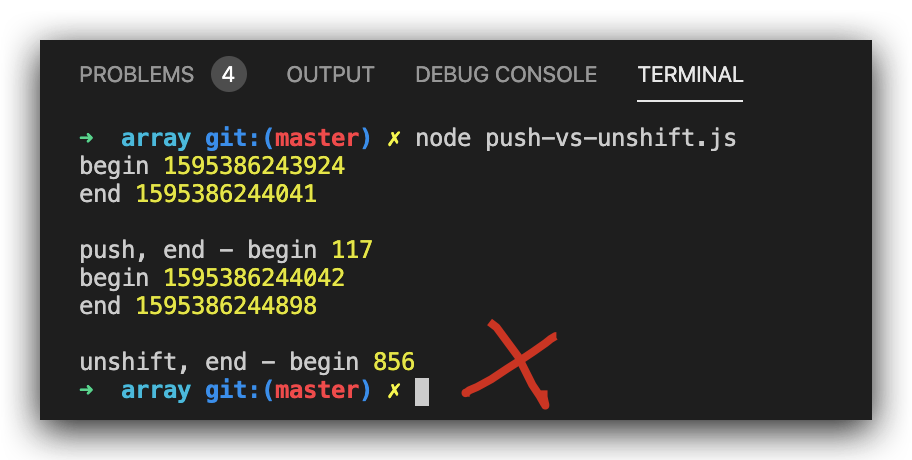
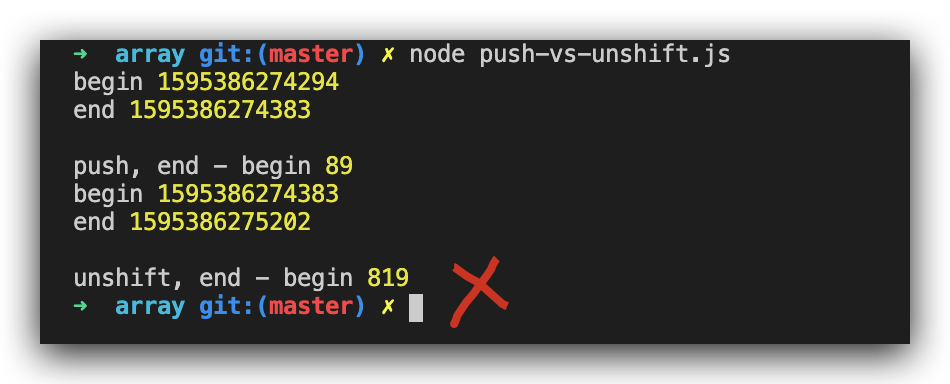
multi items, test result
GC & stack overflow bug
// const arr = noForArrayAutoGenerator(10000 * 10000);

// FATAL ERROR: CALL_AND_RETRY_LAST Allocation failed - JavaScript heap out of memory

/*

<--- Last few GCs --->

nce start of marking 998 ms) (average mu = 0.409, current mu = 0.065) allocation[9479:0x102d59000]    15026 ms: Mark-sweep 2062.8 (2065.0) -> 2062.8 (2065.0) MB, 768.1 / 0.0 ms  (+ 0.0 ms in 0 steps since start of marking, biggest step 0.0 ms, walltime since start of marking 834 ms) (average mu = 0.287, current mu = 0.079) last resor[9479:0x102d59000]    16001 ms: Mark-sweep 2062.8 (2065.0) -> 2062.8 (2065.0) MB, 974.9 / 0.0 ms  (average mu = 0.155, current mu = 0.000) last resort GC in old space requested

<--- JS stacktrace --->

==== JS stack trace =========================================

    0: ExitFrame [pc: 0x1009d6059]

    1: StubFrame [pc: 0x100a17a54]

Security context: 0x2480d7d808d1 <JSObject>

    2: anonymous (aka anonymous) [0x2480d5c82c81] [/Users/xgqfrms-mbp/Documents/GitHub/AFES/js-basic/array/push-vs-unshift.js:~40] [pc=0x320f7c803a7b](this=0x24805b8004b1 <undefined>,46758526,46758525)

    3: map [0x2480d7d95609](this=0x2480d5c82c61 <JSArray[100000000]>,0x2480d5c82c81 <JSFunction (sfi = 0x24804...

*/
https://developer.mozilla.org/en-US/docs/Web/JavaScript/Reference/Global_Objects/Array/unshift
https://developer.mozilla.org/en-US/docs/Web/JavaScript/Reference/Global_Objects/Array/push
pop vs shift
"use strict";

/**

 *

 * @author xgqfrms

 * @license MIT

 * @copyright xgqfrms

 * @created 2020-07-20

 * @modified

 *

 * @description pop-vs-shift

 * @difficulty Easy Medium Hard

 * @complexity O(n)

 * @augments

 * @example

 * @link

 * @solutions

 *

 */

const log = console.log;

function test (arr = [], type = `pop`) {

  const begin = new Date().getTime();

  log(`begin`, begin);

  if(type === `pop`) {

    // 在数组后面删除元素

    arr.pop();

  } else {

    // 在数组前面删除元素

    arr.shift()

  }

  const end = new Date().getTime();

  log(`end`, end);

  log(`\n${type}, end - begin`, end - begin);

}

function multiTest (arr = [], num = 1, type = `pop`) {

  const begin = new Date().getTime();

  log(`begin`, begin);

  if(type === `pop`) {

    // 在数组后面删除元素

    for (let i = 0; i < num; i++) {

      arr.pop();

    }

  } else {

    // 在数组前面删除元素

    for (let i = 0; i < num; i++) {

      arr.shift()

    }

  }

  const end = new Date().getTime();

  log(`end`, end);

  log(`\n${type}, end - begin`, end - begin);

}

const noForArrayAutoGenerator = (len = 100) => {

  // return [...``.padStart(len, ` `)].map((item, i) => i + 1).map((item, i) => i % 2 === 0 ? item : item + ``);

  return [...``.padStart(len, ` `)].map((item, i) => i % 2 === 0 ? i + 1 : i + 1 + ``);

}

// const arr = noForArrayAutoGenerator(10000 * 10);

const arr = noForArrayAutoGenerator(10000 * 1000);

// const arr = noForArrayAutoGenerator(10000 * 10000);

// FATAL ERROR: CALL_AND_RETRY_LAST Allocation failed - JavaScript heap out of memory

const arr1 = [...arr];

const arr2 = [...arr];

// test(arr1, `pop`);

// test(arr2, `shift`);

const nums = 100;

multiTest(arr1, nums, `pop`);

multiTest(arr2, nums, `shift`);
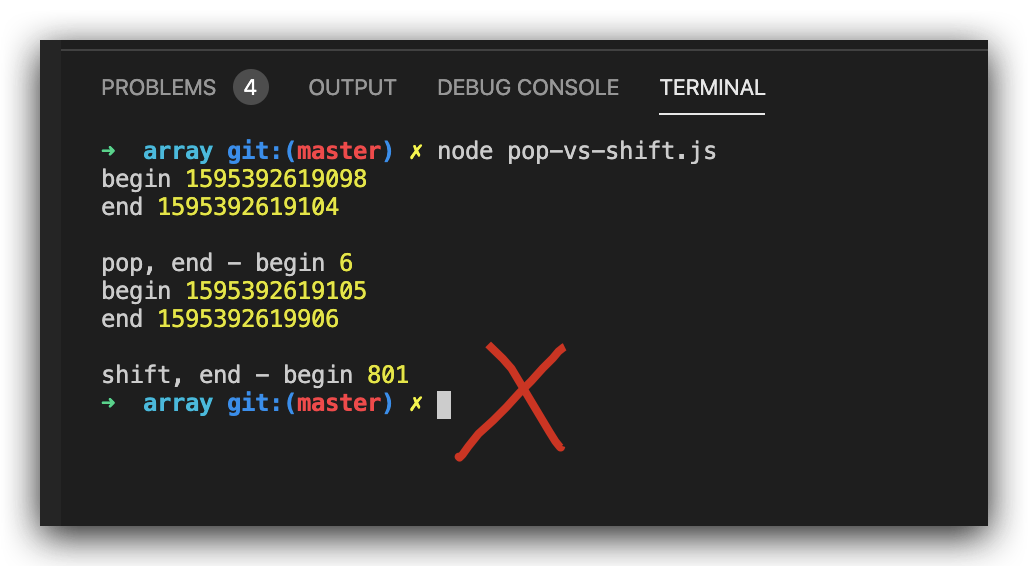
single item, test result
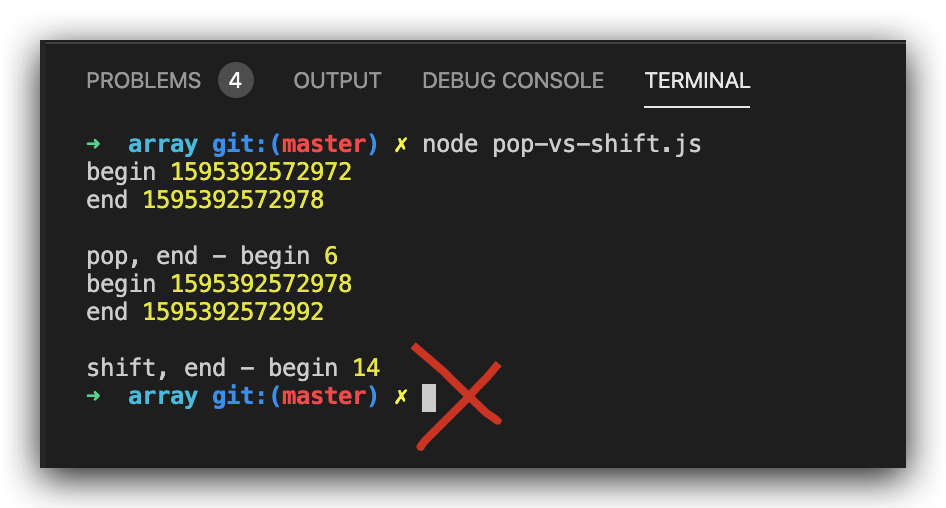
multi items, test result
https://developer.mozilla.org/en-US/docs/Web/JavaScript/Reference/Global_Objects/Array/shift
https://developer.mozilla.org/en-US/docs/Web/JavaScript/Reference/Global_Objects/Array/pop
refs
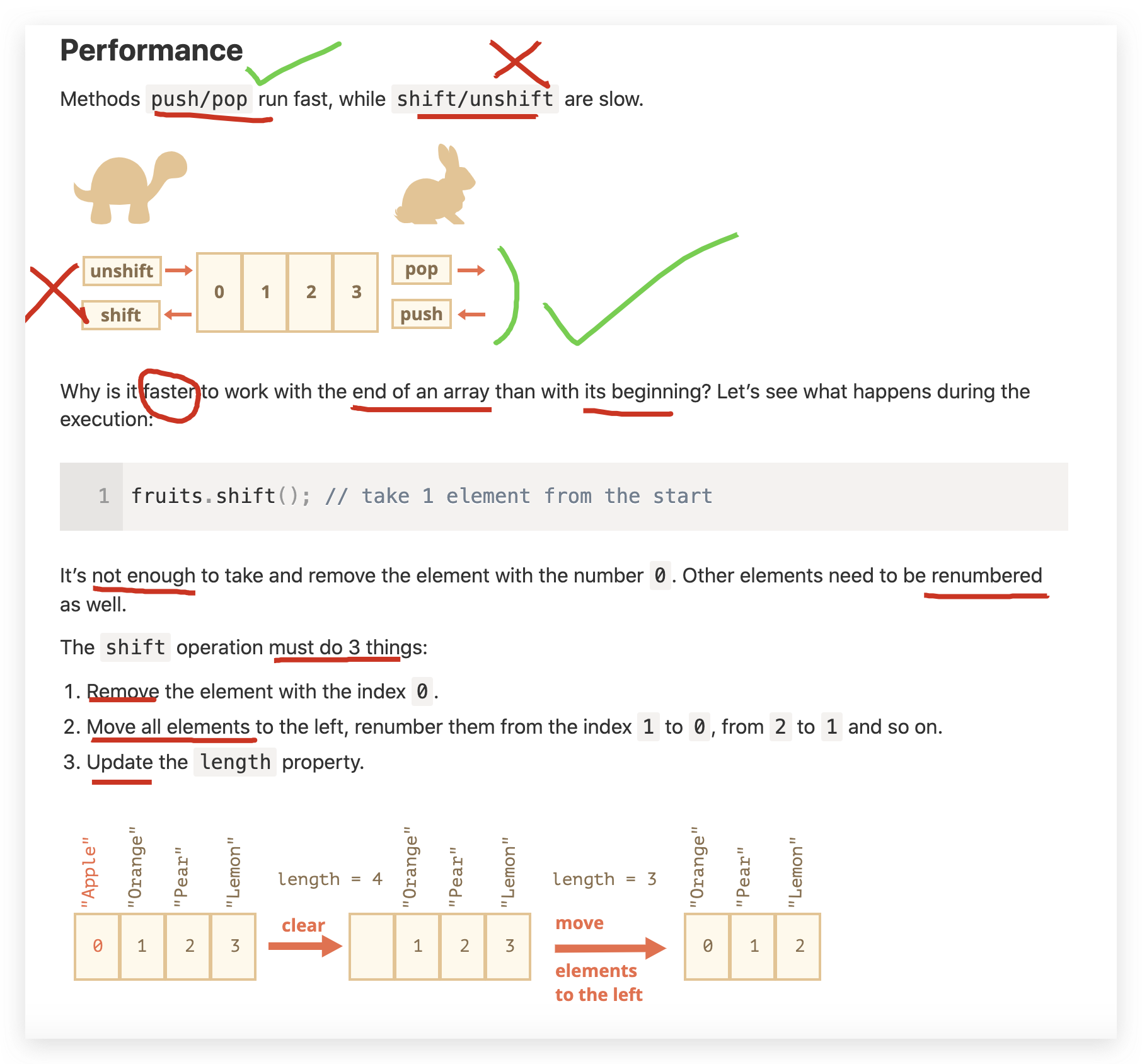
https://javascript.info/array#performance
xgqfrms 2012-2020
www.cnblogs.com 发布文章使用:只允许注册用户才可以访问!
JavaScript Array methods performance compare的更多相关文章
- [Javascript ] Array methods in depth - sort
Sort can automatically arrange items in an array. In this lesson we look at the basics including how ...
- [Javascript] Array methods in depth - filter
Array filter creates a new array with all elements that pass the test implemented by the provided fu ...
- [Javascript] Array methods in depth - slice
Array slice creates a shallow copy of an array. In this lesson we cover, in detail, exactly what a ' ...
- javascript Array Methods(学习笔记)
ECMAScript 5 定义了9个新的数组方法,分别为: 1.forEach(); 2.map(); 3.filter(); 4.every(); 5.some(); 6.reduce() ...
- [Javascript] JavaScript Array Methods in Depth - push
Array push is used to add elements to the end of an Array. In this lesson we'll see how the push met ...
- [Javascript] Array methods in depth - indexOf
indexOf is used to search for a value or reference inside of an array. In this lesson we first look ...
- [Javascript] Array methods in depth - some
some returns a boolean value after passing each item in the source array through the test function t ...
- JavaScript Array 对象
JavaScript Array 对象 Array 对象 Array 对象用于在变量中存储多个值: var cars = ["Saab", "Volvo", & ...
- JavaScript Array(数组)对象
一,定义数组 数组对象用来在单独的变量名中存储一系列的值. 创建 Array 对象的语法: new Array(); new Array(size); new Array(element0, elem ...
随机推荐
- MapReduce过程源码分析
MapReduce过程源码分析 Mapper 首先mapper完成映射,将word映射成(word,1)的形式. MapReduce进程,Map阶段也叫MapTask,在MapTask中会通过 ...
- 安装sqlserver 的时候 报错:无法通过Windows功能控制面板自动安装或卸载Windows Server 角色和功能。
无法安装以下功能:.NET Framework 3.5(包括.NET2.0和3.0) 无法通过Windows功能控制面板自动安装或卸载Windows Server 角色和功能. 若要安装Windows ...
- Java,Scala:JDBCUtil,MySqlUtil,PhoenixJDBC
Java,Scala:JDBCUtil,MySqlUtil,PhoenixJDBC pom.xml添加依赖 Java:方式一(亲测实用) 方式二:Scala 方式三:Java PhoenixJDBCU ...
- jQuery操作CheckBox的方法(选中,取消,取值)详解
<!DOCTYPE HTML PUBLIC "-//W3C//DTD HTML 4.0 Transitional//EN"> <HTML> <HEAD ...
- 2019 沈阳网络赛 D Fish eating fruit ( 树形DP)
题目传送门 题意:求一颗树中所有点对(a,b)的路径长度,路径长度按照模3之后的值进行分类,最后分别求每一类的和 分析:树形DP \(dp[i][j]\) 表示以 i 为根的子树中,所有子节点到 i ...
- P3128 [USACO15DEC]最大流Max Flow (树上差分)
题目描述 Farmer John has installed a new system of N-1N−1 pipes to transport milk between the NN stalls ...
- Educational Codeforces Round 88 (Rated for Div. 2) C. Mixing Water(数学/二分)
题目链接:https://codeforces.com/contest/1359/problem/C 题意 热水温度为 $h$,冷水温度为 $c\ (c < h)$,依次轮流取等杯的热冷水,问二 ...
- Codeforces Round #582 (Div. 3) F. Unstable String Sort
传送门 题意: 你需要输出一个长度为n的字符序列(由小写字母组成),且这个字符串中至少包含k个不同的字符.另外题目还有要求:给你两个长度为p和q的序列,设字符序列存在s中 那么就会有s[Pi]< ...
- [HDU-5172] 单点查询线段树
题意: 给你一个长度为n的数组v[],有m次询问,问你在区间[L,R]中是否包含区间[1,R-L+1]的全部数字,如果是输出YES,否则输出NO 题解: 区间[1,R-L+1]与区间[L,R]的长度一 ...
- c++派生类中构造函数和析构函数执行顺序、判断对象类型、抽象类、虚函数
一. 代码: 1 #include<stdio.h> 2 #include<string.h> 3 #include<algorithm> 4 #include&l ...