
Kafka安装与实验
接上面一篇文章:
http://www.cnblogs.com/charlesblc/p/6038112.html
主要参考这篇文章:
http://www.open-open.com/lib/view/open1435884136903.html
还有之前一直在跟的这篇文章:
http://blog.csdn.net/ymh198816/article/details/51998085
下载了Kafka的安装包:
http://apache.fayea.com/kafka/0.10.1.0/kafka_2.11-0.10.1.0.tgz
拷贝到 06机器,然后按照要求先启动 Zookeeper
但是 Zookeeper 报错,应该是Java版本问题,所以设置了 PATH和JAVA_HOME
export PATH=/home/work/.jumbo/opt/sun-java8/bin/:$PATH

export JAVA_HOME=/home/work/.jumbo/opt/sun-java8/
然后启动Zookeeper命令:
nohup bin/zookeeper-server-start.sh config/zookeeper.properties &
日志:
[2016-11-09 20:50:01,032] INFO binding to port 0.0.0.0/0.0.0.0:2181 (org.apache.zookeeper.server.NIOServerCnxnFactory)
然后启动Kafka命令:
nohup bin/kafka-server-start.sh config/server.properties &

可以看到端口已经启动:

$ netstat -nap | grep 9092

(Not all processes could be identified, non-owned process info

 will not be shown, you would have to be root to see it all.)

tcp        0      0 0.0.0.0:9092                0.0.0.0:*                   LISTEN      19508/java
用Kafka自带的命令行工具测试一下:
$ bin/kafka-console-producer.sh --zookeeper localhost:2181 --topic test

zookeeper is not a recognized option

producer用zookeeper发现报错,改用broker-list,注意端口要变

$ bin/kafka-console-producer.sh --broker-list localhost:9092 --topic test

启动成功,没有warning

在另一个终端上

$ bin/kafka-console-consumer.sh --zookeeper localhost:2181 --topic test --from-beginning

Using the ConsoleConsumer with old consumer is deprecated and will be removed in a future major release. Consider using the new consumer by passing [bootstrap-server] instead of [zookeeper].

WARN看起来,用broker-list 直接连9092也可以,没有实验

然后在第一个终端,输入一些字符:

$ bin/kafka-console-producer.sh --broker-list localhost:9092 --topic test

hihi

[2016-11-10 11:28:34,658] WARN Error while fetching metadata with correlation id 0 : {test=LEADER_NOT_AVAILABLE} (org.apache.kafka.clients.NetworkClient)

oh yeah

可以看到第二个终端有输出,连通成功:

$ bin/kafka-console-consumer.sh --zookeeper localhost:2181 --topic test --from-beginning

Using the ConsoleConsumer with old consumer is deprecated and will be removed in a future major release. Consider using the new consumer by passing [bootstrap-server] instead of [zookeeper].

hihi

oh yeah
然后再用监控工具看一下Kafka,
下载 KafkaOffsetMonitor-assembly-0.2.0.jar(地址:link)
拷贝到06机器的/home/work/data/installed/
然后启动命令:
$ java -cp KafkaOffsetMonitor-assembly-0.2.0.jar \

>  com.quantifind.kafka.offsetapp.OffsetGetterWeb \

>  --zk localhost:2181 \

>  --port 8089 \

>  --refresh 10.seconds \

>  --retain 1.days
之后就可以在浏览器访问:
http://[06机器hostname]:8089/
在Flume上面配一个新的Sink:
配两个channel到两个sink,但是报错:

 Could not configure sink  kafka due to: Channel memorychannel2 not in active set.
原来是channel的大小写写错了,修改之后的配置文件:
agent.sources = origin

agent.channels = memoryChannel memoryChannel2

agent.sinks = hdfsSink kafka

# For each one of the sources, the type is defined

agent.sources.origin.type =  exec

agent.sources.origin.command = tail -f /home/work/data/LogGenerator_jar/logs/generator.log

# The channel can be defined as follows.

agent.sources.origin.channels = memoryChannel memoryChannel2

# Each sink's type must be defined

agent.sinks.hdfsSink.type = hdfs

agent.sinks.hdfsSink.hdfs.path = /output/Logger

agent.sinks.hdfsSink.hdfs.fileType = DataStream

agent.sinks.hdfsSink.hdfs.writeFormati = TEXT

agent.sinks.hdfsSink.hdfs.rollInterval = 1

agent.sinks.hdfsSink.hdfs.filePrefix=%Y-%m-%d

agent.sinks.hdfsSink.hdfs.useLocalTimeStamp = true

#Specify the channel the sink should use

agent.sinks.hdfsSink.channel = memoryChannel

agent.sinks.kafka.type = org.apache.flume.sink.kafka.KafkaSink

agent.sinks.kafka.brokerList=localhost:9092

agent.sinks.kafka.requiredAcks=1

agent.sinks.kafka.batchSize=100

agent.sinks.kafka.channel = memoryChannel2

# Each channel's type is defined.

agent.channels.memoryChannel.type = memory

# Other config values specific to each type of channel(sink or source)

# can be defined as well

# In this case, it specifies the capacity of the memory channel

agent.channels.memoryChannel.capacity = 100

agent.channels.memoryChannel2.type = memory

agent.channels.memoryChannel2.capacity = 100
启动后,看到日志是正常的:
10 Nov 2016 12:50:31,394 INFO  [hdfs-hdfsSink-call-runner-3] (org.apache.flume.sink.hdfs.BucketWriter$8.call:618)  - Renaming /output/Logger/2016-11-10.1478753429757.tmp to /output/Logger/2016-11-10.1478753429757

10 Nov 2016 12:50:31,417 INFO  [SinkRunner-PollingRunner-DefaultSinkProcessor] (org.apache.flume.sink.hdfs.BucketWriter.open:231)  - Creating /output/Logger/2016-11-10.1478753429758.tmp

10 Nov 2016 12:50:32,518 INFO  [hdfs-hdfsSink-roll-timer-0] (org.apache.flume.sink.hdfs.BucketWriter.close:357)  - Closing /output/Logger/2016-11-10.1478753429758.tmp

10 Nov 2016 12:50:32,527 INFO  [hdfs-hdfsSink-call-runner-9] (org.apache.flume.sink.hdfs.BucketWriter$8.call:618)  - Renaming /output/Logger/2016-11-10.1478753429758.tmp to /output/Logger/2016-11-10.1478753429758

10 Nov 2016 12:50:32,535 INFO  [hdfs-hdfsSink-roll-timer-0] (org.apache.flume.sink.hdfs.HDFSEventSink$1.run:382)  - Writer callback called.
然后发现flume的数据,kafka还是收不到。检查日志,发现warn:
10 Nov 2016 12:50:25,662 WARN  [conf-file-poller-0] (org.apache.flume.sink.kafka.KafkaSink.translateOldProps:345)  - topic is deprecated. Please use the parameter kafka.topic

10 Nov 2016 12:50:25,662 WARN  [conf-file-poller-0] (org.apache.flume.sink.kafka.KafkaSink.translateOldProps:356)  - brokerList is deprecated. Please use the parameter kafka.bootstrap.servers

10 Nov 2016 12:50:25,662 WARN  [conf-file-poller-0] (org.apache.flume.sink.kafka.KafkaSink.translateOldProps:366)  - batchSize is deprecated. Please use the parameter flumeBatchSize

10 Nov 2016 12:50:25,662 WARN  [conf-file-poller-0] (org.apache.flume.sink.kafka.KafkaSink.translateOldProps:376)  - requiredAcks is deprecated. Please use the parameter kafka.producer.acks

10 Nov 2016 12:50:25,662 WARN  [conf-file-poller-0] (org.apache.flume.sink.kafka.KafkaSink.configure:300)  - Topic was not specified. Using default-flume-topic as the topic.
然后重新配置了Flume的Sink:
agent.sinks.kafka.type = org.apache.flume.sink.kafka.KafkaSink

agent.sinks.kafka.topic=test1

agent.sinks.kafka.brokerList = localhost:9092

agent.sinks.kafka.channel = memoryChannel2
然后启动,能够在日志看到Flume正常了:
10 Nov 2016 13:03:39,263 INFO  [conf-file-poller-0] (org.apache.flume.node.Application.startAllComponents:171)  - Starting Sink kafka

10 Nov 2016 13:03:39,264 INFO  [conf-file-poller-0] (org.apache.flume.node.Application.startAllComponents:171)  - Starting Sink hdfsSink

10 Nov 2016 13:03:39,265 INFO  [conf-file-poller-0] (org.apache.flume.node.Application.startAllComponents:182)  - Starting Source origin
然后运行生成日志的命令:
cd /home/work/data/LogGenerator_jar;

java -jar LogGenerator.jar
在上面的可视化页面,能够看到Topic test1,但是看不到valid consumer。
启动一个命令行consumer:
$ bin/kafka-console-consumer.sh --zookeeper localhost:2181 --topic test1 --from-beginning

能够看到收到消息的输出了:

Using the ConsoleConsumer with old consumer is deprecated and will be removed in a future major release. Consider using the new consumer by passing [bootstrap-server] instead of [zookeeper].

[INFO][main][2016-11-10 12:53:56][com.comany.log.generator.LogGenerator] - orderNumber: 971581478753636880 | orderDate: 2016-11-10 12:53:56 | paymentNumber: Paypal-21032218 | paymentDate: 2016-11-10 12:53:56 | merchantName: Apple | sku: [ skuName: 高腰阔腿休闲裤 skuNum: 1 skuCode: z1n6iyh653 skuPrice: 2000.0 totalSkuPrice: 2000.0; skuName: 塑身牛仔裤 skuNum: 1 skuCode: naaiy2z1jn skuPrice: 399.0 totalSkuPrice: 399.0; skuName: 高腰阔腿休闲裤 skuNum: 2 skuCode: 4iaz6zkxs6 skuPrice: 1000.0 totalSkuPrice: 2000.0; ] | price: [ totalPrice: 4399.0 discount: 10.0 paymentPrice: 4389.0 ]

[INFO][main][2016-11-10 12:53:56][com.comany.log.generator.LogGenerator] - orderNumber: 750331478753636880 | orderDate: 2016-11-10 12:53:56 | paymentNumber: Wechat-44874259 | paymentDate: 2016-11-10 12:53:56 | merchantName: 暴雪公司 | sku: [ skuName: 人字拖鞋 skuNum: 1 skuCode: 26nl39of2h skuPrice: 299.0 totalSkuPrice: 299.0; skuName: 灰色连衣裙 skuNum: 1 skuCode: vhft1qmcgo skuPrice: 299.0 totalSkuPrice: 299.0; skuName: 灰色连衣裙 skuNum: 3 skuCode: drym8nikkb skuPrice: 899.0 totalSkuPrice: 2697.0; ] | price: [ totalPrice: 3295.0 discount: 20.0 paymentPrice: 3275.0 ]

[INFO][main][2016-11-10 12:53:56][com.comany.log.generator.LogGenerator] - orderNumber: 724421478753636881 | orderDate: 2016-11-10 12:53:56 | paymentNumber: Paypal-62225213 | paymentDate: 2016-11-10 12:53:56 | merchantName: 哈毒妇 | sku: [ skuName: 高腰阔腿休闲裤 skuNum: 1 skuCode: 43sqzs1ebd skuPrice: 399.0 totalSkuPrice: 399.0; skuName: 塑身牛仔裤 skuNum: 3 skuCode: h5lzonfqkq skuPrice: 299.0 totalSkuPrice: 897.0; skuName: 圆脚牛仔裤 skuNum: 3 skuCode: ifbhzs2s2d skuPrice: 1000.0 totalSkuPrice: 3000.0; ] | price: [ totalPrice: 4296.0 discount: 20.0 paymentPrice: 4276.0 ]
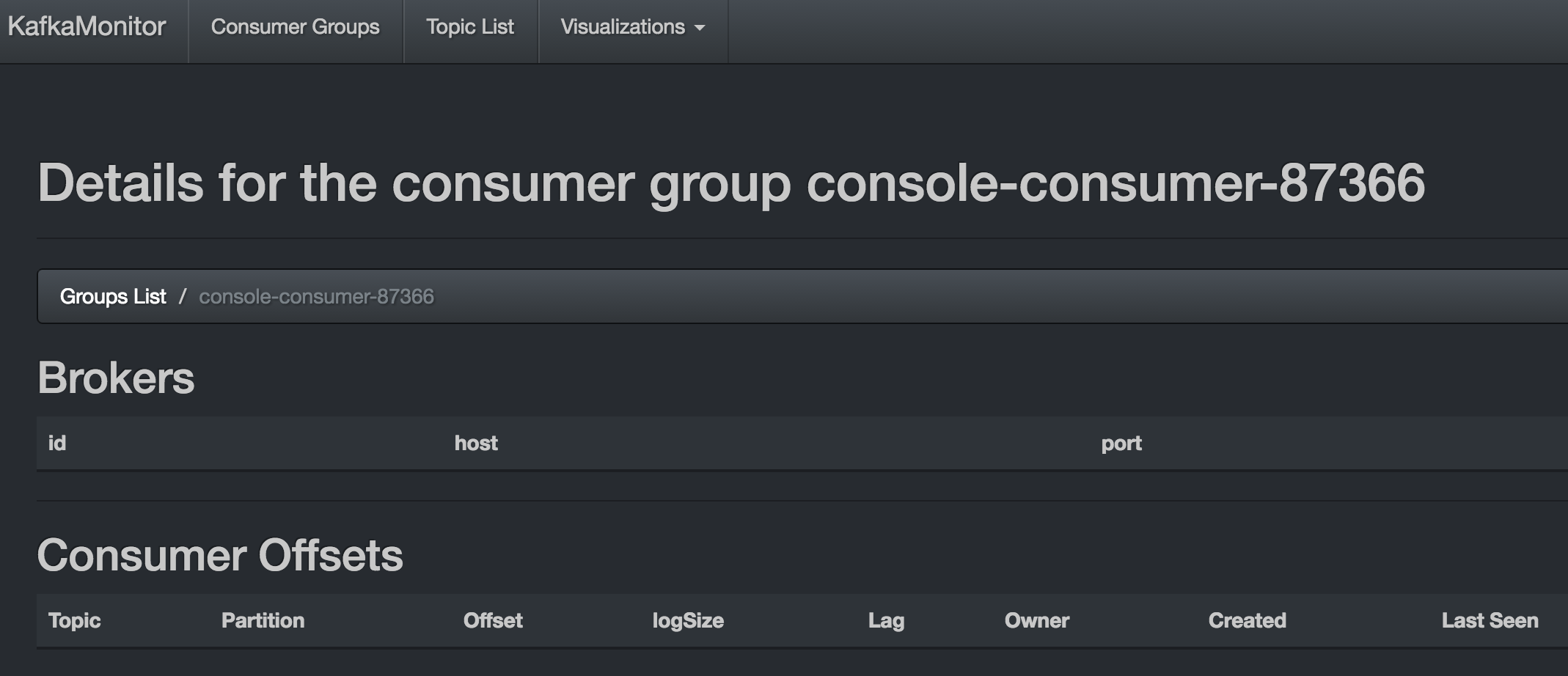
然后在上面的可视化界面中的 “Topic List”->"test1"->"Active Consumers"里面能够看到"console-consumer-75910"
点进去能够看到:

也就是有新的消息到达了并被消费了。
还有可视化的界面展示:

把原来的topic都删了。当然还需要把conf里面的 delete.topic.enable改成true.
bin/kafka-topics.sh --delete --zookeeper localhost:2181 --topic test1
后面就要看怎么安装配置Storm了。看下一篇文章:http://www.cnblogs.com/charlesblc/p/6050565.html
另外,找到这个博客讲了一些Kafka的内容,有时间可以看看:
http://blog.csdn.net/lizhitao/article/category/2194509
(完)
Kafka安装与实验的更多相关文章
- Kafka安装及部署
安装及部署 一.环境配置 操作系统:Cent OS 7 Kafka版本:0.9.0.0 Kafka官网下载:请点击 JDK版本:1.7.0_51 SSH Secure Shell版本:XShell 5 ...
- Storm安装与实验
接上一篇Kafka的安装与实验: http://www.cnblogs.com/charlesblc/p/6046023.html 还有再上一篇Flume的安装与实验: http://www.cnbl ...
- kafka系列一、kafka安装及部署、集群搭建
一.环境准备 操作系统:Cent OS 7 Kafka版本:kafka_2.10 Kafka官网下载:请点击 JDK版本:1.8.0_171 zookeeper-3.4.10 二.kafka安装配置 ...
- kafka安装和部署
阅读目录 一.环境配置 二.操作过程 Kafka介绍 安装及部署 回到顶部 一.环境配置 操作系统:Cent OS 7 Kafka版本:0.9.0.0 Kafka官网下载:请点击 JDK版本:1.7. ...
- hadoop 之 kafka 安装与 flume -> kafka 整合
62-kafka 安装 : flume 整合 kafka 一.kafka 安装 1.下载 http://kafka.apache.org/downloads.html 2. 解压 tar -zxvf ...
- [Kafka] - Kafka 安装介绍
Kafka是由LinkedIn公司开发的,之后贡献给Apache基金会,成为Apache的一个顶级项目,开发语言为Scala.提供了各种不同语言的API,具体参考Kafka的cwiki页面: Kafk ...
- OVS + dpdk 安装与实验环境配置
***DPDK datapath的OVS的安装与实验环境配置 首先肯定是DPDK的安装 0:安装必要的工具 make gcc ...
- Kafka 安装配置 windows 下
Kafka 安装配置 windows 下 标签(空格分隔): Kafka Kafka 内核部分需要安装jdk, zookeeper. 安装JDK 安装JDK就不需要讲解了,安装完配置下JAVA_HOM ...
- kafka安装教程
今天需要在新机器上安装一个kafka集群,其实kafka我已经装了十个不止了,但是没有一个是为生产考虑的,因此比较汗颜,今天好好地把kafka的安装以及配置梳理一下: 1,kafka版本选取: 现在我 ...
随机推荐
- TGL站长关于常见问题的回复
问题地址: http://www.thegrouplet.com/thread-112923-1-1.html 问题: 网站配有太多的模板是否影响网站加载速度 月光答复: wp不需要删除其他的模板,不 ...
- LCA 笔记
简述这几天的LCA 心得: LCA有两种做法:离线 or 在线 先学的离线: 原理博客很多. 我写得两道题,已经模板. HDU:http://acm.hdu.edu.cn/showproblem.ph ...
- linux shell的输出效果修改方法(界面颜色)
文本终端的颜色可以使用“ANSI非常规字符序列”来生成.举例: echo -e "\033[44;37;5m ME \033[0m COOL" 以上命令设置背景成为蓝色,前景白色, ...
- Sublime Text3激活 破解
Sublime Text 是一个复杂的文本.代码编辑器.出色用户界面,非凡的功能和惊人的性能. Sublime Text 3 官方网站 http://www.sublimetext.com/ 点击菜单 ...
- HDU4871 Shortest-path tree(树分治)
好久没做过树分治的题了,对上一次做是在南京赛里跪了一道很裸的树分治题后学的一道,多校的时候没有看这道题,哪怕看了感觉也看不出来是树分治,看出题人给了解题报告里写了树分治就做一下好了. 题意其实就是给你 ...
- POJ 1845 Sumdiv (求某个数的所有正因子的和)
题意: 求A^B的所有正因子的和,最后模9901的结果. 思路: 若对一个数n进行素数分解,n=p1^a1*p2^a2*p3^a3*...*pk^ak那么n的所有正因子之和sum=(1+p1+...+ ...
- hdu 1404/zoj 2725 Digital Deletions 博弈论
暴力打表!! 代码如下: #include<iostream> #include<algorithm> #include<cstdio> #include<c ...
- 基础DOM和CSS操作(一)
DOM简介 DOM是一种文档对象模型,方便开发者对HTML结构元素内容进行展示和修改.在JavaScript中,DOM不但内容庞大繁杂,而且我们开发的过程中需要考虑更多的兼容性.扩展性.在jQuery ...
- JavaScript基于对象编程
js面向对象特征介绍 javascript是一种面向(基于)对象的动态脚本语言,是一种基于对象(Object)和事件驱动(EventDirven)并具有安全性能的脚本语言.它具有面向对象语言所特有的各 ...
- 使用datatable 将测试数据与业务分离
当基本一致的业务流程, 需要测试繁杂的测试数据时,就可以将测试数据参数化了,同时使用datatable来实现测试数据与业务分离,这个方法在我现在的项目中应用在很多地方,感觉超级方便,现对工作中的应用做 ...