
【原创】大数据基础之Kudu(1)简介、安装、使用
kudu 1.7

官方:https://kudu.apache.org/
一 简介
kudu有很多概念,有分布式文件系统(HDFS),有一致性算法(Zookeeper),有Table(Hive Table),有Tablet(Hive Table Partition),有列式存储(Parquet),有顺序和随机读取(HBase),所以看起来kudu是一个轻量级的 HDFS + Zookeeper + Hive + Parquet + HBase,除此之外,kudu还有自己的特点,快速写入+读取,使得kudu+impala非常适合OLAP场景,尤其是Time-series场景。
A new addition to the open source Apache Hadoop ecosystem, Apache Kudu completes Hadoop's storage layer to enable fast analytics on fast data.
kudu是hadoop生态的有力补充,使得hadoop存储层也可以支持快速变化数据上的快速分析;
- Streamlined Architecture
- Kudu provides a combination of fast inserts/updates and efficient columnar scans to enable multiple real-time analytic workloads across a single storage layer. As a new complement to HDFS and Apache HBase, Kudu gives architects the flexibility to address a wider variety of use cases without exotic workarounds.
kudu提供了快速写入更新的能力和高效列式扫描的能力,使得直接在存储层上实现实时分析成为可能,简化了传统技术栈;
- Faster Analytics
- Kudu is specifically designed for use cases that require fast analytics on fast (rapidly changing) data. Engineered to take advantage of next-generation hardware and in-memory processing, Kudu lowers query latency significantly for Apache Impala (incubating) and Apache Spark (initially, with other execution engines to come).
kudu被设计为尤其适合在快速变化的数据上进行快速分析的场景,利用下一代硬件以及内存处理的优势,kudu降低了impala和spark的查询延迟;
Kudu is a columnar storage manager developed for the Apache Hadoop platform. Kudu shares the common technical properties of Hadoop ecosystem applications: it runs on commodity hardware, is horizontally scalable, and supports highly available operation.
kudu是一个hadoop平台的列式存储层,它继承了hadoop生态的技术特点:通用硬件、水平扩展、高可用;
Kudu’s design sets it apart. Some of Kudu’s benefits include:
- Fast processing of OLAP workloads.
- Integration with MapReduce, Spark and other Hadoop ecosystem components.
- Tight integration with Apache Impala, making it a good, mutable alternative to using HDFS with Apache Parquet.
- Strong but flexible consistency model, allowing you to choose consistency requirements on a per-request basis, including the option for strict-serializable consistency.
- Strong performance for running sequential and random workloads simultaneously.
- Easy to administer and manage with Cloudera Manager.
- High availability. Tablet Servers and Masters use the Raft Consensus Algorithm, which ensures that as long as more than half the total number of replicas is available, the tablet is available for reads and writes. For instance, if 2 out of 3 replicas or 3 out of 5 replicas are available, the tablet is available.
- Reads can be serviced by read-only follower tablets, even in the event of a leader tablet failure.
- Structured data model.
kudu有以上诸多特点:快速OLAP、整合其他hadoop生态组件(比如spark)、整合Impala、快速顺序和随机读取、可配置的数据一致性、高可用、结构化数据模型;
By combining all of these properties, Kudu targets support for families of applications that are difficult or impossible to implement on current generation Hadoop storage technologies. A few examples of applications for which Kudu is a great solution are:
- Reporting applications where newly-arrived data needs to be immediately available for end users
- Time-series applications that must simultaneously support:
- queries across large amounts of historic data
- granular queries about an individual entity that must return very quickly
- Applications that use predictive models to make real-time decisions with periodic refreshes of the predictive model based on all historic data
当kudu有了以上特点之后,使得传统hadoop存储技术很难解决的一些场景成为可能,比如:数据快速变化的报表系统、Timer-series应用、实时决策系统;
kudu架构

概念
Table
A table is where your data is stored in Kudu. A table has a schema and a totally ordered primary key. A table is split into segments called tablets.
Table(类似于hive或hbase的table),有schema和primary key,可以划分为多个Tablet;
Tablet
A tablet is a contiguous segment of a table, similar to a partition in other data storage engines or relational databases. A given tablet is replicated on multiple tablet servers, and at any given point in time, one of these replicas is considered the leader tablet. Any replica can service reads, and writes require consensus among the set of tablet servers serving the tablet.
Tablet(类似于hive中的partition或hbase中的region),tablet是多副本的,存放在多个tablet server上,多个副本中有一个是leader tablet;所有的副本都可以读,但是写操作只有leader可以,写操作利用一致性算法(Raft);
Tablet Server
A tablet server stores and serves tablets to clients. For a given tablet, one tablet server acts as a leader, and the others act as follower replicas of that tablet. Only leaders service write requests, while leaders or followers each service read requests. Leaders are elected using Raft Consensus Algorithm. One tablet server can serve multiple tablets, and one tablet can be served by multiple tablet servers.
tablet server(类似于hbase中的region server),存放tablet并且相应client请求;一个tablet server存放多个tablet;
Catalog Table
The catalog table is the central location for metadata of Kudu. It stores information about tables and tablets. The catalog table may not be read or written directly. Instead, it is accessible only via metadata operations exposed in the client API.
The catalog table stores two categories of metadata: Tables & Tablets
catalog table存放kudu的metadata(类似于hive和hbase中的metadata),catalog table包含两类metadata:Tables和Tablets
Master
The master keeps track of all the tablets, tablet servers, the Catalog Table, and other metadata related to the cluster. At a given point in time, there can only be one acting master (the leader). If the current leader disappears, a new master is elected using Raft Consensus Algorithm.
The master also coordinates metadata operations for clients. For example, when creating a new table, the client internally sends the request to the master. The master writes the metadata for the new table into the catalog table, and coordinates the process of creating tablets on the tablet servers.
All the master’s data is stored in a tablet, which can be replicated to all the other candidate masters.
Tablet servers heartbeat to the master at a set interval (the default is once per second).
master(类似于hdfs和hbase的master),负责管理所有的tablet、tablet server、catalog table以及其他元数据。同一时间集群中只有一个acting master(leader master),如果leader master挂了,一个新的master会通过Raft算法选举出来。
所有的master数据都存放在一个tablet中,这个tablet会被复制到所有的candidate master上;
tablet server会定期向master发送心跳。
Raft Consensus Algorithm
Kudu uses the Raft consensus algorithm as a means to guarantee fault-tolerance and consistency, both for regular tablets and for master data. Through Raft, multiple replicas of a tablet elect a leader, which is responsible for accepting and replicating writes to follower replicas. Once a write is persisted in a majority of replicas it is acknowledged to the client. A given group of N replicas (usually 3 or 5) is able to accept writes with at most (N - 1)/2 faulty replicas.
kudu通过Raft一致性算法(类似于zookeeper中的Paxos算法)来保证tablet和master数据的容错性和一致性。详见:https://raft.github.io/
Logical Replication
Kudu replicates operations, not on-disk data. This is referred to as logical replication, as opposed to physical replication.
kudu使用的是逻辑副本的概念。
二 安装
1 安装ntp服务
# vi /etc/ntp.conf
# service ntpd start
# ntpstat
详见:https://www.cnblogs.com/quchunhui/p/7658853.html
2 增加repo
# cat /etc/yum.repos.d/cdh.repo
[cloudera-cdh5]
# Packages for Cloudera's Distribution for Hadoop, Version 5, on RedHat or CentOS 7 x86_64
name=Cloudera's Distribution for Hadoop, Version 5
baseurl=https://archive.cloudera.com/cdh5/redhat/7/x86_64/cdh/5/
gpgkey =https://archive.cloudera.com/cdh5/redhat/7/x86_64/cdh/RPM-GPG-KEY-cloudera
gpgcheck = 1
这里没有指定版本,默认会安装最新
3 master安装
# yum install kudu kudu-master kudu-client0 kudu-client-devel
配置文件
/etc/kudu/conf/master.gflagfile
可以修改数据路径,如果启动多个master需要配置
--master_addresses=$master1,$master2
启动,可以启动多个master
# service kudu-master start
4 tserver安装
# yum install kudu kudu-tserver kudu-client0 kudu-client-devel
配置文件
/etc/kudu/conf/tserver.gflagfile
修改master地址,可以配置多个
--tserver_master_addrs=$master_server:7051
启动
# service kudu-tserver start
ps:也可以手工下载rpm:https://archive.cloudera.com/cdh5/redhat/7/x86_64/cdh/5/RPMS/x86_64/
kudu-1.7.0+cdh5.16.1+0-1.cdh5.16.1.p0.3.el7.x86_64.rpm
kudu-client-devel-1.7.0+cdh5.16.1+0-1.cdh5.16.1.p0.3.el7.x86_64.rpm
kudu-client0-1.7.0+cdh5.16.1+0-1.cdh5.16.1.p0.3.el7.x86_64.rpm
kudu-master-1.7.0+cdh5.16.1+0-1.cdh5.16.1.p0.3.el7.x86_64.rpm
kudu-tserver-1.7.0+cdh5.16.1+0-1.cdh5.16.1.p0.3.el7.x86_64.rpm
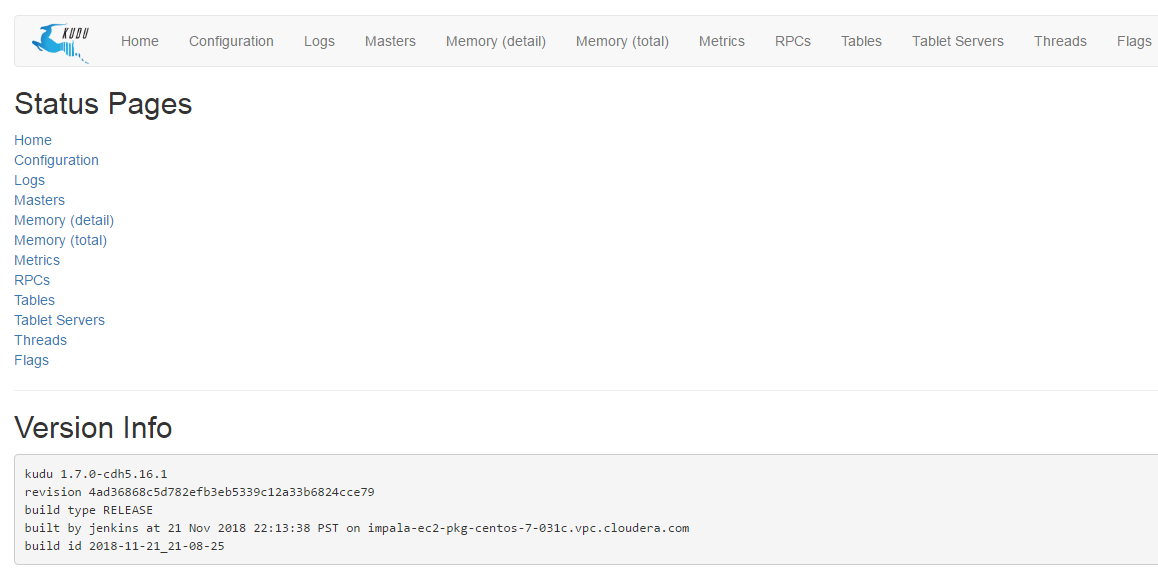
三 使用
1 集群相关
查看集群整体信息
# sudo -u kudu kudu cluster ksck $master
查看master状态或flag
# su - kudu kudu master status localhost
# su - kudu kudu master get_flags localhost
查看tserver状态或flag
# su - kudu kudu tserver status localhost
# su - kudu kudu tserver get_flags localhost
2 数据相关
通过impala-shell读写数据
[$impala_server:21000] >
CREATE TABLE impala.test_kudu (
id INT,
name STRING,
PRIMARY KEY (id)
)
PARTITION BY HASH (id) PARTITIONS 4
STORED AS KUDU
TBLPROPERTIES ('kudu.master_addresses'='$kudu_master:7051');
[$impala_server:21000] > select * from test_kudu;
Query: select * from test_kudu
Query submitted at: 2019-01-21 12:53:04 (Coordinator: http://$impala_server:25000)
Query progress can be monitored at: http://$impala_server:25000/query_plan?query_id=e345f450c0dca86a:4769860f00000000
+----+-------+
| id | name |
+----+-------+
| 1 | test |
+----+-------+
Fetched 1 row(s) in 0.13s
在kudu中看到新创建的表:
1)命令行
# kudu -h
Usage: /usr/lib/kudu/bin/kudu <command> [<args>]
<command> can be one of the following:
cluster Operate on a Kudu cluster
fs Operate on a local Kudu filesystem
local_replica Operate on local tablet replicas via the local filesystem
master Operate on a Kudu Master
pbc Operate on PBC (protobuf container) files
perf Measure the performance of a Kudu cluster
remote_replica Operate on remote tablet replicas on a Kudu Tablet Server
table Operate on Kudu tables
tablet Operate on remote Kudu tablets
test Various test actions
tserver Operate on a Kudu Tablet Server
wal Operate on WAL (write-ahead log) files
查看所有的kudu表
# kudu table list $master_addresses
impala::impala.test_kudu
删除kudu表
# kudu table delete $master_addresses $table_name
2)web ui
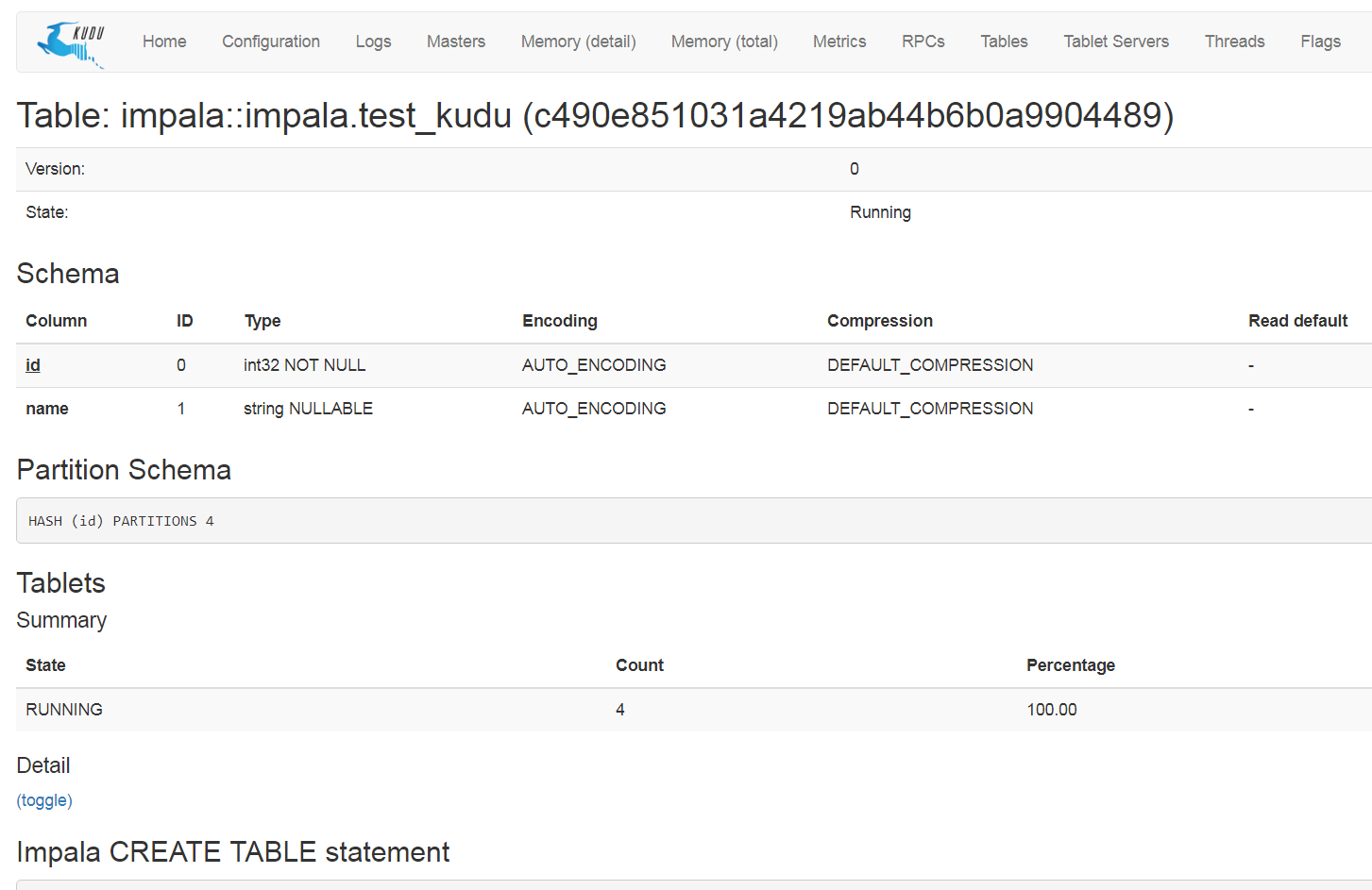
参考:https://kudu.apache.org/docs/administration.html
【原创】大数据基础之Kudu(1)简介、安装、使用的更多相关文章
- 【原创】大数据基础之Kudu(2)移除dead tsever
当kudu有tserver下线或者迁移或者修改hostname之后,旧的tserver会一直以dead状态出现,并且tserver日志中会有大量的连接重试日志,一天的错误日志会有几个G, W0322 ...
- 【原创】大数据基础之Kudu(6)kudu tserver内存占用统计分析
kudu tserver占用内存过高后会拒绝部分写请求,日志如下: 19/06/01 13:34:12 INFO AsyncKuduClient: Invalidating location 34b1 ...
- 【原创】大数据基础之Kudu(5)kudu增加或删除目录/数据盘
kudu加减数据盘不能直接修改配置fs_data_dirs后重启,否则会报错: Check failed: _s.ok() Bad status: Already present: FS layout ...
- 【原创】大数据基础之Kudu(3)primary key
关于kudu的primary key The primary key may not be changed after the table is created. You must drop and ...
- 【原创】大数据基础之Kudu(4)spark读写kudu
spark2.4.3+kudu1.9 1 批量读 val df = spark.read.format("kudu") .options(Map("kudu.master ...
- 大数据基础环境--jdk1.8环境安装部署
1.环境说明 1.1.机器配置说明 本次集群环境为三台linux系统机器,具体信息如下: 主机名称 IP地址 操作系统 hadoop1 10.0.0.20 CentOS Linux release 7 ...
- 【原创】大数据基础之Zookeeper(2)源代码解析
核心枚举 public enum ServerState { LOOKING, FOLLOWING, LEADING, OBSERVING; } zookeeper服务器状态:刚启动LOOKING,f ...
- CentOS6安装各种大数据软件 第八章:Hive安装和配置
相关文章链接 CentOS6安装各种大数据软件 第一章:各个软件版本介绍 CentOS6安装各种大数据软件 第二章:Linux各个软件启动命令 CentOS6安装各种大数据软件 第三章:Linux基础 ...
- 大数据应用日志采集之Scribe 安装配置指南
大数据应用日志采集之Scribe 安装配置指南 大数据应用日志采集之Scribe 安装配置指南 1.概述 Scribe是Facebook开源的日志收集系统,在Facebook内部已经得到大量的应用.它 ...
随机推荐
- 【Swift 4.2】uuid 取 hashCode(与 Java/Go/Kotlin 一致)
extension String { func hashCode() -> Int32 { let components = self.split(separator: "-" ...
- mariadb集群配置(主从和多主)
mariadb主从 主从多用于网站架构,因为主从的同步机制是异步的,数据的同步有一定延迟,也就是说有可能会造成数据的丢失,但是性能比较好,因此网站大多数用的是主从架构的数据库,读写分离必须基于主从架构 ...
- SUCTF 2016 : dMd
这个题可以说是比较坑了(还不是我很弱...) Linux跑一下: 要输密码 ida打开看看: int __cdecl main(int argc, const char **argv, const c ...
- Python——设计模式——单例模式
一个类始终只有一个实例 当你第一次实例化这个类的时候,就创建一个实例化得对象 当你之后再来实例化的时候,就用之前创建的对象 class A: __instance = False def __ini_ ...
- 8.docker的安全性
在查看Docker安全性时,有四个主要方面需要考虑: 内核的内在安全性及其对命名空间和cgroup的支持; Docker守护进程本身的攻击面; 容器配置配置文件中的漏洞,默认情况下或用户自定义时. 内 ...
- VScode中python环境配置
vscode中python环境配置 想要在vscode中运行python代码必须要告诉vscode使用哪个解释器才行 方法1. 打开命令面板(Ctrl+Shift+P)输入Python: Select ...
- neutron-删除负载均衡器
neutron-删除负载均衡器 在清除垃圾数据的时候,删除负载均衡器,总是有很多依赖.写了一个脚本,连同依赖资源一起删除 #!/bin/bash delete(){ local id id=$1 lo ...
- centos安装node环境
一.安装wget yum install -y wget 二.下载node最新的安装包 wget https://nodejs.org/dist/v10.13.0/node-v10.13.0-linu ...
- redis jedis使用
jedis就是集成了redis的一些命令操作,封装了redis的java客户端.提供了连接池管理.一般不直接使用jedis,而是在其上再封装一层,作为业务的使用.如果用spring的话,可以看看spr ...
- 通过crontab调度java -jar任务提示"nohup: failed to run command `java': No such file or directory"
通过crontab无法运行,提示如标题的信息: 但直接在终端控制台执行sh和java -jar都可以: 网上给的提示解决方法,在.sh文件开始上面加上 source /etc/profile 然后cr ...