
HTML+Javascript制作拼图小游戏详解(一)
本文章将分享一个来自前端菜鸟突发奇想的拼图游戏制作方法以及实现过程。
话不多说,先上图。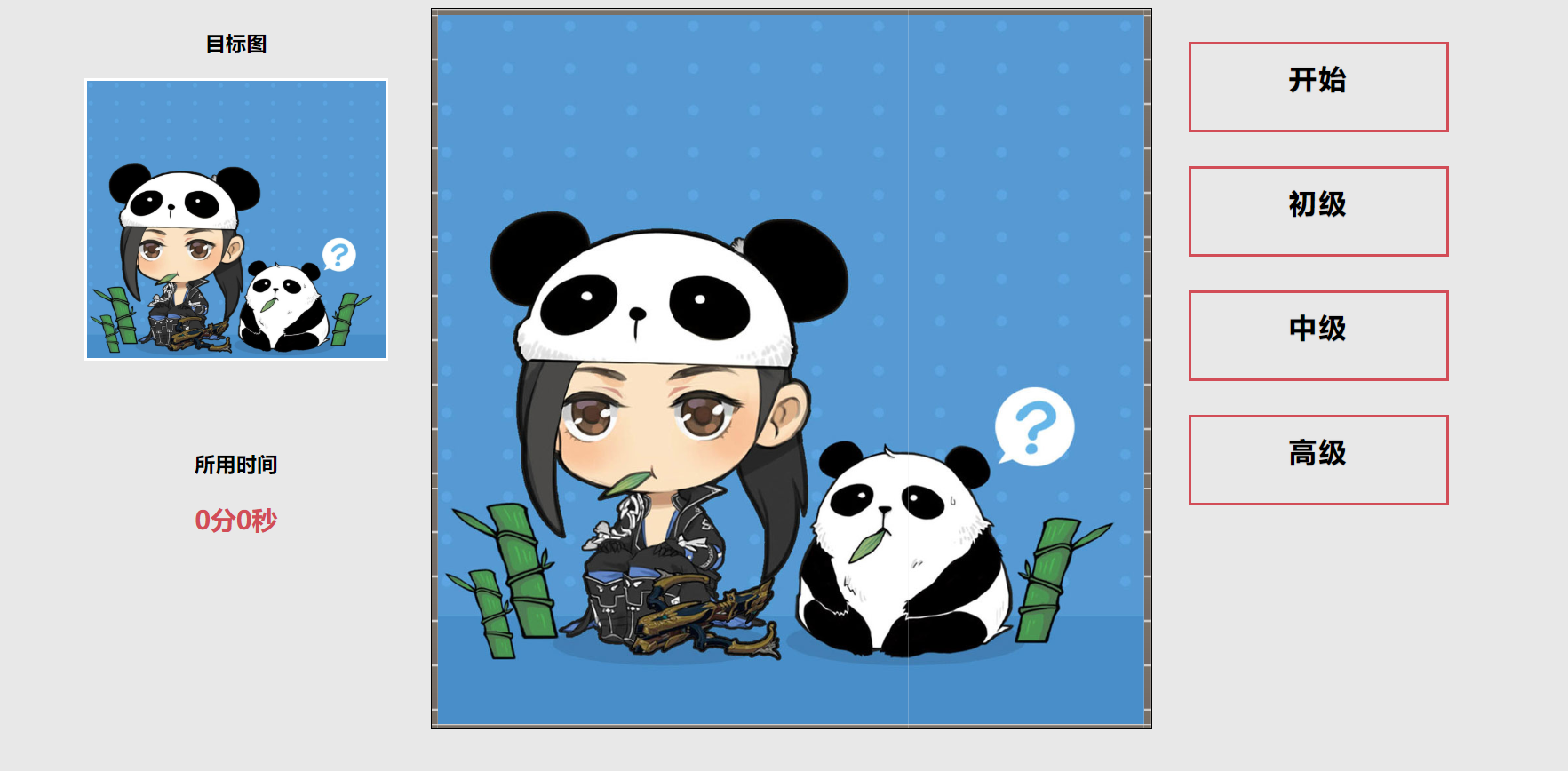
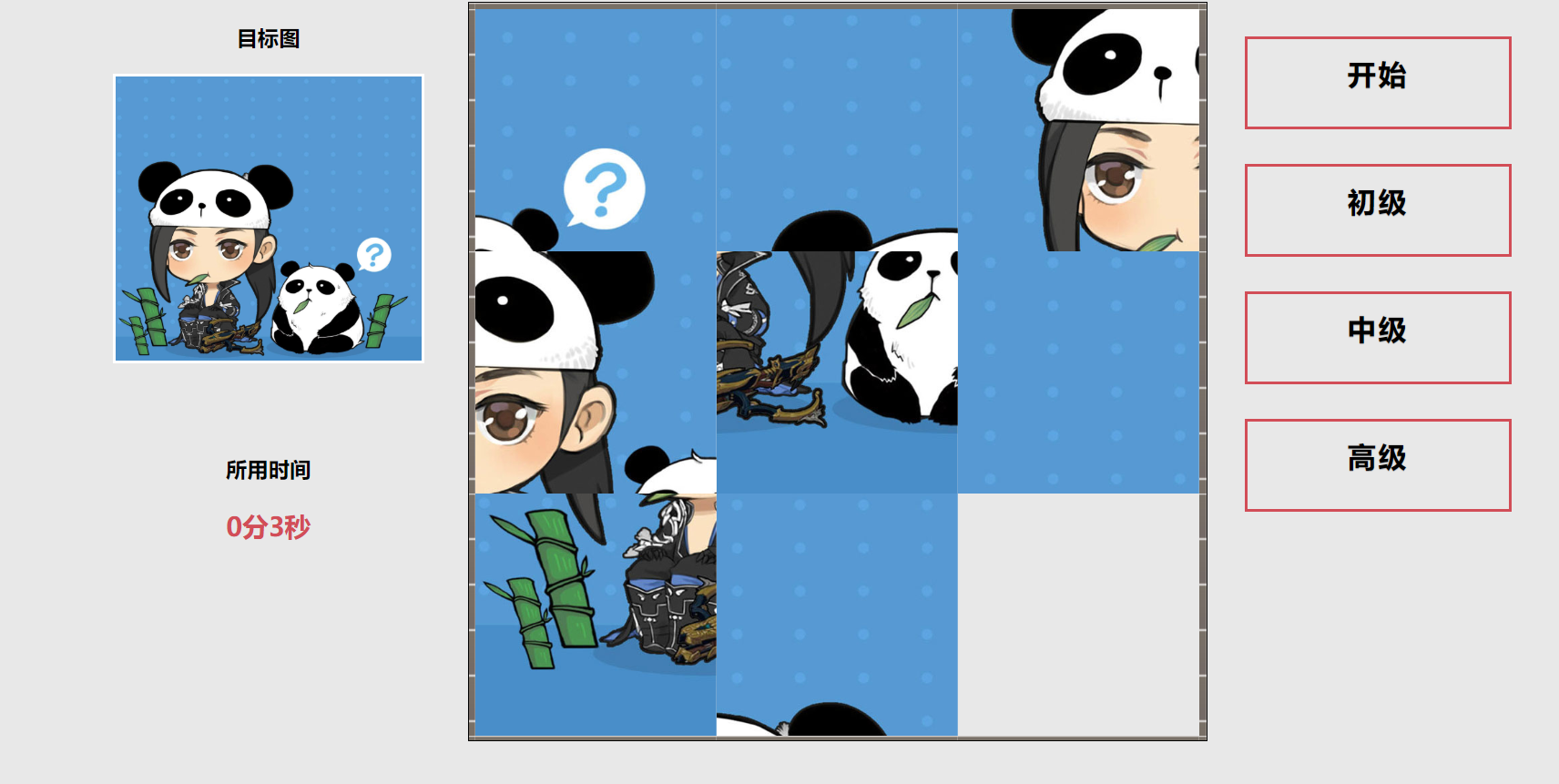
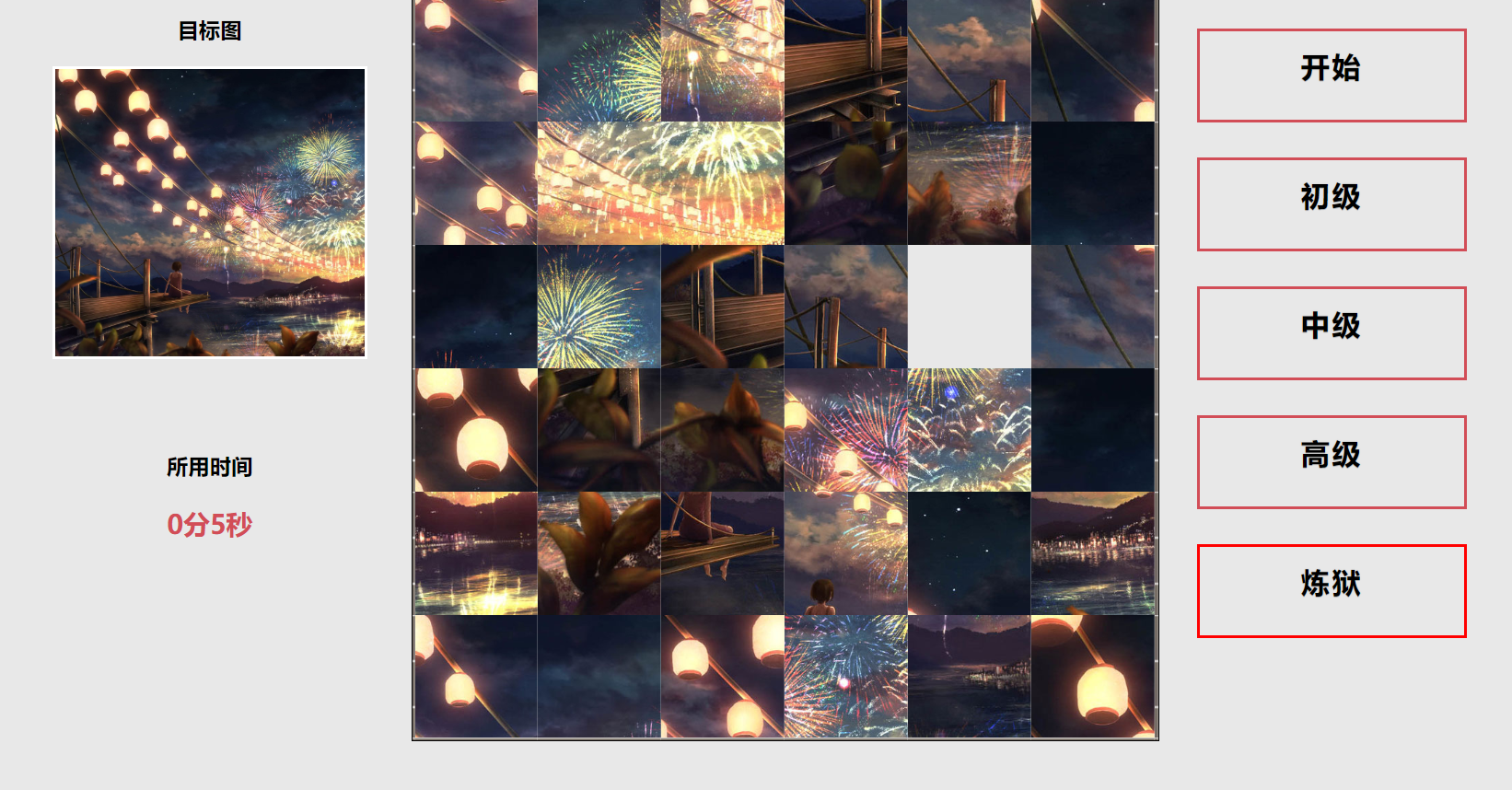
首先我们需要写好网页的基本布局(此处涉及简单的HTML和CSS知识)。
网页一共分为三个区域,左侧时间显示区,中间主要游戏区和右侧按钮菜单区。
通过三个DIV设置其style为float:left使三个div同行显示。
<div class="main">

<div class="left">

  <!-- 左侧区域 -->

</div>

<div class="center">

   <!-- 中间区域 -->

</div>

<div class="right">

    <!-- 右侧区域 -->

</div>

</div>
然后我们分别在三个div中添加不同的内容。
由于本篇文章主要讲js的设计思路,html不做过多介绍。
详情代码如下
<!DOCTYPE html>

<html lang="en">

<head>

    <meta charset="UTF-8">

    <title>拼图游戏——初级</title>

    <link rel="stylesheet" href="css/button.css">

    <script src="js/jquery.js"></script>

    <script src="js/level1.js"></script>

</head>

<body>

<div class="main">

<!-- 左侧div内容 -->

<div class="left">

<h3>目标图</h3>

<div class="pic" id="mainpic"></div>

<br><br>

<h3>所用时间</h3>

<p id="timer">0分0秒</p>

</div>

<!-- 中间div内容 -->

<div class="center">

    <table class="picbox" cellspacing="0" cellpadding="1">

    <tbody id="picbox">

    </tbody>

    </table>

</div>

<!-- 右侧div内容 -->

<div class="right">

    <a href="javascript:startgame()" class="btn btn-sm animated-button victoria-one">开始</a>

    <a href="level1.html" class="btn btn-sm animated-button victoria-two">初级</a>

    <a href="level2.html" class="btn btn-sm animated-button victoria-three">中级</a>

    <a href="level3.html" class="btn btn-sm animated-button victoria-four">高级</a>

</div>

</div>

<!-- 胜利时需要弹出的界面  start -->

<div class="wingame">

<h2>恭喜你完成拼图!</h2>

<div class="pic pic2"></div>

<p>完成耗时:<b id="timer2">0分0秒</b></p>

</div>

<!-- 胜利时需要弹出的界面  end -->

</body>

</html>
好吧,还是给大家讲解一下html页面构成,
左侧通过id="mainpic"显示当前所要完成的拼图。id="timer"是一个计时器通过setTimeout()递归来实现计时。
中间区域时一个表格,通过给表格赋予不同的背景图来使表格组成一张大的图片,再通过背景图的替换实现挪移效果。
具体代码稍后我们会详细讲到。
至于为什么没有tr和td。我们通过js动态生成,用参数的形式,这样就可以很轻松的实现四阶五阶等更复杂的拼图。
右侧为几个按钮,具体用来实现不同页面的跳转和游戏的开始。
body

{

    background-color: #E8E8E8;

}

.main

{

    margin:0 auto;

    width: 1250px;

    height: 720px;

}

.left

{

    width: 300px;

    height: 700px;

    float: left;;

}

.center

{

    width: 700px;

    height: 700px;

    float: left;

}

.right

{

    width: 250px;

    height: 700px;

    color: red;

    float: right;

}

.picbox

    {

        margin: 0 auto;

        border: 1px solid black;

        width: 650px;

        height: 650px;

    }

    .picbpx td

    {

        padding: 0;

    }

    .border_bg

    {

        background-image:url(../img/border_bg.jpg);

        width: 100px;

        height: 100px;

        background-repeat: repeat;

    }

    .left h3

    {

        text-align: center;;

    }

    #timer

    {

        color: #D24D57;

        text-align: center;

        font-size:23px;

        font-weight: bold;

    }

    .pic

    {

        margin: 20px auto;

        background-size: cover;

        width: 270px;

        height: 250px;

        border: 2px solid #FFF;

    }

    .wingame

    {

        display: none;

        width: 600px;

        height: 300px;

        background-color: rgba(80,100,120,0.5);

        position: fixed;

        top:25vh;

        left: 32vw;

    }

    .pic2

    {

        width: 150px;

        height: 150px;

    }

    .pic2:hover

    {

        cursor:pointer;

    }

    .wingame h2

    {

        text-align: center;

    }

    .wingame p

    {

        font-size: 20px;

        text-align: center;

    }

    .wingame p b

    {

        color: rgb(200,60,60);

    }
小弟奉上css部分代码。
PS:博主菜鸟一个大神勿喷,不过接受教育批评。
欢迎大家留言讨论更好的方法。
勿喷,勿喷,勿喷。
链接: https://pan.baidu.com/s/1nVfFD6zviIQmY3xRYeiD7Q 提取码: ci4g
HTML+Javascript制作拼图小游戏详解(一)的更多相关文章
- HTML+Javascript制作拼图小游戏详解(终)
上次我们已经讲解了制作的原理,并且展示了主要代码. 这次我将完整的代码给大家,仅供参考. HTML部分如下: <!DOCTYPE html> <html lang="en& ...
- HTML+Javascript制作拼图小游戏详解(二)
上一篇我们说了网页的基本布局.接下来将为大家带来具体的实现方法. 拼图通表格来实现,做一个方形的表格,改变其大小使之如图所示. 试想一下如果我们将一张图片剪成6张分别放入对应位置,然后再把它打乱,这样 ...
- JavaScript版拼图小游戏
慕课网上准备开个新的jQuery教程,花了3天空闲时间写了一个Javascript版的拼图小游戏,作为新教程配套的分析案例 拼图游戏网上有不少的实现案例了,但是此源码是我自己的实现,所以不做太多的比较 ...
- java贪吃蛇小游戏详解
https://blog.csdn.net/u011622021/article/details/81162083
- 壁球小游戏详解(附有源码.cpp)
1.在python中安装pygame 2.将下列源码复制过去,运行. #引用 import pygame, sys #初始化 pygame.init() size = width, height = ...
- 教你用Python自制拼图小游戏,一起来制作吧
摘要: 本文主要为大家详细介绍了python实现拼图小游戏,文中还有示例代码介绍,感兴趣的小伙伴们可以参考一下. 开发工具 Python版本:3.6.4 相关模块: pygame模块: 以及一些Pyt ...
- javascript中=、==、===区别详解
javascript中=.==.===区别详解今天在项目开发过中发现在一个小问题.在判断n==""结果当n=0时 n==""结果也返回了true.虽然是个小问题 ...
- 使用NGUI实现拖拽功能(拼图小游戏)
上一次用UGUI实现了拼图小游戏,这次,我们来用NGUI来实现 实现原理 NGUI中提供了拖拽的基类UIDragDropItem,所以我们要做的就是在要拖拽的图片上加一个继承于该类的脚本,并实现其中的 ...
- jQuery拼图小游戏
jQuery拼图小游戏 最后样式 核心代码部分 <script type="text/javascript" > $(function () { $("td& ...
随机推荐
- 淘宝星星的思路c#
<!DOCTYPE html><html xmlns="http://www.w3.org/1999/xhtml"><head><meta ...
- tomcat 时间相差8个小时,百度上查到的,备份下
通常网上一查都是 修改 tomcat 的参数 ,如catalina 文件,jvm parameters 等.如果都不起作用,可以使用如下方式.. 你可以修改jdk的时间校正了,你这么来.进入 \hom ...
- 运行 .jar dos 命令
命令行进入 jar 所在文件夹 执行 java -jar a.jar;
- Oracle SQL 硬解析和子游标
Oracle SQL 硬解析和子游标 What reasons will be happening sql hard parse and generating new child cursors 在一 ...
- ipad The data couldn’t be read because it isn’t in the correct format
原来是land left和land right都勾选的,去掉land left后出现这个问题
- Spring Boot之初始化项目
最简单的从Spring官网下载 :地址 https://start.spring.io/ 下拉选择需要的Spring Boot版本 修改Group和Artifact 直接点击Generate Pro ...
- list集合如何对里面的元素进行排序
Collections 是集合的公共类,提供各种工具,其中提供了排序方法. Collections.sort(),方法两个参数,1,要排序的集合,2.排序方式 下面是匿名内部类,实现了排序借口,你也可 ...
- struct的使用
编写一个学生struct,成员有学号(id).姓名(name).成绩(5门课程),随机生成多个学生的学号.姓名和成绩存储到结构体数组.再根据总分进行排名并输出学生的信息和总分. stu.h #ifnd ...
- python 爬取网页内容
#encoding:UTF-8 import urllib import urllib.request import bs4 from bs4 import BeautifulSoup as bs d ...
- HDU6029 Happy Necklace 2017-05-07 19:11 45人阅读 评论(0) 收藏
Happy Necklace Time Limit: ...