
Story of Jerry Wang's Wechat subscription account
As an SAP Techinical Ambassador,Jerry is always willing to share his SAP expertise to various social medial channel. Being awareness of the fact that most local partners in China prefer to read blogs written in their mother language(Chinese), Jerry then applied a Wechat subscription account in December 2017 and started to write blogs in Chinese there till now.
(Wechat is not only a most popular mobile application in Asia with 1.1 billions active users per month, but also a platform nowsdays on top of which various so called "mini-program" can run )

So far there are totally 4673 persons who have subscribed Jerry's Wechat account, which means as soon as Jerry posted a new blog, it will automatically appear in their mobile phone.

An example of Jerry's blog list opened in Wechat application in mobile phone:

Those articles could be read both in mobile phone and in PC. Here is one example: the link which contains the total 87 SAP technical blogs published in Jerry's Wechat account written by Jerry and his colleagues in SAP Labs Chengdu:

And in Wechat, there are so called "discussion group" which behaves exactly the same as channels in Slack. People with same purpose or interest can choose to join a specific group and discuss there.
Here below are some examples, all of the members are SAP partners in China.
The highlighed number is the number of group members, and the text is the group title:


As Jerry is invited to several such groups, it's a very efficient way to push blogs to those partners who are mostly in need of them.
And here below is the admin UI of Wechat subscription account:

It provides powerful analytis dashboard which can easily give you rich statistics data in every dimension, such as for each article, how many followers have read it, forward it, click "like" button etc.


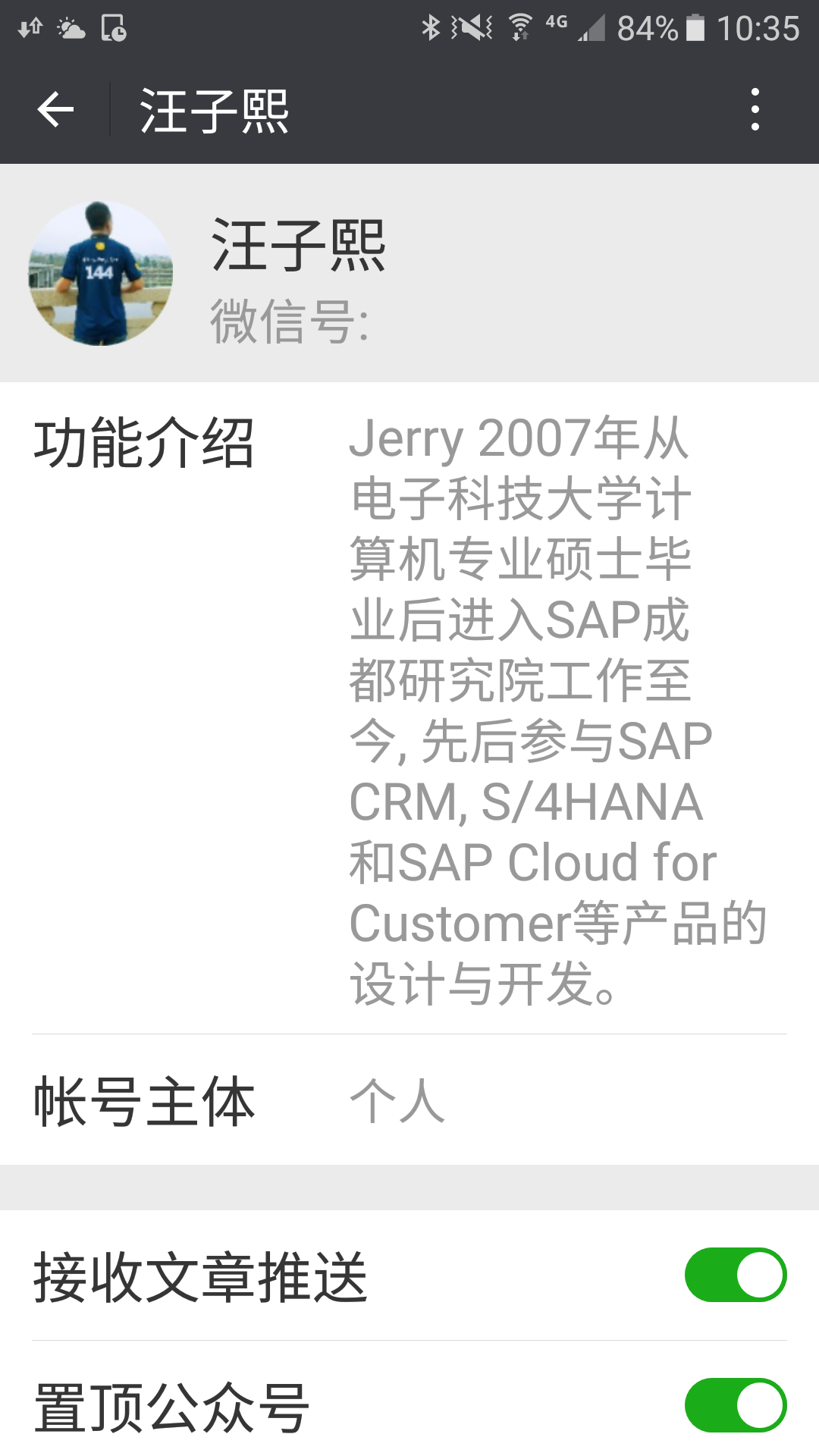
要获取更多Jerry的原创文章,请关注公众号"汪子熙":
Story of Jerry Wang's Wechat subscription account的更多相关文章
- WeChat Official Account Admin Platform API Introduction
Keyword: WeChat API Introduction Message and GeneralAuthor: PondBay Studio[WeChat Developer EXPERT] ...
- WeChat Official Account Admin Platform Message API Guide
Keyword: WeChat Message API Text Image Location Link Event Music RichMedia Author: PondBay Studio[We ...
- Jerry Wang诚邀广大SAP同仁免费加入我的知识星球,共同探讨SAP技术问题
大家知道Jerry Wang有一个微信公众号"汪子熙",2017年12月27日,Jerry的这个公众号发布了第一篇文章.到今天2018年10月底为止,正好十个月. 在这10个月的时 ...
- "工作激发了我的热情,并不断激励着我” - SAP成都研究院Jerry Wang
SAP 为员工提供了与 SAP的优秀人才以及全球客户和合作伙伴共事的绝佳机会.我相信,只要你努力工作,充满激情,你就能在这里获得成功. -- Jerry Wang 加入SAP 我是从中国电子科技大学的 ...
- Jerry Wang在SAP社区上获得的徽章
要获取更多Jerry的原创文章,请关注公众号"汪子熙":
- Jerry Wang从2017年到2019年的自由泳学习笔记
打腿 把注意力调整到脚部,尽量不要让他打出水面,因为在空气中大腿完全是无用功,但是如果只是脚跟出水一点,倒也没什么关心,但是主观上,要控制一下,如果你听到你的打腿是"咚咚咚咚"这样 ...
- Ultimate Guide to WeChat for Business 2019
Ultimate Guide to WeChat for Business 2019 By Iaroslav Kudritskiy (source :https://rocketbots.io/blo ...
- A look at WeChat security
原文地址:http://blog.emaze.net/2013/09/a-look-at-wechat-security.html TL;DR: Any (unprivileged) applicat ...
- How To Use Rocketbots As A Dialogflow CRM
Ever wished you had a CRM for Dialogflow? We did too, so we built one. This is a best practices arti ...
随机推荐
- WPF窗体自适应分辨率
使用WPF创建一个窗体(Window)时,如果设置了固定的高度(Height)和宽度(Width),一旦用户的电脑分辨率过低,就会使得窗体及其中的内容无法完整地显示出来.要解决这个这个问题,有以下几个 ...
- Python记录-基础语法入门
# -*- coding: utf-8 -*- #数字计算 a=1 b=2 print(a+b) print(a*b) print((a+b)/1) #浮点数 print((a+b)//2) ##保留 ...
- Python - Django - ORM 常用字段
AutoField: int 自增列,必须填入参数 primary_key=True 如果没有写 AutoField,则会自动创建一个列名为 id 的列 from django.db import m ...
- AD域 域管理员常用命令
简介: 暂时我需要管理60台终端计算机,但是分布的比较广泛,在我们单位整个场区零零散散的分布,巡检一圈仅步行时间就超过30分钟. 为了更好的管理终端计算机,现在正在实验性的配置域,用域来管理这些计算机 ...
- 把github代码自动部署到服务器
一.参考文献 https://developer.github.com/webhooks/ https://docs.gitlab.com/ee/user/project/integrations/w ...
- Difference between Process and thread?
What are the differences between a process and a thread? How are they similar? How can 2 threads com ...
- Docker - 在CentOS7.5中升级Docker版本
1 - 检查当前版本 [root@localhost ~]# uname -a Linux localhost.localdomain 3.10.0-957.el7.x86_64 #1 SMP Thu ...
- Flutter 路由传入中文参数报错无法push问题
flutter自带路由传递参数和使用第三方库fluro路由传递参数都可以通过一下方式解决问题 String jsonString = json.encode(mapValue); var jsons ...
- 了解 Selenium 定位方式
※元素定位的重要性:在于查找元素 And 执行元素 定位元素的三种方法 1.定位单个元素:在定位单个元素时,selenium-webdriver 提示了如下一些方法对元素进行定位.在这些定位方式中,优 ...
- Ubuntu16.04安装qt
5.11官方下载网站: http://download.qt.io/official_releases/qt/5.11/5.11.1/ 可以直接下载linux系统下的.run安装包: 安装方式:htt ...