
Spring-IOC实现【02-其他实现方式】
Java配置方式
SpringBoot流行之后,Java 配置开始被广泛使用。
Java配置本质上,就是使用一个Java类去代替xml配置,这种配置方式在SpringBoot中得到了广泛的使用。
实现步骤如下:
1. 创建java项目
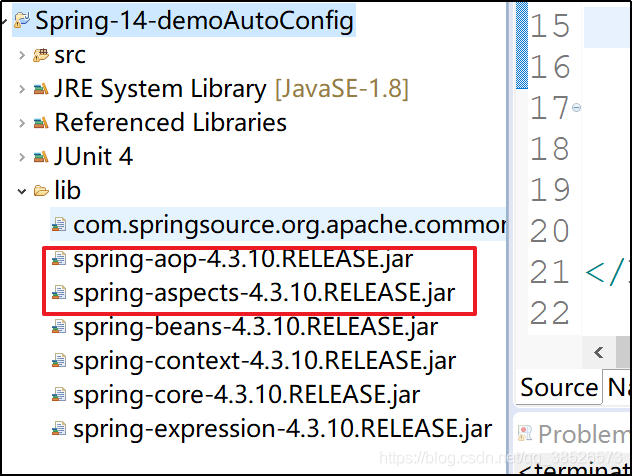
2. 引入相关jar包
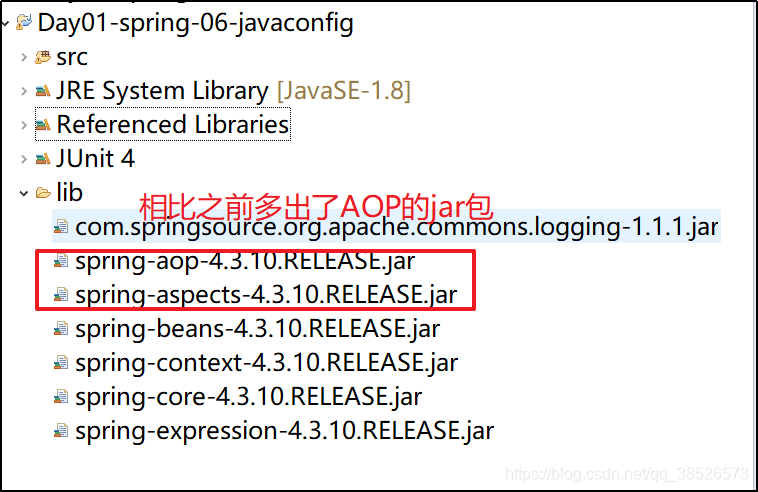
3. 创建实体类
4. 创建配置文件类
/**

 * 该类相当于 application.xml文件

 * @author dpb[波波烤鸭]

 *

 */

@Configuration

public class AppJavaConfig {

	/**

	 * 该方法生成一个Book对象,和application.xml文件中的bean标签一致

	 * 默认 id为方法名,可以通过name和value属性自定义

	 * @return

	 */

	@Bean

	public Book getBook(){

		return new Book();

	}

}
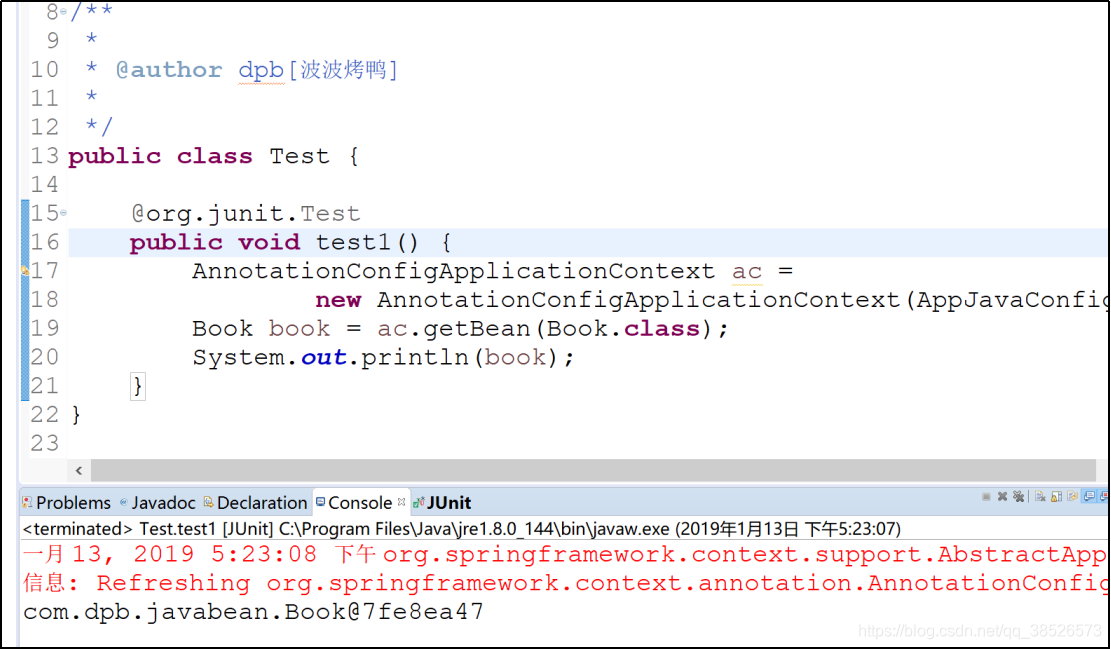
5. 测试调用
	@org.junit.Test

	public void test1() {

		AnnotationConfigApplicationContext ac =

				new AnnotationConfigApplicationContext(AppJavaConfig.class);

		Book book = ac.getBean(Book.class);

		System.out.println(book);

	}
自动配置
前面这种配置方式,对于所有要使用的类都需要一个一个的配置。可以通过自动配置来简化Bean的配置。
xml文件配置
xml配置通过四个注解来实现,目前来说功能是一样的
| 注解 | 描述 |
|---|---|
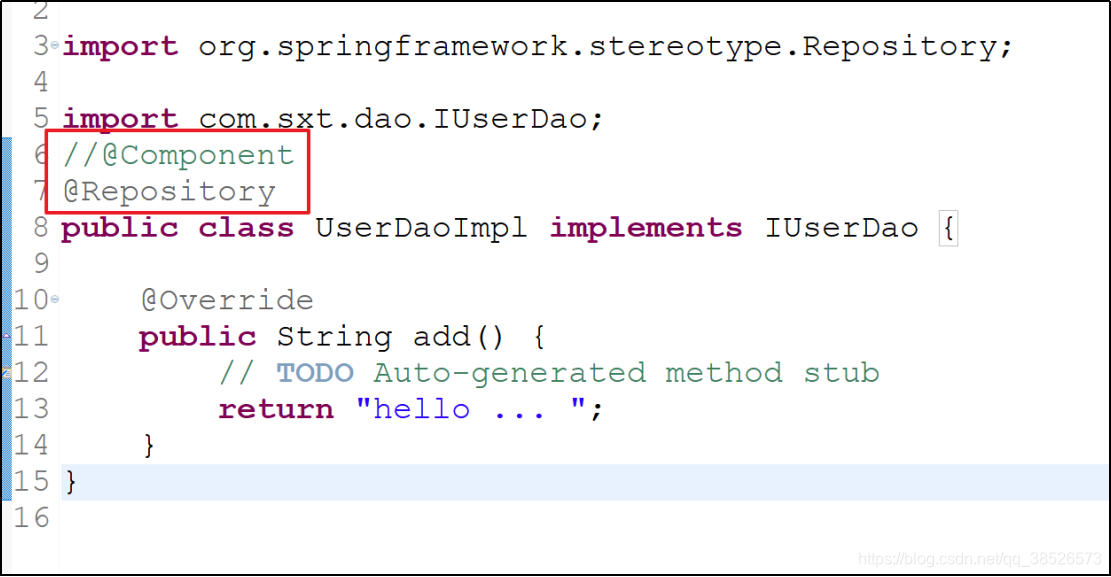
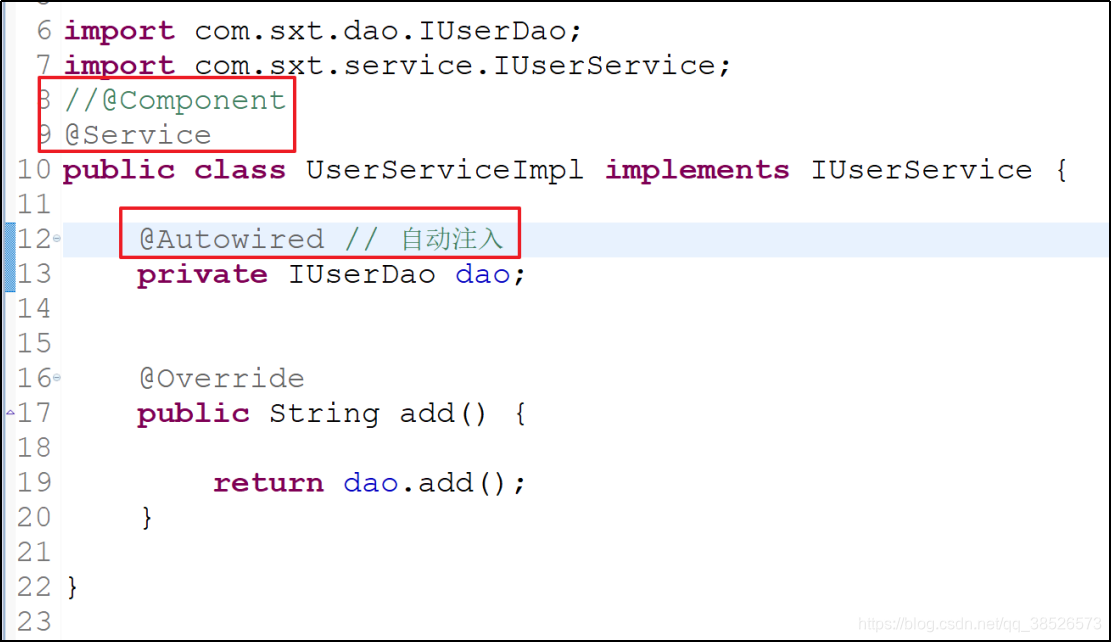
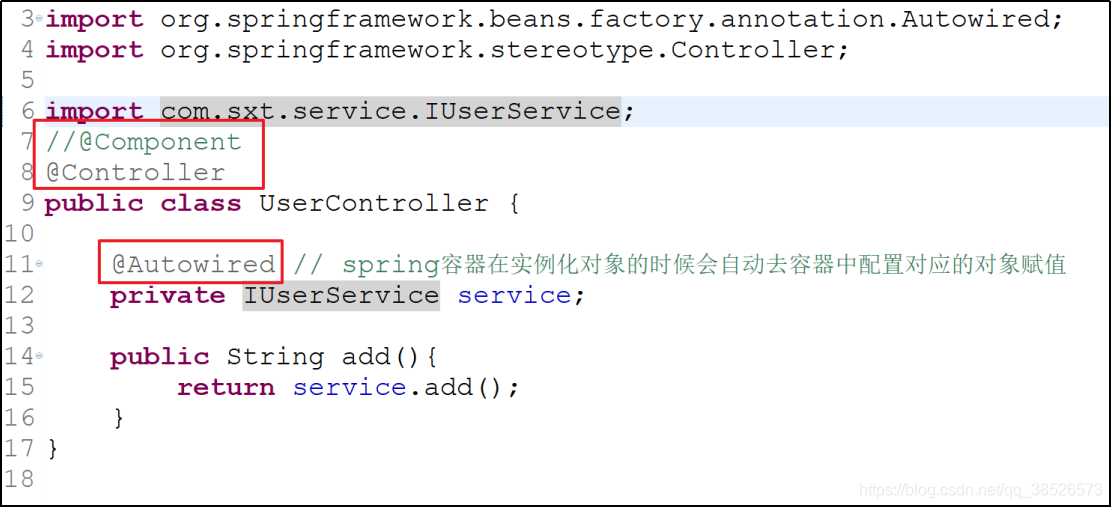
| @Component | 一般用在身份不明确的组件上 |
| @Service | 一般用在Service层 |
| @Controller | 一般用在控制层 |
| @Repository | 一般用在数据库访问层 |
1. 需要在application.xml文件中开启注解扫描
<beans xmlns="http://www.springframework.org/schema/beans"

	xmlns:xsi="http://www.w3.org/2001/XMLSchema-instance"

	xmlns:p="http://www.springframework.org/schema/p"

	xmlns:context="http://www.springframework.org/schema/context"

	xsi:schemaLocation="http://www.springframework.org/schema/beans http://www.springframework.org/schema/beans/spring-beans.xsd

		http://www.springframework.org/schema/context http://www.springframework.org/schema/context/spring-context-4.3.xsd">

	<!-- 开启注解 配置扫描路径 -->

	<context:component-scan base-package="com.dpb.javabean"/>

	<!-- 如果有多个路径 ,号隔开

		<context:component-scan base-package="com.dpb.javabean,com.dpb.factory"/>

	-->

</beans>
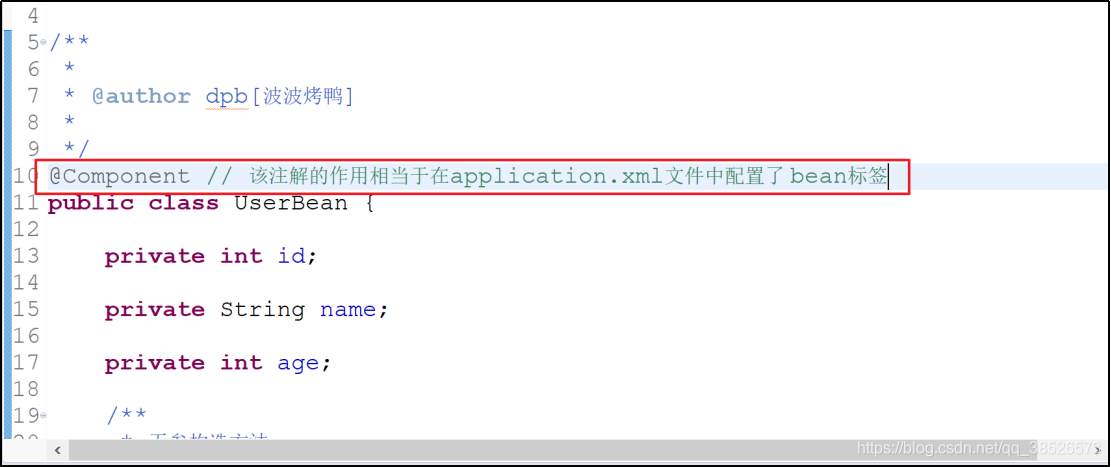
2. java对象中添加对应的注解
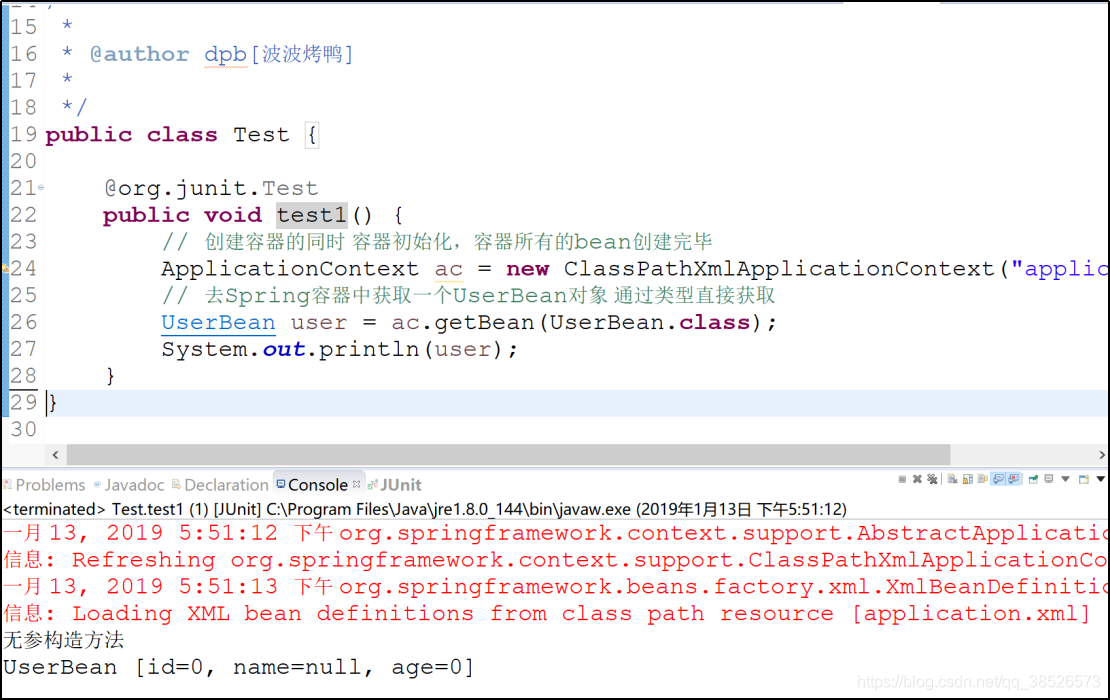
3. 测试
简单案例
1.创建项目
2.创建dao层
public interface IUserDao {

	public String add();

}
public class UserDaoImpl implements IUserDao {

	@Override

	public String add() {

		// TODO Auto-generated method stub

		return "hello ... ";

	}

}
3.创建service层
public interface IUserService {

	public String add();

}
public class UserServiceImpl implements IUserService {

	private IUserDao dao;

	@Override

	public String add() {

		return dao.add();

	}

}
4.创建controller层
public class UserController {

	private IUserService service;

	public String add(){

		return service.add();

	}

}
5.配置文件中添加扫描
	<!-- 开启扫描  com.sxt.*-->

	<context:component-scan

	base-package="com.sxt.controller,com.sxt.service.impl,com.sxt.dao.impl"/>
6.注解使用
dao
service
controller
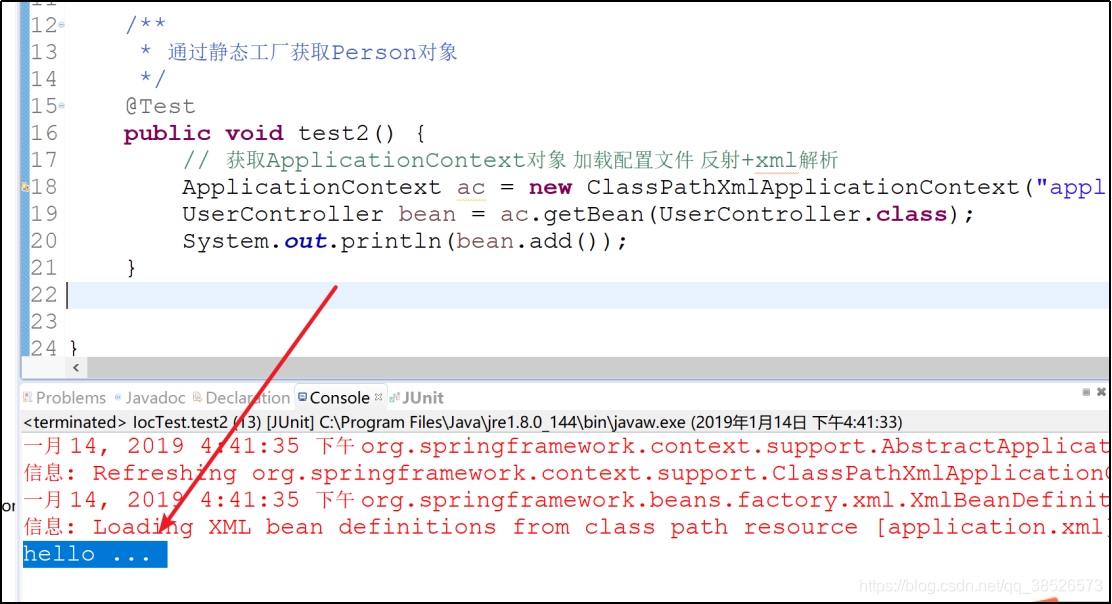
7.测试
/**

 * 通过静态工厂获取Person对象

 */

@Test

public void test2() {

	// 获取ApplicationContext对象 加载配置文件 反射+xml解析

	ApplicationContext ac = new ClassPathXmlApplicationContext("application.xml");

	UserController bean = ac.getBean(UserController.class);

	System.out.println(bean.add());

}
扫描特殊配置
	<context:component-scan base-package="com.itbaizhan"

		use-default-filters="false">

		<context:include-filter type="annotation"

			expression="org.springframework.stereotype.Service" />

	</context:component-scan>
use-default-filters
表示使用使用spring默认提供的过滤器,
false表示不使用,true则表示使用。
一般来说,
true结合exclude-filter标签使用,表示除去某个注解
false结合include标签使用,表示包含某个注解
java代码配置
Java配置和XML配置基本一致,唯一不同的地方就是包扫描的方式。
四个注解是一样的。
包扫描通过@ComponentScan来实现
1. Java配置类添加扫描注解
/**

 * 该类相当于 application.xml文件

 * @author dpb[波波烤鸭]

 *

 */

@Configuration // 该配置是必须的

@ComponentScan("com.dpb.javabean")

public class AppJavaConfig {

}
Java配置一样可以实现精确的包扫描
/**

 * 该类相当于 application.xml文件

 *

 * @author dpb[波波烤鸭]

 *

 */

@Configuration // 该配置是必须的

@ComponentScan(value = "com.itbaizhan.bean", useDefaultFilters = false, includeFilters = {

		@ComponentScan.Filter(type = FilterType.ANNOTATION, value = Service.class) })

public class AppJavaConfig {

}
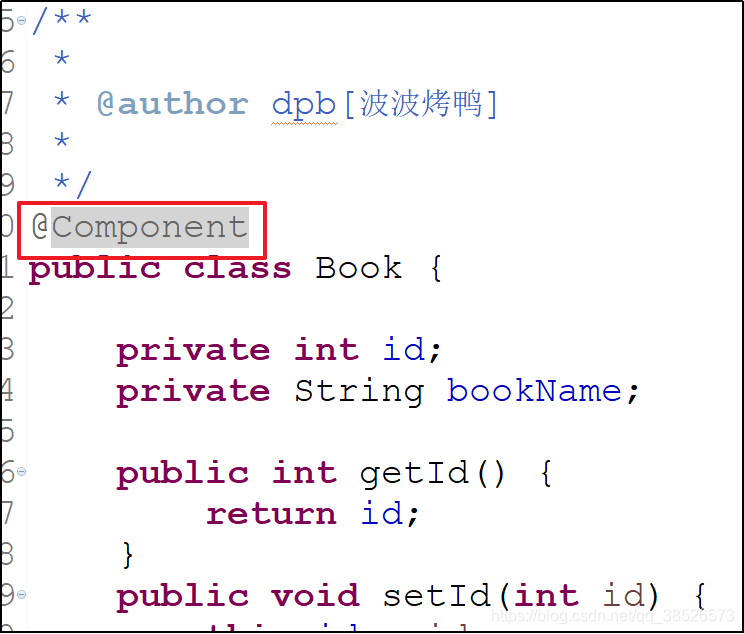
2. JavaBean添加对应的注解
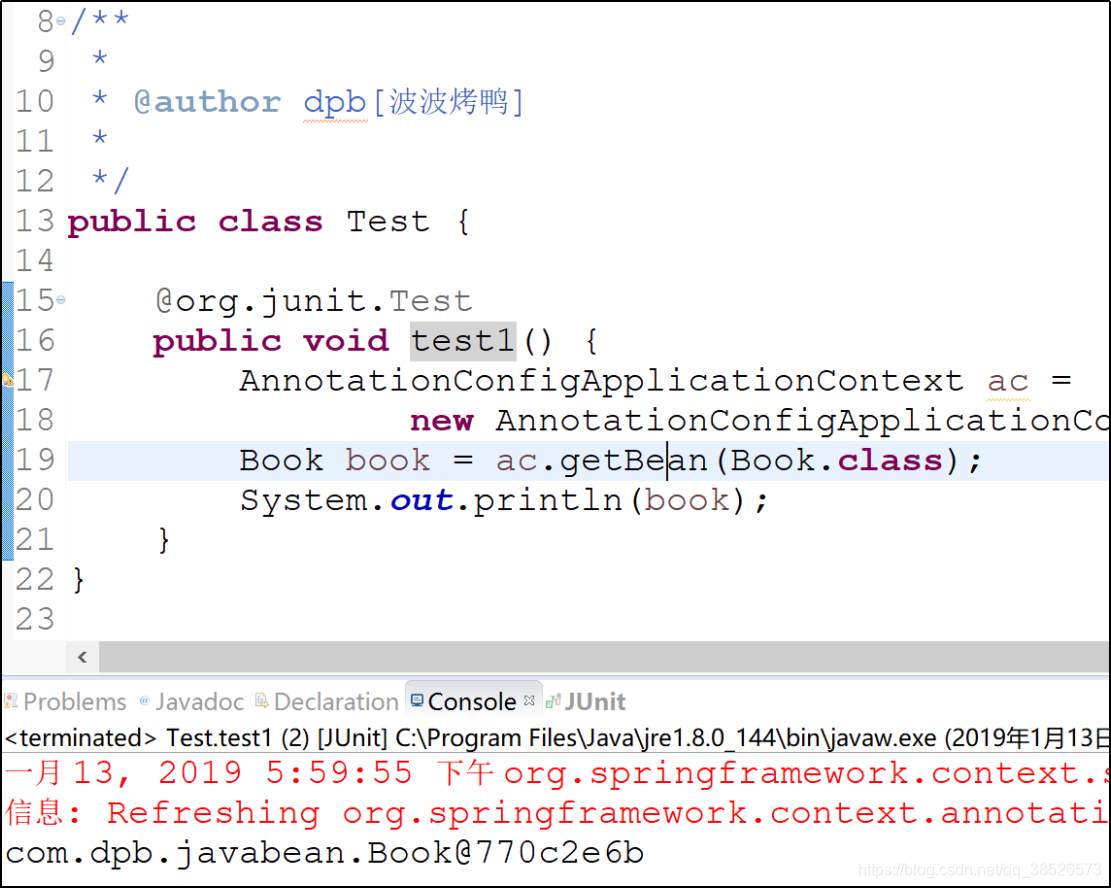
3. 测试
profile
在实际开发中,项目即将上线时,可能需要不停的在开发环境、生产环境、测试环境...之间进行切换。
Java配置实现
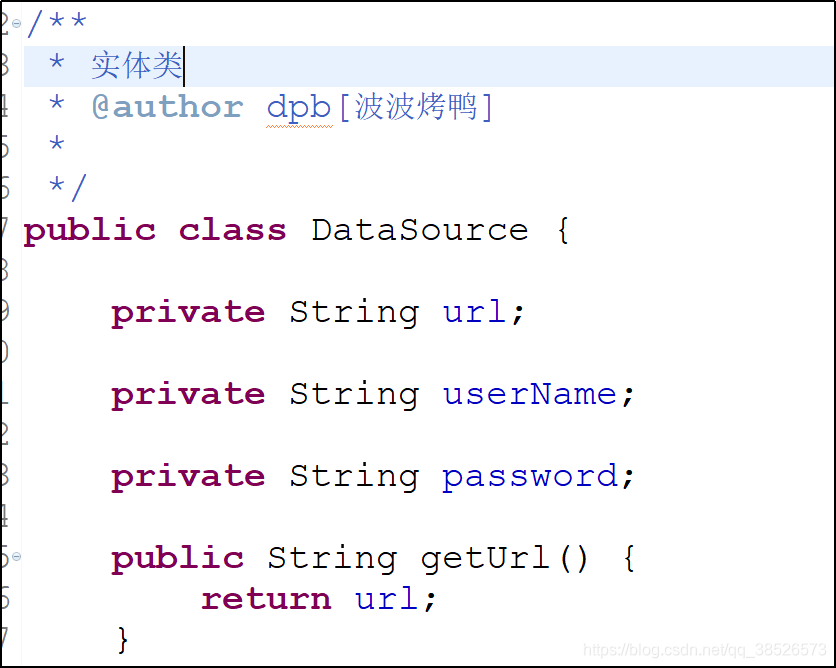
1. 创建实体类
2. 修改java配置类
/**

 * 该类相当于 application.xml文件

 * @author dpb[波波烤鸭]

 *

 */

@Configuration // 该配置是必须的

@ComponentScan("com.dpb.javabean")

public class AppJavaConfig {

	/**

	 * @Profile注解相当于一个标记,标记当前的dataSource是开发环境下的dataSource

	 * @return

	 */

	@Bean("ds")

	@Profile("dev") // profile dev 设置 开发环境

	public DataSource devDs(){

		return new DataSource("http://dev1:8080/", "admin", "123456");

	}

	@Bean("ds")

	@Profile("pro") // profile Pro 设置生产环境

	public DataSource proDs(){

		return new DataSource("http://pro1:8080/", "root", "666");

	}

}
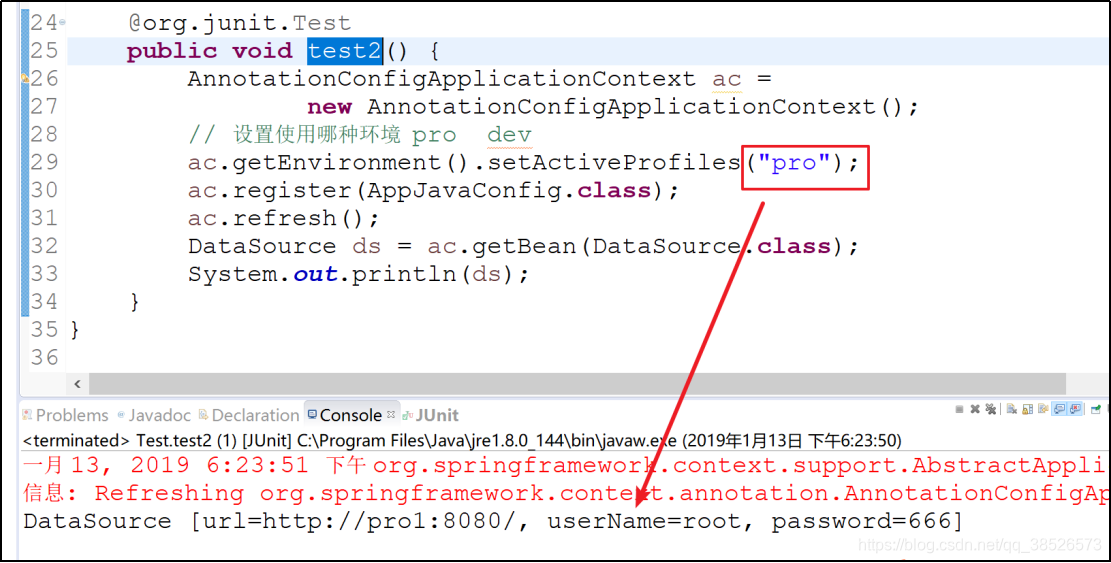
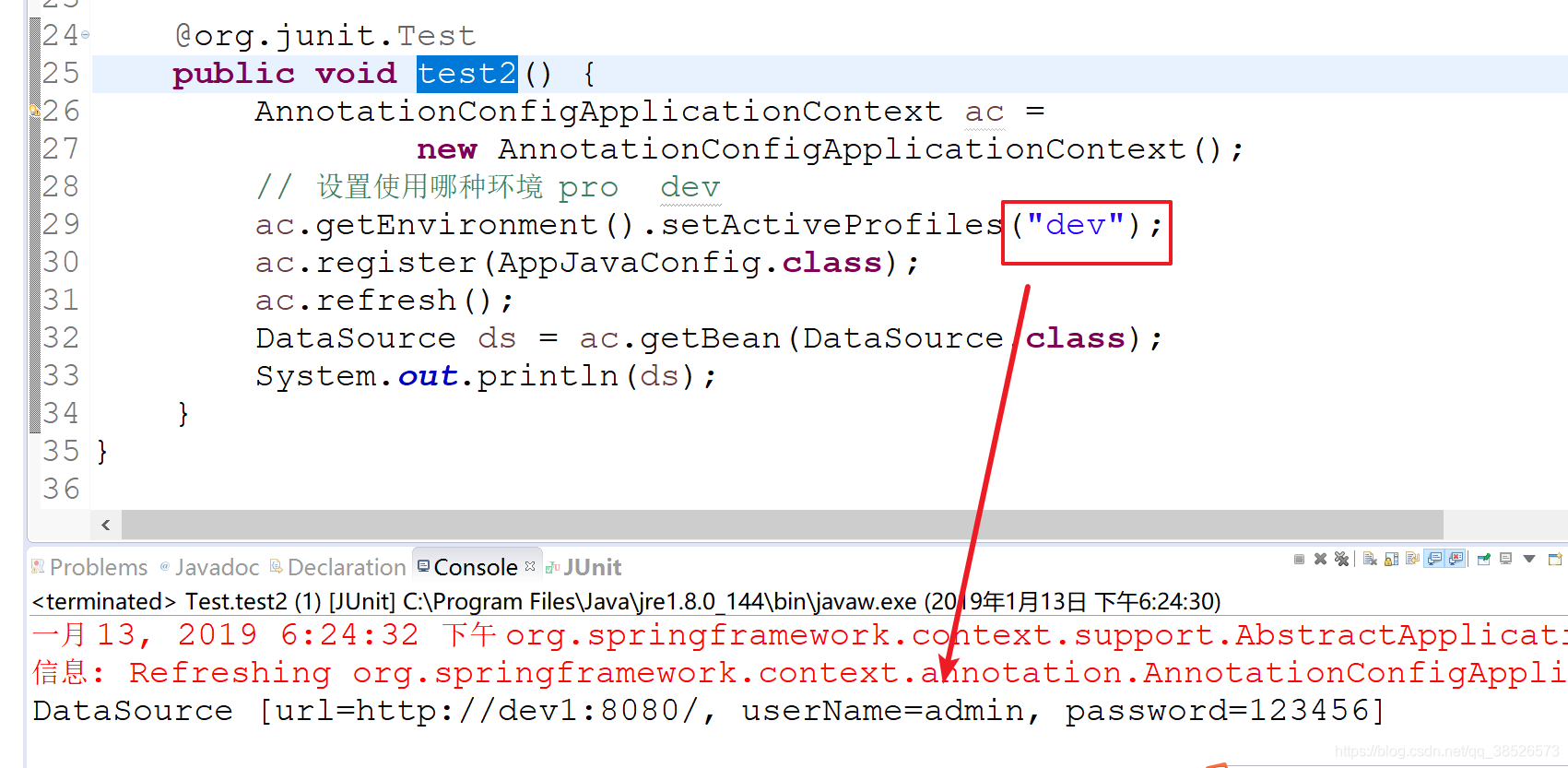
3. 测试切换
	@org.junit.Test

	public void test2() {

		AnnotationConfigApplicationContext ac =

				new AnnotationConfigApplicationContext();

		// 设置使用哪种环境  pro  dev

		ac.getEnvironment().setActiveProfiles("pro");

		ac.register(AppJavaConfig.class);

		ac.refresh();

		DataSource ds = ac.getBean(DataSource.class);

		System.out.println(ds);

	}
XML配置
通过xml配置实现profile,步骤如下:
1. 创建相关Bean
2. 在xml配置中配置bean
<beans xmlns="http://www.springframework.org/schema/beans"

	xmlns:xsi="http://www.w3.org/2001/XMLSchema-instance" xmlns:p="http://www.springframework.org/schema/p"

	xmlns:context="http://www.springframework.org/schema/context"

	xsi:schemaLocation="http://www.springframework.org/schema/beans http://www.springframework.org/schema/beans/spring-beans.xsd

		http://www.springframework.org/schema/context http://www.springframework.org/schema/context/spring-context-4.3.xsd">

	<!-- 注意,beans标签要写在其他标签的后面。 -->

	<beans profile="dev">

		<bean class="com.dpb.javabean.DataSource">

			<property name="url" value="dev-url"/>

			<property name="userName" value="aaa"/>

			<property name="password" value="111"/>

		</bean>

	</beans>

	<beans profile="pro">

		<bean class="com.dpb.javabean.DataSource">

			<property name="url" value="pro-url"/>

			<property name="userName" value="999"/>

			<property name="password" value="222"/>

		</bean>

	</beans>

</beans>
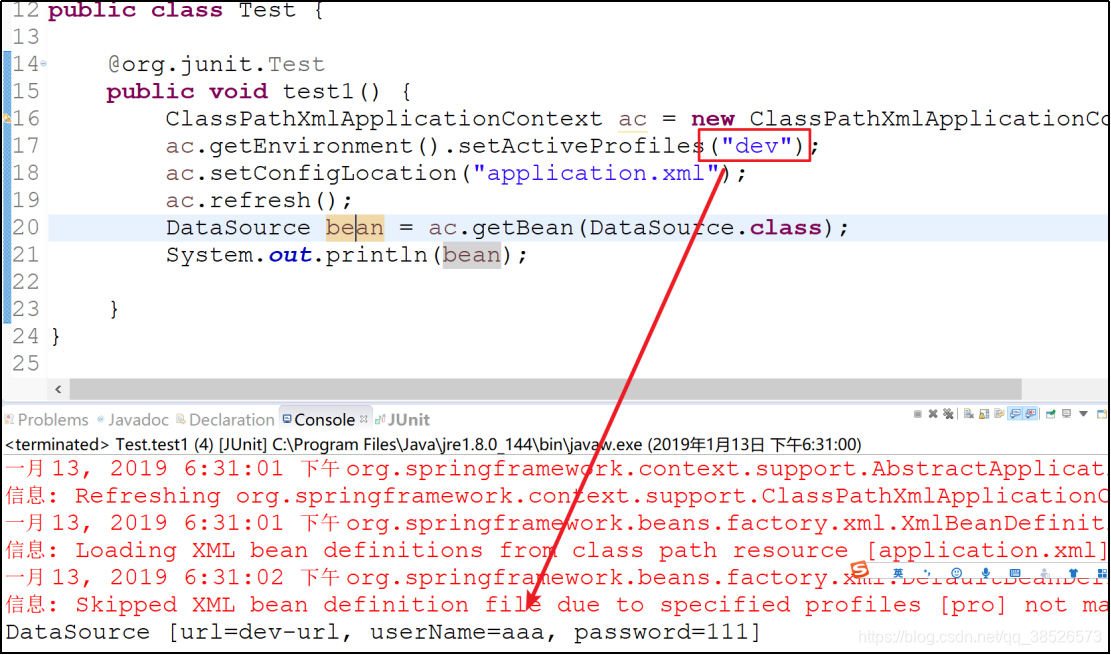
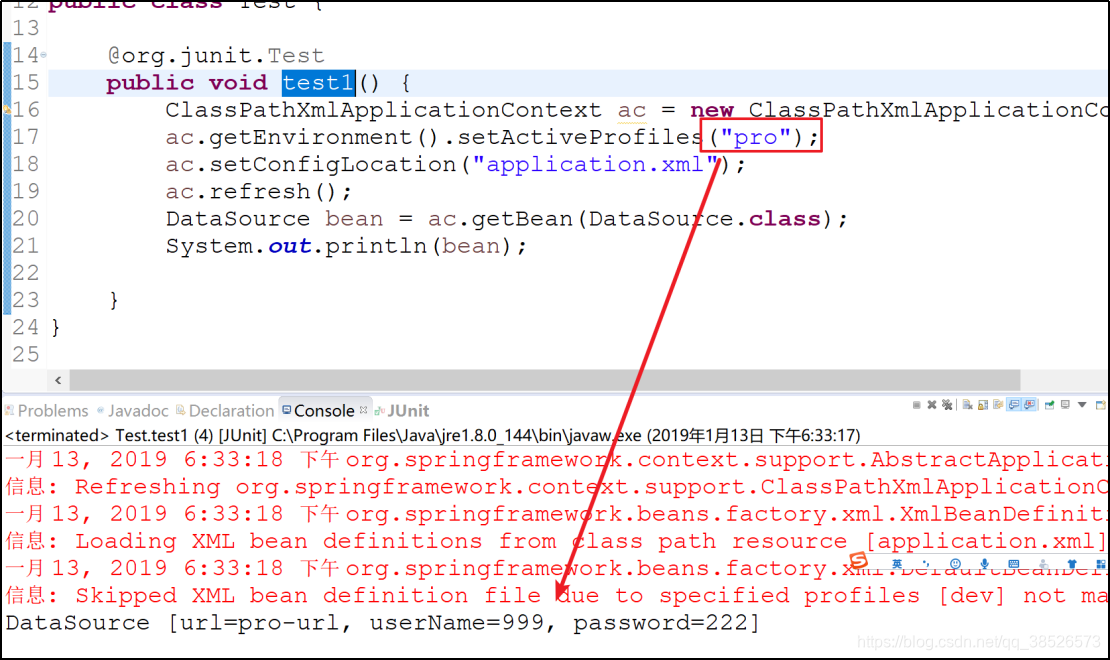
3.测试数据
/**

 *

 * @author dpb[波波烤鸭]

 *

 */

public class Test {

	@org.junit.Test

	public void test1() {

		ClassPathXmlApplicationContext ac = new ClassPathXmlApplicationContext();

		ac.getEnvironment().setActiveProfiles("dev");

		ac.setConfigLocation("application.xml");

		ac.refresh();

		DataSource bean = ac.getBean(DataSource.class);

		System.out.println(bean);

	}

}
条件注解
Profile实际上就是条件注解的一种特殊形式,即条件注解更加灵活,用户可以根据各种不同的条件使用不同的Bean。
条件注解在SpringBoot中使用非常广泛。SpringBoot中提供了许多自动化的配置,例如数据库配置,SpringBoot使用条件注解提前配置好许多常用的类,使用条件注解,在某一个条件满足时,这些配置就会生效。
1.创建接口
/**

 * 条件注解

 *    1.定义接口

 * @author dpb[波波烤鸭]

 *

 */

public interface ShowCmd {

	String show();

}
2.创建接口的实现类
/**

 * 注册接口的实现类

 * @author dpb[波波烤鸭]

 *

 */

public class LinuxShowCmd implements ShowCmd{

	@Override

	public String show() {

		// TODO Auto-generated method stub

		return "Liunx ls";

	}

}
/**

 * 注册接口的实现类

 * @author dpb[波波烤鸭]

 *

 */

public class WinShowCmd implements ShowCmd{

	@Override

	public String show() {

		// TODO Auto-generated method stub

		return "Windows dir";

	}

}
3.定义条件Condition
/**

 * 自定义的条件

 * @author dpb[波波烤鸭]

 *

 */

public class LinuxConditionShow implements Condition{

	/**

	 * 条件匹配的方法

	 * true 条件匹配

	 * false 条件不匹配

	 */

	@Override

	public boolean matches(ConditionContext context, AnnotatedTypeMetadata metadata) {

		// 获取profile参数

		String osName[] = context.getEnvironment().getActiveProfiles();

		for (String name : osName) {

			System.out.println(name);

			if(name.contains("linux")){

				return true;

			}

		}

		return false;

	}

}
/**

 * 自定义的条件

 * @author dpb[波波烤鸭]

 *

 */

public class WindowsConditionShow implements Condition{

	/**

	 * 条件匹配的方法

	 * true 条件匹配

	 * false 条件不匹配

	 */

	@Override

	public boolean matches(ConditionContext context, AnnotatedTypeMetadata metadata) {

		String osName[] = context.getEnvironment().getActiveProfiles();

		for (String name : osName) {

			System.out.println(name);

			if(name.contains("window")){

				return true;

			}

		}

		return false;

	}

}
4.java配置文件
@Configuration

public class JavaConfig {

	@Bean("cmd")

	// 关联条件设置

	@Conditional(LinuxShowCondition.class)

	public LinuxShowCmd showLinux(){

		return new LinuxShowCmd();

	}

	@Bean("cmd")

	// 关联条件设置

	@Conditional(WindowsShowCondition.class)

	public WindowsShowCmd showWindows(){

		return new WindowsShowCmd();

	}

}
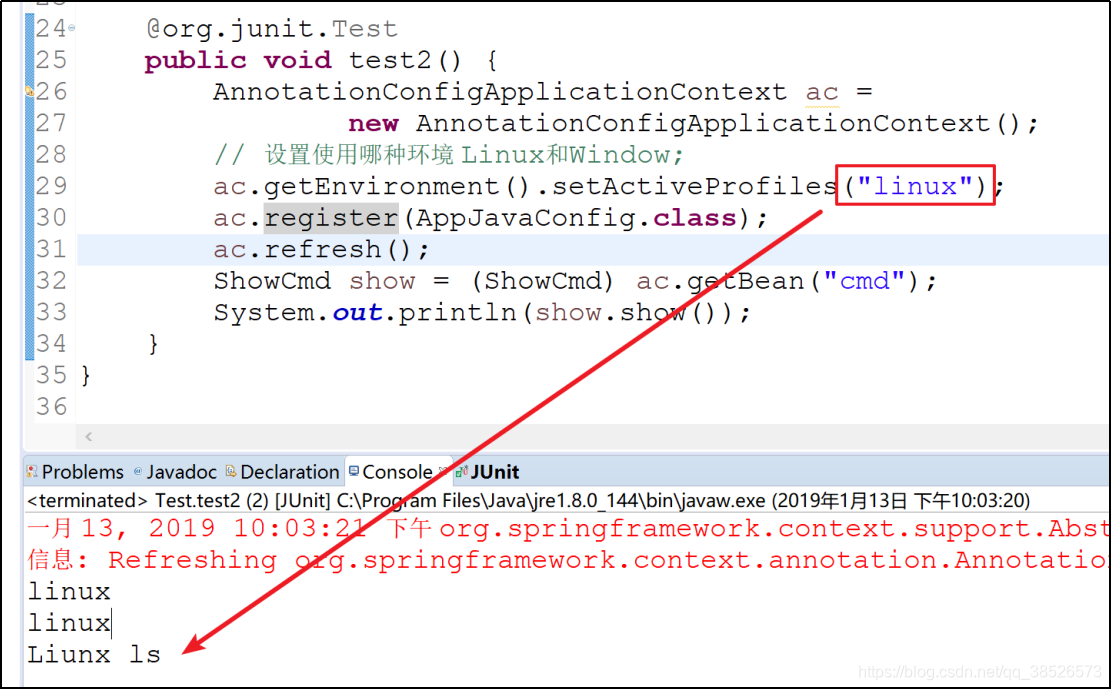
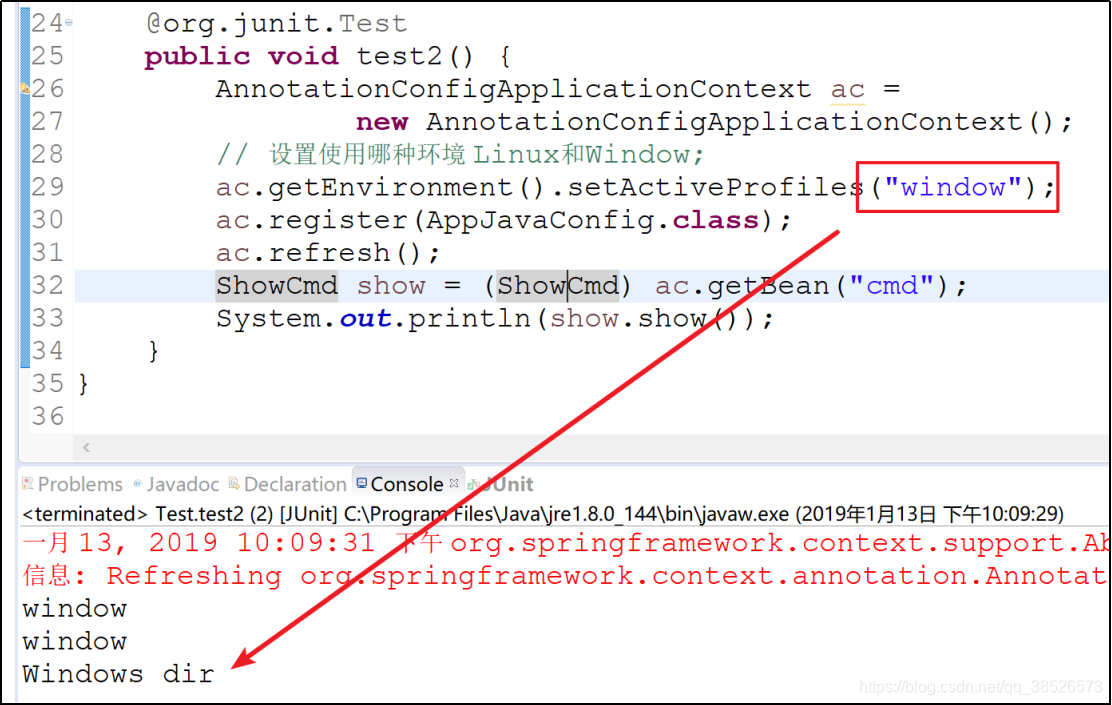
5.测试调用
	@org.junit.Test

	public void test2() {

		AnnotationConfigApplicationContext ac =

				new AnnotationConfigApplicationContext();

		// 设置使用哪种环境 Linux和Window;

		ac.getEnvironment().setActiveProfiles("linux");

		ac.register(AppJavaConfig.class);

		ac.refresh();

		ShowCmd show = (ShowCmd) ac.getBean("cmd");

		System.out.println(show.show());

	}
Bean的作用域
| 作用域 | 说明 |
|---|---|
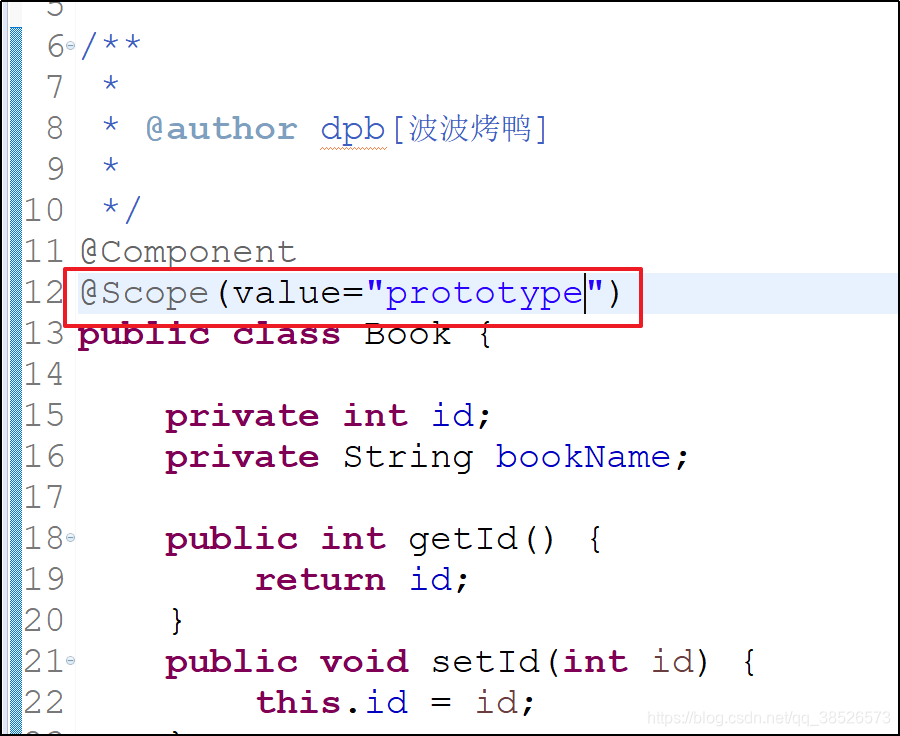
| prototype | 每次请求,都是一个新的Bean【享元模式】 |
| singleton | bean是单例的 |
| request | 在一次请求中,bean的声明周期和request同步 |
| session | bean的生命周期和session同步 |
在spring的配置中,默认情况下,bean都是单例的(singleton)。无论获取多少次,获取到的都是同一个bean
java配置文件中
application.xml配置文件中

混合配置
开发中可能既有配置文件存在,也在使用java配置的方式,这时候可以使用@ImportResource来实现
1.添加application.xml文件
<beans xmlns="http://www.springframework.org/schema/beans"

	xmlns:xsi="http://www.w3.org/2001/XMLSchema-instance" xmlns:p="http://www.springframework.org/schema/p"

	xmlns:context="http://www.springframework.org/schema/context"

	xsi:schemaLocation="http://www.springframework.org/schema/beans http://www.springframework.org/schema/beans/spring-beans.xsd

		http://www.springframework.org/schema/context http://www.springframework.org/schema/context/spring-context-4.3.xsd">

	<bean class="com.dpb.javabean.UserBean" ></bean>

</beans>
2.java配置文件
/**

 * 该类相当于 application.xml文件

 * @author dpb[波波烤鸭]

 *

 */

@Configuration

@ImportResource("classpath:application.xml")

public class AppJavaConfig {

	@Bean

	Book book(){

		return new Book();

	}

}
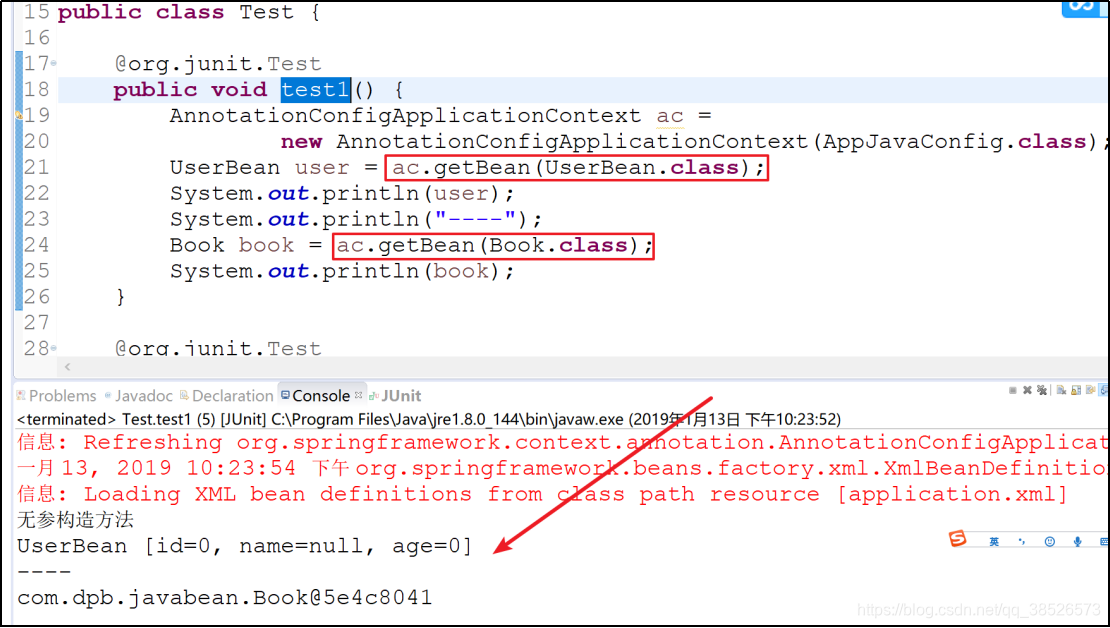
3.测试
 上一篇:Spring-IOC实现【01-XML配置方式】
下一篇:Spring之AOP详解
Spring-IOC实现【02-其他实现方式】的更多相关文章
- spring IOC容器实例化Bean的方式与RequestContextListener应用
spring IOC容器实例化Bean的方式有: singleton 在spring IOC容器中仅存在一个Bean实例,Bean以单实例的方式存在. prototype 每次从容器中调用Bean时, ...
- 一篇关于spring ioc 依赖注入3种方式的文章引用
今天看到一篇spring ioc 容器依赖注入3种方式的文章,为了方便后面的复习,在此引用别人的文章,查看请戳我.
- Spring IOC以及三种注入方式
IOC是spring的最基础部分,也是核心模块,Spring的其他组件模块和应用开发都是以它为基础的.IOC把spring的面向接口编程和松耦合的思想体现的淋漓尽致. IOC概念 IOC(Invers ...
- Spring IOC 中三种注入方式
项目错误知识点记录 正文 最近在项目的时候,用到Spring框架,Spring框架提供了一种IOC的自动注入功能,可以很轻松的帮助我们创建一个Bean,这样就省的我们四处写new Object()这样 ...
- Spring Aop和Spring Ioc(一)
Spring Aop Aop: 面向切面编程的本质:面向切面编程,指扩展功能不修改源代码,将功能代码从业务逻辑代码中分离出来. 1:主要功能:日志记录,性能统计,安全控制,事务处理,异常处理等等. 2 ...
- Spring 深入——IoC 容器 02
IoC容器的实现学习--02 目录 IoC容器的实现学习--02 回顾 IoC 容器的初始化过程: BeanDefinition 的 Resource 定位 小结: 回顾 前面学习了 IoC 模式的核 ...
- spring ioc三种注入方式
spring ioc三种注入方式 IOC ,全称 (Inverse Of Control) ,中文意思为:控制反转 什么是控制反转? 控制反转是一种将组件依赖关系的创建和管理置于程序外部的技术. 由容 ...
- Spring IOC 方式结合TESTGN测试用例,测试简单java的命令模式
java命令模式: 可以命令("请求")封装成一个对象,一个命令对象通过在特定的接收着上绑定一组动作来封装一个请求.命令对象直接把执行动作和接收者包进对象中,只对外暴露出执行方法的 ...
- 【SSH系列】深入浅出spring IOC中三种依赖注入方式
spring的核心思想是IOC和AOP,IOC-控制反转,是一个重要的面向对象编程的法则来消减计算机程序的耦合问题,控制反转一般分为两种类型,依赖注入和依赖查找,依赖什么?为什么需要依赖?注入什么?控 ...
- Spring IOC 注入方式详解 附代码
引言 Spring框架作为优秀的开源框架之一,深受各大Java开发者的追捧,相信对于大家来说并不陌生,Spring之所以这么流行,少不了他的两大核心技术IOC和IOP.我们这里重点讲述Spring框架 ...
随机推荐
- mysql空值排序
SELECT * FROM lzh_topic_channel_product ORDER BY order_id is null , order_id 其中的ORDER BY order_id i ...
- windows下angularJs环境搭建和遇到的问题解决
搭建本地开发环境 angular官网社区上说:你应该在自己的电脑上本地开发... 你也应该在本地环境学习 Angular. 本人也认为在本地搭建学习环境--靠谱.所以决定尝试一下. 安照中文社区给的步 ...
- Hibernate配置文件的书写
Hibernate主要配置文件 <?xml version="1.0" encoding="UTF-8"?> <!DOCTYPE hibern ...
- Centos 7 搭建.net web项目
现在的.NET Core 1.0版本是一个很小的核心,APIs和工具也并不完整,但是随着.Net Core的不断完善,补充的Apis和创新也会一起整合到.NET Framework中. 安装cento ...
- HSmartWindowControl之安装篇 (Visual Studio 2013 & Halcon 18)
1.环境简介 Visual Studio 2013社区版 Halcon18.05 2.使用Nuget在VS工程中安装Halcon插件 搜索栏输入关键字halcon,出现两个插件,分别是halcon语言 ...
- c++ 日志输出库 spdlog 简介(2)
继续上一篇,example.cpp解析. 1.set_pattern 自定义日志格式 官方参考:https://github.com/gabime/spdlog/wiki/3.-Custom-form ...
- Jira/Confluence的备份、恢复和迁移
之前的文章已经分别详细介绍了Jira.Confluence的安装及二者账号对接的操作方法,下面简单说下二者的备份.恢复和迁移: 一.Jira.Confluence的备份.恢复1)Confluence的 ...
- MongoDB学习小结
启动对应server:cd:到mangodb安装根目录下 mongod --dbpath db路径 创建MangoDB服务: mongod.exe --logpath d:/mongodb/logs/ ...
- JavaScript获取键盘事件
JavaScript中: onkeydown 事件会在用户按下一个键盘按键时发生. onkeypress 事件会在键盘按键被按下并释放一个键时发生. onkeyup 事件会在键盘按键被松开时发生. 支 ...
- kubernetes集群搭建(3):master节点安装
1.master节点上执行: yum -y install kubernetes flannel etcd 2.修改etcd配置为: [root@k8s-master ~]# vi /etc/etcd ...