
ubuntu14.04下nodejs + npm + bower的安装、调试和部署
1. 简介
本文介绍ubuntu14.04下nodejs+npm+bower的安装、调试和部署
参考文档
https://docs.npmjs.com/getting-started
https://github.com/npm/npm/issues/
另外:
Windows nodejs版本https://nodejs.org/download/release/latest/node-v5.5.0-x64.msi
Windows下ide可选用WebStorm-10.0.2.exe
2. 安装
2.1. nodejs/npm安装
注意:
- 不要使用ubuntu自带的nodejs版本,实在是太低了!;最新版本(截止本文)为5.5.0
- Npm自带,不需要额外安装
1) 下载
ubuntu@ip-172-31-28-0:~$wget https://nodejs.org/download/release/latest/node-v5.5.0.tar.gz
2) 解压缩
ubuntu@ip-172-31-28-0:~$tar zxvf node-v5.5.0.tar.gz
3) 安装编译工具
ubuntu@ip-172-31-28-0:~$sudo apt-get install g++ make
4) 安装
ubuntu@ip-172-31-28-0:~$cd node-v5.5.0
ubuntu@ip-172-31-28-0:~$./configure
ubuntu@ip-172-31-28-0:~$Make
ubuntu@ip-172-31-28-0:~$Make install
5) nodejs版本查看
ubuntu@ip-172-31-28-0:~$ node -v
v5.5.0
6) npm版本查看
ubuntu@ip-172-31-28-0:~$ npm -v
3.3.12
2.2. npm安装package
1) 进入angularjs项目所在地
ubuntu@ip-172-31-28-0:~$ cd FundTray/frondent/
ubuntu@ip-172-31-28-0:~/FundTray/frondent$
2) 编辑package.json
{
"name": "mmm",
"private": true,
"devDependencies": {
"autoprefixer-core": "^5.2.1",
"grunt": "^0.4.5",
"grunt-angular-templates": "^0.5.7",
"grunt-concurrent": "^1.0.0",
"grunt-contrib-clean": "^0.6.0",
"grunt-contrib-concat": "^0.5.0",
"grunt-contrib-connect": "^0.9.0",
"grunt-contrib-copy": "^0.7.0",
"grunt-contrib-cssmin": "^0.12.0",
"grunt-contrib-htmlmin": "^0.4.0",
"grunt-contrib-imagemin": "^1.0.0",
"grunt-contrib-jshint": "^0.11.0",
"grunt-contrib-uglify": "^0.7.0",
"grunt-contrib-watch": "^0.6.1",
"grunt-filerev": "^2.1.2",
"grunt-google-cdn": "^0.4.3",
"grunt-jscs": "^1.8.0",
"grunt-newer": "^1.1.0",
"grunt-ng-annotate": "^0.9.2",
"grunt-postcss": "^0.5.5",
"grunt-svgmin": "^2.0.0",
"grunt-usemin": "^3.0.0",
"grunt-wiredep": "^2.0.0",
"jit-grunt": "^0.9.1",
"time-grunt": "^1.0.0",
"jshint-stylish": "^1.0.0"
},
"engines": {
"node": ">=0.10.0"
}
}
3) Npm安装
ubuntu@ip-172-31-28-0:~/FundTray/frondent$ npm install
安装完成以后,会显示各种依赖包关系,出错请google
4) 进入node_modules,查看安装后的package
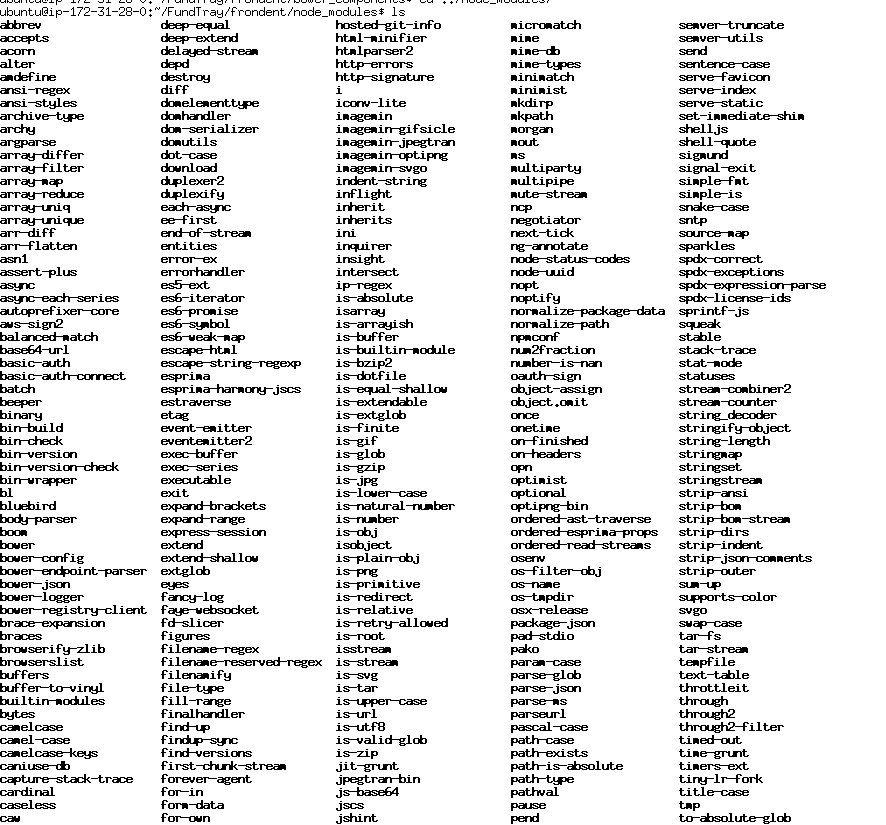
2.3. bower安装Package
1) 进入angularjs项目所在地
ubuntu@ip-172-31-28-0:~$ cd FundTray/frondent/
ubuntu@ip-172-31-28-0:~/FundTray/frondent$
2) 编辑bower.json
{
"name": "mmm",
"version": "0.0.0",
"private":true,
"dependencies": {
"angular": "^1.4.0",
"bootstrap": "^3.2.0",
"angular-resource": "^1.4.0",
"angular-ui-router": "~0.2.15",
"angular-messages": "~1.4.8",
"font-awesome": "~4.5.0"
},
"devDependencies": {
"angular-mocks": "^1.4.0"
},
"appPath": "app",
"moduleName": "mmmApp",
"overrides": {
"bootstrap": {
"main": [
"dist/css/bootstrap.css"
]
},
"font-awesome": {
"main": [
"css/font-awesome.css",
"fonts/*"
]
}
}
}
3) 创建bower_components
ubuntu@ip-172-31-28-0:~/FundTray/frondent$ sudo mkdir bower_components
4) 安装bower
ubuntu@ip-172-31-28-0:~/FundTray/frondent$ sudo npm install -g bower
5) bower不能使用sudo,要保证当前用户拥有当前目录的权限
ubuntu@ip-172-31-28-0:~/FundTray/frondent$sudo chown -R ubuntu:ubuntu ../frondent/
6) bower 安装angular等依赖包
ubuntu@ip-172-31-28-0:~/FundTray/frondent$bower install
7) 进入bower_components查看包

各种包已经安装完成
3. 调试
1) 进入angularjs项目所在地
ubuntu@ip-172-31-28-0:~$ cd FundTray/frondent/
ubuntu@ip-172-31-28-0:~/FundTray/frondent$
2) 安装grunt客户端
ubuntu@ip-172-31-28-0:~/FundTray/frondent$npm install –g grunt-cli
3) 安装完成
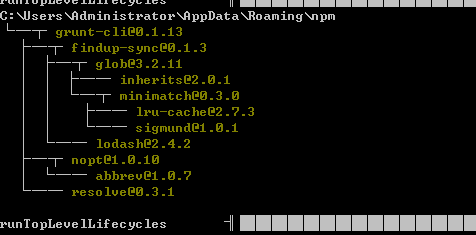
4) 查看grunt 客户端版本
ubuntu@ip-172-31-28-0:~/FundTray/frondent$ grunt -V
grunt-cli v0.1.13
grunt v0.4.5
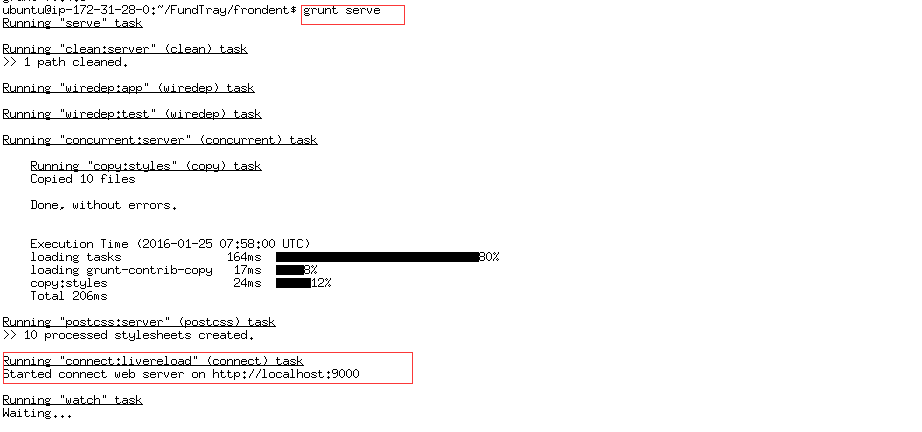
5) 进入系统所在目录,运行grunt server启动调试
注意:目前只可进行本机调试,无法对外访问
4. 部署
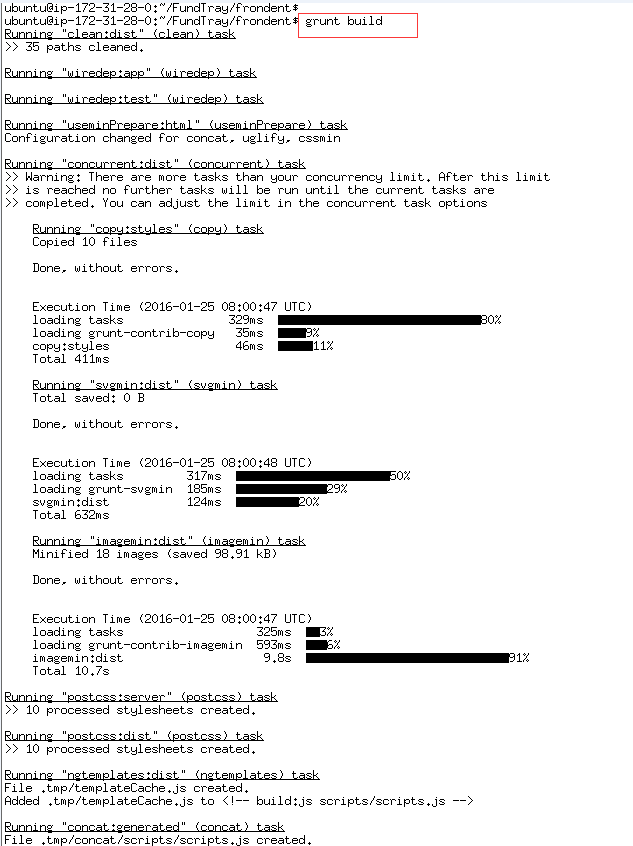
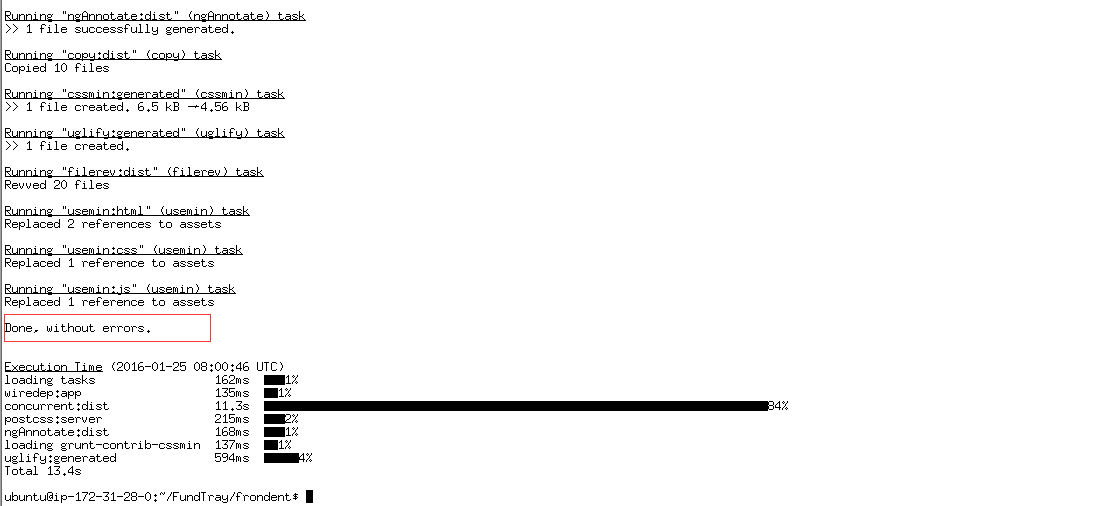
1) Grunt build
ubuntu@ip-172-31-28-0:~/FundTray/frondent$
grunt build
2) cdn自动替换
ubuntu@ip-172-31-28-0:~/FundTray/frondent$
grunt cdnify:dist

3) cdn手动替换
有部分cdn是无法自动替换的,此时只能手动替换了
替换
<link rel="stylesheet"
href="bower_components/bootstrap/dist/css/bootstrap.css" />
为
<link
href="//cdn.bootcss.com/bootstrap/3.3.6/css/bootstrap.min.css"
rel="stylesheet">
替换
<link
rel="stylesheet"
href="bower_components/font-awesome/css/font-awesome.css" />
为
<linkhref="//cdn.bootcss.com/font-awesome/4.5.0/css/font-awesome.css"
rel="stylesheet">
4) 查看dist
Dist目录就是发布目录,最终的网站

5) 拷贝dist到web服务器
搭建一个web服务器(比如nginx),将dist下的所有文件拷过去即可实现访问
ubuntu14.04下nodejs + npm + bower的安装、调试和部署的更多相关文章
- ubuntu14.04下svn版本管理系统的安装及常用命令的使用整理
ubuntu14.04下安装svn$sudo apt-get install subversion 执行这一步就安装完成了,在ubuntu先安装很方便 安装完成后,创建版本库目录,由于是本地环境,就在 ...
- Ubuntu14.04下Mongodb数据库可视化工具安装部署步骤(图文详解)(博主推荐)
不多说,直接上干货! 前期博客 Ubuntu14.04下Mongodb(离线安装方式|非apt-get)安装部署步骤(图文详解)(博主推荐) Ubuntu14.04下Mongodb官网安装部署步骤(图 ...
- windows下nodejs+npm+bower+git+bootstrap组件环境配置
1.进入nodejs官方网站下载软件(nodejs.org), 2.下载完成后,双击默认安装.安装程序会自动添加环境变量 3.检测nodejs是否安装成功.打开cmd命令行 输入 node - v 显 ...
- ubuntu14.04下 Kinect V2+Ros接口安装
1. 首先git下载代码,放到主文件夹下面 git clone https://github.com/OpenKinect/libfreenect2.git 2. 然后安装依赖项如下,最好事先编译安装 ...
- ubuntu14.04下配置Java环境以及安装最新版本的eclipse
首先是配置JDK 步骤一:下载最新版本的JDK,链接:http://www.oracle.com/technetwork/java/javase/downloads/index.html 步骤二:首先 ...
- ubuntu14.04下播放器SMplayer的安装
1. Mplayer 与 SMplayer的区别 虽然MPlayer播放器是人类史上最强大的播放器(参数超过千个),但是其默认编译没有界面,所以写参数时间甚至比看片时间还长.虽然编译时候可以选择--e ...
- ubuntu14.04下编译安装ambari-2.4.2.0
ubuntu14.04下编译安装ambari-2.4.2.0 编译前的准备工作 准备工作有: 系统参数 系统依赖(编译环境) 离线安装包 java环境 maven环境 Nodejs环境 git环境 a ...
- ubuntu14.04下安装cudnn5.1.3,opencv3.0,编译caffe及配置matlab和python接口过程记录
已有条件: ubuntu14.04+cuda7.5+anaconda2(即python2.7)+matlabR2014a 上述已经装好了,开始搭建caffe环境. 1. 装cudnn5.1.3,参照: ...
- Ubuntu14.04下安装Hadoop2.5.1 (单机模式)
本文地址:http://www.cnblogs.com/archimedes/p/hadoop-standalone-mode.html,转载请注明源地址. 欢迎关注我的个人博客:www.wuyudo ...
随机推荐
- SQL Server 2016里TempDb的提升
几个星期前,SQL Server 2016的最新CTP版本已经发布了:CTP 2.4(目前已经是CTP 3.0).这个预览版相比以前的CTP包含了很多不同的提升.在这篇文章里我会谈下对于SQL Ser ...
- 《精通Linux内核必会的75个绝技》知识杂记
http://www.ibm.com/developerworks/cn/linux/l-cn-utrace/ utrace是为运行态的进程提供trace和debug支持. utrace能做如下事情: ...
- 【EF 译文系列】韧性连接、重试(EF 版本至少为 6)
原文链接:Connection Resiliency / Retry Logic (EF6 onwards) 一个应用程序的数据库连接,是非常容易受其它因素影响的,比如后端的异常或者不稳定的网络连接等 ...
- How to remove replication in SyteLine V2
以前曾经写了一篇<How to remove replication in Syteline>http://www.cnblogs.com/insus/archive/2011/12/20 ...
- Gridview的RowDataBound事件(添加删除提示,改变背景颜色)
protected void gvTest_RowDataBound(object sender, GridViewRowEventArgs e) { //如果是绑定数据行 if (e.Row.Row ...
- css3文字导航鼠标悬停气泡动画特效源码下载
效果体验:http://hovertree.com/texiao/css3/8/ 效果图: 点击这里下载:http://hovertree.com/h/bjaf/8d5vmddq.htm 更多特效:h ...
- jQuery数据类型总结
jQuery除了包含原生JS中的内置数据类型(built-in datatype),还包括一些扩展的数据类型(virtual types),如Selectors.Events等. 1. String ...
- 分享一个C#的分页类
废话不说只有代码: using System.Linq; using System.Collections.Generic; namespace CommonLibrary { public clas ...
- BI之SSAS完整实战教程2 -- 开发环境介绍及多维数据集数据源准备
上一篇我们已经完成所有的准备工作,现在我们就开始动手,通过接下来的三篇文章创建第一个多维数据集. 传统的维度和多维数据集设计方法主要是基于现有的单源数据集. 在现实世界中,当开发商业智能应用程序时,很 ...
- Dev gridView中设置自适应列宽和日期显示格式、金额的显示格式
在Dev GridView控件中,数据库中表数据日期都是长日期格式(yyyy-MM-dd HH:mm:ss),但显示在控件变成短日期格式(yyyy-MM-dd),金额显示要显示精确的数值, 比如80. ...