
PowerDesigner显示Common注释列并自动赋值
PowerDesigner中默认不显示Common注释列,可根据以下步骤显示并紫东填充Name列内容。
1、显示Common注释列

2、运行VB Script脚本自动赋值
使用Shift+Ctrl+X快捷键打开脚本运行窗口,粘贴以下代码执行即可。
注:若Common列为空,则填充Name列内容;不为空则不变。
'如果comment为空,则填入name;如果不为空,则保留不变,避免已有的注释丢失.

Option Explicit

ValidationMode = True

InteractiveMode = im_Batch

Dim mdl

Set mdl = ActiveModel

If (mdl Is Nothing) Then

MsgBox "There is no current Model "

ElseIf Not mdl.IsKindOf(PdPDM.cls_Model) Then

MsgBox "The current model is not an Physical Data model. "

Else

ProcessFolder mdl

End If

Private sub ProcessFolder(folder)

Dim Tab

for each Tab in folder.tables

if not tab.isShortcut then

if trim(tab.comment)="" then '如果有表的注释,则不改变它.如果没有表注释.则把name添加到注释里面.

tab.comment = tab.name

end if

Dim col

for each col in tab.columns

if trim(col.comment)="" then '如果col的comment为空,则填入name,如果已有注释,则不添加;这样可以避免已有注释丢失.

col.comment= col.name

end if

next

end if

next

Dim view

for each view in folder.Views

if not view.isShortcut and trim(view.comment)="" then

view.comment = view.name

end if

next

Dim f

For Each f In folder.Packages

if not f.IsShortcut then

ProcessFolder f

end if

Next

end sub
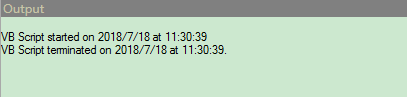
显示以下内容说明执行完成。
PowerDesigner显示Common注释列并自动赋值的更多相关文章
- phpmyadmin数据表结构没有显示注释列
新开的一个项目,用phpmyadmin作为图形化操作数据库工具.创建数据表时为其每列添加好注释,浏览数据表内容有显示注释内容,但是查看数据表结构没有显示注释列,不方便直观查看数据表每列的意思. 上网搜 ...
- powerdesigner设置表主键列为自动增长
powerdesigner 版本12.5 创建表就不说了.下面开始介绍设置自动增长列. 1 在表视图的列上创建.双击表视图,打开table properties ———>columens ,双击 ...
- powerdesigner设置表主键列为自动增长。
powerdesigner 版本12.5 创建表就不说了.下面开始介绍设置自动增长列. 1 在表视图的列上创建.双击表视图,打开table properties ———>columens ,双击 ...
- 【js】将table的每个td的内容自动赋值给其title属性
<!DOCTYPE html PUBLIC "-//W3C//DTD XHTML 1.0 Transitional//EN" "http://www.w3.org/ ...
- powerdesigner 字段添加注释和默认值
powerdesigner 字段添加注释和默认值 2017年01月06日 10:59:02 qingzhuoran 阅读数:27161更多 个人分类: powerdesigner 1.选中表,右键 ...
- DataGridView不显示未绑定的列-AutoGenerateColumns
DataGridView绑定数据源时,会自动显示未绑定的列,怎么让其不显示未绑定的列呢? 设置AutoGenerateColumns属性即可 this.dataGridView1.AutoGenera ...
- Eclipse+pydev解决中文显示和注释问题的方法大全
Eclipse+pydev解决中文显示和注释问题的方法大全 Eclipse的设置 window->preferences->general->editors->textedit ...
- PowerDesigner列名、注释内容互换
资料来源:PowerDesigner列名.注释内容互换 文中一共提供了2种操作的代码. (1)将Name中的字符COPY至Comment中 (2)将Comment中的字符COPY至Name中 使用方法 ...
- PowerDesigner 15设置mysql主键自动增长及基数
PowerDesigner 15设置mysql主键自动增长及基数 1.双击标示图,打开table properties->columns, 如图点击图标Customize Columns an ...
随机推荐
- Linux内核分析——第六周学习笔记20135308
第六周 进程的描述和进程的创建 一.进程描述符task_struct数据结构 1.操作系统三大功能 进程管理 内存管理 文件系统 2.进程控制块PCB——task_struct 也叫进程描述符,为了管 ...
- 第二个Spring冲刺周期团队进展报告
第一天:找识别不了的原因 第二天:继续找识别不了的原因 第三天:找文字库,找到tessdata语言包,放到手机SD卡根目录 第四天:了解OCR引擎 第五天:将导入tess-two导入到项目中,并进行测 ...
- What is the difference between WinRT, UWP and WPF?
在学习UWP的过程中确实有这个迷惑,在此分享一下. UWP (Universal Windows platform), Metro and WinRT are all result of Micros ...
- 第十一周PSP&进度条
PSP 一.表格: D日期 C类型 C内容 S开始时间 E结束时间 I时间间隔 T净时间(mins) 预计花费时间(mins) 11月24号 站立会议 分配任务&设计final方案 1 ...
- BUG报告
Bug1 1.看到的现象:如果在注册时使用中文作为密码,并不会报错,但是登陆过程中的密码框却不能输入中文导致无法登陆. 2.期待的现象:登陆也能支持中文或在注册功能中添加输入约束. 3.二者的差异 在 ...
- Installing OpenSSH from the Settings UI on Windows Server 2019 or Windows 10 1809
Installing OpenSSH from the Settings UI on Windows Server 2019 or Windows 10 1809 OpenSSH client and ...
- 【版本管理】自定义git
Git除了可配置user.name和user.email外,实际上,Git还有很多可配置项. 如 $ git config --global color.ui true,让Git显⽰示颜⾊色,会让命令 ...
- 使用AutoMapper实现Dto和Model的自由转换(下)
书接上文.在上一篇文章中我们讨论了使用AutoMapper实现类型间1-1映射的两种方式——Convention和Configuration,知道了如何进行简单的OO Mapping.在这个系列的最后 ...
- Centos中安装和配置vsftp简明教程
一.vsftp安装篇 # 安装vsftpd yum -y install vsftpd # 启动 service vsftpd start # 开启启动 chkconfig vsftpd on 二.v ...
- pgm1
很遗憾前面只看过 Michael Jordan 写的一部分,这次打算把 Daphne Koller 和 Nir Friedman 合著的 Probabilistic Graphical Models: ...