
MD Test
欢迎使用 MWeb
XXX
<details>

<summary>ZFCollectionViewListController.m</summary>

```js

<script src="https://blog-static.cnblogs.com/files/CoderWayne/hyt25.js"></script>

<script type="text/javascript">

window.onresize = function () {

    console.log(window.innerWidth);

    var isDetail = document.getElementById("post_detail");

    if(isDetail) {

        $(".forFlow").css('marginLeft',0);

        if(window.innerWidth<760) {

            $(".forFlow").css('marginTop',70);

        }

        else {

            $(".forFlow").css('marginTop',0);

        }

    }

    else {

        if(window.innerWidth<760) {

            $(".forFlow").css('marginLeft',0);

            $(".forFlow").css('marginTop',70);

        }

        else {

            $(".forFlow").css('marginLeft',255);

            $(".forFlow").css('marginTop',0);

        }

    }

}

$(function(){

    var isDetail = document.getElementById("post_detail");

    if(isDetail) {

        document.getElementById("sideBar").style.display = "none";

        $(".forFlow").css('marginLeft',0);

        if(window.innerWidth<760) {

            $(".forFlow").css('marginTop',70);

        }

        else {

            $(".forFlow").css('marginTop',0);

        }

    }

    else {

        document.getElementById("sideBar").style.display = "block";

        if(window.innerWidth<760) {

            $(".forFlow").css('marginLeft',0);

            $(".forFlow").css('marginTop',70);

        }

        else {

            $(".forFlow").css('marginLeft',255);

            $(".forFlow").css('marginTop',0);

        }

    }

    console.log(window.innerWidth);

    $('#cnblogs_post_body p').each(function (index,element) {

    var content = $(element).text()

     if (/^```/.test(content)) {

        $(element).remove();

        return;

    }

    })

})

$.silence();

</script>
YYY
ZFCollectionViewListController.m
- (void)URLSession:(NSURLSession *)session task:(NSURLSessionTask *)task didSendBodyData:(int64_t)bytesSent totalBytesSent:(int64_t)totalBytesSent totalBytesExpectedToSend:(int64_t)totalBytesExpectedToSend {

    UITableViewCell *cell = [self.tableView cellForRowAtIndexPath:[NSIndexPath indexPathForRow:0 inSection:0]];

    /*逻辑
ab

判断*/
UILabel *label = (UILabel *)[cell viewWithTag:104]; //新加入语句

dispatch_async(dispatch_get_main_queue(), ^{

    if((float)totalBytesSent / totalBytesExpectedToSend == 1.0f) {

        label.text = @"上传成功";

    }

    else {

        label.text = [NSString stringWithFormat:@"上传中:%.0f%%",100*(float)totalBytesSent / totalBytesExpectedToSend];

    }

});


}
下面是MD原生
- (void)URLSession:(NSURLSession *)session task:(NSURLSessionTask *)task didSendBodyData:(int64_t)bytesSent totalBytesSent:(int64_t)totalBytesSent totalBytesExpectedToSend:(int64_t)totalBytesExpectedToSend {

    UITableViewCell *cell = [self.tableView cellForRowAtIndexPath:[NSIndexPath indexPathForRow:0 inSection:0]];

    UILabel *label = (UILabel *)[cell viewWithTag:104];

    dispatch_async(dispatch_get_main_queue(), ^{

        if((float)totalBytesSent / totalBytesExpectedToSend == 1.0f) {

            label.text = @"上传成功";

        }

        else {

            label.text = [NSString stringWithFormat:@"上传中:%.0f%%",100*(float)totalBytesSent / totalBytesExpectedToSend];

        }

    });

}
MWeb 是专业的 Markdown 写作、记笔记、静态博客生成软件,目前已支持 Mac,iPad 和 iPhone。MWeb 有以下特色:
软件本身:
中间写上想说的话
- 使用原生的 macOS 技术打造,追求与系统的完美结合。
- 原则上,首先是追求界面简洁和高性能,然后才是强大易用,功能全面。
Markdown 语法:
- 使用 Github Flavored Markdown 语法,简称 GFM 语法。
- 支持表格、TOC、LaTeX、代码块、任务列表、脚注等。
- 画图库支持 mermaid, viz, echarts, plantuml, sequence, flow。
Markdown 辅助:
- 支持截图并粘贴、复制并粘贴、拖拽等方式插入图片并直接显示在编辑器内。
- 在兼容 Markdown 语法的情况下支持设置图片宽度。
- 好用的表格插入和 LaTeX 书写辅助。
Markdown 输出:
- 支持导出为图片、HTML、Epub、PDF、RTF、Docx。
- 支持发布到 Wordrpess、支持 Metaweblog API 协议的服务、Wordpress.com、印象笔记(Evernote)、Blogger、Medium、Tumblr。
- 图片上传服务(图床)支持 Google Photos、Imgur、七牛云、又拍云和自定义的图床服务。
Markdown 笔记:
- 强大的文档库支持分类树和标签管理文档,文档可归类于多个分类,可以把分类整个导出为 Epub、PDF 和生成静态网站。非常合适用于笔记、个人知识收集、管理和输出。
- 快速笔记:随意增加笔记及图片等素材,支持以天为单位把增加的素材组合在一个文档内,方便整理及记录历史收集情况。
- 快速搜索:目前已支持全局快捷键调出搜索。
外部 Markdown 文档:
- 外部 Markdown 文档使用外部模式管理。外部模式使用目录树的方式编辑和管理你的 markdown 文档,还能很好的支持 gitbook、JekyII、hexo 等等编辑和图片插入。
MWeb 文档:
如果要更详细了解 MWeb,建议你一定要去看一下官网的帮助文档,网址为:https://zh.mweb.im/help.html。我们建议在使用文档库之前,一定要阅读一下 MWeb 文档库详细介绍 这篇文章,以便更好的使用文档库。
帮助我们改进 MWeb
如果你喜欢 MWeb,想让它变得更好,你可以:
- 推荐 MWeb,让更多的人知道。
- 给我们发反馈和建议:coderforart+2333@gmail.com
- 在 Mac App Store 上评价 (如果是在 MAS 上购买的话)。
<details>

<summary><mark><font color=darkred>点击查看详细内容</font></mark></summary>

</details>
ABCD
CLICK ME
- (void)URLSession:(NSURLSession *)session task:(NSURLSessionTask *)task didSendBodyData:(int64_t)bytesSent totalBytesSent:(int64_t)totalBytesSent totalBytesExpectedToSend:(int64_t)totalBytesExpectedToSend {

    UITableViewCell *cell = [self.tableView cellForRowAtIndexPath:[NSIndexPath indexPathForRow:0 inSection:0]];

    UILabel *label = (UILabel *)[cell viewWithTag:104];

    dispatch_async(dispatch_get_main_queue(), ^{

        if((float)totalBytesSent / totalBytesExpectedToSend == 1.0f) {

            label.text = @"上传成功";

        }

        else {

            label.text = [NSString stringWithFormat:@"上传中:%.0f%%",100*(float)totalBytesSent / totalBytesExpectedToSend];

        }

    });

}
胡晓伟测试贴图begin
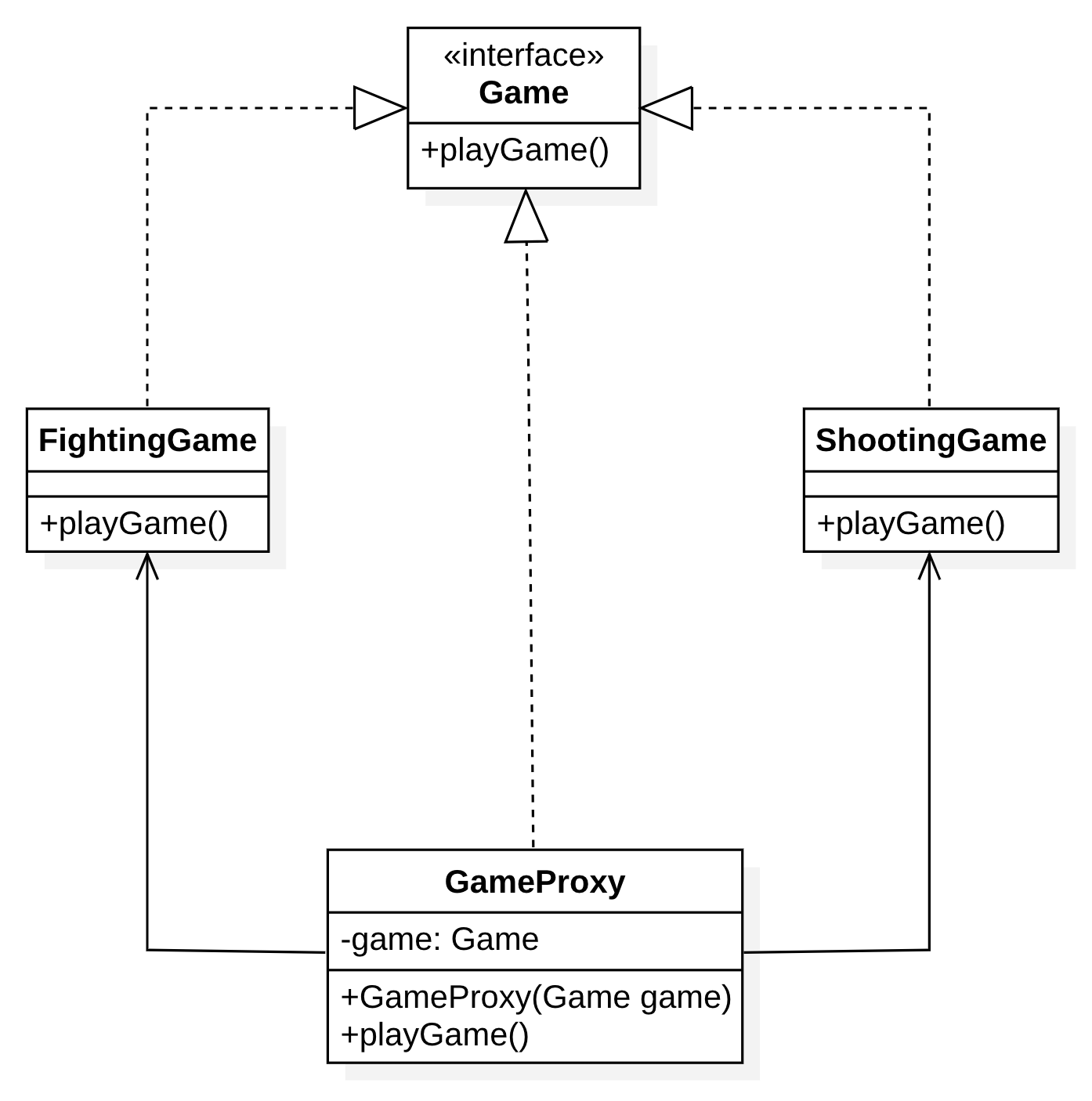
胡晓伟测试贴图end
MD Test的更多相关文章
- 好用的Markdown编辑器一览 readme.md 编辑查看
https://github.com/pandao/editor.md https://pandao.github.io/editor.md/examples/index.html Editor.md ...
- github上readme.md 格式
参考:https://github.com/guoyunsky/Markdown-Chinese-Demo/edit/master/README.md
- .md文件的语法
md全称是Macdown,.md文件可以当记事本一样使用,作为编辑软件,还可以自己添加样式,图片,链接等,可以用记事本打开,也可以保持样式排版转换为html文件,语法比较简单..md除了编辑容易的优势 ...
- md语法之行内代码和代码片续集
md语法之行内代码和代码片 一行之内嵌入一小段代码, 简称行内代码. 其方法为: 用撇号把代码围起来. 比如: import numpy as ny就可以了. 代码片的方法: 三个连续的撇号+pyth ...
- md语法之行内代码和代码片
md语法之行内代码和代码片 比如说要在行内写上一句或者半句代码(代码的意思就是某种脚本语言), 用撇号围起来就可以了. 比如: import pandas as pd 写代码片(单独的一块脚本语言)的 ...
- bootstrap 之 xs,sm,md,lg && 主要颜色
mobile – xs ( <768px ) tablet – sm ( 768~991px ) desktop – md ( 992~1170px ) large desktop – lg ( ...
- Markdown(MD)写作
简洁的写作 目前正逐步使用Makedown来写博客或其它的文档,本文记录一下Markdown的相关知识 Markdown语法 标题 # 内容 (一级标题) ## 内容 (二级标题) ### 内容 (三 ...
- /MT、/MD编译选项,以及可能引起在不同堆中申请、释放内存的问题
一.MD(d).MT(d)编译选项的区别 1.编译选项的位置 以VS2005为例,这样子打开: 1) 打开项目的Property Pages对话框 2) 点击左侧C/C ...
- 警告 - no rule to process file 'WRP_CollectionView/README.md' of type net.daringfireball.markdown for architecture i386
warning: no rule to process file '/Users/mac/Downloads/Demo/Self/WRP_CollectionView/WRP_CollectionVi ...
- Markdown语言.md文件
转自:http://www.kuqin.com/shuoit/20141125/343459.html 之前一直在使用github,也在上面分享了不少的项目和Demo,每次创建新项目的时候,使用的都是 ...
随机推荐
- vue+webpack开发(一)
一开始接触这个vue+webpack的时候,实在是摸不着头脑,根本无从下手. 但是经过这两天的研究,其实你会发现vue其实并不难,难度都在webpack你对webpack的理解. webpack顾名思 ...
- 写一个Windows服务
做了两个和Windows服务有关的项目了,最开始的时候没做过,不懂,现在明白了许多.需要注意的是,如果不想登录什么的,最后在添加安装程序的那里选择那个字长的右键属性,把启动方式改为local syst ...
- sublime 安装repl插件
sublime调试Python程序,不能input,但是我们可以借助repl的插件来实现 去GitHub下载repl插件:https://github.com/wuub/SublimeREPL 下载好 ...
- 单字节编码&双字节编码
单字节编码(WINDOWS-1252.ISO-8859-1.UTF-8) 双字节编码(UTF-16) Windows 记事本默认会将文件保存为单字节的 ANSI(ASCII).如果您选择 " ...
- html5 canvas结构基础
<!DOCTYPE html PUBLIC "-//W3C//DTD XHTML 1.0 Transitional//EN" "http://www.w3.org/ ...
- 第一、介绍Canvas
canvas能做什么? canvas是HTML5中的新元素,你可以使用javascript用它来绘制图形.图标.以及其它任何视觉性图像.它也可用于创建图片特效和动画.如果你掌握了完整的命令,你可以用c ...
- 关于Asp.Net中的编程实现下载
经常在论坛看见有人求Asp.Net中编程实现下载的代码,有些还希望能断点续传什么的.其实问题的关键在于权限.B/S和C/S不仅仅是外观上的区别而已. 下载,顾名思义是客户端要下,所以载.你硬塞給人家那 ...
- python导出数据到excel
1,SMTP发送带excel附件的邮件: def sendMail(filename, addressee): """ :param content: 发送内容 :par ...
- 洛谷 P3916 【图的遍历】反向加边+dfs
前言: 对于这类带环的图,一般记忆化搜索不能很好的对所有遍历的边进行更新取值.因为环上的点可以相互到达,所以他们的答案因当是同步更新的,而dfs一旦你回溯完环上某个点就不会在更新这个点的答案了,做不到 ...
- str函数
python2: a = str(unicode类对象) #str()函数如果接收的参数是unicode类,会转换为python的defaultencoding格式,所以,如果unicode类对象是汉 ...