
使用Spring实现AOP(XML+注解)
一、Spring对AOP的支持
AOP并不是Spring框架特有的,Spring只是支持AOP编程的框架之一,每一个框架对AOP的支持各有特点,有些AOP能够对方法的参数进行拦截,有些AOP对方法进行拦截。而Spring AOP是一只基于方法拦截的AOP,换句话说Spring只能支持方法拦截的AOP。
在Spring中有4种方式去实现AOP的拦截功能:
1、使用ProxyFactoryBean和对应的接口实现AOP
2、使用XML配置AOP
3、使用@AspectJ注解驱动切面
4、使用Aspect注入切面
Spring AOP 的拦截方式中,真正常用的是用@AspectJ注解的方式实现的切面,有时候XML配置也有一定的辅助作用
spring AOP使用@AspectJ注解:https://www.cnblogs.com/weibanggang/p/10137217.html
二、面向切面编程的术语
1、切面(ASPECT)
切面就是一套规范的流程,可以理解为一个拦截器,能定义被拦截方法执行前后可以执行的操作。(即,它是一个类。)
2、通知(Advice)
通知就是切面中的方法,它根据在代理真实对象方法调用前、后的顺序和业务逻辑进行区分,Spring AOP中有四种通知:(即,它是类中的一个方法。)
- 前置通知(before):在动态代理反射原有对象方法或者执行环绕通知前执行的通知功能;
- 后置通知(after):在动态代理反射原有对象方法或者执行环绕通知后执行的通知功能,不管是否返回异常都会被执行;
- 返回通知(afterReturning):在动态代理反射原有对象方法或者执行环绕通知正常返回无异常时执行的通知功能;
- 异常通知(afterThrowing):在动态代理反射原有对象方法或者执行环绕通知产生异常时执行的通知功能;
- 环绕通知(around):在动态代理中,它可以取代当前被拦截对象的方法,提供回调原有被拦截对象的方法;
3、引入(Introduction)
引入允许我们在现有类里添加的自定义类或方法。比如我们要对一个被代理对象的逻辑进行优化,但是不能修改原方法时,可以使用引入来进行增强;
4、切点(Pointcut)
切点就是告诉Spring AOP什么时候启动拦截器并织入对应流程中。
5、连接点(join point)
连接点对应的是具体需要拦截的东西,比如通过切点的正则表达式去判断哪些方法是连接点,从而织入对应的通知;
6、织入(Weaving)
织入是一个生成代理对象,并且将切面内容放入到流程中的过程,它的实现方式就是动态代理
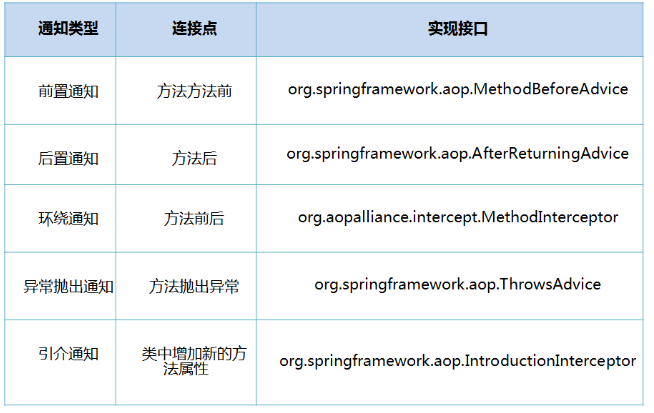
SpringAOP中,通过Advice定义横切逻辑,Spring中支持5种类型的Advice:
一、基于XML配置的Spring AOP
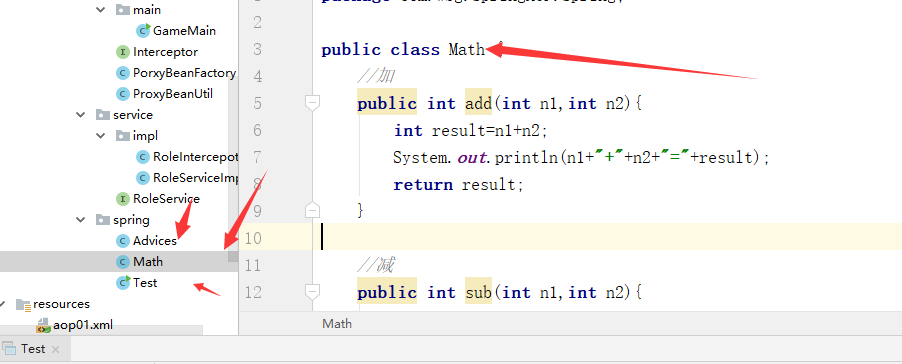
1、创建要被代理的Math类,代码如下
创建类:Math
package com.wbg.springAOP.spring;

public class Math {

    //加

    public int add(int n1,int n2){

        int result=n1+n2;

        System.out.println(n1+"+"+n2+"="+result);

        return result;

    }

    //减

    public int sub(int n1,int n2){

        int result=n1-n2;

        System.out.println(n1+"-"+n2+"="+result);

        return result;

    }

    //乘

    public int mut(int n1,int n2){

        int result=n1*n2;

        System.out.println(n1+"X"+n2+"="+result);

        return result;

    }

    //除

    public int div(int n1,int n2){

        int result=n1/n2;

        System.out.println(n1+"/"+n2+"="+result);

        return result;

    }

}
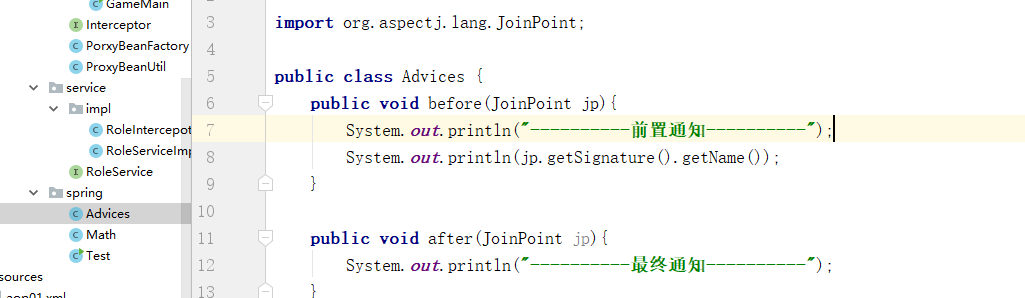
2、编辑AOP中需要使用到的通知类Advices.java代码如下:
package com.wbg.springAOP.spring;

import org.aspectj.lang.JoinPoint;

public class Advices {

    public void before(JoinPoint jp){

        System.out.println("----------前置通知----------");

        System.out.println(jp.getSignature().getName());

    }

    public void after(JoinPoint jp){

        System.out.println("----------最终通知----------");

    }

}
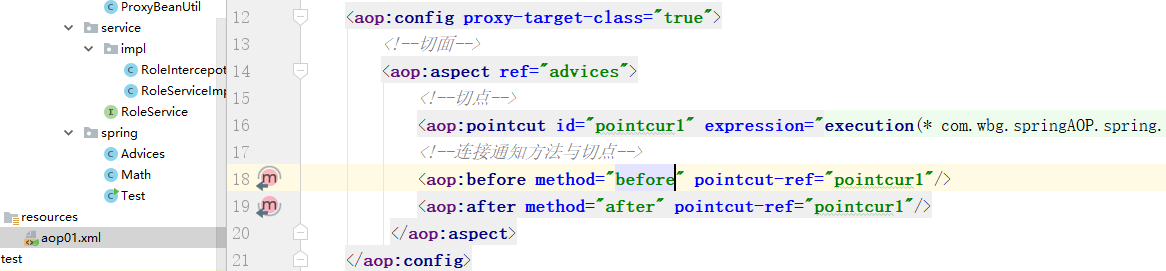
3、配置容器初始化时需要的XML文件,aop01.xml文件内容如下:
<?xml version="1.0" encoding="UTF-8"?>

<beans xmlns="http://www.springframework.org/schema/beans"

       xmlns:xsi="http://www.w3.org/2001/XMLSchema-instance" xmlns:aop="http://www.springframework.org/schema/aop"

       xsi:schemaLocation="http://www.springframework.org/schema/beans http://www.springframework.org/schema/beans/spring-beans.xsd http://www.springframework.org/schema/aop http://www.springframework.org/schema/aop/spring-aop.xsd">

    <!--被代理对象-->

    <bean id="math" class="com.wbg.springAOP.spring.Math"/>

    <!--通知-->

    <bean id="advices" class="com.wbg.springAOP.spring.Advices"/>

    <!--aop配置-->

    <aop:config proxy-target-class="true">

        <!--切面-->

        <aop:aspect ref="advices">

            <!--切点-->

            <aop:pointcut id="pointcur1" expression="execution(* com.wbg.springAOP.spring.Math.*(..))"/>

            <!--连接通知方法与切点-->

            <aop:before method="before" pointcut-ref="pointcur1"/>

            <aop:after method="after" pointcut-ref="pointcur1"/>

         </aop:aspect>

    </aop:config>

</beans>
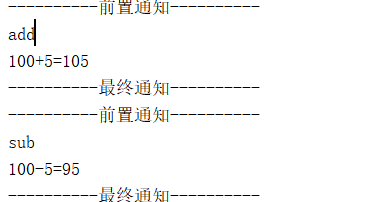
4、测试:
 ApplicationContext context = new ClassPathXmlApplicationContext("aop01.xml");

        Math math = context.getBean("math",Math.class);

        int n=100;

        int m=5;

        math.add(n,m);

        math.sub(n,m);

        math.mut(n,m);

        math.div(n,m);
二、使用注解配置AOP
1、创建代理类:Math2 ,类上注解了@Service并命名bean为math2。
代码:
package com.wbg.springAOP.spring.annotation;

import org.springframework.stereotype.Component;

import org.springframework.stereotype.Service;

import java.util.Random;

/**

 * 被代理的目标类

 */

@Service("math2")

public class Math2 {

    //加

    public int add(int n1,int n2){

        //开始时间

        long start = getTime();

        delay();

        int result=n1+n2;

        System.out.println(n1+"+"+n2+"="+result);

        System.out.println("共用时:" + (getTime() - start));

        return result;

    }

    //减

    public int sub(int n1,int n2){

        //开始时间

        long start = getTime();

        delay();

        int result=n1*n2;

        System.out.println(n1+"-"+n2+"="+result);

        System.out.println("共用时:" + (getTime() - start));

        return result;

    }

    //乘

    public int mut(int n1,int n2){

        //开始时间

        long start = getTime();

        delay();

        int result=n1*n2;

        System.out.println(n1+"X"+n2+"="+result);

        System.out.println("共用时:" + (getTime() - start));

        return result;

    }

    //除

    public int div(int n1,int n2){

        //开始时间

        long start = getTime();

        delay();

        int result=n1/n2;

        System.out.println(n1+"/"+n2+"="+result);

        System.out.println("共用时:" + (getTime() - start));

        return result;

    }

    public static long getTime() {

        return System.currentTimeMillis();

    }

    public static void delay(){

        try {

            int n = (int) new Random().nextInt(500);

            Thread.sleep(n);

        } catch (InterruptedException e) {

            e.printStackTrace();

        }

    }

}

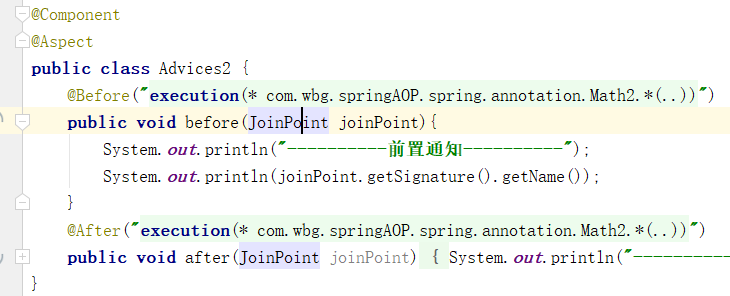
2、创建Advices2类
@Component表示该类的实例会被Spring IOC容器管理
@Aspect表示声明一个切面
@Before表示before为前置通知,通过参数execution声明一个切点
代码:
execution(<修饰符模式>?<返回类型模式><方法名模式>(<参数模式>)<异常模式>?)切点函数,可以满足多数需求。

package com.wbg.springAOP.spring.annotation;

import org.aspectj.lang.JoinPoint;

import org.aspectj.lang.annotation.After;

import org.aspectj.lang.annotation.Aspect;

import org.aspectj.lang.annotation.Before;

import org.springframework.stereotype.Component;

@Component

@Aspect

public class Advices2 {

    @Before("execution(* com.wbg.springAOP.spring.annotation.Math2.*(..))")

    public void before(JoinPoint joinPoint){

        System.out.println("----------前置通知----------");

        System.out.println(joinPoint.getSignature().getName());

    }

    @After("execution(* com.wbg.springAOP.spring.annotation.Math2.*(..))")

    public void after(JoinPoint joinPoint){

        System.out.println("----------最终通知----------");

    }

}
3、创建xml
<?xml version="1.0" encoding="UTF-8"?>

<beans xmlns="http://www.springframework.org/schema/beans"

       xmlns:xsi="http://www.w3.org/2001/XMLSchema-instance"

       xmlns:context="http://www.springframework.org/schema/context"

       xmlns:aop="http://www.springframework.org/schema/aop"

       xsi:schemaLocation="http://www.springframework.org/schema/beans http://www.springframework.org/schema/beans/spring-beans.xsd http://www.springframework.org/schema/context http://www.springframework.org/schema/context/spring-context.xsd http://www.springframework.org/schema/aop http://www.springframework.org/schema/aop/spring-aop.xsd">

        <context:component-scan base-package="com.wbg.springAOP.spring.annotation"/>

    <!--

    在配置IOC的基础上增加了aop:aspectj-autoproxy节点

    Spring框架会自动为与AspectJ切面配置的Bean创建代理

    proxy-target-class="true"属性表示被代理的目标对象是一个类

    而非实现了接口的类,主要是为了选择不同的代理方式

    -->

    <aop:aspectj-autoproxy proxy-target-class="true"/>

</beans>
4、测试
ApplicationContext context = new ClassPathXmlApplicationContext("aop2.xml");

        Math2 math = context.getBean("math2",Math2.class);

        int n=100;

        int m=5;

        math.add(n,m);

        math.sub(n,m);

        math.mut(n,m);

        math.div(n,m);

使用Spring实现AOP(XML+注解)的更多相关文章
- Spring 中aop切面注解实现
spring中aop的注解实现方式简单实例 上篇中我们讲到spring的xml实现,这里我们讲讲使用注解如何实现aop呢.前面已经讲过aop的简单理解了,这里就不在赘述了. 注解方式实现aop我们 ...
- [Spring框架]Spring开发实例: XML+注解.
前言: 本文为自己学习Spring记录所用, 文章内容包括Spring的概述已经简单开发, 主要涉及IOC相关知识, 希望能够对新入门Spring的同学有帮助, 也希望大家一起讨论相关的知识. 一. ...
- spring中aop的注解实现方式简单实例
上篇中我们讲到spring的xml实现,这里我们讲讲使用注解如何实现aop呢.前面已经讲过aop的简单理解了,这里就不在赘述了. 注解方式实现aop我们主要分为如下几个步骤(自己整理的,有更好的方法的 ...
- spring框架aop用注解形式注入Aspect切面无效的问题解决
由于到最后我的项目还是有个邪门的错没解决,所以先把文章大概内容告知: 1.spring框架aop注解扫描默认是关闭的,得手动开启. 2.关于Con't call commit when autocom ...
- Spring 使用AOP——xml配置
目录 AOP介绍 Spring进行2种实现AOP的方式 导入jar包 基于schema-based方式实现AOP 创建前置通知 创建后置通知 修改Spring配置文件 基于schema-based方式 ...
- redis分布式锁-spring boot aop+自定义注解实现分布式锁
接这这一篇redis分布式锁-java实现末尾,实现aop+自定义注解 实现分布式锁 1.为什么需要 声明式的分布式锁 编程式分布式锁每次实现都要单独实现,但业务量大功能复杂时,使用编程式分布式锁无疑 ...
- 黑马Spring学习 AOP XML和注解配置 5种通知 切点切面通知织入
业务类 package cn.itcast.aop; import org.aspectj.lang.JoinPoint; import org.aspectj.lang.ProceedingJoin ...
- Spring 使用AOP——基于注解配置
首先,使用注解实现AOP是基于AspectJ方式的. 创建包含切点方法的类 package cn.ganlixin.test; import org.aspectj.lang.annotation.P ...
- 浅谈spring中AOP以及spring中AOP的注解方式
AOP(Aspect Oriented Programming):AOP的专业术语是"面向切面编程" 什么是面向切面编程,我的理解就是:在不修改源代码的情况下增强功能.好了,下面在 ...
随机推荐
- 百度富文本Ueditor将图片存在项目外路径并回显
我的毕设中需要一个类似新闻发布的功能,使用到百度富文本编辑器,不过百度富文本编辑器有点坑(只是我太菜了),粘贴图片和回显这个坑坑了我两天时间.效果是这样的: 就是可以在文本中粘贴图片并显示出来,直接说 ...
- shell编程之while死循环
原文 在linux下编程的程序猿都知道shell脚本,就算你不怎么熟悉,也应该听过的吧!那在shell脚本中的死循环该怎么写呢? 对于熟悉C语言的猿人们来说,最简单的死循环应该这样写: ------- ...
- ccf-201712-2 游戏
问题描述 有n个小朋友围成一圈玩游戏,小朋友从1至n编号,2号小朋友坐在1号小朋友的顺时针方向,3号小朋友坐在2号小朋友的顺时针方向,--,1号小朋友坐在n号小朋友的顺时针方向. 游戏开始,从1号小朋 ...
- Jquery trigger 与 triggerHandler
secying Jquery trigger与triggerHandler trigger: 在每一个匹配的元素上触发某类事件(即触发jQuery对象集合中每一个元素). 这个函数也会导致浏览器同名的 ...
- [TJOI2007]小朋友
题面 Luogu Sol 弦图最大独立集 做法见上篇博客 # include <bits/stdc++.h> # define RG register # define IL inline ...
- Web前端面试指导(十三):css样式的优先级是怎么样的?
题目点评 CSS样式的优先级规则给人的感觉总是摸不透,更不用说怎么去表达了,在网络上流传着很多版本,描述的都很复杂也不全面,看了之后还是不满意.我来给大家介绍一个比较系统.全面有比较容易记住的规则吧! ...
- 2d动画开发之PIXI开发
简单的移动小游戏只要引入pixi.min.js就可以, 如果要用spine动画(龙骨也支持导出spine格式的)就要引入pixi-spine.js 如果还有声音的支持引入pixi-sound.js 学 ...
- 三重for循环实现对二维数组的按列排序(JavaScript)
由C语言联想到的:三重for循环实现对二维数组的按列排序,并且牵扯到数据结构. 自己写的,水平有限,本文属于原创,可能存在错误,忘指正~ function circle() { var a = [ [ ...
- Java中由Calendar类获取的月、天和小时的简单处理
在Java中,Calendar是日期处理的一个重要的类.但是,我们使用Calendar获取的月份,天,小时等可能需要进行简单的处理才能满足我们的需要.比如,月份范围是0-11,而我们可能需要的是1-1 ...
- anroid之异步不如异步
executeOnExecutor(AsyncTask.THREAD_POOL_EXECUTOR) 使用自定义的CorePoolSize为7的Executor(Executors.newFixedTh ...