
Nginx多域名负载均衡配置
Nginx负载均衡设置
环境:
负载均衡:192.168.188.128:80
Web1:192.168.188.128:81
Web2:192.168.188.129:80
正式环境中,需要解析域名www.doubles.cn、abc.dd.cn到负载均衡机器192.168.188.128,我们现在测试,就直接在本地windows下的hosts里面绑定域名:
192.168.188.128 www.doubles.cn
192.168.188.128 abc.dd.cn
1、单个域名的负载均衡
1.1、在web1(192.168.188.128)上搭好web环境:
[root@localhost conf]# vim /usr/local/nginx/conf/nginx.conf

...

include vhost/*.conf;

...

}
在http{}最下面添加include vhost/*.conf;每个域名对应一个conf文件。
新建vhost目录。
[root@localhost conf]# mkdir /usr/local/nginx/conf/vhost/
新建www.doubles.cn.conf文件:
[root@localhost conf]# vim /usr/local/nginx/conf/vhost/www.doubles.cn.conf

server {

        listen       81;

        server_name  www.doubles.cn localhost 192.168.188.128;

        location / {

            root    /usr/local/nginx/html/;

            index  index.html index.php index.htm TempLoginPanel.html;

        }

        location ~ \.php$ {

            root           /usr/local/nginx/html/;

            fastcgi_pass   127.0.0.1:9000;

            fastcgi_index  index.php;

            fastcgi_param  SCRIPT_FILENAME  $document_root$fastcgi_script_name;

            include        fastcgi_params;

        }

}
在/usr/local/nginx/html/里面写好html文件:
[root@localhost conf]# vim /usr/local/nginx/html/index.html

#测试内容自定义

……
重新加载nginx配置文件
[root@localhost conf]# /usr/local/nginx/sbin/nginx -t

nginx: the configuration file /usr/local/nginx/conf/nginx.conf syntax is ok

nginx: configuration file /usr/local/nginx/conf/nginx.conf test is successful

[root@localhost conf]# /usr/local/nginx/sbin/nginx -s reload
测试web1:
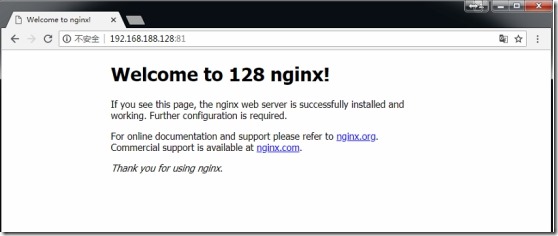
1.2、在web2(192.168.188.129)上搭好web环境:
按照1.1的方法同样搭建web2的环境,
新建虚拟主机:
[root@localhost conf]# vim /usr/local/nginx/conf/nginx.conf

...

include vhost/*.conf;

...

}
[root@localhost conf]# mkdir /usr/local/nginx/conf/vhost/

[root@localhost conf]# vim /usr/local/nginx/conf/vhost/www.doubles.cn.conf

server {

        listen       80;

        server_name  www.doubles.cn localhost 192.168.188.129;

        location / {

            root    /usr/local/nginx/html/;

            index  index.html index.php index.htm TempLoginPanel.html;

        }

        location ~ \.php$ {

            root           /usr/local/nginx/html/;

            fastcgi_pass   127.0.0.1:9000;

            fastcgi_index  index.php;

            fastcgi_param  SCRIPT_FILENAME  $document_root$fastcgi_script_name;

            include        fastcgi_params;

        }

}
在/usr/local/nginx/html/里面写好html文件:
[root@localhost conf]# vim /usr/local/nginx/html/index.html

#测试内容自定义

……
重新加载nginx配置文件
[root@localhost conf]# /usr/local/nginx/sbin/nginx -t

nginx: the configuration file /usr/local/nginx/conf/nginx.conf syntax is ok

nginx: configuration file /usr/local/nginx/conf/nginx.conf test is successful

[root@localhost conf]# /usr/local/nginx/sbin/nginx -s reload
测试如下:
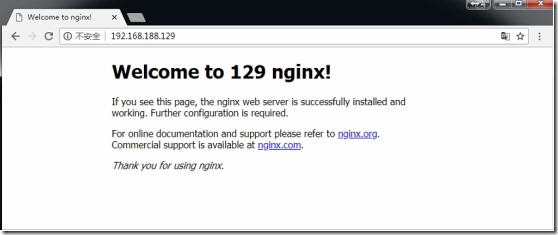
注意:正式环境当中,web1和web2机器上面的网页内容应该是一致的,才能做负载均衡。这里为了区分两台机,所以在网页内容中区分了下。
1.3、在负载均衡机器(192.168.188.128)上:
[root@localhost conf]# vim /usr/local/nginx/conf/nginx.conf

...上面的省略...

upstream  doublesweb {

        #ip_hash;

        server   192.168.188.128:81;

        server   192.168.188.129:80;

    }

server {

        listen       80;

        server_name  localhost;

        location / {

            #root   html;

            #index  index.html index.htm;

            proxy_pass http://doublesweb;

            proxy_connect_timeout 2s;

        }

....略...
(注意):这里upstream与proxy_pass的名字必须一致,这里都是doublesweb。
重新加载nginx配置文件
[root@localhost conf]# /usr/local/nginx/sbin/nginx -t

nginx: the configuration file /usr/local/nginx/conf/nginx.conf syntax is ok

nginx: configuration file /usr/local/nginx/conf/nginx.conf test is successful

[root@localhost conf]# /usr/local/nginx/sbin/nginx -s reload
测试:
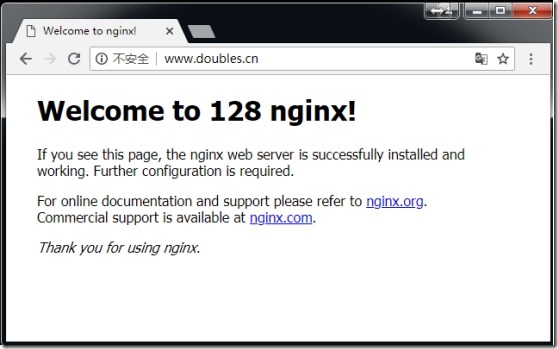
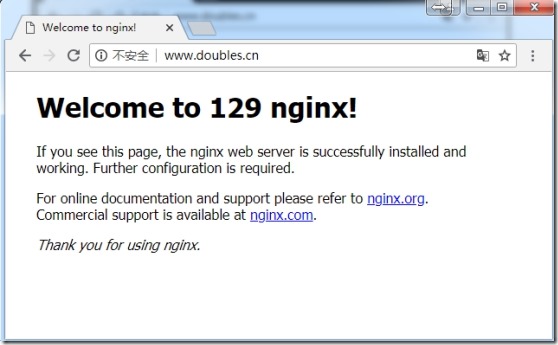
在windows上打开浏览器:输入网址www.doubles.cn,发现已经可以轮询web1和web2了
再刷新:
2、多个域名的负载均衡
在1中我们只对www.doubles.cn做了负载均衡,实际环境中我们可能需要对多个域名进行负载均衡。这里我们添加一个abc.dd.cn。
2.1、web1上面新建虚拟主机abc.dd.cn
增加网页目录/usr/local/nginx/html/dd/:
[root@localhost html]# mkdir /usr/local/nginx/html/dd/

[root@localhost html]# vim /usr/local/nginx/html/dd/index.html
添加一个abc.dd.cn.conf的虚拟主机:
[root@localhost html]# vim /usr/local/nginx/conf/vhost/abc.dd.cn.conf

server {

        listen       81;

        server_name  abc.dd.cn;

        location / {

            root    /usr/local/nginx/html/dd/;

            index  index.html index.php index.htm TempLoginPanel.html;

        }

        location ~ \.php$ {

            root           /usr/local/nginx/html/dd/;

            fastcgi_pass   127.0.0.1:9000;

            fastcgi_index  index.php;

            fastcgi_param  SCRIPT_FILENAME  $document_root$fastcgi_script_name;

            include        fastcgi_params;

        }

}
重新加载nginx配置文件
[root@localhost conf]# /usr/local/nginx/sbin/nginx -t

nginx: the configuration file /usr/local/nginx/conf/nginx.conf syntax is ok

nginx: configuration file /usr/local/nginx/conf/nginx.conf test is successful

[root@localhost conf]# /usr/local/nginx/sbin/nginx -s reload
2.2、在web2上新建虚拟主机abc.dd.cn
跟web1同样的操作:
增加网页目录/usr/local/nginx/html/dd/:
[root@localhost html]# mkdir /usr/local/nginx/html/dd/

[root@localhost html]# vim /usr/local/nginx/html/dd/index.html
添加一个abc.dd.cn.conf的虚拟主机:
[root@localhost html]# vim /usr/local/nginx/conf/vhost/abc.dd.cn.conf

server {

        listen       80;

        server_name  abc.dd.cn;

        location / {

            root    /usr/local/nginx/html/dd/;

            index  index.html index.php index.htm TempLoginPanel.html;

        }

        location ~ \.php$ {

            root           /usr/local/nginx/html/dd/;

            fastcgi_pass   127.0.0.1:9000;

            fastcgi_index  index.php;

            fastcgi_param  SCRIPT_FILENAME  $document_root$fastcgi_script_name;

            include        fastcgi_params;

        }

}
重新加载nginx配置文件
[root@localhost conf]# /usr/local/nginx/sbin/nginx -t

nginx: the configuration file /usr/local/nginx/conf/nginx.conf syntax is ok

nginx: configuration file /usr/local/nginx/conf/nginx.conf test is successful

[root@localhost conf]# /usr/local/nginx/sbin/nginx -s reload
2.3、配置负载均衡
在负载均衡机器(192.168.188.128)上:
[root@localhost html]# vim /usr/local/nginx/conf/nginx.conf

...

    upstream  www.doubles.cn {

        #ip_hash;

        server   192.168.188.128:81;

        server   192.168.188.129:80;

    }

   upstream  abc.dd.cn {

       #ip_hash;

       server   192.168.188.128:81;

       server   192.168.188.129:80;

   }

    server {

        listen       80;

        server_name  localhost;

        location / {

            #root   html;

            #index  index.html index.htm;

            proxy_pass http://$host;

            proxy_connect_timeout 2s;

            proxy_set_header Host $host;

            proxy_set_header X-Real-IP $remote_addr;

            proxy_set_header X-Forwarded-For $proxy_add_x_forwarded_for;

        }

.....
(注意):这里upstream后面的名字必须跟你访问的域名保持完全一致,否则将无法代理。因为proxy_pass是根据$host来匹配的。
重新加载nginx配置文件
[root@localhost conf]# /usr/local/nginx/sbin/nginx -t

nginx: the configuration file /usr/local/nginx/conf/nginx.conf syntax is ok

nginx: configuration file /usr/local/nginx/conf/nginx.conf test is successful

[root@localhost conf]# /usr/local/nginx/sbin/nginx -s reload
测试:

再刷新:
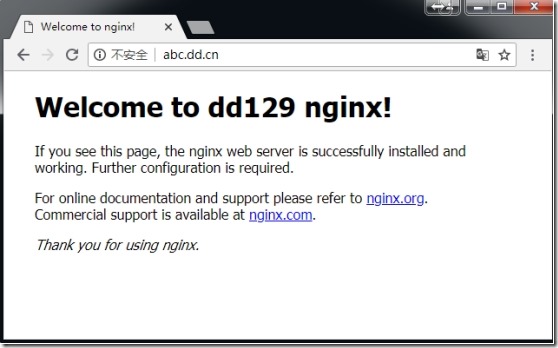
测试之前的域名:
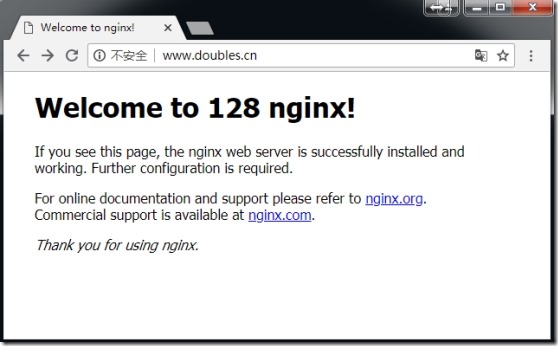
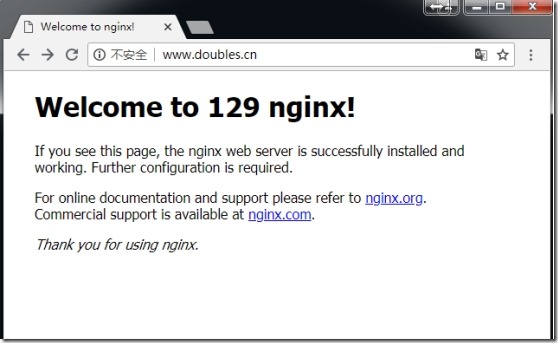
仍然可以进行负载均衡,所以生效。
Nginx多域名负载均衡配置的更多相关文章
- Nginx 简单的负载均衡配置示例(转载)
原文地址:Nginx 简单的负载均衡配置示例(转载) 作者:水中游于 www.s135.com 和 blog.s135.com 域名均指向 Nginx 所在的服务器IP. 用户访问http://www ...
- nginx安装及负载均衡配置
Nginx (“engine x”) 是一个高性能的 HTTP 和 反向代理 服务器,也是一个 IMAP/POP3/SMTP 代理服务器. Nginx 是由 Igor Sysoev 为俄罗斯访问量第二 ...
- Centos7.4 Nginx反向代理+负载均衡配置
Ningx是一款高性能的HTTP和反向代理服务器,配置起来也比较简单. 测试环境: 172.16.65.190 Nginx-反向代理 172.16.65.191 Ningx-Web 172.16.65 ...
- 在Nginx中做负载均衡配置的实例讲解
负载均衡是我们大流量网站要做的一个东西,下面我来给大家介绍在Nginx服务器上进行负载均衡配置方法. 先来简单了解一下什么是负载均衡,单从字面上的意思来理解就可以解释N台服务器平均分担负载,不会因为某 ...
- Nginx 简单的负载均衡配置示例
http://www.cnblogs.com/xiaogangqq123/archive/2011/03/02/1969006.html 在此记录下Nginx服务器nginx.conf的配置文件说明, ...
- Linux 下 Nginx 反向代理 负载均衡配置
转载请注明出处:http://blog.csdn.net/smartbetter/article/details/52036350 上一篇分享了 Nginx + JDK + Tomcat + MySQ ...
- Nginx 简单的负载均衡配置演示样例
近期在做开放查询应用的时候,因为数据两天特别多,两千多万条呢,用户訪问需求也比較大,所以就用nginx做了 负载均衡,以下是改动之后的相关内容. http://www.cnblogs.com/xiao ...
- Nginx代理与负载均衡配置与优化
Nginx代理 Nginx从0.7.48版本开始,支持了类似Squid的缓存功能.Nginx的Web缓存服务主要由proxy_cache相关指令集和fastcgi_cache相关指令集构成,前者用于反 ...
- [转]Nginx+mysql+php-fpm负载均衡配置实例
转 : http://www.jbxue.com/article/7923.html 介绍一个nginx.mysql.php-fpm环境下配置负载均衡的例子,有需要的朋友,可以参考下. 系统环境如下: ...
随机推荐
- Xcode快捷
- [Python Study Notes]气泡散点图绘制
''''''''''''''''''''''''''''''''''''''''''''''''''''''''''''''''''''''''''''''''''''''''''''''''''' ...
- 第二天:tomcat体系结构和第一个Servlet
1. 打war包 2. Tomcat体系再说明: 问题:如何去配置默认主机??? 3.tomcat和servlet在网络中的位置 4. servlet快速入门案例 1).开发s ...
- Android禁止程序自动旋转的配置
在想要禁止的Activity中加入 android:screenOrientation="portrait" 属性,其中,portrait是竖屏,landscape是横屏
- 一行代码搞定所有屏幕适配AbViewUtil
适配原理:抛弃google提供的dip理论与多套图片与布局方案,采用与UI设计师通用的px作为标准单位,原理是将UI设计师的设计图与当前查看的手机或其他设备的屏幕像素尺寸进行换算,得到缩放比例,在Ac ...
- POJ 1187 陨石的秘密 (线性DP)
题意: 公元11380年,一颗巨大的陨石坠落在南极.于是,灾难降临了,地球上出现了一系列反常的现象.当人们焦急万分的时候,一支中国科学家组成的南极考察队赶到了出事地点.经过一番侦察,科学家们发现陨石上 ...
- IO流对文件的读取操作
/*1. 在当前项目的根目录下有一个名为“info.txt”的文件,里面存放的内容如下(可手动创建录入,不需要使用IO流): 2. 利用IO流的知识读取info.txt文件的内容, 在控制台上打印大写 ...
- Java-马士兵设计模式学习笔记-策略模式-模拟 Comparator接口
续上一篇 <Java 模拟 Comparable接口> 一.Teacher类及Student类的比较大小方式是不固定的,比如老师除了比较职称外,还可比较工龄大小,年龄大小等.则定义Com ...
- hive与hbase数据类型对应关系
hive与hbase数据类型对应关系 当hbase中double,int 类型以byte方式存储时,用字符串取出来必然是乱码. 在hivd与hbase整合时也遇到这个问题:做法是:#b 1.加#b C ...
- hdu5521 Meeting
传送门 题目 Bessie and her friend Elsie decide to have a meeting. However, after Farmer John decorated hi ...