
Qt编程之Qt样例表(QSS)
For a long time, Qt has allowed you to decorate your GUIs with CSS’ish style sheets. Inspired by the web, stylesheets are a great way to stylize your Qt GUI, but it seems that few people use them. In this tutorial, we’ll create an example dialog in Qt using Designer and stylesheets. This tutorial assumes that you can get around in Qt Designer, and that you understand a little about Qt layouts.
Step 1 Create a new empty form, named MyLoginForm.
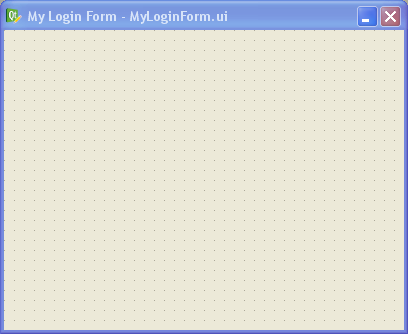
Step 2 Add a QFrame to your form, and apply a vertical layout to your form (any layout will work actually: vertical, horizontal or grid). Give your form about 30 pixels of layout margin around its perimeter. Name the QFrame “mainFrame”. When dealing with stylesheets, it’s convenient to name your widgets in Designer, even if you don’t plan to use them by name in your code (we won’t be writing any code besides CSS in this tutorial).
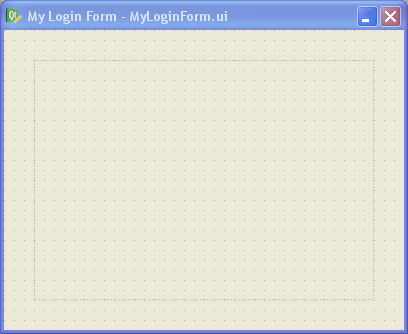
Step 3 In Designer’s object inspector, right-click on the top-level entry in the tree (called “MyLoginForm”), and select “Change styleSheet…” from the menu. You’ll get a little editor dialog like this:
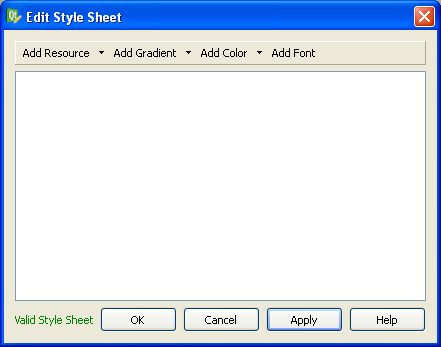
This is where we specify the style sheet for our form. You can put a style sheet on any widget in your form, but I prefer to do all my stylizing at the parent widget (“MyLoginForm” in this case). I prefer to do it this way because you’ll never have to go hunting to find your style sheet — it’s all in one place in your form. Since stylesheets cascade down to the child widgets, you can stylize any widget in your form from this point.
Let’s type in some CSS into the style sheet editor, like this:
#MyLoginForm {
background: gray;
}
#mainFrame {
border: 3px solid gray;
border-radius: 40px;
background: white;
}
After clicking OK on the editor dialog, you should see this:
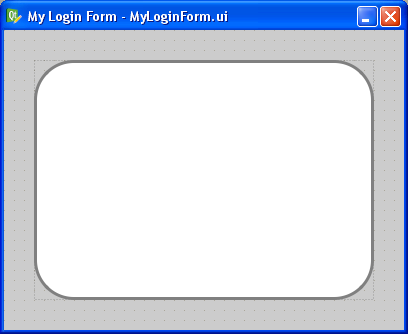
If your’s doesn’t look like this, you may have forgotten to change the parent widget’s name to “MyLoginForm” or the QFrame’s name to “mainFrame” (yes, capitalization does matter — Qt stylesheets are case sensitive). Or you may have mistyped something into the CSS dialog.
One cool feature is that you get to preview the style changes right as you make them. You don’t have to compile, save, or run anything. Designer does a very good job of showing your stylesheet changes live (WYSIWYG for you old-timers).
Let me explain what we just did. In CSS, a pound sign, ‘#’, in front of a name is how we stylize an individual widget by that name. In our example, #MyLoginForm identifies the parent widget (i.e., the background area). All we did there is give it a gray background with background: gray;.
For #mainFrame, we gave it a thick gray border, a white background, and rounded corners.
Step 4 Let’s add some widgets to make this dialog actually do something. Drag and drop a pair of QLineEdits, QLabels, and a single QPushButton on the form inside “mainFrame” and arrange them roughly like this:
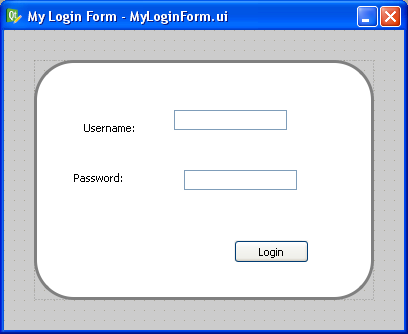
Step 5 Now apply a grid layout to “mainFrame”. Just select “mainFrame” by clicking on it (taking care not to accidentally select one of the QLineEdits or QLabels instead). Then click the grid layout button in Designer’s toolbar (optionally, you can go to the menu bar and click “Form” -> “Lay Out in a Grid”, or just press Ctrl+5 for you keyboard hackers).
Then give your layout some margin. I used 50 pixels of margin and 15 pixels for both vertical and horizontal spacing.
This is what you should have now:
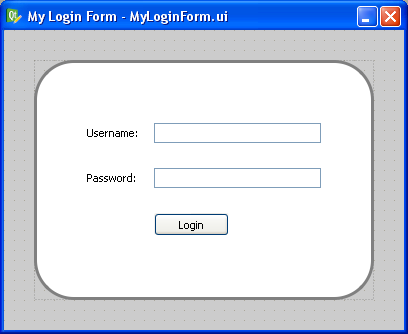
Step 6 Let’s stylize those boring QPushButton and QLineEdits. Add this to the style sheet for MyLoginForm:
QLineEdit {
padding: 1px;
border-style: solid;
border: 2px solid gray;
border-radius: 8px;
}
QPushButton {
color: white;
border-width: 1px;
border-color: #339;
border-style: solid;
border-radius: 7;
padding: 3px;
font-size: 10px;
padding-left: 5px;
padding-right: 5px;
min-width: 50px;
max-width: 50px;
min-height: 13px;
max-height: 13px;
}
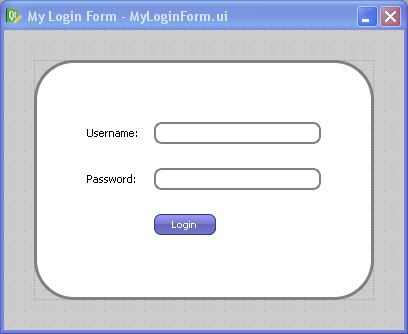
Notice that we didn’t use the pound sign this time. When you omit the pound sign, you are specifying a “class” of widgets to stylize instead of a single widget by name. So in this case, we stylized all widgets of type “QLineEdit” and “QPushButton” (and any widget that may inherit from those widgets too).
That gives the QPushButton a cool gradient look and rounds the edges of the QLineEdits, like this:
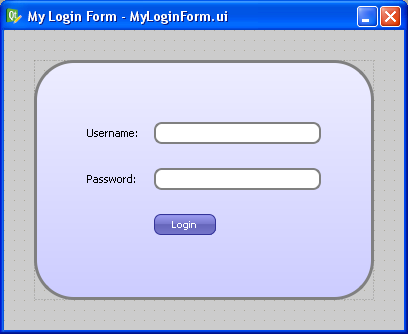
Step 7 Now let’s make that boring white background a gradient instead. Replace the “background: white;” line in the “#mainFrame” section with this instead:
background: QLinearGradient(x1: 0, y1: 0, x2: 0, y2: 1, stop: 0 #eef, stop: 1 #ccf);
Now you should see this:
Step 8 Since stylizing is all about detail and little tweaks, let’s mess a bit with the label font and the background color by changing the background for “#MyLoginForm” to “background: white”, and adding this:
QLabel {
font-weight: bold;
font-size: 15px;
}
Now we get our finished product:
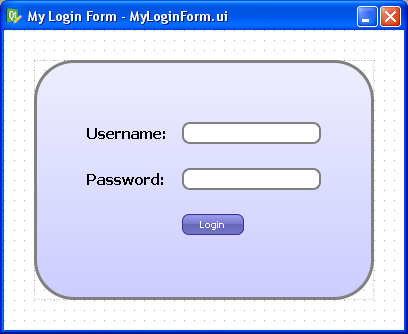
Isn’t it great how much you can do in Designer with style sheets? There are even things you can do with style sheets that can’t be done without writing lots of yucky C++ code. For example, you can change the border style of just a single side of a QFrame.
Oddities
There is one gotcha to keep in mind when using style sheets: Once you use a style sheet, it will often override other properties, like the “font” property or the “frameStyle” property. Keep this in mind when Designer changes properties you didn’t expect.
The other oddity with style sheets is that there’s no way to “include” external style sheet files into your widget’s style sheet. This means that you can’t have a common style sheet that gets applied to your entire application like you can in the web. I have a Qt patch that allows you to do this, but so far the Trolls haven’t done anything with it (to my knowledge). This would be immensely useful.
Cross Platform Note
A style sheet tutorial wouldn’t be complete without a comment on cross-platform issues. The dialog we just designed will look exactly the same on Linux, Windows, and Mac OS X because we stylized it so aggressively. If you want your widgets to look native on each platform, you should generally use style sheets sparingly, but if your goal is to have a consistent look across all platforms, style sheets are your best friend.
Conclusion
Now that I have discovered the power of style sheets in Qt, I use them whenever possible. What cool things have you done with Qt style sheets?
references:
http://doc.qt.io/qt-4.8/stylesheet-examples.html
http://www.cnblogs.com/cy568searchx/p/3645388.html
http://www.cnblogs.com/davesla/archive/2011/01/30/1947928.html
http://blog.csdn.net/playstudy/article/details/8027892
Qt编程之Qt样例表(QSS)的更多相关文章
- QT核心编程之Qt线程 (c)
QT核心编程之Qt线程是本节要介绍的内容,QT核心编程我们要分几个部分来介绍,想参考更多内容,请看末尾的编辑推荐进行详细阅读,先来看本篇内容. Qt对线程提供了支持,它引入了一些基本与平台无关的线程类 ...
- 《MySQL必知必会》学习笔记——附录B 样例表
附录B 样例表 本附录简要描述本书中所用的表及它们的用途. 编写SQL语句需要对基础数据库的设计有良好的理解.不知道什么信息存储在什么表中,表之间如何关联以及行内数据如何分解,是不可能编写出高效的SQ ...
- 界面编程之QT的事件20180727
/*******************************************************************************************/ 一.事件 1 ...
- 界面编程之QT的数据库操作20180801
/*******************************************************************************************/ 一.数据库连 ...
- 界面编程之QT窗口系统20180726
/*******************************************************************************************/ 一.坐标系统 ...
- Qt编程之qrc文件的链接
在Qt里面,.qrc文件是一种类似XML结构的文件,用结构化数据描述应用程序所需要的资源位置,例如图片,应用程序的图标文件等.它最终是与.ui文件类似都被通过Qt提供的命令行工具生成对应的qrc_XX ...
- Qt编程之UI与控件布局
当然,大家都知道UI界面可以用Qt Designer在约束环境下设置编辑.ui文件,再将.ui文件转换成对应的ui_XXX.h文件,这头文件中的内容是:用C++语言实现真正的界面布局.uic -o & ...
- Qt编程之d指针与q指针
我们在Qt中可以看到两个宏Q_D和Q_Q这两个红分别是取得d指针和q指针的,d指针指向封装的私有类,q指针指向公共的类.(我的理解类似于回调,回指的意思). 为什么Qt要这样实现呢?下面几个链接中的文 ...
- Qt编程之QtScript
需求是这样的: 需要给一个硬件接口测试些东西,用js来调用,js做成不同的独立模块分别测试不同的硬件接口,包括DMD内存,PCIE带宽等等.需要用一个exe来载入这些js文件分别调用测试模块.exe用 ...
随机推荐
- jsp servelet
servlet是java web应用程序. 1.生命周期:init() .service().destroy()方法. 其中service()包括 doGet() .doPost()方法.默认为get ...
- mac上安装redis
1.从http://redis.io 下载redis包,这里选择了redis-3.2.3 2.将下载的 redis-3.2.3.tar.gz 包拷贝到 /user/local 目录 3.执行 sudo ...
- 1st day
学习配置环境,听的一脸懵逼,不过还好装好了,哈哈哈... <?php /*写一个函数,该函数可以将给定的任意个数的参数以指定的字符串串接起来成为一个长的字符串.该函数带2个或2个以上参数,其中第 ...
- Bootstrap图片旋转轮播的实现
bootstrap初级知识旋转轮播 源文件:carousel.js.carousel.less CSS文件:bootstrap.css 这些源文件可以从bootstrap中下载,关于轮播,有很多译法, ...
- Genymotion模拟器一滑动页面就跳到搜索003
今天郁闷的要死,好不容易让Appium关联起Genymotion了,但是一滑动屏幕就跳转到搜索003界面,当时还以为是Appium的Bug或者Genymotion本身出问题了. 结果网上搜了一段时间( ...
- java.net.MulticastSocket Example--reference
In this example we are going to explain how to use MulticastSocket in Java, in order to enable a ser ...
- 关于坑爹的PopupWindow的“阻塞”争议问题:Android没有真正的“阻塞式”对话框
请先允许我对网上某些没经过亲自实践人云亦云的同志呵呵... 那么开始正文,首先"阻塞"这个词本身就存在理解上的差异! 一般我们理解的阻塞,是阻塞了某个线程,即代码执行到这里后等待这 ...
- Oracle Linux 挂载存储
#启动多路径multipathd服务 service multipathd restart #设置开机自动启动multipathd服务 chkconfig multipathd on #查看信息mul ...
- 5、第5节课CSS补充和html 标签讲解20150924
1. DIV 隐藏 A: 隐藏之后不占位置 display:none; B:隐藏之后占位置 visibility:hidden; 2.DIV 排序 z-index:2; 默认是1,如果想DIV在上 ...
- C#链接远程SQL 服务器方法
C#链接远程SQL 服务器方法第一步:申请花生壳内网版,要求交1块钱给花生壳服务器做验证.第二步:把你自己主机本地连接那里的内网地址不要自动获取,写成192.168.0.105,子网掩码255.25 ...