
如何在普通 UIViewController 中使用 UITableView
本系列文章 《Swift on iOS 学习笔记》 将以不定长度、不定内容、不定形式的方式对外发布,主要记录一些 “可重用” 的知识,感谢你的阅读。
在继承自 UIViewController 的普通页面中使用 UITableView 是一种非常普遍的需求,因为 UITableViewController 的可定制性是很差的。话不多说,马上开始:
1. 新建 Application
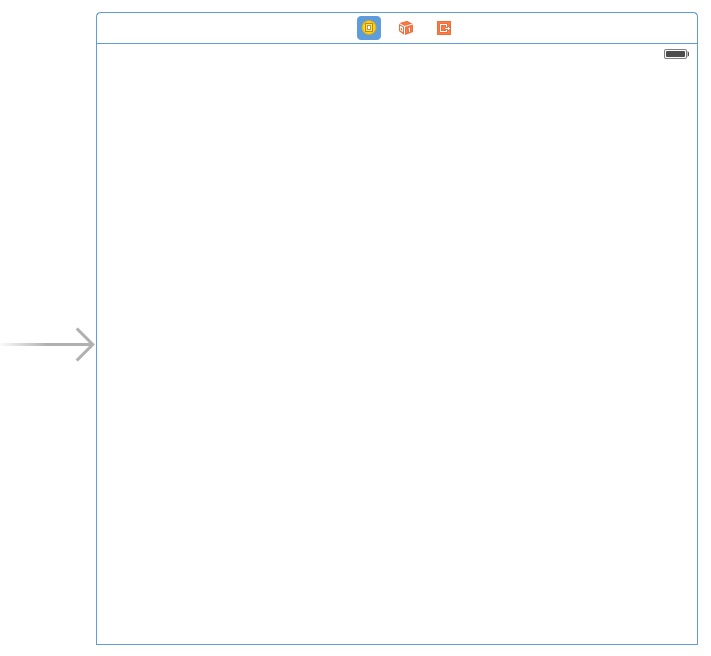
2. 添加一个 Table View
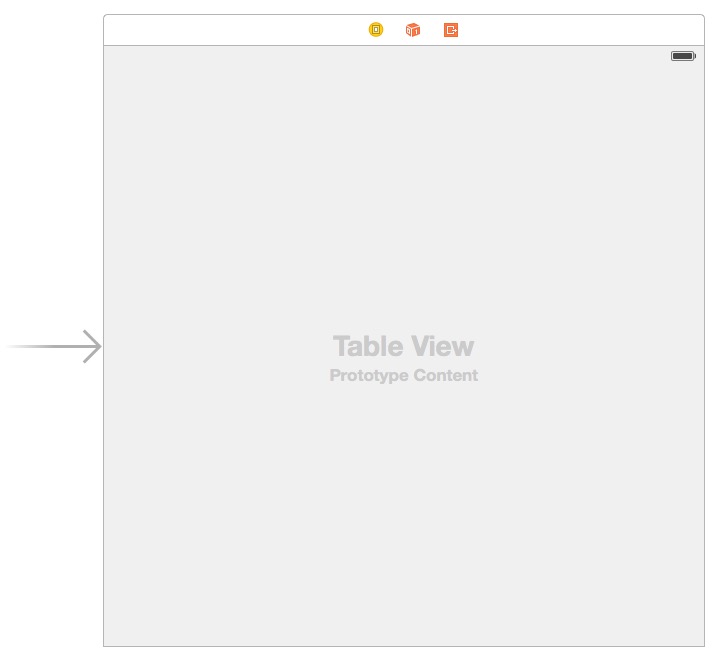
3. 在 Table View 上添加一个 Table View Cell
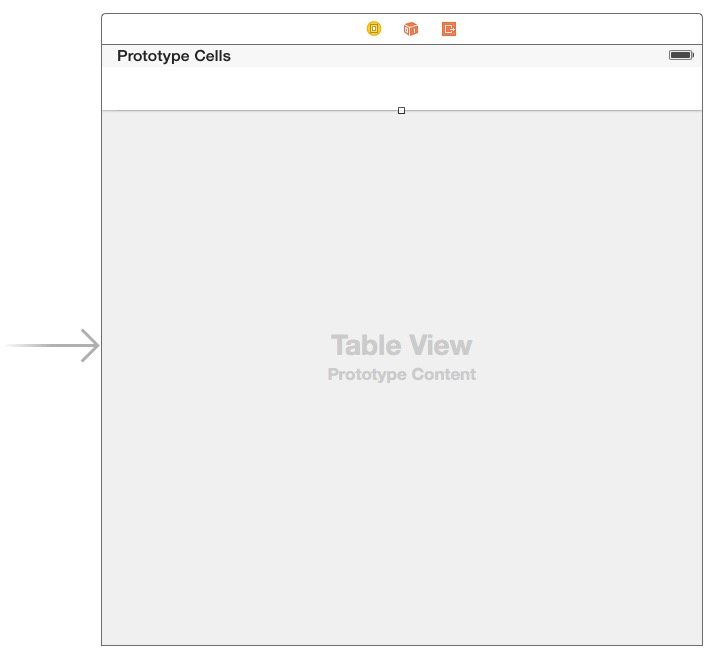
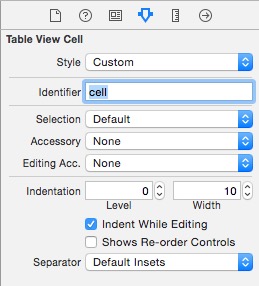
4. 在左侧选中该 Table View Cell,并赋予它 Identifier
左侧,点击选中:
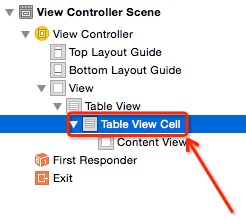
右侧,在 Identifier 框里面输入小写的 cell ,输入完成后记得按 Enter 确认:
5. 将该 Table View 绑定到代码
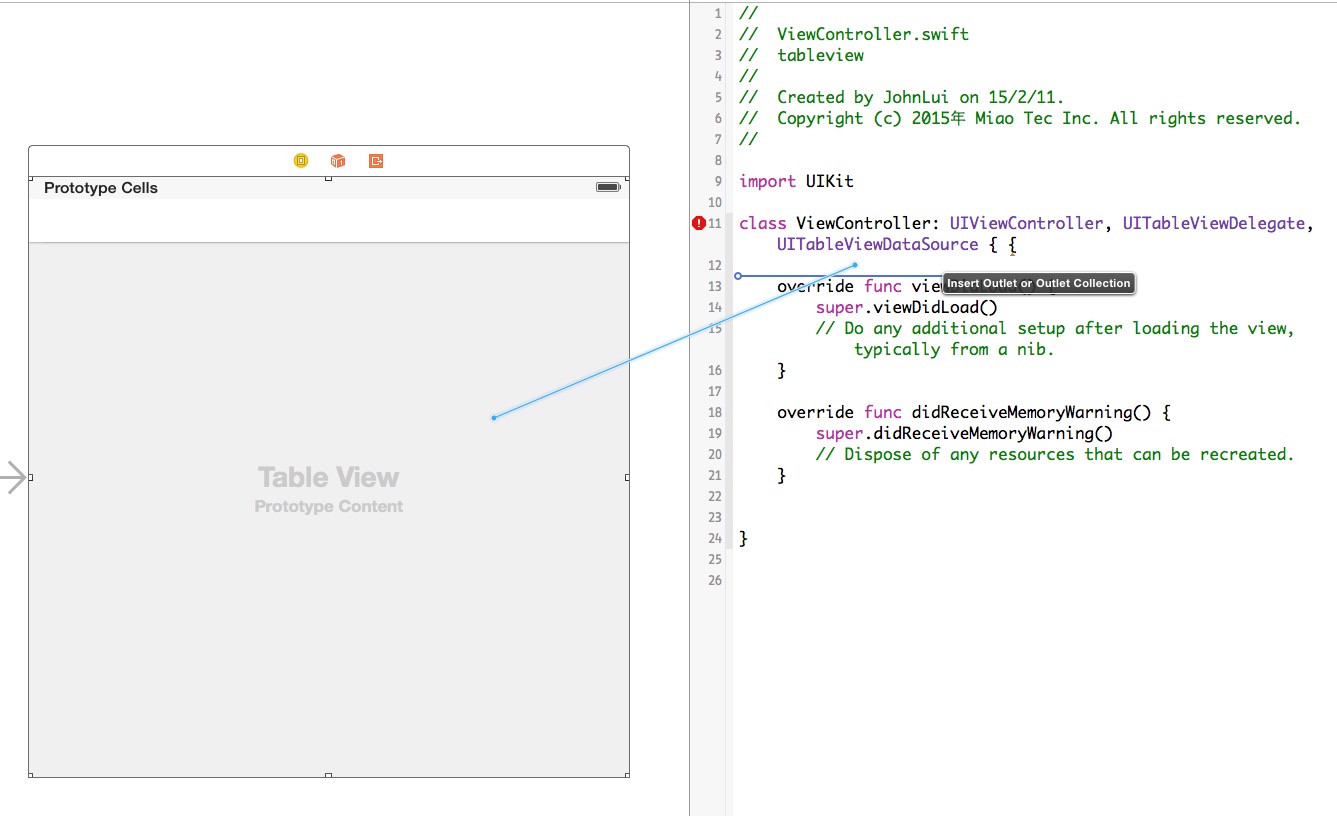
取名为 firstTableView。
6. 修改代码
import UIKit

class ViewController: UIViewController, UITableViewDelegate, UITableViewDataSource {

    @IBOutlet weak var firstTableView: UITableView!

    override func viewDidLoad() {

        super.viewDidLoad()

        firstTableView.delegate = self

        firstTableView.dataSource = self

    }

    override func didReceiveMemoryWarning() {

        super.didReceiveMemoryWarning()

        // Dispose of any resources that can be recreated.

    }

    func tableView(tableView: UITableView, numberOfRowsInSection section: Int) -> Int {

        return 2

    }

    func numberOfSectionsInTableView(tableView: UITableView) -> Int {

        return 1

    }

    func tableView(tableView: UITableView, cellForRowAtIndexPath indexPath: NSIndexPath) -> UITableViewCell {

        let cell = tableView.dequeueReusableCellWithIdentifier("cell", forIndexPath: indexPath) as UITableViewCell

        cell.textLabel.text = "我是第 \(indexPath.row) 个Cell"

        return cell

    }

}
7. 运行:
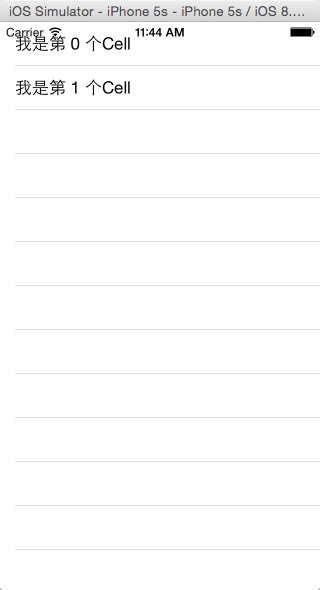
8. 总结
此 firstTableView 只是页面上一个普通的 view,可以直接调整他大小和位置,也可以随意增加其他 view。
如何在普通 UIViewController 中使用 UITableView的更多相关文章
- iOS: 在UIViewController 中添加Static UITableView
如果你直接在 UIViewController 中加入一个 UITableView 并将其 Content 属性设置为 Static Cells,此时 Xcode 会报错: Static table ...
- 在Storyboard中为UITableView添加Header和Footer
我在这里所说的Header和Footer并不是sectionHeader和sectionFooter,而是指UITableView的tableHeaderView和tableFooterView,这两 ...
- UIViewController中各方法调用顺序及功能详解
UIViewController中各方法调用顺序及功能详解 UIViewController中loadView, viewDidLoad, viewWillUnload, viewDidUnload, ...
- 转:UIViewController中各方法调用顺序及功能详解
UIViewController中loadView, viewDidLoad, viewWillUnload, viewDidUnload, viewWillAppear, viewDidAppear ...
- 在 UIViewController 中手动增加 TableView 出现 Type 'SomeViewController' does not confirm to protocol 'UITableViewDataSource' 问题的解决办法
许多时候我们都有在普通的继承自 UIViewController 的控制器中使用 TableView 的需求,这时候就需要当前控制器类继承 UITableViewDelegate 和 UITableV ...
- 解决UIViewController中添加子控制器viewWillAppear不调用问题
问题描述: 我在UICollectionViewController中添加子控制器数组, 并在cellForItem中把子控制器数组中对应的控制器对应的view添加到了UICollectionView ...
- iOS 中隐藏UITableView最后一条分隔线
如何优雅的隐藏UITableView中最后一条分割线? 这个问题是很常见,却又不太容易解决的. 可能通常的做法都是隐藏UITableView的分割线,自定义一条. 最近在使用弹出菜单的时候,同样遇到了 ...
- Swift UIViewController中的delegate方式传值
ios swift开发中有几种方式传值,看到简书上一篇不错的文章. 链接:http://www.jianshu.com/p/3e1173652996 一.通过segue进行传值 二.通过delegat ...
- IOS开发中实现UITableView按照首字母将集合进行检索分组
在开发公司项目中遇到了将图书目录进行按照首字母分组排序的问题 1.在项目添加解析汉字拼音的Pinyin.h文件 /* * pinyin.c */ #define HANZI_START 19968 # ...
随机推荐
- ffmpeg强制使用TCP方式推流到EasyDarwin开源流媒体服务器进行直播
我们的EasyDarwin目前部署在阿里云的服务器上面,运行的效果是非常好的,而且无论是以TCP方式.还是UDP的方式推送,都可以非常好地进行直播转发: 但并不是所有的用户服务器都是阿里云的形式,有很 ...
- rule-based optimizer cost-based optimizer
SQL processing uses the following main components to execute a SQL query: The Parser checks both syn ...
- C++ xml 解析器
C++的xml解析器有很多,这个知乎回答里有一个列表:https://www.zhihu.com/question/32046606 下面使用其中的RapidXml试试. 官方地址: https:// ...
- iOS10的适配总结(转)
1.Notification(通知) 自从Notification被引入之后,苹果就不断的更新优化,但这些更新优化只是小打小闹,直至现在iOS 10开始真正的进行大改重构,这让开发者也体会到UserN ...
- linux 网络设备,网卡配置 ,相关
网络设备,网卡配置: Eth0是物理网卡:唯一mac地址,Bcast:广播地址,MAsk:子网掩码, Lo:系统自带的回环的ip地址,可以做一些基本的测试应用,比如没有网卡就用127.0.0.1, r ...
- linux应用之samba服务的安装及配置(centos)
一.安装方式: 本文通过yum来重新进行Samba服务器的安装与配置. 二.Samba的简介: Samba是一个能让Linux系统应用Microsoft网络通讯协议的软件,而SMB是Server Me ...
- 腾讯Hermes设计概要——数据分析用的是列存储,词典文件前缀压缩,倒排文件递增id、变长压缩、依然是跳表-本质是lucene啊
转自:http://data.qq.com/article?id=817 三.Hermes设计概要 架构描述 系统核心进程均采用分散化设计,根据业务发展需求,可随意扩缩容机器; 周期性数据直接通过td ...
- mysql 数据库修改用户名和密码
因为经常修改数据库密码,也找到了几种修改数据库密码的方式,在这里给大家介绍下供大家参考通过navicat 管理数据库客户端来修改数据库密码: 选择数据库 --- 点击导航条的用户 --- 编辑用户 ...
- HDU3666 THE MATRIX PROBLEM (差分约束+取对数去系数)(对退出情况存疑)
You have been given a matrix C N*M, each element E of C N*M is positive and no more than 1000, The p ...
- maven的常用构建命令
mvn clean:删除项目根目录中的target目录