
如何在普通 UIViewController 中使用 UITableView
本系列文章 《Swift on iOS 学习笔记》 将以不定长度、不定内容、不定形式的方式对外发布,主要记录一些 “可重用” 的知识,感谢你的阅读。
在继承自 UIViewController 的普通页面中使用 UITableView 是一种非常普遍的需求,因为 UITableViewController 的可定制性是很差的。话不多说,马上开始:
1. 新建 Application
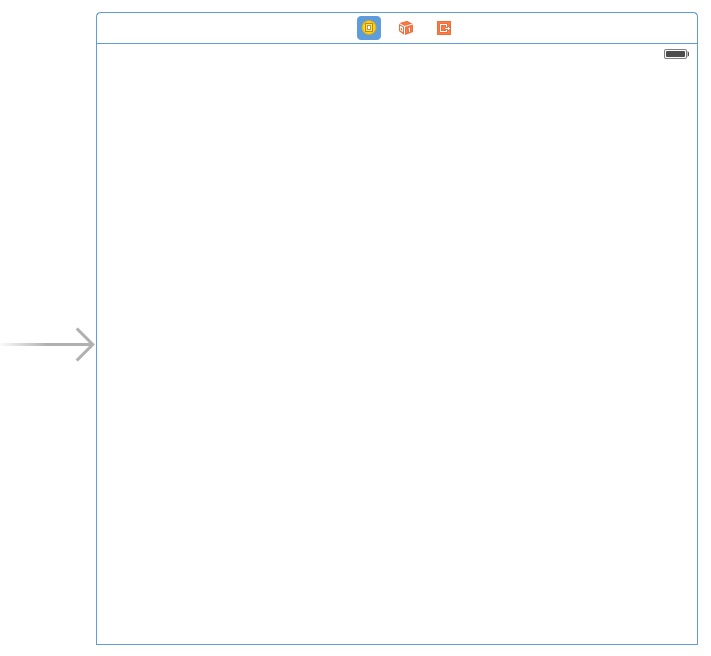
2. 添加一个 Table View
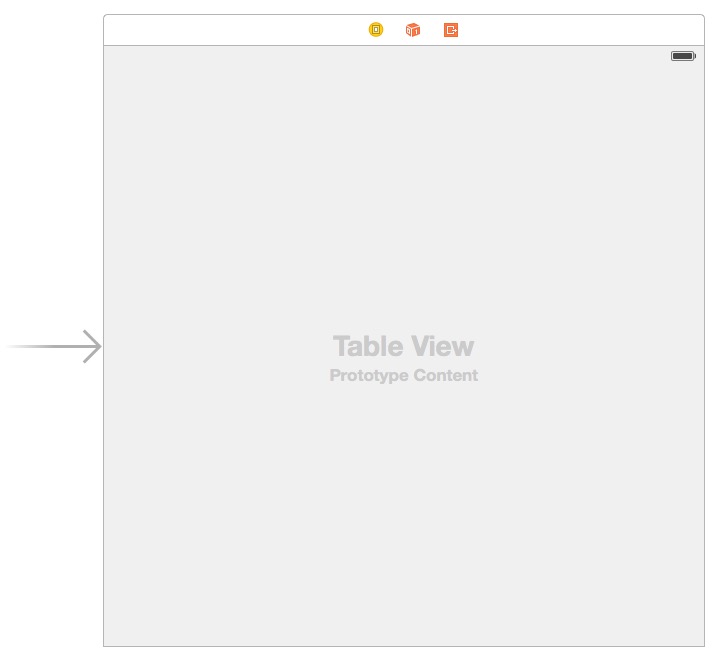
3. 在 Table View 上添加一个 Table View Cell
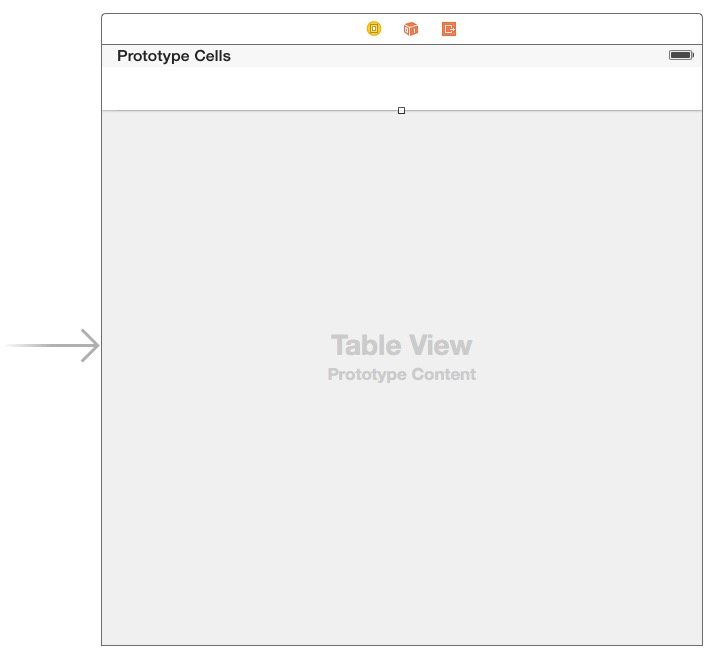
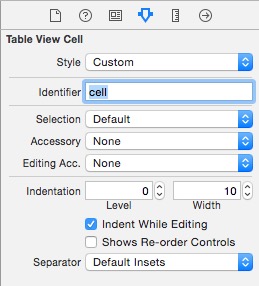
4. 在左侧选中该 Table View Cell,并赋予它 Identifier
左侧,点击选中:
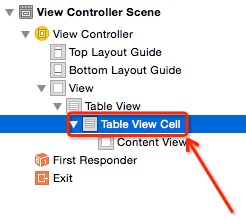
右侧,在 Identifier 框里面输入小写的 cell ,输入完成后记得按 Enter 确认:
5. 将该 Table View 绑定到代码
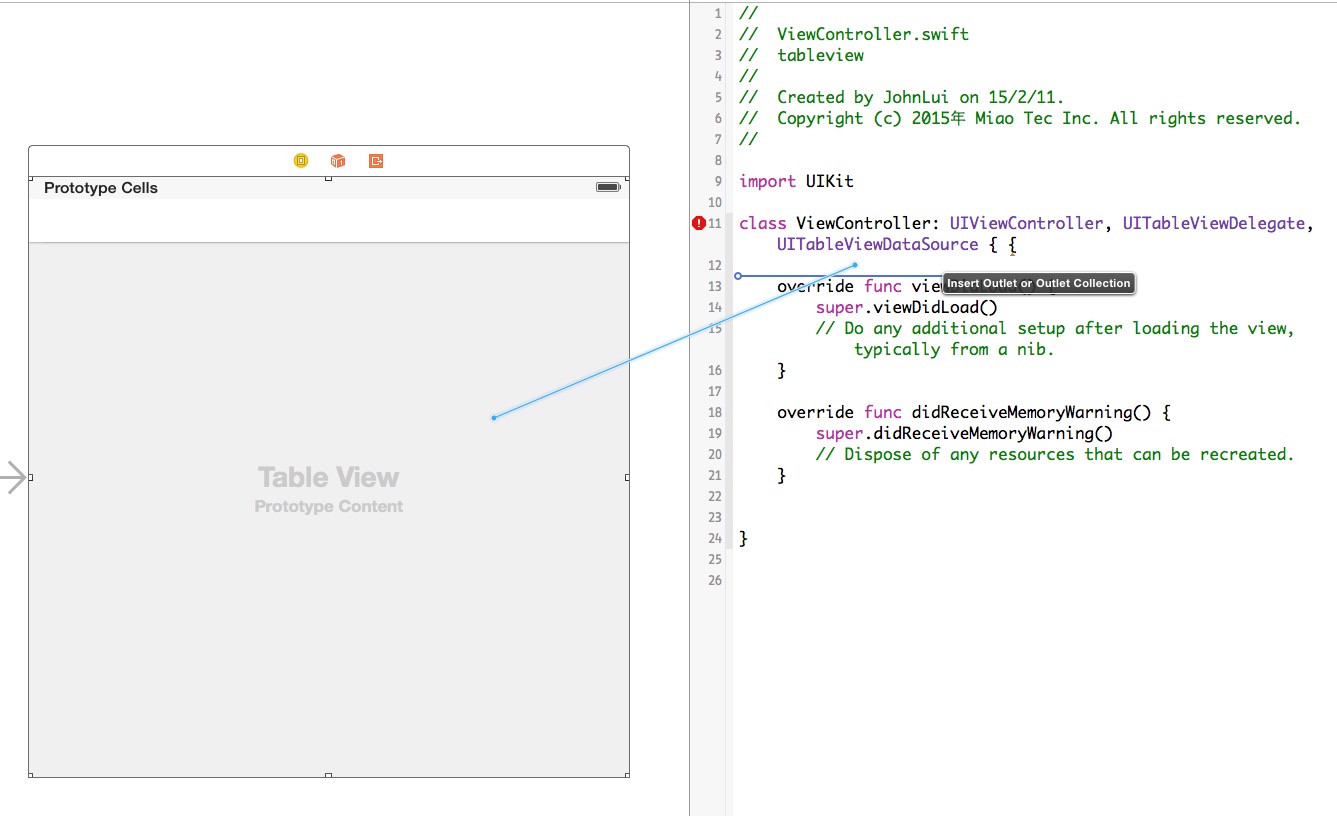
取名为 firstTableView。
6. 修改代码
import UIKit

class ViewController: UIViewController, UITableViewDelegate, UITableViewDataSource {

    @IBOutlet weak var firstTableView: UITableView!

    override func viewDidLoad() {

        super.viewDidLoad()

        firstTableView.delegate = self

        firstTableView.dataSource = self

    }

    override func didReceiveMemoryWarning() {

        super.didReceiveMemoryWarning()

        // Dispose of any resources that can be recreated.

    }

    func tableView(tableView: UITableView, numberOfRowsInSection section: Int) -> Int {

        return 2

    }

    func numberOfSectionsInTableView(tableView: UITableView) -> Int {

        return 1

    }

    func tableView(tableView: UITableView, cellForRowAtIndexPath indexPath: NSIndexPath) -> UITableViewCell {

        let cell = tableView.dequeueReusableCellWithIdentifier("cell", forIndexPath: indexPath) as UITableViewCell

        cell.textLabel.text = "我是第 \(indexPath.row) 个Cell"

        return cell

    }

}
7. 运行:
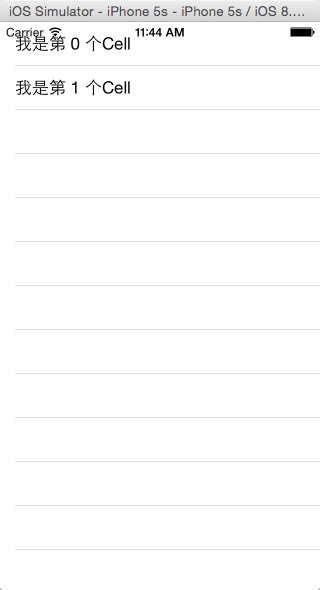
8. 总结
此 firstTableView 只是页面上一个普通的 view,可以直接调整他大小和位置,也可以随意增加其他 view。
如何在普通 UIViewController 中使用 UITableView的更多相关文章
- iOS: 在UIViewController 中添加Static UITableView
如果你直接在 UIViewController 中加入一个 UITableView 并将其 Content 属性设置为 Static Cells,此时 Xcode 会报错: Static table ...
- 在Storyboard中为UITableView添加Header和Footer
我在这里所说的Header和Footer并不是sectionHeader和sectionFooter,而是指UITableView的tableHeaderView和tableFooterView,这两 ...
- UIViewController中各方法调用顺序及功能详解
UIViewController中各方法调用顺序及功能详解 UIViewController中loadView, viewDidLoad, viewWillUnload, viewDidUnload, ...
- 转:UIViewController中各方法调用顺序及功能详解
UIViewController中loadView, viewDidLoad, viewWillUnload, viewDidUnload, viewWillAppear, viewDidAppear ...
- 在 UIViewController 中手动增加 TableView 出现 Type 'SomeViewController' does not confirm to protocol 'UITableViewDataSource' 问题的解决办法
许多时候我们都有在普通的继承自 UIViewController 的控制器中使用 TableView 的需求,这时候就需要当前控制器类继承 UITableViewDelegate 和 UITableV ...
- 解决UIViewController中添加子控制器viewWillAppear不调用问题
问题描述: 我在UICollectionViewController中添加子控制器数组, 并在cellForItem中把子控制器数组中对应的控制器对应的view添加到了UICollectionView ...
- iOS 中隐藏UITableView最后一条分隔线
如何优雅的隐藏UITableView中最后一条分割线? 这个问题是很常见,却又不太容易解决的. 可能通常的做法都是隐藏UITableView的分割线,自定义一条. 最近在使用弹出菜单的时候,同样遇到了 ...
- Swift UIViewController中的delegate方式传值
ios swift开发中有几种方式传值,看到简书上一篇不错的文章. 链接:http://www.jianshu.com/p/3e1173652996 一.通过segue进行传值 二.通过delegat ...
- IOS开发中实现UITableView按照首字母将集合进行检索分组
在开发公司项目中遇到了将图书目录进行按照首字母分组排序的问题 1.在项目添加解析汉字拼音的Pinyin.h文件 /* * pinyin.c */ #define HANZI_START 19968 # ...
随机推荐
- Message-oriented middleware
en.wikipedia.org/wiki/Message-oriented_middleware Message-oriented middleware (MOM) is software or h ...
- git基本操作---持续更新(2017-08-11)
git 强制push $ git push -u origin master -f 查看本地标签 $ git tag 打标签并添加备注 $ git tag 20170811 -m"图片保存多 ...
- ios怎样在一个UIImageButton的里面加一些自己定义的箭头
能够採用例如以下方法,写一个函数: -(UIImage*) getOneImageButtonWithArrow{ //tmpView做附控件 UIView *tmpView = [[UIView a ...
- AndroidPageObjectTest_Simple.java
以下代码使用ApiDemos-debug.apk进行测试 //这个脚本用于演示PageFactory的功能:使用注解@FindBy.@AndroidFindBy.@IOSFindBy定位元素.注解用法 ...
- CentOS 6.9 安装 ftp 服务器
昨天为了方便上传写好的博客 .md 文件到服务器上,就在服务器搭建了一个 ftp 服务端用来上传写好的博客.很久之前我也使用虚拟机搭建过 ftp 服务器,但是时间久了,很多都忘记了.于是乎又一顿 Go ...
- LightOJ1220 —— 质因数分解
题目链接:https://vjudge.net/problem/LightOJ-1220 1220 - Mysterious Bacteria PDF (English) Statistics ...
- 浏览器端JS导出EXCEL——001
<script src="https://rawgithub.com/eligrey/FileSaver.js/master/FileSaver.js" type=" ...
- 启动jmeter报错
启动jmeter.bat时报错
- 谈谈java中静态变量与静态方法在有继承关系的两个类中调用
谈谈java中静态变量与静态方法在有继承关系的两个类中调用 学习的中如果遇到不明白或者不清楚的的时候,就是自己做些测试,自己去试试,这次我就做一个关于静态变量和静态方法在有继承关系的两个类中的问题测试 ...
- the generation has been cancelled because errors have been found by the check model
生成物理模型出现这个错误的话,那就打开“生成物理模型”(快捷键 ctrl+shift+p) 然后找到 Detail → Option 接着讲Check mode复选框去掉.