
Core Animation演示
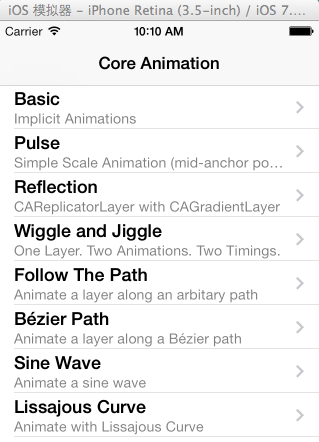
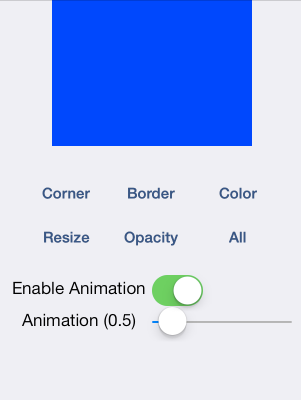
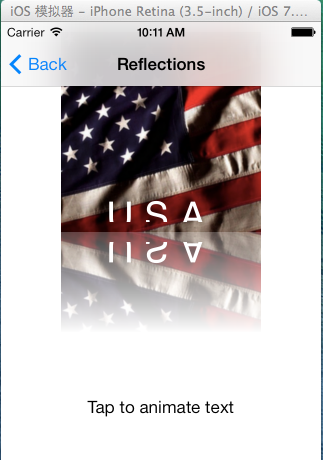
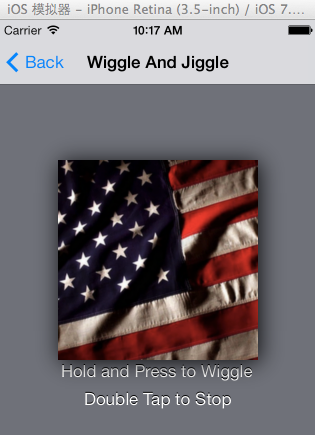
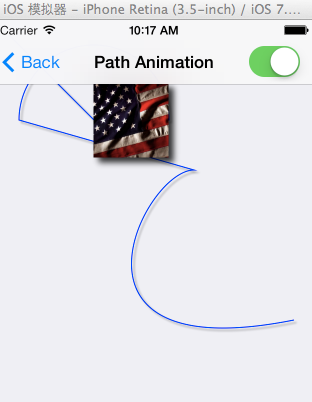
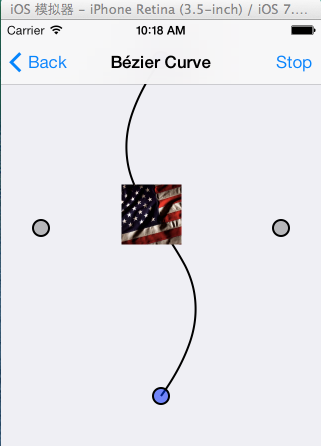
相关代码展示:
- (IBAction)toggleRoundCorners:(id)sender {
[CATransaction setDisableActions:![_enableAnimations isOn]];
[CATransaction setAnimationDuration:_animationDuration];
[_layer setCornerRadius:([_layer cornerRadius] == 0.0 ? 25.0 : 0.0)];
}
- (IBAction)toggleColor:(id)sender {
[CATransaction setDisableActions:![_enableAnimations isOn]];
[CATransaction setAnimationDuration:_animationDuration];
[_layer setBackgroundColor:([_layer backgroundColor] == [UIColor blueColor].CGColor ? [UIColor greenColor].CGColor : [UIColor blueColor].CGColor)];
}
- (IBAction)toggleBorder:(id)sender {
[CATransaction setDisableActions:![_enableAnimations isOn]];
[CATransaction setAnimationDuration:_animationDuration];
[_layer setBorderWidth:([_layer borderWidth] == 0.0 ? 10 : 0.0)];
}
- (IBAction)toggleOpacity:(id)sender {
[CATransaction setDisableActions:![_enableAnimations isOn]];
[CATransaction setAnimationDuration:_animationDuration];
[_layer setOpacity:([_layer opacity] == 1.0 ? 0.2 : 1.0)];
}
- (IBAction)toggleSize:(id)sender
{
[CATransaction setDisableActions:![_enableAnimations isOn]];
[CATransaction setAnimationDuration:_animationDuration];
CGRect layerBounds = _layer.bounds;
layerBounds.size.width = (layerBounds.size.width == layerBounds.size.height) ? 250.0 : 200.0;
[_layer setBounds:layerBounds];
BTSAnchorPointLayer *anchorPointLayer = [[_layer sublayers] objectAtIndex:0];
[anchorPointLayer setPosition:BTSCalculateAnchorPointPositionForLayer(_layer)];
}
- (void)beginAnimatingLayer
{
// Here we are creating an explicit animation for the layer's "transform" property.
// - The duration (in seconds) is controlled by the user.
// - The repeat count is hard coded to go "forever".
CABasicAnimation *pulseAnimation = [CABasicAnimation animationWithKeyPath:@"transform"];
[pulseAnimation setDuration:_animationDuration];
[pulseAnimation setRepeatCount:MAXFLOAT];
// The built-in ease in/ ease out timing function is used to make the animation look smooth as the layer
// animates between the two scaling transformations.
[pulseAnimation setTimingFunction:[CAMediaTimingFunction functionWithName:kCAMediaTimingFunctionEaseInEaseOut]];
// Scale the layer to half the size
CATransform3D transform = CATransform3DMakeScale(0.50, 0.50, 1.0);
// Tell CA to interpolate to this transformation matrix
[pulseAnimation setToValue:[NSValue valueWithCATransform3D:CATransform3DIdentity]];
[pulseAnimation setToValue:[NSValue valueWithCATransform3D:transform]];
// Tells CA to reverse the animation (e.g. animate back to the layer's transform)
[pulseAnimation setAutoreverses:_autoreverses];
// Finally... add the explicit animation to the layer... the animation automatically starts.
[_layer addAnimation:pulseAnimation forKey:kBTSPulseAnimation];
}
- (void)endAnimatingLayer
{
[_layer removeAnimationForKey:kBTSPulseAnimation];
}
Core Animation演示的更多相关文章
- 老司机带你走进Core Animation
为什么时隔这么久我又回来了呢? 回来圈粉. 开玩笑的,前段时间ipv6被拒啊,超级悲剧的,前后弄了好久,然后需求啊什么的又超多,所以写好的东西也没有时间整理.不过既然我现在回来了,那么这将是一个井喷的 ...
- IOS Core Animation Advanced Techniques的学习笔记(五)
第六章:Specialized Layers 类别 用途 CAEmitterLayer 用于实现基于Core Animation粒子发射系统.发射器层对象控制粒子的生成和起源 CAGradient ...
- iOS——Core Animation 知识摘抄(三)
原文地址:http://www.cocoachina.com/ios/20150105/10827.html CAShapeLayer CAShapeLayer是一个通过矢量图形而不是bitmap来绘 ...
- iOS - Core Animation 核心动画
1.UIView 动画 具体讲解见 iOS - UIView 动画 2.UIImageView 动画 具体讲解见 iOS - UIImageView 动画 3.CADisplayLink 定时器 具体 ...
- IOS动画(Core Animation)总结 (参考多方文章)
一.简介 iOS 动画主要是指Core Animation框架.官方使用文档地址为:Core Animation Guide. Core Animation是IOS和OS X平台上负责图形渲染与动画的 ...
- Core Animation简介
一.Core Animation简介 * Core Animation,中文翻译为核心动画,它是一组非常强大的动画处理API,使用它能做出非常炫丽的动画效果,而且往往是事半功倍.也就是说,使用少量的代 ...
- Core Animation学习总结
文件夹: The Layer Beneath The Layer Tree(图层树) The Backing Image(寄宿层) Layer Geometry(图层几何学) Visual Effec ...
- iOS开发 - Core Animation 核心动画
Core Animation Core Animation.中文翻译为核心动画,它是一组很强大的动画处理API,使用它能做出很炫丽的动画效果.并且往往是事半功倍. 也就是说,使用少量的代码就能够实现很 ...
- 一、Core Animation简介
一.Core Animation简介 * Core Animation,中文翻译为核心动画,它是一组非常强大的动画处理API,使用它能做出非常炫丽的动画效果,而且往往是事半功倍.也就是说,使用少量的代 ...
随机推荐
- 在指定的ChartArea中显示Series
WinForm的Chart有Series, ChartArea,输出图表就往Serie里扔数据就可以了,很方便是吧.我原想Area和serie有上下级关系,可是我错了,Area和Serie并没有上下级 ...
- 安装CocoaPods,ios的库安装工具
1.需要ruby环境,mac pro自带了 2.终端输入:sudo gem install cocoapods
- vue-cli 【flexible】屏幕字体自适应布局及配置
0.前言: 很多前端小伙伴在写页面尤其是移动端页面的时候,要求页面布局以及字体大小随屏幕宽度变化而随之按比例自适应[注:非响应式],那么,在vue-cli脚手架中应该如何去实现呢? 1.安装flexi ...
- Maven聚合工程怎么变回普通的Maven工程
问题 Maven聚合工程的父工程的packaging是pom,如果我们将其改为jar,会立刻报错: Project build error: 'packaging' with value 'jar' ...
- django_view操作数据库
1 create def add_area(request): area = Area.objects.create(name='commom',description='a commom area' ...
- [洛谷P1434] [SHOI2007]滑雪
题目链接: here we go 题外话: 谁能想到这是一道咕了两年的\(AC\)呢--当年是在搜索还半懂不懂的时候遇到的这道题,感觉真是难得要命()所以一直拖着不做,后面就下意识地逃避了搜索相关的内 ...
- AtCoder Regular Contest 078 D
D - Fennec VS. Snuke Time limit : 2sec / Memory limit : 256MB Score : 400 points Problem Statement F ...
- JS中的关系操作符与自动转型
很多时候对数据操做时都会遇到数据转换,有的是显示转化,有的是隐式转化,即调用默认的规则进行数据转换,经常会把数据转换的方式搞混,于是就花了点时间做了个小小的总结: 一元操作符(--,++,-,+)作用 ...
- ztr loves lucky numbers 傻逼的我来了个大模拟
http://acm.hdu.edu.cn/showproblem.php?pid=5676 这题的正解因该是dfs的,但是有18个位,然后我一算,全排列的话,有18!个啊,那不是很大?但是有很多是相 ...
- DDX_Text详细用法
void AFXAPI DDX_Text( CDataExchange* pDX, int nIDC, BYTE& value ); void AFXAPI DDX_Text( CDataEx ...