
Core Animation演示
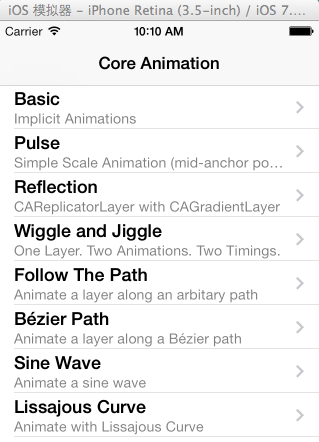
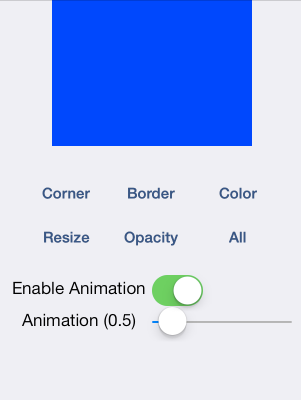
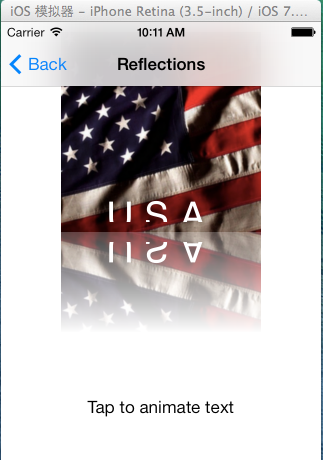
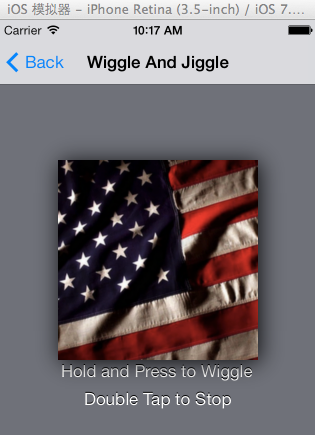
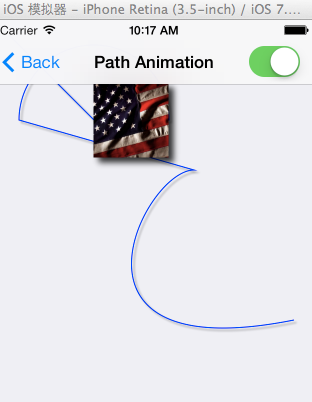
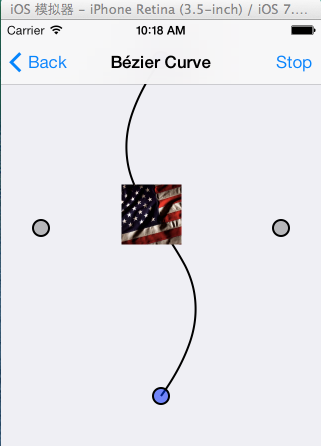
相关代码展示:
- (IBAction)toggleRoundCorners:(id)sender {
[CATransaction setDisableActions:![_enableAnimations isOn]];
[CATransaction setAnimationDuration:_animationDuration];
[_layer setCornerRadius:([_layer cornerRadius] == 0.0 ? 25.0 : 0.0)];
}
- (IBAction)toggleColor:(id)sender {
[CATransaction setDisableActions:![_enableAnimations isOn]];
[CATransaction setAnimationDuration:_animationDuration];
[_layer setBackgroundColor:([_layer backgroundColor] == [UIColor blueColor].CGColor ? [UIColor greenColor].CGColor : [UIColor blueColor].CGColor)];
}
- (IBAction)toggleBorder:(id)sender {
[CATransaction setDisableActions:![_enableAnimations isOn]];
[CATransaction setAnimationDuration:_animationDuration];
[_layer setBorderWidth:([_layer borderWidth] == 0.0 ? 10 : 0.0)];
}
- (IBAction)toggleOpacity:(id)sender {
[CATransaction setDisableActions:![_enableAnimations isOn]];
[CATransaction setAnimationDuration:_animationDuration];
[_layer setOpacity:([_layer opacity] == 1.0 ? 0.2 : 1.0)];
}
- (IBAction)toggleSize:(id)sender
{
[CATransaction setDisableActions:![_enableAnimations isOn]];
[CATransaction setAnimationDuration:_animationDuration];
CGRect layerBounds = _layer.bounds;
layerBounds.size.width = (layerBounds.size.width == layerBounds.size.height) ? 250.0 : 200.0;
[_layer setBounds:layerBounds];
BTSAnchorPointLayer *anchorPointLayer = [[_layer sublayers] objectAtIndex:0];
[anchorPointLayer setPosition:BTSCalculateAnchorPointPositionForLayer(_layer)];
}
- (void)beginAnimatingLayer
{
// Here we are creating an explicit animation for the layer's "transform" property.
// - The duration (in seconds) is controlled by the user.
// - The repeat count is hard coded to go "forever".
CABasicAnimation *pulseAnimation = [CABasicAnimation animationWithKeyPath:@"transform"];
[pulseAnimation setDuration:_animationDuration];
[pulseAnimation setRepeatCount:MAXFLOAT];
// The built-in ease in/ ease out timing function is used to make the animation look smooth as the layer
// animates between the two scaling transformations.
[pulseAnimation setTimingFunction:[CAMediaTimingFunction functionWithName:kCAMediaTimingFunctionEaseInEaseOut]];
// Scale the layer to half the size
CATransform3D transform = CATransform3DMakeScale(0.50, 0.50, 1.0);
// Tell CA to interpolate to this transformation matrix
[pulseAnimation setToValue:[NSValue valueWithCATransform3D:CATransform3DIdentity]];
[pulseAnimation setToValue:[NSValue valueWithCATransform3D:transform]];
// Tells CA to reverse the animation (e.g. animate back to the layer's transform)
[pulseAnimation setAutoreverses:_autoreverses];
// Finally... add the explicit animation to the layer... the animation automatically starts.
[_layer addAnimation:pulseAnimation forKey:kBTSPulseAnimation];
}
- (void)endAnimatingLayer
{
[_layer removeAnimationForKey:kBTSPulseAnimation];
}
Core Animation演示的更多相关文章
- 老司机带你走进Core Animation
为什么时隔这么久我又回来了呢? 回来圈粉. 开玩笑的,前段时间ipv6被拒啊,超级悲剧的,前后弄了好久,然后需求啊什么的又超多,所以写好的东西也没有时间整理.不过既然我现在回来了,那么这将是一个井喷的 ...
- IOS Core Animation Advanced Techniques的学习笔记(五)
第六章:Specialized Layers 类别 用途 CAEmitterLayer 用于实现基于Core Animation粒子发射系统.发射器层对象控制粒子的生成和起源 CAGradient ...
- iOS——Core Animation 知识摘抄(三)
原文地址:http://www.cocoachina.com/ios/20150105/10827.html CAShapeLayer CAShapeLayer是一个通过矢量图形而不是bitmap来绘 ...
- iOS - Core Animation 核心动画
1.UIView 动画 具体讲解见 iOS - UIView 动画 2.UIImageView 动画 具体讲解见 iOS - UIImageView 动画 3.CADisplayLink 定时器 具体 ...
- IOS动画(Core Animation)总结 (参考多方文章)
一.简介 iOS 动画主要是指Core Animation框架.官方使用文档地址为:Core Animation Guide. Core Animation是IOS和OS X平台上负责图形渲染与动画的 ...
- Core Animation简介
一.Core Animation简介 * Core Animation,中文翻译为核心动画,它是一组非常强大的动画处理API,使用它能做出非常炫丽的动画效果,而且往往是事半功倍.也就是说,使用少量的代 ...
- Core Animation学习总结
文件夹: The Layer Beneath The Layer Tree(图层树) The Backing Image(寄宿层) Layer Geometry(图层几何学) Visual Effec ...
- iOS开发 - Core Animation 核心动画
Core Animation Core Animation.中文翻译为核心动画,它是一组很强大的动画处理API,使用它能做出很炫丽的动画效果.并且往往是事半功倍. 也就是说,使用少量的代码就能够实现很 ...
- 一、Core Animation简介
一.Core Animation简介 * Core Animation,中文翻译为核心动画,它是一组非常强大的动画处理API,使用它能做出非常炫丽的动画效果,而且往往是事半功倍.也就是说,使用少量的代 ...
随机推荐
- 如何使得 python 脚本 不一闪而过
1. 简单的方法是在最后加上如下语句: os.system("pause") 2. 但是这个不一定有用,原因是可能在之前的代码中发生异常,那么我们看到的效果也是直接一闪而过 办法 ...
- Eclipse mybatis中XML的自动提示
1. 从mybatis-3.1.1.jar中解压出dtd文件 2. 3. 复制红线处内容 4. 将上步中内容粘贴到key中
- Codeforces Round #542(Div. 2) A.Be Positive
链接:https://codeforces.com/contest/1130/problem/A 题意: 给n个数,找出一个非0整数d,使所有n个数除以整数d后,数组中正数的数量>= n/2. ...
- 普通平衡树与文艺平衡树的splay代码
主要综合借鉴了yyb和马前卒两位大佬的. //普通平衡树 #include <cstdio> #include <cctype> #include <cstring> ...
- ASP.NET经典的、封装好的ADO.NET类包
using System; using System.Collections; using System.Collections.Specialized; using System.Runtime.R ...
- 轻松把玩HttpClient之配置ssl,采用绕过证书验证实现https
上篇文章说道httpclient不能直接访问https的资源,这次就来模拟一下环境,然后配置https测试一下.在前面的文章中,分享了一篇自己生成并在tomcat中配置ssl的文章<Tomcat ...
- JAVA常用知识总结(九)——线程
sleep和wait的区别? sleep()来自Thread类,和wait()来自Object类.调用sleep()方法的过程中,线程不会释放对象锁.而 调用 wait 方法线程会释放对象锁 slee ...
- c#学习系列之Application.StartupPath的用法(美女时钟的做法)
Application.StartupPath是一个只读属性,是不可以设置的. Application.StarupPath获取启动了应用程序的可执行文件的路径,不包括可执行文件的名称.既是Appli ...
- MongoDB内置文档查看和修改
MongoDB设计的时候,有时候会设计内置文档,方便某个对象的统一.在这里略写了查看内置文档和更新内置文档. 1.查看 表为:realtimelogin realName为:123 realpa ...
- P1201 [USACO1.1]贪婪的送礼者Greedy Gift Givers
题目描述 对于一群(NP个)要互送礼物的朋友,GY要确定每个人送出的钱比收到的多多少.在这一个问题中,每个人都准备了一些钱来送礼物,而这些钱将会被平均分给那些将收到他的礼物的人.然而,在任何一群朋友中 ...