
asp.net core 多端口监听&日志服务
1 配置多个端口监听
HostingAbstractionsWebHostBuilderExtensions.
public static IWebHostBuilder UseUrls(this IWebHostBuilder hostBuilder, params string[] urls);
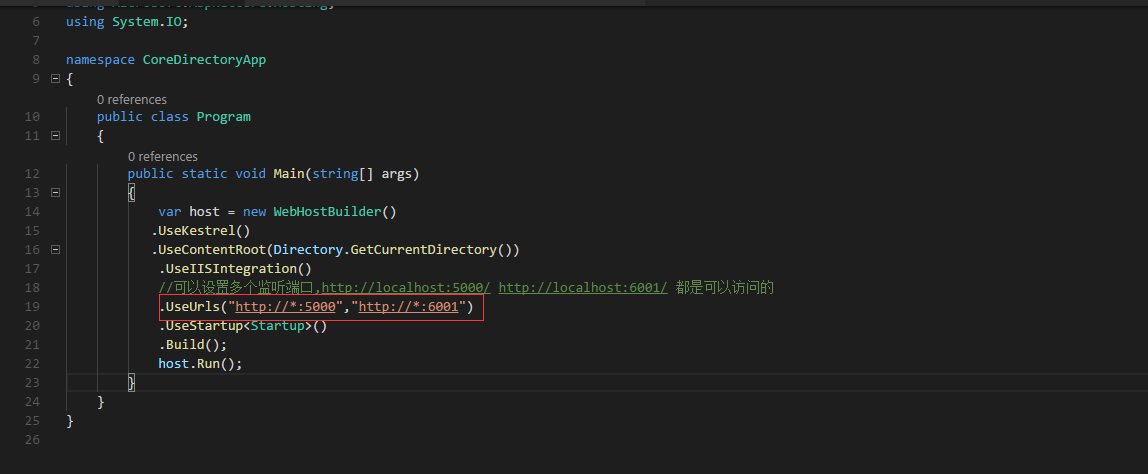
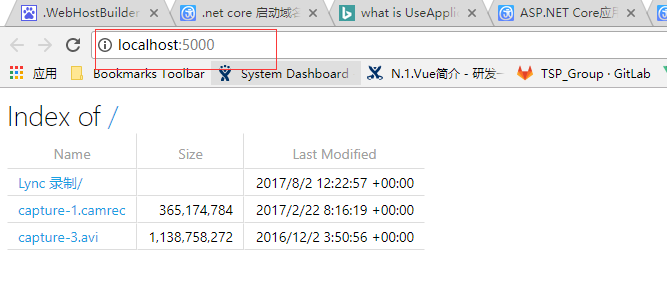
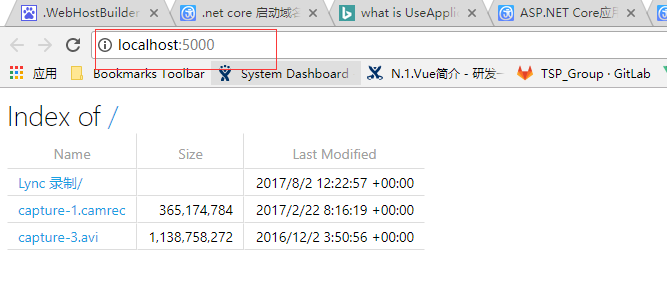
运行结果:
2 使用配置把多端口放到配置文件中
添加配置文件
hosting.json
{
"server.urls": "http://localhost:6001;http://localhost:5000"
}
读取配置

var config = new ConfigurationBuilder()

.SetBasePath(Directory.GetCurrentDirectory())

.AddJsonFile("hosting.json", optional:true)

.Build();

设置配置:

var host = new WebHostBuilder()

.UseKestrel()

.UseContentRoot(Directory.GetCurrentDirectory())

.UseIISIntegration()

//可以设置多个监听端口,http://localhost:5000/ http://localhost:6001/ 都是可以访问的

//.UseUrls("http://*:5000","http://*:6001")

//添加的多端口设置放到配置中

.UseConfiguration(config)

.UseStartup < Startup > ()

.Build();

host.Run();
3 .net Core 日志服务
Telemetry 日志服务
public void ConfigureServices(IServiceCollection services)

{

// Add framework services.

services.AddApplicationInsightsTelemetry(Configuration);

}

public void Configure(IApplicationBuilder app, IHostingEnvironment env, ILoggerFactory loggerFactory)

{

loggerFactory.AddConsole(Configuration.GetSection("Logging"));

loggerFactory.AddDebug();

app.UseApplicationInsightsRequestTelemetry();

}
只要有访问就会记录下日志
Log 日志
Application Insights Telemetry (unconfigured): {"name":"Microsoft.ApplicationInsights.Dev.Request","time":"2017-08-05T09:11:22.6148689Z","tags":{"ai.device.roleInstance":"lihongbo-pc","ai.internal.sdkVersion":"aspnet5c:1.0.0","ai.operation.name":"GET /","ai.operation.id":"oUbk/2mD5Ns=","ai.user.userAgent":"Mozilla/5.0 (Windows NT 10.0; WOW64) AppleWebKit/537.36 (KHTML, like Gecko) Chrome/60.0.3112.78 Safari/537.36"},"data":{"baseType":"RequestData","baseData":{"ver":2,"id":"oUbk/2mD5Ns=","name":"GET /","startTime":"2017-08-05T09:11:22.6148689+00:00","duration":"00:00:00.1031536","success":true,"responseCode":"200","url":"http://localhost:6001/","httpMethod":"GET","properties":{"DeveloperMode":"true"}}}}
Microsoft.AspNetCore.Hosting.Internal.WebHost:Information: Request finished in 343.1286ms 200 text/html; charset=utf-8
=
关闭 Telemetry 日志服务
自带的Log服务
Microsoft.AspNetCore.Hosting.Internal.WebHost:Information: Request starting HTTP/1.1 GET http://localhost:6001/
Microsoft.AspNetCore.Hosting.Internal.WebHost:Information: Request finished in 8.2399ms 200 text/html; charset=utf-8
Microsoft.AspNetCore.Hosting.Internal.WebHost:Information: Request starting HTTP/1.1 GET http://localhost:6001/
Microsoft.AspNetCore.Hosting.Internal.WebHost:Information: Request finished in 4.3987ms 200 text/html; charset=utf-8
// This method gets called by the runtime. Use this method to configure the HTTP request pipeline.
public void Configure(IApplicationBuilder app, IHostingEnvironment env, ILoggerFactory loggerFactory)
{
//配置ConsoleLog服务

loggerFactory.AddConsole(Configuration.GetSection("Logging"));

//设置服务输出级别

//Debug 级别会输出包括Information级别的所有日志

loggerFactory.AddDebug();

}
asp.net core 多端口监听&日志服务的更多相关文章
- ASP.NET Core中配置监听URLs的五种方式
原文: 5 ways to set the URLs for an ASP.NET Core app 作者: Andrew Lock 译者: Lamond Lu 默认情况下,ASP. NET Core ...
- ORACLE清理、截断监听日志文件(listener.log)
在ORACLE数据库中,如果不对监听日志文件(listener.log)进行截断,那么监听日志文件(listener.log)会变得越来越大,想必不少人听说过关于"LISTENER.LOG日 ...
- ZooKeeper(二):多个端口监听的建立逻辑解析
ZooKeeper 作为优秀的分布系统协调组件,值得一探究竟.它的启动类主要为: 1. 单机版的zk 使用 ZooKeeperServerMain 2. 集群版的zk 使用 QuorumPeerMai ...
- nodejs 80端口监听失败及NODE_PATH不起作用的问题
nodejs做web服务器,打开80时报错:Error: listen EACCES 0.0.0.0:80 80端口监听失败,是因为1024以下的端口需要root权限,需要sudo或su之后执行.但这 ...
- ORACLE 监听日志文件太大停止写监听日志引起数据库连接不上问题
生产库监听日志文件太大(达到4G多),发现oracle停止写监听日志,检查参数log_file,log_directory,log_status 均正常,数据库运行也正常. 经确认确实为监听日志过大引 ...
- ORACLE的监听日志太大,客户端无法连接
数据库sqlplus能连接,plsql连接失败,也不报错,就定位到了是不是监听出了什么问题,删除监听,重建监听,重启监听,各种尝试都没解决问题. 却是监听日志太大导致的问题,一下是处理步骤: 查看监听 ...
- oracle 登录数据库时报 无监听 的一种解决方式(监听日志文件达到4g默认上限)
问题:登录服务器时 报无监听服务 检查步骤: 1.进入sqlplus查看数据库的状态,显示当前数据库的状态为OPEN 脚本:select status from v$Instance; 2.检查数据库 ...
- asp.Net Core免费开源分布式异常日志收集框架Exceptionless安装配置以及简单使用图文教程
最近在学习张善友老师的NanoFabric 框架的时了解到Exceptionless : https://exceptionless.com/ !因此学习了一下这个开源框架!下面对Exceptionl ...
- asp.net core自定义端口
asp.net Core 自定义端口 官方文档 aspnet内库源码: https://github.com/aspnet dotnet系统内库源码:https://github.com/dotnet ...
随机推荐
- dataTables 使用整理
官方网站:http://www.datatables.net/ 简介:DataTables是一个jQuery的表格插件.这是一个高度灵活的工具,依据的基础逐步增强,这将增加先进的互动控制,支持任何HT ...
- Axure学习笔记(一)
Axture是一种快速制作原型的工具,在产品经理和体验设计师之中非常流行,不过现在产品经理比较难找,所以我只好上阵研究了一下. 经过几天的研究,看了小楼老师的一些视频,看了一些文档,做了 ...
- springboot 入门五-日志一
springboot内部采用commons logging作为日志纪录,但也保留了第三方的日志框架接入的实现,例如Java Util Logging,Log4J2还有Logback.如果你要实现一种日 ...
- iOS voip电话和sip软电话 --网络电话
一|介绍1.两者区别: SIP软电话与IP电话在技术上属于同一类型,只是SIP软电话是使用电脑软件实现的,而IP电话有一部分是在话机中直接写入了程序,可以通过硬件直接使用.IP(简称VoIP,源自英语 ...
- iOS设置拍照retake和use按钮为中文简体
iOS设置拍照retake和use按钮为中文简体,设置有两种方式一个是代码直接控制,第二就是xcode配置本机国际化为“china”(简体中文). 本文重点要说的是第二种,这样配置有两个好处,一是操作 ...
- Hybris 项目工程配置
1.控制台页面进入platform目录 cd F:\hybris640\hybris\bin\platform 并运行 setantenv.bat 生成对应的ant. 2.运行 ant moduleg ...
- 小白的 MySQL 笔记(一)
来自 stackoverflow 的内容居多. 1- MySQL VARCHAR size? 2- 数据库设计范式 3- What is InnoDB and MyISAM in MySQL ? 4- ...
- 某次送温暖考试的 c题
题目大意: 给定n个点的无根树,树上每个点都有一个非负的点权. 树上的路径的价值定义为树上路径的点权和-树上路径的点权最大值; 现在给定一个参数P询问有多少条路径的价值是P的倍数(注意单点也算路径,路 ...
- bzoj 2565: 最长双回文串
Description 顺序和逆序读起来完全一样的串叫做回文串.比如acbca是回文串,而abc不是(abc的顺序为"abc",逆序为"cba",不相同).输入 ...
- MySQL 字符集问题及安全的更新操作
一.字符集乱码 1.操作系统字符集 [root@mysql5 ~]# cat /etc/system-release /etc/sysconfig/i18n CentOS release 6.5 (F ...