
获取input type=file 的文件内容(纯文本)
一、获取input type=file 的文件内容(纯文本)
1、需求一
通过点击其他事件,来触发 文件选择框(限定格式为 .c 文件),而不是手动鼠标点击触发。
【思路:】

    step1:将 input 框隐藏,当点击其他事件后,通过其他事件来触发 input 事件。

    step2:可以通过 js 获取到标签,然后触发 click 事件。

【代码:】

<!DOCTYPE html>

<html lang="en">

    <head>

        <meta charset="UTF-8">

        <meta name="viewport" content="width=device-width, user-scalable=no, initial-scale=1.0, maximum-scale=1.0, minimum-scale=1.0">

        <meta http-equiv="X-UA-Compatible" content="ie=edge">

        <title>获取input type=file 的文件内容</title>

    </head>

    <body>

        <div id="app">

            <a @click="chooseFile">{{fileName}}</a>

                   <!-- 使用 accept 属性可以限定 文件选择的格式 -->

            <input type="file" id="file" style="display: none;" accept=".c">

        </div>

        <script src="https://cdn.jsdelivr.net/npm/vue@2.5.16/dist/vue.js"></script>

        <script type="text/javascript">

            var vm = new Vue({

                el: "#app",

                data () {

                    return {

                        fileName: '选择文件'

                    }

                },

                methods: {

                    chooseFile() {

                        // 弹出文件选择框

                        let input = document.getElementById('file')

                        input.click()

                    }

                }

            });

        </script>

    </body>

</html>
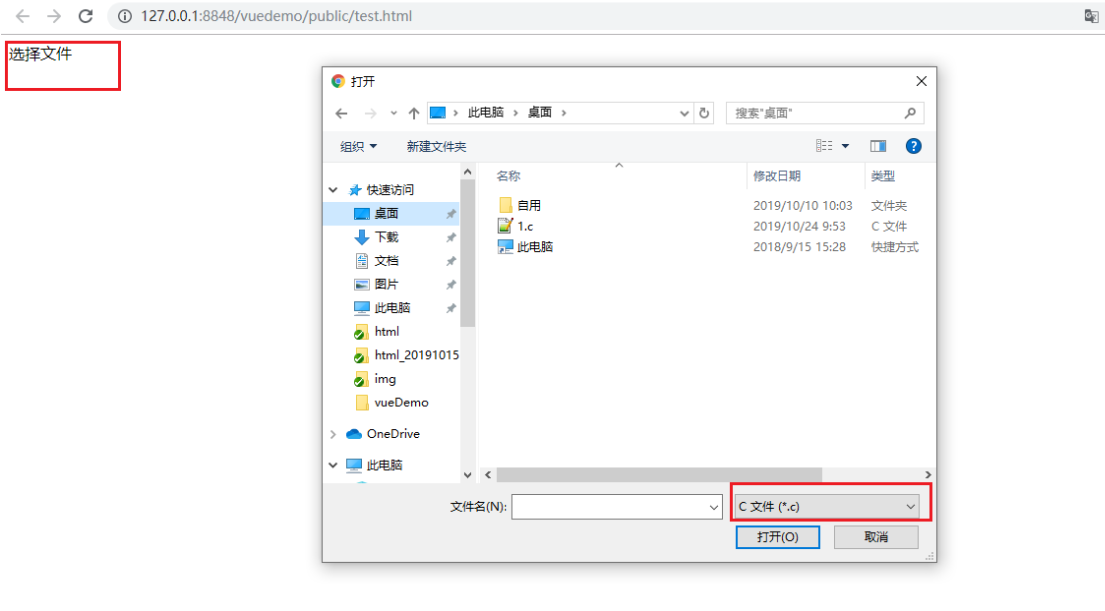
如下图,点击选择文件,会弹出一个文件选择框,并默认格式 为 .c 文件。
2、需求二
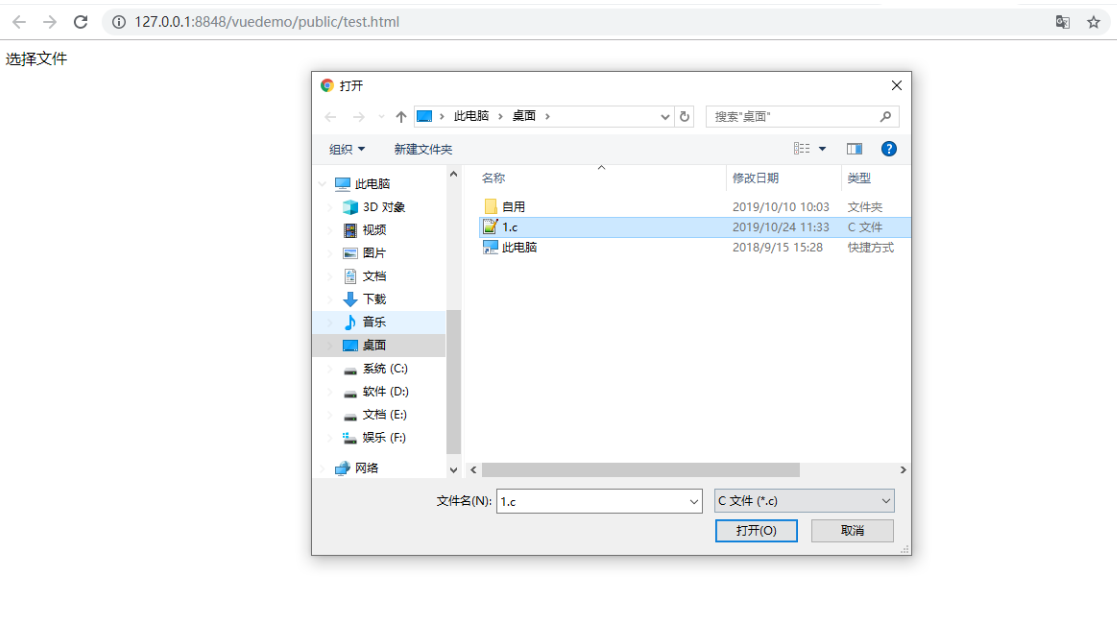
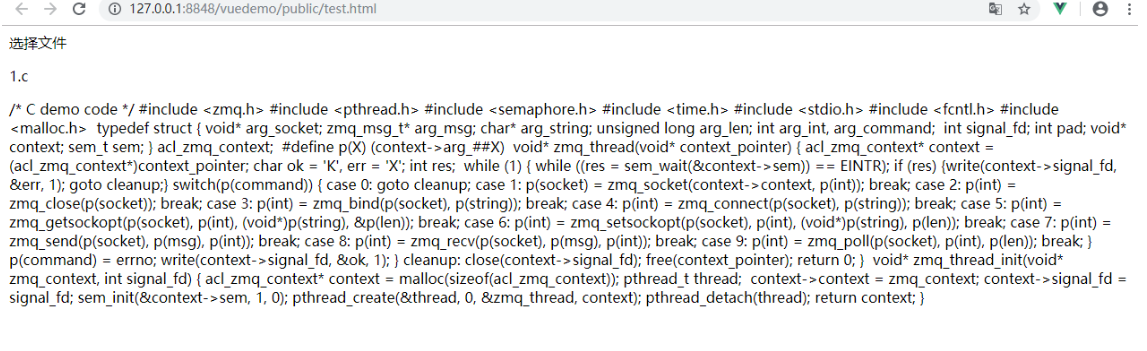
获取选择文件(纯文本)的信息以及文本内容。
【思路:】

    step1:监控 input 的 onchange 事件。

    step2:当文件选中后,触发 onchange 相关操作。

注意:

    FileReader.readAsText()读取文本的操作是异步操作,且若不是纯文本,会出现乱码。

    对于异步操作,可以使用回调函数来获取最终得到的值。

【代码:】

<!DOCTYPE html>

<html lang="en">

    <head>

        <meta charset="UTF-8">

        <meta name="viewport" content="width=device-width, user-scalable=no, initial-scale=1.0, maximum-scale=1.0, minimum-scale=1.0">

        <meta http-equiv="X-UA-Compatible" content="ie=edge">

        <title>获取input type=file 的文件内容</title>

    </head>

    <body>

        <div id="app">

            <a @click="chooseFile">选择文件</a>

            <!-- 使用 accept 属性可以限定 文件选择的格式 -->

            <input type="file" id="file" style="display: none;" accept=".c" @change="fileInfo(getFileContent)">

            <p>{{fileName}}</p>

            <p>{{fileContent}}</p>

        </div>

        <script src="https://cdn.jsdelivr.net/npm/vue@2.5.16/dist/vue.js"></script>

        <script type="text/javascript">

            var vm = new Vue({

                el: "#app",

                data () {

                    return {

                        file: {},

                        fileName: '',

                        fileContent: ''

                    }

                },

                methods: {

                    chooseFile() {

                        // 弹出文件选择框

                        let input = document.getElementById('file')

                        input.click()

                    },

                    fileInfo (callback) {

                        // 获取input标签选择的文件,并选择第一条

                        let resultFile = document.getElementById('file').files[0]

                        // 如果文件存在

                        if (resultFile) {

                            // 获取文件信息

                            this.file = resultFile

                            // 获取文件名

                            this.fileName = resultFile.name

                            // 使用 FileReader 来读取文件

                            let reader = new FileReader()

                            // 读取纯文本文件,且编码格式为 utf-8

                            reader.readAsText(resultFile, 'UTF-8')

                            // 读取文件,会触发 onload 异步事件,可使用回调函数 来获取最终的值.

                            reader.onload = function (e) {

                                let fileContent = e.target.result

                                // 若为回调函数,则触发回调事件

                                if (callback && (typeof callback === 'function')) {

                                    callback(fileContent)

                                }

                            }

                        }

                    },

                    getFileContent (fileContent) {

                        this.fileContent = fileContent

                    }

                }

            });

        </script>

    </body>

</html>
获取input type=file 的文件内容(纯文本)的更多相关文章
- 获取 input type="file" 标签的内容,并使用ajax进行请求到服务器
<!DOCTYPE html> <html lang="en"> <head> <meta charset="UTF-8&quo ...
- 获取 input type=file 上次文件的路径
可以通过 $('这个元素').val();得到全路径:
- js 获取input type="file" 选择的文件大小、文件名称、上次修改时间、类型等信息
文件名的传递 ---全路径获取 $('#file').change(function(){ $('#em').text($('#file').val()); }); 文件名的传递 ---只获取文件名 ...
- jquery的input:type=file实现文件上传
<!DOCTYPE html> <html> <head> <title>html5_2.html</title> <style> ...
- input type="file"指定文件类型为excel
指定上传类型为excel:加上accept="application/vnd.ms-excel"即可,只兼容chrome跟ff,不兼容ie <input type=" ...
- 如何获取input,file里的文件,实现预览效果,并传给后端?
单纯的事件与获取 <input type="file" name="file" id="fileUpload"> <img ...
- input[type="file"]的样式以及文件名的显示
如何美化input[type="file"] 基本思路是: (1)首先在 input 外层套一个 div : (2)将 div 和 input 设置为一样大小(width和heig ...
- input[type='file']获取上传文件路径案例
最近在项目时,需要获取用户的上传文件的路径,便写了一个demo: <body> <input type="file" name="" valu ...
- jquery判断 input type="file"上传文件是否为空
要想获取type="file"的input内容,用var file = $("id").val();肯定是不行的,下面是代码: html上传按钮为: <i ...
随机推荐
- ModelArts微认证零售客户分群知识点总结
\ 作者:华为云MVP郑永祥
- 阿里巴巴主导的“华山版《Java 开发手册》”简介
1."83行代码计划"项目介绍(转自github): 2018年9月22日,在2018杭州云栖大会上,召开<码出高效:Java 开发手册>新书发布会,并宣布将图书所有收 ...
- 洛谷 题解 P1842 【奶牛玩杂技】
本蒟蒻又双叒叕被爆踩辣! Solution: 我们先看数据,50000,那么O(n)或者O(n log(n))是可以过的,非严格O(n * sqrt(n))要卡卡常,说不定也可以过. 那么什么算法可以 ...
- GeoTools介绍、环境安装、读取shp文件并显示
GeoTools是一个开放源代码(LGPL)Java代码库,它提供了符合标准的方法来处理地理空间数据,例如实现地理信息系统(GIS).GeoTools库实现了开放地理空间联盟(OGC)规范. Geot ...
- 洛谷 SPOJ 题解 SP1 【TEST - Life, the Universe, and Everything】
给出一种主函数递归的方法(其实主函数 main() 也是可以递归的) #include <stdio.h> int main() { int a; scanf("%d" ...
- Kubernetes 应用部署实战
Kubernetes 应用部署实战 2018-08-08 19:44:56 wuxiangping2017 阅读数 3084 收藏 更多 分类专栏: linux运维与架构师 简介 伙计们,请搬好 ...
- 【MyBatis】配置文件提示
[MyBatis]配置文件提示 官方帮助文档:http://www.mybatis.org/mybatis-3/zh/index.html config配置 http://mybatis.org/dt ...
- 【FastJson】使用学习
FastJson使用学习 1.json转object.object转json List<CompanyLoopPicture> list = new ArrayList<Compan ...
- Rar5.20 key
key如下,使用方法自行百度,^_^ RAR registration dataState Grid Corporation Of China50000 PC usage licenseUID=582 ...
- ACM-ICPC 2018 徐州赛区网络预赛 H. Ryuji doesn't want to study (线段树)
Ryuji is not a good student, and he doesn't want to study. But there are n books he should learn, ea ...