
SharePoint2013与SharePoint2016语言切换原理以及如何使用代码进行语言切换
1、前言
在SharePoint 2010版本,在首页面直接"选择显示语言"的菜单(如下图所示),如下图 :
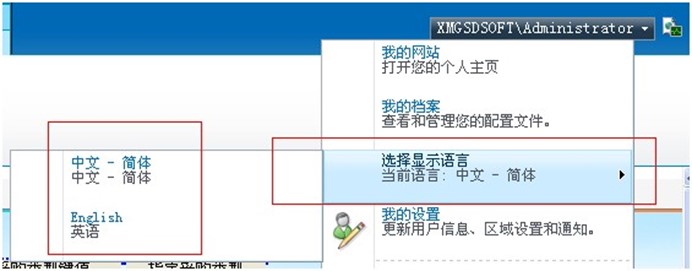
在sharepoint2013和sharepoint2016并非如此。
- 这里首先需要安装语言包,SharePoint2016语言包下载地址:
https://www.microsoft.com/en-us/download/details.aspx?id=51492
SharePoint2013语言包下载地址:
https://www.microsoft.com/zh-cn/download/details.aspx?id=37140
注意:下载安装完毕后都要进行重新配置
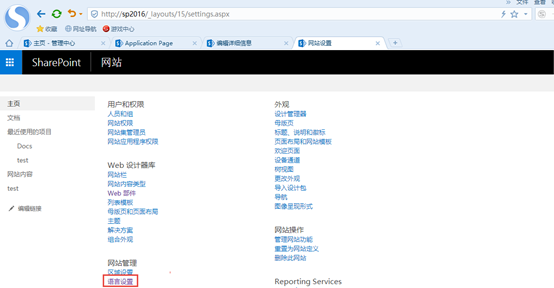
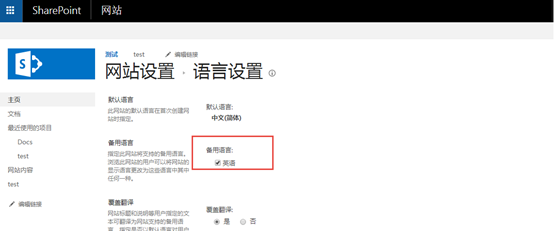
- 在【网站设置】-【语言设置】设置备用语言,这里为英语,如下图
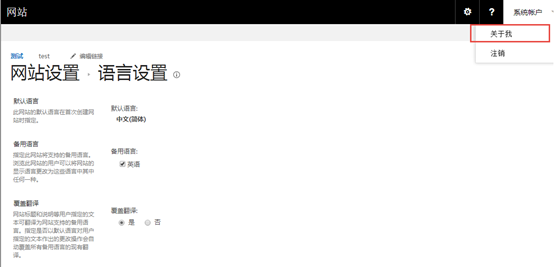
- 进行【关于我】进行【语言区域设置】如下图:
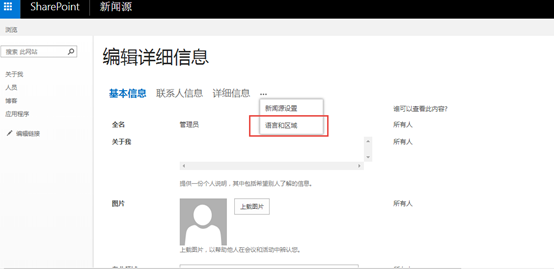
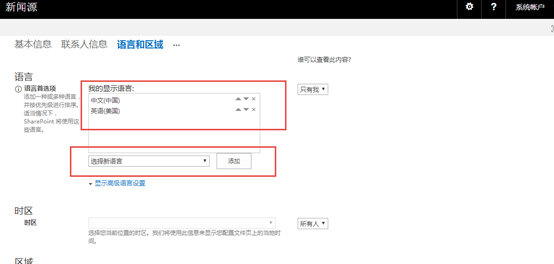
2、原理
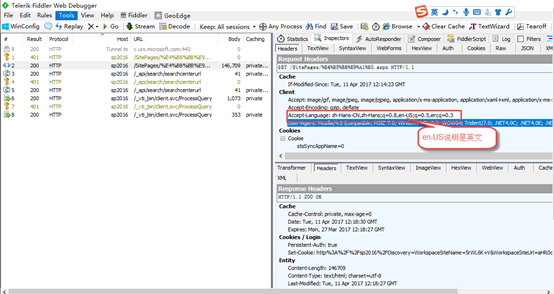
上面说到SharePoint2010的语言切换根据记录cookie的方式可以快速进行切换,只要记录cookie的值lcid值,对于SharePoint2013和SharePoint2016的语言采用此方式不行,根据IE语言版本来确定显示哪个语言?,因此我们这里使用Fiddler工具进行http头文件的获取分析,主要分析:Accept-Language
说明:
Accept-Language:浏览器所希望的语言种类,当服务器能够提供一种以上的语言版本时要用到;根据http头的情况,用代码修改Accept-Language的设置来模拟设置语言版本的切换
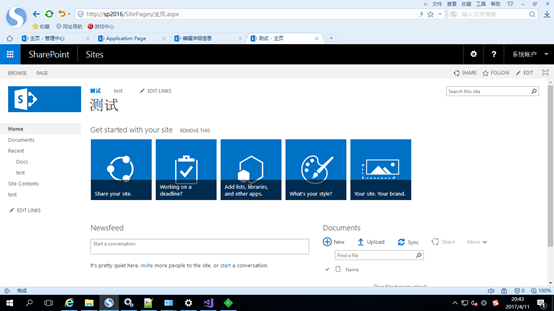
- 我们打开英文站点:http://sp2016 用Fiddler抓取分析,如下图:
分析结果:
- 我们打开中文站点:http://sp2016(切换后)的Fiddler抓取图,如下图:
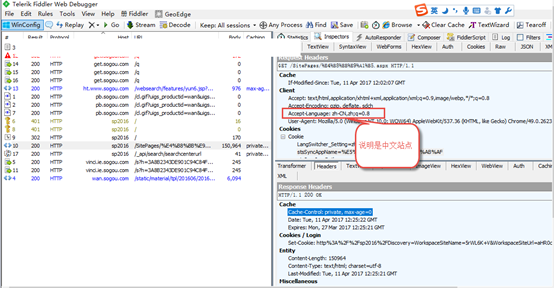
既然知道这个原理,切换代码把每次要切换的语言版本保存到cookie值里,那么我们第一次系统用代码切换前cookie值为空设置一个默认为中文,使用httpModule方式来分析http头的Accept-Language的值,如果包含en-US就设置为英文版本,如果包含zh-CN就设置为中文。明白原理写代码就方便多了。
3、代码
- HttpModule.cs源码如下:
using System;

using System.Web;

using System.Web.UI;

using Microsoft.SharePoint;

using System.Threading;

using Microsoft.SharePoint.Utilities;

namespace CSSharePointLangSwitcher.LangSwitcherPage

{

public class HTTPSwitcherModule : IHttpModule

{

/// <summary>

/// You will need to configure this module in the web.config file of your

/// web and register it with IIS before being able to use it. For more information

/// see the following link: http://go.microsoft.com/?linkid=8101007

/// </summary>

#region IHttpModule Members

public void Dispose()

{

//clean-up code here.

}

/// <summary>

/// Init event

/// </summary>

/// <param name="context"></param>

public void Init(HttpApplication context)

{

// Below is an example of how you can handle Request event and provide

// custom logging implementation for it

context.PreRequestHandlerExecute += context_PreRequestHandlerExecute;

}

#endregion

/// <summary>

/// Assuming the selected language is stored in a cookie. Firstly, get the selected

/// language from cookie. Then add the selected language to the request header.

/// Finally, use the selected language for the current culture.

/// </summary>

/// <param name="sender"></param>

/// <param name="e"></param>

void context_PreRequestHandlerExecute(object sender, EventArgs e)

{

// Get current application.

HttpApplication httpApp = sender as HttpApplication;

// Get all HTTP-specific information about current HTTP request.

HttpContext context = httpApp.Context;

// Current language.

string strLanguage = string.Empty;

// The key of current selected language in the cookies.

string strKeyName = "LangSwitcher_Setting";

try

{

// Set the current language.

if (httpApp.Request.Cookies[strKeyName] != null)

{

strLanguage = httpApp.Request.Cookies[strKeyName].Value;

}

else

{

strLanguage = "zh-cn";

}

var lang = context.Request.Headers["Accept-Language"];

if (lang != null)

{

if (!lang.Contains(strLanguage))

context.Request.Headers["Accept-Language"] = strLanguage + "," + context.Request.Headers["Accept-Language"];

var culture = new System.Globalization.CultureInfo(strLanguage);

// Apply the culture.

SPUtility.SetThreadCulture(culture, culture);

}

}

catch (Exception ex)

{

System.Diagnostics.Debug.WriteLine(ex.Message);

}

}

}

}
- 切换代码如下:
/// <summary>

/// Save current selected language to cookie.

/// </summary>

/// <param name="sender"></param>

/// <param name="e"></param>

protected void btnSave_Click(object sender, EventArgs e)

{

if (ddlLanguages.SelectedIndex > )

{

// Selected language.

string strLanguage = ddlLanguages.SelectedValue;

// Set the Cookies.

HttpCookie acookie = new HttpCookie(strKeyName);

acookie.Value = strLanguage;

acookie.Expires = DateTime.MaxValue;

Response.Cookies.Add(acookie);

Response.Redirect(Request.RawUrl);

}

}
4、效果
- 测试切换效果,先测试切换到中文,如下:
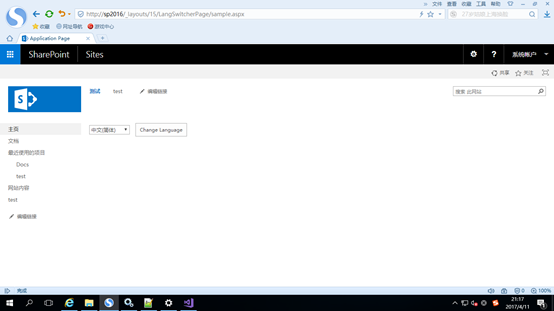
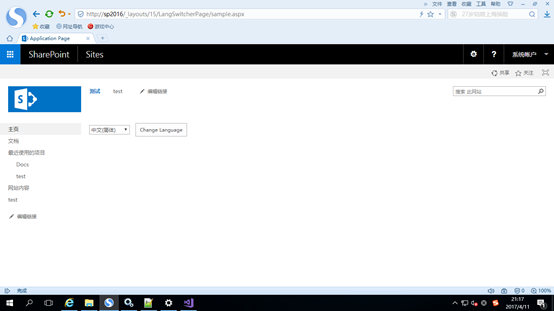
切换后,我们访问下http://sp2016 为中文效果,如下图:
- 测试切换效果,先测试切换到英文,如下:
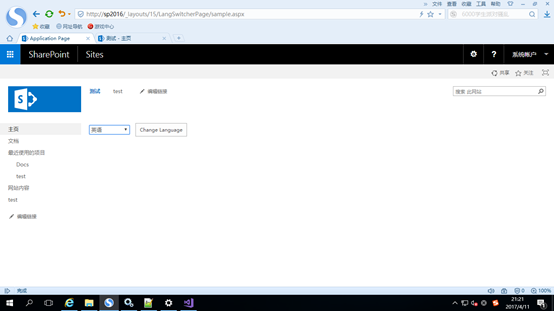
切换后,我们访问下http://sp2016 为英文效果,如下图:
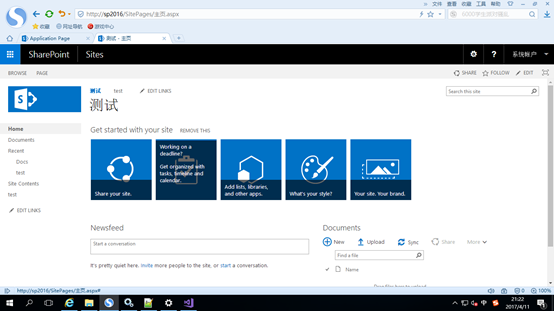
源码可以去我QQ群下载:203613636 谢谢
SharePoint2013与SharePoint2016语言切换原理以及如何使用代码进行语言切换的更多相关文章
- 【Cocos2d-x 3.x】 场景切换生命周期、背景音乐播放和场景切换原理与源码分析
大部分游戏里有很多个场景,场景之间需要切换,有时候切换的时候会进行背景音乐的播放和停止,因此对这块内容进行了总结. 场景切换生命周期 场景切换用到的函数: bool Setting::init() { ...
- Atitit.提升语言可读性原理与实践
Atitit.提升语言可读性原理与实践 表1-1 语言评价标准和影响它们的语言特性1 1.3.1.2 正交性2 1.3.2.2 对抽象的支持3 1.3.2.3 表达性3 .6 语言设计中的权 ...
- Matlab界面语言切换,自由显示中文或英文语言
Matlab界面语言切换,自由显示中文或英文语言分享给大家,Matlab是一款商业数学软件,广泛使用于算法的开发.数据发现和数值计算等.不同用户对Matlab显示的语言需求也不一样,一用户习惯使用中文 ...
- C#语言基础原理及优缺点
一.原理: C#是专门为.net程序框架而创造的语言. .net框架有ms的.netFramework:Mono的.NetFramework(也是符合.net IL语言,CTS规范,CLS规范, CL ...
- AbstractRoutingDataSource 实现动态数据源切换原理简单分析
AbstractRoutingDataSource 实现动态数据源切换原理简单分析 写在前面,项目中用到了动态数据源切换,记录一下其运行机制. 代码展示 下面列出一些关键代码,后续分析会用到 数据配置 ...
- Android的Handler线程切换原理
Handler是我们在开发中经常会接触到的类,因为在Android中,子线程一般是不能更新UI的. 所以我们会使用Handler切换到主线程来更新UI,那Handler是如何做到实现不同线程之间的切换 ...
- php实现弱语言底层原理分析(转)
php中弱语言类型的底层实现 PHP是弱语言类型,主要分为三类: 1.标量类型:integer.string.float.boolean 2.复合类型:array.object 3.特殊类型:reso ...
- 快速实现Magento多语言的设置和产品数据的多语言方法
MagenTo默认支持多语言网店,不过要使用多语言功能,需要进行一些设置. 一.后台多语言支持(中文化) Magento登录后台时默认的是显示的是英文界面,在页面左下角选择语言为中文就会跳转为中文界面 ...
- 写一个程序,统计自己C语言共写了多少行代码。ver2.00
概要 完成一个程序,作用是统计一个文件夹下面所有文件的代码行数.输入是一个文件夹的绝对路径,输出是代码行数.所以此程序的新特点有两个: 统计某一文件夹下的所有文件: 可以任意指定本机硬盘上任何位置的某 ...
随机推荐
- 修改Unity中Lua文件的默认打开程序
项目中引用了XLua,而Lua文件又是以txt文件结尾的,当修改系统的扩展脚本编辑器为vs后双击lua文件(xx.txt)默认也使用vs打开了,无提示的黑白文本编辑 昨办? -. 后来看到网上有写Un ...
- boost.property_tree解析xml的帮助类以及中文解析问题的解决(转)
boost.property_tree可以用来解析xml和json文件,我主要用它来解析xml文件,它内部封装了号称最快的xml解析器rapid_xml,其解析效率还是很好的.但是在使用过程中却发现各 ...
- WPF手动绑定事件
this.but1.AddHandler(Button.ClickEvent,new RoutedEventHandler(OkButton_Click));
- 如何诊断windows性能问题
直接使用perfmon中的性能诊断工具
- python2判断编码格式
def getCoding(strInput): ''' 获取编码格式 ''' if isinstance(strInput, unicode): return "unicode" ...
- Duplicate复制数据库并创建物理StandBy(spfile+不同实例名+不同路径)
过程和Duplicate复制数据库并创建物理StandBy类似,只是不需要重启数据库. 目的:创建standby,不重启源数据库 1设定环境如下: Primary数据库 IP 172.17.22.16 ...
- CentOS 7 安装SVN并整合HTTP访问
#!/bin/bash## -------------------------------------------------## 安装svn并整合http访问## ----------------- ...
- layui表单验证
layui表单元素的校验只需在元素上加入lay-verify,layui提供了以下值. required(必填项) phone(手机号) email(邮箱) url(网址) number(数字) da ...
- json-server 详解
JSON-Server 是一个 Node 模块,运行 Express 服务器,你可以指定一个 json 文件作为 api 的数据源. 安装json-server npm install -g json ...
- java框架篇---hibernate之CRUD操作
CRUD是指在做计算处理时的增加(Create).读取(Retrieve)(重新得到数据).更新(Update)和删除(Delete)几个单词的首字母简写. 下面列举实例来讲解这几个操作: 实体类: ...