
Android SharedPreferences(数据存储,需掌握)
1.SharePrefences类介绍
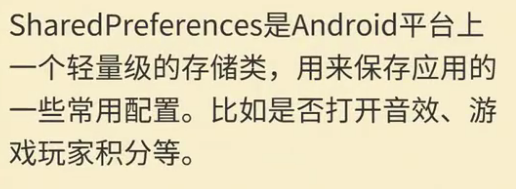
SharedPreferences 类提供了一个通用框架,以便您能够保存和检索原始数据类型的永久性键值对。 您可以使用 SharedPreferences 来保存任何原始数据:布尔值、浮点值、整型值、长整型和字符串。 此数据将跨多个用户会话永久保留(即使您的应用已终止亦如此)。
文件存储位置://文件存放地址 //data/data/包名/shared_pres

2.使用方法



3.xml布局
<?xml version="1.0" encoding="utf-8"?>

<LinearLayout xmlns:android="http://schemas.android.com/apk/res/android"

    xmlns:app="http://schemas.android.com/apk/res-auto"

    xmlns:tools="http://schemas.android.com/tools"

    android:layout_width="match_parent"

    android:layout_height="match_parent"

    android:orientation="vertical"

    tools:context=".MainActivity">

    <LinearLayout

        android:layout_width="match_parent"

        android:layout_height="wrap_content"

        android:gravity="center_horizontal"

        android:orientation="horizontal">

        <TextView

            android:id="@+id/textView"

            android:layout_width="wrap_content"

            android:layout_height="wrap_content"

            android:text="请输入存储的数据:" />

        <EditText

            android:id="@+id/editText"

            android:layout_width="wrap_content"

            android:layout_height="wrap_content"

            android:ems="10"

            android:inputType="textPersonName" />

    </LinearLayout>

    <LinearLayout

        android:layout_width="match_parent"

        android:layout_height="wrap_content"

        android:gravity="center_horizontal"

        android:orientation="horizontal">

        <Button

            android:id="@+id/button"

            android:layout_width="wrap_content"

            android:layout_height="wrap_content"

            android:text="存储" />

        <Button

            android:id="@+id/button2"

            android:layout_width="wrap_content"

            android:layout_height="wrap_content"

            android:text="读取" />

    </LinearLayout>

    <TextView

        android:id="@+id/textView2"

        android:layout_width="match_parent"

        android:layout_height="wrap_content"

        android:text="TextView" />

</LinearLayout>
4.java后台
package com.lucky.test45sharedpreferences;

import android.content.SharedPreferences;

import android.support.v7.app.AppCompatActivity;

import android.os.Bundle;

import android.view.View;

import android.widget.Button;

import android.widget.EditText;

import android.widget.TextView;

public class MainActivity extends AppCompatActivity {

    EditText editText1;

    TextView textView2;

    Button button1;

    Button button2;

    SharedPreferences sharedPreferences;

    SharedPreferences.Editor editor;

    @Override

    protected void onCreate(Bundle savedInstanceState) {

        super.onCreate(savedInstanceState);

        setContentView(R.layout.activity_main);

        editText1=findViewById(R.id.editText);

        textView2=findViewById(R.id.textView2);

        button1=findViewById(R.id.button);

        button2=findViewById(R.id.button2);

        //1.获取SharedPreferences实例,去保存数据,参数1为生成的xml文件的名称,参数2是文件的模式

        sharedPreferences=getSharedPreferences("lucky",MODE_WORLD_WRITEABLE); //初始化SharedPreferences

        editor=sharedPreferences.edit();  //2.获取编辑器

        button1.setOnClickListener(new View.OnClickListener() {

            @Override

            public void onClick(View v) {

                editor.putString("001",editText1.getText().toString()); //3.放入所需存储的数据

                editor.commit(); //4.提交数据

            }

        });

        button2.setOnClickListener(new View.OnClickListener() {

            @Override

            public void onClick(View v) {

                String str=sharedPreferences.getString("001",""); //读取数据,参数1为数据代号,参数2为默认值

                textView2.setText(str);

            }

        });

    }

}
5.效果图
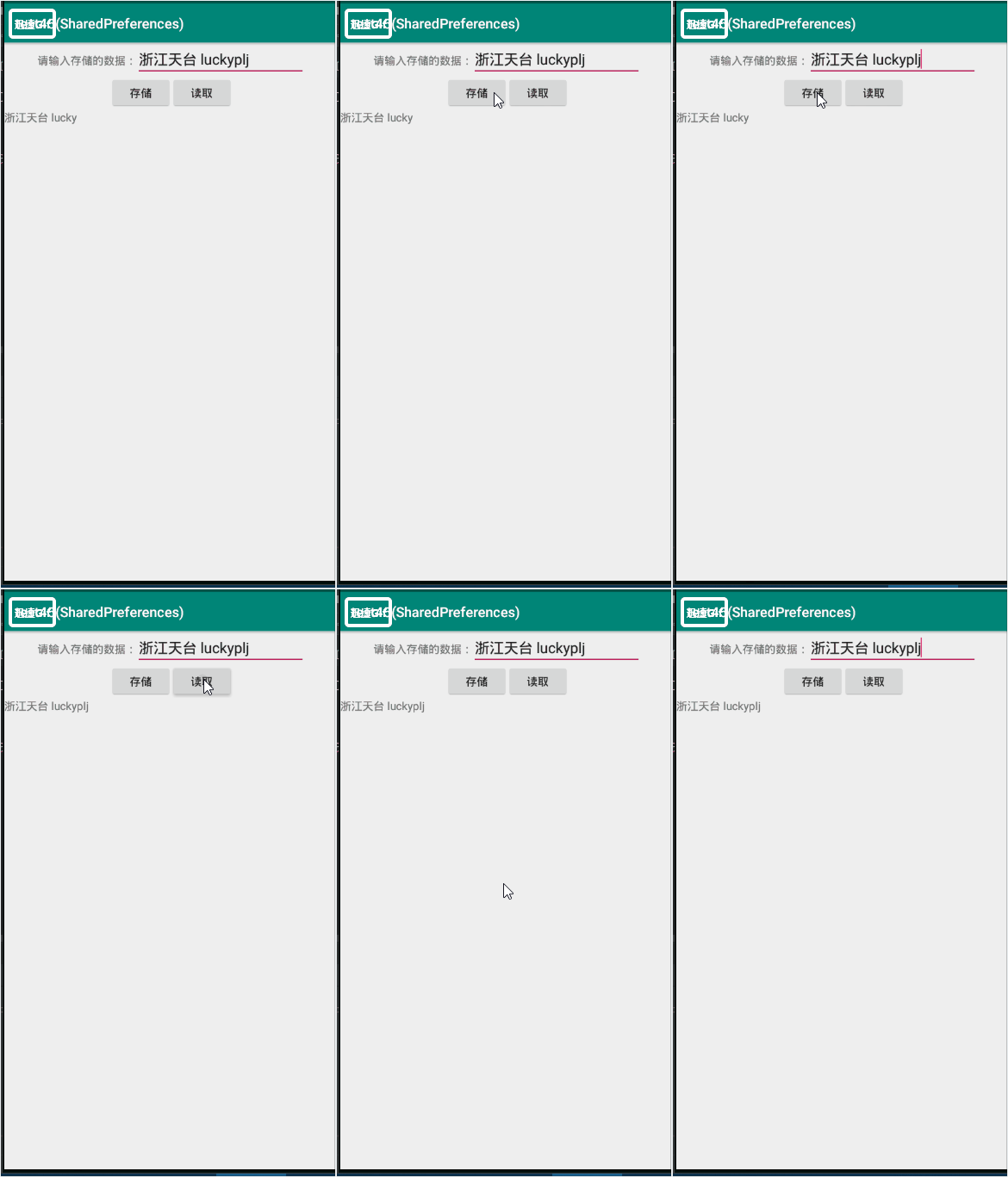
动态1为:app效果图,动态2为:SharedPreferences存储的位置
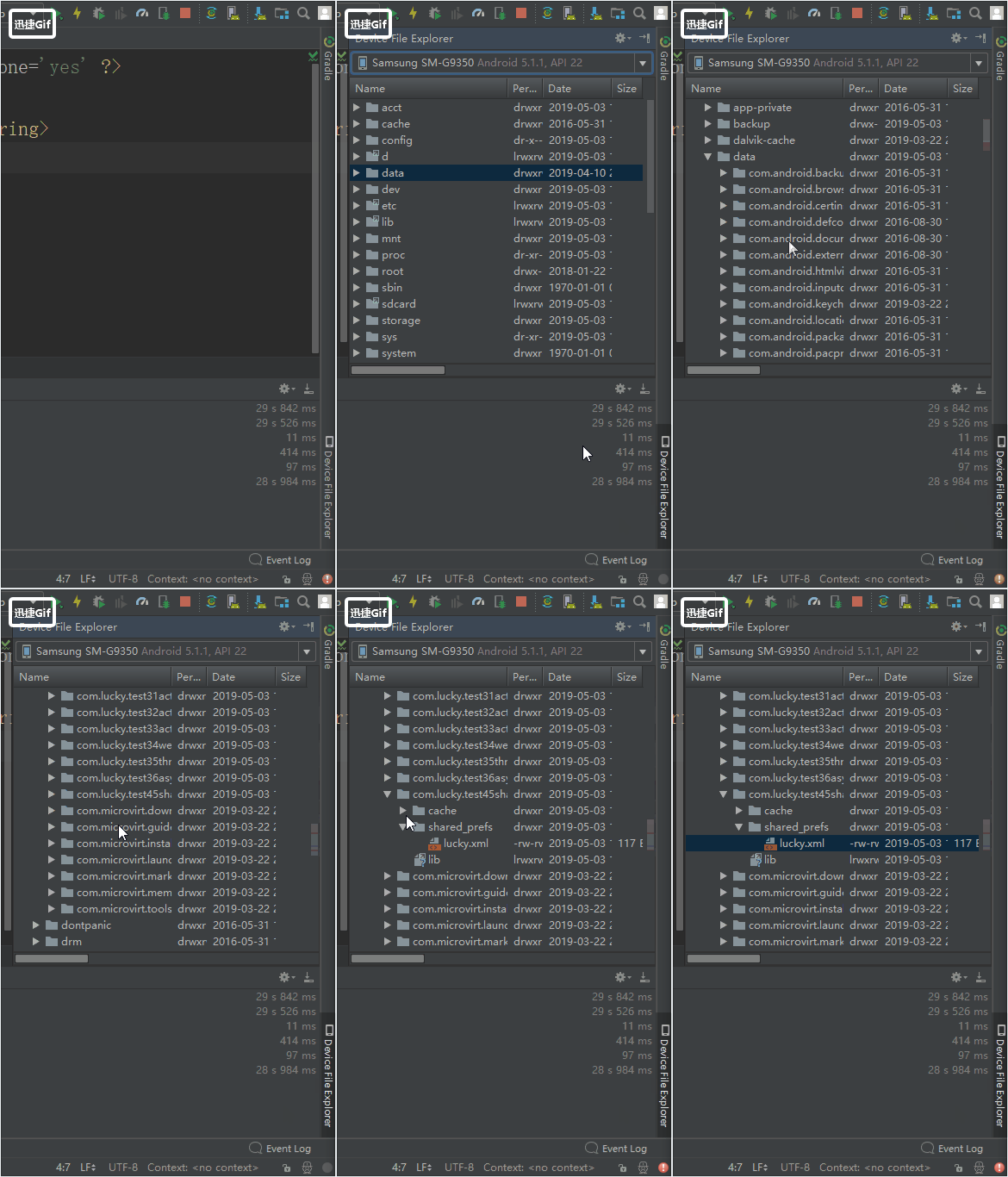
存储内容的XML文件截图:

Android SharedPreferences(数据存储,需掌握)的更多相关文章
- Android之数据存储的五种方法
1.Android数据存储的五种方法 (1)SharedPreferences数据存储 详情介绍:http://www.cnblogs.com/zhangmiao14/p/6201900.html 优 ...
- Android中数据存储(一)
国庆没有给国家添堵,没有勾搭妹子,乖乖的写着自己的博客..... 本文将为大家介绍Android中数据存储的五种方式,数据存储可是非常重要的知识哦. 一,文件存储数据 ①在ROM存储数据 关于在ROM ...
- Android本地数据存储复习
Android本地数据存储复习 Android无论是应用层还是系统层都需要在本地保存一些数据,尤其在应用层中使用的就更为普遍,大体有这么几种:SharedPreference,file,sqlite数 ...
- android学习笔记45——android的数据存储和IO
android的数据存储和IO SharedPreferences与Editor简介 SharedPreferences保存的数据主要是类似于配置信息格式的数据,因此其保存的数据主要是简单的类型的ke ...
- Android实现数据存储技术
转载:Android实现数据存储技术 本文介绍Android中的5种数据存储方式. 数据存储在开发中是使用最频繁的,在这里主要介绍Android平台中实现数据存储的5种方式,分别是: 1 使用Shar ...
- android中数据存储
android中数据存储 Android 中存储数据的方式有五种:SQLite数据库.文件存储.内容提供者.网络.SharedPreferences(Key----value)五种存储方式. ...
- Android中数据存储(四)——ContentProvider存储数据
目录(?)[+] 当一个应用程序在Android中安装后,我们在使用应用的过程中会产生很多的数据,应用都有自己的数据,那么我们应该如何存储数据呢? 数据存储方式 Android 的数据存储有5种方 ...
- Android中数据存储(三)——SQLite数据库存储数据
当一个应用程序在Android中安装后,我们在使用应用的过程中会产生很多的数据,应用都有自己的数据,那么我们应该如何存储数据呢? 数据存储方式 Android 的数据存储有5种方式: 1. Share ...
- 关于Android开发数据存储的方式(一)
关于Android开发数据存储方式(一) 在厦门做Android开发也有两个月了,快情人节了.我还在弄代码. 在微信平台上开发自己的APP,用到了数据存储的知识,如今总结一下: 整体的来讲.数据存储方 ...
随机推荐
- ms project设置行高
1.取消某列的自动换行右击“任务名称”——自动换行 2.全选所有任务点击左上角单元格 3.设置所有行的行高点击任意行最左边单元格的下边框,向上拖放 4.ok
- Leetcode:Container With Most Water分析和实现
题目大意是提供n个非负整数,a1,...,an,可以将其理解为多个边界(垂直的线段),其中ai处于x坐标i处,并且ai代表的线段高度即为ai的值.要求我们取这样的i与j,使得ai与aj以及x坐标轴围成 ...
- 04.webservice客户端调用
不要求所有的元素都理解,真正做开发的时候,有一些必须是要用的. 以后我们做开发的时候服务访问点的集合就一个服务的访问点.服务访问点绑定了具体的一个服务类,绑定的这个东西它本身也是一个元素.往上找,四个 ...
- tomcat的配置文件有那些
配置文件一般都在conf文件夹里,主要有server.xml,context.xml,tomcat_user.xml,web.xml四个常用配置文件,server主要是服务器设置的,例如端口设置,路径 ...
- 11-内涵段子-爬虫(python+正则)
爬取内涵段子,使用正则进行简单处理: #_*_ coding: utf-8 _*_ ''' Created on 2018年7月14日 @author: sss function:爬去内涵段子(静态网 ...
- Anaconda( different versions) configuration in ubuntu 14
1. 安装自己经常使用的Anaconda版本 sh ./Anaconda3-5.0.1-Linux-x86_64.sh 2. 默认安装到 /home/usr/anaconda3下面,在anaconda ...
- linux命令下载安装软件
在ubuntu下获取对应内核源码命令 Ubuntu的包管理系统,为您提供了一种高效快捷的软件管理方式,您只要知道您需要什么软件就可以了,甚至不需要关心它存放在网络上的哪一台服务器中,而且绝大多数的软件 ...
- js 二维数组排序sort()函数
一.按数值排序 var arr = [[1, 2, 3], [7, 2, 3], [3, 2, 3]]; arr.sort(function(x, y){ return x[0] – y[0];}) ...
- Linq学习<一>
lambda查询语法: var result =arrarylist.where(n=>n.contains("l")) 简化的委托方法实例 linq查询结构: var ...
- [.net 多线程]Barrier
当需要[一组任务]并行地运行一连串的阶段,但是每一个阶段都要等待所有他任务完成前一阶段之后才能开始,可以通过Barrier实例来同步这一类协同工作.Barrier初始化后,将等待特定数量的信号到来,这 ...