
jQuery实现论坛发帖Demo
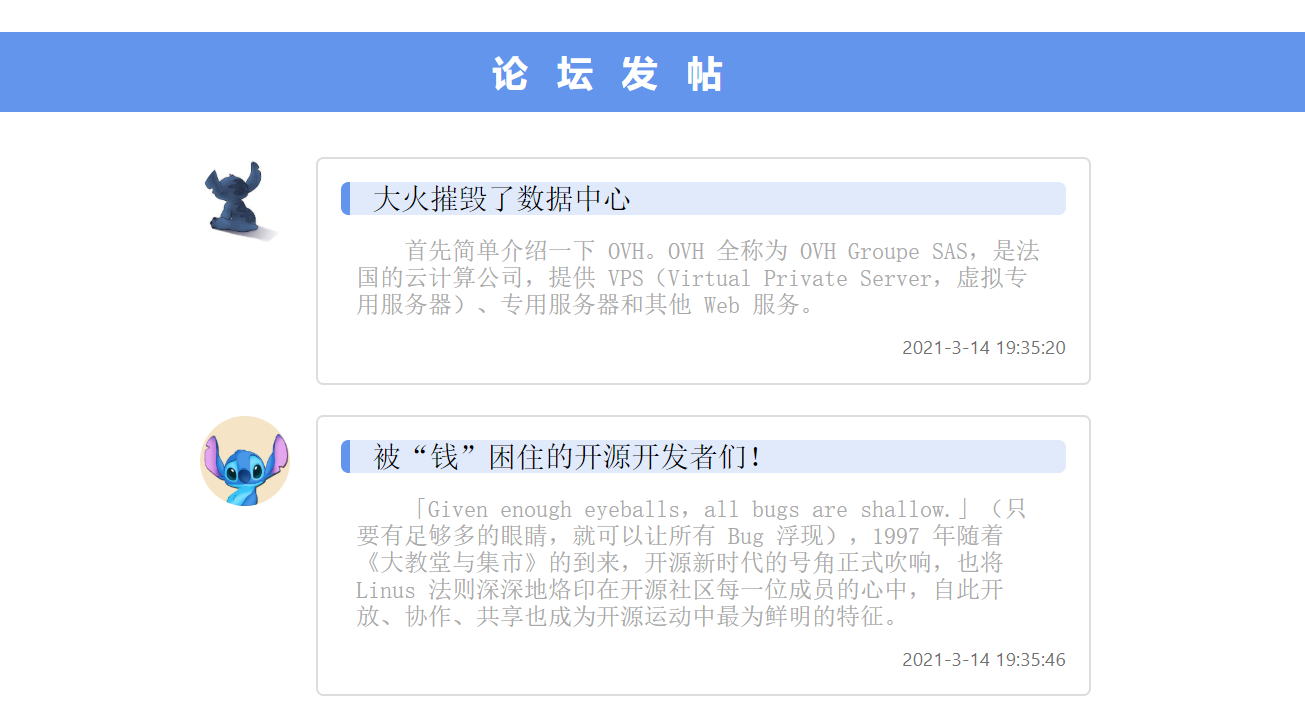
效果展示
思路
主要知识点:运用jQuery对HTML元素节点的操作(append)来添加帖子。
交互设计:用户点击页面上的“论坛发帖”按钮,出现表单,填写表单后点击“发帖”按钮,jQuery获取表单内容,创建新的节点(头像随机)来合成一个“帖子”,最终插入到当前页面的结尾。
代码
完整代码如下:
<!DOCTYPE html>

<html lang="en">

<head>

    <meta charset="UTF-8">

    <meta name="viewport" content="width=device-width, initial-scale=1.0">

    <title>论坛发帖</title>

    <style>

        h2 {

            text-align: center;

            padding: 10px;

            background-color: cornflowerblue;

            border: 1px solid cornflowerblue;

            border-radius: 6px;

            color: white;

            margin-bottom: 30px;

            letter-spacing: 0.8em;

            cursor: pointer;

        }

        .post {

            width: 50%;

            height: 400px;

            margin: 0 auto;

            border: 1px solid rgb(221, 221, 221);

            border-radius: 2px;

            display: none;

            position: absolute;

            top: 100px;

            background-color: white;

            left: 25%;

        }

        .title {

            width: 87%;

            margin-left: 5%;

            margin-top: 20px;

            height: 2em;

            border: 1px solid rgb(230, 230, 230);

            padding-left: 1em;

        }

        .text {

            width: 85%;

            margin-left: 5%;

            margin-top: 10px;

            height: 60%;

            border: 1px solid rgb(230, 230, 230);

            padding: 1em;

            font-size: 1.1em;

            overflow: auto;

        }

        .combtn {

            width: 30%;

            margin-top: 10px;

            margin-left: 35%;

            height: 10%;

            border: 1px solid rgb(230, 230, 230);

            background-color: cornflowerblue;

            color: white;

            border-radius: 5px;

        }

        .comment_block {

            margin: 0 auto;

            width: 50%;

            height: auto;

        }

        .touxiang {

            width: 60px;

            height: 60px;

            float: left;

        }

        .touxiang img {

            border: 1px white solid;

            border-radius: 50%;

            width: 100%;

            height: 100%;

        }

        .content {

            float: left;

            width: 80%;

            margin-left: 3%;

            border: 1px solid rgb(221, 221, 221);

            padding: 1em;

            border-radius: 5px;

            height: auto;

            margin-bottom: 20px;

        }

        h4 {

            font-size: 1.2em;

            font-weight: normal;

            margin-top: 0;

            border-left: 6px solid cornflowerblue;

            padding-left: 3%;

            background-color: rgba(100, 149, 237, 0.2);

            border-radius: 5px;

            margin-bottom: 3%;

            font-family: '宋体';

        }

        .com_body {

            font-family: '宋体';

            color: darkgray;

            height: auto;

            clear: both;

            width: 96%;

            margin: 0 auto;

            margin-bottom: 10px;

            /*text-indent: 2em;*/

        }

        .date {

            width: 100%;

            text-align: right;

            font-size: 0.8em;

            color: rgb(114, 114, 114);

            font-family: 'Segoe UI', Tahoma, Geneva, Verdana, sans-serif;

        }

        ul {

            list-style: none;

        }

    </style>

</head>

<body>

    <div class="comment">

        <h2>论坛发帖</h2>

        <section>

            <ul></ul>

        </section>

        <div class="post">

            <input type="text" class="title" placeholder="请输入标题">

            <textarea class="text" placeholder="请输入评论"></textarea>

            <input type="button" value="发布评论" class="combtn">

        </div>

    </div>

    <script src="jquery-1.8.3.min.js"></script>

    <script>

        $(document).ready(function() {

            $("h2").click(function() {

                $(".post").show()

            })

            var tou = new Array("1.jpg", "2.jpg", "3.jpg", "4.jpg", "5.jpg", "6.jpg", "7.jpg", "8.jpg", "9.jpg", "10.jpg");

            $(".post .combtn").click(function() {

                var $newLi = $("<li></li>"); //创建一个新的li节点元素

                var iNum = Math.floor(Math.random() * 10); //随机获取头像

                var $block = $("<div class=comment_block></div>");

                var $touImg = $("<div class=touxiang><img src=stitch/" + tou[iNum] + "></div>"); //创建头像节点

                var $comment = $("<div class=content></div>");

                var $title = $("<h4>" + $(".title").val() + "</h4>"); //设置标题节点

                var $newComBody = $("<div class=com_body><pre>" + $(".text").val() + "</pre></div>"); //创建一个新的div节点元素

                var myDate = new Date();

                var currentDate = myDate.getFullYear() + "-" + parseInt(myDate.getMonth() + 1) + "-" + myDate.getDate() + " " + myDate.getHours() + ":" + myDate.getMinutes() + ":" + myDate.getSeconds();

                var $newDate = $("<div class=date>" + currentDate + "</div>") //在div节点中插入发布时间;

                $($block).append($touImg); //插入头像

                $($comment).append($title); //插入标题

                $($comment).append($newComBody); //插入评论内容

                $($comment).append($newDate);

                $($block).append($comment);

                $($newLi).append($block);

                $(".comment section ul").append($newLi);

                $(".post .text").val("");

                $(".post .title").val("");

                $(".post").hide();

            })

        });

    </script>

</body>

</html>
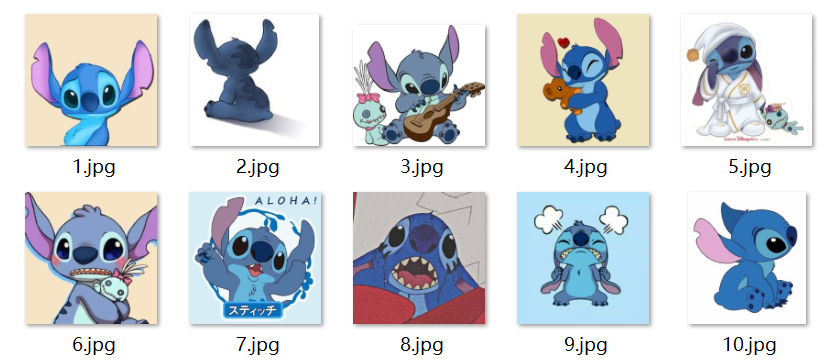
头像素材如下:
改进空间
1.交互方面可以再做得精细些,比如用户不想发帖时可以隐藏发帖表单;
2.布局考虑响应式,字体大小使用相对单位;
3.添加删帖/按时间排序功能;
jQuery实现论坛发帖Demo的更多相关文章
- jquery制作论坛或社交网站的每天打卡签到特效
效果:http://hovertree.com/texiao/jquery/50/ 现在许多社区,购物等网站都设置签到功能,打开可以收获经验.虚拟币等,提高用户粘性,增加浏览量,是一个不错的功能.本文 ...
- 适应手机端的jQuery图片滑块动画DEMO演示
在线预览 下载地址 实例代码 <!DOCTYPE html PUBLIC "-//W3C//DTD XHTML 1.0 Transitional//EN" "htt ...
- xTiNt 论坛发帖辅助软件 1.0 绿色版
软件名称:xTiNt 论坛发帖辅助软件 1.0 绿色版软件语言: 简体中文授权方式: 免费软件应用平台: Win7 / Vista / Win2003 / WinXP / Win2008 软件大小: ...
- 滚动加载|页面滑到底部加载数据|jquery.endless-scroll插件|使用demo
<html> <head> <link rel="dns-prefetch" href="http://i.tq121.com.cn&quo ...
- ECharts 初识(基于MVC+jQuery+Angularjs实现的Demo)
一.背景: 我们这行做web开发的,很多时候都需要做数据统计报表,现在我所使用的是来自百度团队的ECharts.官方网址:http://echarts.baidu.com/ 我们知 ...
- jquery 图片轮播demo实现
转载注明出处!!! 转载注明出处!!! 转载注明出处!!! 图片轮播demo,弄清楚过程其实是一个很简单的东西,看网上都没有什么实质性的代码,就自己把过程捋了一遍实现了. 这次因为随手写的,所以没有做 ...
- jquery版悬浮模块demo
在做在线客服时,代码就是按照该模块命名.现在,我要添加一个返回主页的功能,我觉得再复制一遍之前的代码,那个量有点多,如果我再添加一个功能,那个量会很多……现在我用创建对象字面量的方式来创建(其实我还想 ...
- Jquery Mobile 百度地图 Demo
首先非常感谢franck分享的Demo! Demo截图: 下面是franck对此Demo的说明: 原理:1.通过百度拾取坐标系统获得点位的坐标. http://api.map.baidu.com/lb ...
- jQuery插件Flot实战Demo
<!DOCTYPE html><html lang="en"><head> <meta charset="UTF-8&qu ...
- 复选框、单选框 jquery判断是否选中Demo
<%@ Page Language="C#" AutoEventWireup="true" CodeBehind="eachcheckbox.a ...
随机推荐
- Django Cannot assign "A1": "B1" must be a "C1" instance.
Django Cannot assign "A1": "B1" must be a "C1" instance. 原因:使用了外键 说明:如 ...
- VS code 安装后gdb调试无法显示STL内容的问题
bar {...} std::_Vector_base<TSample<MyTraits>, std::allocator<TSample<MyTraits> &g ...
- ubuntu 铺满桌面 调整字体 安装firefox中文版
ubuntu 铺满桌面 安装 open-vm-tools sudo apt-get install open-vm-tools sudo apt-get install open-vm* . rebo ...
- vue组件之间的传参
vue组件之间传参有三种传参方式'父传子','子传父','非父子组件之间传值' 父传子 父组件 <template> <CounterCom :num="5"&g ...
- WPF 轨迹动画
1.后台 public MainWindow() { InitializeComponent(); /// <summary> /// Window2.xaml 的交互逻辑 /// < ...
- java基于ssm框架开发的公交查询系统源码公交系统源码公交路线查询项目有论文
简介 java基于ssm的公交路线查询系统,用户可以查询公交站点公交车路线以及公交换乘方案,还可以查看公交车路线地图,以及该站点所有的公交车路线. 演示视频: https://www.ixigua.c ...
- nginx4层代理ssh服务
四层代理依赖模块ngx_stream_core_module,默认情况下,此模块不构建,应使用配置参数启用 --with-stream 配置文件内容: ... stream { upstream ss ...
- Docker-Compose实战<下篇>
本文是在上一篇文章的基础上做的一些内容追加,上文最后截止内容是docker-compose build将镜像生成完成.接下来我将继续写启动相关服务,访问服务以及常用命令使用等. 1 启动镜像 使用命令 ...
- MySQL 打开慢查询 主从同步状态
MySql 打开慢查询 set global log_output='FILE'; SET GLOBAL slow_query_log = ON; SET GLOBAL long_query_time ...
- 「SOL」E-Lite (Ural Championship 2013)
为什么这数据能水到可以枚举角度 ac 啊 # 题面 给你 \(n\) 个平面向量 \((x_i,y_i)\),对于每个 \(k=1\sim n\),求「从给出的 \(n\) 个向量中不重复地选择 \( ...