
Python Learning - Three
1. Set
Set is a collection which is unordered and unindexed. No duplicate members
In Python sets are written with curly brackets { }
set1 = {'apple', 'banana', 'cherry'}

list1 = [1, 2, 3, 4, 5]

list_set = set(list1)

print(set1)

print(list_set, type(list_set))
The set( ) constructor
# Note the double round-brackets
set_constructor = set(('apple', 'cherry', 'mango'))

print(set_constructor, type(set_constructor))
(1) .intersection( )
set1 = {'apple', 'banana', 'cherry'}

'''

list1 = [1, 2, 3, 4, 5]

list_set = set(list1)

'''

set2 = set(['mango', 'cherry', 'apple', 'orange'])

print(set1, set2)

print(set1.intersection(set2))
(2) .union( )
set1 = {'apple', 'banana', 'cherry'}

'''

list1 = [1, 2, 3, 4, 5]

list_set = set(list1)

'''

set2 = set(['mango', 'cherry', 'apple', 'orange'])

print(set1, set2)

print(set1.intersection(set2))

print(set1.union(set2))
(3) .difference( )
A.difference(B) means those values that are in A and not in B
#  Author: Alan FUNG

#  A&F TECH HK Co,LTD.

set1 = {'apple', 'banana', 'cherry'}

'''

list1 = [1, 2, 3, 4, 5]

list_set = set(list1)

'''

set2 = set(['mango', 'cherry', 'apple', 'orange'])

print(set1.difference(set2))

print(set2.difference(set1))
(4) .issubset( ) and .issuperset( )
set1 = {'apple', 'banana', 'cherry'}

'''

list1 = [1, 2, 3, 4, 5]

list_set = set(list1)

'''

set2 = set(['mango', 'cherry', 'apple', 'orange'])

print(set1.issubset(set2))

print(set1.issuperset(set2))

set3 = set(['apple', 'cherry'])

print(set3.issubset(set1))

print(set1.issuperset(set3))
(5) .symmetric_difference( )
set1 = {'apple', 'banana', 'cherry'}

'''

list1 = [1, 2, 3, 4, 5]

list_set = set(list1)

'''

set2 = set(['mango', 'cherry', 'apple', 'orange'])

print(set1.issubset(set2))

print(set1.issuperset(set2))

set3 = set(['apple', 'cherry'])

print(set3.issubset(set1))

print(set1.issuperset(set3))

print(set1.symmetric_difference(set3))
(6) .isdisjoint( )
# Return True if two sets have a null intersection
set1 = {'apple', 'banana', 'cherry'}

'''

list1 = [1, 2, 3, 4, 5]

list_set = set(list1)

'''

set2 = set(['mango', 'cherry', 'apple', 'orange'])

set3 = set(['apple', 'cherry'])

set4 = set(('mango', 'pineapple','orange' ))

print(set3.isdisjoint(set4))
(7) & and .intersection( )
et1 = {'apple', 'banana', 'cherry'}

'''

list1 = [1, 2, 3, 4, 5]

list_set = set(list1)

'''

set2 = set(['mango', 'cherry', 'apple', 'orange'])

set3 = set(['apple', 'cherry'])

set4 = set(('mango', 'pineapple','orange' ))

print(set1 & set2)

print(set1.intersection(set2))

print(set2.intersection(set1))
(8) | and .union( )
set1 = {'apple', 'banana', 'cherry'}

'''

list1 = [1, 2, 3, 4, 5]

list_set = set(list1)

'''

set2 = set(['mango', 'cherry', 'apple', 'orange'])

set3 = set(['apple', 'cherry'])

set4 = set(('mango', 'pineapple','orange' ))

print(set1 | set2)

print(set1.union(set2))

print(set2.union(set1))
(9) - and .difference( )
set1 = {'apple', 'banana', 'cherry'}

'''

list1 = [1, 2, 3, 4, 5]

list_set = set(list1)

'''

set2 = set(['mango', 'cherry', 'apple', 'orange'])

set3 = set(['apple', 'cherry'])

set4 = set(('mango', 'pineapple','orange' ))

print(set1 - set2)

print(set1.difference(set2))

print(set2-set1)

print(set2.difference(set1))
(10) ^ and .symmetric_difference( )
set1 = {'apple', 'banana', 'cherry'}

'''

list1 = [1, 2, 3, 4, 5]

list_set = set(list1)

'''

set2 = set(['mango', 'cherry', 'apple', 'orange'])

set3 = set(['apple', 'cherry'])

set4 = set(('mango', 'pineapple','orange' ))

print(set1 ^ set2)

print(set1.symmetric_difference(set2))

print(set2 ^ set1)
(11) .add ( )
set1 = {'apple', 'banana', 'cherry'}

'''

list1 = [1, 2, 3, 4, 5]

list_set = set(list1)

'''

set2 = set(['mango', 'cherry', 'apple', 'orange'])

set3 = set(['apple', 'cherry'])

set4 = set(('mango', 'pineapple','orange' ))

print(set3.add('mango'))

print(set3)
(12) .update( )
Add more than one item to the set
set1 = {'apple', 'banana', 'cherry'}

'''

list1 = [1, 2, 3, 4, 5]

list_set = set(list1)

'''

set2 = set(['mango', 'cherry', 'apple', 'orange'])

set3 = set(['apple', 'cherry'])

set4 = set(('mango', 'pineapple','orange' ))

print(set3.add('mango'))

print(set3)

set3.update(['pineapple', 'banana', 'orange'])

print(set3)
(13) .remove( )
et1 = {'apple', 'banana', 'cherry'}

'''

list1 = [1, 2, 3, 4, 5]

list_set = set(list1)

'''

set2 = set(['mango', 'cherry', 'apple', 'orange'])

set3 = set(['apple', 'cherry'])

set4 = set(('mango', 'pineapple','orange' ))

set4.remove('orange')

print(set4)
2. Files
The key function for working with files in Python is the open() function.
The open() function takes two parameters; filename, and mode.
There are four different methods (modes) for opening a file:
"r" - Read - Default value. Opens a file for reading, error if the file does not exist.
"a" - Append - Opens a file for appending, creates the file if it does not exist.
"w" - Write - Opens a file for writing, creates the file if it does not exist.
"x"- Create - Creates the specified file, returns an error if the file exists.
In addition, you can specify if the file should be handled as binary or text mode
"t" - Text - Default value. Text mode
"b"- Binary - Binary mode (e.g. images)
(1) "w"
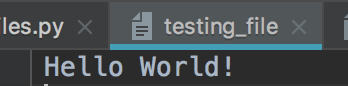
file_w = open('testing_file', 'w', encoding='utf-8')
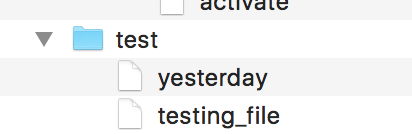
file_w = open('testing_file', 'w', encoding='utf-8')

file_w.write('Hello World! \n')

print(file_w)
(2) "a"
'''

file_w = open('testing_file', 'w', encoding='utf-8')

file_w.write('Hello World! \n')

print(file_w)

'''

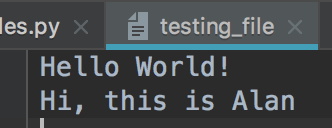
file_a = open('testing_file', 'a', encoding='utf-8')

file_a.write('Hi, this is Alan \n')

print(file_a)
(3) "x"
file_x = open('testing_file', 'x', encoding='utf-8')

file_x = open('testing_file_for_create', 'x', encoding='utf-8')

file_x = open('testing_file_for_create_2', 'x', encoding='utf-8')

file_x.write('Hi, this is a new file')

print(file_x)


(4) .read( ) and .readline( )
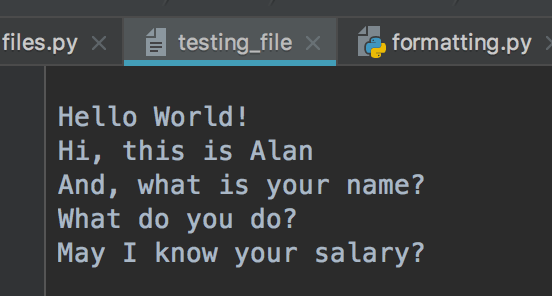
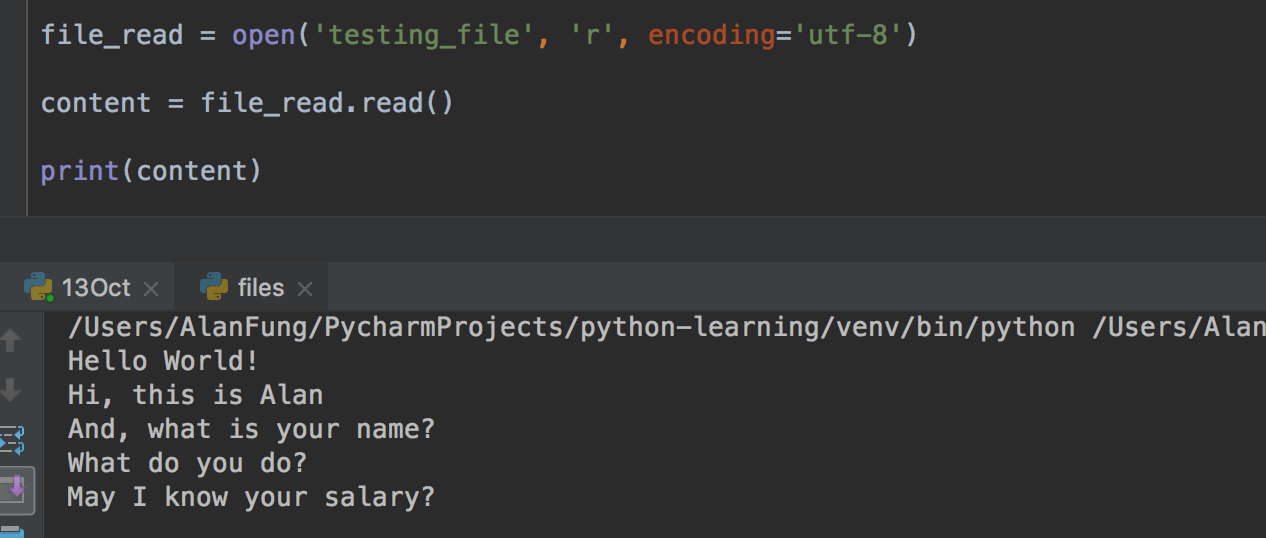
1) .read( ) print all the content
file_read = open('testing_file', 'r', encoding='utf-8')

content = file_read.read()

print(content)
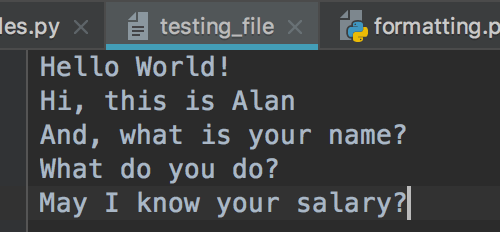
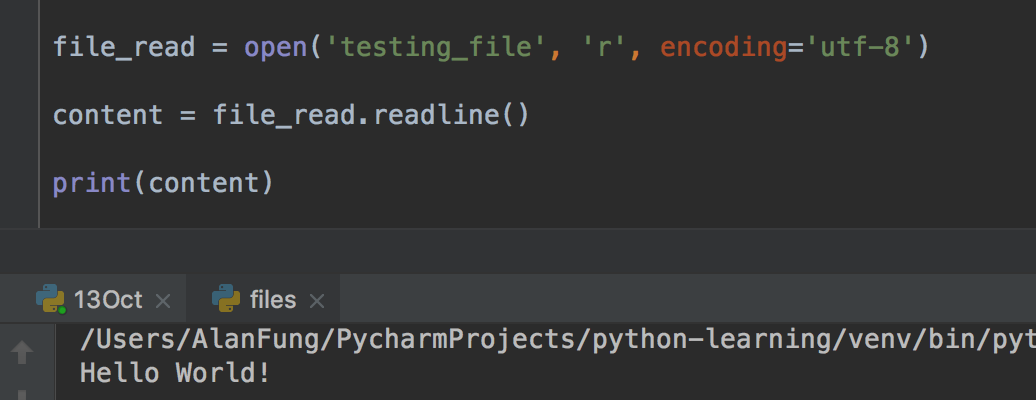
2) .readline( ) only return one line
file_read = open('testing_file', 'r', encoding='utf-8')

content = file_read.readline()

print(content)
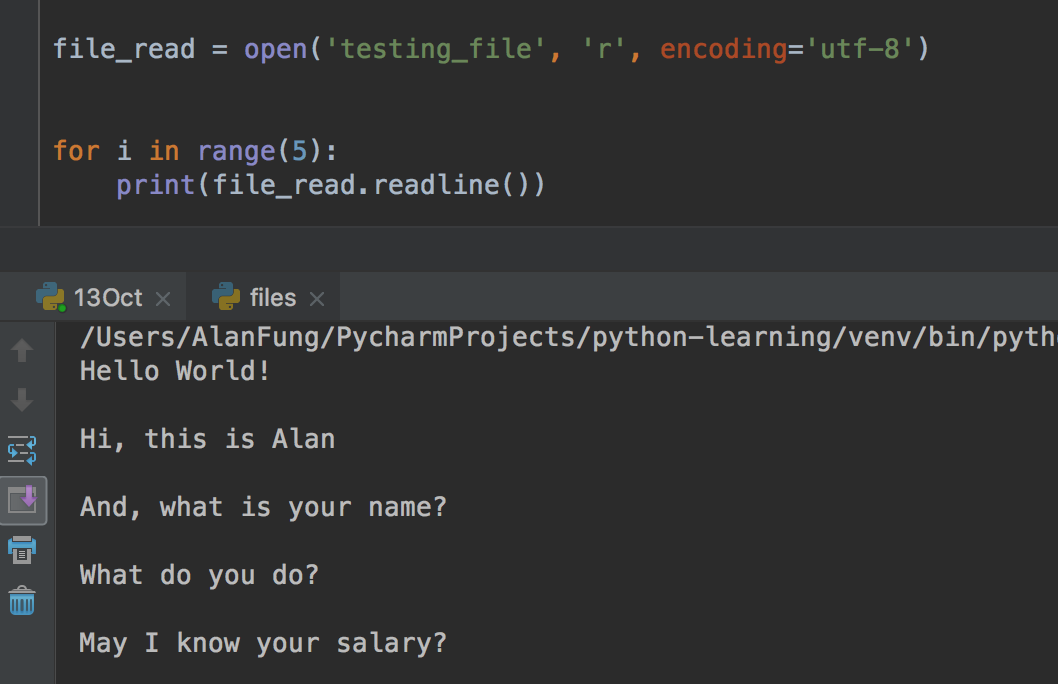
3) Use the for loop
file_read = open('testing_file', 'r', encoding='utf-8')

for i in range(5):

    print(file_read.readline())
(5) .readline( ) and .readlines( )
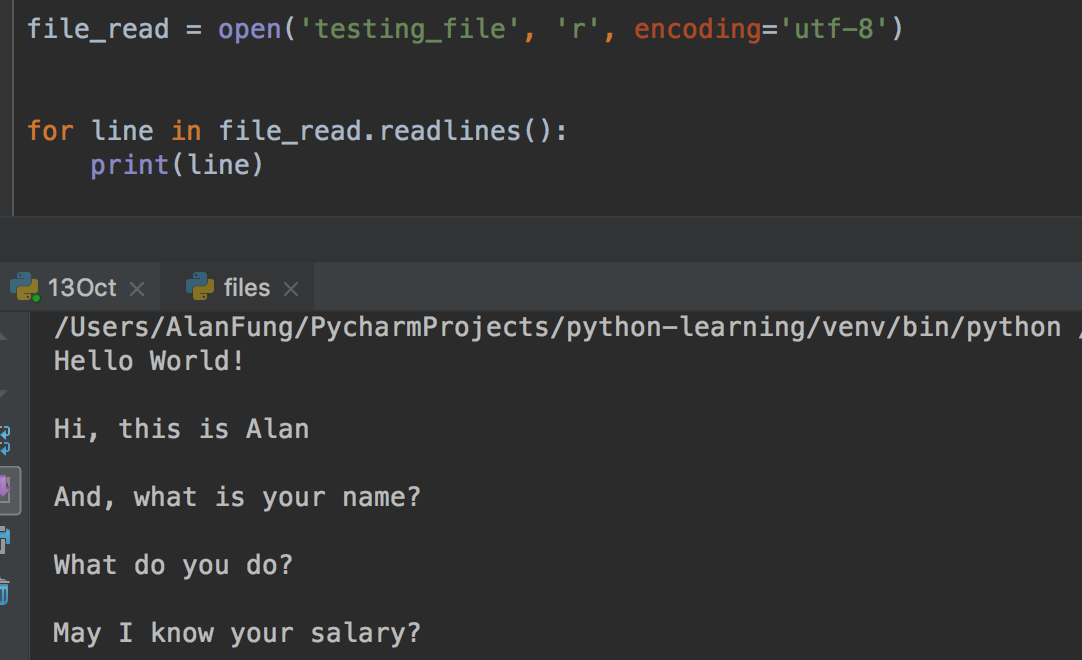
1) .readlines( )
file_read = open('testing_file', 'r', encoding='utf-8')

for line in file_read.readlines():

    print(line)
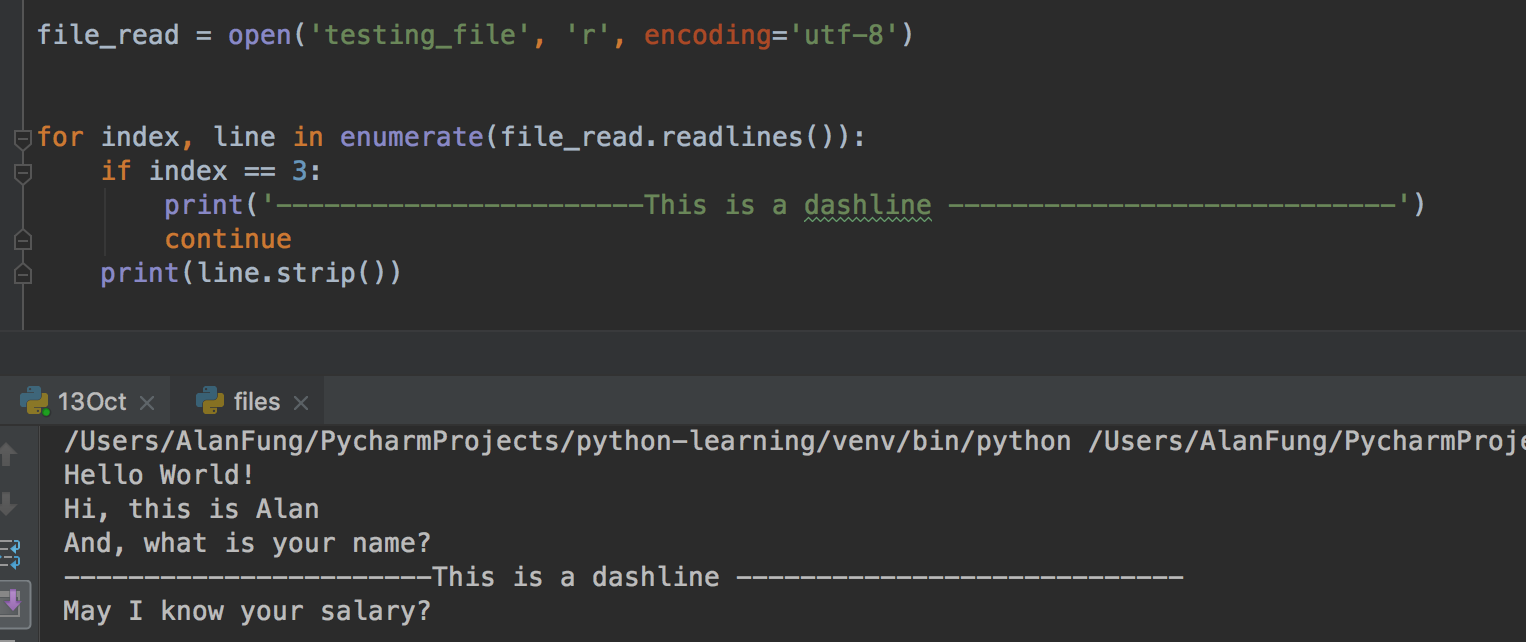
2) .readlines( ) with enumerate( )
file_read = open('testing_file', 'r', encoding='utf-8')

for index, line in enumerate(file_read.readlines()):

    if index == 3:

        print('-----------------------This is a dashline ----------------------------')

        continue

    print(line.strip())
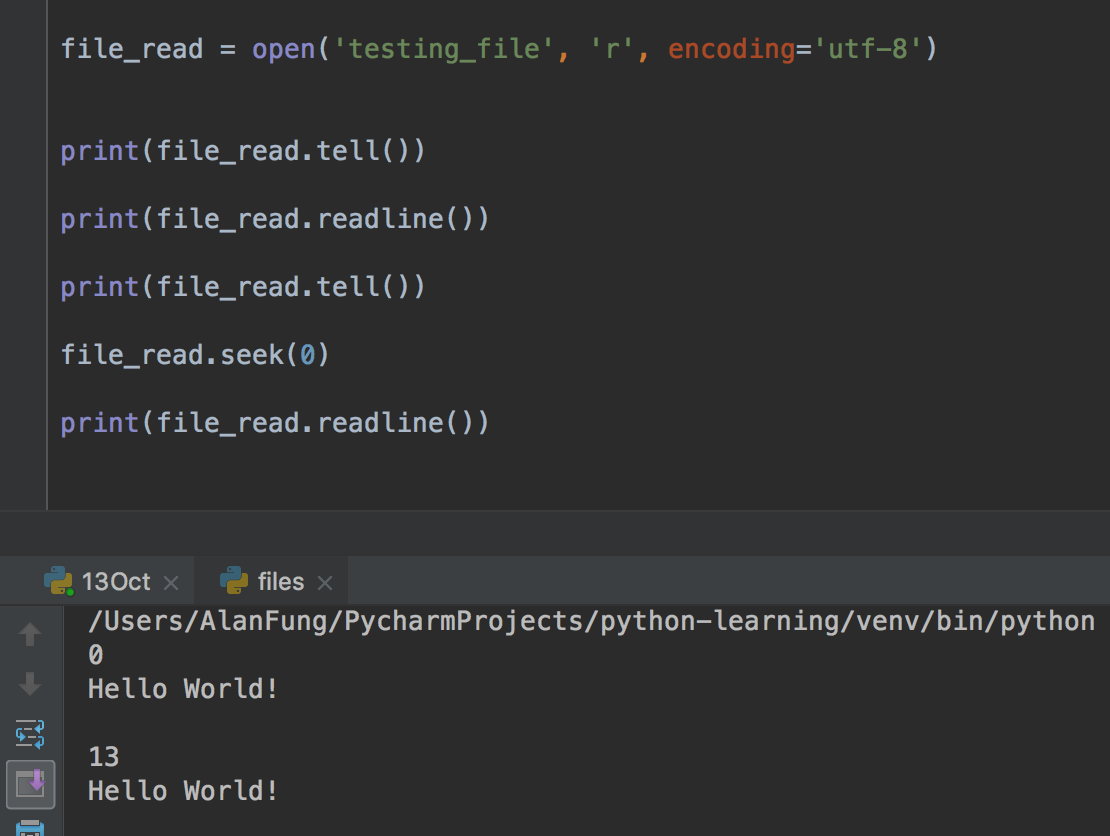
(6) .tell( )
file_read = open('testing_file', 'r', encoding='utf-8')

print(file_read.tell())

print(file_read.readline())

print(file_read.tell())

file_read.seek(0)

print(file_read.readline())
(7) .encoding( )
ile_read = open('testing_file', 'r', encoding='utf-8')

print(file_read.encoding)
(8) .flush( )
import sys, time

for i in range(20):

    sys.stdout.write('#')

    sys.stdout.flush()

    time.sleep(0.5)
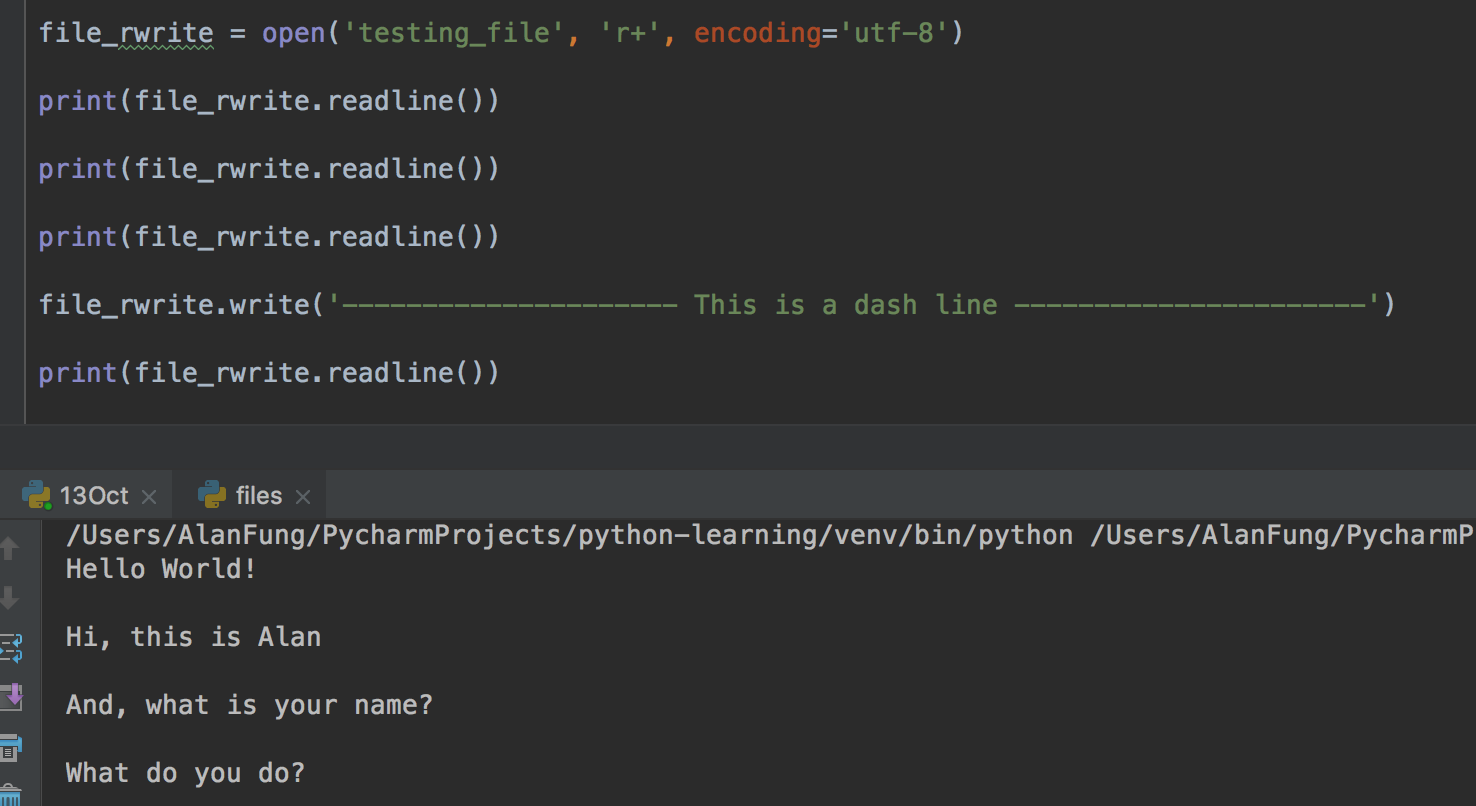
(9) read and write -- r+
ile_rwrite = open('testing_file', 'r+', encoding='utf-8')

print(file_rwrite.readline())

print(file_rwrite.readline())

print(file_rwrite.readline())

file_rwrite.write('--------------------- This is a dash line ----------------------')

print(file_rwrite.readline())

(10) Write and read -- w+
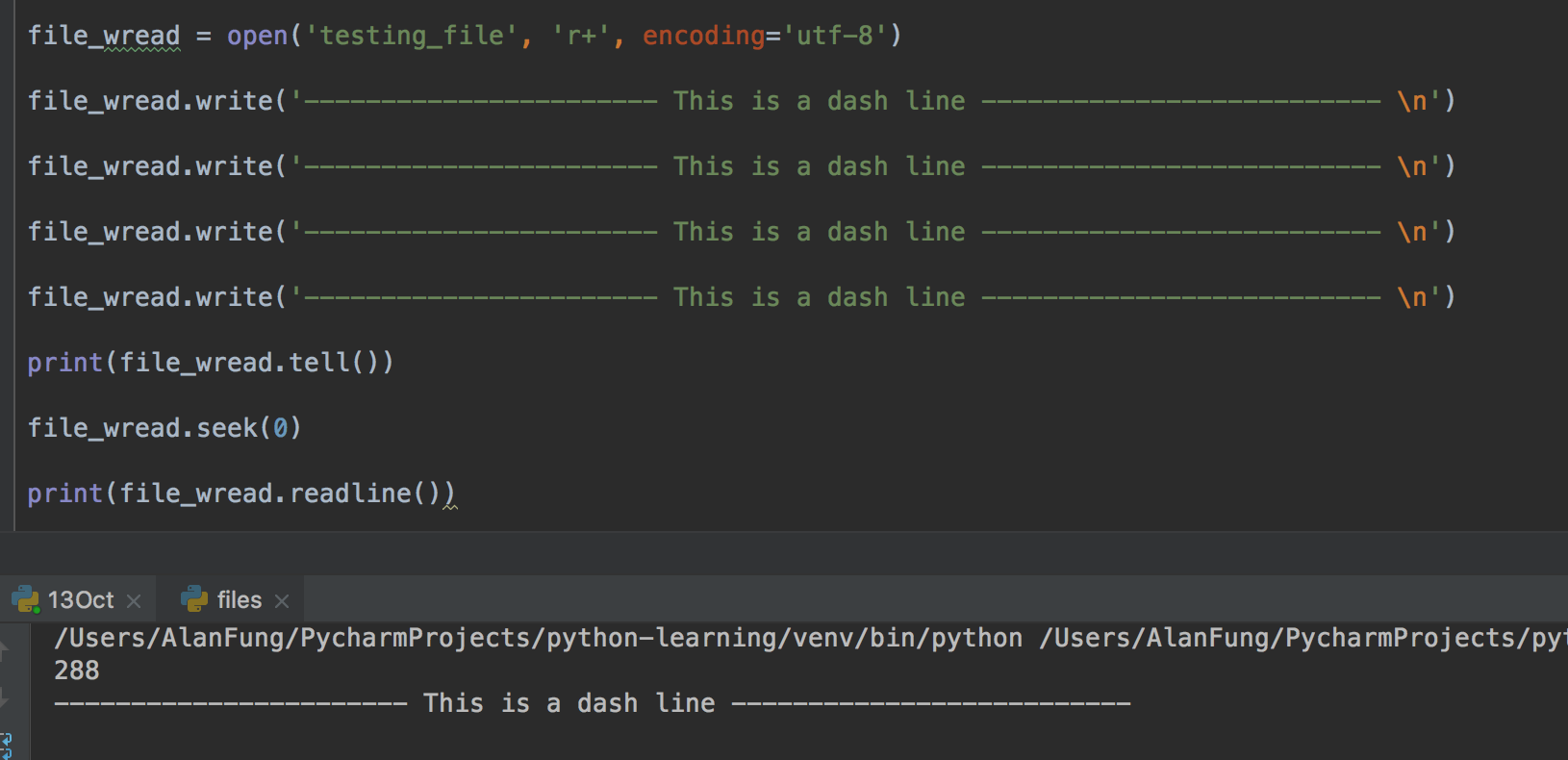
file_wread = open('testing_file', 'r+', encoding='utf-8')

file_wread.write('----------------------- This is a dash line -------------------------- \n')

file_wread.write('----------------------- This is a dash line -------------------------- \n')

file_wread.write('----------------------- This is a dash line -------------------------- \n')

file_wread.write('----------------------- This is a dash line -------------------------- \n')

print(file_wread.tell())

file_wread.seek(0)

print(file_wread.readline())
(11) file modification
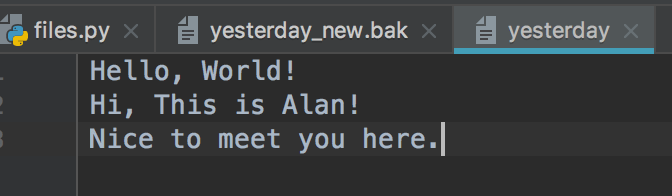
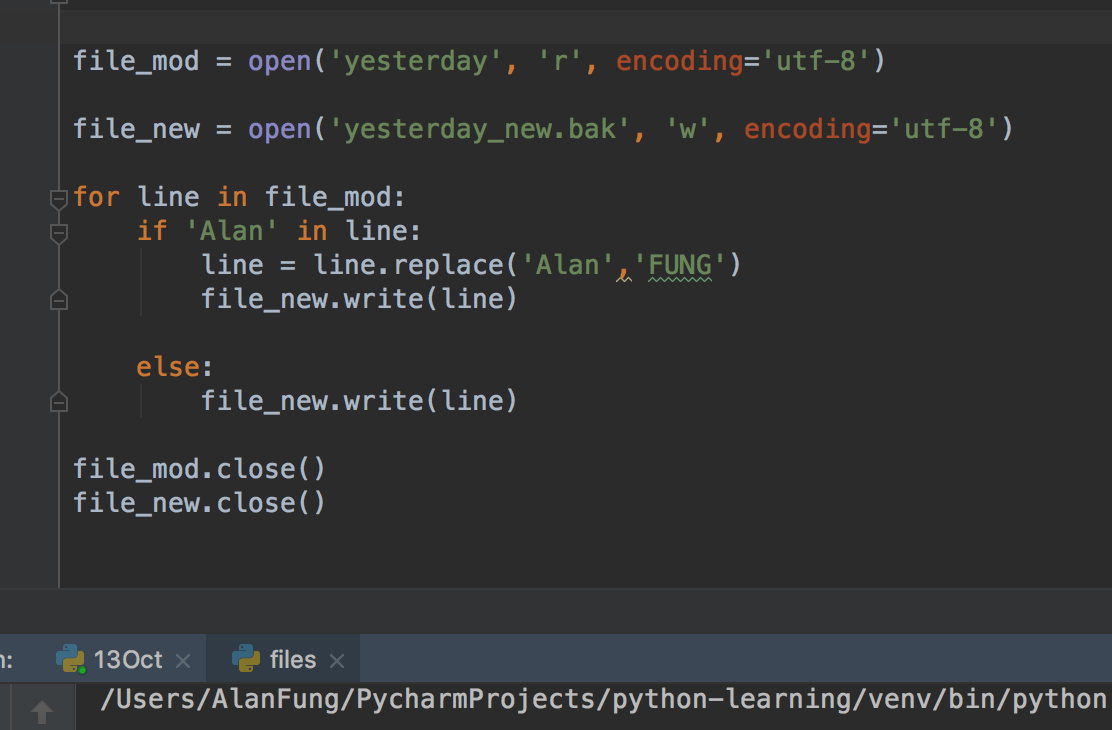
file_mod = open('yesterday', 'r', encoding='utf-8')

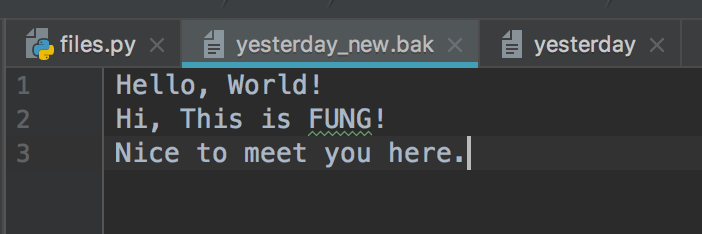
file_new = open('yesterday_new.bak', 'w', encoding='utf-8')

for line in file_mod:

    if 'Alan' in line:

        line = line.replace('Alan','FUNG')

        file_new.write(line)

    else:

        file_new.write(line)

file_mod.close()

file_new.close()
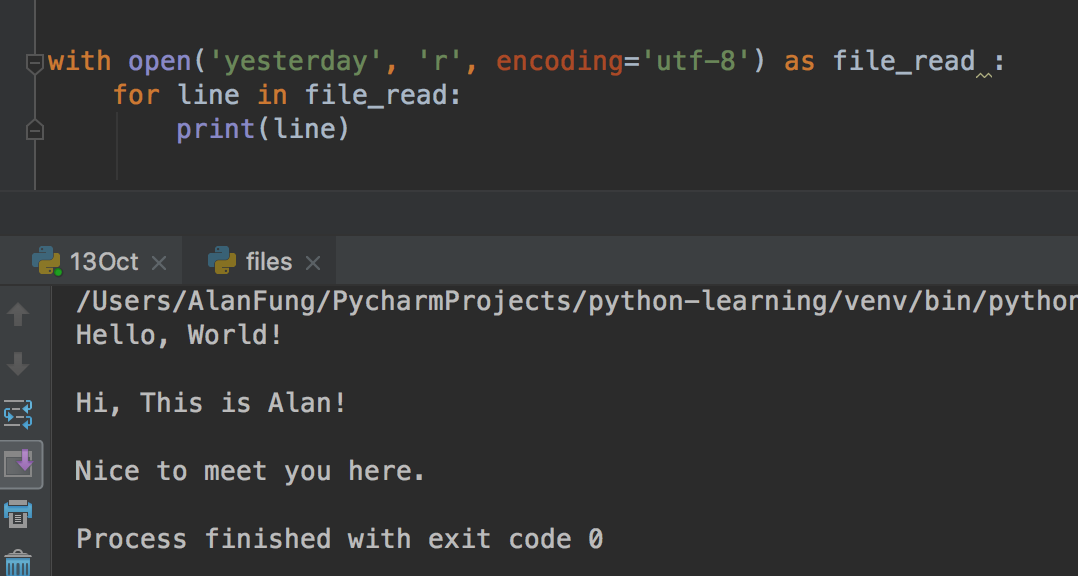
(12) with statement
with open('yesterday', 'r', encoding='utf-8') as file_read :

    print(file_read.readline())

with open('yesterday', 'r', encoding='utf-8') as file_read :

    for line in file_read:

        print(line)
3. Python Functions
A function is a block of code which only runs when it is called.
You can pass data, known as parameters, into a function.
A function can return data as a result.
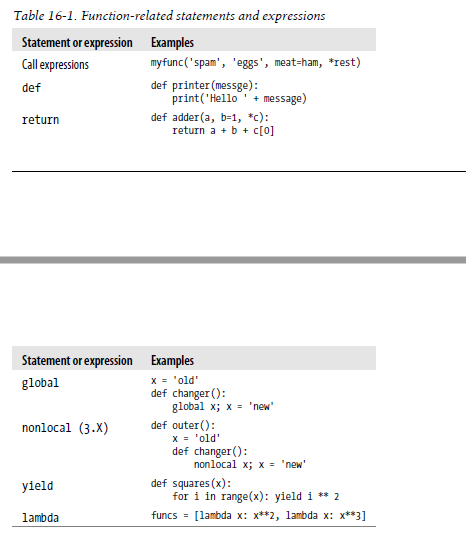
(1) Function Basics
(2) Creating a Function
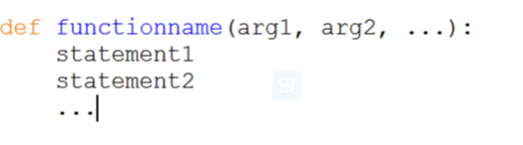
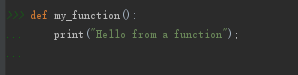
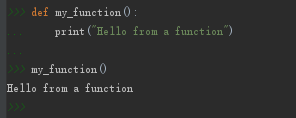
In Python a function is defined using the def keyword:
(3) Calling a Function
To call a function, use the function name followed by parenthesis:
(4) Parameters
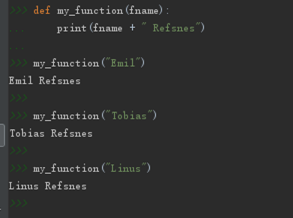
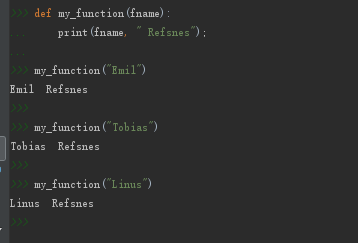
Information can be passed to functions as parameter.
Parameters are specified after the function name, inside the parentheses. You can add as many parameters as you want, just separate them with a comma.
The following example has a function with one parameter (fname). When the function is called, we pass along a first name, which is used inside the function to print the full name:
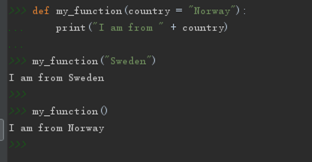
(5) Default Parameter Value
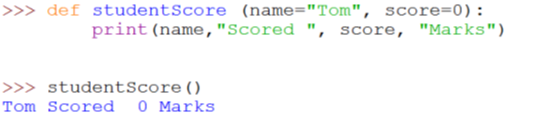
The following example shows how to use a default parameter value.
If we call the function without parameter, it uses the default value:
Default Value:
def my_function(country = "Norway"):

    print("I am from " + country)

my_function()

my_function("Hong Kong")

(6) Multiple Arguments
Asterisk ['æstərɪsk] 星號, 星號鍵 Multiple Arguments

The asterisk * means multiple arguments. Receive positional parameters (位置參數), and convert into tuples. Positional parameters must be placed before the keyword parameters.
def test(*args):

    print(args)

test(1,2,3,4,5,6)

test(*[1,2,3,4,5,6])

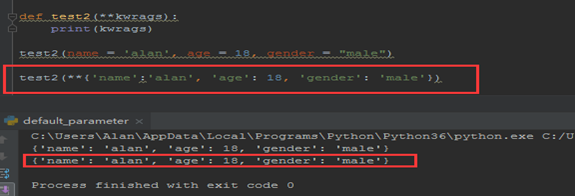
1) ** == > dictionay
Receive keyword parameters (關鍵字參數) and Convert into dictionary.
def test2(**kwargs):

    print(kwargs)

test2(name = "alan", age = 28, gender = 'male')

test2(**{'name':'alan', 'age':28, 'gender': 'male'})
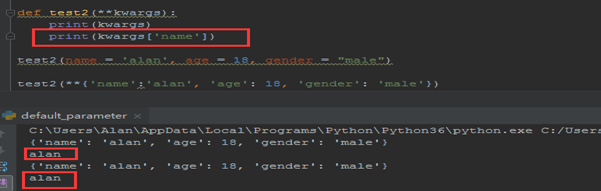
def test2(**kwargs):

    print(kwargs)

    print(kwargs['name'])

test2(name = "alan", age = 28, gender = 'male')

test2(**{'name':'alan', 'age':28, 'gender': 'male'})
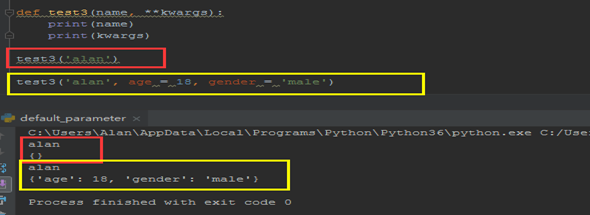
def test3(name, **kwargs):

    print(name)

    print(kwargs)

test3('alan')

test3("alan", age = 28, gender = 'male')
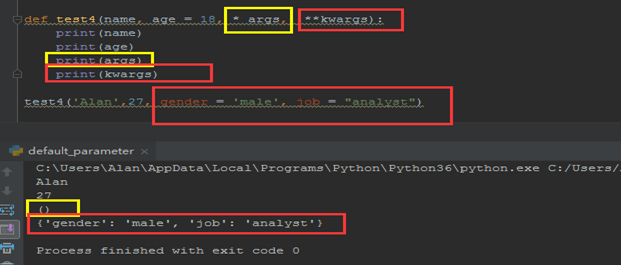
def test4(name, age = 18, *args, **kwargs):

    print(name)

    print(age)

    print(args)

    print(kwargs)

test4('Alan', 27, gender = 'malre', jod = 'analyst')
def test4(name, age = 18, *args, **kwargs):

    print(name)

    print(age)

    print(args)

    print(kwargs)

test4('Alan', 27, 23,4,54, 76, gender = 'malre', jod = 'analyst')
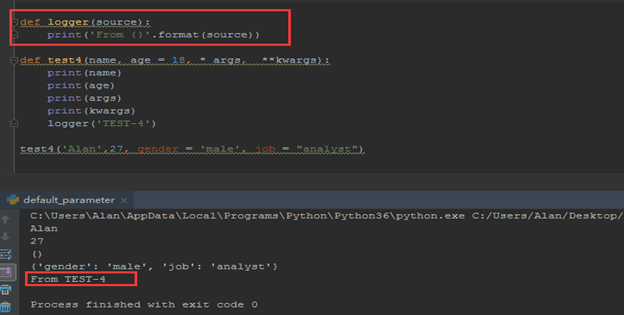
def logger(source):

    print('From {}'.format(source))

    print("From %s" %(source))

def test4(name, age = 18, *args, **kwargs):

    print(name)

    print(age)

    print(args)

    print(kwargs)

    logger('TEST-4')

test4('Alan', 28, gender = 'male', job = 'analyst')
(7) Return Values (返回值)
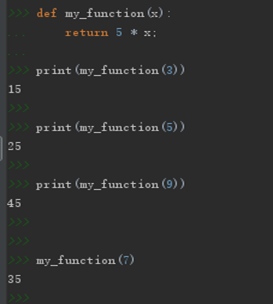
To let a function to return a value, use the return statement:
def my_function(x):

    return x * 5

print(my_function(3))

print(my_function(5))

print(my_function(9))
def my_function(x):

    print(x * 5)

my_function(3)

print(my_function(3))
 VS
VS 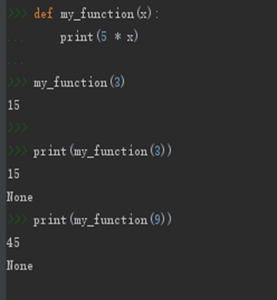
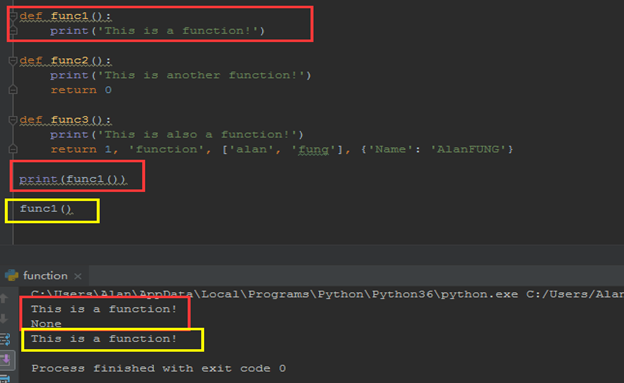
def func1():

    print("This is a function!")

def func2():

    print('This is another function!')

    return 0

def func3():

    print('This is also a function!')

    return 1, 'function', ['alan', 'fung'], {'Name': 'AlanFUNG'}

func1()

print(func1())

func2()

print(func2())

func3()

print(func3())

(8) Scopes
1) Python Scope Basics
Besides packaging code for reuse, functions add an extra namespace layer to your programs to minimize the potential for collisions among variables of the same name—by default, all names assigned inside a function are associated with that function’s namespace, and no other. This rule means that:
- Names assigned inside a def can only be seen by the code within that def. You cannot even refer to such names from outside the function.
- Names assigned inside a def do not clash with variables outside the def, even if the same names are used elsewhere. A name X assigned outside a given def (i.e., in a different def or at the top level of a module file) is a completely different variable from a name X assigned inside that def.
Variables may be assigned in three different places, corresponding to three different scopes:
- If a variable is assigned inside a def, it is local to that function.
- If a variable is assigned in an enclosing def, it is nonlocal to nested functions.
- If a variable is assigned outside all defs, it is global to the entire file.
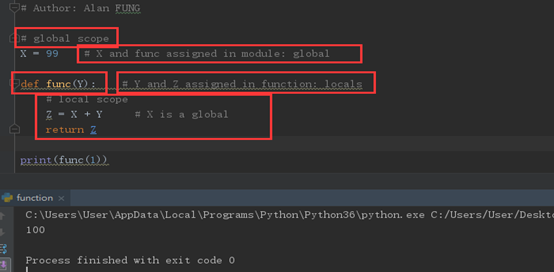
Scope Example
# global scope

X = 99 # X and func assigned in module: global

def func(Y):    #Y and Z assigned in function: locals

    # local scope

    Z = X + Y       # X is a global

    return Z

print(func(1))
The Built-in Scope
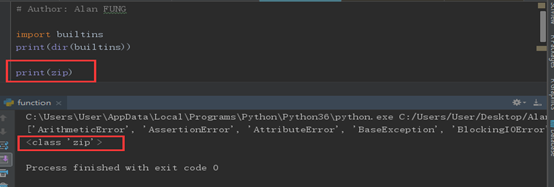
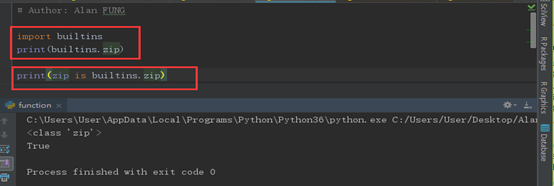
import builtins

print(dir(builtins))

print(zip)

print(zip is builtins.zip)

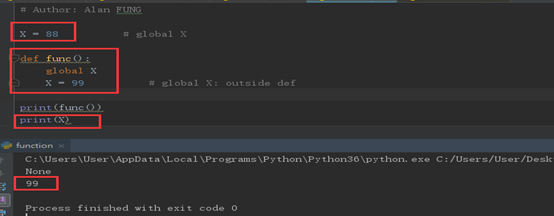
2) The global Statement
We’ve talked about global in passing already. Here’s a summary:
- Global names are variables assigned at the top level of the enclosing module file.
- Global names must be declared only if they are assigned within a function.
- Global names may be referenced within a function without being declared
X = 88

def func():

    global X

    X = 99

print(func())

print(X)
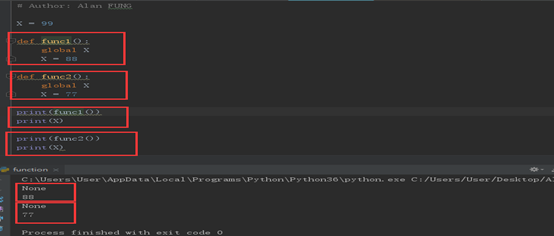
Program Design: Minimize Global Variables
X = 99

def func1():

    global X

    X = 88

def func2():

    global X

    X = 77

print(func1())

print(X)

print(func2())

print(X)
(9) Recursion
Python also accepts function recursion, which means a defined function can call itself.
Recursion is a common mathematical and programming concept. It means that a function calls itself. This has the benefit of meaning that you can loop through data to reach a result.
The developer should be very careful with recursion as it can be quite easy to slip into writing a function which never terminates, or one that uses excess amounts of memory or processor power. However, when written correctly recursion can be a very efficient and mathematically-elegant approach to programming.
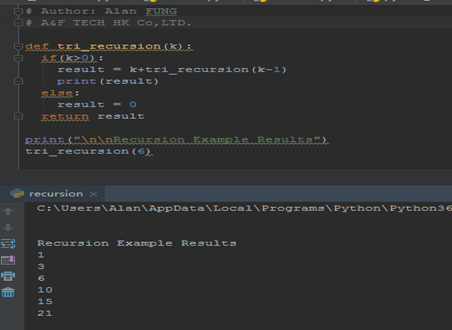
In this example, tri_recursion() is a function that we have defined to call itself ("recurse"). We use the k variable as the data, which decrements (-1) every time we recurse. The recursion ends when the condition is not greater than 0 (i.e. when it is 0).
To a new developer it can take some time to work out how exactly this works, best way to find out is by testing and modifying it.
def tri_recursion(k):

    if (k > 0):

        result = k + tri_recursion(k-1)

        print(result)

    else:

        result = 0

    return result

print("\n\n Recursion Example Results")

tri_recursion(6)
1) Recursive Functions
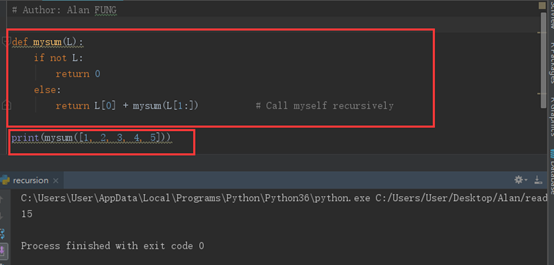
Summation with Recursion
def mysum(L):

    if not L:

        return 0

    else:

        return L[0] + mysum(L[1:])      # Call myself recursively

print(mysum([1,2,3,4,5]))
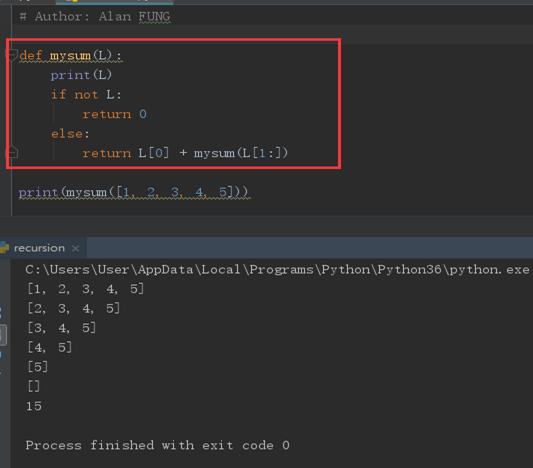
def mysum(L):

    print(L)

    if not L:

        return 0

    else:

        return L[0] + mysum(L[1:])      # Call myself recursively

print(mysum([1,2,3,4,5]))
Coding Alternatives
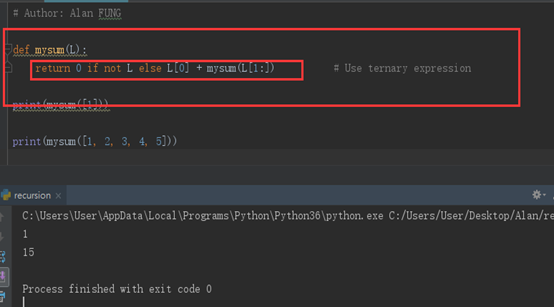
def mysum(L):

    return 0 if not L else L[0] + mysum(L[1:])

print(mysum([1]))

print(mysum([1,2,3,4,5]))
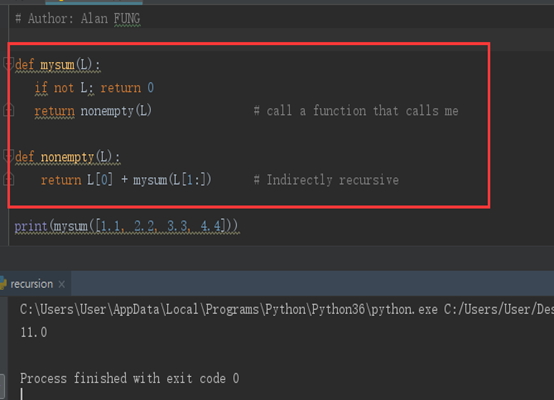
def mysum(L):

    if not L: return 0

    return nonempty(L)

def nonempty(L):

    return L[0] + mysum(L[1:])

print(mysum([1,2,3,4,5]))
Loop Statements Versus Recursion
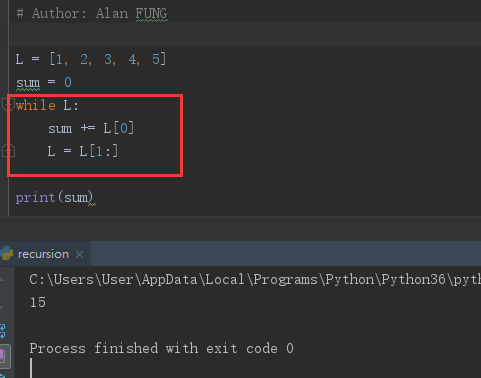
L = [1,2,3,4,5]

sum = 0

while L:

    sum += L[0]

    L = L[1:]

print(sum)
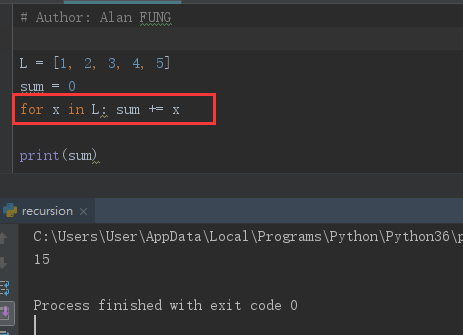
L = [1,2,3,4,5]

sum = 0

for x in L: sum += x

   # sum += x

print(sum)
Handling Arbitrary Structures
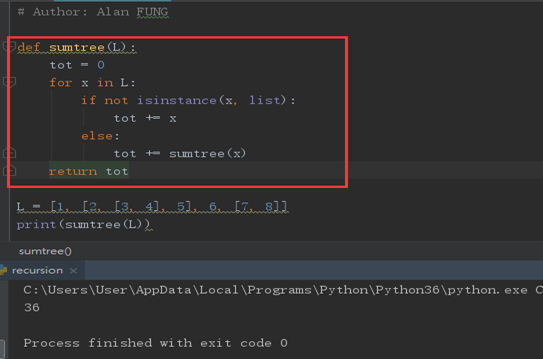
def sumtree(L):

    tot = 0

    for x in L:

        if not isinstance(x,list):

            tot += x

        else:

            tot += sumtree(x)

    return tot

L = [1, [2, [3,4], 5], 6, [7, 8]]

print(sumtree(L))
Recursion versus queues and stacks
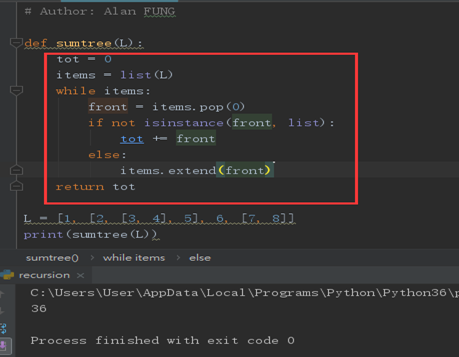
def sumtree(L):

    tot = 0

    items = list(L)

    while items:

        front = items.pop(0)

        if not isinstance(front, list):

            tot += front

        else:

            items.extend(front)

    return tot

L = [1, [2, [3,4], 5], 6, [7, 8]]

print(sumtree(L))
4 Function Objects: Attributes and Annotations
(1) Indirect Function Calls: “First Class” Objects
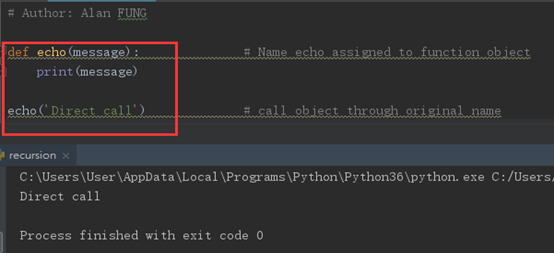
def echo(message):

    print(message)

echo("Direct Call")
def echo(message):

    print(message)

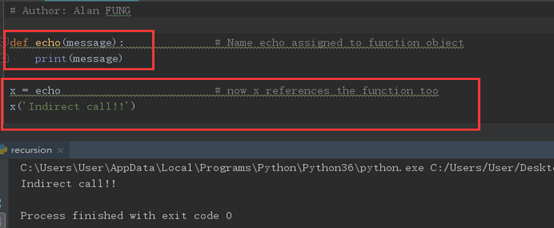
x = echo

x("Indirect Call")
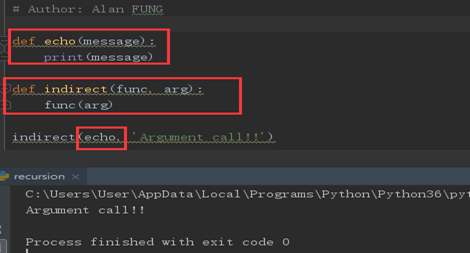
def echo(message):

    print(message)

def indirect(func, arg):

    func(arg)

indirect(echo, 'Argument Calls!')
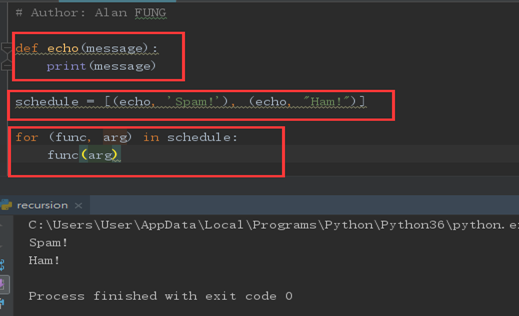
def echo(message):

    print(message)

schedule = [(echo, 'Spam!'), (echo, 'Ham!')]

for (func, arg) in schedule:

    func(arg)
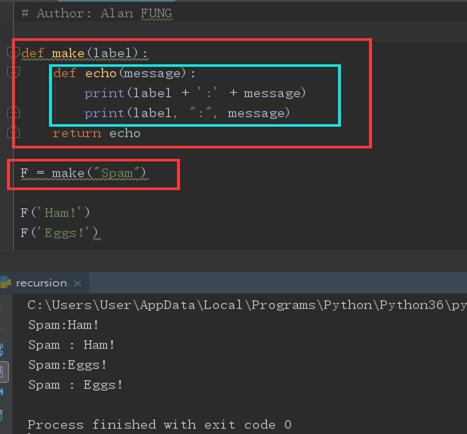
def make(label):

    def echo(message):

        print(label + " :" + message)

        print(label, ":", message)

    return echo

F = make("Spam")

F("Ham!")

F("Eggs!")
(2) Function Introspection
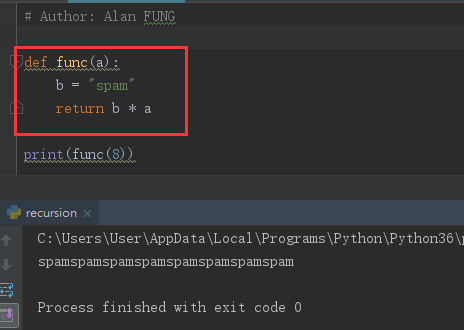
def func(a):

    b = "spam"

    return b * a

print(func(8))
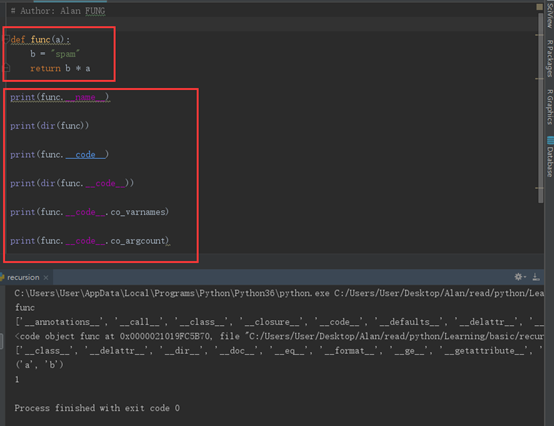
def func(a):

    b = "spam"

    return b * a

print(func.__name__)

print(dir(func))

print(func.__code__)

print(dir(func.__code__))

print(func.__code__.co_varnames)

print(func.__code__.co_argcount)
(3) Function Attributes
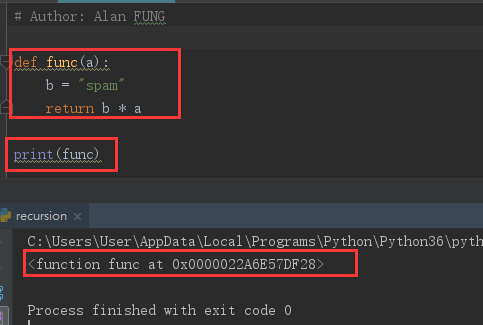
def func(a):

    b = "spam"

    return b * a

print(func)
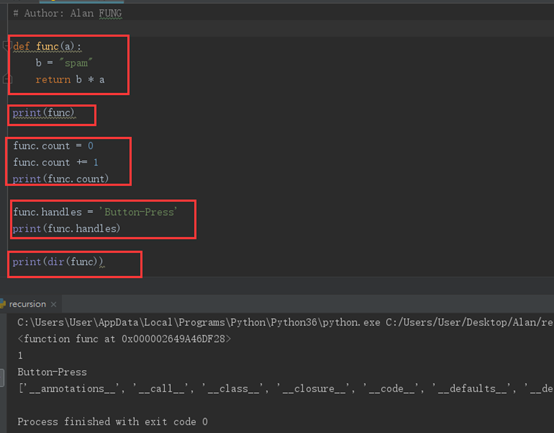
def func(a):

    b = "spam"

    return b * a

print(func)

func.count = 0

func.count += 1

print(func.count)

func.handles = "Button-press"

print(func.handles)

print(dir(func))
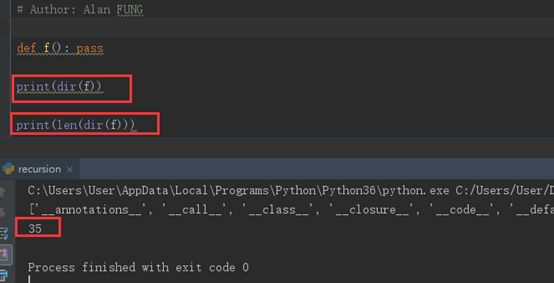
def f(): pass

print(dir(f))

print(len(dir(f)))
(4) Function Annotations in 3.X
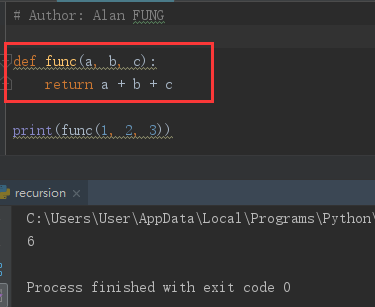
def func(a, b, c):

    return a + b + c

print(func(1, 2, 3))
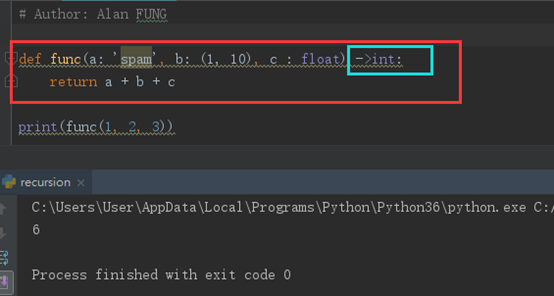
def func(a:'spam', b:(1,10), c:float) ->int:

    return a + b + c

print(func(1, 2, 3))
5. Anonymous Functions: lambda
(1) lambda Basics
Besides the def statement, Python also provides an expression form that generates function objects. Because of its similarity to a tool in the Lisp language, it’s called lambda.
The lambda’s general form is the keyword lambda, followed by one or more arguments (exactly like the arguments list you enclose in parentheses in a def header), followed by an expression after a colon:
lambda argument1, argument2, ... argumentN : expression using arguments
- lambda is an expression, not a statement.
- lambda’s body is a single expression, not a block of statements.
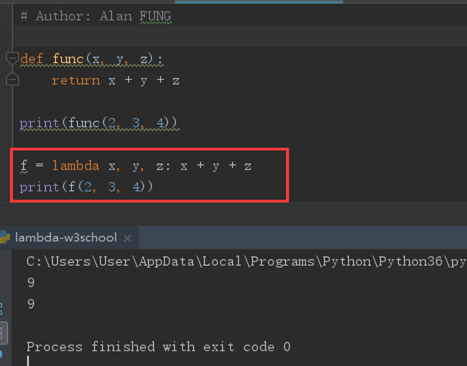
def func(x, y, z):

    return x + y + z

print(func(2, 3, 4))

f = lambda x, y, z : x + y + z

print(f(2,3,4))
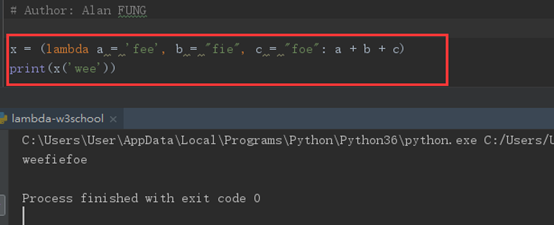
x = lambda a = "fee", b = "fie", c = "foe": a + b + c

y = (lambda a = "fee", b = "fie", c = "foe": a + b + c)

print(x("wee"))

print(y(b ="wee"))
def knights():

    title = "sir"

    action = (lambda x : title + ' ' + x)

    return action

act = knights()

msg = act('robin')

print(msg)

(2) Scopes: lambdas Can Be Nested Too
def action(x):

    return (lambda y: x + y)

act = action(99)

print(act)

print(act(2))

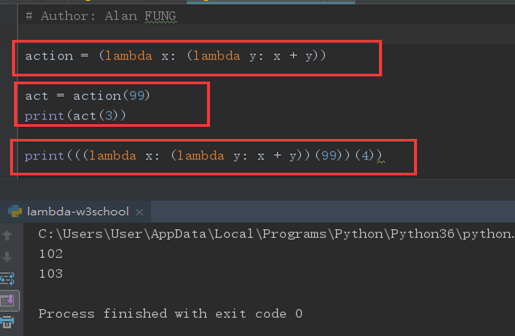
action = (lambda x: (lambda y: x + y))

act = action(99)

print(act(3))

print((lambda x: (lambda y: x + y))(99)(4))
6. Functional Programming Tools
(1) Mapping Functions over Iterables: map
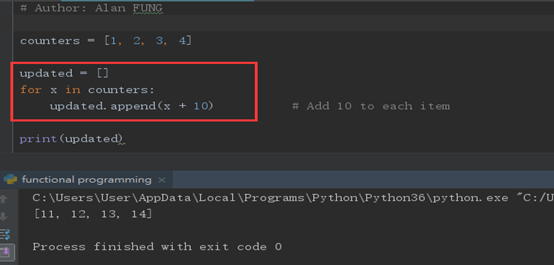
counters = [1, 2, 3, 4]

updated = []

for x in counters:

    updated.append(x + 10)

print(updated)
counters = [1, 2, 3, 4]

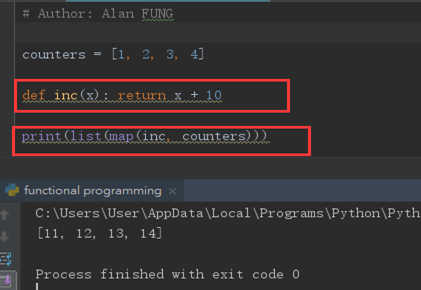
def inc(x): return x + 10

print(list(map(inc, counters)))
counters = [1, 2, 3, 4]

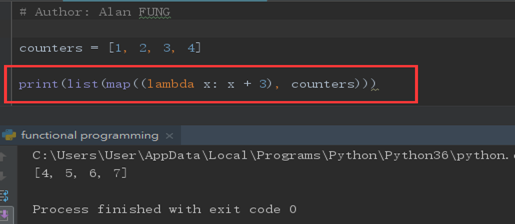
print(list(map((lambda x: x + 3), counters)))
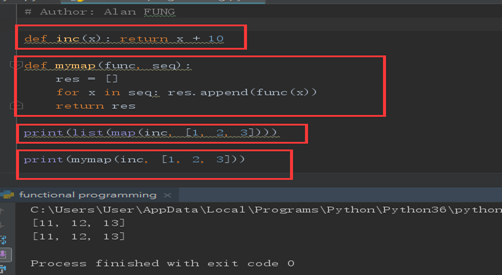
def inc(x): return x + 10

def mymap(func, seq):

    res = []

    for x in seq: res.append(func(x))

    return res

print(list(map(inc, [1, 2, 3])))

print(mymap(inc, [1, 2, 3]))
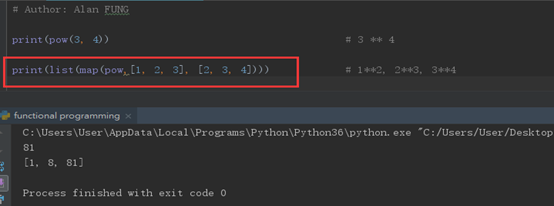
print(pow(3,4))

print(list(map(pow,[1,2,3], [2,3, 4])))
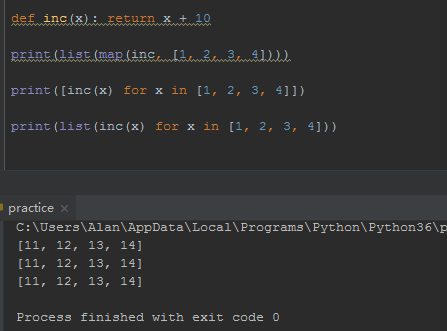
def inc(x): return x + 10

print(list(map(inc, [1, 2, 3, 4])))

print([inc(x) for x in [1, 2, 3, 4]])

print(list(inc(x) for x in [1, 2, 3, 4]))
(2) Selecting Items in Iterables: filter

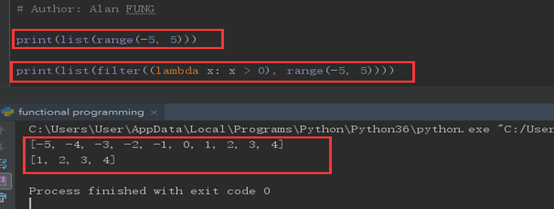
print(list(range(-5, 5)))

print(list(filter((lambda x: x > 0), range(-5, 5))))
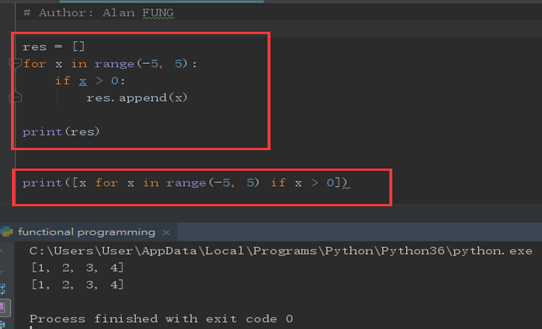
res = []

for x in range(-5, 5):

    if x > 0:

        res.append(x)

print(res)

print([x for x in range(-5, 5) if x > 0])
(3) Combining Items in Iterables: reduce
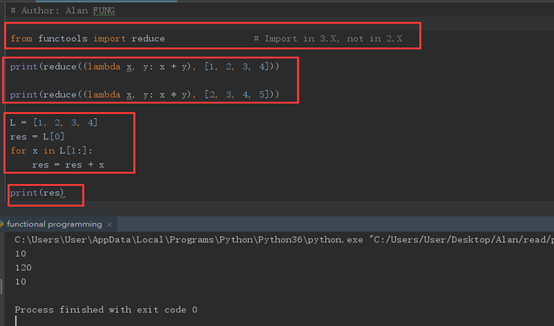
from functools import reduce        # import in 3.x, not in 2.x

print(reduce((lambda x, y: x + y), [1,2,3,4]))

print(reduce((lambda x, y: x * y), [2,3,4,5]))

L = [1, 2, 3, 4]

res = L[0]

for x in L[1:]:

    res = res + x

print(res)
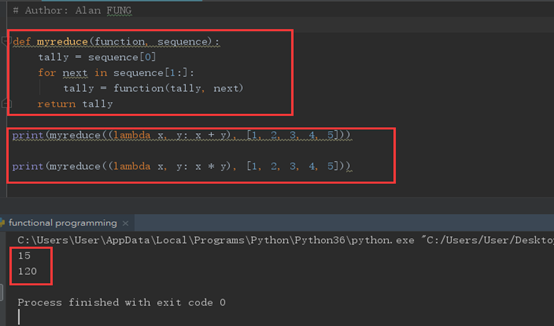
Coding your own version of reduce is actually fairly straightforward. The following function emulates most of the built-in’s behavior and helps demystify its operation in general:
def myreduce (function, sequence):

    tally = sequence[0]

    for next in sequence[1:]:

        tally = function(tally, next)

    return tally

print(myreduce((lambda x, y : x + y), [1,2,3,4,5]))

print(myreduce((lambda x, y : x * y), [1,2,3,4,5]))
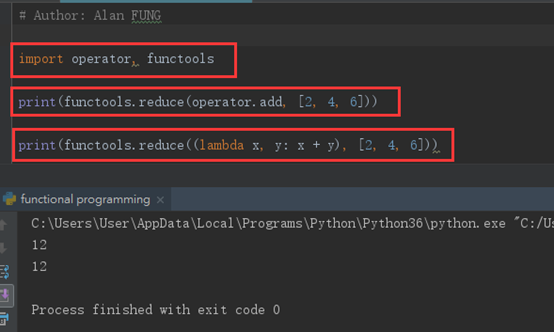
import operator, functools

print(functools.reduce(operator.add,[2,4,6]))

print(functools.reduce((lambda x, y: x + y), [2,4,6]))
Python Learning - Three的更多相关文章
- python learning Exception & Debug.py
''' 在程序运行的过程中,如果发生了错误,可以事先约定返回一个错误代码,这样,就可以知道是否有错,以及出错的原因.在操作系统提供的调用中,返回错误码非常常见.比如打开文件的函数open(),成功时返 ...
- Python Learning Paths
Python Learning Paths Python Expert Python in Action Syntax Python objects Scalar types Operators St ...
- Python Learning
这是自己之前整理的学习Python的资料,分享出来,希望能给别人一点帮助. Learning Plan Python是什么?- 对Python有基本的认识 版本区别 下载 安装 IDE 文件构造 Py ...
- How to begin Python learning?
如何开始Python语言学习? 1. 先了解它,Wiki百科:http://zh.wikipedia.org/zh-cn/Python 2. Python, Ruby等语言来自开源社区,社区的学法是V ...
- Experience of Python Learning Week 1
1.The founder of python is Guido van Rossum ,he created it on Christmas in 1989, smriti of ABC langu ...
- Python Learning: 03
An inch is worth a pound of gold, an inch of gold is hard to buy an inch of time. Slice When the sca ...
- Python Learning: 02
OK, let's continue. Conditional Judgments and Loop if if-else if-elif-else while for break continue ...
- Python Learning: 01
After a short period of new year days, I found life a little boring. So just do something funny--Py ...
- Python Learning - Two
1. Built-in Modules and Functions 1) Function def greeting(name): print("Hello,", name) g ...
随机推荐
- 【原创】Linux基础之SSH隧道/端口转发
格式 ssh -L <local port>:<remote host>:<remote port> <SSH servername> 示例 # ssh ...
- C++入门篇二
c++是c语言的增强版,但是和c语言之间有何区别呢? c和c++的区别: 1.全局变量检测增强int a;int a=10; 2.函数检测增强,参数类型增强,返回值检测增强,函数调用参数检测增强(参数 ...
- iOS rebuild from bitcode对ipa大小的影响
https://developer.apple.com/library/content/technotes/tn2432/_index.html 为了测试一下rebuild from bitcode的 ...
- (转)http authorization 基本认证
转:https://www.cnblogs.com/chenrong/articles/5818498.html http协议是无状态的, 浏览器和web服务器之间可以通过cookie来身份识别. 桌 ...
- 【java】Java相关学习参考链接(持续更新)
How to do in java,https://howtodoinjava.com/,Java手册,分版本,并且有每个版本的新特性的详细解析. Java World,https://www.jav ...
- java 读取本地文件并转换为byte数组
private byte[] InputStream2ByteArray(String filePath) throws IOException { InputStream in = new File ...
- Node.js API 学习笔记
常用 API 学习笔记 url 函数 url.parse: 解析 url 地址 url.resolve: 向 url 地址添加或替换字段 url.format: 生成 url 地址 querystri ...
- windows下创建MySQL定时备份与删除脚本
今天在windows服务器上面写了一个MySQL定时任务,备份呢与删除 rem *****************************Code start********************* ...
- day12.生成器;wraps初识
生成器 在 Python 中,使用了 yield 的函数被称为生成器(generator). 跟普通函数不同的是,生成器是一个返回迭代器的函数,只能用于迭代操作,更简单点理解生成器就是一个迭代器. 在 ...
- 关于pyCharm专业版的破解方法
用pycharm编写自动化脚本时,pycharm专业版的使用期限只有30天, 找到了pycharm破解方法. 破解码:{"licenseId":"145446792566 ...