
完整Deploy WebPlayer的Config
<!DOCTYPE html PUBLIC "-//W3C//DTD XHTML 1.0 Strict//EN" "http://www.w3.org/TR/xhtml1/DTD/xhtml1-strict.dtd">
<html xmlns="http://www.w3.org/1999/xhtml">
<head>
<meta http-equiv="Content-Type" content="text/html; charset=utf-8">
<title>Unity Web Player | before</title>
<script type='text/javascript' src='jquery.min.js'></script>
<script type="text/javascript">
<!--
var unityObjectUrl = "UnityObject2.js";
if (document.location.protocol == 'https:')
unityObjectUrl = unityObjectUrl.replace("http://", "https://ssl-");
document.write('<script type="text\/javascript" src="' + unityObjectUrl + '"><\/script>');
-->
</script>
<script type="text/javascript">
<!--
var config = {
width: 960,
height: 600,
params: { enableDebugging:"0" } };
var u = new UnityObject2(config); jQuery(function() { var $missingScreen = jQuery("#unityPlayer").find(".missing");
var $brokenScreen = jQuery("#unityPlayer").find(".broken");
$missingScreen.hide();
$brokenScreen.hide(); u.observeProgress(function (progress) {
switch(progress.pluginStatus) {
case "broken":
$brokenScreen.find("a").click(function (e) {
e.stopPropagation();
e.preventDefault();
u.installPlugin();
return false;
});
$brokenScreen.show();
break;
case "missing":
$missingScreen.find("a").click(function (e) {
e.stopPropagation();
e.preventDefault();
u.installPlugin();
return false;
});
$missingScreen.show();
break;
case "installed":
$missingScreen.remove();
break;
case "first":
break;
}
});
//第一个找到的unityPlayer div
u.initPlugin(jQuery("#unityPlayer")[0], "webplayer.unity3d");
});
-->
</script>
<style type="text/css">
<!--
body {
font-family: Helvetica, Verdana, Arial, sans-serif;
background-color: white;
color: black;
text-align: center;
}
a:link, a:visited {
color: #000;
}
a:active, a:hover {
color: #666;
}
p.header {
font-size: small;
}
p.header span {
font-weight: bold;
}
p.footer {
font-size: x-small;
}
div.content {
margin: auto;
width: 960px;
}
div.broken,
div.missing {
margin: auto;
position: relative;
top: 50%;
width: 193px;
}
div.broken a,
div.missing a {
height: 63px;
position: relative;
top: -31px;
}
div.broken img,
div.missing img {
border-width: 0px;
}
div.broken {
display: none;
}
div#unityPlayer {
cursor: default;
height: 600px;
width: 960px;
}
-->
</style>
</head>
<body>
<p class="header"><span>Unity Web Player | </span>before</p>
<div class="content">
<div id="unityPlayer">
<div class="missing">
<a href="http://unity3d.com/webplayer/" title="Unity Web Player. Install now!">
<img alt="Unity Web Player. Install now!" src="http://webplayer.unity3d.com/installation/getunity.png" width="193" height="63" />
</a>
</div>
<div class="broken">
<a href="http://unity3d.com/webplayer/" title="Unity Web Player. Install now! Restart your browser after install.">
<img alt="Unity Web Player. Install now! Restart your browser after install." src="http://webplayer.unity3d.com/installation/getunityrestart.png" width="193" height="63" />
</a>
</div>
</div>
</div>
<p class="footer">« created with <a href="http://unity3d.com/unity/" title="Go to unity3d.com">Unity</a> »</p>
</body>
</html>
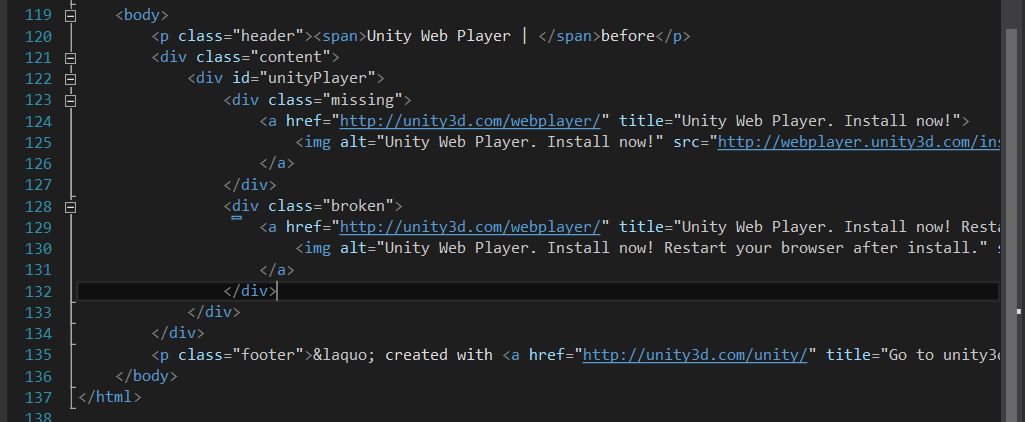
注意这两句里的missing和broken class有上面jquery来控制进度是否需要安装plugin
完整Deploy WebPlayer的Config的更多相关文章
- Web.config配置文件详解
整理了一下ASP.NET Web.config配置文件的基本使用方法.很适合新手参看,由于Web.config在使用很灵活,可以自定义一些节点.所以这里只介绍一些比较常用的节点. <?xml v ...
- Web.config配置文件详解(新手必看)(转)
转于:http://www.cnblogs.com/gaoweipeng/archive/2009/05/17/1458762.html <?xml version="1.0" ...
- 探索 OpenStack 之(11):cinder-api Service 启动过程分析 以及 WSGI / Paste deploy / Router 等介绍
OpenStack 中的每一个提供 REST API Service 的组件,比如 cinder-api,nova-api 等,其实是一个 WSGI App,其主要功能是接受客户端发来的 HTTP R ...
- [转]Web.config配置文件详解(新手必看)
本文转自:http://www.cnblogs.com/gaoweipeng/archive/2009/05/17/1458762.html 花了点时间整理了一下ASP.NET Web.config配 ...
- 转:Web.config配置文件详解(新手必看)
转:http://www.cnblogs.com/gaoweipeng/archive/2009/05/17/1458762.html 花了点时间整理了一下ASP.NET Web.config配置文件 ...
- cocos2d-x, protobuf, no config.h, #error "No suitable threading library available."
在用cocos2d-x3.2 + protobuf编译Android项目的时候,protobuf出现了两个问题: 1. 首先是config.h找不到,查阅自后说是通过命令或工具生成的,里面的内容根据不 ...
- Web.config配置文件详解(新手必看)
花了点时间整理了一下ASP.NET Web.config配置文件的基本使用方法.很适合新手参看,由于Web.config在使用很灵活,可以自定义一些节点.所以这里只介绍一些比较常用的节点. <? ...
- (转)Web.config配置文件详解(新手必看)
花了点时间整理了一下ASP.NET Web.config配置文件的基本使用方法.很适合新手参看,由于Web.config在使用很灵活,可以自定义一些节点.所以这里只介绍一些比较常用的节点. <? ...
- Deploy a Sharded Cluster
Start the Config Server Database Instances for example : mongod --configsvr --dbpath <path> - ...
随机推荐
- Asp.net 访问数据库的几种方式
ASP.NET中连接数据库的各种方法 连接SQL数据库的方法:(一).在Web.Config中创建连接字符串:1.<add name="ConnectionString" c ...
- call Kernelized Correlation Filters Tracker(Matab) in Qt(c++)
recently, i need call the KCF tracker in my graduation project. the KCF tracker is fast and best per ...
- PHP 关于回调的用法
class aClass { public static function directWrite($message) { echo 'this is a static function from a ...
- 一个Web页面的生命周期 ,面试常常被问到
常规页生命周期阶段 一般来说,页要经历下表概述的各个阶段.除了页生命周期阶段以外,在请求前后还存在应用程序阶段,但是这些阶段并不特定于页.有关更多信息,请参见 ASP.NET 应用程序生命周期概述. ...
- 数往知来 CSS<十二>
div+css基础 一.外部样式<!--外部样式可以使网页与样式分离,分工处理 1.写网页,主要提供内容,一般都会有固定的结构,具有id等属性的标签包括特定的内容 2.根据结构写样式另存为css ...
- ps做gif love教程(转)
先看看效果吧: 这是在写部教程的时候,看到一个由方格组成的心.于是试着用PS做成了动画,然后加入了LOVE四个字母,看起来还可以.但是,有些复杂.复杂倒不是技术上的复杂,是做起来复杂. 来试试吧. 1 ...
- golang实现ios推送
生成pem文件 打开Keychain Access 导出推送证书和私钥 推送证书 cert.p12 私钥 key.p12 导出.pem文件 转换推送证书 openssl pkcs12 -clcerts ...
- 流式计算之Storm简介
Storm是一个分布式的.容错的实时计算系统,遵循Eclipse Public License 1.0,Storm可以方便地在一个计算机集群中编写与扩展复杂的实时计算,Storm之于实时处理,就好比H ...
- CSRF简单介绍及利用方法-跨站请求伪造
0x00 简要介绍 CSRF(Cross-site request forgery)跨站请求伪造,由于目标站无token/referer限制,导致攻击者可以用户的身份完成操作达到各种目的.根据HTTP ...
- JXTA+JavaFX实现的网络黑白棋测试地址
http://www.qhdbaobao.com/dist/secondegg-reversi.html ——————————————————————————————————————————————— ...