
几个页面loading样式
随手练习了几个loading样式,以后看到有意思的loading样式也会补充上。样式的兼容性建议还是去w3c上看下属性的兼容性,至少我习惯这么多,当然,w3c中文网貌似很久很久没更新过了,可能更好的还是去google下。
我给出的代码一般会把浏览器前缀样式给省略,因为像动画的关键帧这样的需要前缀的属性会使贴出来的代码很长。
下面给出示意图和代码:
(1)两个小球:


 <!doctype html>

 <head>

 <title>两个小球</title>

 <style>

     .loading-area {

         position: fixed;

         top: 50%;

         left: 50%;

         margin: -50px 0 0 -40px;

         width: 80px;

         height: 100px;

         text-align: center;

         border-radius: 4px;

         background-color: rgba(0, 0, 0, .04);

     }

     .icon-ball:before, .icon-ball:after {

         content: '';

         position: absolute;

         display: inline-block;

         top: 20px;

         left: 50%;

         margin-left: -7px;

         width: 14px;

         height: 14px;

         border: 1px solid #999;

         border-radius: 50%;

         box-sizing: border-box;

         background-color: #999;

         /*-webkit-animation: loading 1.8s linear alternate infinite;*/

         animation: loading 1.8s linear alternate infinite;

     }

     .icon-ball:after {

         top: 70px;

         animation-name: another-loading;

         border-color: rgba(0, 0, 0, .04);

         background-color: rgba(0, 0, 0, .08);

     }

     @keyframes loading {

         0% {top: 20px;}

         100% {top: 70px;}

     }

     @keyframes another-loading {

         0% {top: 70px;}

         100% {top: 20px;}

     }

 </style>

 </head>

 <body>

 <div class="loading-area icon-ball">

 </div>

 </body>

 </html>
(2)时钟:
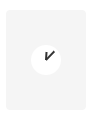

<!doctype html>

<head>

<title>时钟</title>

<style>

    .loading-area {

        position: fixed;

        top: 50%;

        left: 50%;

        margin: -50px 0 0 -40px;

        width: 80px;

        height: 100px;

        border-radius: 4px;

        background-color: rgba(0, 0, 0, .04);

    }

    .icon-timer {

        position: absolute;

        top: 50%;

        left: 50%;

        margin: -15px 0 0 -15px;

        width: 30px;

        height: 30px;

        border-radius: 50%;

        background-color: #fff;

    }

    .icon-timer:before, .icon-timer:after {

        content: '';

        display: inline-block;

        position: absolute;

        bottom: 50%;

        left: 50%;

        margin-left: -1px;

        width: 2px;

        height: 8px;

        background-color: #333;

        -webkit-transform-origin: 50% 100%;

        -ms-transform-origin: 50% 100%;

        transform-origin: 50% 100%;

        /*transform-origin: center bottom;*/

    }

    .icon-timer:before {

        /*-webkit-animation: hourhand 24s linear infinite;*/

        animation: hourhand 24s linear infinite;

    }

    .icon-timer:after {

        height: 12px;

        /*-webkit-animation: minutehand 2s linear infinite;*/

        animation: minutehand 2s linear infinite;

    }

    @keyframes hourhand {

        0% {transform: rotate(0deg)}

        100% {transform: rotate(360deg);}

    }

    @keyframes minutehand {

        0% {transform: rotate(0deg)}

        100% {transform: rotate(360deg);}

    }

</style>

</head>

<body>

<div class="loading-area">

    <i class="icon-timer"></i>

</div>

</body>

</html>
(3)、充电
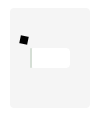
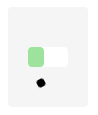
<!doctype html>

<head>

<title>充电</title>

<style>

    .loading-area {

        position: fixed;

        top: 50%;

        left: 50%;

        margin: -50px 0 0 -40px;

        width: 80px;

        height: 100px;

        border-radius: 4px;

        background-color: rgba(0, 0, 0, .04);

    }

    .icon-charge {

        position: absolute;

        top: 50%;

        left: 50%;

        margin: -10px 0 0 -20px;

        width: 40px;

        height: 20px;

        /*border: 1px solid #333;*/

        border-radius: 4px;

        background-color: #fff;

    }

    .icon-charge:after {

        content: '';

        display: inline-block;

        position: absolute;

        top: 0;

        left: 0;

        width: 0;

        height: 20px;

        border-radius: 4px;

        background-color: #ddd;

        /*-webkit-animation: charge 2s linear alternate infinite;*/

        animation: charge 2s linear alternate infinite;

    }

    @keyframes charge {

        0% {width: 0;}

        100% {width: 40px; background-color: #3dec3a;}

    }

    .icon-charge:before {

        content: '';

        position: absolute;

        top: -12px;

        left: -12px;

        width: 8px;

        height: 8px;

        background-color: #000;

        animation: move 8s ease infinite;

    }

    @keyframes move {

        0% {top: -12px; left: -12px; transform: rotate(0deg); border-radius: 0;}

        25% {top: -12px; left: 52px; transform: rotate(360deg); border-radius: 50%;}

        50% {top: 32px; left: 52px; transform: rotate(0deg); border-radius: 0;}

        75% {top: 32px; left: -12px; transform: rotate(360deg); border-radius: 50%;}

        100% {top: -12px; left: -12px; transform: rotate(0deg); border-radius: 0;}

    }

</style>

</head>

<body>

<div class="loading-area">

    <i class="icon-charge"></i>

</div>

</body>

</html>
几个页面loading样式的更多相关文章
- A标签/按钮防止重复提交&页面Loading制作
[实现原理] 防止重复提交与页面的提交时的Loading设置,均是在提交,但是尚未处理完成进行的操作,且提交为异步提交(同步提交不需要考虑).因此,其实现原理是在点击按钮或A标签时,将按钮/A标签置为 ...
- 利用@keyframe及animation做一个页面Loading时的小动画
前言 利用@keyframe规则和animation常用属性做一个页面Loading时的小动画. 1 @keyframe规则简介 @keyframes定义关键帧,即动画每一帧执行什么. 要使用关键帧 ...
- 纯css3手机页面图标样式代码
全部图标:http://hovertree.com/texiao/css/19/ 先看效果: 或者点这里:http://hovertree.com/texiao/css/19/hoverkico.ht ...
- Form认证导致登陆页面的样式无效和图片不能显示的原因
最近在做企业内门户网站,一切进展还算顺利,部署到生产环境的时候也能没有什么大问题,只是登录页面的样式不起作用,不知为何,因为是使用了login控件,最初以为是此控件有内置默认样式或者什么原因,于是就不 ...
- 页面loading提示效果
前言: 现在做页面一般为了提示友好点,一般会做个页面正在加载的loading提示效果,当页面加载完毕后再显示内容!这个时候就需要监控页面的资源加载的情况,有时候这并不好做,因为页面涉及图片,视频,已经 ...
- 项目遇到的小问题(关于vue-cli中js点击事件不起作用和iconfont图片下载页面css样式乱的解答)
第一个:关于vue-cli中js点击事件不起作用 在vue的methods方法queryBtnFun()中拼接html和click操作事件的时候,发现点击事件一起未起作用: 后来发现是DOM执行顺序 ...
- 页面css样式找不到问题
出现了一个页面没有样式的问题: 问题: 1.路径不对, 可以打开页面f12看样式是否找到 检查路径是否正确. 2.样式没引全或者没引对. 查看引入的样式是否正确或缺少样式. 3.路径明明写对了却404 ...
- 页面重置样式reset.css
我把经常用到的一些页面重置样式归类到了一个.css文件中,这样可以减少代码冗余.当然还有其他的很多用处,比如h1~h5的样式全部统一的话,下面写东西很清晰很多. @charset 'utf-8'; h ...
- 页面loading效果
当网页太大,打开太慢的时候,为了增加良好的用户体验(不让用户眼巴巴的等,心中暗骂c,这么慢),我们需要加一个等待动画. 只需把以下代码加入页面中即可,图片可以根据自己的需求更换,更换图片之后需要改变l ...
随机推荐
- 【模板】二分图最大权完美匹配KM算法
hdu2255模板题 KM是什么意思,详见百度百科. 总之知道它可以求二分图最大权完美匹配就可以了,时间复杂度为O(n^3). 给张图. 二分图有了边权,求最大匹配下的最大权值. 所以该怎么做呢?对啊 ...
- LED操作
灯上拉 GPIO_InitTypeDef GPIO_InitStruct; RCC_AHBPeriphClockCmd(RCC_AHBPeriph_GPIOB, ENABLE); GPIO_InitS ...
- Libevent浅析
前段时间对Libevent的源码进行了阅读,现整理如下: 介绍 libevent是一个轻量级的开源高性能事件驱动网络库,是一个典型的Reactor模型.其主要特点有事件驱动,高性能,跨平台,统一事件源 ...
- (函数封装)domReady
一般的我们用window.onload()来判断文档是否加载完成,我们一般采用下面的做法: 当文档加载全部完后,我们在执行代码块(很显然,当需要加载的文档及节点庞大时,用户体验可能会变很差) wind ...
- PHP获取随机数
<?php $FileID=date("Ymd-His") . '-' . rand(100,999); //$FileID为 20100903-132121-908 ...
- Laravel 5.2 教程 - 数据填充
一.简介 Laravel提供的填充类(seed),可以让大家很容易的实现填充测试数据到数据库.所有的填充类都位于database/seeds目录.填充类的类名完全由你自定义,但最好还是遵循一定的规则, ...
- 蓝桥杯-四平方和-java
/* (程序头部注释开始) * 程序的版权和版本声明部分 * Copyright (c) 2016, 广州科技贸易职业学院信息工程系学生 * All rights reserved. * 文件名称: ...
- Lua快捷键
快捷键 含义 ctrl + shift + L 多行编辑 ctrl + D 继续向下选中下一个相同的文本 Alt + F3 选中所有相同所选中德文本
- shapeless官方指南翻译总结
今天抽空把之前翻译的<The Type Astronaut's Guide to Shapeless>一书放到了Gitbook上,将其开源供所有人阅读并希望大家能够提出宝贵意见,地址为sh ...
- linux下vim编辑器使用
VIM - Vi IMproved: vim是vi编辑器的升级版,是linux下标准的编辑器,具有程序编写能力,可以根据字体颜色辨别语法的正确性,方便程序的设计. 使用: # vim [OPTION] ...