
CMDB资产管理系统开发【day26】:批准资产入库
刚才都是一条像内存,硬盘,网卡、多条的话如何操作
只有一条数据

下面的是有多条数据的
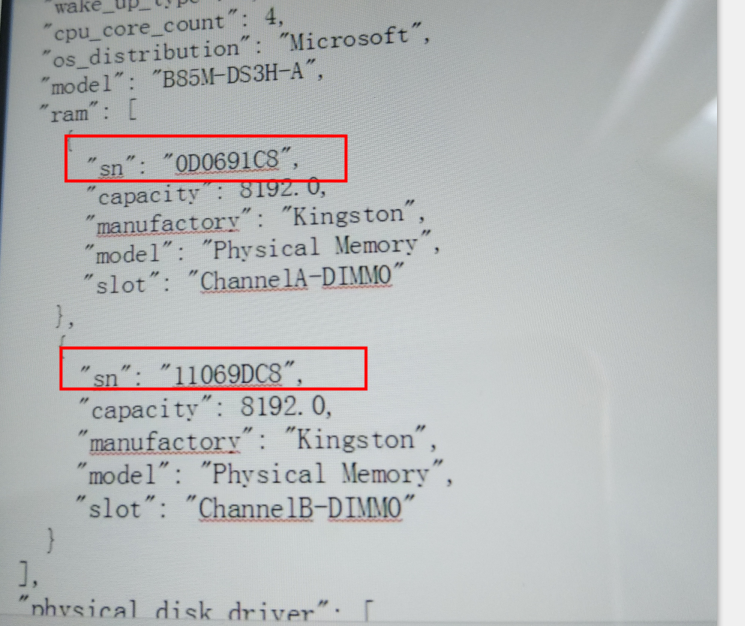
硬盘必须字段的验证
    def __create_disk_component(self):

        disk_info = self.clean_data.get('physical_disk_driver')

        if disk_info:

            for disk_item in disk_info:

                try:

                    self.__verify_field(disk_item, 'slot', str)

					'''

					这里确实是验证了一个slot,首先获取数据,0是不成立的,插槽是0

					这一段根本就不走,客户端操作,导致这一块就报错

					'''

                    self.__verify_field(disk_item, 'capacity', float)

                    self.__verify_field(disk_item, 'iface_type', str)

                    self.__verify_field(disk_item, 'model', str)

                    if not len(self.response['error']):  # no processing when there's no error happend

                        data_set = {

                            'asset_id': self.asset_obj.id,

                            'sn': disk_item.get('sn'),

                            'slot': disk_item.get('slot'),

                            'capacity': disk_item.get('capacity'),

                            'model': disk_item.get('model'),

                            'iface_type': disk_item.get('iface_type'),

                            'manufactory': disk_item.get('manufactory'),

                        }

                        obj = models.Disk(**data_set)

                        obj.save()

                except Exception as e:

                    self.response_msg('error', 'ObjectCreationException', 'Object [disk] %s' % str(e))

        else:

            self.response_msg('error', 'LackOfData', 'Disk info is not provied in your reporting data')
硬盘类型不对报错

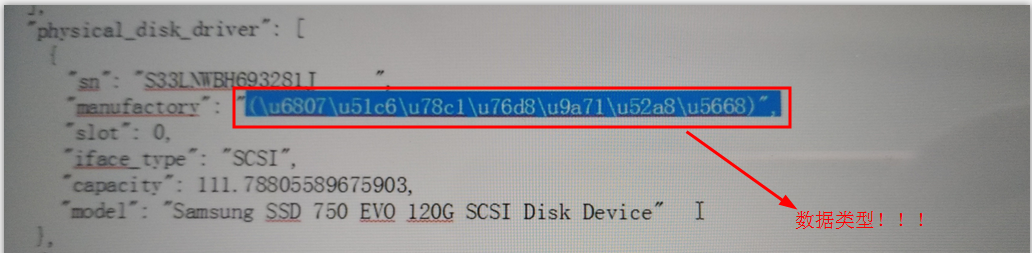
解决办法:
 except Exception as e:

                    self.response_msg('error', 'ObjectCreationException', 'Object [disk] %s' % str(e))

	'''编写except ValueError Exception as e不再抓异常'''
硬盘验证字段bug导致获取不到资产组件信息

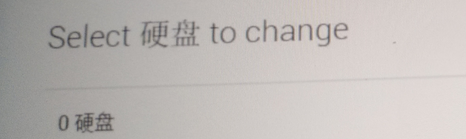
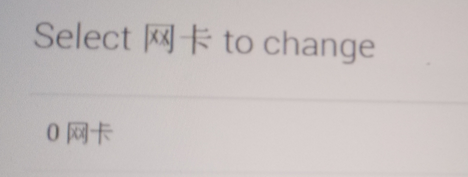
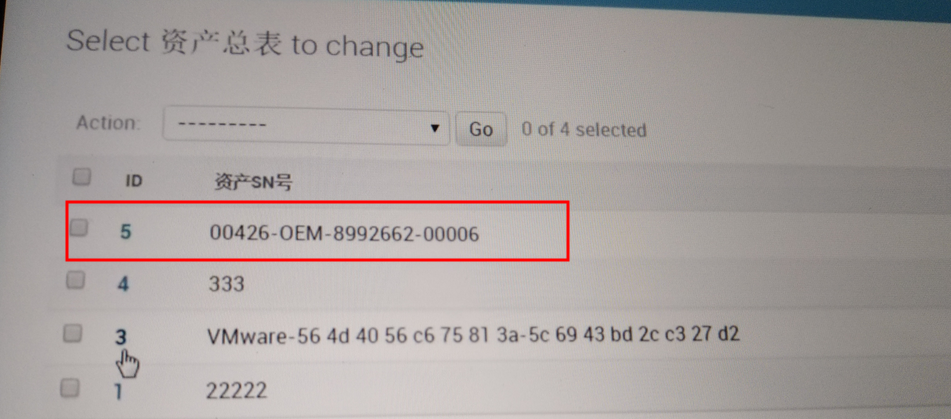
客户端命令行拍错截图:
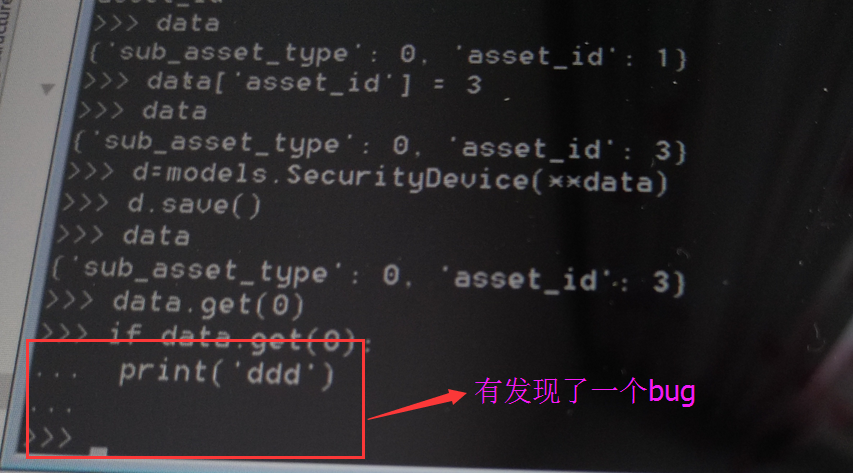
解决办法:
验证字段的时候:if not none 就可以了
资产表创建逻辑解析
	def _create_server(self):

			self.__create_server_info()

			self.__create_or_update_manufactory()

			self.__create_cpu_component()

			self.__create_disk_component()

			self.__create_nic_component()

			self.__create_ram_component()

			log_msg = "Asset [<a href='/admin/assets/asset/%s/' target='_blank'>%s</a>] has been created!" % (

				self.asset_obj.id, self.asset_obj)

			self.response_msg('info', 'NewAssetOnline', log_msg)

			'''

                        如果上面的都获取成功,我就返回一条消息,创建资产成功,

			你可以'/admin/assets/asset/%s/'到这个页面,打开这个资产

			然后记录一条日志

			'''
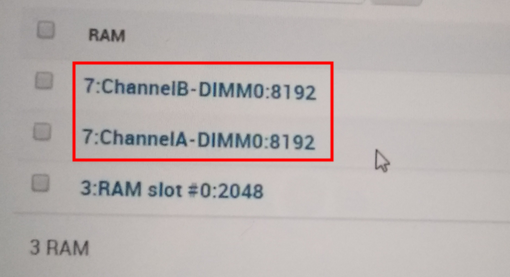
创建资产成功创建记录截图
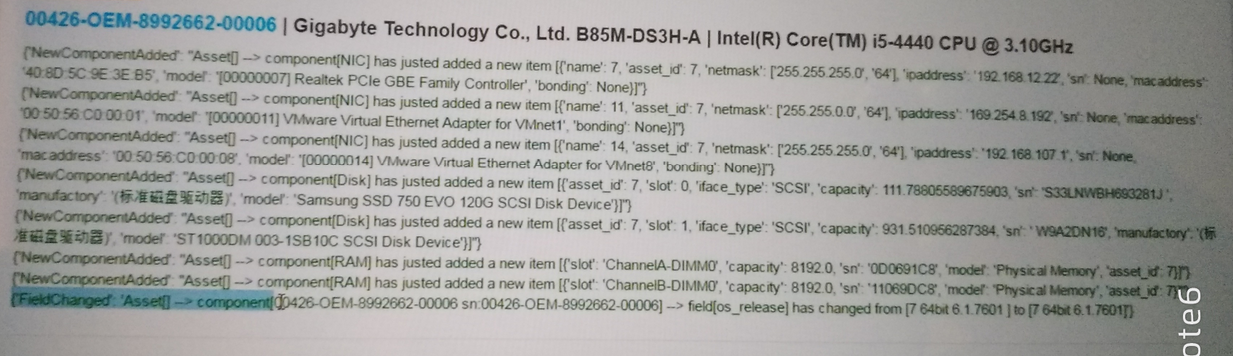
后台资产表截图如下:

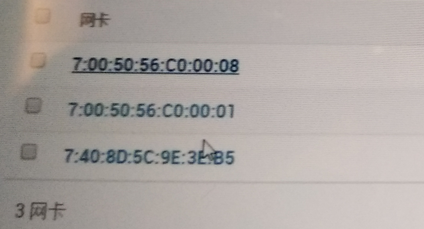
内存capacity字段类型验证
    def __create_ram_component(self):

        ram_info = self.clean_data.get('ram')

        if ram_info:

            for ram_item in ram_info:

                try:

                    self.__verify_field(ram_item, 'capacity', int)

					'''验证capacity必须是int,如果不是int就走不下去了,内存就不创建了'''

                    if not len(self.response['error']):  # no processing when there's no error happend

                        data_set = {

                            'asset_id': self.asset_obj.id,

                            'slot': ram_item.get("slot"),

                            'sn': ram_item.get('sn'),

                            'capacity': ram_item.get('capacity'),

                            'model': ram_item.get('model'),

                        }

                        obj = models.RAM(**data_set)

                        obj.save()

                except Exception as e:

                    self.response_msg('error', 'ObjectCreationException', 'Object [ram] %s' % str(e))

        else:

            self.response_msg('error', 'LackOfData', 'RAM info is not provied in your reporting data')
验证必须字段,没有必须字段就不不创建硬盘
网卡验证字段
    def __create_nic_component(self):

        nic_info = self.clean_data.get('nic')

        if nic_info:

            for nic_item in nic_info:

                try:

                    self.__verify_field(nic_item, 'macaddress', str)

					'''IP地址可以没有,验证macaddress地址必须存在'''

                    if not len(self.response['error']):  # no processing when there's no error happend

                        data_set = {

                            'asset_id': self.asset_obj.id,

                            'name': nic_item.get('name'),

                            'sn': nic_item.get('sn'),

                            'macaddress': nic_item.get('macaddress'),

                            'ipaddress': nic_item.get('ipaddress'),

                            'bonding': nic_item.get('bonding'),

		'''这个网卡是绑定的,是客户端检测的,我服务器端只是检测这个字段'''

                            'model': nic_item.get('model'),

                            'netmask': nic_item.get('netmask'),

                        }

                        obj = models.NIC(**data_set)

                        obj.save()

                except Exception as e:

                    self.response_msg('error', 'ObjectCreationException', 'Object [nic] %s' % str(e))

        else:

            self.response_msg('error', 'LackOfData', 'NIC info is not provied in your reporting data')
CMDB资产管理系统开发【day26】:批准资产入库的更多相关文章
- CMDB资产管理系统开发【day25】:表结构设计2
表结构设计1详细注释代码 # _*_coding:utf-8_*_ __author__ = 'luoahong' from assets.myauth import UserProfile from ...
- CMDB资产管理系统开发【day25】:表结构设计1
资产表 # _*_coding:utf-8_*_ __author__ = 'jieli' from assets.myauth import UserProfile from django.db i ...
- CMDB资产管理系统开发【day25】:windows客户端开发
1.目录结构 PS Y:\MadkingClient> tree /f 卷 netgame 的文件夹 PATH 列表 卷序列号为 ACE3-896E Y:. ├─bin │ NedStark.p ...
- CMDB资产管理系统开发【day26】:admin action
本节目标 审核写到数据库,我就单独写一个如下的 页面 单机go后就跳转到如下图界面,我们这节课的目标就是写一个这样的页面 asset\admin.py部分代码 注释如下: class NewAsset ...
- CMDB资产管理系统开发【day26】:数据正式存入待存区
1.from表单提交 1.数据提交到哪里呢? 提交到assets/new_assets_approval.html这了 2.Yes, I'm sure提交了什么? 为什么没有下拉框了 ...
- CMDB资产管理系统开发【day26】:CMDB上节回顾
一.上节知识点回顾 服务器设计了一个表结构 开发了一个客户端 二.后台创建缓存区表 客户端连接服务器,在服务器的下面看报错信息 因为URL都没有写,所以我找不到呀 1.在MadKing\url.py ...
- CMDB资产管理系统开发【day26】:02-数据写入待存区
一.资产自动回报数据及个更新流程图 二.表结构注释(NewAssetApprovalZone) class NewAssetApprovalZone(models.Model): "&quo ...
- CMDB资产管理系统开发【day26】:Django admin
想实现的是一个表里面的字段 选择性的出现在菜单栏 1.如何自定义菜单 自定义菜单前 在asset\admin.py里添加如下代码: class NewAssetApprovalZoneAdmin(ad ...
- CMDB资产管理系统开发【day26】:实现资产自动更新
1.需求分析 1.比对分析 比对的时候以那个数据源为主? old [1,2,3 ] db数据库 new [2,3,4 ] 客户端汇报过来的 当然以客户端汇报过来的数据为主 2.更新分析 不同的表到底拿 ...
随机推荐
- beego 笔记
1.开发文档 https://beego.me/docs/intro/ 2.bee run projectname demo controller package autoscaler import ...
- 剑指offer-字符串的排列26
题目描述 输入一个字符串,按字典序打印出该字符串中字符的所有排列.例如输入字符串abc,则打印出由字符a,b,c所能排列出来的所有字符串abc,acb,bac,bca,cab和cba. 输入描述: 输 ...
- URAL 1297 Palindrome(Manacher)
The “U.S. Robots” HQ has just received a rather alarming anonymous letter. It states that the agent ...
- Java学习个人备忘录之多线程
进程:正在进行中的程序(直译). 线程:就是进程中一个负责程序执行的控制单元(执行路径) 一个进程中可以有多个执行路径,称之为多线程. 一个进程中至少要有一个线程. 开启多个线程是为了同时运行多部分代 ...
- Android 开发错误集锦
1. eclipse的Device中不显示手机 在eclipse中连接不上手机,出现adb server didn't ACK fail to start daemon 错误. 出现这种原因是因为a ...
- java—连连看-实现消除
实现消除 1.Chess.java package Linkup; /** * 棋子封装类 * * @author laixl * */ public class Chess { // 图片的 状态 ...
- 转 高性能IO模型浅析
高性能IO模型浅析 转自:http://www.cnblogs.com/fanzhidongyzby/p/4098546.html 服务器端编程经常需要构造高性能的IO模型,常见的IO模型有四种: ( ...
- lol人物模型提取(九)——终章
之前顺丰来人拍照取证了一下,又和卖家协商了一下,最后顺风只打算赔偿我23块钱的顺丰邮寄卡,就是当你寄货物的时候可以用这卡来抵邮钱.想想也没多少钱,对方也不同意微信或支付宝转账给我,索性不让顺丰公司 ...
- 这些JavaScript编程黑科技,装逼指南,高逼格代码,让你惊叹不已
Javascript是一门很吊的语言,我可能学了假的JavaScript,哈哈,大家还有什么推荐的,补充送那啥邀请码. 本文秉承着:你看不懂是你SB,我写的代码就要牛逼. 1.单行写一个评级组件 &q ...
- [STL] map,multimap,unordered_map基本用法
map的特性是,所有元素都会根据元素的键值自动被排序.map的所有元素都是pair,同时拥有键值(key)和实值(value).pair的第一元素被视为键值,第二元素被视为实值.map不允许两个元素拥 ...