
Steeltoe之Service Discovery篇
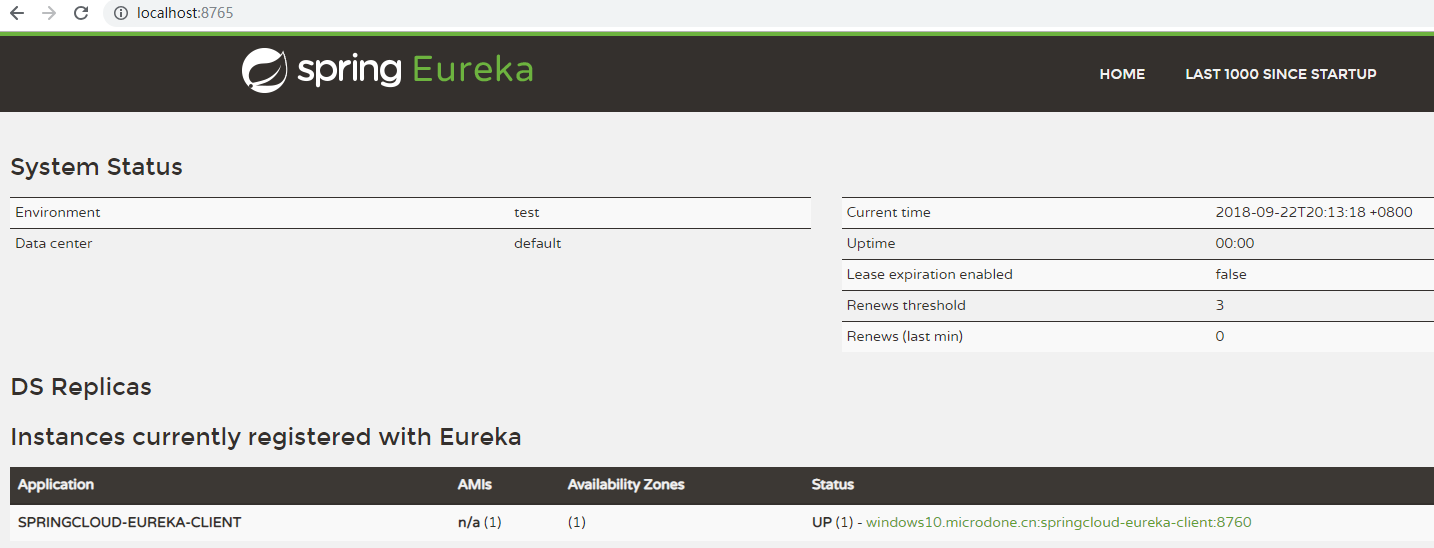
在前文一窥Spring Cloud Eureka中,已经构建了基于Eureka的服务端与客户端,可用于实现服务注册与发现功能。而借助Steeltoe的类库,可以在.NET生态系统中使用Spring Cloud的现有模块。
Package
对于ASP.NET Core,使用Steeltoe.Discovery.ClientCore类库。
对于Console/ASP.NET 4.x,使用Steeltoe.Discovery.EurekaBase类库。
服务发现
先建立一个ASP.NET Core项目,其可以找到已在Eureka的服务端注册的服务,并利用这些服务完成所需功能。
appsettings.json
首先设置Eureka服务端地址,并确定当前应用程序能够发现服务但本身不会被注册为服务。
{

  "eureka": {

    "client": {

      "serviceUrl": "http://localhost:8765/eureka/",

      "shouldFetchRegistry": true,

      "shouldRegisterWithEureka": false

    }

  }

}
Startup.cs
加入DiscoveryClient服务并使用它。
public Startup(IConfiguration configuration)

{

    Configuration = configuration;

}

public IConfiguration Configuration { get; }

public void ConfigureServices(IServiceCollection services)

{

    services.AddDiscoveryClient(Configuration);

    services.AddMvc();

}

public void Configure(IApplicationBuilder app, ...)

{

    app.UseMvc();

    app.UseDiscoveryClient();

}
Controller
从已注册的Eureka客户端,即之前建立的Spring Cloud服务中获取数据。
public class HomeController : Controller

{

    DiscoveryHttpClientHandler _handler;

    public HomeController(IDiscoveryClient client)

    {

        _handler = new DiscoveryHttpClientHandler(client);

    }

    public IActionResult Index()

    {

        var client = new HttpClient(_handler, false);

        var result = client.GetStringAsync("http://SPRINGCLOUD-EUREKA-CLIENT/hello").Result;

        ViewData["message"] = result;

        return View();

    }

}
该服务的地址是它用于注册的application name。
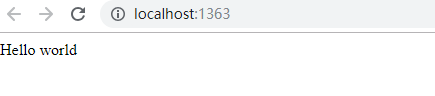
启动ASP.NET Core应用程序,可以看到页面显示了来自Spring Cloud服务的数据。
服务注册
再建立一个ASP.NET Core API项目,并将其注册到Eureka的服务端。
appsettings.json
该应用程序不需要发现服务,但需要在Eureka服务端上注册服务。这里可以看到比上一项目更多的配置,因为它需要提供应用名称,端口号及主机名称。
{

  "eureka": {

    "client": {

      "serviceUrl": "http://localhost:8765/eureka/",

      "shouldFetchRegistry": false,

      "shouldRegisterWithEureka": true

    },

    "instance": {

      "appName": "NET-API",

      "port": 5000,

      "hostName": "localhost"

    }

  }

}
Startup.cs
与上一项目同样的配置。
Controller
建立一个简单的API方法。
[Route("api/[controller]")]

[ApiController]

public class ValuesController : ControllerBase

{

    // GET api/values

    [HttpGet]

    public ActionResult<string> Get()

    {

        return "Hello World NET-API!";

    }

}
启动服务
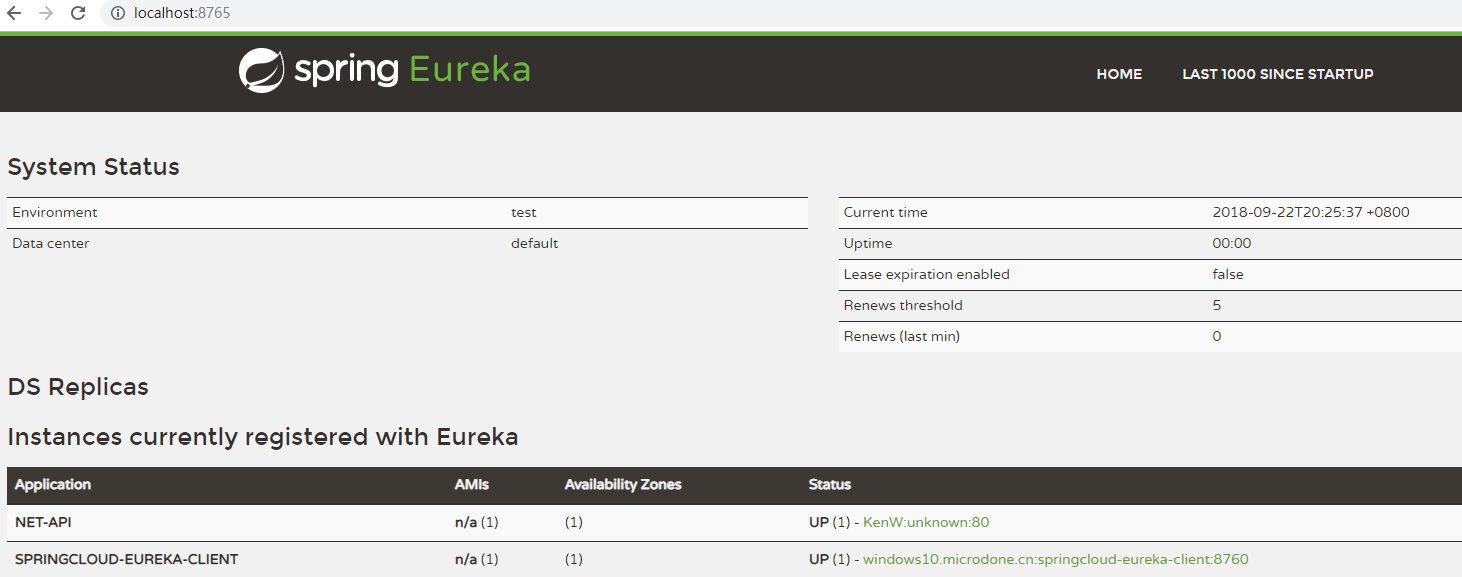
可以在Eureka服务端中看到新注册的服务。
调用服务
将上一个项目中所调用API的地址改成新服务的。
public IActionResult Index()

{

    var client = new HttpClient(_handler, false);

    var result = client.GetStringAsync("http://NET-API/api/values").Result;

    ViewData["message"] = result;

    return View();

}
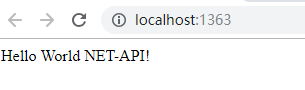
启动后,可以看到所显示的值已发生变化,因为其是从新的服务中取得的。
Steeltoe之Service Discovery篇的更多相关文章
- Service Discovery And Health Checks In ASP.NET Core With Consul
在这篇文章中,我们将快速了解一下服务发现是什么,使用Consul在ASP.NET Core MVC框架中,并结合DnsClient.NET实现基于Dns的客户端服务发现 这篇文章的所有源代码都可以在G ...
- Service Discovery with Apache Curator
Curator的介绍 Curator就是Zookeeper的一个客户端工具(不知道Zookeeper的同学可以到http://www.ibm.com/developerworks/cn/opensou ...
- Android WiFiDirect 学习(二)——Service Discovery
Service Discovery 简介 在Android WifiDirect学习(一 )中,简单介绍了如何使用WifiDirect进行搜索——连接——传输. 这样会有一个问题,那就是你会搜索到到附 ...
- Open-Source Service Discovery
Service discovery is a key component of most distributed systems and service oriented architectures. ...
- [译]Ocelot - Service Discovery
原文 你可以指定一个service discovery provider,ocelot将使用它来找下游的host和port. Consul 下面的配置要放在GlobalConfiguration中.如 ...
- ZooKeeper之service discovery
Zookeeper整体介绍 ZooKeeper is a centralized service for maintaining configuration information, naming, ...
- Service discovery
https://www.cnblogs.com/dirt2/p/5987067.html Use Assigned Numbers in the Service Discovery Protocol ...
- 【转帖】Service Discovery: 6 questions to 4 experts
https://highops.com/insights/service-discovery-6-questions-to-4-experts/ What’s Service Discovery? I ...
- Service Discovery in WCF 4.0 – Part 2 z
Service Discovery in WCF 4.0 – Part 2 In the previous post I discussed about the basic usage of WCF ...
随机推荐
- 基于Centos搭建Laravel 环境搭建
系统要求:CentOS 7.2 64 位操作系统 安装 Laravel Laravel 简介 Laravel 是一套简洁.优雅的 PHP Web 开发框架.它可以让你从面条一样杂乱的代码中解脱出来:它 ...
- Mac Apache Tomcat WebServer 服务器配置
1.配置准备工作 1)配置服务器准备工作 在 Finder 中创建一个 "workspace" 的文件夹,可直接创建在 /Users/QianChia(当前用户名)目录下. 下载相 ...
- [svc]对称加密/非对称加密细枝末节-如何做到数据传输的authentication/data integrity/confidentiality(私密)
对称/非对称/混合加密的冷知识 数据在互联网上传输,要考虑安全性. 讲到安全,要从三方面考虑: 1.authentication 每一个IP包的认证,确保合法源的数据 2.data integrity ...
- java8学习的一点总结
最近研究了一下java8 弄了几个例子学习了一下用法: 创建了一个实体类: @Data public class Apple { private Integer id; private String ...
- ⑤NuPlayer播放框架之GenericSource源码分析
[时间:2017-01] [状态:Open] [关键词:android,nuplayer,开源播放器,播放框架,GenericSource] 0 导读 GenericSource是NuPlayer:: ...
- Python访问MongoDB,并且转换成Dataframe
#!/usr/bin/env python # -*- coding: utf-8 -*- # @Time : 2018/7/13 11:10 # @Author : baoshan # @Site ...
- Odoo 去掉 恼人的 "上午"和"下午"
- Git 更新操作
修改现有函数 Tom 执行克隆操作后,看到新的文件string.c,他想知道这个文件到存储库?目的是什么?于是,他执行 git 日志命令. [tom@CentOS ~]$ git clone gitu ...
- 奇淫怪巧之在Delphi中调用不申明函数
前一阵子,研究了一段时间的Win32Asm,研究到后来发现Win32的ASM实际上还是和C版的介绍的一样.甚至还封装了一个简版的类似VCL库结构框架的32ASM结构库,不过搞着搞着就没兴趣了,也没继续 ...
- python初级 2 字符串格式化
一.回顾 上次我们讲解的数据类型,有int,float,str,bool,NoneType五种 前两种和后两种都比较简单,str较为复杂 二.字符串格式化的使用场景: 有一种字符串, xxx 的内容都 ...