
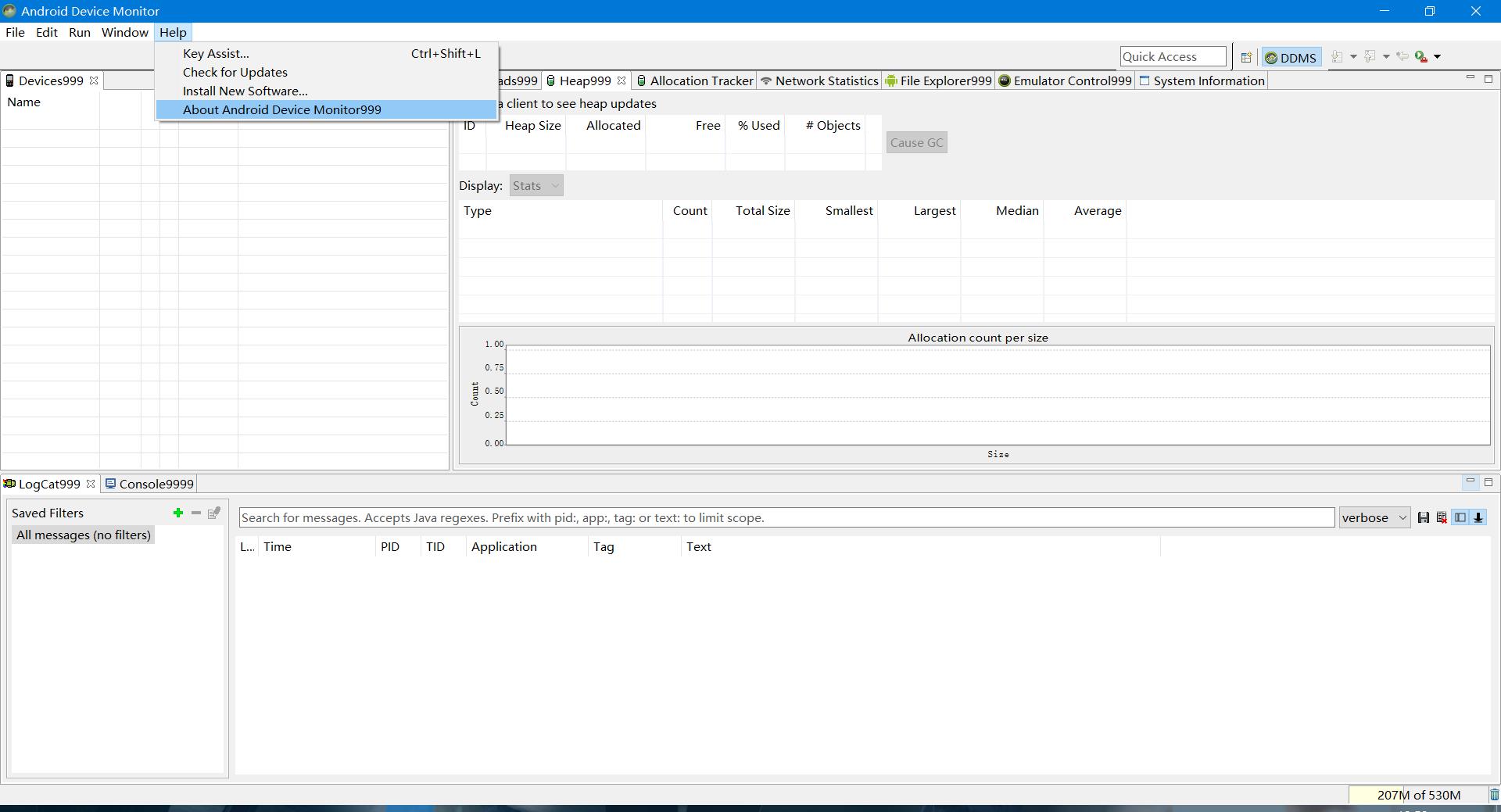
android monitor 汉化
作者:韩梦飞沙
Author:han_meng_fei_sha
邮箱:313134555@qq.com
E-mail: 313134555 @qq.com
===
==


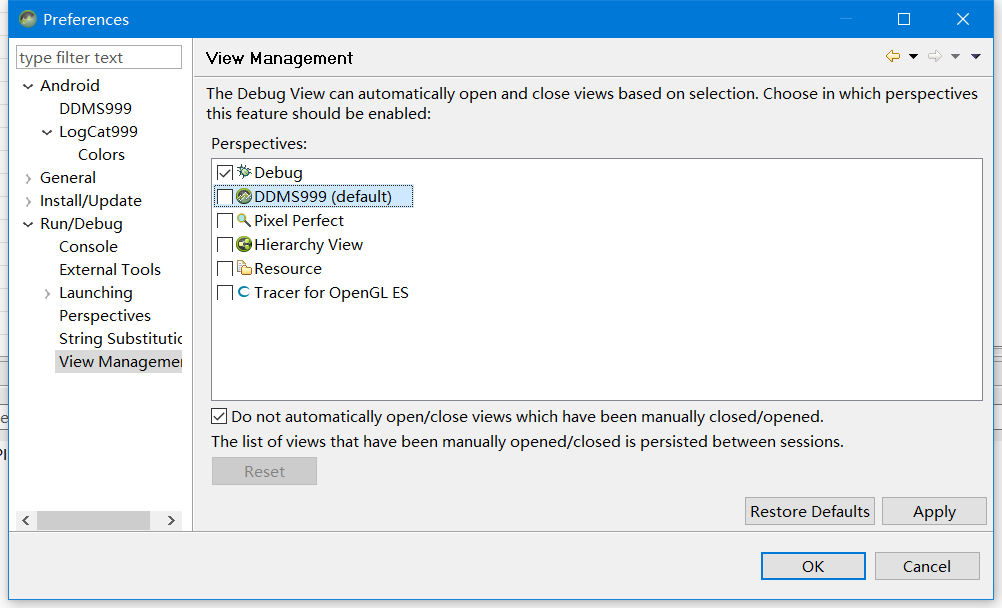
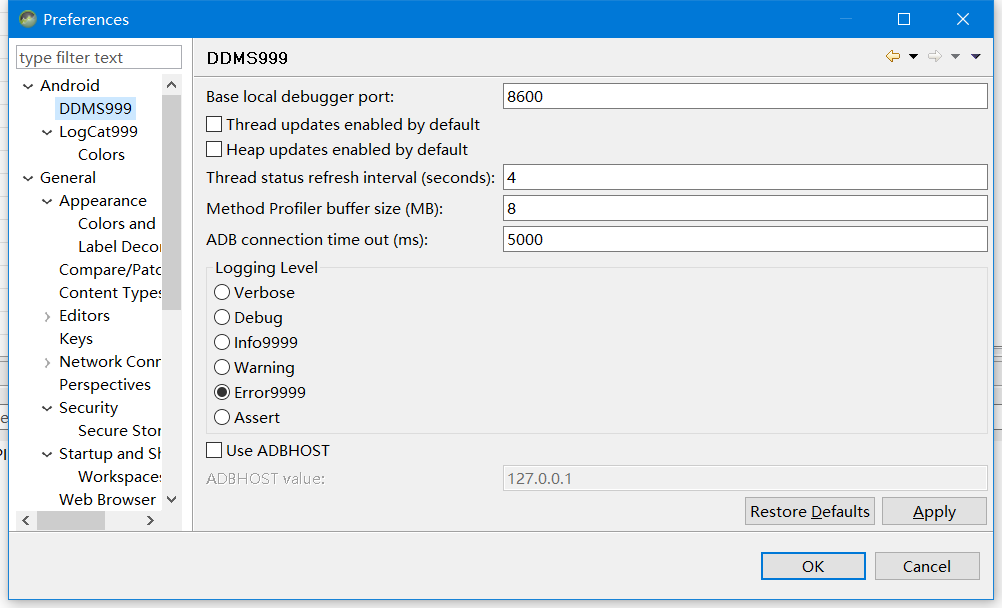
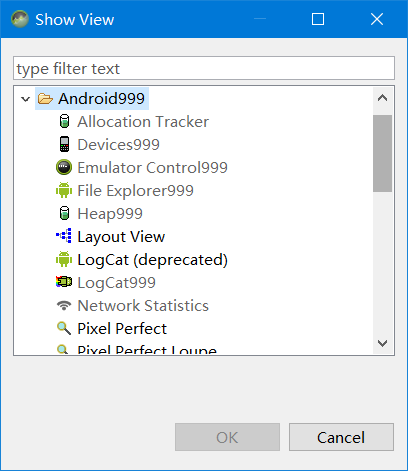

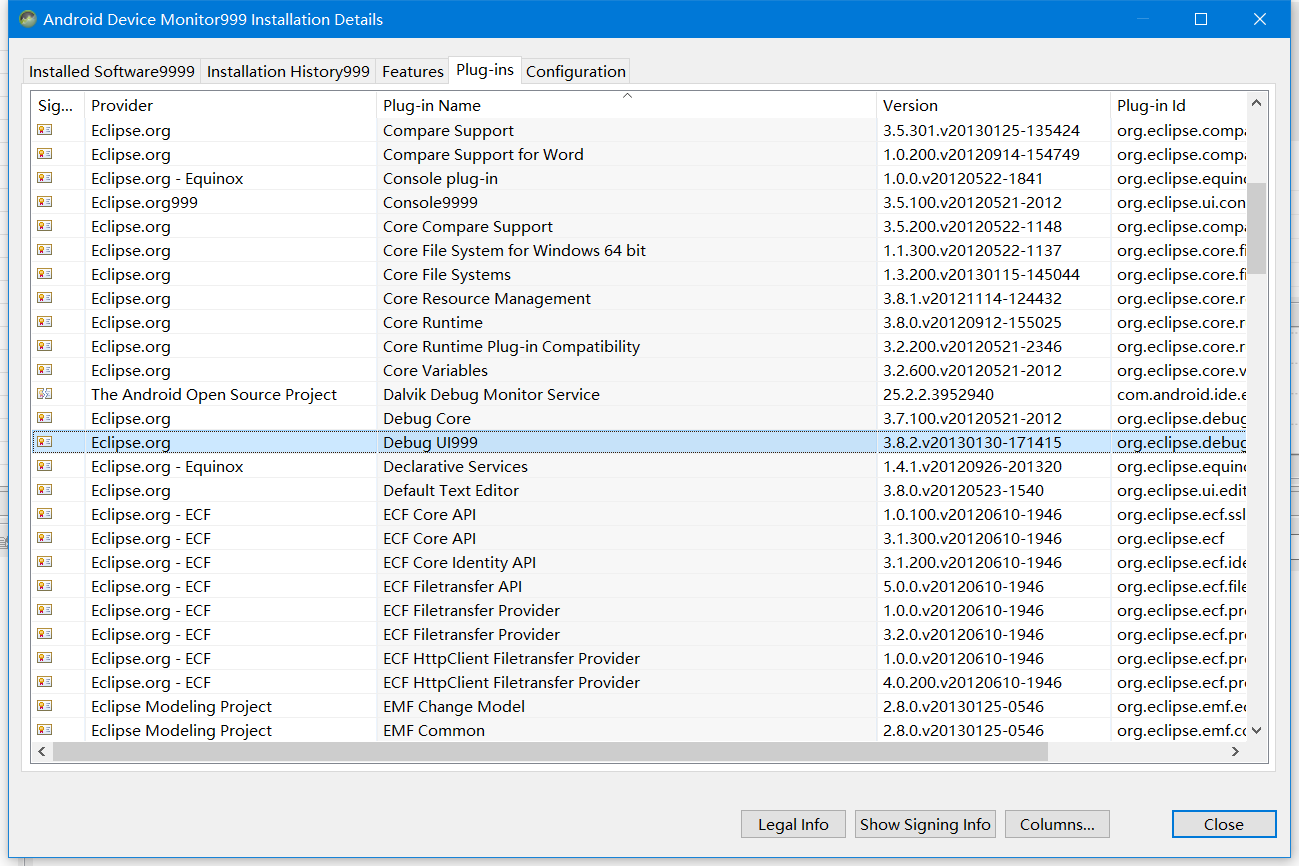
=============
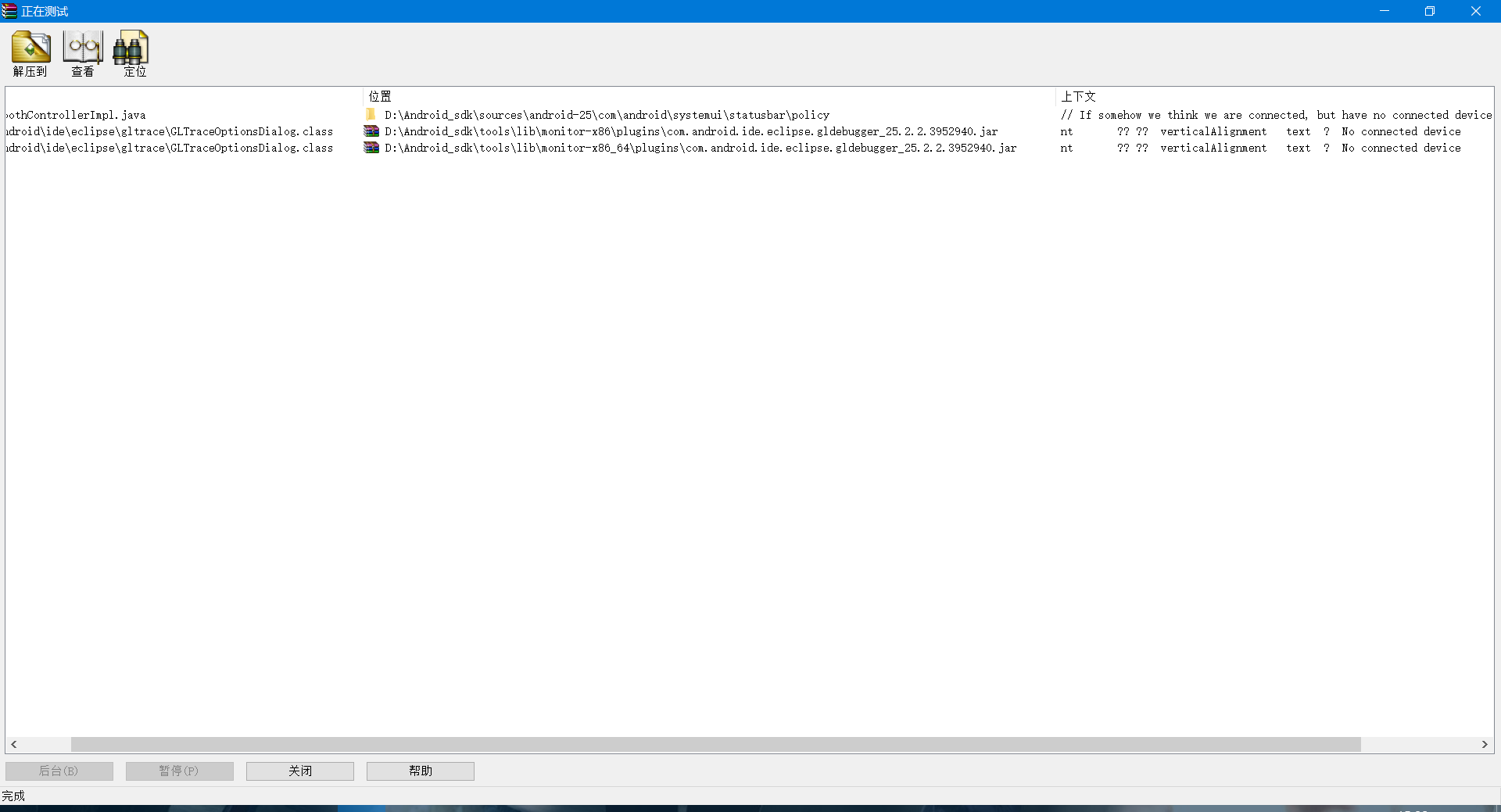
====
.class反编译
jd-gui
java 编译成 .class
javac HI.java”(javac后面加空格),敲回车,这时如图所示,java文件上方会多出一个class文件(如果没有class文件说明编译不成功)。

this.mActivityToTraceText.addModifyListener(new GLTraceOptionsDialog.5(this));
this.mActivityToTraceText.addModifyListener(new GLTraceOptionsDialog(this));
GLTraceOptionsDialog
===========
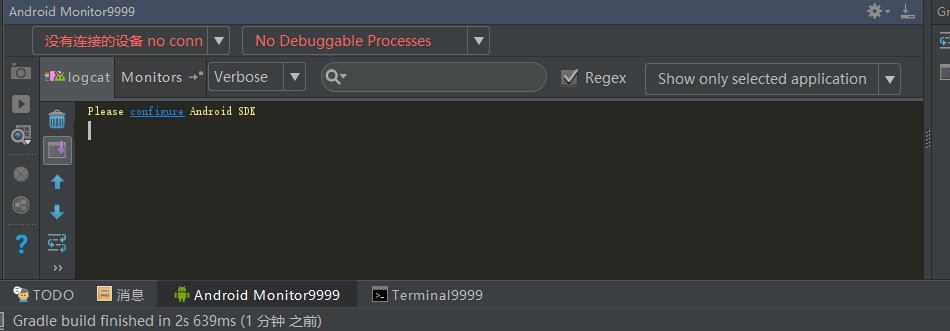
No Connected Devices

直接修改 会报错。
=====
jclasslib bytecode viewer
JClassLib
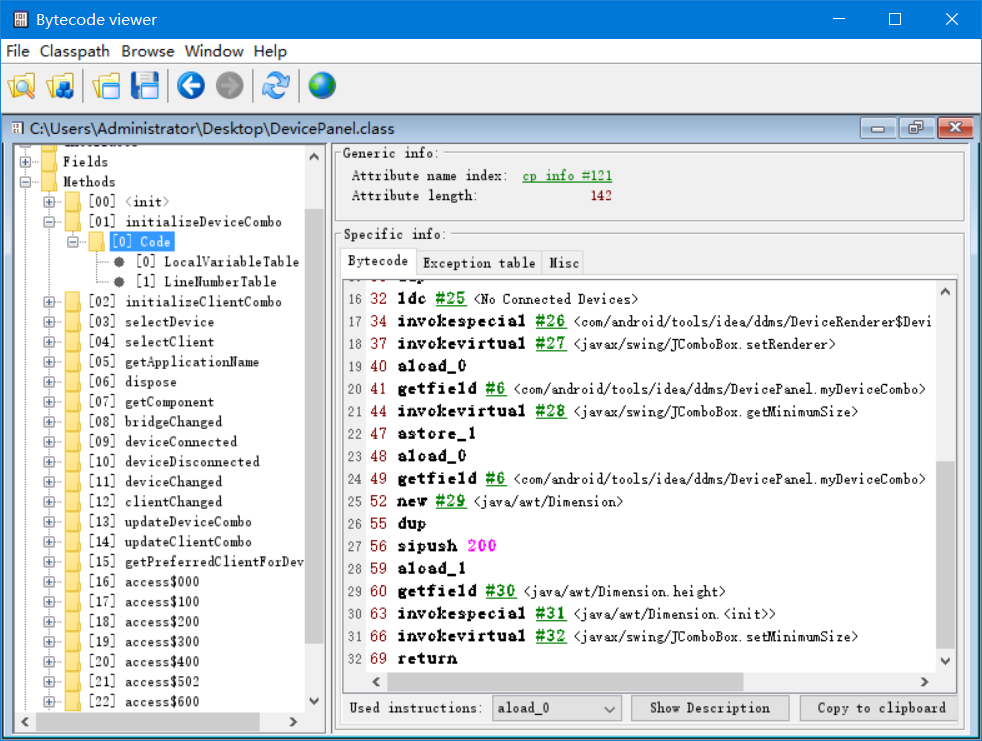
点击软件的 File -- Open Class File 打开你刚解压出来的class文件
4)点击methods--getAllDataBase--Code
methods是表示方法不用说吧
getAllDataBase是刚在jd-gui里面找到的方法名
Code包含了getAllDataBase方法里所有的信息
找到"不能打开数据库连接,请检查!"
----
首先创建一个工程,把刚刚下载jclasslib文件夹下bin目录下jclasslib.jar引入
android studio java工程
android studio run debug configuration
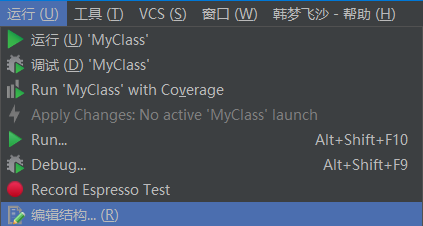
点击菜单栏的“Run”->“Edit Configurations...”。然后会打开Run/Debug Configuration窗口。
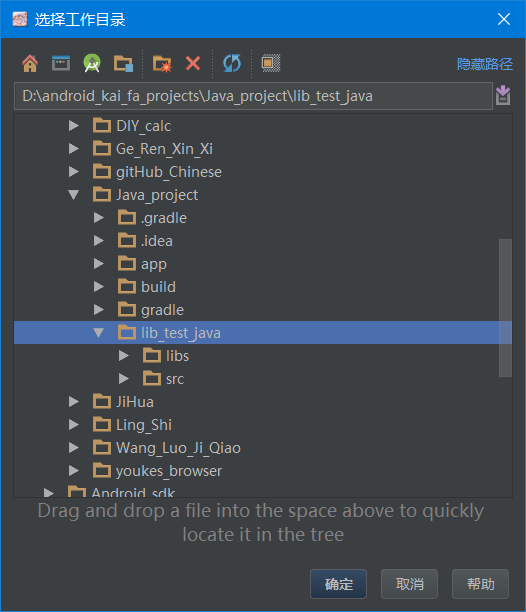
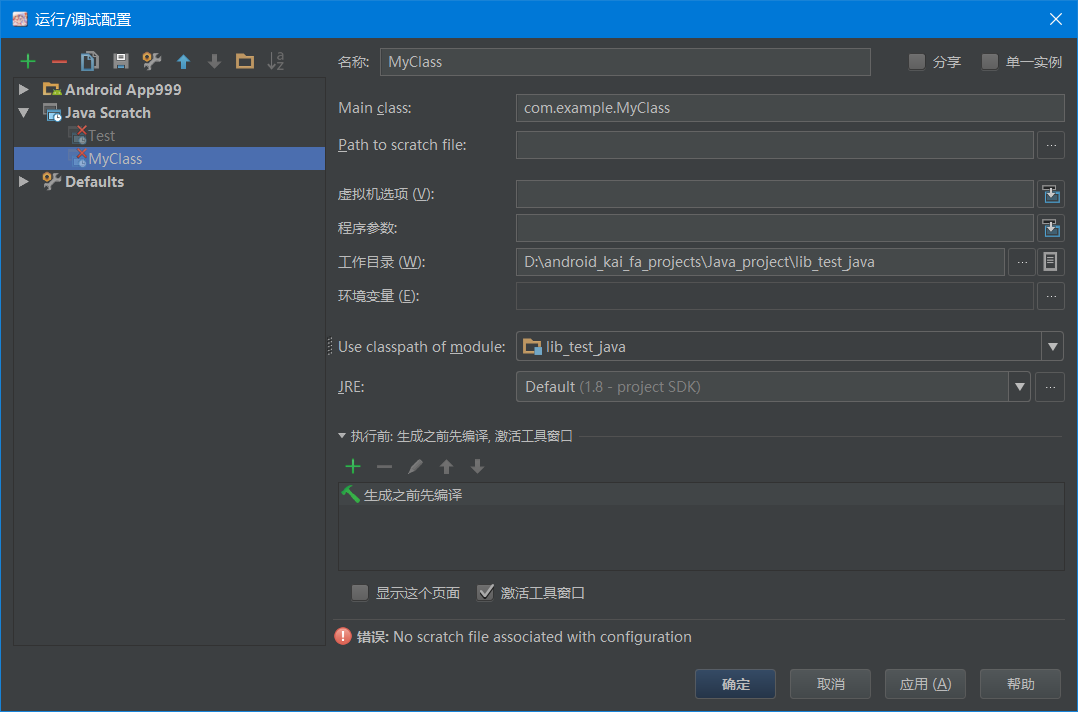
没有任何与配置相关的挠文件
no scratch file associated with configuration
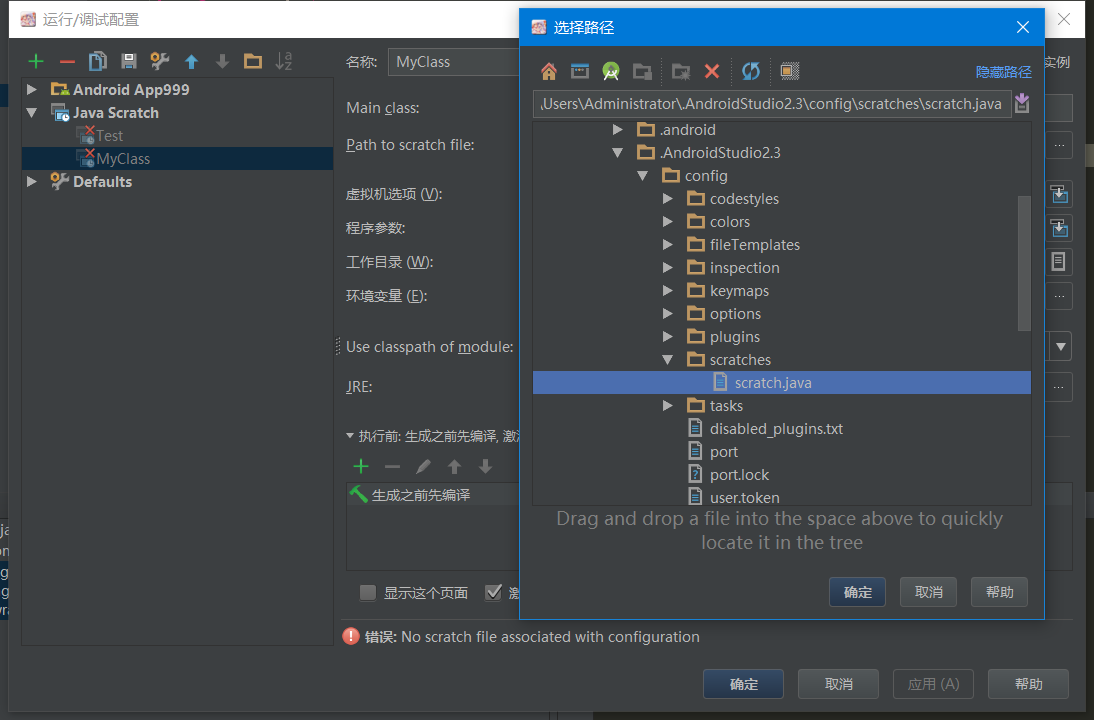
导入中文包后编译时出现报错:

报错是没有scratch file(临时文件),然后需要配置scratch file。
先把edit configure窗口关闭,打开工具(tools),选择新建scratch文件:

选java语言

接下来在重新编译,在弹出的edit configuration窗口中的path to scratch file:输入scratch文件路径:(一般可以直接看到,没有就在 X盘\...\.IdeaIC2016\config\scratches\scratch_1)
图片参考图片一,我的设成默认scratch file没法复现过程。
然后是编译成功:
===
Android Gradle 构建目标:org.gradle.工具。
Gradle连接异常:无法创建工具API实现的一个实例 使用指定的 Gradle安装“C:\ \用户管理员\ .gradle \包装\ dist \ Gradle - 3.3 \ 55 gk2rcmfc6p2dg9u9ohc3hw9 \ Gradle - 3.3”。
错误:Android Gradle Build Target: org.gradle.tooling.GradleConnectionException: Could not create an instance of Tooling API implementation using the specified Gradle installation 'C:\Users\Administrator\.gradle\wrapper\dists\gradle-3.3-all\55gk2rcmfc6p2dg9u9ohc3hw9\gradle-3.3'.
只要
然后对这个plugin禁用后,对关联项全钩子去掉,然后重启。
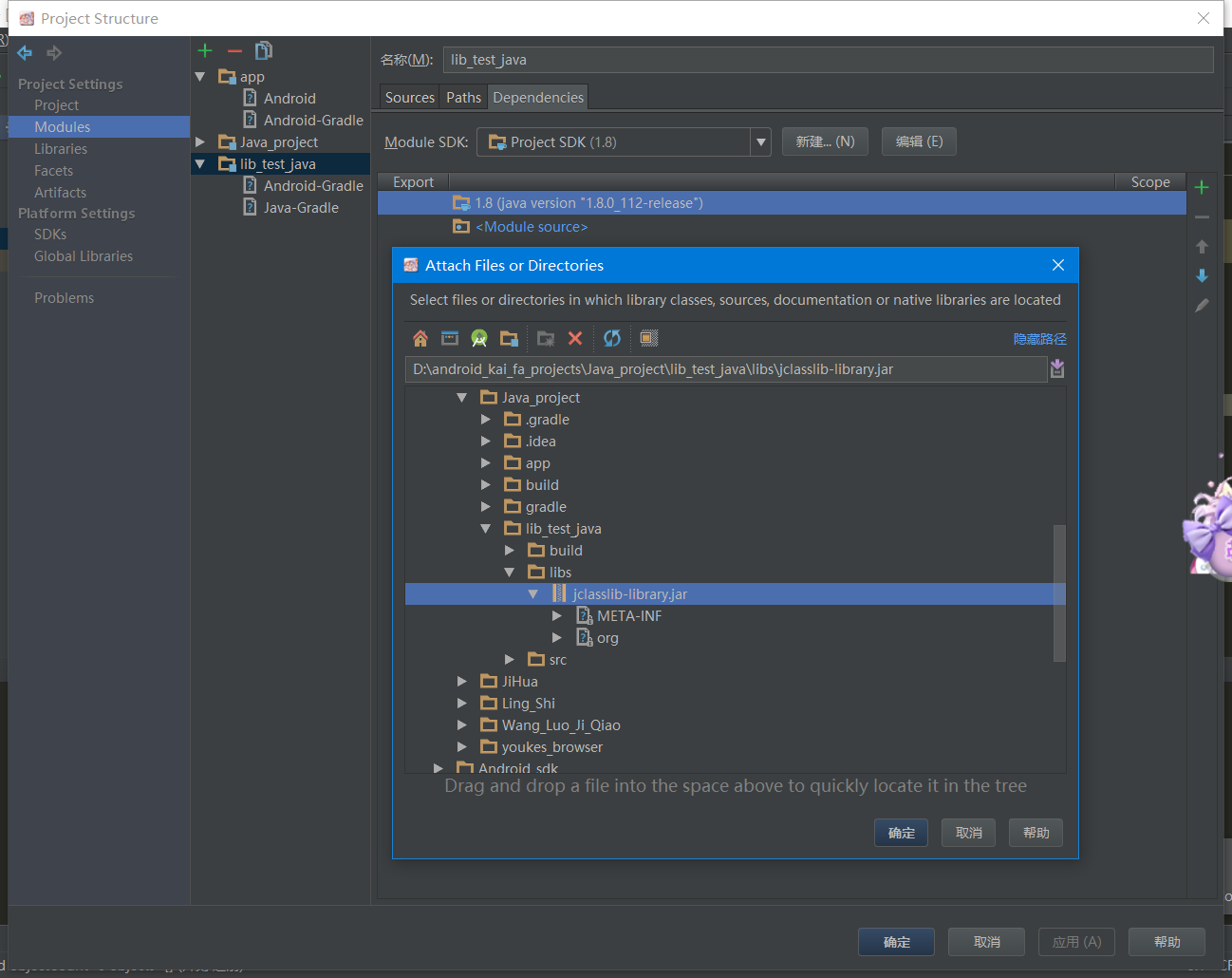
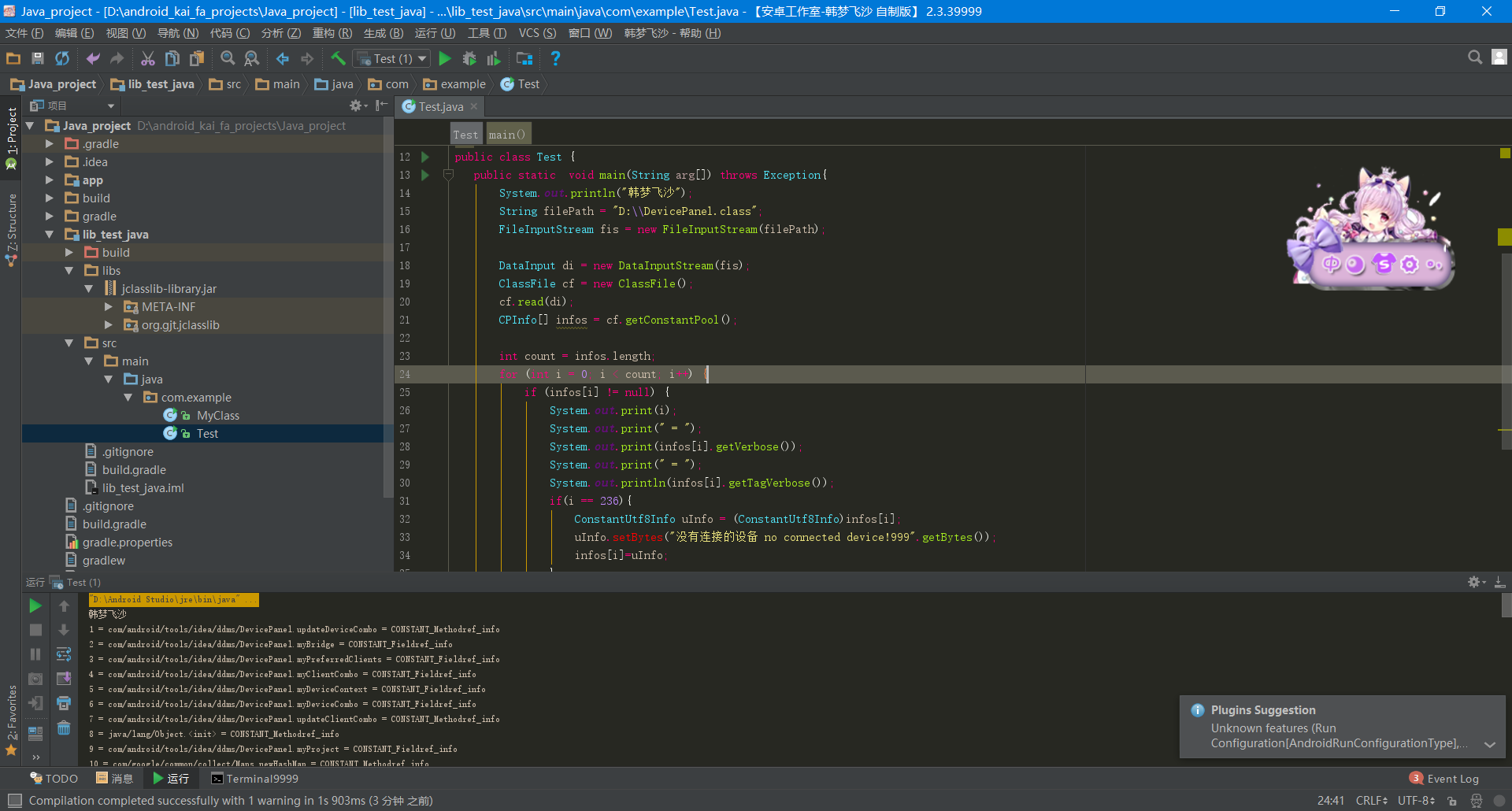
import java.io.*;

import org.gjt.jclasslib.io.ClassFileWriter;

import org.gjt.jclasslib.structures.CPInfo;

import org.gjt.jclasslib.structures.ClassFile;

import org.gjt.jclasslib.structures.constants.ConstantUtf8Info;

/**

 * Created by Administrator on 2017/8/10.

 */

public class Test {

   public static  void main(String arg[]) throws Exception{

       System.out.println("韩梦飞沙");

       String filePath = "D:\\DevicePanel.class";

       FileInputStream fis = new FileInputStream(filePath);

       DataInput di = new DataInputStream(fis);

       ClassFile cf = new ClassFile();

       cf.read(di);

       CPInfo[] infos = cf.getConstantPool();

       int count = infos.length;

       for (int i = 0; i < count; i++) {

           if (infos[i] != null) {

               System.out.print(i);

               System.out.print(" = ");

               System.out.print(infos[i].getVerbose());

               System.out.print(" = ");

               System.out.println(infos[i].getTagVerbose());

               if(i == 236){

                   ConstantUtf8Info uInfo = (ConstantUtf8Info)infos[i];

                   uInfo.setBytes("没有连接的设备 no connected device!999".getBytes());

                   infos[i]=uInfo;

               }

           }

       }

       cf.setConstantPool(infos);

       fis.close();

       File f = new File(filePath);

       ClassFileWriter.writeToFile(f, cf);

   }

}
=====
android monitor 汉化的更多相关文章
- android monitor 汉化 ddms
作者:韩梦飞沙 Author:han_meng_fei_sha 邮箱:313134555@qq.com E-mail: 313134555 @qq.com android.jar\com\androi ...
- 第五章:Reminders实验:第一部分[Learn Android Studio 汉化教程]
Learn Android Studio 汉化教程 By now you are familiar with the basics of creating a new project, program ...
- [Learn Android Studio 汉化教程]第四章 : Refactoring Code
[Learn Android Studio 汉化教程]第四章 : Refactoring Code 第四章 Refactoring Code 重构代码 在Android Studio中开发,解决 ...
- [Learn Android Studio 汉化教程]第三章:使用 Android Studio 编程
[Learn Android Studio 汉化教程]第三章:使用 Android Studio 编程 本章包含如何在 Android Studio 中书写或生成代码. Android Studio ...
- [Learn Android Studio 汉化教程]第一章 : Android Studio 介绍
注:为了看上去比较清晰这里只转载了中文 原地址: [Learn Android Studio 汉化教程]第一章 : Android Studio 介绍 本章将引导您完成安装和设置开发环境,然后你就可 ...
- android studio 汉化 svn插件汉化。布局文件 属性 汉化 public.xml
android studio 汉化 SvnBundle.properties D:\Android Studio\plugins\svn4idea\lib resources_en.jar\org\j ...
- 安卓工作室 android studio 汉化后,报错。 设置界面打不开。Can't find resource for bundle java.util.PropertyResourceBundle, key emmet.bem.class.name.element.separator.label
安卓工作室 android studio 汉化后,报错. 设置界面打不开. Android studio has been sinified and reported wrong.The setup ...
- 第七章 : Git 介绍 (下)[Learn Android Studio 汉化教程]
Learn Android Studio 汉化教程 Let’s reset even further to remove all traces of your work on the deprecat ...
- 第七章 : Git 介绍 (上)[Learn Android Studio 汉化教程]
Learn Android Studio 汉化教程 [翻译]Git介绍 Git版本控制系统(VCS)快速成为Android应用程序开发以及常规的软件编程领域内的事实标准.有别于需要中心服务器支持的早期 ...
随机推荐
- pl/sql Devloper 快捷键__新建sql窗口
首先,打开PLSQL,菜单栏--->首选项----->键配置 其次,点击你要增加快捷键的选项,直接键盘上输入快捷键: 比如你要修改为CTRL+N,直接在键盘上按出CTRL+N即可. ESC ...
- Getting started with machine learning in Python
Getting started with machine learning in Python Machine learning is a field that uses algorithms to ...
- ajax模拟获取json
现在工作中我用到获取数据的方式,基本都是ajax.前台获取后端的数据后,需要进行处理,然后把他们放进页面中的相应标签里.下面举一个简单的例子,来模拟数据的获取和摆放. 这里用ng框架获取数据然后处理, ...
- 10-关于DOM的事件操作
一.JavaScript的组成 JavaScript基础分为三个部分: ECMAScript:JavaScript的语法标准.包括变量.表达式.运算符.函数.if语句.for语句等. DOM:文档对象 ...
- .net下web页生产一维条形码
code-39 前台 aspx <asp:Image ID="imgBandCode" runat="server" ImageUrl="~/W ...
- expdp和impdp快速导出导入,不用创建虚拟目录
expdp 和impdp不用创建虚拟目录:在cmd直接 expdp 用户名/密码 回车 就导出了,(如果提示输入用户名和密码就输入).再将导出的文件放在oracle默认的dpdump文件夹里面,然 ...
- sql基础笔记备忘
MySQL中定义数据字段的类型对你数据库的优化是非常重要的. MySQL支持多种类型,大致可以分为三类:数值.日期/时间和字符串(字符)类型. 数值类型:tinyint smallint medium ...
- tensorflow-安装
1.pip安装(最好在虚拟环境中安装) →更新pip:pip install --upgrade pip →安装最新版tensorflow(GPU):pip install tensorflow-gp ...
- OI中坑点总结
以下是我个人OI生涯中遇到的坑点的一个小总结,可能是我太菜了,总是掉坑里,请大佬勿喷 1,多重背包的转移的循环顺序 //默认每个物品体积为一(不想打码……) //dp[i]表示占用背包容量i所能获得的 ...
- spoj New Distinct Substrings
vjudge原地爆炸... 题意:求一个字符串不同的子串的个数 策略:后缀数组 利用后缀数组的sa和height两个功能强大的数组,我们可以实现上述操作 首先有个很显然的结论:一个字符串的所有子串=它 ...