
Unity3D学习笔记(十九):UGUI、Image、Text、Button

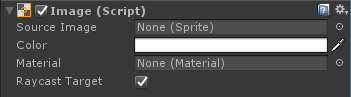
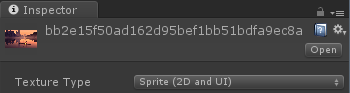
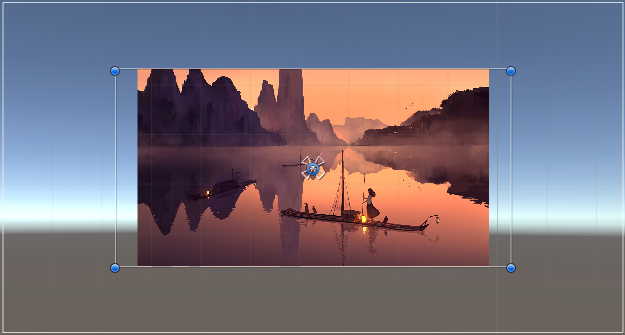
不勾选:拉伸至整个显示框
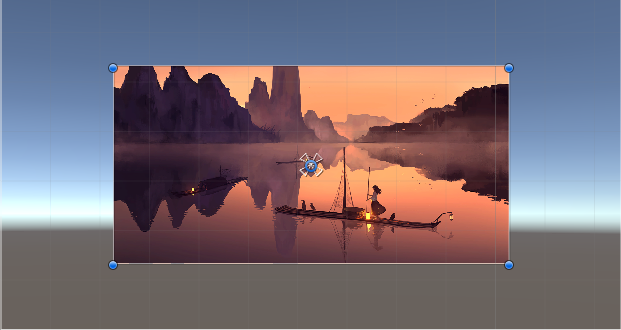
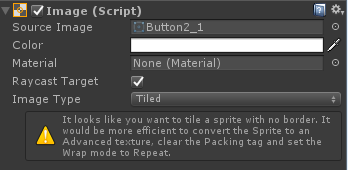
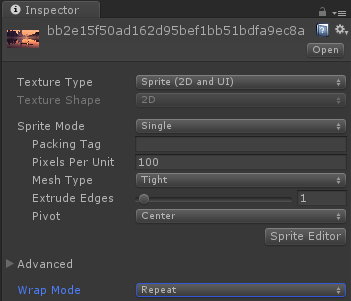
Sliced(切片):优化图片的尺寸
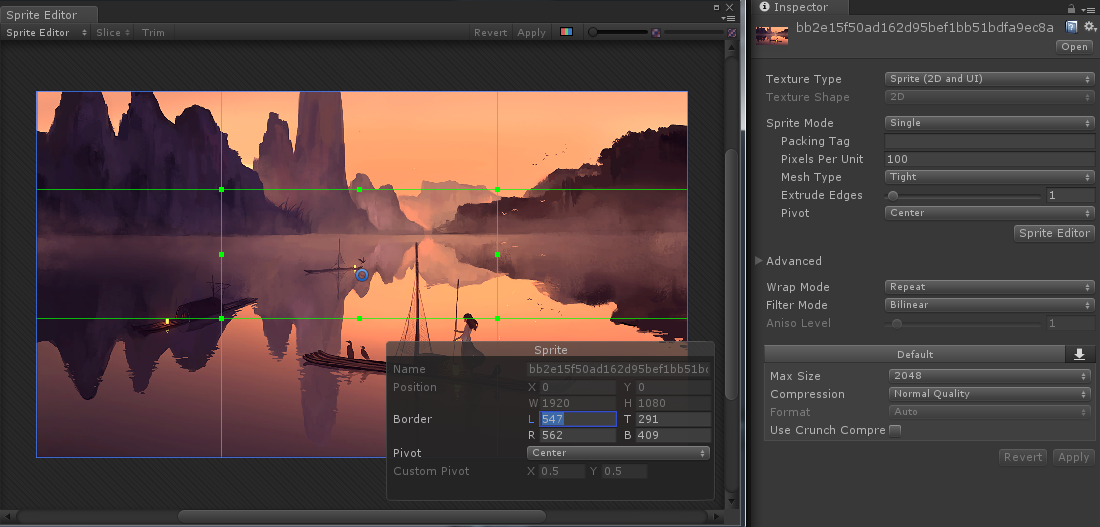
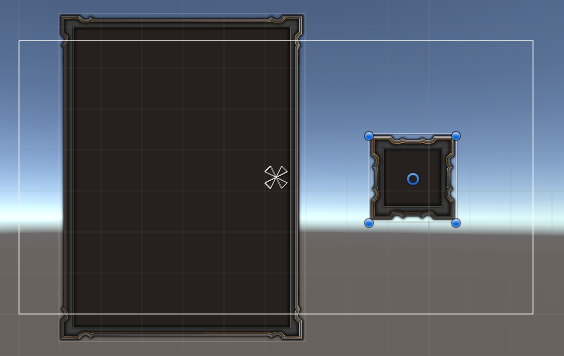
Fill Center:是否填充中心部分

using System.Collections;

using System.Collections.Generic;

using UnityEngine;

using UnityEngine.UI;

public class UGUI_Image : MonoBehaviour {

    //public UnityEngine.UI.Image image;//另一种引用形式

    private Image image;

    private Sprite sp;

    private Sprite sp1;

    private float count = ;

    private void Awake()

    {

        image = GetComponent<Image>();

        //这种形式加载不到Sprite类型的图片

        //错误加载方法:sp = Resources.Load("Texture/名字") as Sprite;

        //需要使用泛型的方法去加载Sprite的图片

        sp = Resources.Load<Sprite>("Texture/名字");

        //Sprite多图模式的加载,加载Spirite方式:数据结构(字典)来做管理(略)

        //加载多图形式下的所有的sprite,返回的是一个数组。

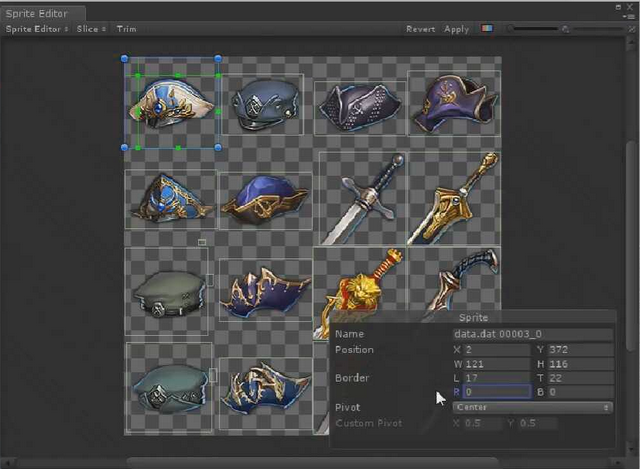
        Sprite[] sp_arr =  Resources.LoadAll<Sprite>("Texture/data.dat 00003");//按名字索引图片

        string strName = "data.dat 00003_17";

        foreach (var item in sp_arr)

        {

            //Debug.Log(item.name);

            if (item.name == strName)

            {

                sp = item;

            }

        }

        //sp = sp_arr[18];

    }

    // Use this for initialization

    void Start () {

        //在原有图片上覆盖一张图片

        //image.overrideSprite = sp;

        //改变源图片

        //image.sprite = sp;

        //image.overrideSprite = sp1;

        image.color = Color.red;

        //在填充模式下改变填充值

        //image.fillAmount = 0.5f;//fillMethod,枚举类型;fillOrigin,int类型,也代表枚举

    }

       // Update is called once per frame

       void Update () {

        if (Input.GetKeyDown(KeyCode.P))

        {

            image.sprite = sp;

            //image.overrideSprite = null;

        }

        //count += Time.deltaTime;

        //image.fillAmount = count;

    }

}
using System.Collections;

using System.Collections.Generic;

using UnityEngine;

using UnityEngine.UI;

public class ClickChangeImage : MonoBehaviour {

    public Image image;

    public Text text;

    public string str;//替换的文字内容

    public string spriteName;

    private Sprite sp;

    private Button button;

       // Use this for initialization

       void Awake () {

        button = GetComponent<Button>();

        button.onClick.AddListener(ClickButton);

    }

    void ClickButton()

    {

        text.text = str;

        if (sp == null)

        {

            sp = Resources.Load<Sprite>("Tex/" + spriteName);

        }

        image.sprite = sp;

    }

}

using System.Collections;

using System.Collections.Generic;

using UnityEngine;

using UnityEngine.UI;

public class UGUI_RawImage : MonoBehaviour {

    public RawImage image;

    private Texture tex;

       // Use this for initialization

       void Start () {

        //对于Texture类型的图片使用以下两种方式都是可以加载成功的

        //tex = Resources.Load("Texture/XM2") as Texture;

        tex = Resources.Load<Texture>("Texture/XM2");

        //改变RawImage的图片

        image.texture = tex;

        //设置图片在显示框的偏移和大小比例

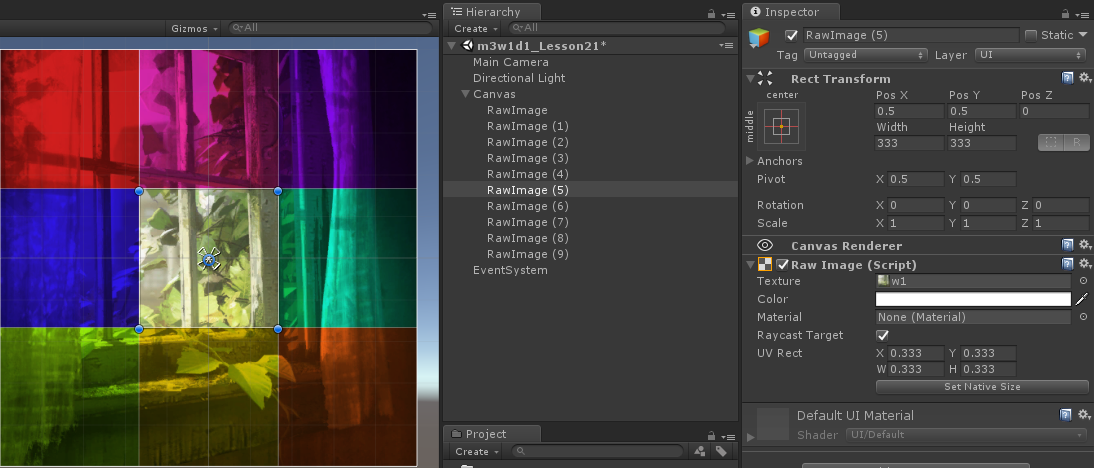
        //image.uvRect = new Rect(x,y,w,h);

    }

       // Update is called once per frame

       void Update () {

       }

}


代码操作
using System.Collections;

using System.Collections.Generic;

using UnityEngine;

using UnityEngine.UI;

public class UGUI_Text : MonoBehaviour {

    public Text text;

       // Use this for initialization

       void Start () {

        text.text = "小明老师又吃<b><color=red>腰子</color></b>!";

        //代码里的RGB的取值范围是0-1, 色板上的是 0 - 255

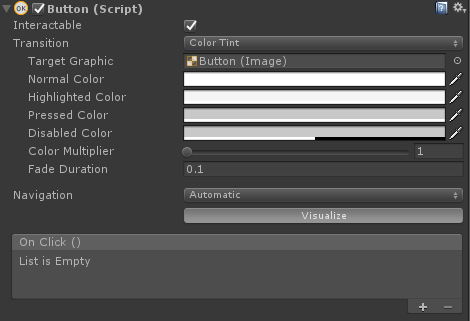
        text.color = new Color( / 255f, ,  / 255f);//230 0 255

        text.fontSize = ;

       }

       // Update is called once per frame

       void Update () {

       }

}
using System.Collections;

using System.Collections.Generic;

using UnityEngine;

using UnityEngine.UI;

public class UGUI_Button : MonoBehaviour {

    public Button button;

    //1.先声明一个委托类型, 无返回值,无参数的

    public delegate void Del();

    //2.声明一个委托变量

    public Del del;

       // Use this for initialization

       void Start () {

        //3.添加方法进委托, 只有无返回值无参数的方法才能添加到del的委托变量里

        del += TestDel;

        //4.委托的调用跟方法一样的,调用之前一定要做判null处理

        if (null != del)

        {

            del();

        }

        //把一个方法作为参数传递到了另一个方法的内部

        Test(TestDel);

        //使用代码添加按钮执行事件

        button.onClick.AddListener(AddClickButton);

        //删除事件

        //button.onClick.RemoveListener(AddClickButton);

        //使用Invoke方法去执行了一次OnClick里存储的所有的方法

        button.onClick.Invoke();

    }

    // Update is called once per frame

    void Update () {

       }

    //委托类型作为参数

    void Test(Del de)

    {

        if (de != null)

        {

            de();

        }

    }

    void TestDel()

    {

        Debug.Log("TestDel");

    }

    public void ClickButton(GameObject str1)

    {

        Debug.Log("你点击了按钮!" + str1);

    }

    public void ClickButton(string str)

    {

        Debug.Log("你点击了按钮!" + str);

    }

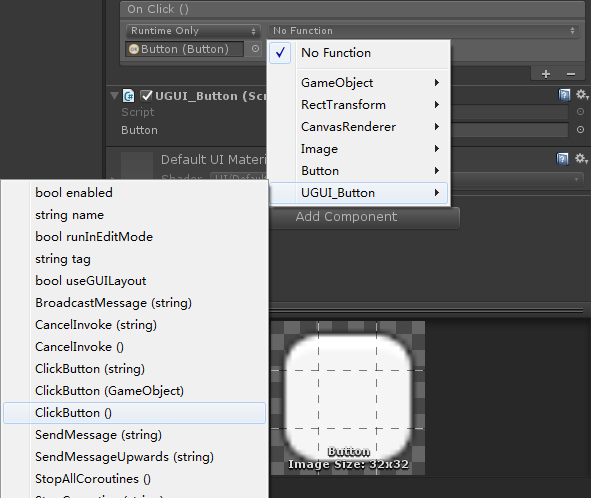
    public void ClickButton()

    {

        Debug.Log("你点击了按钮!");

    }

    void AddClickButton()

    {

        Debug.Log("脚本添加的方法");

    }

}
Unity 按钮(Button)的禁用和禁用与变灰
//禁用

this.GetComponent<Button>().enabled= false;

//禁用与变灰

this.GetComponent<Button>().interactable = false;
Unity3D学习笔记(十九):UGUI、Image、Text、Button的更多相关文章
- python3.4学习笔记(十九) 同一台机器同时安装 python2.7 和 python3.4的解决方法
python3.4学习笔记(十九) 同一台机器同时安装 python2.7 和 python3.4的解决方法 同一台机器同时安装 python2.7 和 python3.4不会冲突.安装在不同目录,然 ...
- (C/C++学习笔记) 十九. 模板
十九. 模板 ● 模板的基本概念 模板(template) 函数模板:可以用来创建一个通用功能的函数,以支持多种不同形参,进一步简化重载函数的函数体设计. 语法: template <<模 ...
- JavaScript权威设计--跨域,XMLHttpRequest(简要学习笔记十九)
1.跨域指的是什么? URL 说明 是否允许通信 http://www.a.com/a.jshttp://www.a.com/b.js 同一域名下 允许 http://www.a.com/lab/a. ...
- python 学习笔记十九 django深入学习四 cookie,session
缓存 一个动态网站的基本权衡点就是,它是动态的. 每次用户请求一个页面,Web服务器将进行所有涵盖数据库查询到模版渲染到业务逻辑的请求,用来创建浏览者需要的页面.当程序访问量大时,耗时必然会更加明显, ...
- SharpGL学习笔记(十九) 摄像机漫游
所谓的摄像机漫游,就是可以在场景中来回走动. 现实中,我们通过眼睛观察东西,身体移动带动眼睛移动观察身边的事物,这也是在漫游. 在OpenGL中我们使用函数LookAt()来操作摄像机在三维场景中进行 ...
- Java基础学习笔记十九 IO
File IO概述 回想之前写过的程序,数据都是在内存中,一旦程序运行结束,这些数据都没有了,等下次再想使用这些数据,可是已经没有了.那怎么办呢?能不能把运算完的数据都保存下来,下次程序启动的时候,再 ...
- Java基础学习笔记十九 File
IO概述 回想之前写过的程序,数据都是在内存中,一旦程序运行结束,这些数据都没有了,等下次再想使用这些数据,可是已经没有了.那怎么办呢?能不能把运算完的数据都保存下来,下次程序启动的时候,再把这些数据 ...
- JSTL 标签库 使用(web基础学习笔记十九)
标签库概要: 一.C标签库介绍 1.1.<c:> 核心标签库 JSTL 核心标签库(C标签)标签共有13个,功能上分为4类:1.表达式控制标签:out.set.remove.catch2 ...
- angular学习笔记(十九)-指令修改dom
本篇主要介绍angular使用指令修改DOM: 使用angular指令可以自己扩展html语法,还可以做很多自定义的事情.在后面会专门讲解这一块的知识,这一篇只是起到了解入门的作用. 与控制器,过滤器 ...
- yii2源码学习笔记(十九)
view剩余代码 /** * @return string|boolean the view file currently being rendered. False if no view file ...
随机推荐
- 【深入理解javascript】闭包
1.作用域 “javascript没有块级作用域”.所谓“块”,就是大括号“{}”中间的语句.例如if语句: 再比如for语句: 所以,我们在编写代码的时候,不要在“块”里面声明变量,要在代码的一开始 ...
- 15 jmeter分布式性能测试
背景由于jmeter本身的瓶颈,当需要模拟数以千计的并发用户时,使用单台机器模拟所有的并发用户就有些力不从心,甚至还会引起Java内存溢出的错误.要解决这个问题,可以使用分布式测试,运行多台机器运用所 ...
- 智能指针 - 现代C++新特性总结
C++98中的智能指针通过一个模板类auto_ptr来实现,new操作符返回的指针可以交由它来管理,程序员不用再显式的调用delete,这在一定程度上避免了堆内存忘记释放的问题:不过auto_ptr有 ...
- 开源的挖矿软件,sha256
http://cryptomining-blog.com/tag/sha-256d-miner/ https://github.com/cbuchner1/CudaMiner/blob/master/ ...
- vue-router中参数传递 && 编程式导航 && 坑 && beforeRouteEnter
第一部分: vue-router参数传递 通过router-link我们可以向路由到的组件传递参数,这在我们实际使用中时非常重要的. 路由: { path:"/DetailPage" ...
- [LeetCode] All questions numbers conclusion 所有题目题号
Note: 后面数字n表明刷的第n + 1遍, 如果题目有**, 表明有待总结 Conclusion questions: [LeetCode] questions conclustion_BFS, ...
- JS的增删改查
1.查 <script type="text/javascript"> /** * 查找 已经在html代码中存在的元素 */ /** * document.getEl ...
- 全局修改composer源地址
查看 composer 主目录:通过 composer config -l -g 命令可以列出 composer 的全局配置信息,在这些信息中查找 [home] 配置项就是 composer 的主目录 ...
- C# 查看所有的隐藏文件
方法1 通过 位与 static void Main(string[] Args) { //假设扫描C:\Test中—— string[] hiddenfiles = Directory ...
- VS相关设置
1.显示行号 工具-〉选项-〉文本编辑器-〉语言(比如C#)-〉显示-〉行号 2.“解决方案资源管理器”被拖出来了,无法还原 两种方法:1.窗口-->重置窗口布局2.工具-->导入和导出设 ...