
delphi使用Chilkat 组件和库从SFTP下载文件
官网地址:https://www.example-code.com/delphiDll/default.asp
实例代码:(不包括全局解锁) 密码生成器:https://www.cnblogs.com/hhmm99/p/11383027.html
uses

    Winapi.Windows, Winapi.Messages, System.SysUtils, System.Variants, System.Classes, Vcl.Graphics,

    Vcl.Controls, Vcl.Forms, Vcl.Dialogs, Vcl.StdCtrls, SFtp;

...

procedure TForm1.Button1Click(Sender: TObject);

var

sftp: HCkSFtp;

hostname: PWideChar;

port: Integer;

success: Boolean;

remoteFilePath: PWideChar;

localFilePath: PWideChar;

begin

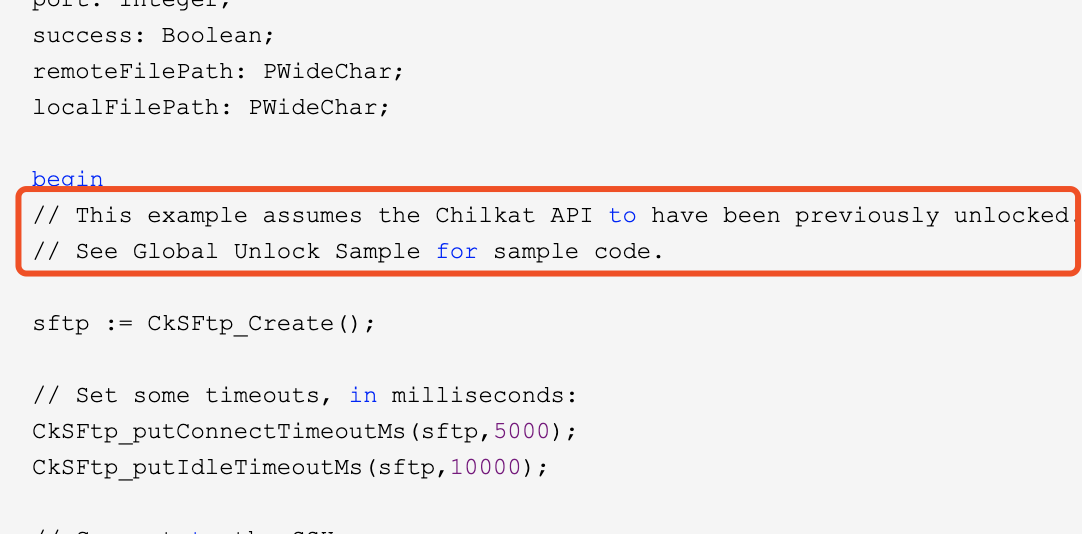
// This example assumes the Chilkat API to have been previously unlocked.

// See Global Unlock Sample for sample code.

sftp := CkSFtp_Create();

// Set some timeouts, in milliseconds:

CkSFtp_putConnectTimeoutMs(sftp,);

CkSFtp_putIdleTimeoutMs(sftp,);

// Connect to the SSH server.

// The standard SSH port =

// The hostname may be a hostname or IP address.

hostname := 'sftp.example.com';// ip

port := ;// 端口

success := CkSFtp_Connect(sftp,hostname,port);

if (success <> True) then

  begin

    Memo1.Lines.Add(CkSFtp__lastErrorText(sftp));

    Exit;

  end;

// Authenticate with the SSH server.  Chilkat SFTP supports

// both password-based authenication as well as public-key

// authentication.  This example uses password authenication.

success := CkSFtp_AuthenticatePw(sftp,'myLogin','myPassword');// 账号密码

if (success <> True) then

  begin

    Memo1.Lines.Add(CkSFtp__lastErrorText(sftp));

    Exit;

  end;

// After authenticating, the SFTP subsystem must be initialized:

success := CkSFtp_InitializeSftp(sftp);

if (success <> True) then

  begin

    Memo1.Lines.Add(CkSFtp__lastErrorText(sftp));

    Exit;

  end;

// Download the file:

localFilePath := 'c:/temp/hamlet.xml';// 本地保存路径

remoteFilePath := 'subdir1/subdir2/hamlet.xml'; // 服务器文件路径

// The ResumeDownloadFileByName method will check

// the local file and begin downloading the remote file

// at the appropriate point.  For example, if the local

// file is already  bytes long, it will begin downloading

// the remote file at the 'th byte -- appending to

// the local file.

success := CkSFtp_ResumeDownloadFileByName(sftp,remoteFilePath,localFilePath);

if (success <> True) then

  begin

    Memo1.Lines.Add(CkSFtp__lastErrorText(sftp));

    Exit;

  end;

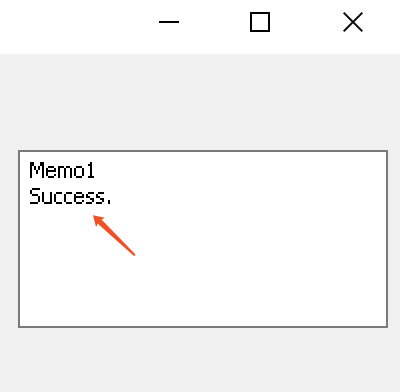
Memo1.Lines.Add('Success.');

CkSFtp_Dispose(sftp);

end;

© - Chilkat Software, Inc. All Rights Reserved.
解锁:
uses

    Winapi.Windows, Winapi.Messages, System.SysUtils, System.Variants, System.Classes, Vcl.Graphics,

    Vcl.Controls, Vcl.Forms, Vcl.Dialogs, Vcl.StdCtrls, Global;

...

procedure TForm1.Button1Click(Sender: TObject);

var

glob: HCkGlobal;

success: Boolean;

status: Integer;

begin

// The Chilkat API can be unlocked for a fully-functional -day trial by passing any

// string to the UnlockBundle method.  A program can unlock once at the start. Once unlocked,

// all subsequently instantiated objects are created in the unlocked state.

//

// After licensing Chilkat, replace the "Anything for -day trial" with the purchased unlock code.

// To verify the purchased unlock code was recognized, examine the contents of the LastErrorText

// property after unlocking.  For example:

glob := CkGlobal_Create();

success := CkGlobal_UnlockBundle(glob,'Anything for 30-day trial');

if (success <> True) then

  begin

    Memo1.Lines.Add(CkGlobal__lastErrorText(glob));

    Exit;

  end;

status := CkGlobal_getUnlockStatus(glob);

if (status = ) then

  begin

    Memo1.Lines.Add('Unlocked using purchased unlock code.');

  end

else

  begin

    Memo1.Lines.Add('Unlocked in trial mode.');

  end;

// The LastErrorText can be examined in the success case to see if it was unlocked in

// trial more, or with a purchased unlock code.

Memo1.Lines.Add(CkGlobal__lastErrorText(glob));

CkGlobal_Dispose(glob);

end;
成功:
delphi使用Chilkat 组件和库从SFTP下载文件的更多相关文章
- python 读取csv中的文件,从sftp下载文件
需要从sftp上下载一些图片文件,文件名存放在一个csv文件中.代码如下: # -*- coding:utf-8 -*- import paramiko import csv import os de ...
- SSIS 通过 WINscp 从SFTP下载文件
1.通过SSIS的process task调用 winscp :C:\Program Files (x86)\WinSCP\WinSCP.exe /script="C:\SFTPFile\T ...
- 转:Windows下用sftp自动下载文件
远程服务器是Linux操作系统,没有ftp服务,可以ssh,数据库每天2:00会自动创建一个备份文件,本地计算机是windows操作系统,希望用sftp每天3:00下载远程服务器上的备份文件.本地系统 ...
- Linux - 通过SecureCRT的rz、sz和sftp实现文件的上传和下载
目录 1 通过rz/sz命令上传/下载 1.1 安装lrzsz软件 1.2 rz - 上传文件 1.3 sz - 下载文件 2 通过sftp上传/下载文件 2.1 关于SFTP的简介 2.2 SFTP ...
- libcurl开源库在Win7 + VS2012环境下编译、配置详解 以及下载文件并显示下载进度 demo(转载)
转载:http://blog.csdn.net/fengshuiyue/article/details/39530093(基本教程) 转载:https://my.oschina.net/u/14207 ...
- 如何在Linux中使用sFTP上传或下载文件与文件夹
如何在Linux中使用sFTP上传或下载文件与文件夹 sFTP(安全文件传输程序)是一种安全的交互式文件传输程序,其工作方式与 FTP(文件传输协议)类似. 然而,sFTP 比 FTP 更安全;它通过 ...
- Delphi - Windows系统下,Delphi调用API函数和7z.dll动态库,自动把文件压缩成.tar.gz格式的文件
项目背景 应欧美客户需求,需要将文件压缩成.tar.gz格式的文件,并上传给客户端SFTP服务器. 你懂的,7-Zip软件的显著特点是文件越大压缩比越高,在Linux系统上相当于我们Windows系统 ...
- Mozilla Brick:一个Web组件Polyfill库
Web组件是一个W3C规范,它旨在使Web开发人员能够定义具有非常丰富的视觉效果和高可交互性且易于组合的小组件.Brick库提供了新的自定义HTML标签,从而抽象了用户常用接口模式.在浏览器本身支持类 ...
- Delphi 利用TComm组件 Spcomm 实现串行通信
Delphi 利用TComm组件 Spcomm 实现串行通信 摘要:利用Delphi开发工业控制系统软件成为越来越多的开发人员的选择,而串口通信是这个过程中必须解决的问题之一.本文在对几种常用串口通信 ...
随机推荐
- vars()
返回一个字典,包含所有在本函数调用时存在的变量
- springboot读取resource下的文件
public static String DEFAULT_CFGFILE = ConfigManager.class.getClassLoader().getResource("conf/s ...
- python数据挖掘第二篇-爬虫
python爬虫 urllib用法 eg1: from urllib import request data = request.urlopen(urlString).read() # data获取的 ...
- MongoDB第一天(MongoDB的简介和安装)
MongoDB 简介 什么是 MongoDB MongoDB 是一个基于分布式文件存储的数据库.由 C++语言编写.在为 WEB 应用提供可扩展的高性能数据存储解决方案. MongoDB 是一个介于关 ...
- Zookeeper Watcher接口
在ZooKeeper中,接口类Watcher用于表示一个标准的事件处理器,其定义了事件通知相关的逻辑,包含KeeperState和EventType两个枚举类,分别代表了通知状态和事件类型,同时定义了 ...
- LCT(Link Cut Tree)总结
概念.性质简述 首先介绍一下链剖分的概念链剖分,是指一类对树的边进行轻重划分的操作,这样做的目的是为了减少某些链上的修改.查询等操作的复杂度.目前总共有三类:重链剖分,实链剖分和并不常见的长链剖分. ...
- python sympy evalf()函数
SymPy是一个符号计算的Python库.它的目标是成为一个全功能的计算机代数系统,同时保持代码简 洁.易于理解和扩展.它完全由Python写成,不依赖于外部库.SymPy支持符号计算.高精度计算.模 ...
- JavaScript中的"奇奇怪怪"
filter等方法的隐式转化 var list = [1,,2,,0,5,9];console.log(list[1]); // console: undefinedconsole.log(list[ ...
- Java构造器浅析
Java构造器 问题引出 1.先看一段简单创建对象的例子: public class constructTest { public static void main(String[] args) { ...
- 大数据学习笔记——HDFS理论知识之编辑日志与镜像文件
HDFS文件系统——编辑日志和镜像文件详细介绍 我们知道,启动Hadoop之后,在主节点下会产生Namenode,即名称节点进程,该节点的目录下会保存一份元数据,用来记录文件的索引,而在从节点上即Da ...