
Python Kite 使用教程 轻量级代码提示
1: 概述
今天升级annacoda 插件 spyder (4.0.0 )的时候 提示安装kite ,这是什么玩意? 下载下来试一试? 原来:就是一个代码提示插件..
说白了" 就是让开发者 在轻量级编辑器环境下 有一个高端的代码提示环境 "
Kite 使用教程
Kite 安装教程
2 安装
下载链接 :https://kite.com/download/
提供 Install for macOS or Linux win 三大版本支持
编辑器: Available for Atom, PyCharm, Sublime, VS Code, and Vim.
注意: 默认是安装在C盘 ,不会给你选择安装盘符的选项
安装完成后: 输入你的邮箱 进行绑定注册

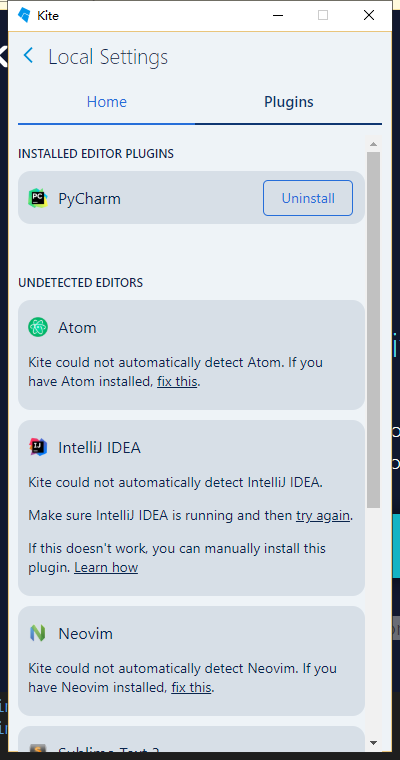
进入插件选项,选择 你使用的编辑器插件,,这里我安装了 pyecharm
3: annacoda 环境配置
Preferences > Completions and linting > Completion 下面打上√
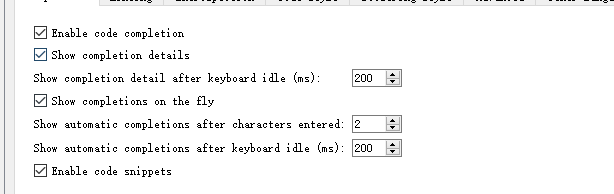
Preferences > Completions and linting > Advanced > Enable Kite (if the Kite engine is running) 打上√

上面完全设置好了以后 : spyder 下标栏 出现kite

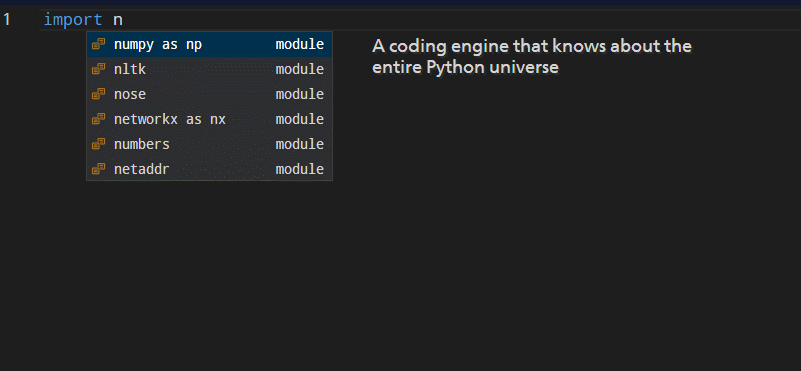
下面写一段代码试一试:
import numpy as np

print(np.random.randint(1,100));
4: 其他使用姿势
查询某个模块的使用方法:
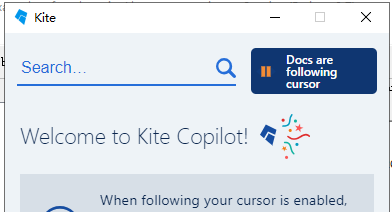
假设 查询 numpy 使用方法: 方法很详细
SIGNATURE
low,
high=None,
size=None,
dtype='l'
RETURNSint | ndarray
HOW OTHERS USED THIS
randint(low, high)
randint(low)
randint(low, high, size)
randint(low, size)
randint(low, high, size)
DOCUMENTATION
randint(low, high=None, size=None, dtype='l') Return random integers from `low` (inclusive) to `high` (exclusive). Return random integers from the "discrete uniform" distribution of
the specified dtype in the "half-open" interval [`low`, `high`). If
`high` is None (the default), then results are from [0, `low`). Parameters
----------
low : int
Lowest (signed) integer to be drawn from the distribution (unless
``high=None``, in which case this parameter is one above the
*highest* such integer).
high : int, optional
If provided, one above the largest (signed) integer to be drawn
from the distribution (see above for behavior if ``high=None``).
size : int or tuple of ints, optional
Output shape. If the given shape is, e.g., ``(m, n, k)``, then
``m * n * k`` samples are drawn. Default is None, in which case a
single value is returned.
dtype : dtype, optional
Desired dtype of the result. All dtypes are determined by their
name, i.e., 'int64', 'int', etc, so byteorder is not available
and a specific precision may have different C types depending
on the platform. The default value is 'np.int'. .. versionadded:: 1.11.0 Returns
-------
out : int or ndarray of ints
`size`-shaped array of random integers from the appropriate
distribution, or a single such random int if `size` not provided. See Also
--------
random.random_integers : similar to `randint`, only for the closed
interval [`low`, `high`], and 1 is the lowest value if `high` is
omitted. In particular, this other one is the one to use to generate
uniformly distributed discrete non-integers. Examples
--------
>>> np.random.randint(2, size=10)
array([1, 0, 0, 0, 1, 1, 0, 0, 1, 0])
>>> np.random.randint(1, size=10)
array([0, 0, 0, 0, 0, 0, 0, 0, 0, 0]) Generate a 2 x 4 array of ints between 0 and 4, inclusive: >>> np.random.randint(5, size=(2, 4))
array([[4, 0, 2, 1],
[3, 2, 2, 0]])
Jump toDESCRIPTION
缺点: 我发现国内的某些库 不支持 , 支合适那些 开源库 很大的
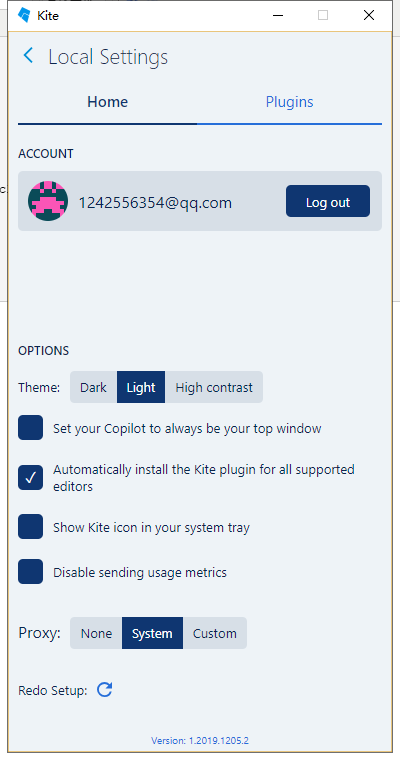
主题设置:

Python Kite 使用教程 轻量级代码提示的更多相关文章
- 给Sublime Text2安装轻量级代码提示插件:SublimeCodeIntel
步骤: 1.下载SublimeCodeIntel(地址https://github.com/SublimeCodeIntel/SublimeCodeIntel): 2.将下载的压缩包解压,并放置在Pa ...
- python pyyaml 使用教程(代码案例)
test.py 内容 # 运行前,请先安装pyyaml模块 # pip3 install -i https://pypi.douban.com/simple/ pyyaml==5.1.1 import ...
- Python之简单的SMTP发送邮件详细教程附代码
简介 Python发送邮件的教程本人在网站搜索的时候搜索出来了一大堆,但是都是说了一大堆原理然后就推出了实现代码,我测试用给出的代码进行发送邮件时都不成功,后面找了很久才找到原因,这都是没有一个详 ...
- Eclipse4.5在线安装Aptana插件及配置代码提示教程
一.Aptana插件官网地址 我在网上试过登陆到aptana官网后点击下载,选择下载eclipse插件版,然后页面给出一串地址:http://download.aptana.com/s ...
- 终于解决了python 3.x import cv2 “ImportError: DLL load failed: 找不到指定的模块” 及“pycharm关于cv2没有代码提示”的问题
终于解决了python 3.x import cv2 “ImportError: DLL load failed: 找不到指定的模块” 及“pycharm关于cv2没有代码提示”的问题 参考 :h ...
- Python环境搭建—安利Python小白的Python安装详细教程
人生苦短,我用Python.众所周知,Python目前越来越火,学习Python的小伙伴也越来越多.最近看到群里的小伙伴经常碰到不会安装Python或者不知道去哪下载Python安装包等系列问题,为了 ...
- Python快速入门教程【转】
第一章 Python基础知识 1.1 介绍 1.1.1 特点 Python是一种面向对象.解释型计算机程序设计语言.语法简洁清晰,强制用空白符作为语句缩进. Python ...
- PyCharm 代码完成/代码提示
因为python是动态语言,所以在有些情况ide会无法有效代码提示,见下: import sqlite3 conn = sqlite3.connect('d:/xxx.db') conn. #这里按 ...
- Eclipse 代码提示功能设置。
1. 解决实例化时自动补全不必要的单词问题 2. 以MyEclipse 6.5重新配图 鉴 于网上的批评之声甚大,我只想说明我的想法:这样的增强代码提示,最终是用来辅助我们 ...
随机推荐
- 关于self
关于self 就像C++的this 但是不同之处是他不是关键字,只代表第一个参数,可以用任何一个普通变量代替 self在对象的方法中表示当前对象本身,如果通过对象调用一个方法,那么该对象会自动传入到当 ...
- 程序员这十个java题你都会吗?
前言 不论你是职场新人还是步入职场N年的职场新人大哥大~当然这个N<3~,我能担保你答不对这十个题~不要问我为什么这么自信~,这些个题还是"有水平"的javase的基础题,传 ...
- MIT线性代数:17.正交矩阵和Cram-Schmidt正交化
- python中str.isdigit()用法
str.isdigit()中只包含数字返回true,包含其它则返回false
- 使用 Github + Hexo 从 0 搭建一个博客
最近有几位同学在公众号后台留言问我的博客站是怎么建站的,思来想去,还是写一篇从 0 开始吧. 前置准备 我们先聊一下前置准备,可能很多同学一听说要自己搭一个博客系统,直接就望而却步.不得有台服务器么, ...
- makefile中":="和“=”的区别
在makefile中,经常能看到这种赋值方式: MyNumber := 这种方式洋名叫做expansion assignment, 翻译过来叫扩展赋值, 我一般就叫冒号等号.这位同学就问了,那么它和普 ...
- 网络安全-主动信息收集篇第二章-三层网络发现之ping
第三层网络扫描基于TCP/IP.ICMP协议. 优点:可路由.速度比较快 缺点:相对于二层网络扫描较慢,容易被边界防火墙过滤 所有扫描发现技术,都会有相应的对抗办法,所以无论是来自二层的网络扫描还是来 ...
- 长寿花:dp
当然可以打组合数+CRT什么的,但是其实不必那么麻烦. 先讲那个思路,再转化过来吧. 首先可以发现的一个问题:所有颜色之间是没有区别的,所以我们其实并不在意到底是哪几种,我们只需要知道有几种就可以了. ...
- Anaconda的安装和详细介绍(带图文)
Anacond的介绍 Anaconda指的是一个开源的Python发行版本,其包含了conda.Python等180多个科学包及其依赖项. 因为包含了大量的科学包,Anaconda 的下载文件比较大( ...
- 前端Leader你应该知道的NPM包管理机制
npm install 命令 首先总结下npm 安装一个模块包的常用命令. /* 模块依赖会写入 dependencies 节点 */ npm install moduleName npm insta ...