
Okhttp3源码解析(2)-Request分析
### 前言
前面我们讲了
[Okhttp的基本用法](https://www.jianshu.com/p/8e404d9c160f)
[Okhttp3源码解析(1)-OkHttpClient分析](https://www.jianshu.com/p/bf1d01b79ce7)
今天主要分析下Request源码!
### Request初始化
当我们构建完OkHttpClient对象,需要构造Request对象,构造方式如下:
###### 1.Get请求
```
final Request request=new Request.Builder()
.url("https://www.wanandroid.com/navi/json")
.get()
.build();
```
###### 2.POST请求
拿POST提交表单请求,这时就需要声明一个RequestBody对象了
```
RequestBody requestBody = new FormBody.Builder()
.add("username", "qinzishuai")
.add("password", "123456")
.build();
Request request = new Request.Builder()
.url("https://www.wanandroid.com/user/login")
.post(requestBody)
.build();
```
看到上面代码是不是很熟悉?和OkHttpClient很相似, 没错 Request 的构建也是Builder模式!

我们点击Request源码进去,果然 其中有静态的Builder内部类:
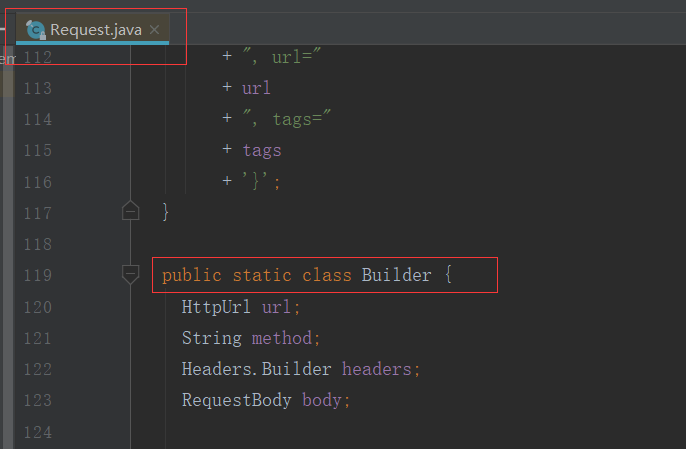
然后我们查一下**Request在初始化时配置了哪些参数???**
```
public static class Builder {
HttpUrl url;
String method;
Headers.Builder headers;
RequestBody body;
public Builder() {
this.method = "GET";
this.headers = new Headers.Builder();
}
//省略部分代码
public Request build() {
if (url == null) throw new IllegalStateException("url == null");
return new Request(this);
}
}
```
从代码看到了 如果没有声明,默认是Get请求 ` this.method = "GET"` ,至于`url`等字段需要我们自己去配置:
###### HttpUrl
请求访问的url ,可以传String与URL 具体方法如下:
```
public Builder url(String url) {
if (url == null) throw new NullPointerException("url == null");
// Silently replace web socket URLs with HTTP URLs.
if (url.regionMatches(true, 0, "ws:", 0, 3)) {
url = "http:" + url.substring(3);
} else if (url.regionMatches(true, 0, "wss:", 0, 4)) {
url = "https:" + url.substring(4);
}
return url(HttpUrl.get(url));
}
public Builder url(URL url) {
if (url == null) throw new NullPointerException("url == null");
return url(HttpUrl.get(url.toString()));
}
```
###### method
请求类型 `String method `,支持多种请求类型
```
public Builder get() {
return method("GET", null);
}
public Builder head() {
return method("HEAD", null);
}
public Builder post(RequestBody body) {
return method("POST", body);
}
public Builder delete(@Nullable RequestBody body) {
return method("DELETE", body);
}
public Builder delete() {
return delete(Util.EMPTY_REQUEST);
}
public Builder put(RequestBody body) {
return method("PUT", body);
}
public Builder patch(RequestBody body) {
return method("PATCH", body);
}
```
###### Headers
`Headers.Builder ` Http消息的头字段
前面看到了, **我们在初始化Request的时候 同时初始化了headers**, ` this.headers = new Headers.Builder()`
可以通过 `header ` `addHeader ` `removeHeader ` ` headers ` 方法做一些操作
```
public Builder header(String name, String value) {
headers.set(name, value);
return this;
}
public Builder addHeader(String name, String value) {
headers.add(name, value);
return this;
}
public Builder removeHeader(String name) {
headers.removeAll(name);
return this;
}
public Builder headers(Headers headers) {
this.headers = headers.newBuilder();
return this;
}
```
###### body
RequestBody类型,它是抽象类, 有些请求需要我们传入body实例 ,我们在通过源码来看一下:
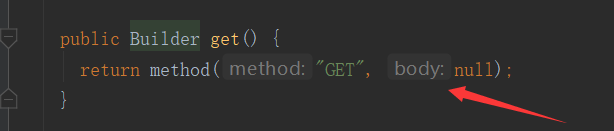
如果是GET请求,body对象传的是null
**Get与head方法不能传body对象 ,其他method是可以的**
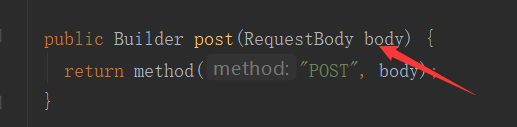
如果是POST请求,就需要我们去设定了
### RequestBody解析
首先我们看一下RequestBody如何初始化??拿提交表单举例:
```
RequestBody requestBody = new FormBody.Builder()
.add("username", "qinzishuai")
.add("password", "000000")
.build();
```
不出所料,也是Builder模式,而且`RequestBody` 是抽象类, `FormBody`是`RequestBody`的其中一种实现类 ,另一个实现类是`MultipartBody`
RequestBody源码如下:
```
public abstract class RequestBody {
/** Returns the Content-Type header for this body. */
public abstract @Nullable MediaType contentType();
/**
* Returns the number of bytes that will be written to {@code sink} in a call to {@link #writeTo},
* or -1 if that count is unknown.
*/
public long contentLength() throws IOException {
return -1;
}
/** Writes the content of this request to {@code sink}. */
public abstract void writeTo(BufferedSink sink) throws IOException;
/**
* Returns a new request body that transmits {@code content}. If {@code contentType} is non-null
* and lacks a charset, this will use UTF-8.
*/
public static RequestBody create(@Nullable MediaType contentType, String content) {
Charset charset = Util.UTF_8;
if (contentType != null) {
charset = contentType.charset();
if (charset == null) {
charset = Util.UTF_8;
contentType = MediaType.parse(contentType + "; charset=utf-8");
}
}
byte[] bytes = content.getBytes(charset);
return create(contentType, bytes);
}
/** Returns a new request body that transmits {@code content}. */
public static RequestBody create(
final @Nullable MediaType contentType, final ByteString content) {
return new RequestBody() {
@Override public @Nullable MediaType contentType() {
return contentType;
}
@Override public long contentLength() throws IOException {
return content.size();
}
@Override public void writeTo(BufferedSink sink) throws IOException {
sink.write(content);
}
};
}
/** Returns a new request body that transmits {@code content}. */
public static RequestBody create(final @Nullable MediaType contentType, final byte[] content) {
return create(contentType, content, 0, content.length);
}
//省略部分代码...
}
```
核心方法有三个:
- contentType()//数据类型
- contentLength()//数据长度
- writeTo(BufferedSink sink) //写操作
今天就讲到这里,希望对大家有所帮助...
大家可以关注我的微信公众号:「秦子帅」一个有质量、有态度的公众号!

Okhttp3源码解析(2)-Request分析的更多相关文章
- Okhttp3源码解析(3)-Call分析(整体流程)
### 前言 前面我们讲了 [Okhttp的基本用法](https://www.jianshu.com/p/8e404d9c160f) [Okhttp3源码解析(1)-OkHttpClient分析]( ...
- Okhttp3源码解析(1)-OkHttpClient分析
### 前言 上篇文章我们讲了[Okhttp的基本用法](https://www.jianshu.com/p/8e404d9c160f),今天根据上节讲到请求流程来分析源码,那么第一步就是实例化OkH ...
- Okhttp3源码解析(4)-拦截器与设计模式
### 前言 回顾: [Okhttp的基本用法](https://www.jianshu.com/p/8e404d9c160f) [Okhttp3源码解析(1)-OkHttpClient分析](htt ...
- Okhttp3源码解析(5)-拦截器RetryAndFollowUpInterceptor
### 前言 回顾: [Okhttp的基本用法](https://www.jianshu.com/p/8e404d9c160f) [Okhttp3源码解析(1)-OkHttpClient分析](htt ...
- 【转】aiohttp 源码解析之 request 的处理过程
[转自 太阳尚远的博客:http://blog.yeqianfeng.me/2016/04/01/python-yield-expression/] 使用过 python 的 aiohttp 第三方库 ...
- lesson8:AtomicInteger源码解析及性能分析
AtomicInteger等对象出现的目的主要是为了解决在多线程环境下变量计数的问题,例如常用的i++,i--操作,它们不是线程安全的,AtomicInteger引入后,就不必在进行i++和i--操作 ...
- Spring源码解析-AOP简单分析
AOP称为面向切面编程,在程序开发中主要用来解决一些系统层面上的问题,比如日志,事务,权限等等,不需要去修改业务相关的代码. 对于这部分内容,同样采用一个简单的例子和源码来说明. 接口 public ...
- Okhttp3源码解析
首先是Okhttp的使用: //缓存文件夹 File cacheFile = new File(getExternalCacheDir().toString(), "cache") ...
- Jquery源码解析及案例分析
本人刚学先上链接(别人写的挺好的)后期同步补上
随机推荐
- vs断点命不中?
用管理员权限打开vs,再打开工程即可
- kafka学习(二)-------- 什么是Kafka
通过Kafka的快速入门 https://www.cnblogs.com/tree1123/p/11150927.html 能了解到Kafka的基本部署,使用,但他和其他的消息中间件有什么不同呢? K ...
- 机器学习-特征值,svd分解
求矩阵的秩 设 ,已知r(A)=2,则参数x,y分别是 解:任意三阶子式=0,有二阶子式≠0,但是这些子式比较多,可以使用初等变换,因为初等变换不改变矩阵的秩,可以将矩阵通过初等行(列)变换,化为行阶 ...
- 小白学python-day05-IDE、格式化输出、For While循环、断点、continue、break
今天是day05,以下是学习总结. 但行努力,莫问前程. ----------------------------------------------------------------------- ...
- static import和import的区别
import static静态导入是JDK1.5中的新特性.一般我们导入一个类都用 import com.....ClassName;而静态导入是这样:import static com.....Cl ...
- web设计_1_思路总览
核心思想:结构和样式分离 HTML与CSS 只有充分将页面核心内容和外观设计相分离而获得的灵活性,才能顺利构建出能够满足每个web用户需要的最佳设计方案. 核心要求:灵活性 适应不同的浏览器,适应各种 ...
- PHP与ECMAScript_2_数据类型
PHP ECMAScript 数据类型 基本:String.Integer.Float.Boolean 基本:String. Number. Boolean.NULL.undefined 复合:Arr ...
- 关于object对象转换为int类型
注意:不能强制转换!!! Object a; int b = Integer.parseInt(String.valueOf(a));
- js获取手机系统语言
只需 navigator.language 就可以获取手机系统语言,要做国际化的童鞋可以看看 如图:(第一次是简体,第二次切换English),zh-CN,en-US是语言代码 更多语言代码,请查看h ...
- SpringMvc新建实例配置
一.创建项目: 1.建立新的动态web项目: 2.为项目命名为:SpringMVC_01 3.添加tomcat运行时环境\依赖库 如果是MyEclipse的话创建web项目时就不需要此步骤 右键项目 ...