
laravel 7 登录
1:路由,展示登录表单
Route::group(['prefix'=>'day','namespace'=>'day18'],function (){

//    登录

    Route::get('login','ExamController@login');

});
2,HTML:
<!DOCTYPE HTML>
<html>
<head>
<meta charset="utf-8">
<link href="/static/static/h-ui/css/H-ui.min.css" rel="stylesheet" type="text/css" />
<link href="/static/static/h-ui.admin/css/H-ui.login.css" rel="stylesheet" type="text/css" />
<link href="/static/static/h-ui.admin/css/style.css" rel="stylesheet" type="text/css" />
<link href="/static/lib/Hui-iconfont/1.0.8/iconfont.css" rel="stylesheet" type="text/css" />
<title>后台登录 - H-ui.admin v3.1</title>
<link rel="stylesheet" href="http://apps.bdimg.com/libs/bootstrap/3.3.0/css/bootstrap.min.css">
</head>
<body>
<input type="hidden" id="TenantId" name="TenantId" value="" />
<div class="header"></div>
<div class="loginWraper">
<div id="loginform" class="loginBox">
<form class="form form-horizontal" action="{{url('day/dologin')}}" method="post">
@csrf
<div class="row cl">
<label class="form-label col-xs-3"><i class="Hui-iconfont"></i></label>
<div class="formControls col-xs-8">
<input id="" name="username" type="text" placeholder="账户" class="input-text size-L">
</div>
</div>
<div class="row cl">
<label class="form-label col-xs-3"><i class="Hui-iconfont"></i></label>
<div class="formControls col-xs-8">
<input id="" name="password" type="password" placeholder="密码" class="input-text size-L">
</div>
</div> <div class="row cl">
<div class="formControls col-xs-8 col-xs-offset-3">
<input name="" type="submit" class="btn btn-success radius size-L" value=" 登 录 ">
<input name="" type="reset" class="btn btn-default radius size-L" value=" 取 消 ">
</div>
</div>
</form>
{{-- 显示错误信息--}}
@if (count($errors) > 0)
<div class="alert alert-danger">
<ul>
@foreach ($errors->all() as $error)
<li>{{ $error }}</li>
@endforeach
</ul>
</div>
@endif
</div>
</div>
<div class="footer">Copyright 你的公司名称 by H-ui.admin v3.1</div>
<script type="text/javascript" src="/static/lib/jquery/1.9.1/jquery.min.js"></script>
<script type="text/javascript" src="/static/static/h-ui/js/H-ui.min.js"></script>
<!--此乃百度统计代码,请自行删除-->
<script>
var _hmt = _hmt || [];
(function() {
var hm = document.createElement("script");
hm.src = "https://hm.baidu.com/hm.js?080836300300be57b7f34f4b3e97d911";
var s = document.getElementsByTagName("script")[0];
s.parentNode.insertBefore(hm, s);
})();
</script> </body>
</html>
3:提交表单路由:
Route::group(['prefix'=>'day','namespace'=>'day18'],function (){

//    处理登录

    Route::post('dologin','ExamController@doLogin');

});
4:提交控制器验证
    public function doLogin(Request $request){
//        去除token
        $params=$request->except('_token');
//        验证非空
        $this->validate($request, [
            'username' => 'required',
            'password' => 'required'
        ], [
            'username.required' => '账号不可以为空',
            'password.required' => '密码不可以为空'
        ], $params);
//        匹配数据库
       $res=Admins::login($params);
//       验证账号和密码
       if ($res['username']!==$params['username']){
           return redirect(url('day/login'))->withErrors(['error'=>'账号错误']);
       }elseif ($res['password']!==md5($params['password'])){
           return redirect(url('day/login'))->withErrors(['error'=>'密码错误']);
       }else{
//           记录session通过put方法
           $request->session()->put('username', $res['username']);
//通过全局辅助函数
//           session(['username' => $res['username']);
//验证成功跳转首页
           return redirect(url('day/new'))->with('success','登录成功');
       }

    }
5:模型代码:
<?php

namespace App\models;

use Illuminate\Database\Eloquent\Model;

class Admins extends Model

{

    //链接表名

    protected $table = 'admins';

//验证数据

    public static function login($params)

    {
//验证账号

        return self::where('username',$params['username'])

            ->first();

    }

}
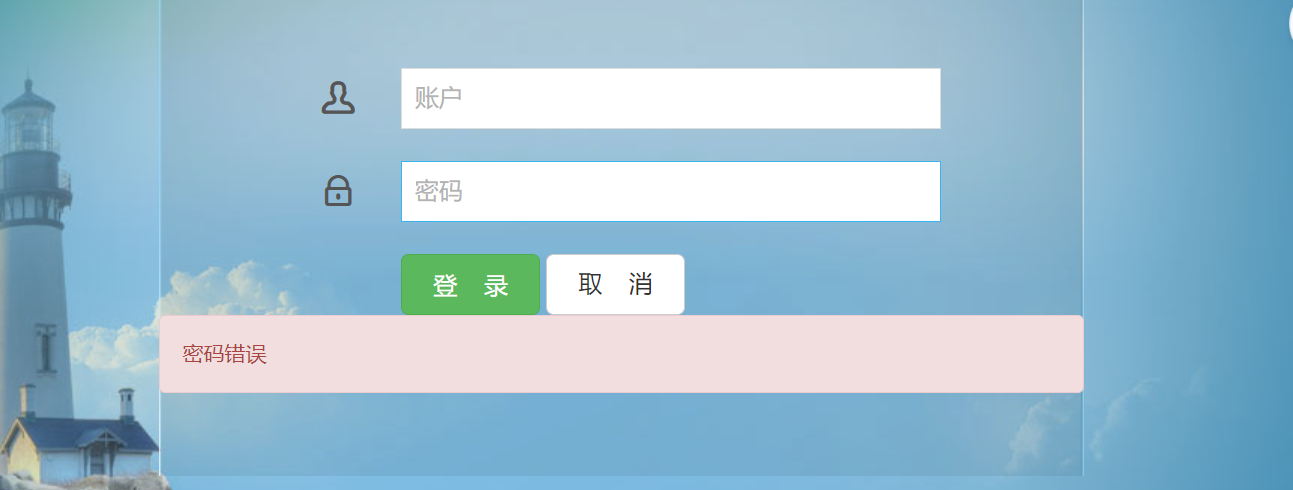
6:效果:
laravel 7 登录的更多相关文章
- laravel 用户名登录
laravel 用户名登录 默认登录设置为用户登录 laravel 5.3+ 修改文件(app\Http\Controllers\Auth\LoginController.php)增加 public ...
- Laravel 项目登录报错:The MAC is invalid.
在 Laravel 项目完成部署到服务器.数据库导入成功后 后台登录报错: 原因是 Laravel 的 APP_KEY 和 encrypt() 函数加密的问题.(encrypt() 是 Laravel ...
- Laravel —— 自定义登录
Laravel 中自带了 Auth 模块 默认用 email 登录,并有固定的表字段 有时需要根据项目需求,修改 Auth 功能 1.生成 Auth 执行 php artisan make:auth ...
- laravel 框架登录 实际操作
//登录中间件 Route::group(['middleware'=>'checkage'],function (){ Route::get('/mou/list','MouControlle ...
- 改造laravel的登录流程,仅使用一个token登录laravel
背景:最近使用lavavel来改造目前的系统,但是之前的老系统还不能立马下线,这时就出现了双系统共存的状态,需要解决的一个问题就是一次登录2个系统. 第一步 修改中间件App\Http\Middlew ...
- laravel记住登录、设置时间
laravel 自动登陆的时间改如何实现? 控制器 public function login(){ $email =Input::get('email');$password = Input::g ...
- laravel 框架登录 参考
一.登录功能1.书写登录路由Route::view('login','login');2.书写登录页面 视图层<form action="{{route('loginDo')}}&q ...
- Laravel 安装登录模块
cmd打开项目目录,执行如下代码即可 php artisan make:auth url访问
- Laravel登录验证碰到的坑 哈希验证匹配问题
用laravel 写登录验证 本来是用Crypt加密 添加用户到数据库的 后来验证密码 解密时一直报错 The payload is invaild 由于本人是laravel框架小白 自己思考许久未 ...
随机推荐
- go 把固定长度的数字写入字节切片 (byte slice),然后从字节切片中读取到并赋值给一个变量:
// write v := uint32(500) buf := make([]byte, 4) binary.BigEndian.PutUint32(buf, v) // read x := bin ...
- Android利用zxing生成二维码
感谢大佬:https://blog.csdn.net/mountain_hua/article/details/80646089 **gayhub上的zxing可用于生成二维码,识别二维码 gayhu ...
- 深入epoll
转载请注明来源:https://www.cnblogs.com/hookjc/ 一. 介绍Epoll 是一种高效的管理socket的模型,相对于select和poll来说具有更高的效率和易用性.传统的 ...
- Mybatis返回插入数据的主键的两种方式
方式一: 需要在映射文件中添加如下片段: <insert id="insertProduct" parameterType="domain.model.Produc ...
- 【转载】Nginx简介及使用Nginx实现负载均衡的原理
原文地址:http://blog.csdn.net/u014749862/article/details/50522276 是什么? Nginx 这个轻量级.高性能的 web server 主要可以干 ...
- Windows 7 Ubuntu 修改系统启动加载项
由于现在硬盘越来越大,越来越廉价.所以越来越多的很为了方便工作学习,在一台物理机上安装多个操作系统. 下面我们就来介绍安装多个操作系统后,每次开机后,到底默认引导哪个系统,由谁说的算? 由引导项说的算 ...
- logback1.3.x配置详解与实践
前提 当前(2022-02前后)日志框架logback的最新版本1.3.0已经更新到1.3.0-alpha14版本,此版本为非stable版本,相对于最新稳定版1.2.10来说,虽然slf4j-api ...
- 介绍回流与重绘(Reflow & Repaint),以及如何进行优化?
前言 回流与重绘对于前端来说可以说是非常重要的知识点了,我们不仅需要知道什么是回流与重绘,还需要知道如何进行优化.一个页面从加载到完成,首先是构建DOM树,然后根据DOM节点的几何属性形成render ...
- Spring Security Auth/Acl 实践指南
目录 导语 Web Api Authentication/Authorization 示例接口 添加 Maven 依赖 实现接口 访问接口 认证/鉴权 配置认证/鉴权 添加 Maven 依赖 创建数据 ...
- Nginx兼容框架的pathinfo模式与URL重写
几乎所有的框架(ThinkPHP,Zend Framework,CI,Yii,laravel等)都会使用URL重写或者pathinfo模式,使URL看起来更美观,比如可以隐藏掉入口文件,并且有利于搜索 ...