
移动架构-IOC架构设计
控制反转(Inversion of Control,缩写为IoC),是面向对象编程中的一种设计原则,可以用来减低计算机代码之间的耦合度。其中最常见的方式叫做依赖注入(Dependency Injection,简称DI),还有一种方式叫“依赖查找”(Dependency Lookup)。通过控制反转,对象在被创建的时候,由一个调控系统内所有对象的外界实体,将其所依赖的对象的引用传递给它。也可以说,依赖被注入到对象中
注入布局
首先是注入布局,这也是注入中相对简单的注入
在没有使用注入的时候,会使用setContentView(R.layout.activity_main);去加载布局,而使用注入以后就可以直接注入布局了
首先需要一个注入注解
@Retention(RetentionPolicy.RUNTIME)

@Target(ElementType.TYPE)

public @interface ContentView {

    int value();

}
然后编写一个BaseActivity,让MainActivity继承BaseActivity,在BaseActivity中完成注入说明
public class BaseActivity extends Activity {

    @Override

    protected void onCreate(@Nullable Bundle savedInstanceState) {

        super.onCreate(savedInstanceState);

        InjectUtils.injectLayout(this);

    }

}
去掉MainActivity中的setContentView()方法,使用注解
@ContentView(R.layout.activity_main)

public class MainActivity extends BaseActivity {

    @Override

    protected void onCreate(Bundle savedInstanceState) {

        super.onCreate(savedInstanceState);

    }

}
编写注入方法类InjectUtils
public class InjectUtils {

    public static void injectLayout(Context context) {

        int layoutId = 0;

        Class<?> clazz = context.getClass();

        //拿到类上面的注解

        ContentView contentView = clazz.getAnnotation(ContentView.class);

        if (contentView != null) {

            layoutId = contentView.value();

            try {

                Method method = clazz.getMethod("setContentView", int.class);

                method.invoke(context,layoutId);

            } catch (NoSuchMethodException e) {

                e.printStackTrace();

            } catch (IllegalAccessException e) {

                e.printStackTrace();

            } catch (InvocationTargetException e) {

                e.printStackTrace();

            }

        }

    }

}
之后再运行就可以不使用setContentView完成布局注入了
控件注入
控件注入如同布局注入一样,不使用findViewById()方法,再要注入的控件加入id即可
控件注入注解
@Retention(RetentionPolicy.RUNTIME)

@Target(ElementType.FIELD)

public @interface ViewInject {

    int value();

}
再InjectUtils中加入控件注入方法
public static void injectView(Context context) {

    Class<?> aClass = context.getClass();

    //获取Activity里面的所有成员变量

    Field[] fields=aClass.getDeclaredFields();

    for (Field field : fields) {

        //得到需要注入的View

        ViewInject viewInject = field.getAnnotation(ViewInject.class);

        if (viewInject != null) {

            //获取ID

            int valueId = viewInject.value();

            try {

                Method method = aClass.getMethod("findViewById", int.class);

                //反射调用方法

                View view = (View) method.invoke(context, valueId);

                field.setAccessible(true);

                field.set(context, view);

            } catch (NoSuchMethodException e) {

                e.printStackTrace();

            } catch (IllegalAccessException e) {

                e.printStackTrace();

            } catch (InvocationTargetException e) {

                e.printStackTrace();

            }

        }

    }

}
最后再调用即可
@ContentView(R.layout.activity_main)

public class MainActivity extends BaseActivity {

    @ViewInject(R.id.text_view)

    private TextView textView;

    @Override

    protected void onCreate(Bundle savedInstanceState) {

        super.onCreate(savedInstanceState);

        //InjectUtils.injectLayout(this); //BaseActivity中已经执行过

        InjectUtils.injectView(this);

        textView.setText("IOC View Inject");

    }

}
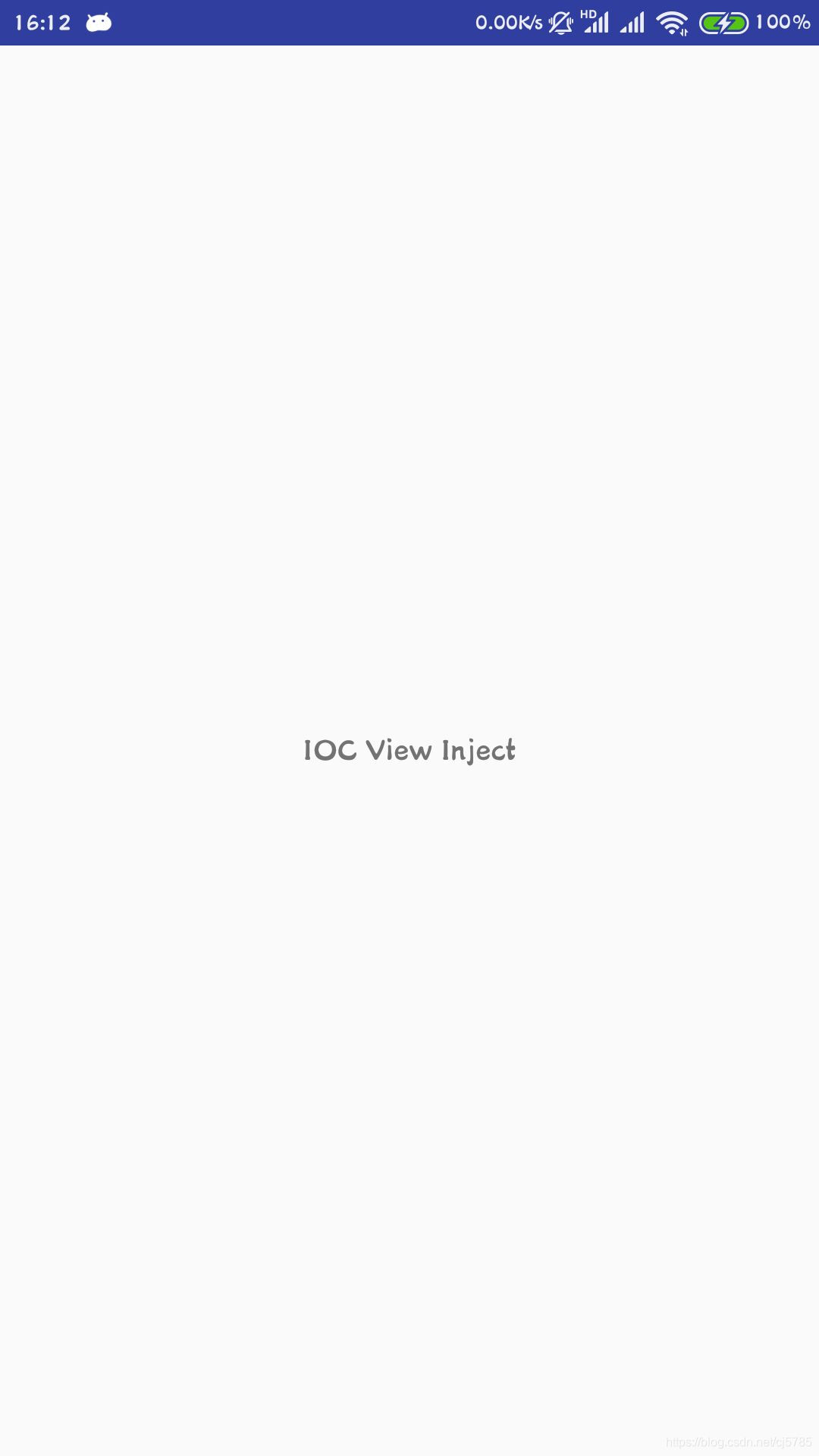
此处必须要有一个id,在注入完成以后,界面正常显示,并且TextView的显示文字变为IOC View Inject,完成布局和控件的注入
效果如下
事件注入
在之前,监听一个事件,其操作还是相对来说比较繁琐的,比如Button按键的监听就使用如下方法
button.setOnClickListener(new View.OnClickListener() {

    @Override

    public void onClick(View v) {

    }

});
这里使用注入,其过程比布局和控件注入稍微复杂一点,这是考虑到了扩展性,不能单一使用id完成注解
事件的监听包含事件源,事件和回调,因此其注解就稍微复杂一点,这里设计一个监听各种点击事件的监听,包括普通单击,长按,itemclick等
首先依旧是需要一个注解
@Retention(RetentionPolicy.RUNTIME)

@Target(ElementType.ANNOTATION_TYPE)

public @interface EventInject {

    //设置监听

    String listenerSetter();

    //事件类型

    Class<?> listenerType();

    //回调方法

    String callBackMethod();

}
这是为了拓展方便的一个接口,用在注解上,接下来是单击和长按的注解
@Retention(RetentionPolicy.RUNTIME)

@Target(ElementType.METHOD)

@EventInject(listenerSetter = "setOnClickListener",

        listenerType = View.OnClickListener.class,

        callBackMethod = "onClick")

public @interface OnClick {

    int[] value() default -1;

}
@Retention(RetentionPolicy.RUNTIME)

@Target(ElementType.METHOD)

@EventInject(listenerSetter = "setOnLongClickListener",

        listenerType = View.OnLongClickListener.class,

        callBackMethod = "onLongClick")

public @interface OnLongClick {

    int[] value() default -1;

}
这里还需要一个动态代理
public class ListenerInvocationHandler implements InvocationHandler {

    //真实对象引用

    private Context context;

    //可能存在多个方法

    private Map<String, Method> methodMap;

    public ListenerInvocationHandler(Context context, Map<String, Method> methodMap) {

        this.context = context;

        this.methodMap = methodMap;

    }

    @Override

    public Object invoke(Object proxy, Method method, Object[] args) throws Throwable {

        String name = method.getName();

        //决定是否需要代理

        Method method1 = methodMap.get(name);

        if (method1 != null) {

            return method1.invoke(context, args);

        } else {

            return method.invoke(proxy,args);

        }

    }

}
具体的注入方法
//注入事件

public static void injectEvent(Context context) {

    Class<?> aClass = context.getClass();

    //获取所有方法

    Method[] methods = aClass.getDeclaredMethods();

    for (Method method : methods) {

        //获取方法上所有注解

        Annotation[] annotations = method.getAnnotations();

        for (Annotation annotation : annotations) {

            //获取annotationType注解

            Class<?> annotationType = annotation.annotationType();

            EventInject eventInject = annotationType.getAnnotation(EventInject.class);

            if (eventInject == null) {

                continue;

            }

            //获取事件三要素,进行注入

            String listenerSetter = eventInject.listenerSetter();

            Class<?> listenerType = eventInject.listenerType();

            String callBackMethod = eventInject.callBackMethod();

            Map<String, Method> methodMap = new HashMap<>();

            methodMap.put(callBackMethod, method);

            try {

                Method valueMethod = annotationType.getDeclaredMethod("value");

                int[] valueIds = (int[]) valueMethod.invoke(annotation);

                for (int valueId : valueIds) {

                    Method findViewById = aClass.getMethod("findViewById", int.class);

                    View view = (View) findViewById.invoke(context, valueId);

                    if (view == null) {

                        continue;

                    }

                    Method setListener = view.getClass().getMethod(listenerSetter, listenerType);

                    //使用动态代理

                    ListenerInvocationHandler handler = new ListenerInvocationHandler(context, methodMap);

                    Object proxy = Proxy.newProxyInstance(listenerType.getClassLoader(),

                            new Class[]{listenerType}, handler);

                    setListener.invoke(view, proxy);

                }

            } catch (NoSuchMethodException e) {

                e.printStackTrace();

            } catch (IllegalAccessException e) {

                e.printStackTrace();

            } catch (InvocationTargetException e) {

                e.printStackTrace();

            }

        }

    }

}
由于三个注入都使用了,所以在InjectUtils添加静态方法,在BaseActivity中调用
public static void inject(Context context){

    injectLayout(context);

    injectView(context);

    injectEvent(context);

}
在Activity中调用
@ContentView(R.layout.activity_main)

public class MainActivity extends BaseActivity {

    @ViewInject(R.id.text_view)

    private TextView textView;

    @Override

    protected void onCreate(Bundle savedInstanceState) {

        super.onCreate(savedInstanceState);

        textView.setText("IOC View Inject");

    }

    @OnClick({R.id.onclick_button_one, R.id.onclick_button_two})

    public void click(View view) {

        switch (view.getId()) {

            case R.id.onclick_button_one:

                Toast.makeText(this, "单击按钮 1 被点击了", Toast.LENGTH_SHORT).show();

                break;

            case R.id.onclick_button_two:

                Toast.makeText(this, "单击按钮 2 被点击了", Toast.LENGTH_SHORT).show();

                break;

        }

    }

    @OnLongClick(R.id.onlongclick_button)

    public boolean longClick(View view) {

        Toast.makeText(this, "长按被点击了", Toast.LENGTH_SHORT).show();

        return false;

    }

}
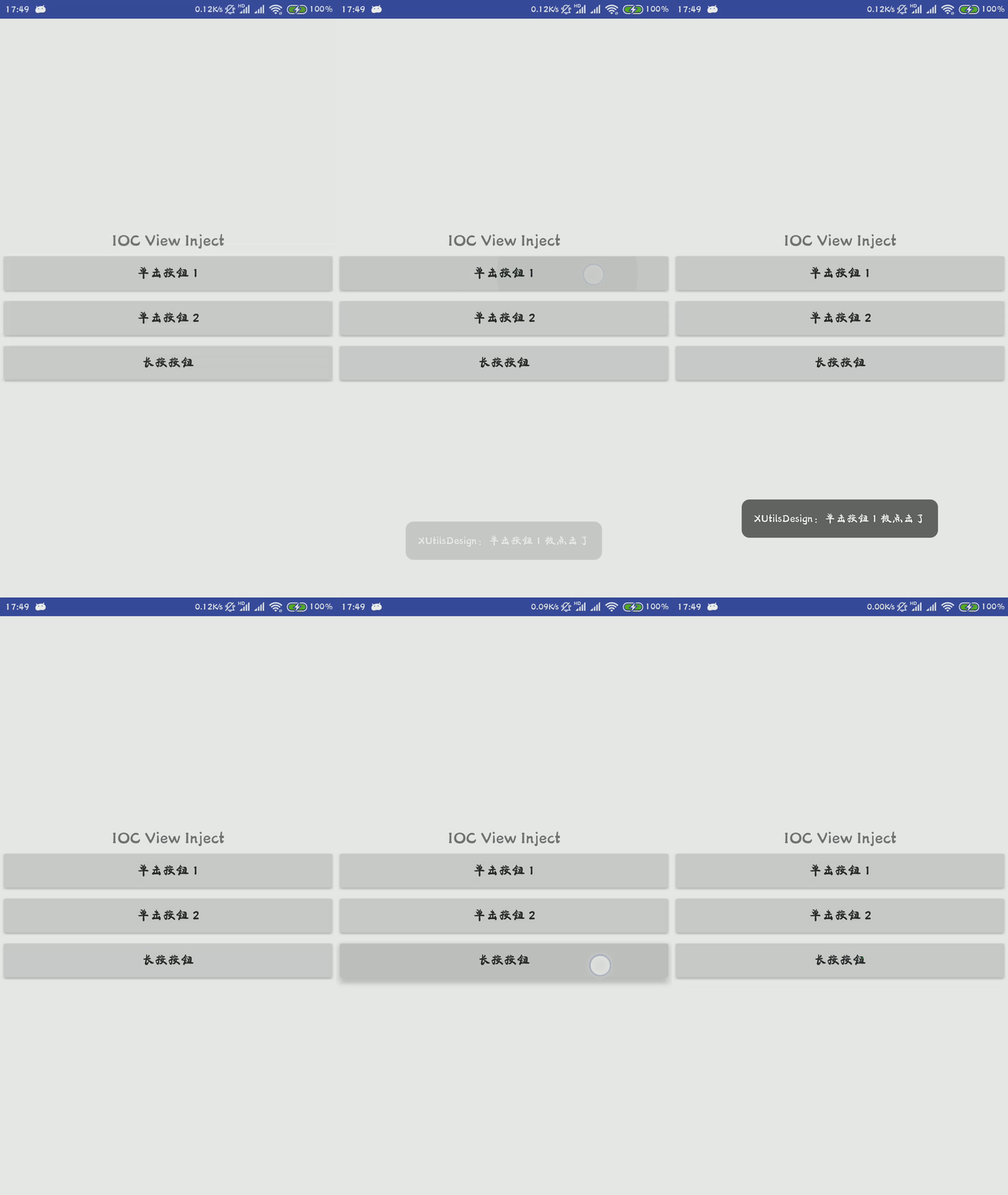
布局如下,就是一个文本,三个按钮
<?xml version="1.0" encoding="utf-8"?>

<LinearLayout xmlns:android="http://schemas.android.com/apk/res/android"

    android:layout_width="match_parent"

    android:layout_height="match_parent"

    android:orientation="vertical"

    android:gravity="center">

    <TextView

        android:id="@+id/text_view"

        android:layout_width="match_parent"

        android:layout_height="wrap_content"

        android:gravity="center"

        android:text="Hello World!"

        android:textSize="18sp" />

    <Button

        android:id="@+id/onclick_button_one"

        android:layout_width="match_parent"

        android:layout_height="wrap_content"

        android:text="单击按钮 1" />

    <Button

        android:id="@+id/onclick_button_two"

        android:layout_width="match_parent"

        android:layout_height="wrap_content"

        android:text="单击按钮 2" />

    <Button

        android:id="@+id/onlongclick_button"

        android:layout_width="match_parent"

        android:layout_height="wrap_content"

        android:text="长按按钮" />

</LinearLayout>
其实现的效果如下
移动架构-IOC架构设计的更多相关文章
- 认证鉴权与API权限控制在微服务架构中的设计与实现(四)
引言: 本文系<认证鉴权与API权限控制在微服务架构中的设计与实现>系列的完结篇,前面三篇已经将认证鉴权与API权限控制的流程和主要细节讲解完.本文比较长,对这个系列进行收尾,主要内容包括 ...
- atitit.系统架构图 的设计 与工具 attilax总结
atitit.系统架构图 的设计 与工具 attilax总结 1. 架构图的4个版式(标准,(左右)悬挂1 2. 架构图的层次结构(下属,同事,助手)1 3. wps ppt1 4. 使用EDraw画 ...
- Java生鲜电商平台-App系统架构开发与设计
Java生鲜电商平台-App系统架构开发与设计 说明:阅读此文,你可以学习到以下的技术分享 1.Java生鲜电商平台-App架构设计经验谈:接口的设计2.Java生鲜电商平台-App架构设计经验谈:技 ...
- 大数据分析的下一代架构--IOTA架构设计实践[下]
大数据分析的下一代架构--IOTA架构设计实践[下] 原创置顶 代立冬 发布于2018-12-31 20:59:53 阅读数 2151 收藏 展开 IOTA架构提出背景 大数据3.0时代以前,Lam ...
- zz《分布式服务架构 原理、设计与实战》综合
这书以分布式微服务系统为主线,讲解了微服务架构设计.分布式一致性.性能优化等内容,并介绍了与微服务系统紧密联系的日志系统.全局调用链.容器化等. 还是一样,每一章摘抄一些自己觉得有用的内容,归纳整理, ...
- ABSD 基于架构的软件设计方法方法简介(摘抄)
ABSD(Architecture-Based Software Design)基于架构的软件设计方法 有三个基础: 第一个基础是功能分解.在功能分解中,ABSD方法使用已有的基于模块的内聚和耦合技术 ...
- grafana 的主体架构是如何设计的?
grafana 的主体架构是如何设计的? grafana 是非常强大的可视化项目,它最早从 kibana 生成出来,渐渐也已经形成了自己的生态了.研究完 grafana 生态之后,只有一句话:可视化 ...
- 理解RESTful架构——Restful API设计指南
理解RESTful架构 Restful API设计指南 理解RESTful架构 越来越多的人开始意识到,网站即软件,而且是一种新型的软件. 这种"互联网软件"采用客户端/服务器模式 ...
- Java之架构(0) - 架构之路
软件架构作为一个概念,体现在技术和业务两个方面. 从技术角度来说:软件架构随着技术的革新不断地更新其内容,软件架构建立于当前技术和一些基本原则的基础之上. 先说一些基本原则: 分层原则:分层是为了降低 ...
随机推荐
- ajax当有返回值时
当ajax方法里面有return 值时,无法使用两种精简版的只能使用经典版 因为ajax 方法时异步的,正确的方式时使用经典版中async:false 设置为同步 默认为true 是异步 正确代码如 ...
- Jedis常用方法API
一.键操作 二.字符串操作 三.整数和浮点数操作 四.列表(List)操作 五.集合(Set)操作 六.哈希(Hash)操作 七.有序集合(Zsort)操作 八.排序操作
- learning scala stream collection
最关键的部分是计算序列的同时,不会引发无限递归, #:: 表达式的右边只有在被请求时才会被求值.
- 对象(面向对象、创建对象方式、Json)
一.面向对象 面向过程:凡事亲力亲为,每件事的具体过程都要知道,注重过程 面向对象:根据需求寻找对象,所有的事都用对象来做,注重结果 面向对象特性:封装.继承.多态(抽象性) js是一门基于对象的语言 ...
- PHP全栈学习笔记31
伪类:未被访问状态,已被访问状态,鼠标悬停状态,活动状态 :link 未被访问的链接添加样式 :visited 向已被访问链接添加样式 :hover 向鼠标悬停时向元素添加样式 :active 向被激 ...
- 利用 Python 尝试采用面向对象的设计方法计算图形面积及周长
利用 Python 尝试采用面向对象的设计方法.(1)设计一个基类 Shape:包含两个成员函数:def cal_area(): 计算并返回该图形的面积,保留两位小数:def cal_perimete ...
- windows7上启动jmeter报错,寻求解决办法?
背景: 已安装jdk 12,已配置环境变量,点击jmeter.bat 或者进入cmd启动jmter都无法启动 如图: 情况1.在cmd模式下报错 情况2: 打开运行,输入“powershell ise ...
- Mysql远程无法连接
#登陆mysql $ mysql -uroot -p mysql> use mysql; mysql> update user set host = '%' where user = 'r ...
- C++ 结构体指针的定义
struct node { …… } ; struct node *p1, *p2 ; typedef struct node { …… }Node; typedef Node* pNode; typ ...
- class 绑定的数据对象不必内联定义在模板里
<!DOCTYPE html> <html lang="en"> <head> <meta charset="UTF-8&quo ...