
.NET Core + Ocelot + IdentityServer4 + Consul 基础架构实现
先决条件
- 关于 Ocelot
- 针对使用 .NET 开发微服务架构或者面向服务架构提供一个统一访问系统的组件。 参考
- 本文将使用 Ocelot 构建统一入口的 Gateway。
- 关于 IdentityServer4
- IdentityServer4 是一个 OpenID Connect 和 OAuth 2.0 框架用于 ASP.NET Core 。IdentityServer4 在你的应用程序中集成了基于令牌认证、单点登录、API访问控制所需的所有协议和扩展点。参考
- 本文将使用 IdentityServer4 搭建独立认证服务器。
- 关于 Consul
- Consul 是一个服务网格解决方案,通过服务发现、配置、功能分割提供一个全功能的控制层。这些功能可以单独使用,也可以同时使用以形成一个完整的网格服务。参考
- 本文将使用 Consul 注册多个服务。
- 关于 .Net Core
- 将使用 WebApi 构建多个服务
构建 IdentityServer 服务
添加 ASP.Net Core Web 项目
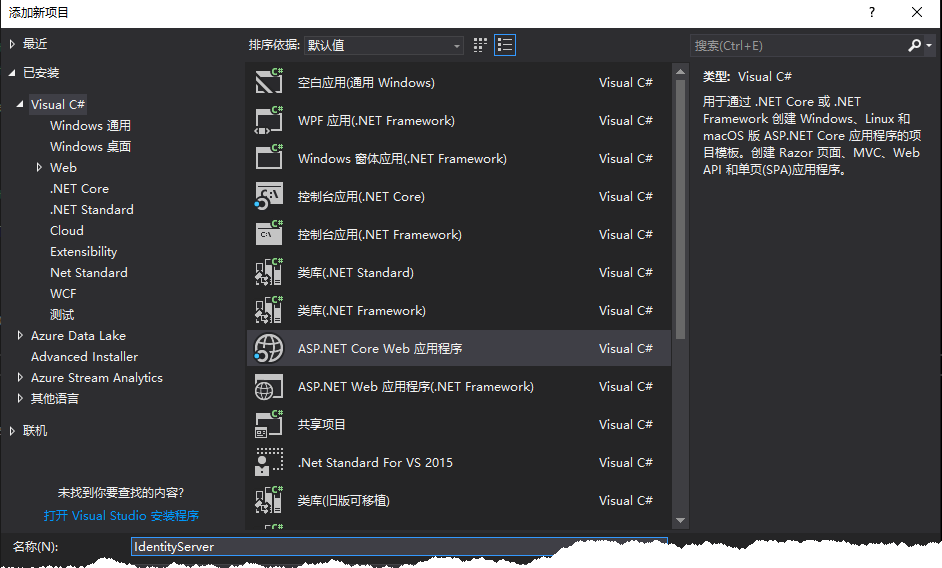
添加空项目
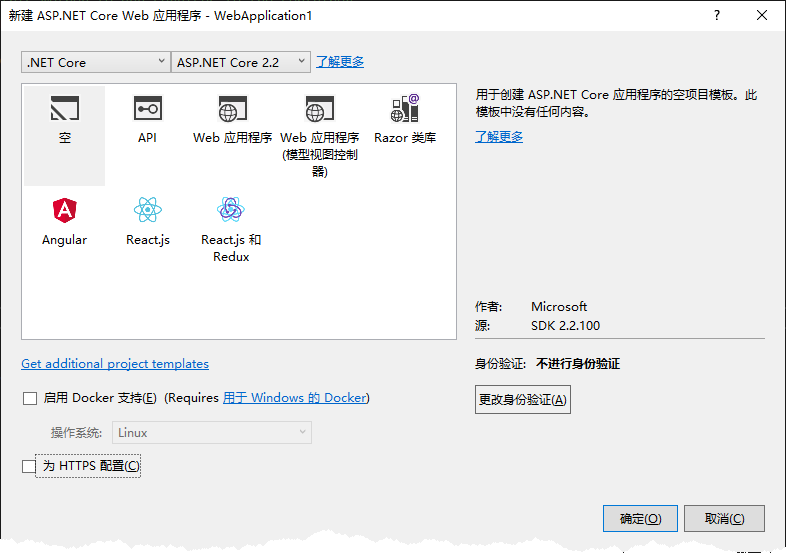
在程序包管理控制台中输入:Install-Package IdentityServer4.AspNetIdentity
添加 Config.cs 文件,并添加内容如下:
 using System.Collections.Generic;

 using IdentityServer4.Models;

 using IdentityServer4.Test;

 namespace IdentityServer

 {

     public sealed class Config

     {

         public static IEnumerable<ApiResource> GetApiResources()

         {

             return new List<ApiResource>

             {

                 new ApiResource("ServiceA", "ServiceA API"),

                 new ApiResource("ServiceB", "ServiceB API")

             };

         }

         public static IEnumerable<Client> GetClients()

         {

             return new List<Client>

             {

                 new Client

                 {

                     ClientId = "ServiceAClient",

                     AllowedGrantTypes = GrantTypes.ResourceOwnerPassword,

                     ClientSecrets =

                     {

                         new Secret("ServiceAClient".Sha256())

                     },

                     AllowedScopes = new List<string> {"ServiceA"},

                     AccessTokenLifetime = 60 * 60 * 1

                 },

                 new Client

                 {

                     ClientId = "ServiceBClient",

                     AllowedGrantTypes = GrantTypes.ResourceOwnerPassword,

                     ClientSecrets =

                     {

                         new Secret("ServiceBClient".Sha256())

                     },

                     AllowedScopes = new List<string> {"ServiceB"},

                     AccessTokenLifetime = 60 * 60 * 1

                 }

             };

         }

         public static List<TestUser> GetUsers()

         {

             return new List<TestUser>

             {

                 new TestUser

                 {

                     Username = "test",

                     Password = "123456",

                     SubjectId = "1"

                 }

             };

         }

         public static IEnumerable<IdentityResource> GetIdentityResources()

         {

             return new List<IdentityResource>();

         }

     }

 }
注意:这里添加了两个 Client ,分别为 ServiceA、ServiceB ,因此接下来将构建这两个服务。
删掉StartUp.cs文件,在Program.cs中添加内容如下:
 using Microsoft.AspNetCore;

 using Microsoft.AspNetCore.Builder;

 using Microsoft.AspNetCore.Hosting;

 using Microsoft.AspNetCore.Mvc;

 using Microsoft.Extensions.DependencyInjection;

 namespace IdentityServer

 {

     public class Program

     {

         public static void Main(string[] args)

         {

             CreateWebHostBuilder(args).Build().Run();

         }

         public static IWebHostBuilder CreateWebHostBuilder(string[] args)

         {

             return WebHost.CreateDefaultBuilder(args).ConfigureServices(services =>

             {

                 services.AddMvc().SetCompatibilityVersion(CompatibilityVersion.Version_2_2);

                 services.AddIdentityServer()

                     .AddDeveloperSigningCredential()

                     .AddInMemoryIdentityResources(Config.GetIdentityResources())

                     .AddInMemoryApiResources(Config.GetApiResources())

                     .AddInMemoryClients(Config.GetClients())

                     .AddTestUsers(Config.GetUsers());

             }).Configure(app =>

             {

                 app.UseIdentityServer();

             });

         }

     }

 }
注意:AddDeveloperSigningCredential() 方法用于添加开发时使用的 Key material ,生产环境中不要使用该方法。在 .NET Core 2.2 中新建的 Web 项目文件 csproj 中包含了如下内容:
<PropertyGroup>

    <TargetFramework>netcoreapp2.2</TargetFramework>

    <AspNetCoreHostingModel>InProcess</AspNetCoreHostingModel>

</PropertyGroup>
这里更改
<AspNetCoreHostingModel>InProcess</AspNetCoreHostingModel>
为或直接删除该行,这么做的原因是当值为 InProcess 时,读写 tempkey.rsa 将产生权限问题。关于 AspNetCoreHostingModel 可参考 ASP.NET Core Module 。
<AspNetCoreHostingModel>OutOfProcess</AspNetCoreHostingModel>
F5 启动该服务,显示如下:
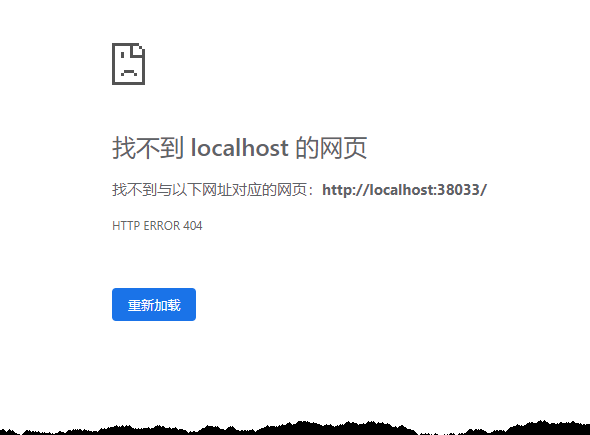
在浏览器中输入 http://localhost:38033/.well-known/openid-configuration ,得到以下内容
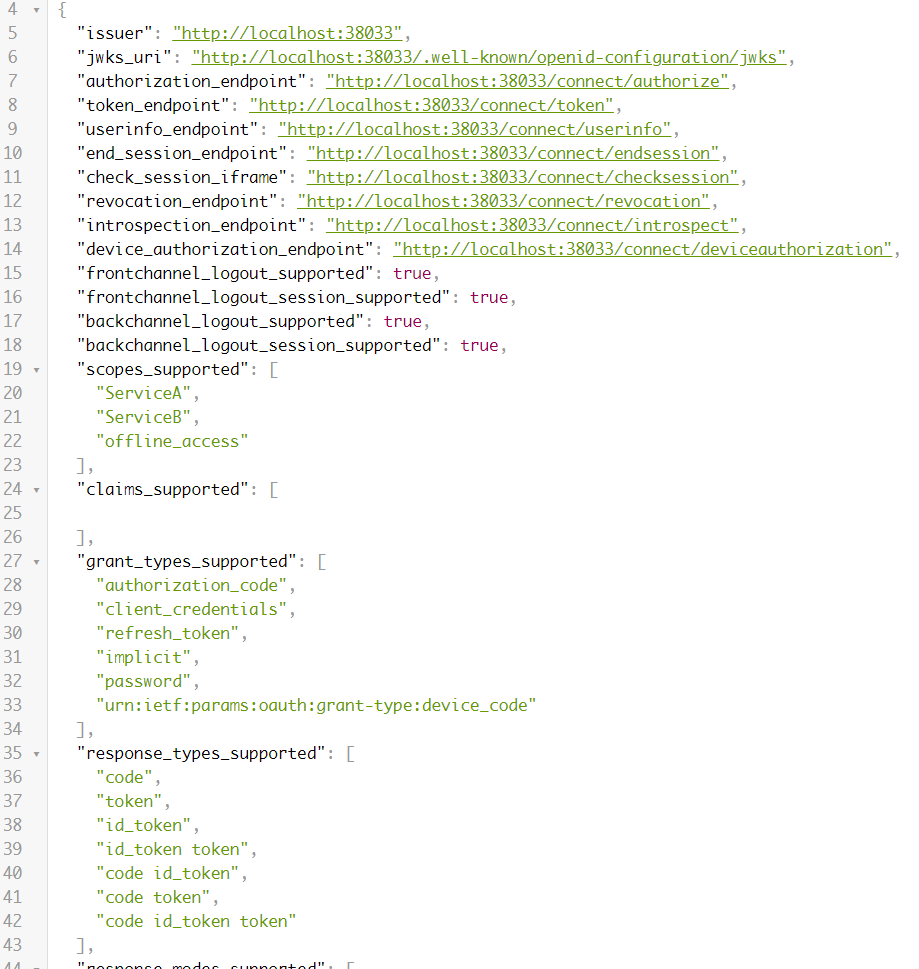
至此,一个包含两个服务认证的认证服务搭建完毕。
构建 ServiceA、ServiceB
添加 ASP.Net Core Web 项目,这里以 ServiceA 为例进行构建
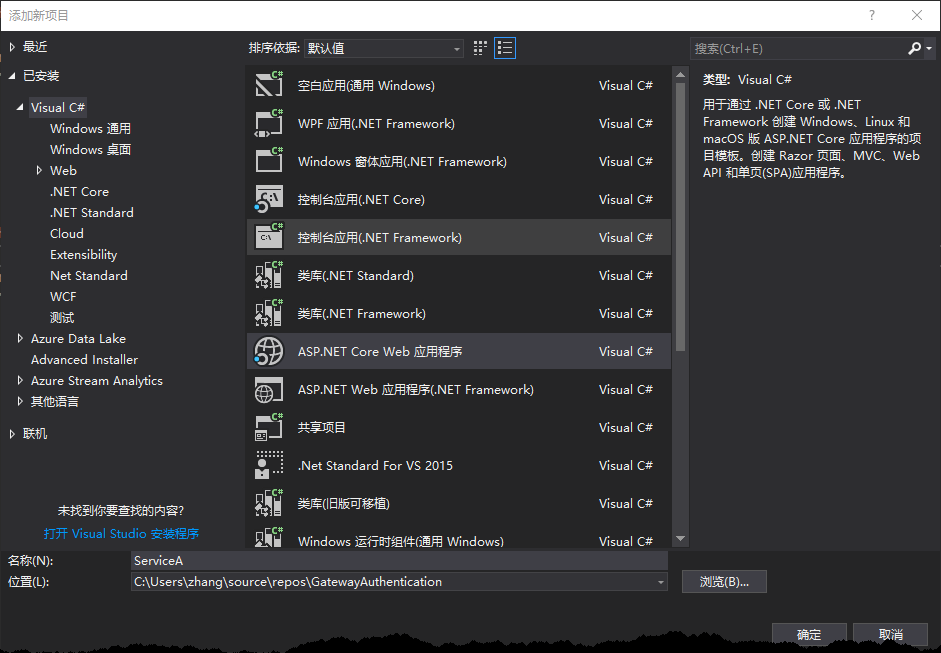
添加 ASP.Net Core API
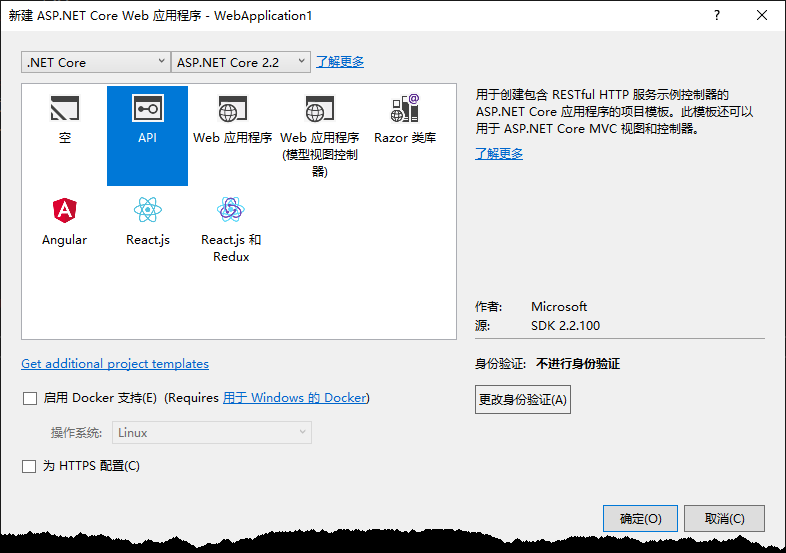
在程序包管理控制台中运行
Install-Package IdentityModel
在 StartUp.cs 中添加内容如下:
 using Microsoft.AspNetCore.Builder;

 using Microsoft.AspNetCore.Hosting;

 using Microsoft.AspNetCore.Mvc;

 using Microsoft.Extensions.Configuration;

 using Microsoft.Extensions.DependencyInjection;

 namespace ServiceA

 {

     public class Startup

     {

         public Startup(IConfiguration configuration)

         {

             Configuration = configuration;

         }

         public IConfiguration Configuration { get; }

         // This method gets called by the runtime. Use this method to add services to the container.

         public void ConfigureServices(IServiceCollection services)

         {

             services.AddMvc().SetCompatibilityVersion(CompatibilityVersion.Version_2_2);

             services.AddAuthentication("Bearer")

                 .AddJwtBearer("Bearer", options =>

                 {

                     options.Authority = "http://127.0.0.1:8021";

                     options.RequireHttpsMetadata = false;

                     options.Audience = "ServiceA";

                 });

         }

         // This method gets called by the runtime. Use this method to configure the HTTP request pipeline.

         public void Configure(IApplicationBuilder app, IHostingEnvironment env)

         {

             if (env.IsDevelopment())

             {

                 app.UseDeveloperExceptionPage();

             }

             app.UseAuthentication();

             app.UseMvc();

         }

     }

 }
添加 SessionController 用于用户登录,内容如下:
 using System.ComponentModel.DataAnnotations;

 using System.Net.Http;

 using System.Threading.Tasks;

 using IdentityModel.Client;

 using Microsoft.AspNetCore.Mvc;

 namespace ServiceA.Controllers

 {

     [Route("api/[controller]")]

     [ApiController]

     public class SessionController : ControllerBase

     {

         public async Task<string> Login(UserRequestModel userRequestModel)

         {

             // discover endpoints from metadata

             var client = new HttpClient();

             DiscoveryResponse disco = await client.GetDiscoveryDocumentAsync("http://127.0.0.1:8021");

             if (disco.IsError)

             {

                 return "认证服务器未启动";

             }

             TokenResponse tokenResponse = await client.RequestPasswordTokenAsync(new PasswordTokenRequest

             {

                 Address = disco.TokenEndpoint,

                 ClientId = "ServiceAClient",

                 ClientSecret = "ServiceAClient",

                 UserName = userRequestModel.Name,

                 Password = userRequestModel.Password

             });

             return tokenResponse.IsError ? tokenResponse.Error : tokenResponse.AccessToken;

         }

     }

     public class UserRequestModel

     {

         [Required(ErrorMessage = "用户名称不可以为空")]

         public string Name { get; set; }

         [Required(ErrorMessage = "用户密码不可以为空")]

         public string Password { get; set; }

     }

 }
添加 HealthController 用于 Consul 进行服务健康检查,内容如下:
 using Microsoft.AspNetCore.Mvc;

 namespace ServiceA.Controllers

 {

     [Route("api/[controller]"), ApiController]

     public class HealthController : ControllerBase

     {

         /// <summary>

         /// 健康检查

         /// </summary>

         /// <returns></returns>

         [HttpGet]

         public IActionResult Get()

         {

             return Ok();

         }

     }

 }
更改 ValuesController.cs 内容如下:
 using System.Collections.Generic;

 using Microsoft.AspNetCore.Authorization;

 using Microsoft.AspNetCore.Mvc;

 namespace ServiceA.Controllers

 {

     [Authorize] //添加 Authorize Attribute 以使该控制器启用认证

     [Route("api/[controller]")]

     [ApiController]

     public class ValuesController : ControllerBase

     {

         // GET api/values

         [HttpGet]

         public ActionResult<IEnumerable<string>> Get()

         {

             return new[] { "value1", "value2" };

         }

     }

 }
注意,以上基本完成了 ServiceA 的服务构建,但在实际应用中应做一些修改,例如:IdentityServer 地址应在 appsettings.json 中进行配置,不应把地址分散于项目中各处;认证服务启用最好在全局启用,以防止漏写等等。ServiceB 的内容与 ServiceA 大致相似,因此文章中将不再展示 ServiceB 的构建过程。
Gateway 构建
添加ASP.Net Web
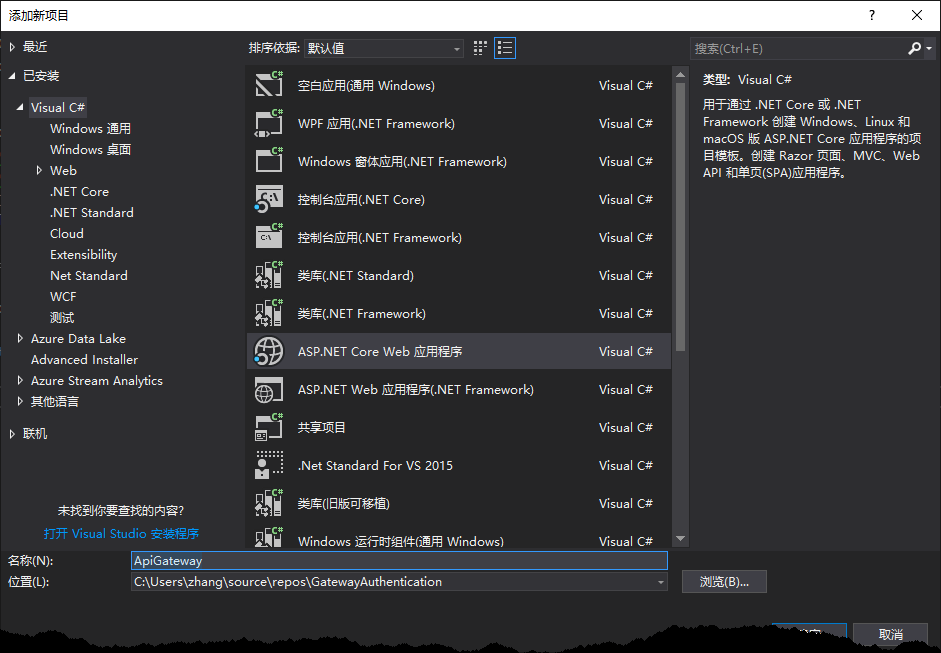
添加空项目
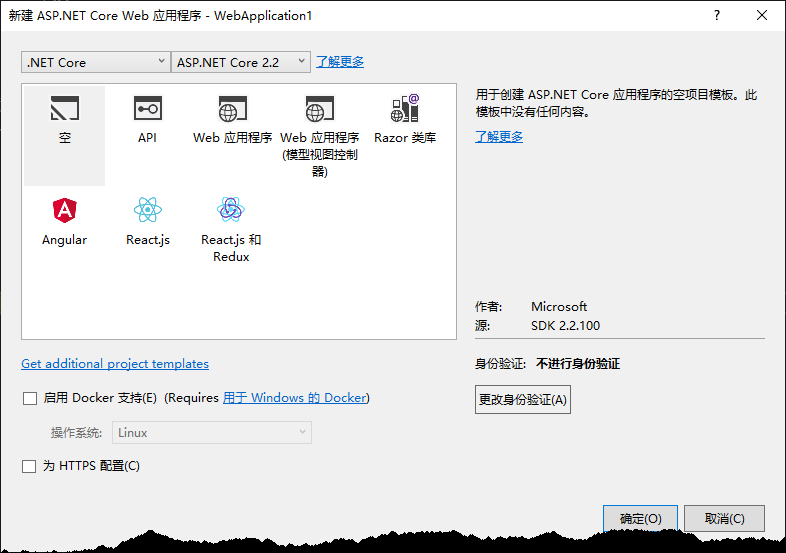
打开程序包管理器控制台输入命令:
install-package Ocelot //添加 Ocelot
install-package Ocelot.Provider.Consul // 添加 Consul 服务发现
添加 ocelot.json 文件,内容如下
 {

 "ReRoutes": [

     {

     "DownstreamPathTemplate": "/api/{everything}",

     "DownstreamScheme": "http",

     "UpstreamPathTemplate": "/ServiceA/{everything}",

     "UpstreamHttpMethod": [ "GET", "POST", "DELETE", "PUT" ],

     "ServiceName": "ServiceA", //consul 服务中 ServiceA 的名称

     "LoadBalancerOptions": {

         "Type": "LeastConnection"

     }

     },

     {

     "DownstreamPathTemplate": "/api/{everything}",

     "DownstreamScheme": "http",

     "UpstreamPathTemplate": "/ServiceB/{everything}",

     "UpstreamHttpMethod": [ "GET", "POST", "DELETE", "PUT" ],

     "ServiceName": "ServiceB", //consul 服务中 ServiceB 的名称

     "LoadBalancerOptions": {

         "Type": "LeastConnection"

     }

     }

 ],

 "GlobalConfiguration": {

     "ServiceDiscoveryProvider": {    // Consul 服务发现配置

     "Host": "localhost",    // Consul 地址

     "Port": 8500,

     "Type": "Consul"

     }

 }

 }
删除 StartUp.cs 文件,在 Program.cs 文件中添加如下内容
 using System.IO;

 using Microsoft.AspNetCore.Hosting;

 using Microsoft.Extensions.Configuration;

 using Ocelot.DependencyInjection;

 using Ocelot.Middleware;

 using Ocelot.Provider.Consul;

 namespace ApiGateway

 {

     public class Program

     {

         public static void Main(string[] args)

         {

             new WebHostBuilder()

                 .UseKestrel()

                 .UseContentRoot(Directory.GetCurrentDirectory())

                 .ConfigureAppConfiguration((hostingContext, config) =>

                 {

                     config

                         .SetBasePath(hostingContext.HostingEnvironment.ContentRootPath)

                         .AddJsonFile("appsettings.json", true, true)

                         .AddJsonFile($"appsettings.{hostingContext.HostingEnvironment.EnvironmentName}.json", true, true)

                         .AddJsonFile("ocelot.json")

                         .AddEnvironmentVariables();

                 })

                 .ConfigureServices(services =>

                 {

                     services.AddOcelot().AddConsul();

                 })

                 .ConfigureLogging((hostingContext, logging) =>

                 {

                     //add your logging

                 })

                 .UseIISIntegration()

                 .Configure(app =>

                 {

                     app.UseOcelot().Wait();

                 })

                 .Build()

                 .Run();

         }

     }

 }
注意:打开 Gateway.csproj 文件,更改
<PropertyGroup>

    <TargetFramework>netcoreapp2.2</TargetFramework>

    <AspNetCoreHostingModel>InProcess</AspNetCoreHostingModel>

</PropertyGroup>
为
<PropertyGroup>

    <TargetFramework>netcoreapp2.2</TargetFramework>

    <AspNetCoreHostingModel>OutOfProcess</AspNetCoreHostingModel>

</PropertyGroup>
至此,一个基础网关基本构建完成。
构建 Consul 服务
使用 Chocoletey 安装 Consul,
choco install consul
新建一个文件夹以保存 Consul 服务配置
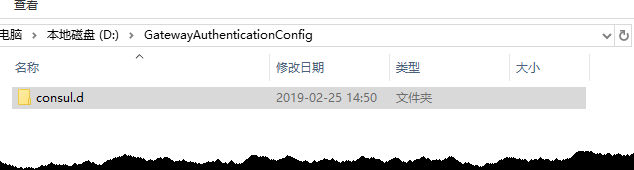
在 consul.d 文件夹中添加配置文件,内容如下:
    {

        "services": [{

                "ID": "ServiceA",

                "Name": "ServiceA",

                "Tags": [

                    "ServiceAWebApi", "Api"

                ],

                "Address": "127.0.0.1",

                "Port": 8010,

                "Check": {

                    "HTTP": "http://127.0.0.1:8010/Api/health",

                    "Interval": "10s"

                }

            }, {

                "id": "ServiceB",

                "name": "ServiceB",

                "tags": [

                    "ServiceBWebApi","Api"

                ],

                "Address": "127.0.0.1",

                "Port": 8011,

                "Check": [{

                        "HTTP": "http://127.0.0.1:8011/Api/health",

                        "Interval": "10s"

                    }

                ]

            }

        ]

    }
启动 consul 服务
consul agent -dev -config-dir=./consul.d
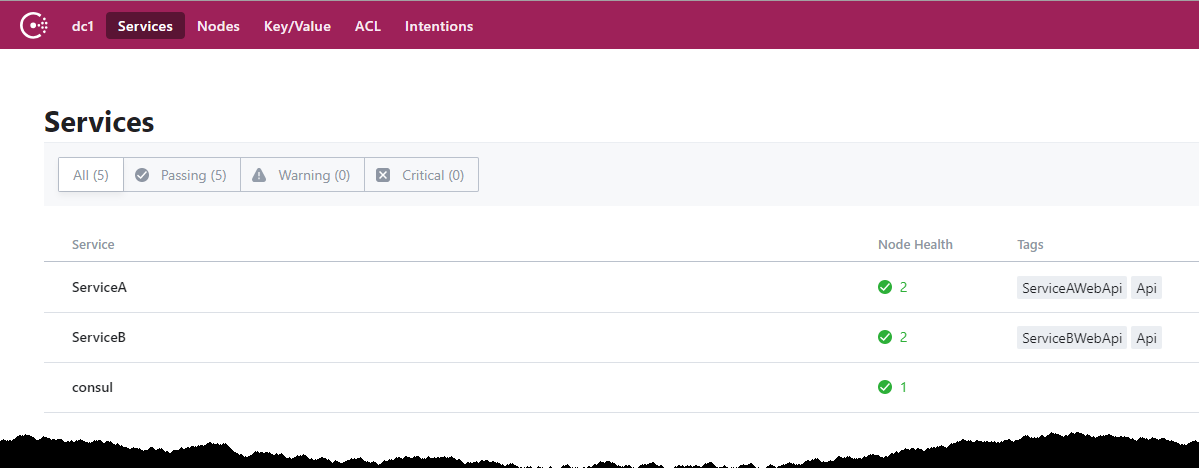
启动后在浏览器中输入 http://localhost:8500/ui/ 以查看Consul服务
Postman 验证
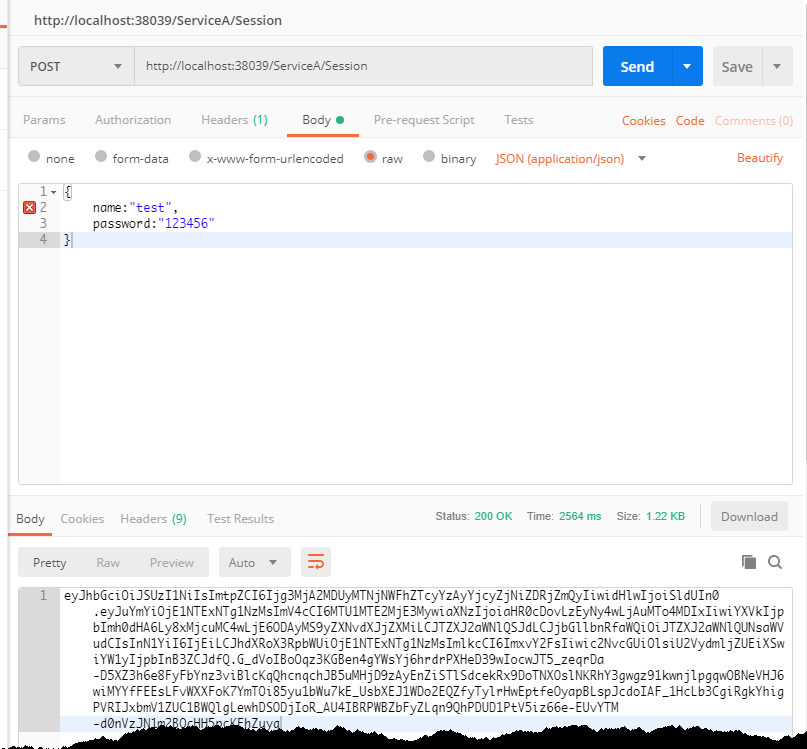
F5 启动 Gateway 项目,启动 Postman 发送请求到 ServiceA 获取 Token。
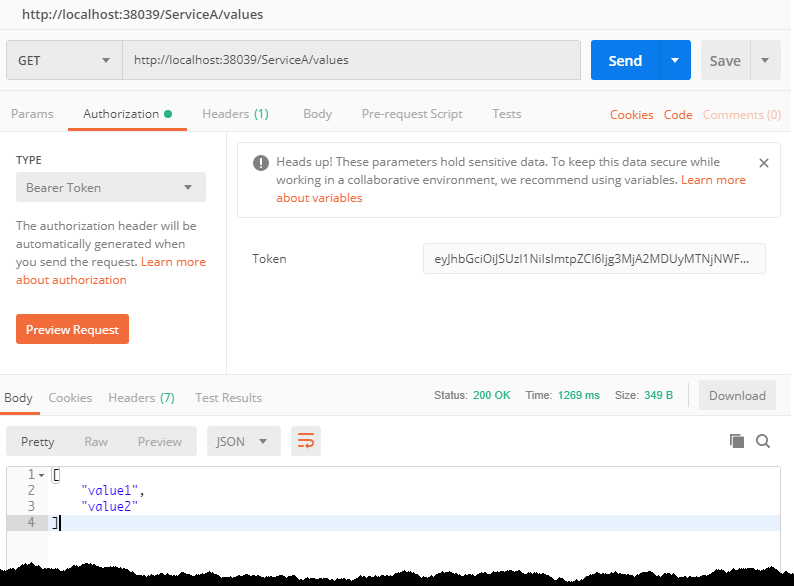
使用 Token 请求 ServiceA Values 接口
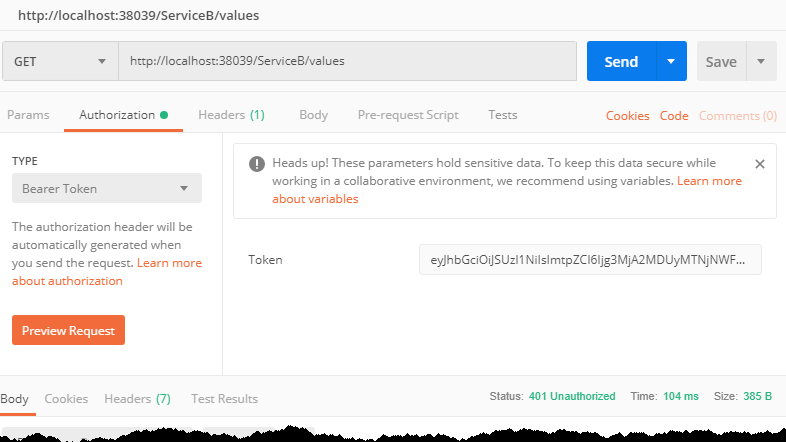
当尝试使用 ServiceA 获取到的 Token 去获取 ServiceB 的数据时,请求也如意料之中返回 401
总结
至此,一个由 .NET Core、IdentityServer4、Ocelot、Consul实现的基础架构搭建完毕。源码地址
.NET Core + Ocelot + IdentityServer4 + Consul 基础架构实现的更多相关文章
- 【转】.NET Core + Ocelot + IdentityServer4 + Consul 基础架构实现
作者:Zhang_Xiang 原文地址:.NET Core + Ocelot + IdentityServer4 + Consul 基础架构实现 先决条件 关于 Ocelot 针对使用 .NET 开发 ...
- NET Core + Ocelot + IdentityServer4 + Consul
.NET Core + Ocelot + IdentityServer4 + Consul 基础架构实现 先决条件 关于 Ocelot 针对使用 .NET 开发微服务架构或者面向服务架构提供一个统一访 ...
- 分享一个集成.NET Core+Swagger+Consul+Polly+Ocelot+IdentityServer4+Exceptionless+Apollo+SkyWalking的微服务开发框架
集成.NET Core+Swagger+Consul+Polly+Ocelot+IdentityServer4+Exceptionless+Apollo的微服务开发框架 Github源代码地址 htt ...
- .Net Core微服务——网关(2):ocelot集成consul
有consul基础的都知道,consul可以发现新增的服务,剔除掉无效的服务,赋予应用自动伸缩的能力.而ocelot如果集成了consul,那ocelot也能拥有这些能力,还可以自主选择负载均衡策略, ...
- .NET Core微服务系列基础文章索引(目录导航Final版)
一.为啥要总结和收集这个系列? 今年从原来的Team里面被抽出来加入了新的Team,开始做Java微服务的开发工作,接触了Spring Boot, Spring Cloud等技术栈,对微服务这种架构有 ...
- .NET Core微服务系列基础文章
今年从原来的Team里面被抽出来加入了新的Team,开始做Java微服务的开发工作,接触了Spring Boot, Spring Cloud等技术栈,对微服务这种架构有了一个感性的认识.虽然只做了两个 ...
- ASP.NET Core OceLot 微服务实践
1.OceLot中间件介绍 在传统的BS应用中,随着业务需求的快速发展变化,需求不断增长,迫切需要一种更加快速高效的软件交付方式.微服务可以弥补单体应用不足,是一种更加快速高效软件架构风格.单体应用被 ...
- Asp.Net Core 中IdentityServer4 授权中心之自定义授权模式
一.前言 上一篇我分享了一篇关于 Asp.Net Core 中IdentityServer4 授权中心之应用实战 的文章,其中有不少博友给我提了问题,其中有一个博友问我的一个场景,我给他解答的还不够完 ...
- Asp.Net Core 中IdentityServer4 实战之 Claim详解
一.前言 由于疫情原因,让我开始了以博客的方式来学习和分享技术(持续分享的过程也是自己学习成长的过程),同时也让更多的初学者学习到相关知识,如果我的文章中有分析不到位的地方,还请大家多多指教:以后我会 ...
随机推荐
- 用尽洪荒之力学习Flask源码
WSGIapp.run()werkzeug@app.route('/')ContextLocalLocalStackLocalProxyContext CreateStack pushStack po ...
- IOC框架:Unity
Unity 是一个轻量级.可扩展的依赖注入容器,支持构造函数.属性和方法调用注入. 在进行项目之前通过Nuget安装Unity 简单的例子 定义一个接口 namespace UnityTest { / ...
- Eclipse常用插件 + Eclipse快捷键
J2EE开发IDE,常用的有Eclipse.Myeclipse.Intellij IDEA 版本(Luna):http://www.eclipse.org/downloads/ 版本(2015 ...
- bootstrap-table+x-editable入门
Bootstrap-table 快速入门bootstrap-table----我的表单不可能这么帅. Table of contents Quick start Why use it What's i ...
- Python进阶开发之元类编程
系列文章 √第一章 元类编程,已完成 ; 本文目录 类是如何产生的如何使用type创建类理解什么是元类使用元类的意义元类实战:ORM . 类是如何产生的 类是如何产生?这个问题肯定很傻.实则不然,很多 ...
- 洛谷 P2587 解题报告
P2587 [ZJOI2008]泡泡堂 题目描述 第XXXX届NOI期间,为了加强各省选手之间的交流,组委会决定组织一场省际电子竞技大赛,每一个省的代表队由n名选手组成,比赛的项目是老少咸宜的网络游戏 ...
- c语言中realloc()函数解析
一.基本特性 1. realloc()函数可以重用或扩展以前用malloc().calloc()及realloc()函数自身分配的内存. 2. realloc()函数需两个参数:一个是包含地址的指针( ...
- nginx+php+mysql+wordpress搭建简单站点 安装及配置过程
环境 阿里云ECS云服务器 CPU:1核 内存:2G 操作系统:Centos 7.3 x64 地域:华北 2(华北 2 可用区 A) 系统盘:40G 安装及配置 主要使用 nginx . php 和 ...
- springcloud(十):服务网关zuul(转)
前面的文章我们介绍了,Eureka用于服务的注册于发现,Feign支持服务的调用以及均衡负载,Hystrix处理服务的熔断防止故障扩散,Spring Cloud Config服务集群配置中心,似乎一个 ...
- 写个批处理脚本来帮忙干活--遍历文件夹&字符串处理
这次打算写几篇关于脚本方面的博客,主要是记录一下 Gradle 脚本和批处理脚本的一些写法,方便后续查阅. 前言 平常开发过程中,一些较为重复的手工性工作,如果能让脚本来帮忙处理,自然是最好的,刚好之 ...