
Hibernate(二):MySQL server version for the right syntax to use near 'type=InnoDB' at line x
目前使用的hibernate5.2.9版本,配置的mysql方言为:
<property name="hibernate.dialect">org.hibernate.dialect.MySQLInnoDBDialect</property>
使用的表更新策略为:
<property name="hibernate.hbm2ddl.auto">create</property>
可是每次执行都出现了以下错误:
INFO: HHH000423: Disabling contextual LOB creation as JDBC driver reported JDBC version [3] less than 4

Hibernate:

    drop table if exists NEWS

四月 15, 2017 1:38:33 下午 org.hibernate.resource.transaction.backend.jdbc.internal.DdlTransactionIsolatorNonJtaImpl getIsolatedConnection

INFO: HHH10001501: Connection obtained from JdbcConnectionAccess [org.hibernate.engine.jdbc.env.internal.JdbcEnvironmentInitiator$ConnectionProviderJdbcConnectionAccess@180e6ac4] for (non-JTA) DDL execution was not in auto-commit mode; the Connection 'local transaction' will be committed and the Connection will be set into auto-commit mode.

Hibernate:

    create table NEWS (

       ID integer not null auto_increment,

        AUTHOR varchar(255),

        CONTENT varchar(255),

        CREATEDATE datetime,

        primary key (ID)

    ) type=InnoDB

四月 15, 2017 1:38:33 下午 org.hibernate.resource.transaction.backend.jdbc.internal.DdlTransactionIsolatorNonJtaImpl getIsolatedConnection

INFO: HHH10001501: Connection obtained from JdbcConnectionAccess [org.hibernate.engine.jdbc.env.internal.JdbcEnvironmentInitiator$ConnectionProviderJdbcConnectionAccess@305f031] for (non-JTA) DDL execution was not in auto-commit mode; the Connection 'local transaction' will be committed and the Connection will be set into auto-commit mode.

四月 15, 2017 1:38:33 下午 org.hibernate.tool.schema.internal.ExceptionHandlerLoggedImpl handleException

WARN: GenerationTarget encountered exception accepting command : Error executing DDL via JDBC Statement

org.hibernate.tool.schema.spi.CommandAcceptanceException: Error executing DDL via JDBC Statement

    at org.hibernate.tool.schema.internal.exec.GenerationTargetToDatabase.accept(GenerationTargetToDatabase.java:67)

    at org.hibernate.tool.schema.internal.SchemaCreatorImpl.applySqlString(SchemaCreatorImpl.java:440)

    at org.hibernate.tool.schema.internal.SchemaCreatorImpl.applySqlStrings(SchemaCreatorImpl.java:424)

    at org.hibernate.tool.schema.internal.SchemaCreatorImpl.createFromMetadata(SchemaCreatorImpl.java:315)

    at org.hibernate.tool.schema.internal.SchemaCreatorImpl.performCreation(SchemaCreatorImpl.java:166)

    at org.hibernate.tool.schema.internal.SchemaCreatorImpl.doCreation(SchemaCreatorImpl.java:135)

    at org.hibernate.tool.schema.internal.SchemaCreatorImpl.doCreation(SchemaCreatorImpl.java:121)

    at org.hibernate.tool.schema.spi.SchemaManagementToolCoordinator.performDatabaseAction(SchemaManagementToolCoordinator.java:155)

    at org.hibernate.tool.schema.spi.SchemaManagementToolCoordinator.process(SchemaManagementToolCoordinator.java:72)

    at org.hibernate.internal.SessionFactoryImpl.<init>(SessionFactoryImpl.java:309)

    at org.hibernate.boot.internal.SessionFactoryBuilderImpl.build(SessionFactoryBuilderImpl.java:445)

    at com.dx.hibernate5.test.HelloWord.main(HelloWord.java:40)

Caused by: com.mysql.jdbc.exceptions.jdbc4.MySQLSyntaxErrorException: You have an error in your SQL syntax; check the manual that corresponds to your MySQL server version for the right syntax to use near 'type=InnoDB' at line 7

    at sun.reflect.NativeConstructorAccessorImpl.newInstance0(Native Method)

    at sun.reflect.NativeConstructorAccessorImpl.newInstance(NativeConstructorAccessorImpl.java:62)

    at sun.reflect.DelegatingConstructorAccessorImpl.newInstance(DelegatingConstructorAccessorImpl.java:45)

    at java.lang.reflect.Constructor.newInstance(Constructor.java:423)

    at com.mysql.jdbc.Util.handleNewInstance(Util.java:403)

    at com.mysql.jdbc.Util.getInstance(Util.java:378)

    at com.mysql.jdbc.SQLError.createSQLException(SQLError.java:1031)

    at com.mysql.jdbc.SQLError.createSQLException(SQLError.java:957)

    at com.mysql.jdbc.MysqlIO.checkErrorPacket(MysqlIO.java:3361)

    at com.mysql.jdbc.MysqlIO.checkErrorPacket(MysqlIO.java:3295)

    at com.mysql.jdbc.MysqlIO.sendCommand(MysqlIO.java:1852)

    at com.mysql.jdbc.MysqlIO.sqlQueryDirect(MysqlIO.java:1975)

    at com.mysql.jdbc.ConnectionImpl.execSQL(ConnectionImpl.java:2470)

    at com.mysql.jdbc.ConnectionImpl.execSQL(ConnectionImpl.java:2399)

    at com.mysql.jdbc.StatementImpl.execute(StatementImpl.java:718)

    at org.hibernate.tool.schema.internal.exec.GenerationTargetToDatabase.accept(GenerationTargetToDatabase.java:54)

    ... 11 more
根据提示很显然得知:这是MySQL的版本问题导致的问题。
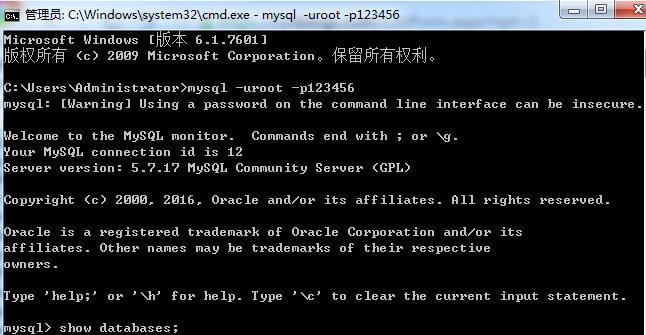
实际上,在MySQL5.0以前,type=InnoDB是有效的SQL语句,但是自己用的是MySQL5.7版本,type=InnoDB不再有效了。
解决办法就是修改hibernate.cfg.xml中的dialect属性,将
<property name="dialect">org.hibernate.dialect.MySQLInnoDBDialect</property>
修改为
<property name="hibernate.dialect">org.hibernate.dialect.MySQL5InnoDBDialect</property>
再次运行,发现可以自动建表了。
Hibernate(二):MySQL server version for the right syntax to use near 'type=InnoDB' at line x的更多相关文章
- ERROR: You have an error in your SQL syntax; check the manual that corresponds to your MySQL server version for the right syntax to use near 'type=InnoDB' at line 7
问题: 使用hibernate4.1.1,数据库使用mysql5.1.30,使用hibernate自动生成数据库表时,hibernate方言使用org.hibernate.dialect.MySQLI ...
- check the manual that corresponds to your MySQL server version for the right syntax to use near 'type=InnoDB' at line 7
第一种是:解决MySQL的版本问题(我用的是mysql 5.5版本),mysql 5.0版本以后的数据库方言是:org.hibernate.dialect.MySQ5LInnoDBDialect.第二 ...
- MySQL server version for the right syntax to use near 'TYPE=MyISAM'
最近将一个版本为4.0.18-Max的MySQL数据库迁移到5.6.20-enterprise-commercial-advanced上.好吧,这是我迄今为止,见到过的最古老版本的MySQL数据库,这 ...
- You have an error in your SQL syntax; check the manual that corresponds to your MySQL server version for the right syntax to use near 'like '%逸%'' at line 1
<?xml version="1.0" encoding="UTF-8"?> <!DOCTYPE mapper PUBLIC "-/ ...
- MySQL server version for the right syntax to use near 'type=InnoDB' at line 1
转载请注明出处:http://blog.csdn.net/bettarwang/article/details/40180271 在执行一个Hibernate的演示样例时,配置了<propert ...
- MySQLSyntaxErrorException: You have an error in your SQL syntax; check the manual that corresponds to your MySQL server version for the right syntax to use near ...
下面是我update数据库时打印出来的异常: ### Error updating database. Cause: com.mysql.jdbc.exceptions.jdbc4.MySQLSynt ...
- 解决You have an error in your SQL syntax; check the manual that corresponds to your MySQL server version for the right syntax to use near 'order (order_name, customer)
在学习hibernate一对多映射关系时,根据视频学习的时候,例子是顾客和订单的问题,一个顾客有多个订单.按照视频中的敲代码出现了You have an error in your SQL synta ...
- [Err] 1064 - You have an error in your SQL syntax; check the manual that corresponds to your MySQL server version for the right syntax to use near ''<h1 style="text-align: center;">php
[Err] 1064 - You have an error in your SQL syntax; check the manual that corresponds to your MySQL s ...
- C# Mysql You have an error in your SQL syntax; check the manual that corresponds to your MySQL server version for the right syntax to use near ????
有几年没用过MySql数据了,今天在使用C#访问MySql数据库时出现了一个小插曲. 错误提示: You have an error in your SQL syntax; check the man ...
随机推荐
- 利用sfc文件构建网络渗透
收集哈希 SCF(Shell命令文件)文件可用于执行一组有限的操作,例如显示Windows桌面或打开Windows资源管理器,这并不是什么新鲜事.然而,一个SCF文件可以用来访问一个特定的UNC路 ...
- push_back和emplace_back的区别
emplace_back能就地通过参数构造对象,不需要拷贝或者移动内存,相比push_back能更好地避免内存的拷贝与移动,使容器插入元素的性能得到进一步提升.在大多数情况下应该优先使用emplace ...
- SQL server 2008 安装提示:属性不匹配
问题 安装SQL server 2008提示属性不匹配 解决方案 确保C盘以及其子文件夹C:\Program Files\Microsoft SQL Server和C:\Program Files ( ...
- Mycat 常用管理命令说明
Mycat 提供了类似数据库的管理监控方式,可以通过 MySQL 命令行登陆管理端口 9066 执行相应的 SQL 语句进行管理,可以可以通过 JDBC 的方式进行远程连接管理,使用 MySQL 命令 ...
- 笔记:Spring Cloud Hystrix 异常处理、缓存和请求合并
异常处理 在 HystrixCommand 实现的run方法中抛出异常,除了 HystrixBadRequestException之外,其他异常均会被Hystrix 认为命令执行失败并触发服务降级处理 ...
- 给定n,求1/x + 1/y = 1/n (x<=y)的解数~hdu-1299~(分解素因子详解)
链接:https://www.nowcoder.com/acm/contest/90/F来源:牛客网 题目描述 给定n,求1/x + 1/y = 1/n (x<=y)的解数.(x.y.n均为正整 ...
- 大数据 --> 分布式文件系统HDFS的工作原理
分布式文件系统HDFS的工作原理 Hadoop分布式文件系统(HDFS)是一种被设计成适合运行在通用硬件上的分布式文件系统.HDFS是一个高度容错性的系统,适合部署在廉价的机器上.它能提供高吞吐量的数 ...
- Oracle查询优化改写--------------------报表和数据仓库运算
一.行转列 二.列传行 '
- Linux下ping,telnet,ssh命令的比较
ping工作在OSI模型的第三层,网络层. 主要用于测试到达目的主机的网络是否连接,不能检测某个端口是否开放. ping使用ICMP协议,不使用某个特定端口. 也可以 ping 域名 ,这样可以直接看 ...
- Java基础学习笔记十一 Eclipse开发工具
Eclipse是功能强大Java集成开发工具.它可以极大地提升我们的开发效率.可以自动编译,检查错误.在公司中,使用的就是Eclipse进行开发. Eclipse的下载.安装.卸载 下载 http:/ ...