
(转载)UnityShader学习笔记(七) 让贴图纹理动起来(河流瀑布特效、精灵序列帧实现)
大家好,我是Zander。这一章我们将使用纹理贴图实现动画、混合和真实特效来达到理想的效果。
纹理贴图可以使我们的着色器快速的实现逼真的效果,但是如果添加的纹理贴图过多,会非常影响游戏性能,特别是在移动设备上,需要将纹理贴图的数目降到最小,这样才能使应用程序加载更快,运行起来更加流畅。
下面带着大家用图片来实现一个河流的效果:
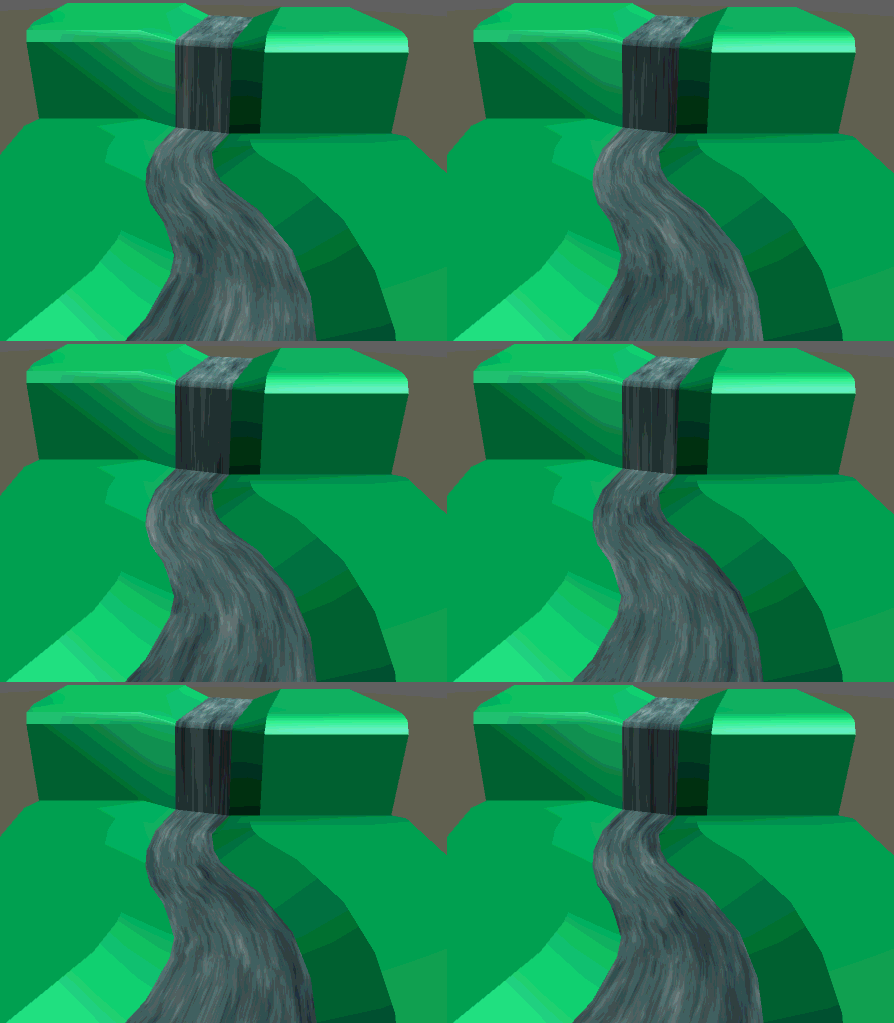
首先创建一个材质和一个新的着色器文件。为着色器添加属性如下:
Properties {

		_MainTint ("Diffuse Tint", Color) = (1,1,1,1)

		_MainTex ("Base (RGB)", 2D) = "white" {}

		_ScrollXSpeed ("X Scroll Speed",Range(0,10)) = 2

		_ScrollYSpeed ("Y Scroll Speed",Range(0,10)) = 2

	}
然后在SubShader中修改CGPROGRAM部分的CG属性,添加变量便于访问
                fixed4  _MianTint;

		fixed   _ScrollXSpeed;

		fixed   _ScrollYSpeed;

		sampler2D _MainTex;
修改surf()函数,通过tex2D()函数来改变UV坐标,然后使用内置的_Time变量来实现动态纹理
void surf (Input IN, inout SurfaceOutputStandard o)

		{

		    //创建一个变量 存储图片UV

		    fixed2 scrolledUV  = IN.uv_MainTex;

			//创建临时变量存储 X Y

			fixed xScrollValue  = _ScrollXSpeed * _Time;

			fixed yScrollValue  = _ScrollYSpeed * _Time;

			//计算X Y 的偏移

			scrolledUV += fixed2(xScrollValue,yScrollValue);

			half4 c = tex2D(_MainTex,scrolledUV);

			o.Albedo = c.rgb;

			o.Alpha = c.a;

		}
所用的贴图
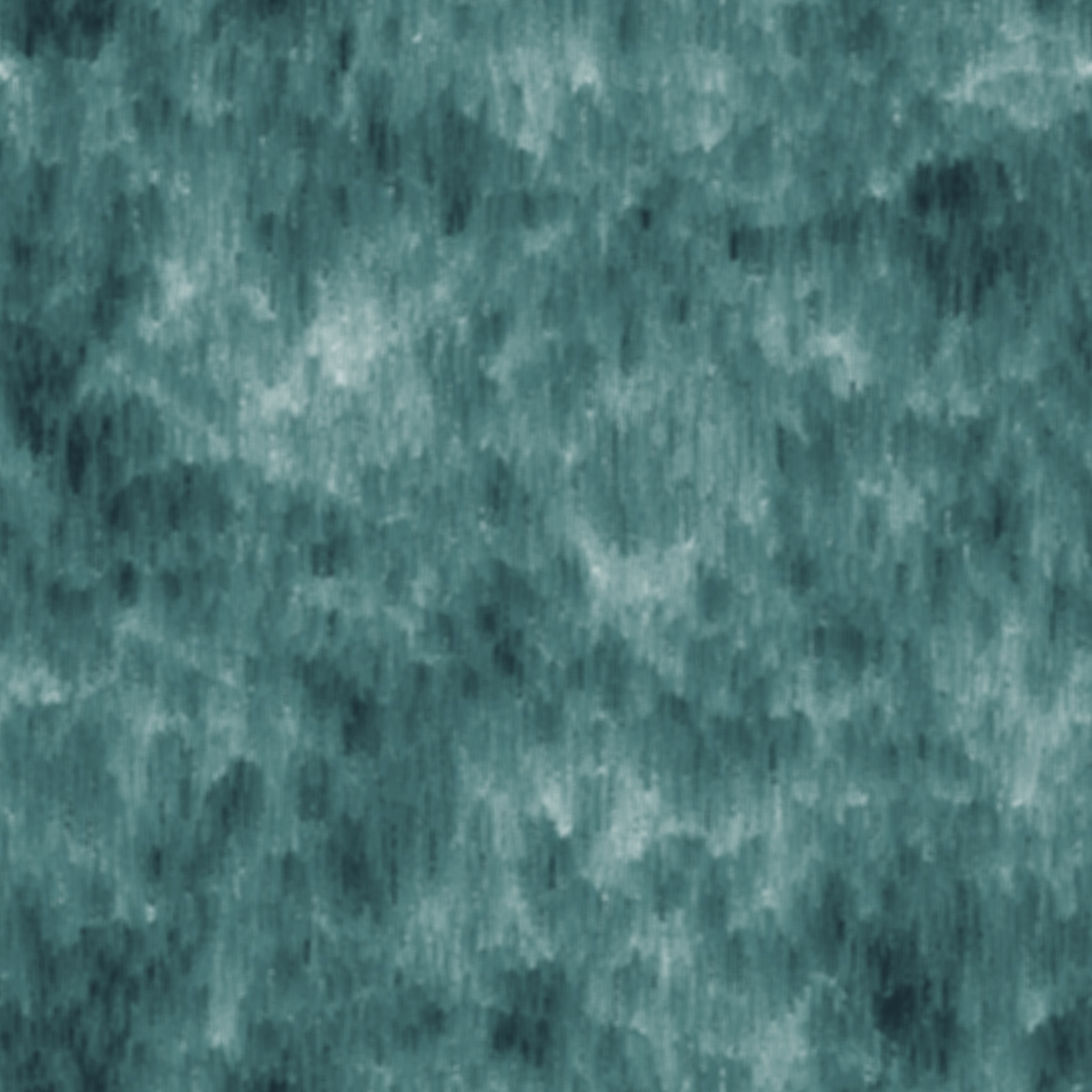
运行Unity,就可以看到河流的效果了
全部代码如下:
Shader "Custom/TexSurfaceShader" {

	Properties {

		_MainTint ("Diffuse Tint", Color) = (1,1,1,1)

		_MainTex ("Base (RGB)", 2D) = "white" {}

		_ScrollXSpeed ("X Scroll Speed",Range(0,10)) = 2

		_ScrollYSpeed ("Y Scroll Speed",Range(0,10)) = 2

	}

	SubShader {

		Tags { "RenderType"="Opaque" }

		LOD 200

		CGPROGRAM

		// Physically based Standard lighting model, and enable shadows on all light types

		#pragma surface surf Standard fullforwardshadows

		// Use shader model 3.0 target, to get nicer looking lighting

		#pragma target 3.0

		fixed4  _MianTint;

		fixed   _ScrollXSpeed;

		fixed   _ScrollYSpeed;

		sampler2D _MainTex;

		struct Input {

			float2 uv_MainTex;

		};

		void surf (Input IN, inout SurfaceOutputStandard o)

		{

		    //创建一个变量 存储图片UV

		    fixed2 scrolledUV  = IN.uv_MainTex;

			//创建临时变量存储 X Y

			fixed xScrollValue  = _ScrollXSpeed * _Time;

			fixed yScrollValue  = _ScrollYSpeed * _Time;

			//计算X Y 的偏移

			scrolledUV += fixed2(xScrollValue,yScrollValue);

			half4 c = tex2D(_MainTex,scrolledUV);

			o.Albedo = c.rgb;

			o.Alpha = c.a;

		}

		ENDCG

	}

	FallBack "Diffuse"

}
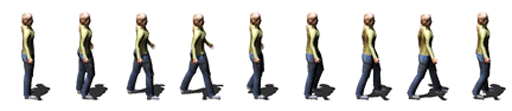
接下来 我们来进一步扩展 。来实现一个类似于2D序列帧动画的效果。
首先准备一张序列帧的图,
创建一个新的材质 和一个shader,
在新的着色器中添加属性:
Properties {

		_MainTex ("Base (RGB)", 2D) = "white" {}

		_TexWidth("Sheet Width",float)=0.0

		_CellAmout("Cell Amount",float) = 0.0

		_Speed("Speed",Range(0.01,32)) = 12

	}
修改Surf()函数里面的内容:
void surf (Input IN, inout SurfaceOutputStandard o)

		{

		    float2 spriteUV  = IN.uv_MainTex; //将输入的UV值存储到临时变量

			float cellPixelWidth  = _TexWidth/_CellAmout; //得到每个精灵的宽度

			float cellUVPercentage = cellPixelWidth/_TexWidth ;  //计算每个精灵在整张图中的百分比

			float timeVal = fmod(_Time.y *_Speed , _CellAmout);

			timeVal  = ceil(timeVal);

			float xValue  = spriteUV.x;

			//计算精灵在X方向上UV偏移量

			xValue += cellUVPercentage * timeVal * _CellAmout;

			xValue *= cellUVPercentage;

			spriteUV = float2(xValue,spriteUV.y);

			// Albedo comes from a texture tinted by color

			fixed4 c = tex2D (_MainTex, spriteUV) ;

			o.Albedo = c.rgb;

			o.Alpha = c.a;

		}
里面用到的两个数学函数:
| 函数 | 描述 |
| fmod(x,y) | 返回x/y的余数,符号同x。如果y为0,结果不可预料 |
| ceil(x) | 对输入参数向上取整 |
全部代码如下:
Shader "Custom/SpriteAnimationShader" {

	Properties {

		_MainTex ("Base (RGB)", 2D) = "white" {}

		_TexWidth("Sheet Width",float)=0.0

		_CellAmout("Cell Amount",float) = 0.0

		_Speed("Speed",Range(0.01,32)) = 12

	}

	SubShader {

		Tags { "RenderType"="Opaque" }

		LOD 200

		CGPROGRAM

		// Physically based Standard lighting model, and enable shadows on all light types

		#pragma surface surf Standard fullforwardshadows

		// Use shader model 3.0 target, to get nicer looking lighting

		#pragma target 3.0

		sampler2D _MainTex;

		fixed  _TexWidth;

		fixed   _CellAmout;

		fixed   _Speed;

		struct Input {

			float2 uv_MainTex;

		};

		void surf (Input IN, inout SurfaceOutputStandard o)

		{

		    float2 spriteUV  = IN.uv_MainTex; //将输入的UV值存储到临时变量

			float cellPixelWidth  = _TexWidth/_CellAmout; //得到每个精灵的宽度

			float cellUVPercentage = cellPixelWidth/_TexWidth ;  //计算每个精灵在整张图中的百分比

			float timeVal = fmod(_Time.y *_Speed , _CellAmout);

			timeVal  = ceil(timeVal);

			float xValue  = spriteUV.x;

			//计算精灵在X方向上UV偏移量

			xValue += cellUVPercentage * timeVal * _CellAmout;

			xValue *= cellUVPercentage;

			spriteUV = float2(xValue,spriteUV.y);

			// Albedo comes from a texture tinted by color

			fixed4 c = tex2D (_MainTex, spriteUV) ;

			o.Albedo = c.rgb;

			o.Alpha = c.a;

		}

		ENDCG

	}

	FallBack "Diffuse"

}
---------------------
作者:Zander_zhang
来源:CSDN
原文:https://blog.csdn.net/zjw1349547081/article/details/54341125
(转载)UnityShader学习笔记(七) 让贴图纹理动起来(河流瀑布特效、精灵序列帧实现)的更多相关文章
- 学习笔记:APP切图那点事儿–详细介绍android和ios平台
学习笔记:APP切图那点事儿–详细介绍android和ios平台 转载自:http://www.woofeng.cn/articles/168.html 版权归原作者所有 作者:亚茹有李 原文地址 ...
- 【opencv学习笔记七】访问图像中的像素与图像亮度对比度调整
今天我们来看一下如何访问图像的像素,以及如何改变图像的亮度与对比度. 在之前我们先来看一下图像矩阵数据的排列方式.我们以一个简单的矩阵来说明: 对单通道图像排列如下: 对于双通道图像排列如下: 那么对 ...
- (转)Qt Model/View 学习笔记 (七)——Delegate类
Qt Model/View 学习笔记 (七) Delegate 类 概念 与MVC模式不同,model/view结构没有用于与用户交互的完全独立的组件.一般来讲, view负责把数据展示 给用户,也 ...
- Learning ROS for Robotics Programming Second Edition学习笔记(七) indigo PCL xtion pro live
中文译著已经出版,详情请参考:http://blog.csdn.net/ZhangRelay/article/category/6506865 Learning ROS forRobotics Pro ...
- Typescript 学习笔记七:泛型
中文网:https://www.tslang.cn/ 官网:http://www.typescriptlang.org/ 目录: Typescript 学习笔记一:介绍.安装.编译 Typescrip ...
- python3.4学习笔记(七) 学习网站博客推荐
python3.4学习笔记(七) 学习网站博客推荐 深入 Python 3http://sebug.net/paper/books/dive-into-python3/<深入 Python 3& ...
- Go语言学习笔记七: 函数
Go语言学习笔记七: 函数 Go语言有函数还有方法,神奇不.这有点像python了. 函数定义 func function_name( [parameter list] ) [return_types ...
- iOS 学习笔记七 【博爱手把手教你使用2016年gitHub Mac客户端】
iOS 学习笔记七 [博爱手把手教你使用gitHub客户端] 第一步:首先下载git客户端 链接:https://desktop.github.com 第二步:fork 大神的代码[这里以我的代码为例 ...
- Linux学习笔记(七) 查询系统
1.查看命令 (1)man 可以使用 man 命令名称 命令查看某个命令的详细用法,其显示的内容如下: NAME:命令名称 SYNOPSIS:语法 DESCRIPTION:说明 OPTIONS:选项 ...
随机推荐
- react 路由导航栏 withRouter
codesandbox https://codesandbox.io/s/9l6prnyxjy app.js import React, { Component, Fragment } from &q ...
- 8 Oracle语句
1.select name from v$datafile; 用sys方式登陆,查询所有表空间存放的物理路径 2.create tablespace DEMO_TBS datafile 'D:/TBS ...
- php 字符串截取,支持中文和其他编码
function.php //使用方法 $content= mb_substr($content,0,25,'utf-8'); /** * 字符串截取,支持中文和其他编码 * @static * @a ...
- maven学习之pom.xml或settings.xml对nexus的配置(转)
(1)在POM中配置Nexus仓库 <project> ... <repositories> <repository ...
- [dpdk][hotplug] DPDK网卡设备热插拔
dpdk pci网卡设备的热插拔. 样例程序如下: ... ... static int driverctl(char* pci) { int pid; pid = fork(); ) { execl ...
- git版本控制工具
git 基本操作 1.git init 在一个文件夹下执行该命令,对该文件夹下的内容进行管理.在该文件夹下会创建一个隐藏的目录.git 2.git status 查看文件夹下内容的状态,没有更改的则什 ...
- 记录常用的adb命令
1.启动adb服务 adb start-server 2.关闭服务 adb kill-server 3.进入shell环境 adb shell 4.安装应用 adb install -r xxx.ap ...
- stellar.js 视差滚动
1.引入包 <script src="js/jquery.min.js"></script> <script src="js/jquery. ...
- Android hdpi ldpi mdpi xhdpi xxhdpi适配详解
设计稿计算: x/2.5=1080/3x=900y/2.5=1920/3y=1600 http://blog.csdn.net/lantiankongmo/article/details/505491 ...
- python笔记-正则表达式常用函数
1.re.findall()函数 语法:re.findall(pattern,string,flags=0) --> list(列表) 列出字符串中模式的所有匹配项,并作为一个列表返回.如果无匹 ...