
day17 11.JdbcUtils工具抽取
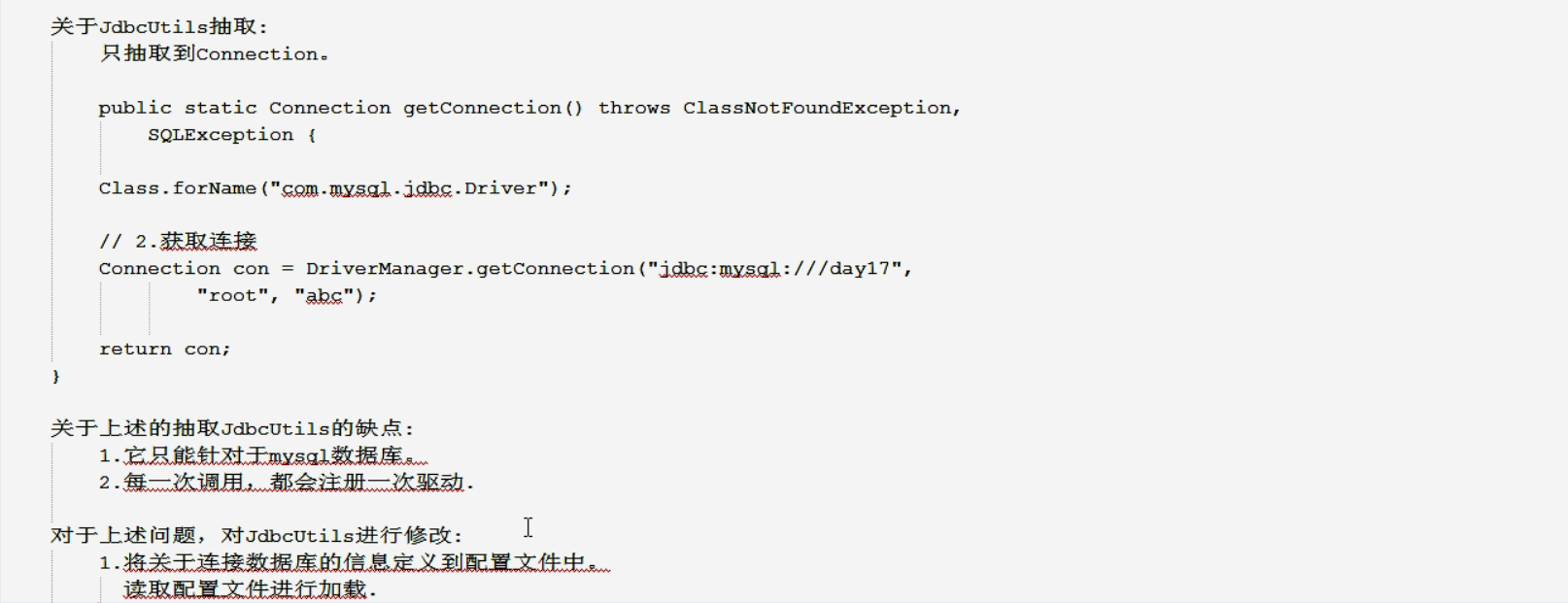
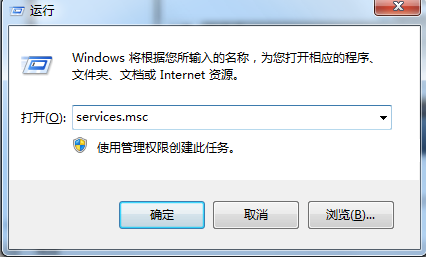
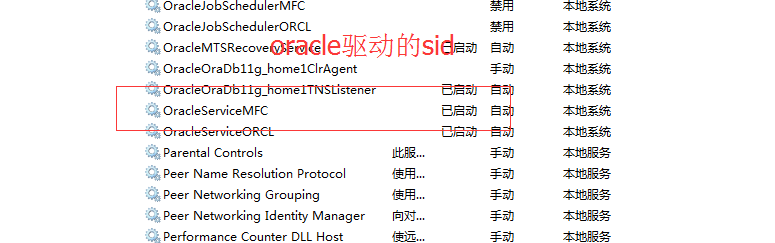
连接数据库的四个必要条件:driverclass、url、username、password。
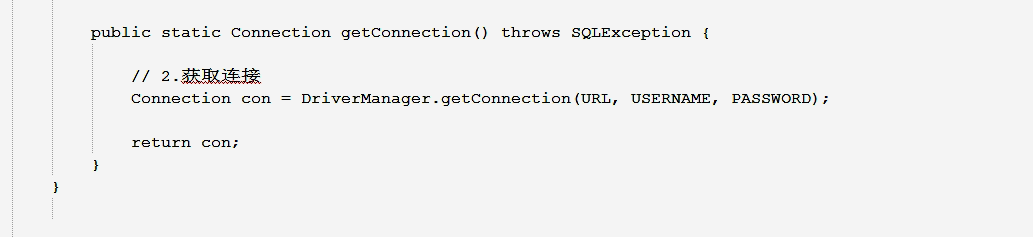
package cn.itcast.utils;

import java.sql.Connection;

import java.sql.DriverManager;

import java.sql.ResultSet;

import java.sql.SQLException;

import java.sql.Statement;

import java.util.ResourceBundle;

//使用配置文件

public class JdbcUtils {

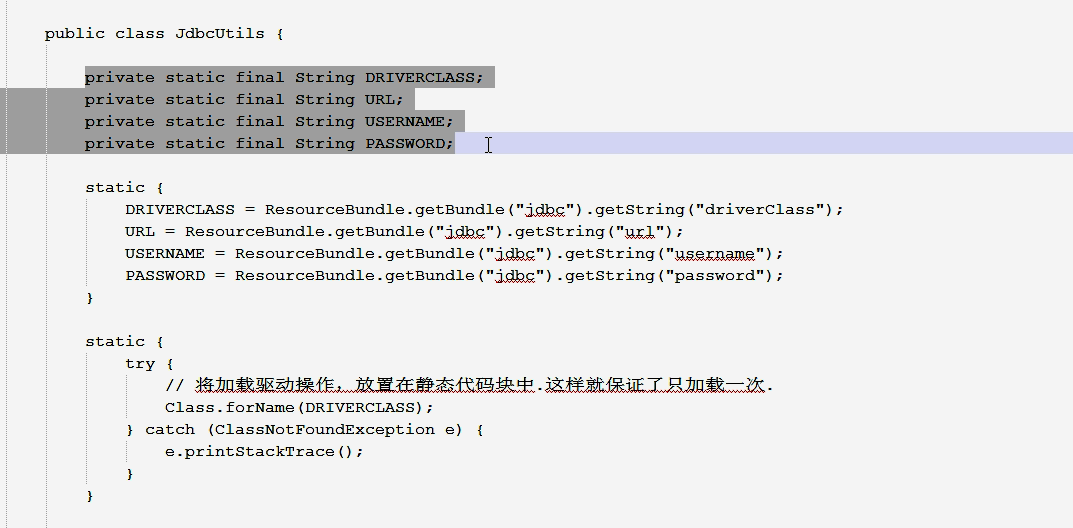
    private static final String DRIVERCLASS;

	private static final String URL;

	private static final String USERNAME;

	private static final String PASSWORD;

	static{

		DRIVERCLASS=ResourceBundle.getBundle("jdbc").getString("driverClass");

		URL=ResourceBundle.getBundle("jdbc").getString("url");

		USERNAME=ResourceBundle.getBundle("jdbc").getString("username");

		PASSWORD=ResourceBundle.getBundle("jdbc").getString("password");

	}

	static{//静态块只执行一次驱动就加载了

		try {

			//将加载驱动操作,放置在静态代码块中,这样就保证了只加载一次。

			Class.forName(DRIVERCLASS);

		} catch (ClassNotFoundException e) {

			// TODO Auto-generated catch block

			e.printStackTrace();

		}

	}

    public static Connection getConnectin() throws SQLException{//连接就抛SQLException最靠谱

    	//Class.forName("com.mysql.jdbc.Driver");//在开发中用哪个Statement人家有选择的权利,你不能给它抽取

		//2.获取连接

	  //Connection		 con = DriverManager.getConnection("jdbc:mysql:///day17", "root", "");

		Connection		 con = DriverManager.getConnection(URL,USERNAME, PASSWORD);

		return con;

}

    //如果再完善一点,可以写关闭操作

    public static void closeConnection(Connection con) throws SQLException{

    	if(con!=null){

    		con.close();

    	}

    }

    public static void closeStatement(Statement st) throws SQLException{

    	if(st!=null){

    		st.close();

    	}

    }

    public static void closeResultSet(ResultSet rs) throws SQLException{

    	if(rs!=null){

    		rs.close();

    	}

    }

}
driverClass=com.mysql.jdbc.Driver

url=jdbc:mysql:///day17

username=root

password=

#driverClass=oracle.jdbc.driver.OracleDriver

#url=jdbc:oracle:thin:@localhost:1521:MFC

#username=scott

#password=scott
package cn.itcast.jdbc;

import java.sql.Connection;

import java.sql.DriverManager;

import java.sql.ResultSet;

import java.sql.SQLException;

import java.sql.Statement;

import org.junit.Test;

import cn.itcast.utils.JdbcUtils;

import cn.itcast.utils.JdbcUtils1;

//jdbc的crud操作

public class JdbcDemo6 {

    @Test

    public void findByIdTest(){

    //1.定义sql

    String sql = "select * from user where id= 1";

    Connection con = null;

       Statement st = null;

       ResultSet rs = null;

       try {

        //1.注册驱动

        Class.forName("com.mysql.jdbc.Driver");

        //2.获取连接

        try {

             con = DriverManager.getConnection("jdbc:mysql:///day17", "root", "");

            //3.获取操作sql语句对象Statement

             st =   con.createStatement();

           //4.执行sql

             rs = st.executeQuery(sql);

           //5.遍历结果集

            while(rs.next()){

                int id = rs.getInt("id");

                //String id = rs.getString("id");//虽然用getString()行,但是用getInt()比较合适

                String username = rs.getString("username");

                String password = rs.getString("password");

                String email = rs.getString("email");

                System.out.println(id+"   "+username+"   "+password+"   "+email);

            }

        } catch (SQLException e) {

            // TODO Auto-generated catch block

            e.printStackTrace();

        }

    } catch (ClassNotFoundException e) {

        // TODO Auto-generated catch block

        e.printStackTrace();

    }finally{

          //6.释放资源

          try {

              if(rs !=null ){

            rs.close();

              }

        } catch (SQLException e) {

            // TODO Auto-generated catch block

            e.printStackTrace();

        }

          try {

              if(st!=null){

            st.close();

              }

        } catch (SQLException e) {

            // TODO Auto-generated catch block

            e.printStackTrace();

        }

       try {

           if(con!=null){

            con.close();

           }

        } catch (SQLException e) {

            // TODO Auto-generated catch block

            e.printStackTrace();

        }

     }

}

    //添加操作

    @Test

    public void addTest(){

        //定义sql

        String sql = "insert into user values(null,'张三','123','zs@163.com')";

        Connection con = null;

           Statement st = null;

           ResultSet rs = null;

           try {

            //1.注册驱动

            Class.forName("com.mysql.jdbc.Driver");

            //2.获取连接

            try {

                 con = DriverManager.getConnection("jdbc:mysql:///day17", "root", "");

                //3.获取操作sql语句对象Statement

                 st =   con.createStatement();

               //4.执行sql

                 int row = st.executeUpdate(sql);

                 System.out.println(row);

                 if(row!=0){

                     System.out.println("添加成功");

                 }

            } catch (SQLException e) {

                // TODO Auto-generated catch block

                e.printStackTrace();

            }

        } catch (ClassNotFoundException e) {

            // TODO Auto-generated catch block

            e.printStackTrace();

        }finally{

              //6.释放资源

              try {

                  if(rs !=null ){

                rs.close();

                  }

            } catch (SQLException e) {

                // TODO Auto-generated catch block

                e.printStackTrace();

            }

              try {

                  if(st!=null){

                st.close();

                  }

            } catch (SQLException e) {

                // TODO Auto-generated catch block

                e.printStackTrace();

            }

           try {

               if(con!=null){

                con.close();

               }

            } catch (SQLException e) {

                // TODO Auto-generated catch block

                e.printStackTrace();

            }

         }

    }

    //update操作

    @Test

    public void updateTest(){

        //将id=3的人的password修改为456

        String password = "456";

        String sql = "update user set password='"+password+"' where id=3";

        //1.得到Connection

        Connection con = null;

        Statement st = null;

        try {

            con = JdbcUtils1.getConnectin();

            //3.获取操作sql语句对象Statement

             st =   con.createStatement();

           //4.执行sql

             int row = st.executeUpdate(sql);

             System.out.println(row);

             if(row!=0){

                 System.out.println("添加成功");

             }

        }catch(ClassNotFoundException e){

            e.printStackTrace();

        }

        catch (SQLException e) {

            // TODO Auto-generated catch block

            e.printStackTrace();

        }finally{

             //关闭资源

              try {

                  if(st!=null){

                st.close();

                  }

            } catch (SQLException e) {

                // TODO Auto-generated catch block

                e.printStackTrace();

            }

           try {

               if(con!=null){

                con.close();

               }

            } catch (SQLException e) {

                // TODO Auto-generated catch block

                e.printStackTrace();

            }

        }

    }

    //delete测试

    @Test

    public void deleteTest(){

        //将id=3的人删除

                //String sql = "delete from user where id=3";

                //将id=2的人删除

                String sql = "delete from user where id=2";

                //1.得到Connection

                Connection con = null;

                Statement st = null;

                try {

                    con = JdbcUtils.getConnectin();

                    //3.获取操作sql语句对象Statement

                     st =   con.createStatement();

                   //4.执行sql

                     int row = st.executeUpdate(sql);

                     System.out.println(row);

                     if(row!=0){

                         System.out.println("删除成功");

                     }

                }/*catch(ClassNotFoundException e){

                    e.printStackTrace();

                }*/

                catch (SQLException e) {

                    // TODO Auto-generated catch block

                    e.printStackTrace();

                }finally{

                     //关闭资源

            /*          try {

                          if(st!=null){

                        st.close();

                          }

                    } catch (SQLException e) {

                        // TODO Auto-generated catch block

                        e.printStackTrace();

                    }*/

                 /*  try {

                       if(con!=null){

                        con.close();

                       }

                    } catch (SQLException e) {

                        // TODO Auto-generated catch block

                        e.printStackTrace();

                    }    */

                try {

                    JdbcUtils.closeStatement(st);

                    JdbcUtils.closeConnection(con);

                } catch (SQLException e) {

                    // TODO Auto-generated catch block

                    e.printStackTrace();

                }

                }

    }

}
day17 11.JdbcUtils工具抽取的更多相关文章
- day17(JDBC入门&jdbcUtils工具介绍)
day17 JDBC整体思维导图 JDBC入门 导jar包:驱动! 加载驱动类:Class.forName("类名"); 给出url.username.password,其中url ...
- Android快速开发不可或缺的11个工具类
Android快速开发不可或缺的11个工具类 :http://www.devst ore.cn/code/info/363.html
- JavaWeb基础之JdbcUtils工具类final
JdbcUtils工具类3.0最终版,添加了事务相关功能和释放链接.最终版本可以直接打成jar包,在后面的基本项目都会使用该工具类 1. JdbcUtils代码 /** * 最终版 * @author ...
- JavaWeb基础之JdbcUtils工具类2.0
使用c3p0连接池来改版JdbcUtils工具 1. 使用c3p0连接池获取连接,使代码更加简单 /** * 使用c3p0连接池做小工具 * JdbcUtils v2.0 * @author hui. ...
- JavaWeb基础之JdbcUtils工具类1.0
2016年12月20日,第一次学习JDBC.看的是传智播客崔希凡老师的视频,东北口音很是风趣幽默,技术之牛让人膜拜.2017年9月21日,再次重温web知识,分享JdbcUtils工具类,用以接下来的 ...
- Druid 连接池 JDBCUtils 工具类的使用
Druid工具介绍 它不仅仅是一个数据库连接池,它还包含一个ProxyDriver,一系列内置的JDBC组件库,一个SQL Parser. 支持所有JDBC兼容的数据库,包括Oracle.MySQL. ...
- 创建JDBCUtils工具类
JDBCUtils工具类 私有化构造函数,外界无法直接创建对象 提供公共的,静态的,getConnection 方法,用来给外界提供数据库连接 提供公共的,静态的,close方法,用来释放资源 pac ...
- 记一次关于JDBCUtils工具类的编写
jdbc.properties数据库配置的属性文件内容如下 jdbc.driver=com.mysql.jdbc.Driver jdbc.url=jdbc:mysql://localhost/xxxx ...
- 【JDBC】学习路径5-提取JDBCUtils工具类
回顾我们上面几节的内容,我们发现重复代码非常多,比如注册驱动.连接.关闭close()等代码,非常繁杂. 于是我们将这些重复的大段代码进行包装.提取成JDBCUtils工具类. 第一章:提取注册连接模 ...
随机推荐
- php爬虫程序中怎么样伪造ip地址防止被封
今天我们来做一个简单的假的ip地址访问网站,这个可以利用php curl或fsockopen来实现,有需要的同学可以参考一下方案很简单的,不过此方案不完美对第三方工具没有用. HTTP-REFERER ...
- C# 6.0 编译器
C# 6.0编译器:可以将csc.exe所在位置 C:\Program Files (x86)\MSBuild\14.0\Bin 添加到Path环境变量. C:\>csc Microsoft ( ...
- Android项目的目录结构 初学者记录
Android项目的目录结构 Activity:应用被打开时显示的界面 src:项目代码 R.java:项目中所有资源文件的资源id Android.jar:Android的jar包,导入此包方可使用 ...
- node.js 上传图片
依赖库 connect,gm,imagemagick,image-size connect:中间件 gm,imagemagick:用来处理图片如缩放.切割.添加文字水印等 image-szie:获取图 ...
- LeetCode OJ:Path Sum II(路径和II)
Given a binary tree and a sum, find all root-to-leaf paths where each path's sum equals the given su ...
- XXX.APP已损坏,打不开.你应该将它移到废纸篓
XXX.APP已损坏,打不开.你应该将它移到废纸篓 MACOS 10.12 SIERRA 如遇:「xxx.app已损坏,打不开.你应该将它移到废纸篓」,并非你安装的软件已损坏,而是Mac系统的安全设置 ...
- windows下安装 redis并开机自启动
1,redis官方下载地址:https://redis.io/download,redis 64位下载地址:https://github.com/ServiceStack/redis-windows, ...
- P1230 智力大冲浪(洛谷)
题目描述 小伟报名参加中央电视台的智力大冲浪节目.本次挑战赛吸引了众多参赛者,主持人为了表彰大家的勇气,先奖励每个参赛者m元.先不要太高兴!因为这些钱还不一定都是你的?!接下来主持人宣布了比赛规则: ...
- java 收集linux信息
public class MachineCollector implements Runnable{ private static int DEFAULT_INTERVAL = 30; priv ...
- tp中自定义跳转页面
1.在admin->view下建立public文件夹 2.在public文件夹下建立error.html success.html 3.在项目下公共common ->config.php写 ...