
Nginx的日志剖析
1、访问日志(access.log)
Nginx的访问日志就是一个文件,它存储着每个用户对网站的访问请求,这个功能是有ngx_http_log_module模块来负责的,这个文件存在的主要目的就是为了分析用户的浏览行为
Nginx的访问日志主要是由:log_format和access_log来控制的(log_format:用来定义记录日志的格式,access_log:用来指导日志的路径以及使用什么格式来存储日志)
Nginx的日志格式默认参数如下:
log_format    main    '$remote_addr - $remote_user [$time_local] "$request" '

                      '$status $boby_bytes_sent   "http_referer"  '

                      '"$http_user_agent"   "$http_x_forwarded_for"';
上面的这个默认格式:其中,log_format为日志格式的关键参数,不能变,main 是为日志格式指定的标签,记录日志时通过这个main标签选择指定的格式,其后所接的所有内容都是可以记录的日志信息,所有的日志段以空格分割,一行可记录多个
下面的表格对上面的日志格式参数做详细介绍:
| Nginx日志变量 | 说明 |
| $remote_addr | 记录访问网站的客户端IP地址 |
| $http_x_forwarded_for | 当前端有代理服务时,设置web节点记录客户端地址的配置,此参数生效的前提是在代理服务器上也进行了相关的x_forwarded_for设置 |
| $remote_user | 远程客户端的名称 |
| $time_local | 记录访问时间和时区 |
| $request | 用户http请求起始行信息 |
| $status | http状态码,记录返回的状态 |
| $boby_bytes_sents | 服务器发给客户端响应的boby字节数 |
| $http_referer | 记录此次的请求是从哪个链接访问过来的,可以根据referer进行防盗链设置 |
| $http_user_agent | 记录客户端访问信息,比如浏览器等 |
还有一些可以对日志做到极致优化的一些参数,这些参数一般都是使用默认的就好了,除非有很强的需求:
配置语法如下:
access_log path [format  [buffer=size  [flush=time]]  [if=condition];

access_log path format gzip[=level]  [buffer=size]  [flush=time]  [if=condition];

access_log syslog:server=address[,parameter=value]  [format  [if=condition]];
参数详解:
buffer=size:为存放访问日志的缓冲区大小

flush=time:为将缓冲区的日志刷到硬盘的时间

gzip[=level]:表示压缩级别

[if=condition]:表示其他条件

access_log off中的off,表示不记录日志
下面我们来模拟一下自定义的日志格式:
编辑主配置文件nginx.conf,配置日志的格式如下:
[root@Nginx ~]# sed -n '21,23 s/#//gp' /opt/nginx/conf/nginx.conf.default             # 在nginx.conf.default 备份文件中取出我们的日志格式

    log_format  main  '$remote_addr - $remote_user [$time_local] "$request" '

                      '$status $body_bytes_sent "$http_referer" '

                      '"$http_user_agent" "$http_x_forwarded_for"';
把上述的内容放到nginx.conf的http标签的首部,如下:(红色部分为添加部分)
[root@Nginx nginx]# cat conf/nginx.conf

worker_processes  ;

events {

    worker_connections  ;

}

http {

    include       mime.types;

    default_type  application/octet-stream;

    log_format  main  '$remote_addr - $remote_user [$time_local] "$request" '

                      '$status $body_bytes_sent "$http_referer" '

                      '"$http_user_agent" "$http_x_forwarded_for"';

    sendfile        on;

    keepalive_timeout  ;

include www_date/brian.conf;

include www_date/brianzjz.conf;

include www_date/status.conf;

}
然后在每个虚拟主机中配置,使其使用上面的日志格式:(以www.brian.com为例,红色部分为添加部分)
[root@Nginx nginx]# cat conf/www_date/brian.conf

    server {

        listen       ;

        server_name  www.brian.com brian.com;

        location / {

            root   html/brian;

            index  index.html index.htm;

        }

        access_log logs/brian.log main;

        error_page        /50x.html;

        location = /50x.html {

            root   html;

        }

 }
检查语法:
[root@Nginx nginx]# sbin/nginx -t                                      # 出现ok说明没有问题

nginx: the configuration file /opt/nginx//conf/nginx.conf syntax is ok

nginx: configuration file /opt/nginx//conf/nginx.conf test is successful
平滑重启:
[root@Nginx nginx]# sbin/nginx -s reload
模拟用户访问,使用Linux和windows浏览器访问,生成日志:
使用Linux测试访问:

[root@Nginx nginx]# curl www.brian.com

www.brian.com
使用windows测试:
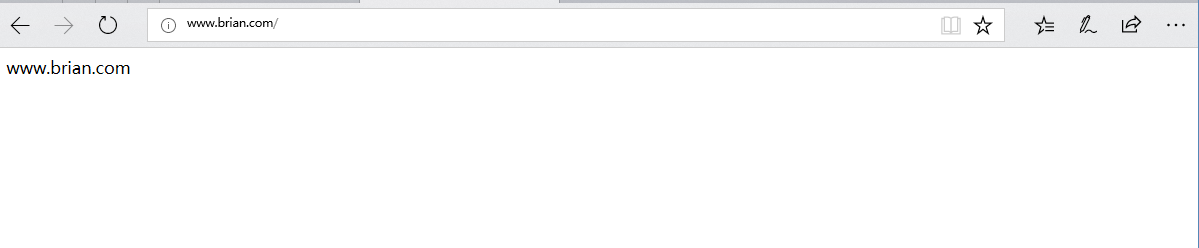
查看生成的日志:
[root@Nginx logs]# pwd     # 查看日志路径

/opt/nginx/logs

[root@Nginx logs]# ll

总用量 24

-rw-r--r--. 1 root root 7420 3月  21 17:02 access.log

-rw-r--r--. 1 root root  527 3月  22 14:37 brian.log      # 生成的brian.log日志

-rw-r--r--. 1 root root 6151 3月  22 14:37 error.log

-rw-r--r--. 1 root root    6 3月  21 17:04 nginx.pid
日志内容:(日志内容没有的用 "-" 填充)
[root@Nginx logs]# cat brian.log

192.168.1.102 - - [22/Mar/2018:14:35:12 +0800] "GET / HTTP/1.1" 200 14 "-" "curl/7.29.0" "-"          # Linux访问日志

192.168.1.106 - - [22/Mar/2018:14:37:28 +0800] "GET / HTTP/1.1" 200 14 "-" "Mozilla/5.0 (Windows NT 10.0; Win64; x64) AppleWebKit/537.36 (KHTML, like Gecko) Chrome/58.0.3029.110 Safari/537.36 Edge/16.16299" "-"     # windows访问日志

192.168.1.106 - - [22/Mar/2018:14:37:28 +0800] "GET /favicon.ico HTTP/1.1" 404 570 "-" "Mozilla/5.0 (Windows NT 10.0; Win64; x64) AppleWebKit/537.36 (KHTML, like Gecko) Chrome/58.0.3029.110 Safari/537.36 Edge/16.16299" "-"     # windows访问日志
我们还可以在记录日志参数中加上buffer和flush,这样可在高并发场景下提升网站的访问性能:
[root@Nginx nginx]# cat conf/www_date/brian.conf

    server {

        listen       ;

        server_name  www.brian.com brian.com;

        location / {

            root   html/brian;

            index  index.html index.htm;

        }

        access_log logs/brian.log main gzip buffer=128k flush=5s;  # 对日志进行了一下优化

        error_page        /50x.html;

        location = /50x.html {

            root   html;

        }

 }
Nginx访问日志轮询切割:
默认情况下nginx的访问日志都会存到access.log的日志文件中,但是时间长了,这个文件会变的非常的大,不利于我们后期的分析,因此有必要对nginx的日志,按照天或者小时进行分割,保存为不同的文件,一般情况下按照天进行分割就已经够用了:
我们可以写个脚本实现切割nginx的日志文件,将正在写入的日志改名为带日期格式的文件,然后在平滑的重启主机,生成新的nginx日志文件,然后在添加到计划任务,自动去执行:
操作如下:
#  分割脚本如下:

[root@Nginx nginx]# mkdir script

[root@Nginx nginx]# cd script/

[root@Nginx script]# vim segmentation.sh

[root@Nginx script]# cat segmentation.sh

#!/bin/bash

Dateformat=`date +%Y%m%d`

Basedir="/opt/nginx"

Nginxlogdir="$Basedir/logs"

Logname="access"

[ -d $Nginxlogdir ] && cd $Nginxlogdir||exit 1

[ -f ${Logname}.log ] || exit 1

/bin/mv ${Logname}.log ${Dateformat}_${Logname}.log

$Basedir/sbin/nginx -s reload

====================================================================================================

# 添加到计划任务列表

[root@Nginx script]# cat >>/var/spool/cron/root <<EOF

> 00 00 * * * /bin/sh /opt/nginx/script/segmentation.sh > /dev/null 2>&1

> EOF

[root@Nginx script]# crontab -l

00 00 * * * /bin/sh /opt/nginx/script/segmentation.sh > /dev/null 2>&1
我们执行下脚本,最后的结果就是:
[root@Nginx script]# sh segmentation.sh

[root@Nginx script]# ll /opt/nginx/logs/

总用量 24

-rw-r--r--. 1 root root 7420 3月  21 17:02 20180322_access.log        # 已经按照我们的脚本进行了分割了

-rw-r--r--. 1 root root    0 3月  22 15:11 access.log

-rw-r--r--. 1 root root  527 3月  22 14:37 brian.log

-rw-r--r--. 1 root root 6212 3月  22 15:11 error.log

-rw-r--r--. 1 root root    6 3月  21 17:04 nginx.pid
2、错误日志(error.log)
Nginx服务软会把自身运行故障信息及用户访问的日志信息记录到指定的日志文件中,这个日志文件就是error.log
配置记录nginx的错误信息是做调试的重要手段,所以必须要有,他属于模块ngx_core_module的参数,它可以放在Main区块中,也可以写到不同的虚拟主机中、
其语法格式为:
error_log              file             level

关键字                  日志文件          错误级别
其中error_log关键字不能变,日志文件可以放到任意的路径下,错误级别包括:debug、info、notice、warn、error、crit、alert、emerg,级别越高记录的信息越少,一般情况下会用warn、error、crit这三个级别,不要使用低级,会给磁盘带来巨大的磁盘I/O消耗
错误日志文件配置:
[root@Nginx script]# cat /opt/nginx/conf/nginx.conf

worker_processes  ;

error_log logs/error.log;                                # 添加这一行就行了

events {

    worker_connections  ;

}

http {

    include       mime.types;

    default_type  application/octet-stream;

    log_format  main  '$remote_addr - $remote_user [$time_local] "$request" '

                      '$status $body_bytes_sent "$http_referer" '

                      '"$http_user_agent" "$http_x_forwarded_for"';

    sendfile        on;

    keepalive_timeout  ;

include www_date/brian.conf;

include www_date/brianzjz.conf;

include www_date/status.conf;

}
Nginx的日志剖析的更多相关文章
- 菜鸟nginx源码剖析 框架篇(一) 从main函数看nginx启动流程(转)
俗话说的好,牵牛要牵牛鼻子 驾车顶牛,处理复杂的东西,只要抓住重点,才能理清脉络,不至于深陷其中,不能自拔.对复杂的nginx而言,main函数就是“牛之鼻”,只要能理清main函数,就一定能理解其中 ...
- 菜鸟nginx源码剖析数据结构篇(九) 内存池ngx_pool_t[转]
菜鸟nginx源码剖析数据结构篇(九) 内存池ngx_pool_t Author:Echo Chen(陈斌) Email:chenb19870707@gmail.com Blog:Blog.csdn. ...
- Nginx 访问日志轮询切割
Nginx 访问日志轮询切割脚本 #!/bin/sh Dateformat=`date +%Y%m%d` Basedir="/application/nginx" Nginxlog ...
- 按日期切割nginx访问日志--及性能优化
先谈下我们需求,一个比较大的nginx访问日志,根据访问日期切割日志,保存在/tmp目录下. 测试机器为腾讯云机子,单核1G内存.测试日志大小80M. 不使用多线程版: #!/usr/bin/env ...
- 一、基于hadoop的nginx访问日志分析---解析日志篇
前一阵子,搭建了ELK日志分析平台,用着挺爽的,再也不用给开发拉各种日志,节省了很多时间. 这篇博文是介绍用python代码实现日志分析的,用MRJob实现hadoop上的mapreduce,可以直接 ...
- log_format为Nginx设置日志格式
nginx服务器日志相关指令主要有两条,一条是log_format,用来设置日志格式, 另外一条是access_log,用来指定日志文件的存放路径.格式和缓存大小,一般在nginx的配置文件中日记配置 ...
- Nginx常用日志分割方法
方式一: nginx cronolog日志分割配置文档,根据下面方法,每分钟分割一次NGINX访问日志. 1.nginx日志配置 access_log /var/log/nginx/access.lo ...
- elk收集分析nginx access日志
elk收集分析nginx access日志 首先elk的搭建按照这篇文章使用elk+redis搭建nginx日志分析平台说的,使用redis的push和pop做队列,然后有个logstash_inde ...
- nginx实现日志按天切割
背景 nginx的日志文件没有rotate功能.一段时间过后,日志将越发臃肿,一个accesslog很快就突破1G,因此有必要通过脚本实现按天切割日志. 解决思路 1 重命名日志文件,如更改为acc ...
随机推荐
- POJ 2719
#include<iostream> #include<stdio.h> using namespace std; ]; int _pow(int m,int n); int ...
- Hadoop集群搭建中时间同步步骤
一.设置主节点时间服务器的时区 二.在每一个节点上检查是否安装时间服务ntp 三.在主节点上配置时间同步的相关文件 四.在其他从节点上配置与主节点时间同步的脚本 一.设 ...
- 二分查找的实现(java版本)
一.二分法查找的定义 依次将所查找数据与中心数据对比,根据大小调整数据边界二.二分查找的条件 数组必须排序三.二分查找的原理 四.二分法查找的代码 /* * 从数组当中找到4所在的索引: * {2,4 ...
- IDEA中Git的使用基础
场景概述 工作中多人使用版本控制软件协作开发,常见的应用场景归纳如下: 假设小组中有两个人,组长小张,组员小袁 场景一:小张创建项目并提交到远程Git仓库 场景二:小袁从远程Git仓库上获取项目源码 ...
- vue框架之自定义组件中使用v-model
通常 vue在html常见表单空间支持v-model双向绑定例如 <input v-model="message" placeholder="edit me&quo ...
- 如何自定义Tomcat Realm实现我们的用户认证需求
导读 Tomcat对于J2EE或Java web开发者而言绝不陌生,但说到Realm,可能有些人不太清楚甚至没有听说过,那么到底什么是Realm?简单一句话就是:Realm是Tomcat中为web应用 ...
- rpmbuild 源码打包clickhouse,附带打好的rpm包下载地址
一.下载 clickhouse 源码包 git clone --recurse-submodules -b v1.1.54385-stable https://github.com/yandex/Cl ...
- Java 容器之 Connection栈队列及一些常用
集合家族图 ---|Collection: 单列集合 ---|List: 有存储顺序 , 可重复 ---|ArrayList: 数组实现 , 查找快 , 增删慢 ---|LinkedList: 链表实 ...
- TensorFlow-实战Google深度学习框架 笔记(上)
TensorFlow TensorFlow 是一种采用数据流图(data flow graphs),用于数值计算的开源软件库.在 Tensorflow 中,所有不同的变量和运算都是储存在计算图,所以在 ...
- 并发编程之 LinkedBolckingQueue 源码剖析
前言 JDK 1.5 之后,Doug Lea 大神为我们写了很多的工具,整个 concurrent 包基本都是他写的.也为我们程序员写好了很多工具,包括我们之前说的线程池,重入锁,线程协作工具,Con ...