
Spring boot 官网学习笔记 - 开发第一个Spring boot web应用程序(使用mvn执行、使用jar执行)
- Creating the POM
<?xml version="1.0" encoding="UTF-8"?>

<project xmlns="http://maven.apache.org/POM/4.0.0" xmlns:xsi="http://www.w3.org/2001/XMLSchema-instance" xsi:schemaLocation="http://maven.apache.org/POM/4.0.0 http://maven.apache.org/xsd/maven-4.0.0.xsd">

    <modelVersion>4.0.</modelVersion>

    <groupId>com.example</groupId>

    <artifactId>myproject</artifactId>

    <version>0.0.-SNAPSHOT</version>

    <parent>

        <groupId>org.springframework.boot</groupId>

        <artifactId>spring-boot-starter-parent</artifactId>

        <version>2.1..RELEASE</version>

    </parent>

    <dependencies>

        <dependency>

            <groupId>org.springframework.boot</groupId>

            <artifactId>spring-boot-starter-web</artifactId>

        </dependency>

    </dependencies>

</project>- 通过POM的dependencies 实现 Adding Classpath Dependencies
关于
spring-boot-starter-parent:You should need to specify only the Spring Boot version number on this dependency. If you import additional starters, you can safely omit the version number.
- 使用
mvn dependency:tree查看project dependencies - 编写java代码
- src/main/java/Example.java
import org.springframework.boot.*;

import org.springframework.boot.autoconfigure.*

import org.springframework.web.bind.annotation.*;

@RestController

@EnableAutoConfiguration

public class Example{

    @RequestMapping("/")

    String home(){

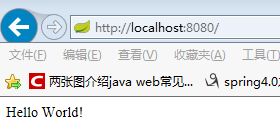
        return "Hello World!";

    }

    public static void main(String[] args) throws Exception{

        SpringApplication.run(Example.class,args);

    }

}@RestControllerand@RequestMappingannotations are Spring MVC annotations@EnableAutoConfiguration. This annotation tells Spring Boot to “guess” how you want to configure Spring, based on the jar dependencies that you have added. Sincespring-boot-starter-webadded Tomcat and Spring MVC, the auto-configuration assumes that you are developing a web application and sets up Spring accordingly.Starters and Auto-configuration
Auto-configuration is designed to work well with “Starters”, but the two concepts are not directly tied. You are free to pick and choose jar dependencies outside of the starters. Spring Boot still does its best to auto-configure your application.
- Running the Example
- mvn spring-boot:run
- Creating an Executable Jar
- To create an executable jar, we need to add the
spring-boot-maven-pluginto ourpom.xml. To do so, insert the following lines just below thedependenciessection: - Spring Boot includes a Maven plugin that can package the project as an executable jar. Add the plugin to your
<plugins>section if you want to use it, as shown in the following example: <build>
<plugins>
<plugin>
<groupId>org.springframework.boot</groupId>
<artifactId>spring-boot-maven-plugin</artifactId>
</plugin>
</plugins>
</build> <?xml version="1.0" encoding="UTF-8"?>
<project xmlns="http://maven.apache.org/POM/4.0.0" xmlns:xsi="http://www.w3.org/2001/XMLSchema-instance" xsi:schemaLocation="http://maven.apache.org/POM/4.0.0 http://maven.apache.org/xsd/maven-4.0.0.xsd">
<modelVersion>4.0.</modelVersion> <groupId>com.example</groupId>
<artifactId>myproject</artifactId>
<version>0.0.-SNAPSHOT</version> <parent>
<groupId>org.springframework.boot</groupId>
<artifactId>spring-boot-starter-parent</artifactId>
<version>2.1..RELEASE</version>
</parent>
<dependencies>
<dependency>
<groupId>org.springframework.boot</groupId>
<artifactId>spring-boot-starter-web</artifactId>
</dependency>
</dependencies>
<build>
<plugins>
<plugin>
<groupId>org.springframework.boot</groupId>
<artifactId>spring-boot-maven-plugin</artifactId>
</plugin>
</plugins>
</build>
</project>- mvn package
- java -jar target/myproject-0.0.1-SNAPSHOT.jar
- To create an executable jar, we need to add the
- 参考:https://docs.spring.io/spring-boot/docs/2.1.1.RELEASE/reference/htmlsingle/#getting-started-first-application
Spring boot 官网学习笔记 - 开发第一个Spring boot web应用程序(使用mvn执行、使用jar执行)的更多相关文章
- Spring boot 官网学习笔记 - Spring Boot 属性配置和使用(转)-application.properties
Spring Boot uses a very particular PropertySource order that is designed to allow sensible overridin ...
- Spring boot 官网学习笔记 - Auto-configuration(@SpringBootApplication、@EnableAutoConfiguration、@Configuration)
Spring Boot auto-configuration attempts to automatically configure your Spring application based on ...
- Spring boot 官网学习笔记 - logging
commons-logging和slf4j是java中的日志门面,即它们提供了一套通用的接口,具体的实现可以由开发者自由选择.log4j和logback则是具体的日志实现方案. 比较常用的搭配是com ...
- Spring boot 官网学习笔记 - Spring DevTools 介绍
想要使用devtools支持,只需使用dependencies将模块依赖关系添加到你的构建中 运行打包的应用程序时,开发人员工具会自动禁用.如果你通过 java -jar或者其他特殊的类加载器进行启动 ...
- Spring boot 官网学习笔记 - Using Spring Boot without the Parent POM,但是还要使用Parent POM提供的便利
If you do not want to use the spring-boot-starter-parent, you can still keep the benefit of the depe ...
- Spring boot 官网学习笔记 - Spring Boot CLI 入门案例
安装CLI https://repo.spring.io/release/org/springframework/boot/spring-boot-cli/2.1.1.RELEASE/spring-b ...
- Spring boot 官网学习笔记 - Configuration Class(@import)
推荐使用 Java-based configuration ,也可以使用xml we generally recommend that your primary source be a single ...
- React官网学习笔记
欢迎指导与讨论 : ) 前言 本文主要是笔者在React英文官网学习时整理的笔记.由于笔者水平有限,如有错误恳请指出 O(∩_∩)O 一 .Tutoial 篇 1 . React的组件类名的首字母必须 ...
- 吴裕雄--天生自然JAVA SPRING框架开发学习笔记:第一个Spring程序
1. 创建项目 在 MyEclipse 中创建 Web 项目 springDemo01,将 Spring 框架所需的 JAR 包复制到项目的 lib 目录中,并将添加到类路径下,添加后的项目如图 2. ...
随机推荐
- python学习——字符串
1)字符串解释 字符串是python中常用的数据类型我们可以使用" "或' '来创建字符串. 2)字符串操作 """访问字符串中的值"&qu ...
- CentOS -- Redis 3.2.12 Standalone Install and Configuration
1 Tune OS setting echo never > /sys/kernel/mm/transparent_hugepage/enabled echo "vm.overcom ...
- Ion内存的带cahce与不带cache问题分享
一次开发中,遇到一个问题:YUV图像(由本地磁盘文件读到ION内存中)缩放时,对于缩放模块的输入源来说,使用带cache的方式要比不带cache的方式速度快数10倍. 为什么会出现这个情况呢? 在解释 ...
- Java基础之多态和泛型浅析
Java基础之多态和泛型浅析 一.前言: 楼主看了许多资料后,算是对多态和泛型有了一些浅显的理解,这里做一简单总结 二.什么是多态? 多态(Polymorphism)按字面的意思就是“多种状态”.在面 ...
- 谈谈我对SOFA模块化的理解
今天我们谈谈SOFA模块化,首先看一段SOFA的介绍: SOFABoot是蚂蚁金服开源的基于Spring Boot的研发框架,它在Spring Boot的基础上,提供了诸如 Readiness Che ...
- Delphi - StringReplace用法
StringReplace用法 在开发过程中,有时候我们需要对字符串进行替换操作,屏蔽或者和谐某些字符,可使用Delphi自带的函数StringReplace函数. 通过代码进行说明: //函数原型 ...
- Anaconda的详细安装步骤图文并茂
Anaconda(官方网站)就是可以便捷获取包且对包能够进行管理,同时对环境可以统一管理的发行版本.Anaconda包含了conda.Python在内的超过180个科学包及其依赖项. 事实上Anaco ...
- Collection集合与Map集合的知识点梳理
在Java中集合分为单列集合(Collection)与双列集合(Map),本文主要对两种集合的常用实现类作一介绍,如果有不足,恳请指教更正. 1.前言 说到集合肯定要介绍下集合的概念与特点:集合是一个 ...
- 洛谷P1582 倒水 二进制 lowbit __builtin_popcount
P1582 倒水:https://www.luogu.org/problemnew/show/P1582 题意: 给定n瓶装有1升的水瓶,每次可以把两瓶装水量相同的水和成一瓶,问最少还要增加几瓶装有1 ...
- Good Inflation SPOJ - GOODG 李超树
题目传送门 题意:刚开始有一个气球体积为空,现在有n个充气点,从1->n遍历这n充气点,每个充气点有vi,di,vi为走到这个充气点之后可以为气球充气vi的体积,di为选择了在这个点充气的时候, ...