
Rebound-Android的弹簧动画库
Rebound是facebook出品的一个弹簧动画库,与之对应的IOS版本有一个pop动画库,也是非常的强大给力。Facebook真是互联网企业中的楷模,开源了很多的实用开源库,大赞一个!!!
讲解Rebound之前,先看看我们根据Rebound高仿的新浪微博弹出菜单,看效果图:

话说回来,facebook为啥推出这个库呢?主要就是现有的动画离真实物理世界差别比较明显,为了让动画看起来真实自然,带有力量的效果,Rebound应运而生。两个比较重要的参数,一个是拉力Tension,一个是摩擦力Friction,拉力越大,弹簧效果越明显;摩擦力越大,弹框效果阻力越大、越不明显。如果这个摩擦力的值设置为0,就像真实世界中处于真空状态,一点摩擦力都没有,这个弹簧效果会一直无限制重复下去,根本停不下来,不信看效果图:
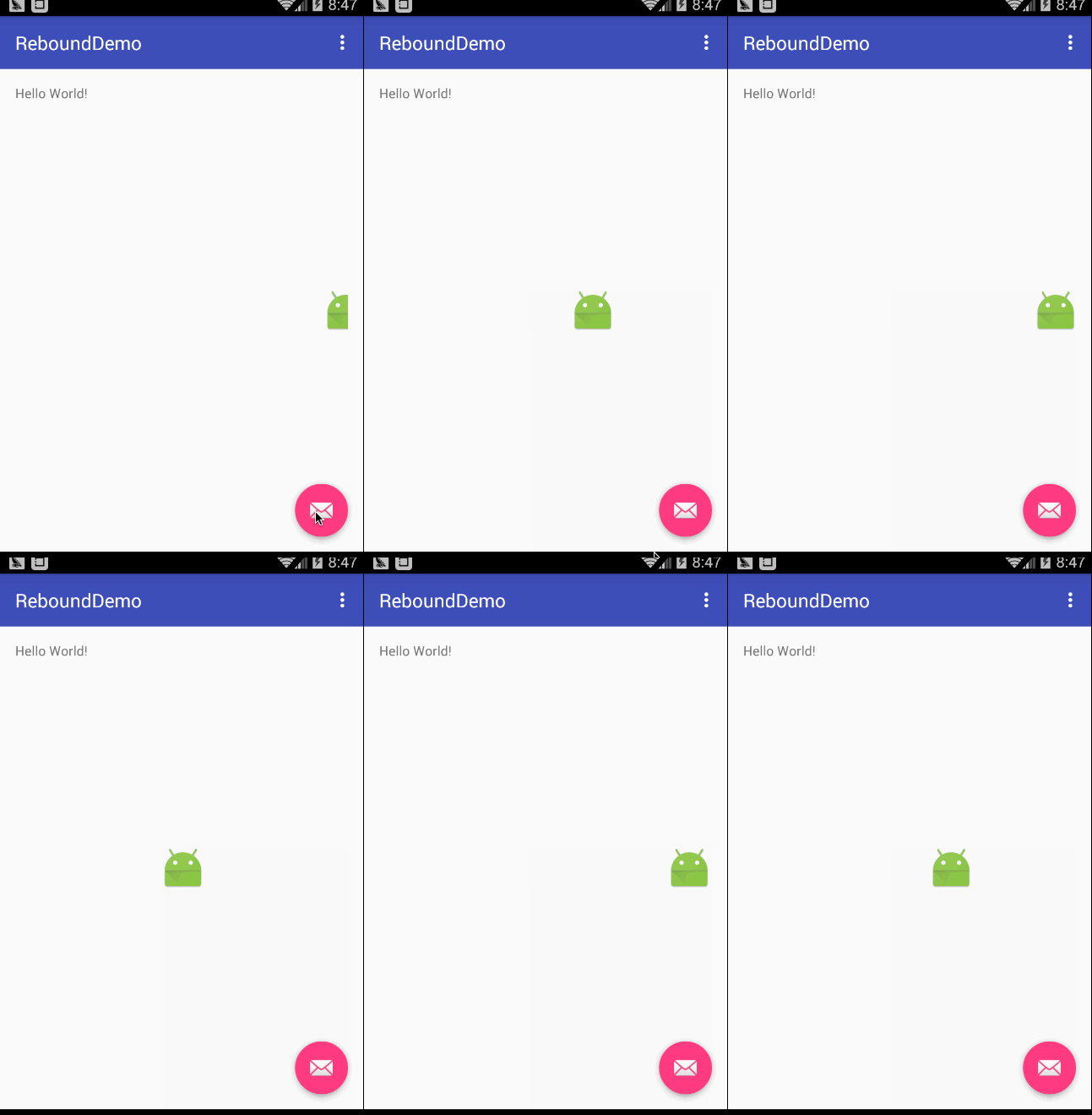
我们把摩擦力的值改成1试试:

初级用法
Rebound提供了非常简洁的api方法来供我们调用,我们只需要配置一些简单的参数就可以使用了,下面看看官网给出的例子:
// Create a system to run the physics loop for a set of springs.

SpringSystem springSystem = SpringSystem.create();

// Add a spring to the system.

Spring spring = springSystem.createSpring();

// Add a listener to observe the motion of the spring.

spring.addListener(new SimpleSpringListener() {

  @Override

  public void onSpringUpdate(Spring spring) {

    // You can observe the updates in the spring

    // state by asking its current value in onSpringUpdate.

    float value = (float) spring.getCurrentValue();

    float scale = 1f - (value * 0.5f);

    myView.setScaleX(scale);

    myView.setScaleY(scale);

  }

});

// Set the spring in motion; moving from 0 to 1

spring.setEndValue(1);
我们看下对应的效果图:

你们发现,好像弹簧效果不明显,Rebound默认的拉力和摩擦力参数分别是40和7,我们看下Rebound里面有个defaultConfig
public static SpringConfig defaultConfig = SpringConfig.fromOrigamiTensionAndFriction(40, 7);
为了让弹簧效果更明显,我们修改下SpringConfig的值,代码如下:
spring.setSpringConfig(SpringConfig.fromOrigamiTensionAndFriction(100,1));
我们将拉力值改成100,摩擦力值改成1,效果图如下:

效果很赞了吧!
高级用法:多个view连锁动画
如果想要做很多view的连锁动画怎么办?Rebound也提供了SpringChain这个接口。直接看代码吧:
SpringChain springChain = SpringChain.create(40,6,50,7);

int childCount = viewGroup.getChildCount();

for (int i = 0; i < childCount; i++) {

    final View view = viewGroup.getChildAt(i);

    springChain.addSpring(new SimpleSpringListener() {

        @Override

        public void onSpringUpdate(Spring spring) {

            view.setTranslationY((float) spring.getCurrentValue());

        }

    });

}

List<Spring> springs = springChain.getAllSprings();

for (int i = 0; i < springs.size(); i++) {

    springs.get(i).setCurrentValue(400);

}

springChain.setControlSpringIndex(2).getControlSpring().setEndValue(0);
效果图如下:

我们来看看SpringChain这个类,创建它有两个create方法:
- 默认无参数create()
- 有参数的create(int mainTension,int mainFriction,int attachmentTension,int attachmentFriction)
其中带参数的第一个参数表示起主导作用Spring的拉力系数,第二个参数表示起主导作用Spring的摩擦力系数,第三个和第四个表示附属的拉力和摩擦力系数
SpringChain需要设置一个起主导控制作用的Spring,通过setControlSpringIndex方法来设置
高仿新浪弹出菜单
先看下高仿后的效果图:
这里给出示例代码:
PopMenu popMenu = new PopMenu.Builder().attachToActivity(MainActivity.this)

                .addMenuItem(new PopMenuItem("文字", getResources().getDrawable(R.drawable.tabbar_compose_idea)))

                .addMenuItem(new PopMenuItem("照片/视频", getResources().getDrawable(R.drawable.tabbar_compose_photo)))

                .addMenuItem(new PopMenuItem("头条文章", getResources().getDrawable(R.drawable.tabbar_compose_headlines)))

                .addMenuItem(new PopMenuItem("签到", getResources().getDrawable(R.drawable.tabbar_compose_lbs)))

                .addMenuItem(new PopMenuItem("点评", getResources().getDrawable(R.drawable.tabbar_compose_review)))

                .addMenuItem(new PopMenuItem("更多", getResources().getDrawable(R.drawable.tabbar_compose_more)))

                .setOnItemClickListener(new PopMenuItemListener() {

                    @Override

                    public void onItemClick(PopMenu popMenu, int position) {

                        Toast.makeText(MainActivity.this, "你点击了第" + position + "个位置", Toast.LENGTH_SHORT).show();

                    }

                })

                .build();

popMenu.show();
这里由于篇幅原因,就暂时先不讲解实现原理了,如需要看源码去我的github上下载,下载地址为:高仿新浪弹出菜单
- 顶
- 3
Rebound-Android的弹簧动画库的更多相关文章
- 让动画不再僵硬:Facebook Rebound Android动画库介绍
introduction official site:http://facebook.github.io/reboundgithub : https://github.com/facebook/reb ...
- rebound是facebook的开源动画库
网址:http://www.jcodecraeer.com/a/opensource/2015/0121/2338.html 介绍: rebound是facebook的开源动画库.可以认为这个动画库是 ...
- Facebook Rebound 弹性动画库 源码分析
Rebound源码分析 让动画不再僵硬:Facebook Rebound Android动画库介绍一文中介绍了rebound这个库. 对于想体验一下rebound的效果,又懒得clone和编译代码的, ...
- Android的Activity切换动画特效库SwitchLayout,视图切换动画库,媲美IOS
由于看了IOS上面很多开发者开发的APP的视图界面切换动画体验非常好,这些都是IOS自带的,但是Android的Activity等视图切换动画并没有提供原生的,所以特此写了一个可以媲美IOS视图切换动 ...
- 一个使用openGL渲染的炫丽Android动画库二(碎片化曲面动画)
续一个使用openGL渲染的炫丽Android动画库 MagicSurfaceView v1.1.0发布, 新增碎片化曲面动画 地址:https://github.com/gplibs/android ...
- android完整智能家居、备忘录、蓝牙配对、3D动画库、购物车页面、版本更新自动安装等源码
Android精选源码 app 版本更新.下载完毕自动自动安装 android指针式分数仪表盘 ANdroid蓝牙设备搜索.配对 Android 图片水印框架,支持隐形数字水印 android3D旋转 ...
- 前端笔记之移动端&响应式(上)媒体查询&Bootstrap&动画库&zepto&velocity
一.媒体(介)查询 1.1 基本语法 媒体查询由媒体类型和一个或多个检测媒体特性的条件表达式组成.媒体查询中可用于检测的媒体特性有:width.height和color(等).使用媒体查询可以在不改变 ...
- Facebook开源动画库 POP-POPBasicAnimation运用
动画在APP开发过程中还是经常出现,将花几天的时间对Facebook开源动画库 POP进行简单的学习:本文主要针对的是POPBasicAnimation运用:实例源代码已经上传至gitHub,地址:h ...
- Pop - Facebook 开源 iOS & OS X 动画库
Pop 是一个可扩展的 iOS & OS X 动画引擎.除了基本的静态动画,它支持弹簧和动态衰减的动画,因此可以用于构建现实的,基于物理的交互效果. 它的 API 可以与现有的 Objecti ...
随机推荐
- Hbase 0.98集群搭建的详细步骤
准备工作 Hbase的搭建是依赖于Hadoop的,Hbase的数据文件实际上存储在HDFS文件系统中,所以我们需要先搭建hadoop环境,之前的博文中已经搭建过了(详见http://www.cnblo ...
- windows不能在本地计算机启动apache
今天,配置eclipse PHP studio 3.0的时候更改了apache http server 中的httpd.conf文件: 将DocumentRoot 的路径设错了,为一个不存在目录 .更 ...
- 交换a和b
有点儿类似脑筋急转弯.做个标记先. 网上还看到比较奇特的,一句代码就OK的: 注:要都是int类型才行. 还有比较奇特的: 还有一个:
- SQL Server 2012 BI 学习 第一天
了解数据源,数据源视图,多维数据集,维度 数据源:一个数据库或者其它数据链接,SSAS不支持使用模拟功能来处理 OLAP 对象.模拟信息选择“使用服务帐户” 数据源视图:DSV是元数据的单个统一视图, ...
- C# 刷票程序
上个月有人让我帮忙投票,我想要不写个程序给他多刷点得了,虽然这事情有悖原则,就当娱乐了.. 先上图 1.分析 既然是网页投票,那肯定可以伪造HTTP请求来实现刷票.需要分析的就是该网站到底采用了哪些防 ...
- DB 从zl.xml中导入数据库用户名及密码等!
package com.dy.java; import java.io.FileInputStream; import java.io.FileNotFoundException; import ja ...
- myeclipse配置下tomcat debug启动很无比慢
myeclipse配置下tomcat debug启动很无比慢,而run启动很快今天照常使用MyEclipse 6.5 Blue Edition进行开发,但是却遇到一个怪问题.在MyEclipse环境下 ...
- 二、有限状态机(FSM)
1.状态机的作用?是什么? 状态机,顾名思义就是用来描述状态的.完善一点就是在同一的时钟下.更准确说是一种verilogHDL编程思想. 例如我们每一个系统都可以分为好几种状态,如:开始,初始化,运行 ...
- 显示 mac 隐藏文件
显示Mac隐藏文件的命令:defaults write com.apple.finder AppleShowAllFiles -bool true 隐藏Mac隐藏文件的命令:defaults writ ...
- WPF解析Word为图片
偶遇需要解析Word为单张图,此做 http://git.oschina.net/jiailiuyan/OfficeDecoder using System; using System.Collect ...