
OpenShift 4.2 Service Mesh
1.和社区版Istio的区别
OpenShift 4.2的Service Mesh和upstream的Istio项目的增强,除了产品化之外,借用官方文档,区别在于:
Red Hat OpenShift Service Mesh differs from Istio in ways that help resolve issues, provide additional features, and ease deployment on OpenShift Container Platform. An installation of Red Hat OpenShift Service Mesh differs from upstream Istio community installations in multiple ways:
OpenShift Service Mesh installs a multi-tenant control plane by default
OpenShift Service Mesh extends Role Based Access Control (RBAC) features
OpenShift Service Mesh replaces BoringSSL with OpenSSL
Kiali and Jaeger are enabled by default in OpenShift Service Mesh
关于istio多租户的架构和功能参考
https://blog.openshift.com/istio-multicluster-on-openshift/
2.架构

各个模块功能不再熬述。
3.安装和部署
- 基于OperatorHub部署service mesh,部署顺序为:elasticsearch Operator->Jaeger Opeartor->Kiali Operator->OpenShift Service Mesh Operator->OpenShift Service Mesh Controller Plane
详细可以参考
- 部署完control plane后,会在istio-system下生成如下Pod
[root@clientvm 0 ~]# oc get pods -n istio-system

NAME                                      READY   STATUS    RESTARTS   AGE

grafana-b67df64b6-2kp7h                   2/2     Running   0          2d23h

istio-citadel-79979464d-kxpxw             1/1     Running   0          2d23h

istio-egressgateway-7d897695c4-c868b      1/1     Running   0          2d23h

istio-galley-6bb46858c5-pf476             1/1     Running   0          2d23h

istio-ingressgateway-8465bbf788-j9jgk     1/1     Running   0          2d23h

istio-pilot-54b65495c4-4tg6m              2/2     Running   0          2d23h

istio-policy-5fc74b8697-mk85l             2/2     Running   0          2d23h

istio-sidecar-injector-65cd4c8c6f-cnp5t   1/1     Running   0          2d23h

istio-telemetry-69cb778b9-qlpqj           2/2     Running   0          2d23h

jaeger-57776787bc-ljls5                   2/2     Running   0          2d23h

kiali-6d6f9cf658-kzdwf                    1/1     Running   0          2d1h

prometheus-b8bdc6b77-rbxzs                2/2     Running   0          2d23h
和下面的服务
[root@clientvm 0 ~]# oc get svc -n istio-system

NAME                        TYPE        CLUSTER-IP       EXTERNAL-IP   PORT(S)                                  AGE

grafana                     ClusterIP   172.30.124.97    <none>        3000/TCP                                 2d23h

istio-citadel               ClusterIP   172.30.122.114   <none>        8060/TCP,15014/TCP                       2d23h

istio-egressgateway         ClusterIP   172.30.60.175    <none>        80/TCP,443/TCP,15443/TCP                 2d23h

istio-galley                ClusterIP   172.30.167.213   <none>        443/TCP,15014/TCP,9901/TCP               2d23h

istio-ingressgateway        ClusterIP   172.30.221.247   <none>        15020/TCP,80/TCP,443/TCP,15443/TCP       2d23h

istio-pilot                 ClusterIP   172.30.19.129    <none>        15010/TCP,15011/TCP,8080/TCP,15014/TCP   2d23h

istio-policy                ClusterIP   172.30.99.48     <none>        9091/TCP,15004/TCP,15014/TCP             2d23h

istio-sidecar-injector      ClusterIP   172.30.102.34    <none>        443/TCP                                  2d23h

istio-telemetry             ClusterIP   172.30.229.205   <none>        9091/TCP,15004/TCP,15014/TCP,42422/TCP   2d23h

jaeger-agent                ClusterIP   None             <none>        5775/TCP,5778/TCP,6831/TCP,6832/TCP      2d23h

jaeger-collector            ClusterIP   172.30.66.202    <none>        9411/TCP,14250/TCP,14267/TCP,14268/TCP   2d23h

jaeger-collector-headless   ClusterIP   None             <none>        9411/TCP,14250/TCP,14267/TCP,14268/TCP   2d23h

jaeger-query                ClusterIP   172.30.84.61     <none>        443/TCP                                  2d23h

kiali                       NodePort    172.30.55.80     <none>        20001:31380/TCP                          2d23h

prometheus                  ClusterIP   172.30.122.232   <none>        9090/TCP                                 2d23h

zipkin                      ClusterIP   172.30.189.90    <none>        9411/TCP                                 2d23h
查看对外暴露的路由
[root@clientvm 0 ~]# oc get route -n istio-system

NAME                   HOST/PORT                                                                    PATH   SERVICES               PORT    TERMINATION   WILDCARD

grafana                grafana-istio-system.apps.cluster-4674.sandbox580.opentlc.com                       grafana                <all>   reencrypt     None

istio-ingressgateway   istio-ingressgateway-istio-system.apps.cluster-4674.sandbox580.opentlc.com          istio-ingressgateway   8080                  None

jaeger                 jaeger-istio-system.apps.cluster-4674.sandbox580.opentlc.com                        jaeger-query           <all>   reencrypt     None

kiali                  kiali-istio-system.apps.cluster-4674.sandbox580.opentlc.com                         kiali                  <all>   reencrypt     None

prometheus             prometheus-istio-system.apps.cluster-4674.sandbox580.opentlc.com                    prometheus             <all>   reencrypt     None
值得注意的是instio-ingressgateway这个路由是OpenShift Service Mesh暴露给外端访问的路由。也就是通过这个唯一的链接,调用接入到Service Mesh服务网格。
基于Operator的安装和部署确实使得整个过程方便不少,但也封装了很多的架构的细节了,所以我们所需要做的就是对架构更加了解。
4.使用
部署完成sample的bookinfo项目以后,再部署一个自己的简单的tomcat服务。
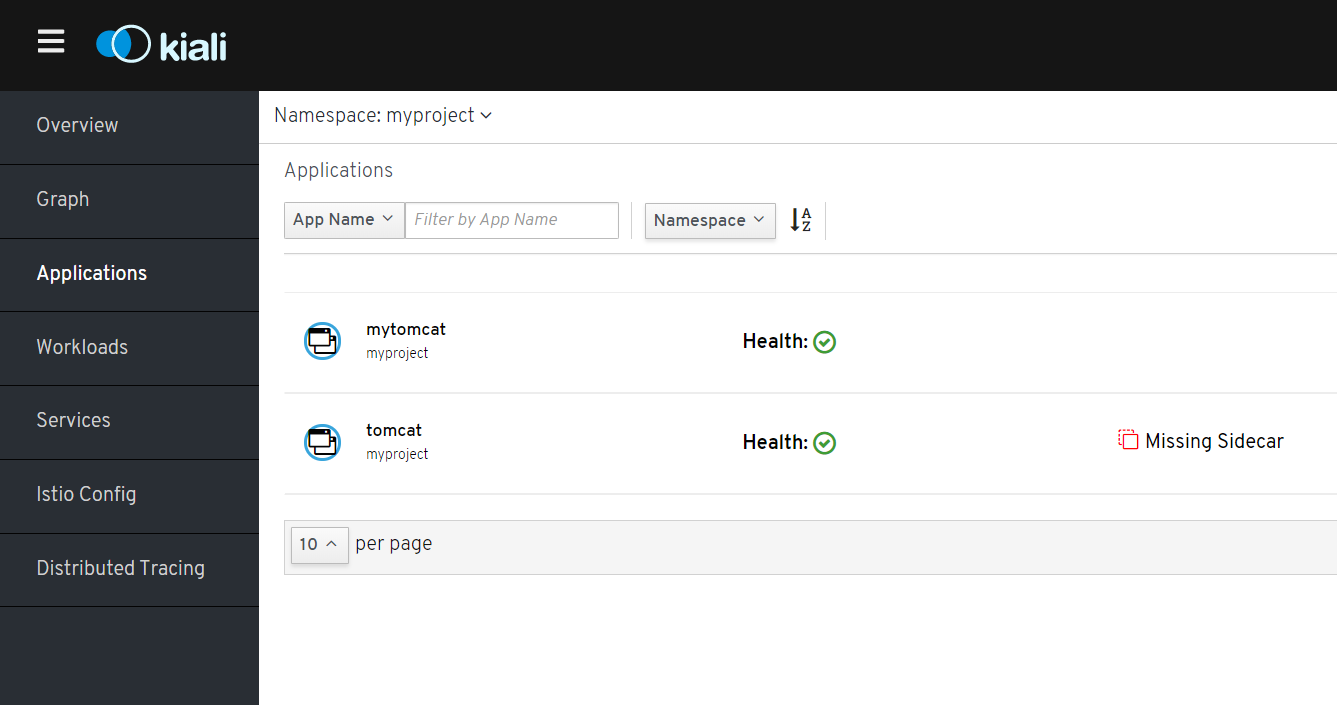
登录Kiali Console. myproject下面看到mytomcat情况
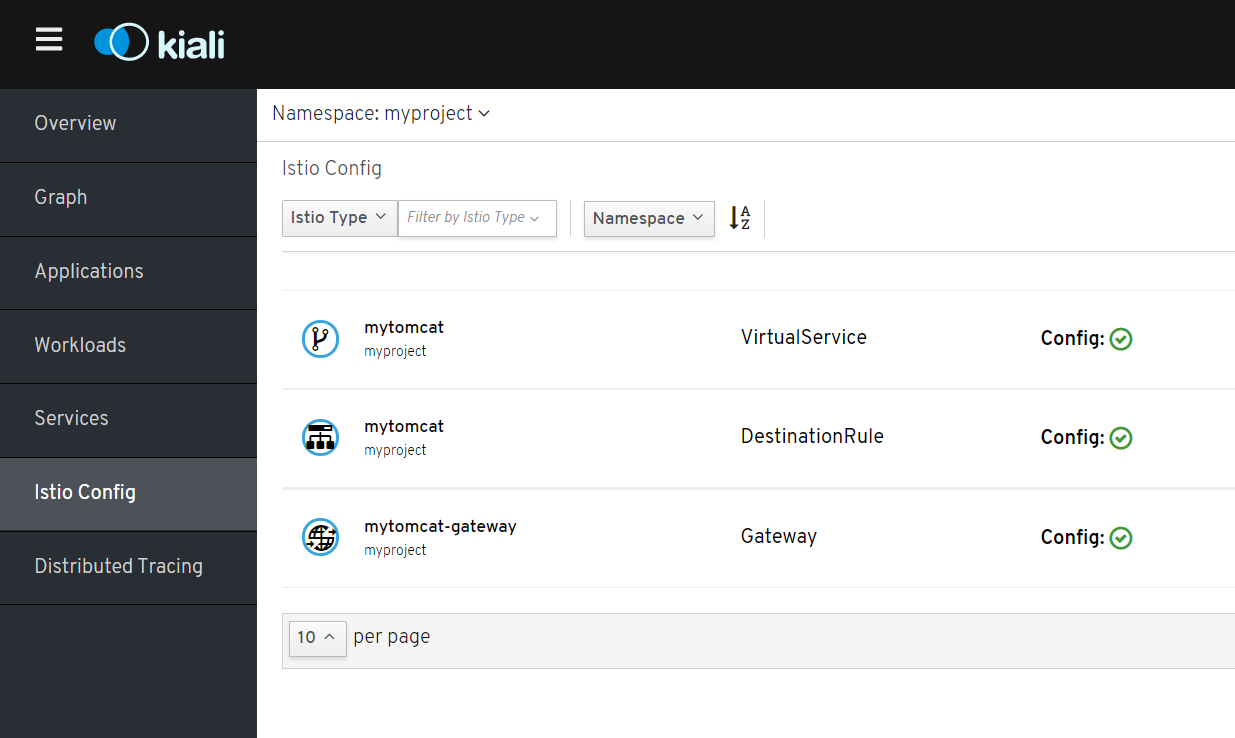
访问istio config,查看virtualservice mytomcat内容

然后访问发现访问不通。原本的想法是,如果uri是/mytomcat的化,就路由到mytomcat服务,结果出现的结果是:
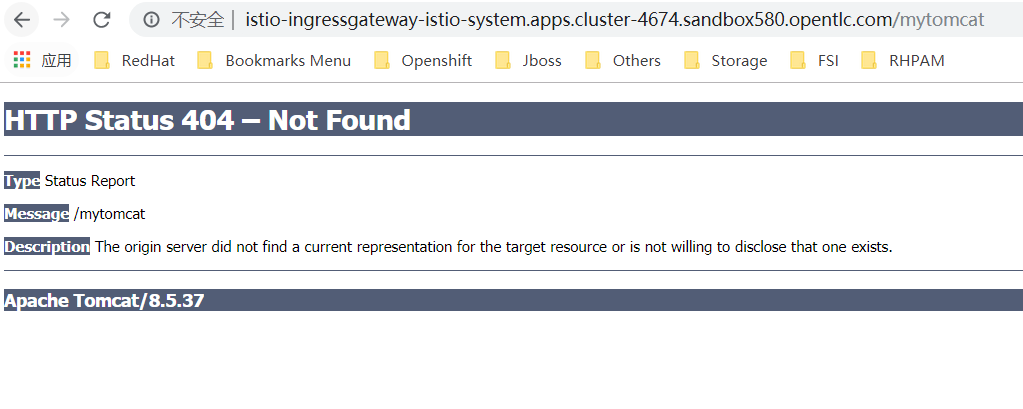
经过排查发现是virtualservice的路径问题。(因为对架构不熟悉,耗费了4,5小时啊...)
kind: VirtualService

apiVersion: networking.istio.io/v1alpha3

metadata:

  name: mytomcat

  namespace: myproject

  selfLink: >-

    /apis/networking.istio.io/v1alpha3/namespaces/myproject/virtualservices/mytomcat

  uid: 834c4724-0812-11ea-b3a1-0a1bba0ac472

  resourceVersion: '1631674'

  generation: 8

  creationTimestamp: '2019-11-16T01:43:39Z'

spec:

  hosts:

    - '*'

  gateways:

    - mytomcat-gateway

  http:

    - match:

        - uri:

            exact: /

      route:

        - destination:

            host: mytomcat

            port:

              number: 8080
注意这个uri的配置,gateway会拼接uri,也就是/到你的service的路径,如果你填入mytomcat,其实真实访问路径是http://mytomcat:8080/mytomcat,就会出现找不到应用的状况。
再度访问 http://istio-ingressgateway-istio-system.apps.cluster-4674.sandbox580.opentlc.com/ 也就是根目录啦

发现图片没有出来。:(
OpenShift 4.2 Service Mesh的更多相关文章
- Service Mesh服务网格新生代--Istio(转)
万字解读:Service Mesh服务网格新生代--Istio 官网地址:https://preliminary.istio.io/zh/docs/concepts/security/ Servic ...
- 解读2017之Service Mesh:群雄逐鹿烽烟起
https://mp.weixin.qq.com/s/ur3PmLZ6VjP5L5FatIYYmg 在过去的2016年和2017年,微服务技术得以迅猛普及,和容器技术一起成为这两年中最吸引眼球的技术热 ...
- 深入解读Service Mesh的数据面Envoy
在前面的一篇文章中,详细解读了Service Mesh中的技术细节,深入解读Service Mesh背后的技术细节. 但是对于数据面的关键组件Envoy没有详细解读,这篇文章补上. 一.Envoy的工 ...
- 深入解读Service Mesh背后的技术细节
在Kubernetes称为容器编排的标准之后,Service Mesh开始火了起来,但是很多文章讲概念的多,讲技术细节的少,所以专门写一篇文章,来解析Service Mesh背后的技术细节. 一.Se ...
- 微服务(Microservices)和服务网格(Service Mesh)架构概念整理
注:文章内容为摘录性文字,自己阅读的一些笔记,方便日后查看. 微服务(Microservices) 在过去的 2016 年和 2017 年,微服务技术迅猛普及,和容器技术一起成为这两年中最吸引眼球的技 ...
- Istio入门实战与架构原理——使用Docker Compose搭建Service Mesh
本文将介绍如何使用Docker Compose搭建Istio.Istio号称支持多种平台(不仅仅Kubernetes).然而,官网上非基于Kubernetes的教程仿佛不是亲儿子,写得非常随便,不仅缺 ...
- Service Mesh 数据平面 SOFAMosn
https://mp.weixin.qq.com/s/DJ_IeDswGGFQiWqJ75pmig 开源 | Service Mesh 数据平面 SOFAMosn 深层揭秘 朵晓东 蚂蚁金服科技 20 ...
- 大规模微服务架构下的Service Mesh探索之路
小结: 1. 第一.二代Service Mesh meetup-slides/敖小剑-蚂蚁金服-大规模微服务架构下的Service Mesh探索之路.pdf https://github.com/se ...
- 微服务架构基础之Service Mesh
ServiceMesh(服务网格) 概念在社区里头非常火,有人提出 2018 年是 ServiceMesh 年,还有人提出 ServiceMesh 是下一代的微服务架构基础. 那么到底什么是 Serv ...
随机推荐
- No root/virtual joint specified in SRDF. Assuming fixed joint
在用MoveIt!配置文件时,加载urdf模型时,显示Success......但没有显示模型,终端显示错误如下: 增加虚拟关节就好.
- 项目Beta冲刺(6/7)(追光的人)(2019.5.28)
所属课程 软件工程1916 作业要求 Beta冲刺博客汇总 团队名称 追光的人 作业目标 描述Beta冲刺每日的scrum和PM报告两部分 队员学号 队员博客 221600219 小墨 https:/ ...
- Python基础笔记-元祖
Python 的元组与列表类似,不同之处在于元组的元素不能修改. 元组使用小括号,列表使用方括号. 元组创建很简单,只需要在括号中添加元素,并使用逗号隔开即可. def main(): tup2 = ...
- jlink之j-scope使用
网上看到了j-scope的用法,可以把单片机的数据显示成波形,这个和我使用的STMStudio有点类似,但是有区别: 1.STMStudio这个需要stlink结合swo的输出口,j-scope不需要 ...
- python --装饰器内容讲解
python装饰器就是用于拓展原来函数功能的一种函数,这个函数的特殊之处在于它的返回值也是一个函数,使用python装饰器的好处就是在不用更改原函数的代码前提下给函数增加新的功能. 3.1 定义装饰器 ...
- [转载] miller rabin
本文转载自https://www.cnblogs.com/zsq259/p/11602175.html Miller-Rabin 事先声明,因为菜鸡Hastin知识水平有限就是菜,因此语言可能不是特别 ...
- JS的ES6的iterator
一.iterator 1.概念:iterator是一种接口机制,为各种不同的数据结构提供统一的访问机制. 2.作用: 为各种数据结构,提供一个统一的.简便的访问接口: 使得数据结构的成员能够按某种次序 ...
- 洛谷 P2815 IPv6地址压缩 题解
P2815 IPv6地址压缩 题目背景 (友情提示:IPv6基础知识曾多次出现在NOIP初赛中)Internet Protocol,互联网协议,即为我们常说的IP.我们目前常说的IP主要指它的第四版, ...
- 统计学基础知识(二)---推断统计学(Inferential Statistics)
推断统计学(Inferential Statistics):利用样本信息对总体进行估计和假设检验. 总体(population):在一个特定研究中所有感兴趣的个体组成的集合. 样本(sample):总 ...
- 格式化输出(%用法和fomat用法)
一:%用法 1.整数输出 %o —— oct 八进制%d —— dec 十进制%x —— hex 十六进制 2.浮点数输出 %f ——保留小数点后面六位有效数字 %.3f,保留3位小数位%e ——保留 ...