
Eclipse出错不断,注册表不能乱改
Eclipse打不开,始终报错,还能不能开心的敲代码了???
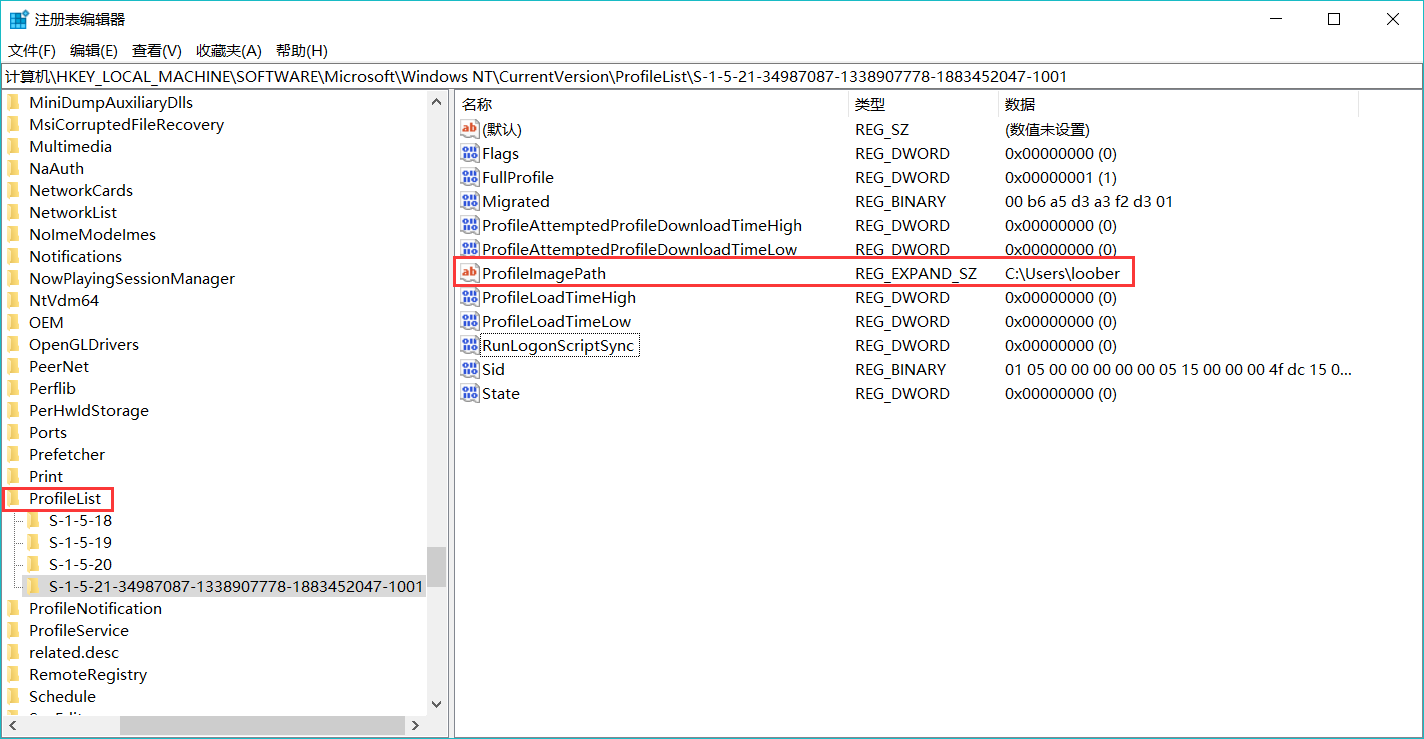
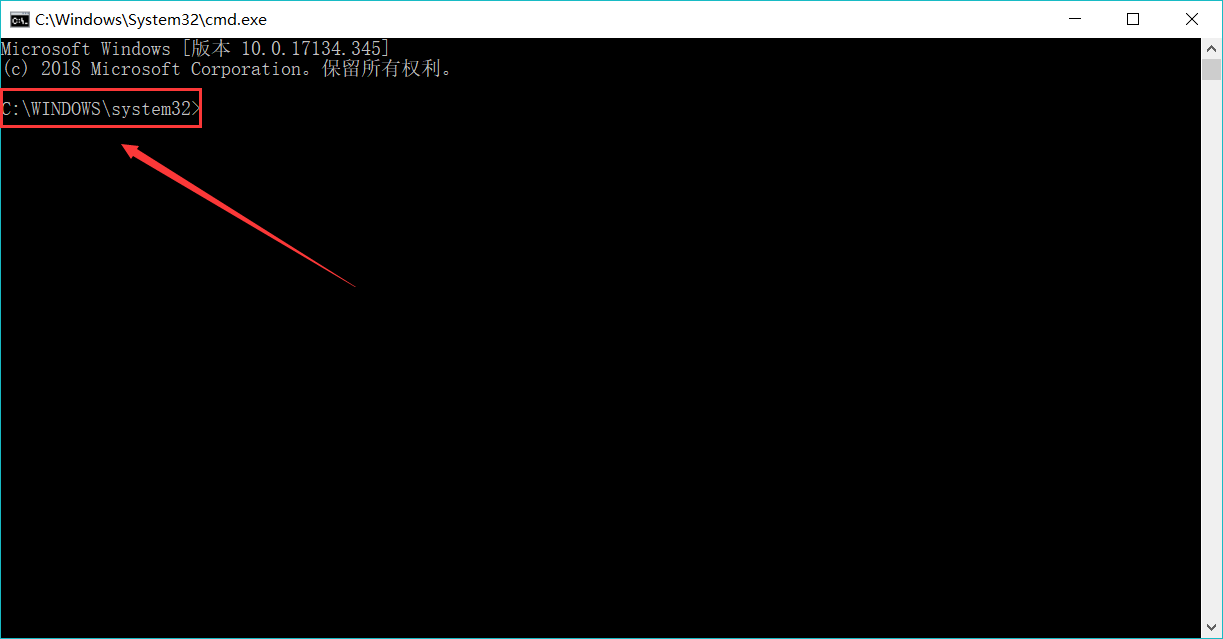
首先说下造成我这个愚蠢错误的起源:电脑是win10系统,本来是可以正常使用的。某一天,我正在使用python,打开命令提示符,看见开头是中文(现在成了下面这个样了),出于强迫症。我就上网去找处理方法。在知乎某篇回答,我找到注册表,修改了计算机\HKEY_LOCAL_MACHINE\SOFTWARE\Microsoft\Windows NT\CurrentVersion\ProfileList\S-1-5-21-34987087-1338907778-1883452047-1001的中文名。接着重启电脑,结果发现桌面上以前的偏好设置完全不见了,进入命令提示符下,确实变成了英文,但并不是我设置的那个,而是system32.大失所望,于是我又进入注册表把ProfileListPath的中文改回来了(下面还多了个文件)。结果就酿成了现在的错误。
修改的注册表位置:
修改后运行命令界面变成这样了:
好了,当我打开Eclipse时,错误接踵而至。
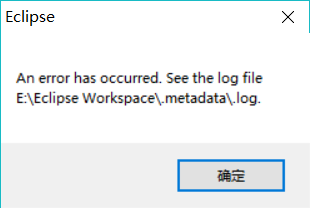
出现上图错误:An error has occurred.See the log file E:\Eclipse Workspace\.metadata\.log。根据提示我找到Eclipse工作空间的.log文件。
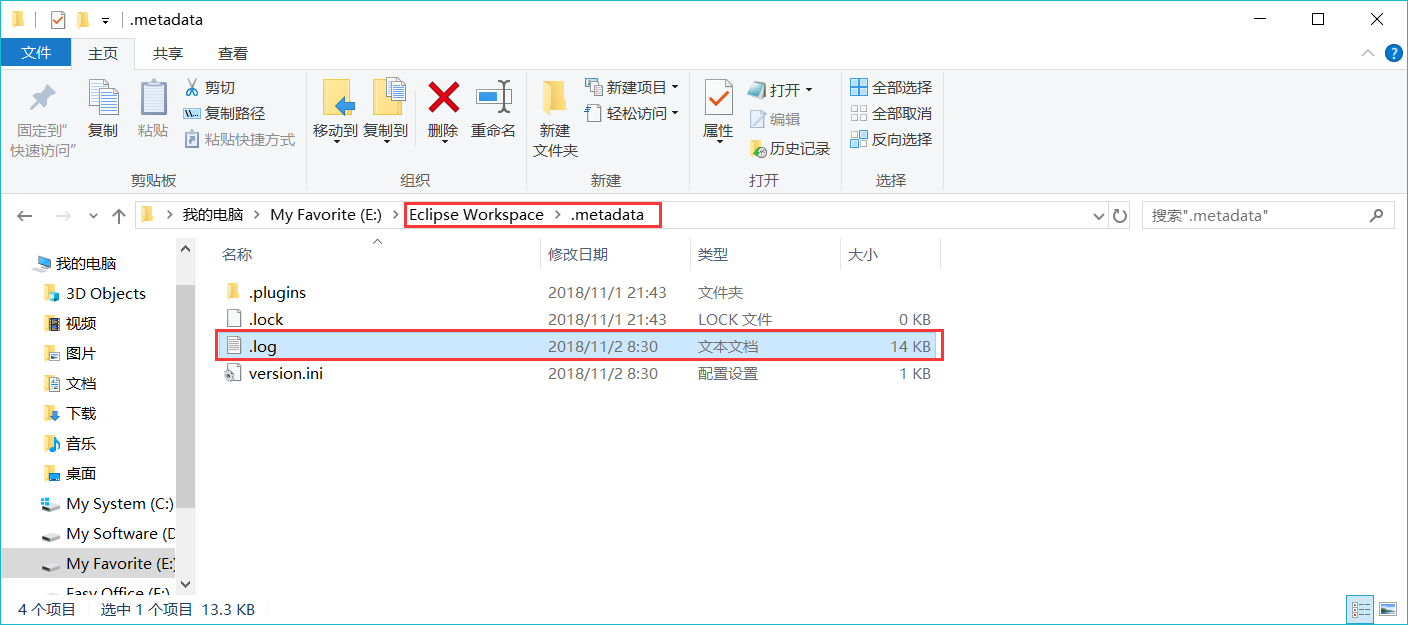
用记事本打开.log文件如下:
!SESSION 2018-11-02 08:30:30.122 -----------------------------------------------
eclipse.buildId=4.4.2.M20150204-1700
java.version=10.0.1
java.vendor=Oracle Corporation
BootLoader constants: OS=win32, ARCH=x86_64, WS=win32, NL=zh_CN
Framework arguments: -product org.eclipse.epp.package.jee.product
Command-line arguments: -os win32 -ws win32 -arch x86_64 -product org.eclipse.epp.package.jee.product
!ENTRY org.eclipse.osgi 4 0 2018-11-02 08:30:43.929
!MESSAGE Application error
!STACK 1
java.lang.NoClassDefFoundError: org/w3c/dom/stylesheets/StyleSheet
at org.eclipse.e4.ui.css.swt.internal.theme.ThemeEngineManager.getCSSSWTEngine(ThemeEngineManager.java:41)
at org.eclipse.e4.ui.css.swt.internal.theme.ThemeEngineManager.getEngineForDisplay(ThemeEngineManager.java:30)
at org.eclipse.e4.ui.internal.workbench.swt.PartRenderingEngine.createThemeEngine(PartRenderingEngine.java:1428)
at org.eclipse.e4.ui.internal.workbench.swt.PartRenderingEngine.initializeStyling(PartRenderingEngine.java:1281)
at org.eclipse.e4.ui.internal.workbench.swt.PartRenderingEngine$9.run(PartRenderingEngine.java:1036)
at org.eclipse.core.databinding.observable.Realm.runWithDefault(Realm.java:332)
at org.eclipse.e4.ui.internal.workbench.swt.PartRenderingEngine.run(PartRenderingEngine.java:1032)
at org.eclipse.e4.ui.internal.workbench.E4Workbench.createAndRunUI(E4Workbench.java:148)
at org.eclipse.ui.internal.Workbench$5.run(Workbench.java:636)
at org.eclipse.core.databinding.observable.Realm.runWithDefault(Realm.java:332)
at org.eclipse.ui.internal.Workbench.createAndRunWorkbench(Workbench.java:579)
at org.eclipse.ui.PlatformUI.createAndRunWorkbench(PlatformUI.java:150)
at org.eclipse.ui.internal.ide.application.IDEApplication.start(IDEApplication.java:135)
at org.eclipse.equinox.internal.app.EclipseAppHandle.run(EclipseAppHandle.java:196)
at org.eclipse.core.runtime.internal.adaptor.EclipseAppLauncher.runApplication(EclipseAppLauncher.java:134)
at org.eclipse.core.runtime.internal.adaptor.EclipseAppLauncher.start(EclipseAppLauncher.java:104)
at org.eclipse.core.runtime.adaptor.EclipseStarter.run(EclipseStarter.java:380)
at org.eclipse.core.runtime.adaptor.EclipseStarter.run(EclipseStarter.java:235)
at java.base/jdk.internal.reflect.NativeMethodAccessorImpl.invoke0(Native Method)
at java.base/jdk.internal.reflect.NativeMethodAccessorImpl.invoke(Unknown Source)
at java.base/jdk.internal.reflect.DelegatingMethodAccessorImpl.invoke(Unknown Source)
at java.base/java.lang.reflect.Method.invoke(Unknown Source)
at org.eclipse.equinox.launcher.Main.invokeFramework(Main.java:648)
at org.eclipse.equinox.launcher.Main.basicRun(Main.java:603)
at org.eclipse.equinox.launcher.Main.run(Main.java:1465)
at org.eclipse.equinox.launcher.Main.main(Main.java:1438)
Caused by: java.lang.ClassNotFoundException: org.w3c.dom.stylesheets.StyleSheet cannot be found by org.eclipse.e4.ui.css.core_0.10.100.v20140424-2042
at org.eclipse.osgi.internal.loader.BundleLoader.findClassInternal(BundleLoader.java:432)
at org.eclipse.osgi.internal.loader.BundleLoader.findClass(BundleLoader.java:345)
at org.eclipse.osgi.internal.loader.BundleLoader.findClass(BundleLoader.java:337)
at org.eclipse.osgi.internal.loader.ModuleClassLoader.loadClass(ModuleClassLoader.java:160)
at java.base/java.lang.ClassLoader.loadClass(Unknown Source)
... 26 more
接下来,我在Eclipse官网论坛里看到一个留言:
Trimmed javax.xml MANIFEST.MF
With some further discussion on jdk9-dev: the problems when using the app class loader seem to come from the situation that part of the org.w3c class files come from the javax.xml bundle.
So, I did a small experiment: remove all .class files from the javax.xml bundle, but leave the exports information. My assumption here was that that should then "export" the JDK classes.
That didn't quite work: eclipse failed to start because org.w3c.dom.css was unavailable. Adding those classes to the bundle however worked to the effect that Eclipse starts up and seems to be usable.
So, workaround instructions:
$ cd /some/tmp/directory
$ jar xf $ECLIPSE_HOME/plugins/javax.xml_1.3.4.v201005080400.jar
$ rm $ECLIPSE_HOME/plugins/javax.xml_1.3.4.v201005080400.jar
$ jar cvmf whereever/you/downloaded/to/MANIFEST.MF-trimmed $ECLIPSE_HOME/plugins/javax.xml_1.3.4.v201005080400.jar about* license/ org/apache/ plugin.properties org/w3c/dom/css
$ # modify $ECLIPSE_HOME/eclipse.ini and add -Dorg.osgi.framework.bundle.parent=app
而此时的我一脸懵逼。
接下来呀,我换了个1.8.0的Java(较低版本),以前是10.0.1。Eclispe是成功打开了。可惜当弹出提示Java有更新时,我执行会出现如下应用程序错误。
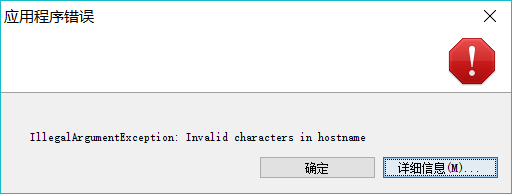
点详细信息如下:
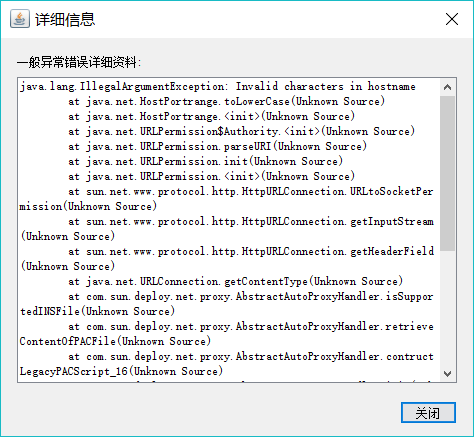
代码复制出来是这个样子:
java.lang.IllegalArgumentException: Invalid characters in hostname
at java.net.HostPortrange.toLowerCase(Unknown Source)
at java.net.HostPortrange.<init>(Unknown Source)
at java.net.URLPermission$Authority.<init>(Unknown Source)
at java.net.URLPermission.parseURI(Unknown Source)
at java.net.URLPermission.init(Unknown Source)
at java.net.URLPermission.<init>(Unknown Source)
at sun.net.www.protocol.http.HttpURLConnection.URLtoSocketPermission(Unknown Source)
at sun.net.www.protocol.http.HttpURLConnection.getInputStream(Unknown Source)
at sun.net.www.protocol.http.HttpURLConnection.getHeaderField(Unknown Source)
at java.net.URLConnection.getContentType(Unknown Source)
at com.sun.deploy.net.proxy.AbstractAutoProxyHandler.isSupportedINSFile(Unknown Source)
at com.sun.deploy.net.proxy.AbstractAutoProxyHandler.retrieveContentOfPACFile(Unknown Source)
at com.sun.deploy.net.proxy.AbstractAutoProxyHandler.contructLegacyPACScript_16(Unknown Source)
at com.sun.deploy.net.proxy.AbstractAutoProxyHandler.init(Unknown Source)
at com.sun.deploy.net.proxy.SunAutoProxyHandler.init(Unknown Source)
at com.sun.deploy.net.proxy.DynamicProxyManager.reset(Unknown Source)
at com.sun.deploy.net.proxy.DeployProxySelector.reset(Unknown Source)
at com.sun.javaws.Main.initializeExecutionEnvironment(Unknown Source)
at com.sun.javaws.Main.continueInSecureThread(Unknown Source)
at com.sun.javaws.Main.access$000(Unknown Source)
at com.sun.javaws.Main$1.run(Unknown Source)
at java.lang.Thread.run(Unknown Source)
而且当我导入以前的Java工程文件后,运行程序时出现如下错误:
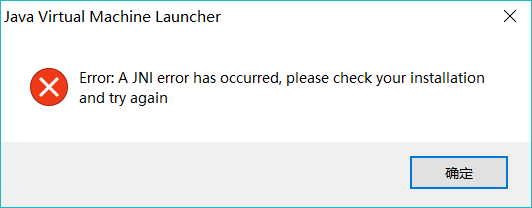
控制台Console错误提示如下:
Exception in thread "main" java.lang.UnsupportedClassVersionError: com/array/Demo1 has been compiled by a more recent version of the Java Runtime (class file version 54.0), this version of the Java Runtime only recognizes class file versions up to 52.0
at java.lang.ClassLoader.defineClass1(Native Method)
at java.lang.ClassLoader.defineClass(Unknown Source)
at java.security.SecureClassLoader.defineClass(Unknown Source)
at java.net.URLClassLoader.defineClass(Unknown Source)
at java.net.URLClassLoader.access$100(Unknown Source)
at java.net.URLClassLoader$1.run(Unknown Source)
at java.net.URLClassLoader$1.run(Unknown Source)
at java.security.AccessController.doPrivileged(Native Method)
at java.net.URLClassLoader.findClass(Unknown Source)
at java.lang.ClassLoader.loadClass(Unknown Source)
at sun.misc.Launcher$AppClassLoader.loadClass(Unknown Source)
at java.lang.ClassLoader.loadClass(Unknown Source)
at sun.launcher.LauncherHelper.checkAndLoadMain(Unknown Source)
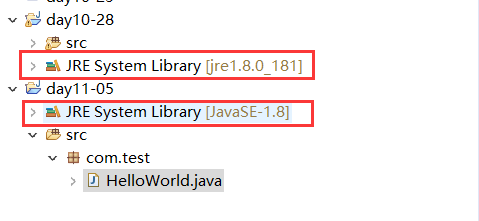
不过惊喜的是,我新建一个Java工程文件,运行了一个Demo,发现可以运行了。我把两个工程文件对比了一下,发现两个工程JRE System Library不同:
https://www.cnblogs.com/loober/p/9902089.html
Eclipse出错不断,注册表不能乱改的更多相关文章
- 用注册表清除Office Word文档杀手病毒
不久前,笔者打开word文件时遇到了一件离奇的怪事,常用的Word文件怎么也打不开,总是出现提示框:"版本冲突:无法打开高版本的word文档".再仔细查看,文件夹里竟然有两个名字一 ...
- 注册表-恶意首页追踪之旅(IE不能改主页)
恶意首页追踪之旅(先说下,360无法修复这个恶意首页) 话说,今天下了个扫站的工具,结果一不小心中了恶意广告! 中招后不停的乱下东西安装,360不停的在那弹出提示! 无语了,一个个卸载,把C:\win ...
- 手动更改WIN远程桌面端口,要改两个地方的注册表哟
看到我的服务器有老多人在用桌面连接,虽然进不去,但他们不停地试,浪费掉不少服务器资源,我看到网上有不少关于修改3389的介绍.修改3389的工具,一些工具一点用都没有,纯属扯淡.修改后照样是3389. ...
- winxp改AHCI不再蓝屏,不用改注册表,所有PC机通用
要用win8的pe 在通常的情况下,硬盘在BIOS中默认为原生IDE模式以获得最好的兼容性.对配件要求较高的W7,W8系统中,而通过开启硬盘AHCI模式,可以在一定程度上提升硬盘的性能表现.如果在ID ...
- 贴一份用delphi修改注册表改网卡MAC地址的代码
//提示:此代码需要use Registry, Common; function WriteMAC(model:integer):integer; var reg:TRegistry; begin r ...
- 使用MSBUILD 构建时出错 error MSB3086: 任务未能使用 SdkToolsPath“”或注册表项“XXX”找到“LC.exe”,请确保已设置 SdkToolsPath。
如果项目有添加有WB引用,比如引用其它网站的WEB服务等,那么VS在编译时会自动生成个 [项目名称].Serializers.dll的文件,就是把引用服务中的相关对象信息生成硬编码的程序集,以提高效率 ...
- 注册表-各种功能-隐藏IE、隐藏硬盘、禁用硬件
1.在[我的电脑]上隐藏软驱 在[开始]→[运行]→输入[Regedit]→[HKEY_CURRENT_USER]→[Software] →[Microsoft] →[Windows]→[Curren ...
- 黑客常用的windows注册表大全
目录 使系统没有"运行"选项 1让操作系统无"关闭系统" 选项 2让操作系统 ...
- [转帖]Windows注册表内容详解
Windows注册表内容详解 来源:http://blog.sina.com.cn/s/blog_4d41e2690100q33v.html 对 windows注册表一知半解 不是很清晰 这里学习一下 ...
随机推荐
- 树莓派pwm驱动好盈电调及伺服电机
本文讲述如何通过树莓派的硬件PWM控制好盈电调来驱动RC车子的前进后退,以及如何驱动伺服电机来控制车子转向. 1. 好盈电调简介 车子上的电调型号为:WP-10BLS-A-RTR,在好盈官网并没有搜到 ...
- 说一说MVC的CompressActionFilterAttrubute(五)
通过action对文件流压缩,提高带宽速度!!! 引用using System.IO.Compression; public override void OnActionExecuting(Actio ...
- .NET代码树执行时间计时器
有很多时候我们需要对代码不同段计算一个执行时间,并希望通过节点树的方式表达现每段代码的执行时长.在.Net下似乎找不到这样一个功能类,所以花了一些时间实现这样一个代码运行计时器.首先看一下简单的需求. ...
- SpringBoot入门教程(十九)@ControllerAdvice+@ExceptionHandler全局捕获Controller异常
在spring 3.2中,新增了@ControllerAdvice 注解,可以用于定义@ExceptionHandler.@InitBinder.@ModelAttribute,并应用到所有@Requ ...
- String str=null; 和String str=""的区别
1.最大的区别在于String str=null没有分配内存,String str=""分配了内存 2.String str=null 这个引用指向了一个null ,没有地址没 ...
- Linux~上部署.net MVC出现的问题与解决
这几天一直在搞linux下面的.net mvc的部署工作,遇到了很多问题,还好有一些朋友的帮助,问题才得到了解决! 环境:Linux+Mono+Jexus 希望的结果:直接运行windows+vist ...
- [Leetcode]669 Trim a Binary Search Tree
Given a binary search tree and the lowest and highest boundaries as L and R, trim the tree so that a ...
- vue keep-alive 实现详情返回列表保留页面数据
实现功能 详情页返回列表页,列表页保留上次浏览位置 其它页面进入到列表表,列表页刷新 当详情页有数据改变时,列表页也要更新该条数据 实现思路 用keep-alive保留列表页面数据 activated ...
- linux下sh脚本/bin/bash^M问题解决
如果是在windows下编辑的脚本,到了linux下运行时会报出这样的错误/bin/bash^M:bad interpreter: No such file or directory这时因为编码的问题 ...
- 痞子衡嵌入式:飞思卡尔i.MX RT系列MCU特性介绍(1)- 概览
大家好,我是痞子衡,是正经搞技术的痞子.今天痞子衡给大家介绍的是飞思卡尔i.MX RT系列MCU的基本特性. ARM Cortex-M微控制器芯片厂商向来竞争激烈,具体可参看我的另一篇文章<第一 ...