
How to setup linked servers for SQL Server and Oracle 64 bit client
感谢作者:Tim Ford. 图文并茂。
原帖地址:
Problem
We have two SQL 2005 64-bit clusters in our organization: a four-node production cluster and a two-node dev/test cluster. We recently migrated a database from SQL 2000 that relied on an Oracle linked server for some of it's computations. No big deal, right? Install the Oracle client software and create the linked server just like in SQL 2000 right? Be sure to repeat the process on both nodes for failover-sake, right? Wrong. In the case of 64-bit SQL instances we have a few extra steps we need to take to get an Oracle linked server configured and working properly.
Solution
64-bit computing is coming of age. In most cases, our installation and configuration processes do not change from 32-bit to 64-bit: setting up logins, creating SQL Agent jobs; nothing inherently different there. Inconsistencies do exist however. Take for example linked servers - more specifically linked servers to Oracle databases. In 32-bit environments we simply install the Oracle client software, create the linked server, add remote logins and move on to the next project. In the 64-bit world the process is slightly more difficult - and in the case of one critical step it impacts any existing users on the instance!
Process Creating Oracle Linked Server on a 64-bit SQL Instance:
- Install Oracle 10g Release 2 64-bit client software (available from Oracle website)
- Install Oracle 10g Release 2 64-bit ODAC software (available from Oracle website)
- Restart SQL services
- Configure OraOLEDB.Oracle provider
- Create linked server
- Add remote logins for linked server
The complete process is presented below:
Step One: Installation of the Oracle 10g Release 2 64-bit client software
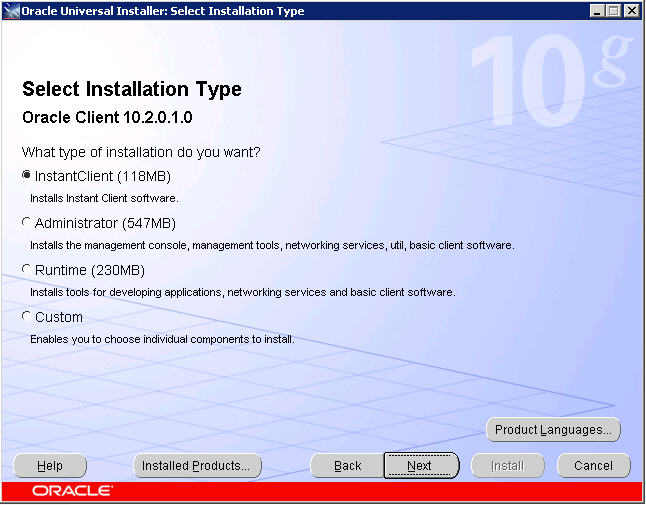
I will leave it up to you to secure the software by either download from their site or media available via any licensing agreements you may have with Oracle. The important steps are outlined below. You only need the barest install of the client. Simply go ahead and select the InstantClient option from the opening dialog form and click Next.
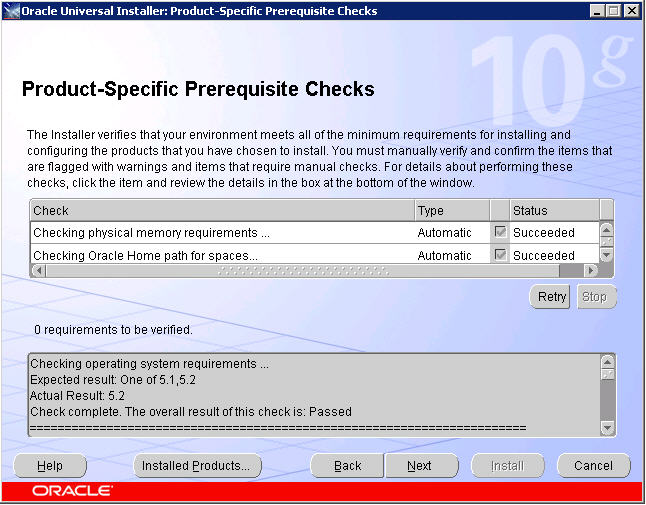
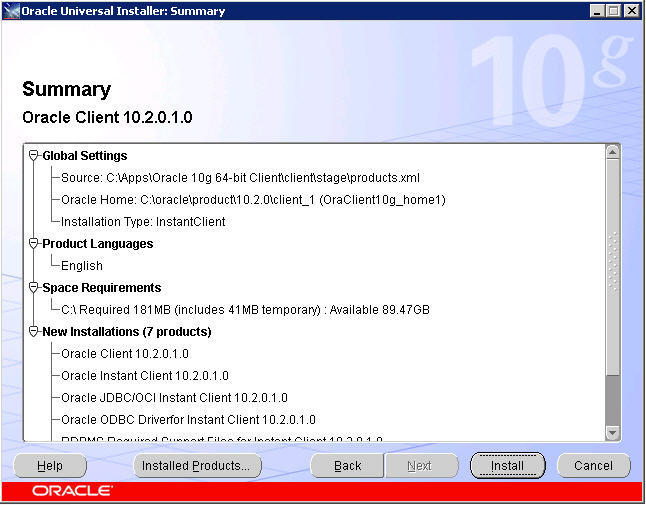
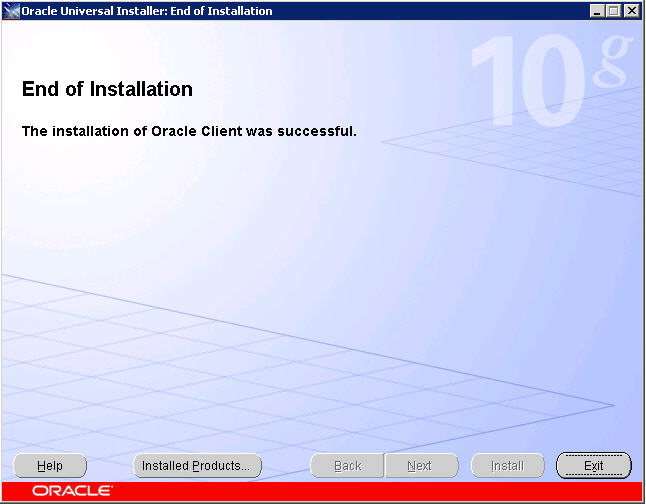
The following screens simply require you to click Next when enabled. These are in place to present the internal checks and summaries of work to be completed once you accept the install parameters. Proceed through the screens, click Install, and then Finish once the installation is complete.
Step Two: Installation Oracle 10g Release 2 64-bit ODAC software
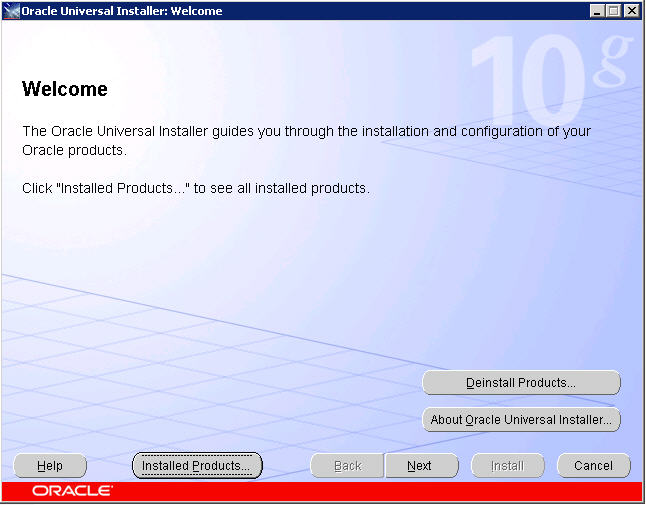
Once you have an installed 64-bit Oracle Home you can proceed with installing the ODAC drivers for a 64-bit environment. The OraOLEDB.Oracle driver installed in this step is what you need to set up your linked server. You'll find the setup.exe for this installation located in the unzipped Install folder. I strongly suggest you review your previous installation of the client software via selecting the Installed Products button. You want to verify that you have a valid 64-bit Oracle Home that you'll be installing against during this process. We would not be DBAs if we were not overly cautious. It's quite Darwinian: the brash and risky don't last long as Database Administrators.
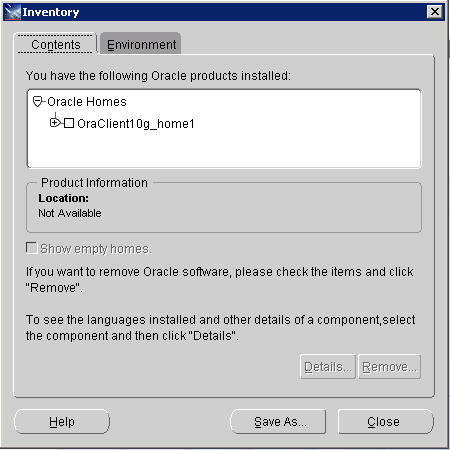
If you accepted the defaults during the client installation, your "Installed Products" Inventory should appear as follows. If so, then close the dialog and click Next to continue. If not, then I suggest you revisit your installation of the client software, possibly de-installing and performing all steps presented previously once again.
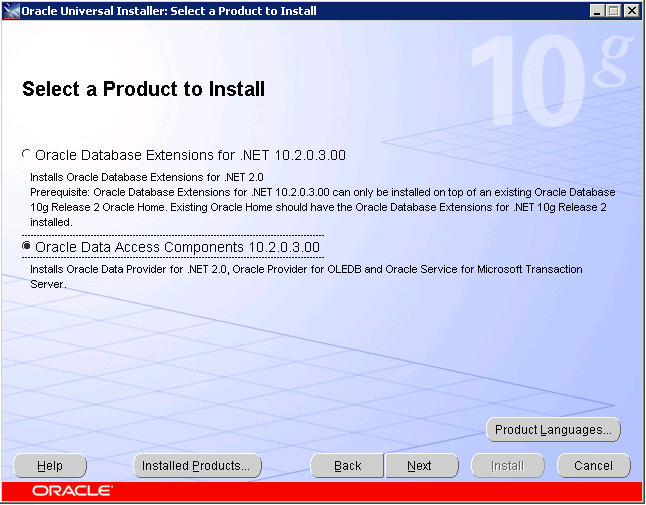
We will be installing the OraOLEDB.Oracle driver that is included in the Oracle Data Access Components option below. Select Next to continue.
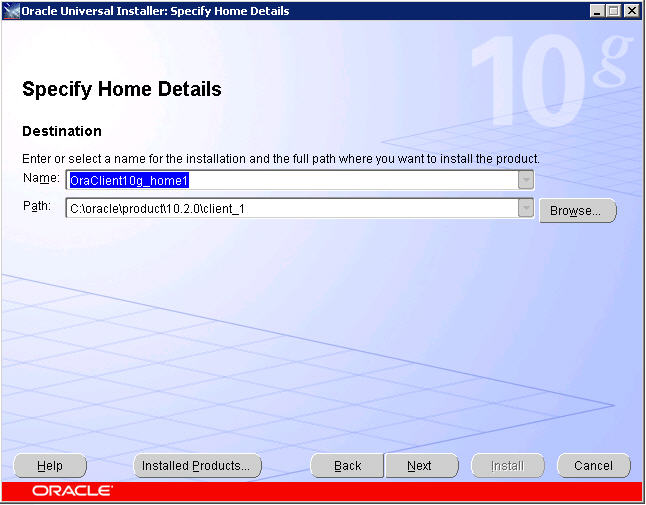
Using the drop-down box provided, select the existing Oracle Home you just verified was created as a part of your 64-bit Oracle client installation. The Path will automatically change accordingly. Continue by clicking Next.
You will be presented with the following sub-components. I've selected all three (you never know when these items may be useful and they are extremely lightweight) though you only really need to install the first two items.
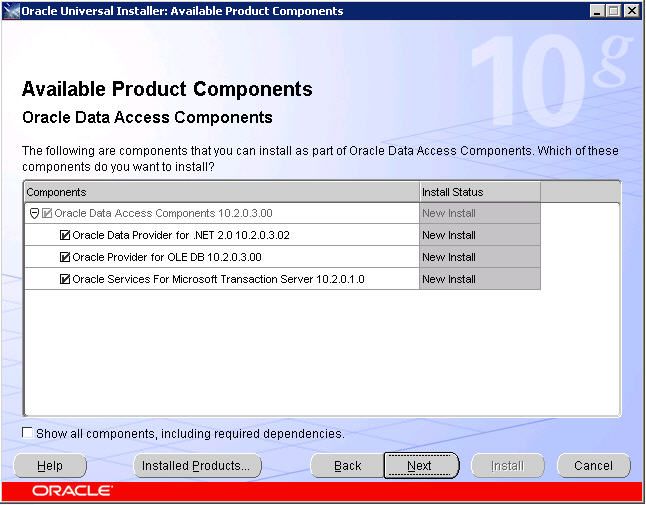
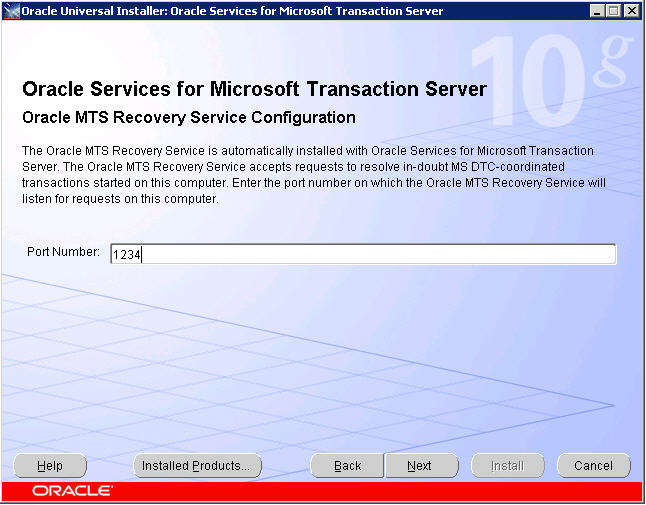
If you do decide to install the Oracle Services for Microsoft Transaction Server component, you'll be prompted for the port number to use. The default is 2030.
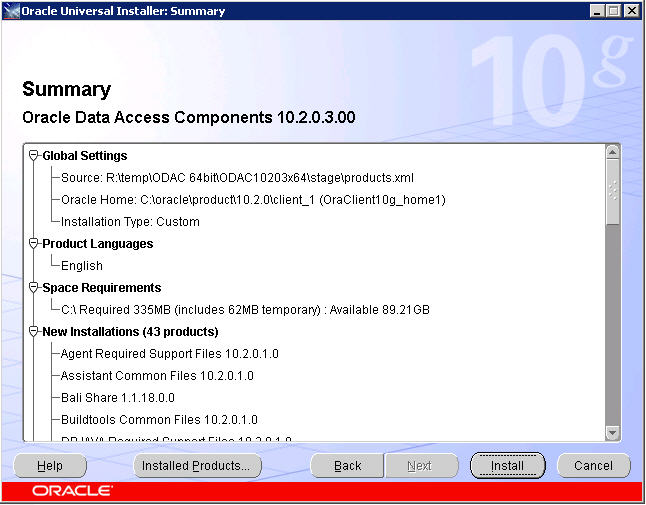
Click Next and you'll be presented with the familiar summary screen, listing all components to be installed. Review, make changes if necessary and then click Install. Once completed we can move back to familiar territory: SQL Server Management Studio.
Step Three: Restart SQL Service
This is the most unfortunate step in the entire process. This is usually the last thing a DBA wants to do. It is the option of last resort whenever there is an issue on a SQL Server instance. However, it is necessary in this case, so be sure to follow your corporate procedures for downtime notifications and process. That being said, let's move past this horrid step!
Step Four: Configure OraOLEDB.Oracle provider
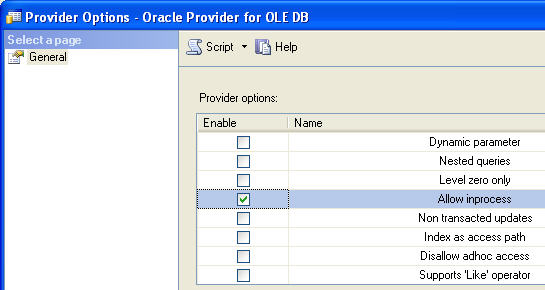
I confess. I was not aware of this process existing until I had to do this the first time. In Object Explorer, navigate down the tree of the SQL instance we've been working with until you're able to view the list of Providers under Linked Servers. Select OraOLEDB.Oracle and right-click.
SQL Server Management Studio.
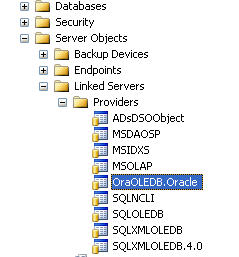
The Provider Options dialog box appears. Enable the "Allow inprocess" option and close the dialog. Now ask yourself: "Self, what did I just do? Some Internet Guy said click this and it will work." Let's take a quick look at exactly what enabling this option does for a provider. By default, OLE DB providers are instantiated outside of the SQL Server process. While this protects SQL from any OLE DB errors, Microsoft SQL Server requires that the OLE DB provider run in-process for handling BLOB-ish data types (text and images).
Step 5: Create Linked Server and Add Logins
Finally, something we're all familiar with. The T-SQL is simple, and identical to the 32-bit platform.
--Create the Oracle Linked Server: |
A quick explanation about the @datasrc parameter. Since our environment is clustered I do not like relying on an Oracle TNSname.ora file for our connection information. It is far cleaner to specify the data source in terms of the SERVER:PORT/DB_NAME format.
As for creating an associated login the format is:
| --Create the Remote Login for the Oracle Linked Server: EXEC sp_addlinkedsrvlogin @rmtsrvname, @useself, @rmtuser, @rmtpassword |
Briefly, the @useself parameter determines whether the current user in connects to the linked server source under its current context or via impersonation. By setting the value to FALSE you're stating that you wish to connect to the linked server with a supplied login/password combination that is being identified in the @rmtuser and @rmtpassword parameters respectively. A value of TRUE would suggest that a login will use it's own (current) credentials to connect to the linked server.
Creating a login for the LK_TIPS linked server we just created with a login of 'sa' and a password set to 'password' would look like this:
| EXEC sp_addlinkedsrvlogin 'LK_TIPS', 'FALSE', 'sa', 'password' |
Before you get any crazy ideas, I don't suggest using sa/password as a combination for any system!
Next Steps
- Tweak T-SQL code provided to fit your environment
- If this is being configured in a cluster, be sure to install the Oracle client and ODAC components identically on all nodes in the cluster.
- Review related tips on linked servers on MSSQLTips.com.
Last Update: 2/13/2008
How to setup linked servers for SQL Server and Oracle 64 bit client的更多相关文章
- SQL Server连接Oracle详细步骤
http://blog.csdn.net/weiwenhp/article/details/8093105 我们知道SQL Server和Oracle其实很多原理都类似.特别是一些常用的SQL语句都是 ...
- asp.net 开发 sql server 转 oracle
前段时间我们公司项目 要把sql server 转oracle 分享一下心得 也记录一下问题 开始我研究了一段时间 然后下载了 oracle 11g 版本 和 PL/SQL(客户端) 和sql ser ...
- 关于sql server远程访问Oracle数据库 OpenQuery查询返回多条数据的问题
在Sql Server远程访问Oracle 中的数据库表时: 远程语法通常为: select * from OpenQuery(Oracle链接服务器名称,‘查询语句’) eg: select * f ...
- Win7 64位下sql server链接oracle的方法
继上一次mysql同步sql server后,这一次需要将Oracle同步到sql server上来,方案相似,只是在sql server链接oracle的时候费了很多时间. 一.测试环境 本方案实现 ...
- sql server 向oracle导入表
选择相应的数据库,右键,任务,选择导出数据 点击下一步 选择Microsoft OLE DB Provider for Sql Server 选择下一步 目标选择.net Framework data ...
- 【转】SQL Server与Oracle的区别
转自:http://soft.chinabyte.com/database/255/12258255.shtml SQL Server与Oracle的区别 2012-02-10 00:00 中国IT实 ...
- sql server 与oracle数据互导的一种思路--sql server链接服务器
思路:通过在sql server数据库中添加链接服务器,可以远程查询oracle数据库的表环境准备,安装sql server数据库,并安装好oracle驱动,在配置好tnsname文件中配置好orac ...
- 使用 Oracle GoldenGate 在 Microsoft SQL Server 和 Oracle Database 之间复制事务
使用 Oracle GoldenGate 在 Microsoft SQL Server 和 Oracle Database 之间复制事务 作者:Nikolay Manchev 分步构建一个跨这些平台的 ...
- ASP.NET 连接 SQL Server 和 Oracle 教程
临近期末,有很多同学都问我怎么关于ASP.NET 连接 SQL Server 和 Oracle 的问题.由于人太多了,我也不能一一去帮忙,就写了这篇博客.希望对大家有用处. 首先,前期准备是要安装数据 ...
随机推荐
- 对“xxx”类型的已垃圾回收委托进行了回调。这可能会导致应用程序崩溃、损坏和数据丢失。向非托管代码传递委托时,托管应用程序必须让这些委托保持活动状态,直到确信不会再次调用它们。
在程序中调用C++链接库中的回调函由于没有考虑生命周期,直接写委托回随机的被gc给回收掉导致报这个错误 错误的程序: private void InitPlateIdentify() { try { ...
- JDK源码学习--String篇(四) 终结篇
StringBuilder和StringBuffer 前面讲到String是不可变的,如果需要可变的字符串将如何使用和操作呢?JAVA提供了连个操作可变字符串的类,StringBuilder和Stri ...
- jsf小例子
有人问我用过jsf没? 当时没有用过,就看了一下: 写了一个小例子 JSF和struts2 差不多的,都有一些配置和跳转 struts2的action配置和JSF的faces-config.xm ...
- Convert Binary Search Tree (BST) to Sorted Doubly-Linked List
(http://leetcode.com/2010/11/convert-binary-search-tree-bst-to.html) Convert a BST to a sorted circu ...
- ThinPHP第二十七天(kindEditor使用,$.each)
1.KindEditor简单使用实例 <js file="__PUBLIC__/kindeditor/kindeditor.js" /> <js file=&qu ...
- nyist 500 一字棋
题目链接: http://acm.nyist.net/JudgeOnline/problem.php?pid=500 这太并不难,只要把情况分清楚就可以了,本人由于考虑不是很周全,WA了n次....悲 ...
- Nuget升级问题
想在项目中通过“Add Library Package Reference”添加Moq,结果出现错误提示说Nuget版本太低. 要升级Nuget需要先卸载原来的Nuget. 1.在控制面板,卸载程序里 ...
- .net中不能在DropDownList中选中多个项的解决方法
页面中放有多个DropDownList,点击修改时候,需要根据值来设置两个DropDownList的选中项,当值为空时则需要选中默认值. 页面报错:不能在DropDownList中选中多个项. 直接粘 ...
- HDU 5765 Bonds(状压DP)
[题目链接] http://acm.hdu.edu.cn/showproblem.php?pid=5765 [题目大意] 给出一张图,求每条边在所有边割集中出现的次数. [题解] 利用状压DP,计算不 ...
- java list 的 四种遍历方式
在java中遍历一个list对象的方法主要有以下四种: 1. For Loop —— 普通for循环 2. Advanced For Loop —— 高级for循环 3. Iterator Loop ...